

Page 1
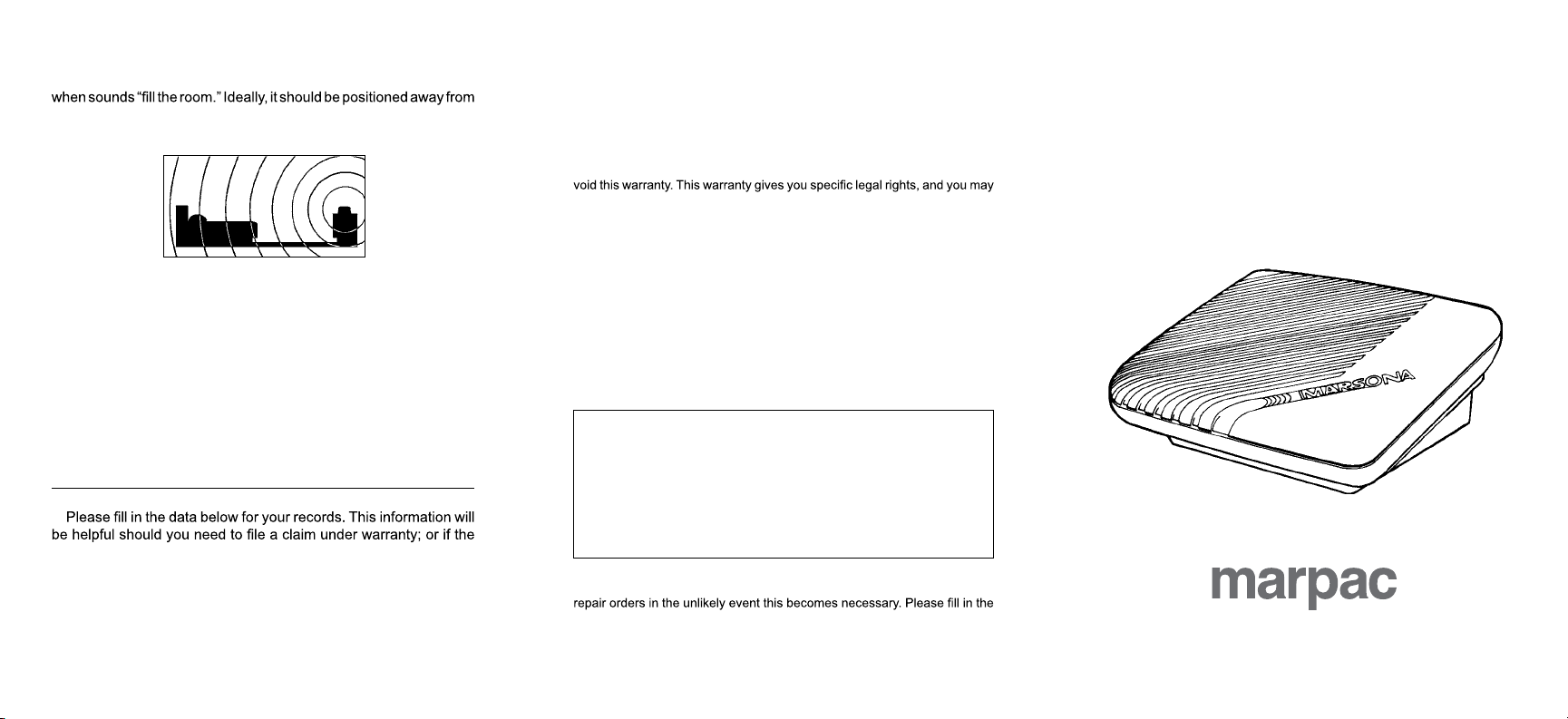
PLACEMENT
The placement of the sound conditioner becomes most effective
the user as illustrated below. This positioning allows for maximum
effectiveness in controlling unabated, disturbing noises.
LIMITED ONE YEAR FACTORY WARRANTY
Marpac warrants this product, to the original purchaser, to be free of
defects for a period of one year from the date of purchase. The limited
warranty covers all parts and/or workmanship against defects or breakage
in normal intended use. The warranty does not cover any damage caused
by accidental dropping, rough handling or misuse of the product; including
tampering or the application of electrical power other than that given on the
serial number label. Altering or tampering with the Serial Number will also
also have other rights which vary from state to state.
Information and Instructions
THE MARSONA® TSC-330
SOUND CONDITIONER
PHYSICAL AND ELECTRICAL SPECIFICATIONS
Size: 5-5/8”(L) x 4-1/8”(H) x 2-1/4”(D)
(14.17 x 10.48 x 5.72 cm)
Weight: 1.2 pounds (.54kg) (including transformer)
Material: ABS Plastic
Electrical: External, wall mount transformer
(UL, CSA, TUV, CE, etc.)
Normal household current (adapted to 9-12V DC)
6 foot cord (1.83 m) with 2.5 x 5.5 mm power plug
Speaker: 3 inch (7.62 cm), 8 ohm
need for repair should arise beyond the warranty period.
Product Name ________________________________________
Model No. _______________ Serial No. ___________________
Date Purchased __________ Registry Card Mailed __________
A) WITHIN THE WARRANTY PERIOD - Return the product to us, postage
IF YOU NEED SERVICE
paid, for a no charge repair or replacement at our option. Please include
some form of proof-of-purchase. In cases where your sound conditioner
was received as a gift, please record the date you received the gift,
the name and location (if possible) of the store or catalog from which
the unit was purchased.
B) BEYOND THE WARRANTY PERIOD - Return the product, postage
paid, for repair at a reasonable cost. Describe what appears to be the
problem. Standard repair costs are available by calling 910-602-1421
or 800-999-6962.
For complete instructions on returning your unit to us,
please visit our website:
www.marpac.com
and scroll down to the “policies” section.
If you do not have internet access, please call us
toll-free at 800-999-6962
during regular business hours.
The completion and mailing of the Registry Card will register you as owner
of this Marpac product. It will assist us in processing warranty claims and
Serial Number, your name, address and date of purchase. Answers to the
remaining questions are appreciated since this information is used by Marpac
to help provide superior products and services to our valued customers.
P/N 2530330
A PRODUCT BY
since 1962
Pioneers in Sound Conditioning
MADE IN THE U.S.A.
www.marpac.com
Page 2
VOL.
OPERATING THE TSC-330
WHITE SOUND OFF SURF
RA
SIDE PANELS
GENERAL INFORMATION
Congratulations on your purchase of the Marsona®
Conditioners available today. Taking a few moments
to read this information will help you become familiar
with its operation and use.
The TSC-330 utilizes solid state technology to create
“white sound” emulating Rain/Waterfall and Surf to
help mask or greatly reduce the effects of unwanted,
uncontrollable noise. Where extreme quiet is prevalent,
and the slightest noise can be disturbing, the TSC-330
can contribute a level of comfortable, ambient sound.
Compact in size for travel convenience, and big on
sound, the TSC-330 is ideal for the person on the
move, helping create a familiar sound environment at
home or on the road.
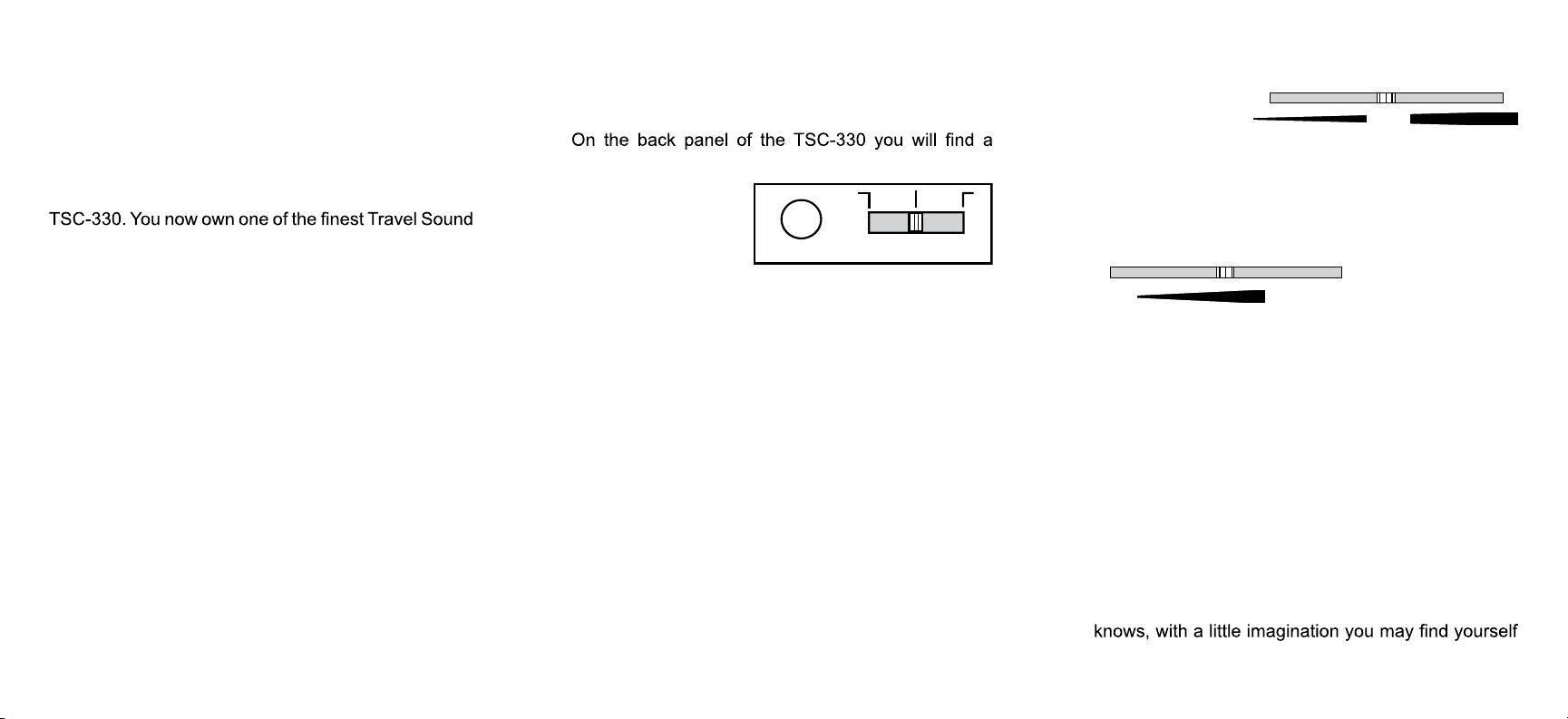
BACK PANEL
small recessed area
containing a power
input jack and a three
position slide control.
PO WER INPUT
First insert the 2.5mm
x 5.5mm plug of the transformer cord into the power
input jack; then plug the transformer into an appropriate
household type electrical outlet. Located to the right of
the power input jack is a three position sound selector,
on/off slide control. As indicated by the legend, the
center position is OFF. Sliding the switch control button
to the left will activate the WHITE SOUND, sliding it to
the right will activate the SURF sound. You may not
notice an immediate difference as you change from
White Sound to Surf because the sound source for
these settings is the same. After a few seconds you
will notice the soft modulation of gentle waves when
the Surf setting is selected. The White Sound setting
produces a continual, adjustable range of sound for
greater noise masking requirements.
The volume control is located on
the right, underside panel of the TSC-330. Sliding
the volume control toward the wide end of the arrow
indicator will increase the volume level. Sliding this
control to the opposite or pointed end of the arrow will
decrease the volume level.
Located on the
I N W ATERF ALL
left, underside
panel is a combination slide control. When operating
the TSC-330 in the WHITE SOUND mode, this control
is used to move between Rain and Waterfall creating
a wide variation of sound between the two settings.
This control also functions as the tone control for the
SURF setting. Sliding the control toward the wide end
of the arrow will increase the bass response of the
Surf; moving it in the opposite direction will add more
treble or “splash” to the waves.
Some minor experimenting with sound selection and
control positions will almost always produce the sound
best suited to your noise masking requirements. Who
in a tropical paradise.
 Loading...