

Page 1
Operating Instructions for
Split Type Air Conditioning
Firstline model FAC12407CH
Functions ................................................................................................................... 2
General Overview ...................................................................................................... 3
Remote Control Layout .............................................................................................. 3
Preparatory Works ..................................................................................................... 3
Guide to using the Air Conditioning Unit and Remote Control. .................................. 3
Adjusting the direction of airflow. ............................................................................... 3
Programming Start/Stop functions ............................................................................. 3
Operation of Unit without Remote Control.................................................................. 3
Cleaning and Maintenance ........................................................................................ 3
General Observations ................................................................................................ 3
Mark White Air Conditioning Installations Page 1 of 10
Phone: 966719362 : 647171531
Web: markwhite.supanet.com
Email: [email protected]
Page 2
Functions
• [Microprocessor Functions]
All functions are controlled via the remote control which regulates the temperature and
ambient humidity automatically .
• [Fan Speeds]
The ventilation speed of the internal unit is adjustable in four positions: Auto/
High/ Medium/ Low.
• [Programming Start and Stop]
The unit can be programmed to start and stop over any 24 hour period.
• [Night mode for energy saving]
This function can be used to control the ambient temperature automatically to give a
comfortable environment while economising on energy.
• [Silent Operation]
The design of the unit has enabled the flow of air to pass through the units, only
producing a minimum sound interference.
[Automatic Airflow Adjustment]
The flow of air can be guided to reach each part of the room by selecting Automatic
adjustment.
.
[Direct Access]
Airflow can be directed and held at a specific angle if required
Mark White Air Conditioning Installations Page 2 of 10
Phone: 966719362 : 647171531
Web: markwhite.supanet.com
Email: [email protected]
Page 3
General Overview
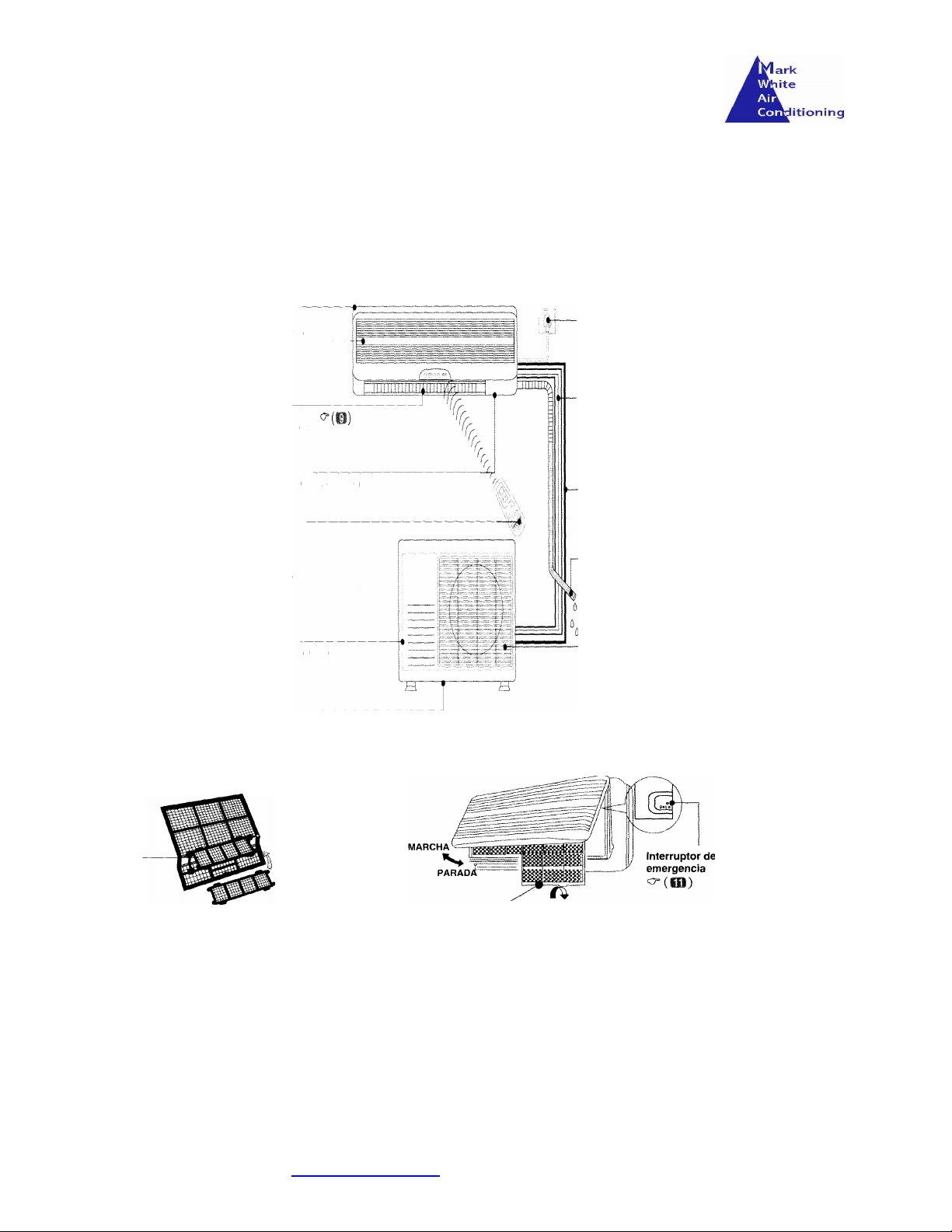
This Air conditioning system is known as a ‘split type’ and consists of a internal and external unit controlled via a
remote control
Interior
unit
Air Intake
Air
Outlet
Power
Cable
Refrigerant
Tubes
Status
Panel
Remote
Control
Exterior Unit
External Drain
Air filter
Cable
Connectio
ns
Condensatio
n Tube
Air
Outlet
Mark White Air Conditioning Installations Page 3 of 10
Phone: 966719362 : 647171531
Web: markwhite.supanet.com
Email: [email protected]
Page 4
Remote Control Layout
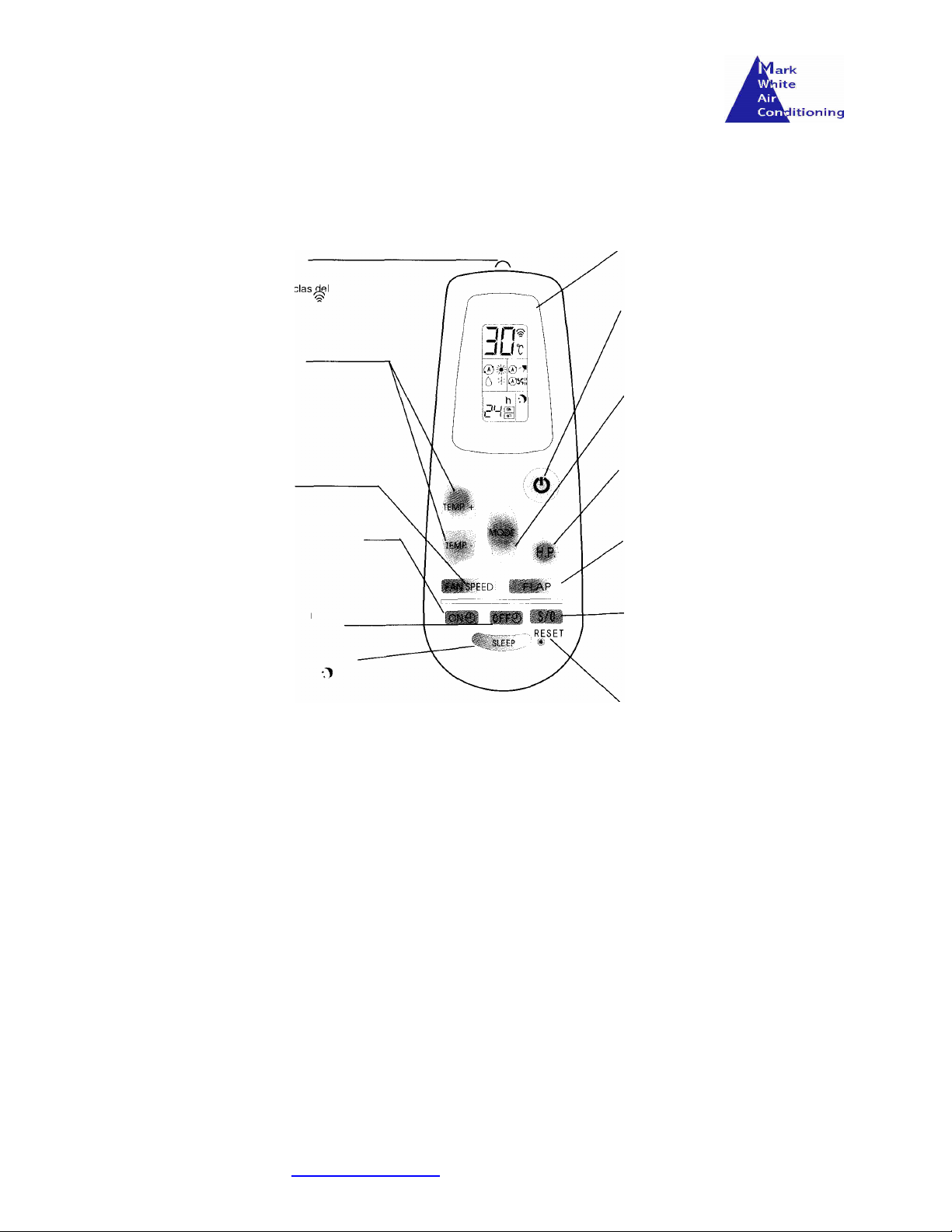
Functions of the Remote Control
Signal transmission
Temperature
adjustment keys +/-
Fan Speed
Program Start
Program Stop
Selects Night Operation
LCD Screen
Indicates the selection controls
Start/Stop key
Pres this key to start the unit. Pres
again to stop the unit
Mode selection
Press this key to select the mode
of operation (heat/cold/ventilation &
dehumidify)
High Power Function
Use this key to make the unit
work its maximum capability.
Flap Adjustment
Allows the modification for angle
of flap for the interior unit.
Programmer Adjustment
This key is used to adjust the
hour the unit is started or
stopped.
Reset button
Mark White Air Conditioning Installations Page 4 of 10
Phone: 966719362 : 647171531
Web: markwhite.supanet.com
Email: [email protected]
Used when the batteries are
changed
Page 5
Preparatory Works
Transmission
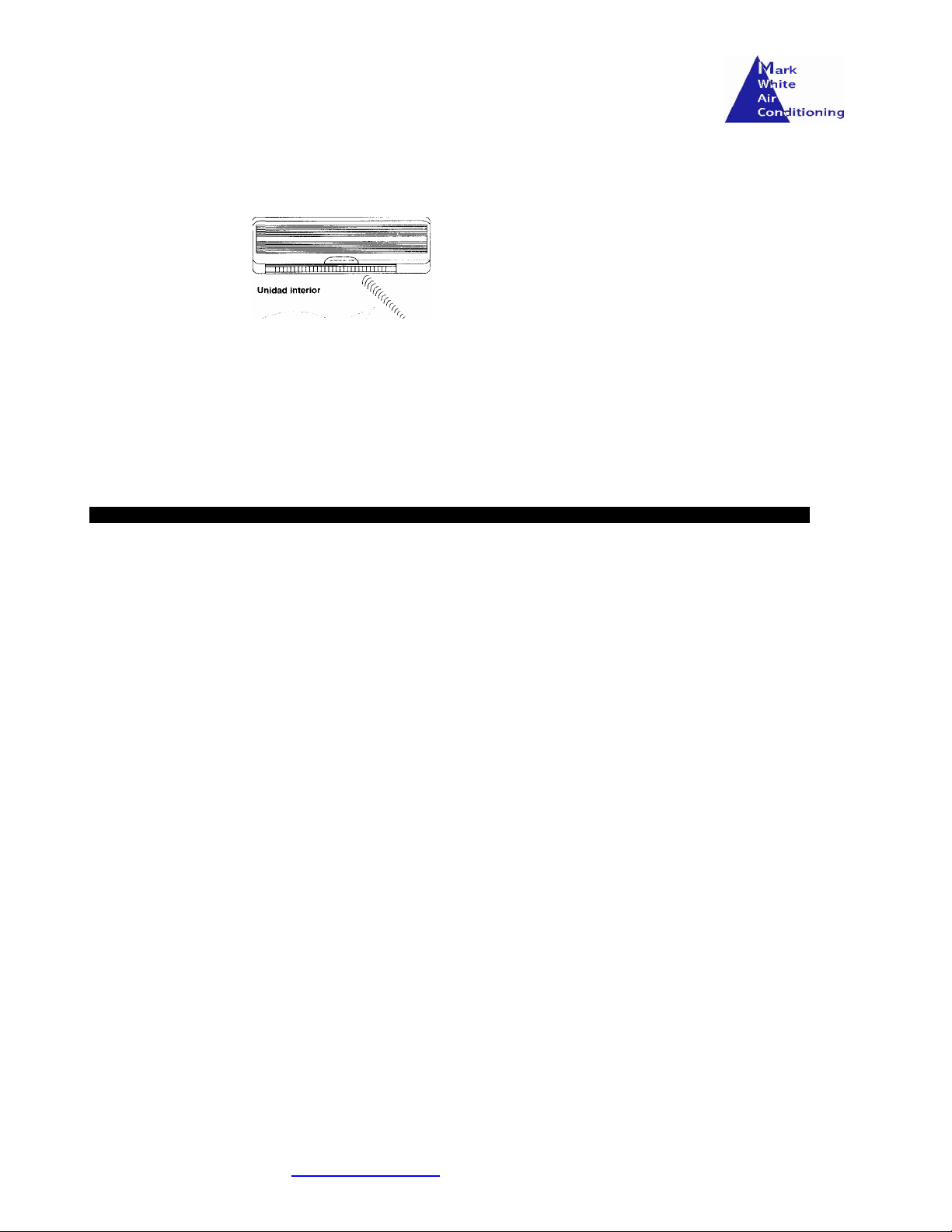
Make sure the batteries have been placed in the remote control. Point the remote control at the interior unit.
The remote control can be used up to a distance of 8m when pointing at the front panel of the internal unit.
Precautions during the use of the remote control
• Never permit children to play with the remote control.
• The remote control should be used to switch on and off the unit rather than unplugging the unit.
• Avoid using radio equipment (e.g. mobile phones) in the vicinity of the interior unit as some radio signals could affect
the control and settings.
• If there appears to be a problem with the remote control.
o Turn off the unit either by remote control or disconnect the power supply at the plug.
o Wait several minutes, reconnect the power and try the remote again.
o Replace the batteries in the remote control.
• Remove the batteries from the remote control if you don’t plan to use the unit for a long time.
• Avoid placing the unit in an environment subjected to strong magnetic forces.
Precautions in relation to the use of batteries
• The batteries should be placed in the remote control in relation to the polarity, make sure the terminals (+)/(-)
correspond to the batteries.
• Never use batteries that show signs of leakage.
• Never mix batteries of type, age or different loads.
• Do not throw used batteries on a fire.
• Always keep batteries out of children’s reach.
• Do not use rechargeable batteries.
Mark White Air Conditioning Installations Page 5 of 10
Phone: 966719362 : 647171531
Web: markwhite.supanet.com
Email: [email protected]
Page 6
Guide to using the Air Conditioning Unit and Remote
Control.
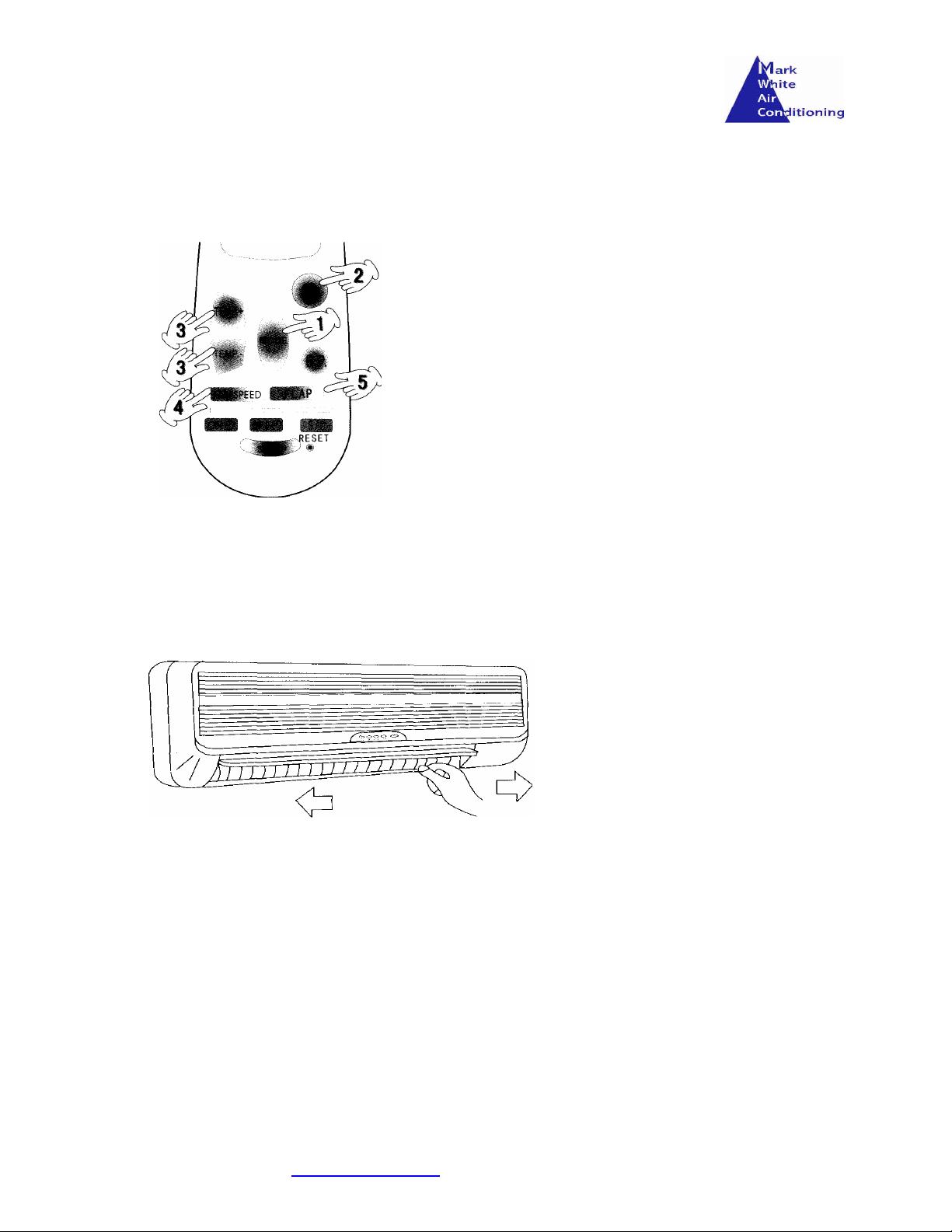
1. Select the MODE you wish the unit to function. There four
options available :- Normal fan, Dehumidification, Heating,
Cooling.
2. Press the power switch to turn on the unit.
3. Press the TEMP keys to adjust the temperature required. Margin
of adjustment is Min 16C - Max 30C.
4. The FAN SPEED has four settings :- Auto, High Speed, Half
Speed and Low Speed.
5. The FLAP button can be used to control the angle of air
distribution.
Adjusting the horizontal direction of airflow.
Air direction can be adjusted in two ways.
Horizontal Adjustment
Adjustment can be made manually by directing the fins left and right.
When in Cooling and Dehumidification mode, it is recommended to avoid extreme air direction Left
and Right and/or Up and Down, as there is a risk of the unit forming condensation on the fins and
dripping to the floor.
Mark White Air Conditioning Installations Page 6 of 10
Phone: 966719362 : 647171531
Web: markwhite.supanet.com
Email: [email protected]
Page 7
Adjusting the vertical direction of airflow.
Vertical Adjustment
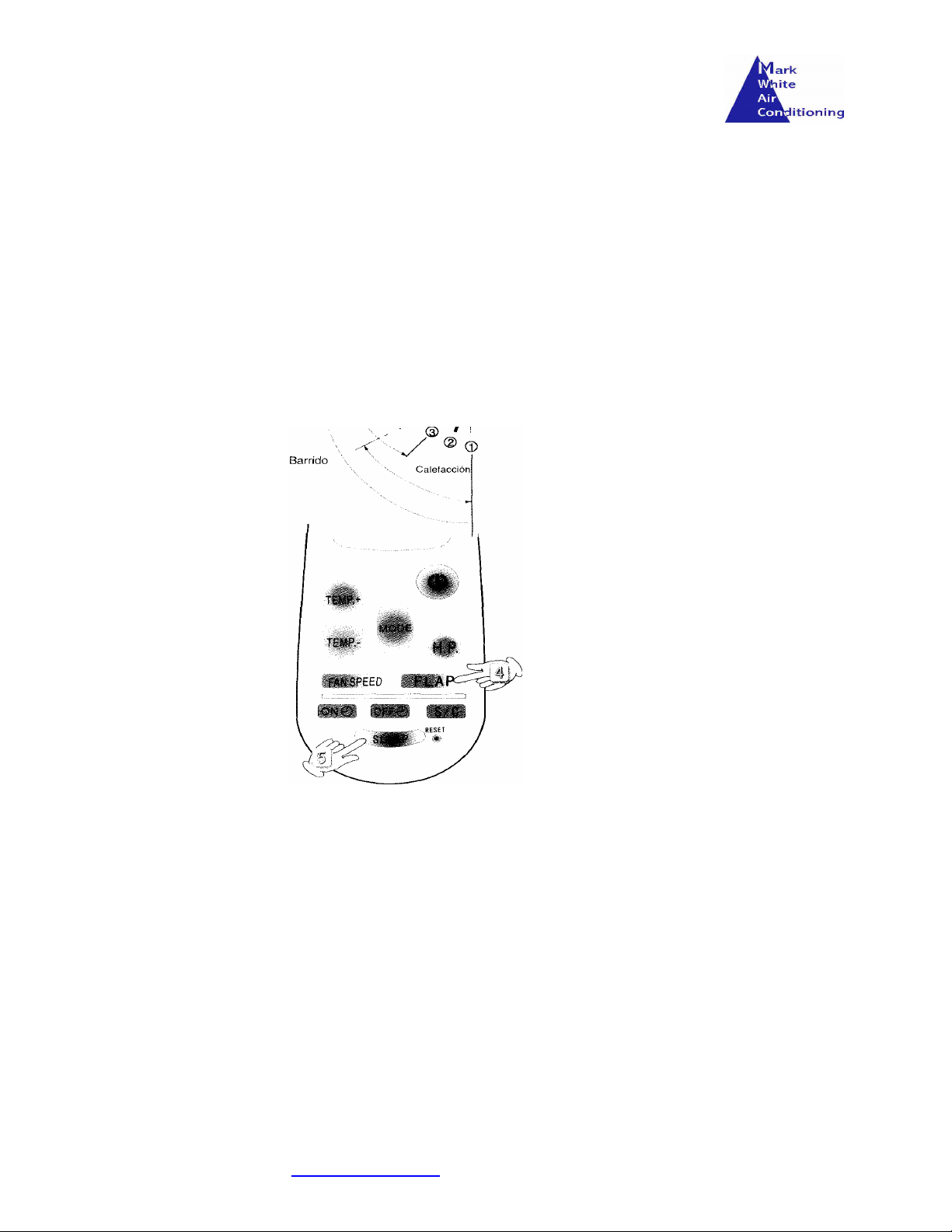
Adjustment can be made automatically using the Remote Control FLAP button
Automatic adjustment can be selected to provide an even temperature within the whole room.
Alternatively, the air flow can be set to a specific direction
Night Time/Sleep selection
SLEEP mode is used to economise energy while still enjoying the benefits from the unit providing an ambient temperature
necessary for a comfortable nights sleep.
Selecting HIGH POWER
Selecting the H.P. button forces the unit to operate to its full potential, in heating, cooling or dehumidification. High Power
can be selected for a maximum of 15 mins and then return to its normal operation. This is done to protect the unit.
To disable the H.P. function, press the button again. You may notice a noise difference in the tubes connecting the indoor
and outdoor units.
Mark White Air Conditioning Installations Page 7 of 10
Phone: 966719362 : 647171531
Web: markwhite.supanet.com
Email: [email protected]
Page 8
Press the
S/C
key. The
ON
symbol should disappear from the LCD screen
.
Programming Start/Stop functions
The unit can be programmed to start and run for a specific duration or programmed to wait for a specified time before starting.
The procedure for setting the start and run program.
Programming
Start Function
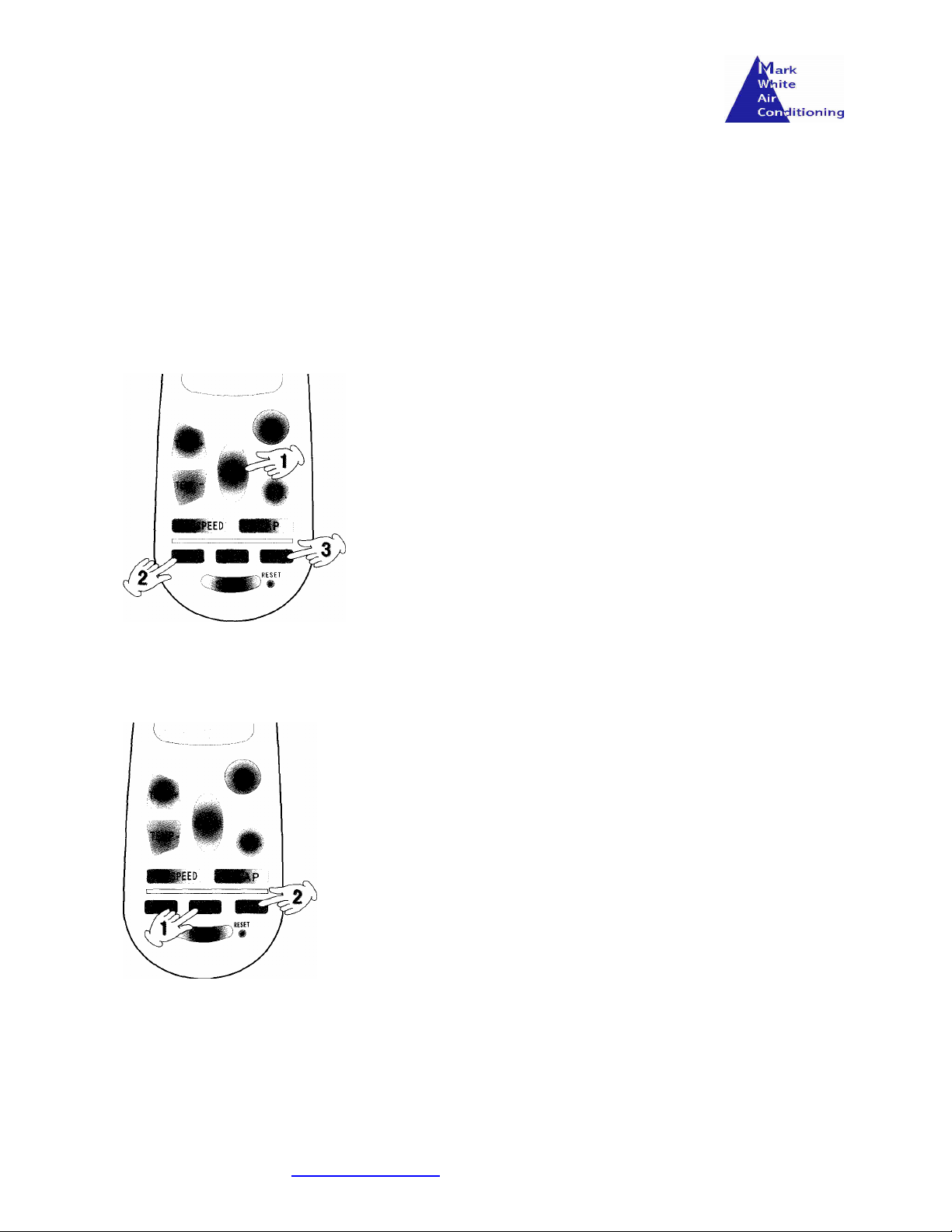
• Select the MODE, TEMP, FAN SPEED & FLAP required
• Press the ON button and the ON symbol should appear ‘blinking’ in
the LCD screen.
• Starting from then, any further pressing of the key will increase the
unit duration by one hour.
• Once required duration has been reached, press the key S/C key and
the ON symbol should stop ‘blinking’.
• The unit should run for the specified time.
Programming wait function
To Cancel the programming
The procedure for setting the wait and then run function.
• Select the MODE, TEMP, FAN SPEED & FLAP as required.
• Press the OFF button and the OFF symbol should appear
‘blinking’ in the LCD screen.
• Starting from then, any further pressing of the key will increase the
unit wait duration by one hour.
• Once required wait duration has been reached, press the key S/C
key and the OFF symbol should stop ‘blinking’.
• The unit should run after the specified wait time has been
reached.
To Cancel the programming
Press the S/C key. The OFF symbol should disappear from the LCD
screen.
Mark White Air Conditioning Installations Page 8 of 10
Phone: 966719362 : 647171531
Web: markwhite.supanet.com
Email: [email protected]
Page 9
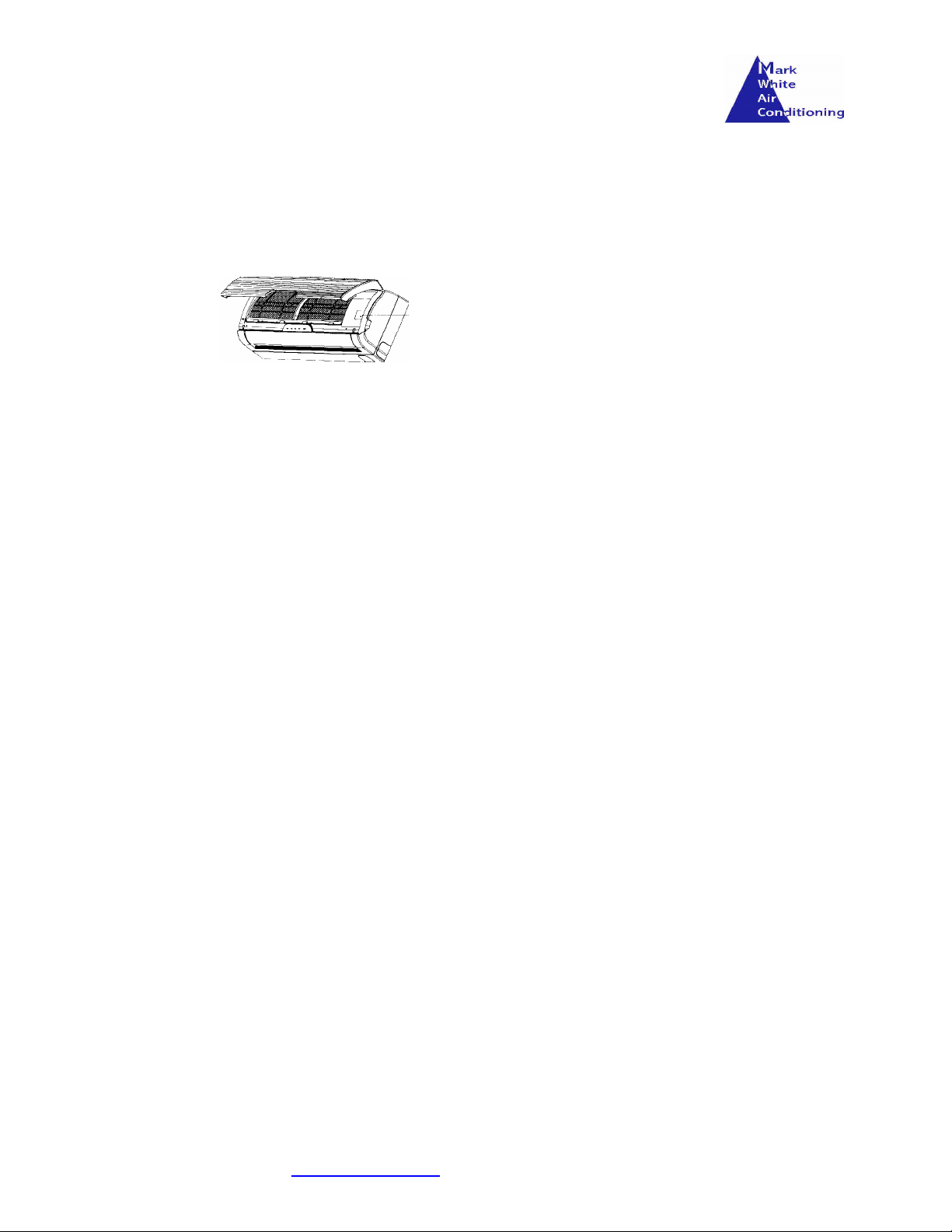
Operation of Unit without Remote Control
A manual switch has been included in the unit in case problems are encountered with the remote control. In normal cases
the remote control should always be used. However, if the remote has been lost or can not be used for some reason then
the units can be started or stopped using the following steps.
To open the inside unit
Open the grill and the emergency switch can be found inside.
The unit will adjust to the most appropriate function given the ambient
temperature of the environment.
To stop the unit , press the ON/OFF switch and the unit should stop
immediately. Try to use the ON/OFF switch sparingly as its designed
only to be used in emergencies
Cleaning and Maintenance
Cleaning the main body of the unit
Clean the interior unit and grill using a vacuum cleaner and soft clean cloth. Stains can be removed by using soft liquid detergent.
Take care not to damage any of the elements and dont let any liquid detergent or water to penetrate into the unit or damage or
electrocution could occur.
Be careful cleaning metallic parts as these can be sharp, especially the fins.
Only consider leaning the outside of the unit. The cleaning of all internal parts should be trusted to a professional.
Cleaning the Air Filter
During the seasons in which the unit is used frequently, the air filter located behind the grill should be cleaned every fifteen days
or the unit may not run efficiently.
The procedure for cleaning is :Open the grill and remove the filters by pushing up slightly, lift out and then down.
Use a vacuum cleaner to remove any accumulations of fine dust.
If the filters are very dirty, wash them with lukewarm soapy water and dry them with a soft cloth.
Replace the filters by reversing the procedure of removal.
Replacing the Air filters
When the unit is used frequently, the air filters may need to be replaced to ensure optimum efficiency.
Use the same procedure as above, replace the filters (available at Carrefour).
Mark White Air Conditioning Installations Page 9 of 10
Phone: 966719362 : 647171531
Web: markwhite.supanet.com
Email: [email protected]
Page 10
4. Batteries in Remote Control
4. Replace Batteries
5. The Thermostat is adjusted
General Observations
Cooling
Heating The unit is designed to provide heat in winter by extracting heat from the external air. In
The operational temperature of this unit is between 16°C and 30°C
The interior fan will always continue rotating even if the desired temperature has been
reached and the condenser unit has stopped.
extremes of outside temperature this potential may be reduced.
Expansion/
Contraction
During Heating or Cooling, some plastic pieces could expand or contract due to the
variation on temperature. This phenomenon is normal and disappears after some
instants.
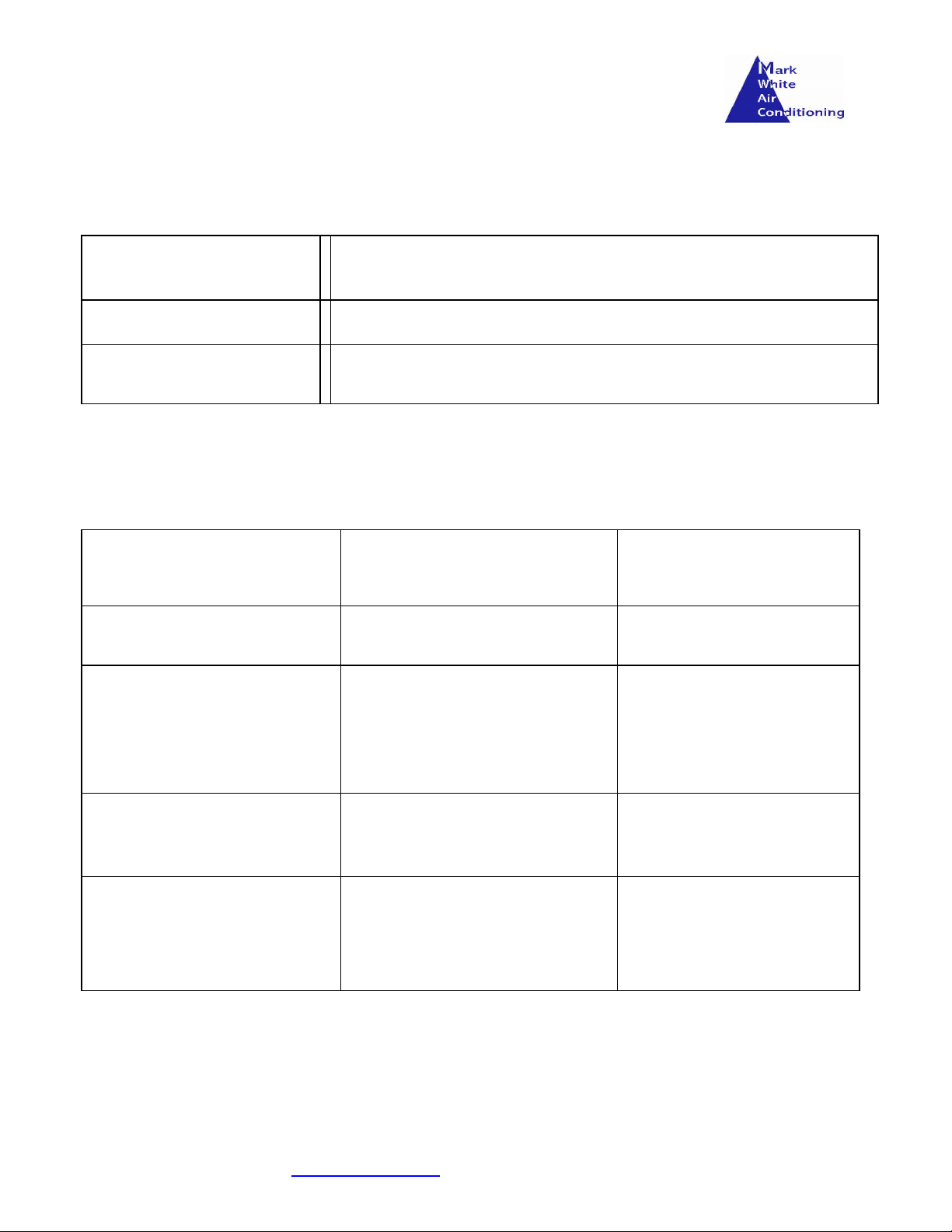
Problem Description Possible cause Solution
The Air Con unit doesn’t work at
all.
The Compressor works but very
frequent
Incorrect Heat/ Cooling/ Humidity
Noises inside the unit can be
heard.
1. No Power to the unit
2. Voltage too low
3. Switch has been set to off
Something in front of the external
unit
1. Air filter dirty or obstructed.
2. Presence of source of heat or too
many people in the room.
3. Doors or Windows open.
4. Obstacle in the vicinity of air
inlet/outlet.
During Heating and Cooling some
plastic pieces can expand and
contract due to the abrupt variation
in temperature.
1. Restablish power
2. Contact Electrician
3. Switch On
Remove the obstacle
1. Clean the filter to improve
circulation.
2. Eliminate the source of
heat
3. Close them to impede flow
of heat/cold
This is normal and should
disappear in a short while.
The interior fan does not work 1. Remote Control too far away
Mark White Air Conditioning Installations Page 10 of 10
Phone: 966719362 : 647171531
Web: markwhite.supanet.com
Email: [email protected]
from unit.
2. The operation of heating has just
begun
1. Reduce the distance or
point at the unit
2. This is normal at the start
of a heating cycle to prevent
cold air being blown in from
outside.
 Loading...