

Page 1
MAN-709040-UM-0308-01
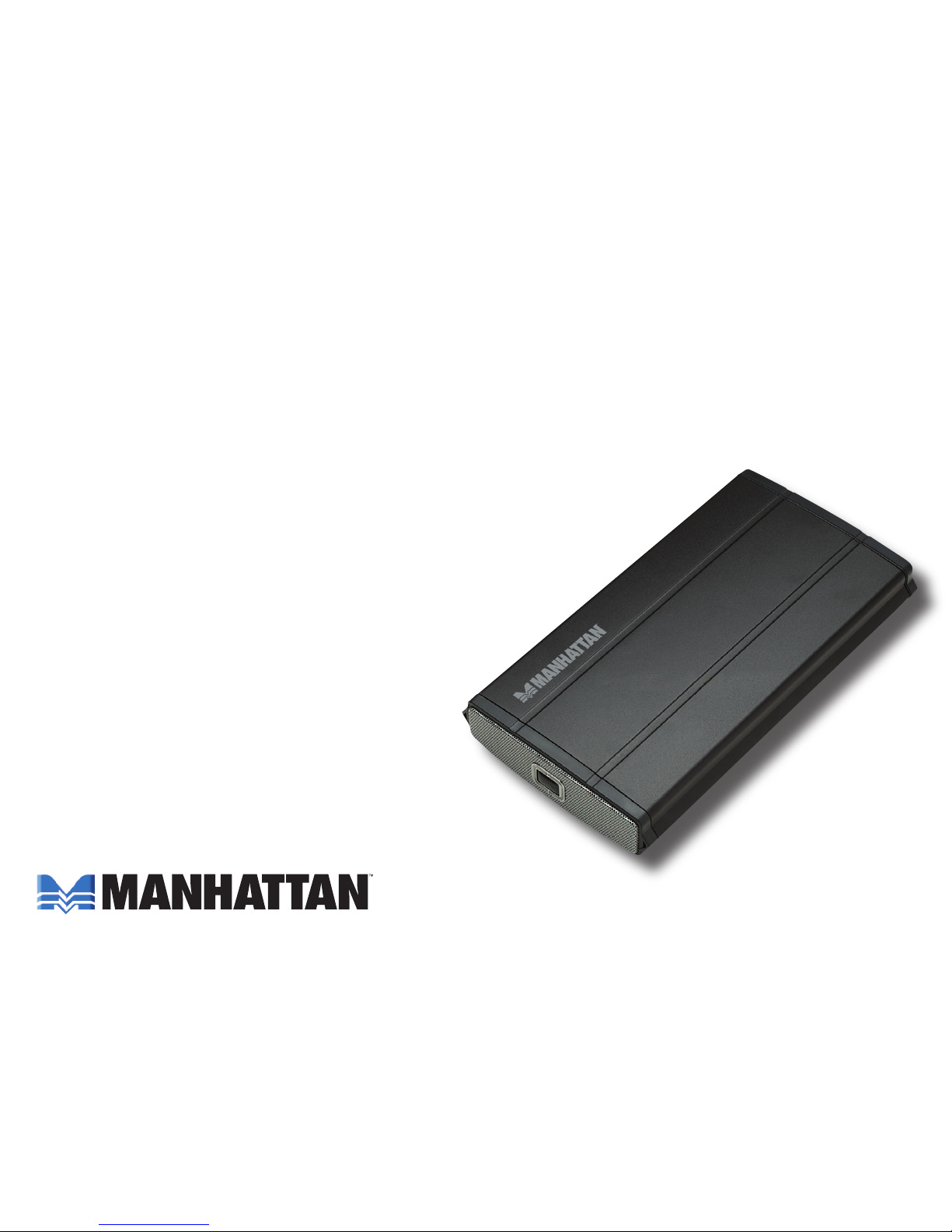
eSATA, 3.5”
ExTErnAl
EncloSurE
uSEr MAnuAl
MODEL 709040
Page 2

2
Thank you for purchasing the MANHATTAN® eSATA, 3.5” External Enclosure, Model 709040.
Fully SATA-capable and equipped with eSATA I-type ports, the chipset-free design quickly transfers
data without conversion between SATA-enabled systems. Just install an idle, unused drive to
create new and productive storage solutions. Additional features:
• Supports SATA data transfer rates up to 3 Gbps
• Lightweight, compact design ideal for portable storage
• Sturdy aluminum case protects drive and facilitates cooling
• Fits standard 3.5” SATA drives with easy, quick installation — includes rear-mount power switch
• Windows and Macintosh compatible, Plug and Play, hot swappable
• Lifetime Warranty
Package contents:
• External Enclosure
• eSATA and power adapter
• User manual and stand
System requirements:
• eSATA-enabled PC or Macintosh
• Available eSATA port
• Windows 2000/XP/Vista or Mac OS 10.x and above
Page 3
3
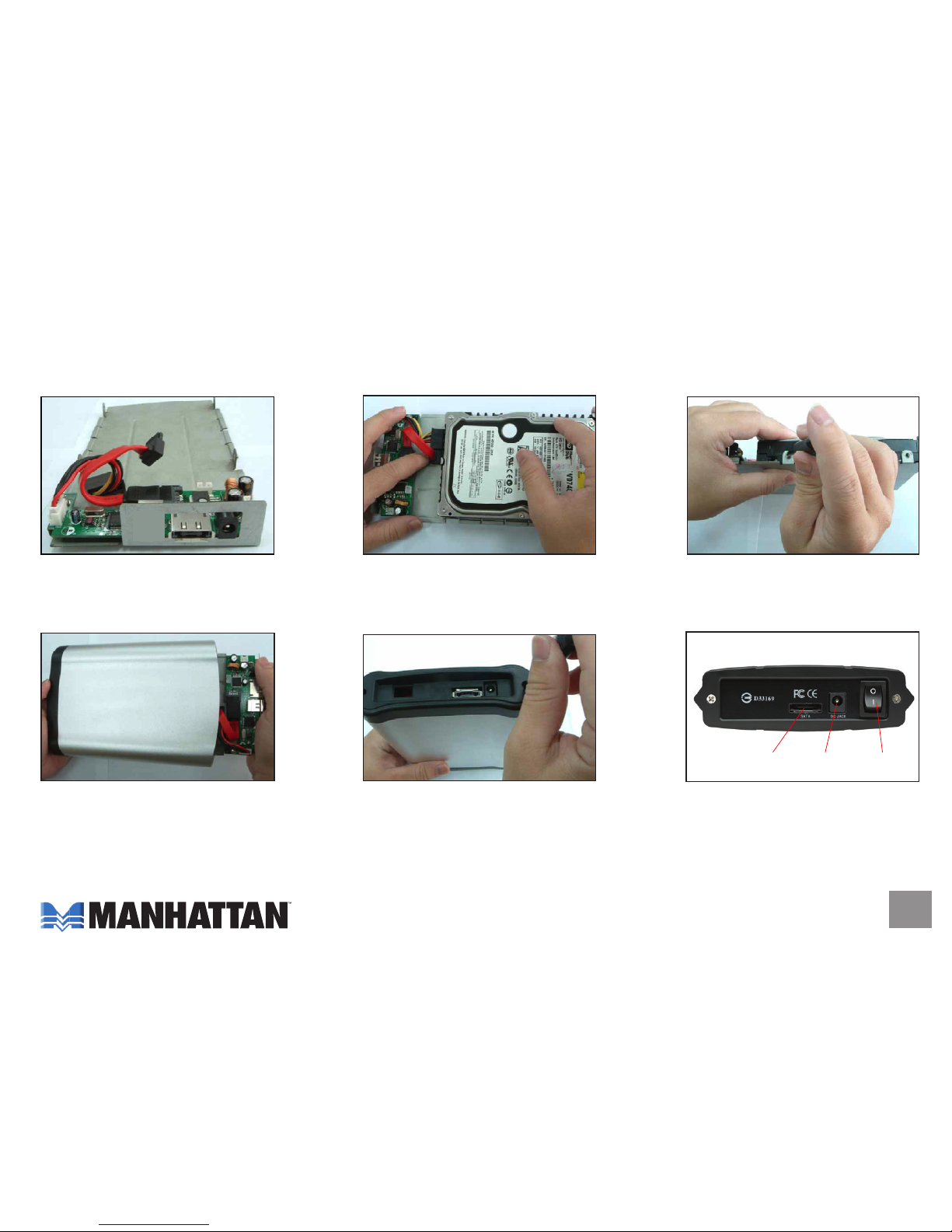
hArdwArE inSTAllATion
NOTE: Images are for example only. Actual positions of switches or connectors may vary slightly.
1. Open the enclosure.
2. Connect the power and
SATA cables to the HDD.
3. Tighten the sides screws
to secure the HDD.
4. Slide the connected hard
disk drive inside the external
enclosure.
5. Replace and tighten the two
retaining screws to secure
the rear panel.
6. Connect the external
cables.
eSATA
port
12 V DC
in
On/Off
Page 4
4
SofTwArE inSTAllATion
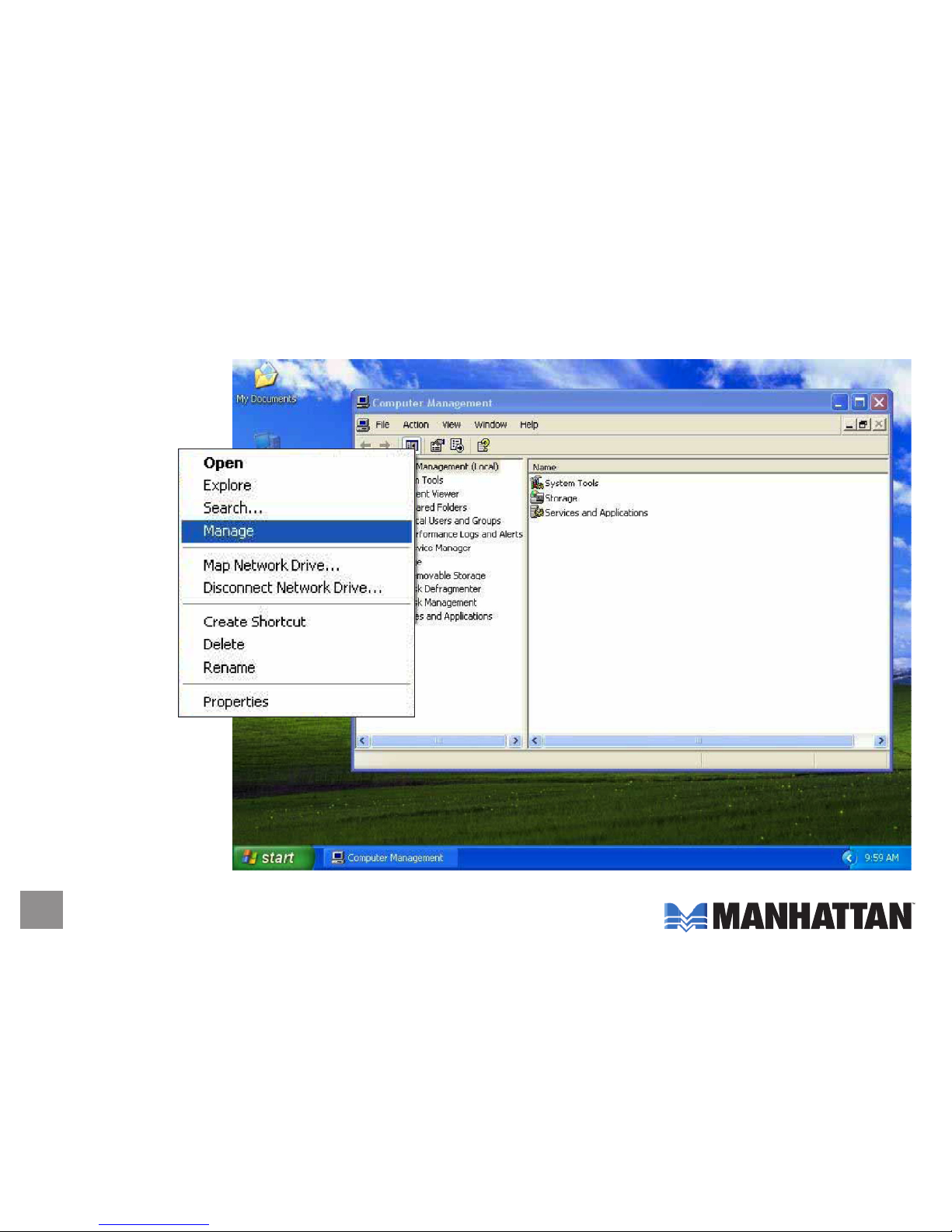
Windows 2000/XP
1. Click on the My
Computer
icon; click
"Manage"
to initialize
the hard
disk drive.
Page 5
5
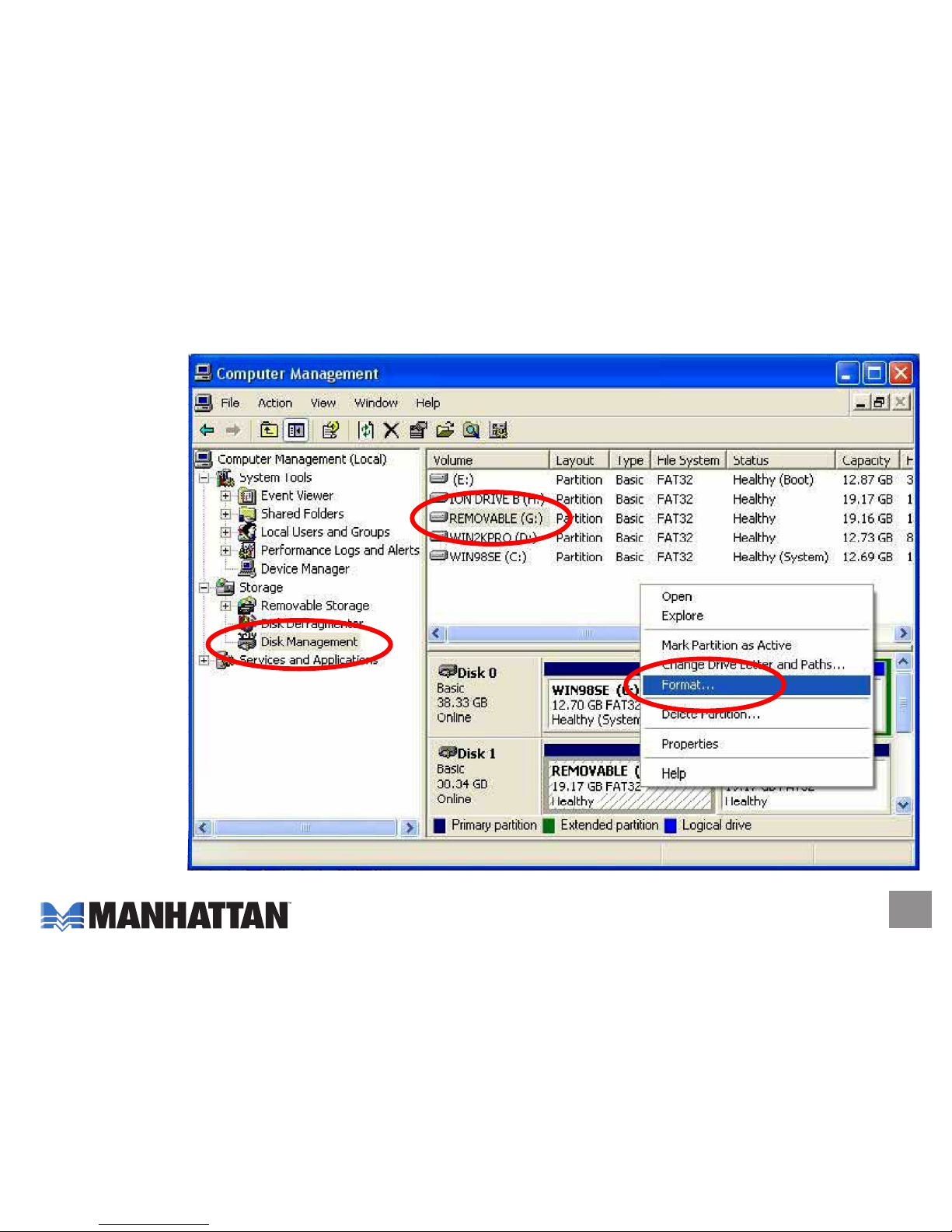
2. Click "Disk Management," then click "Removable Disk," then click "Format."
Page 6
6
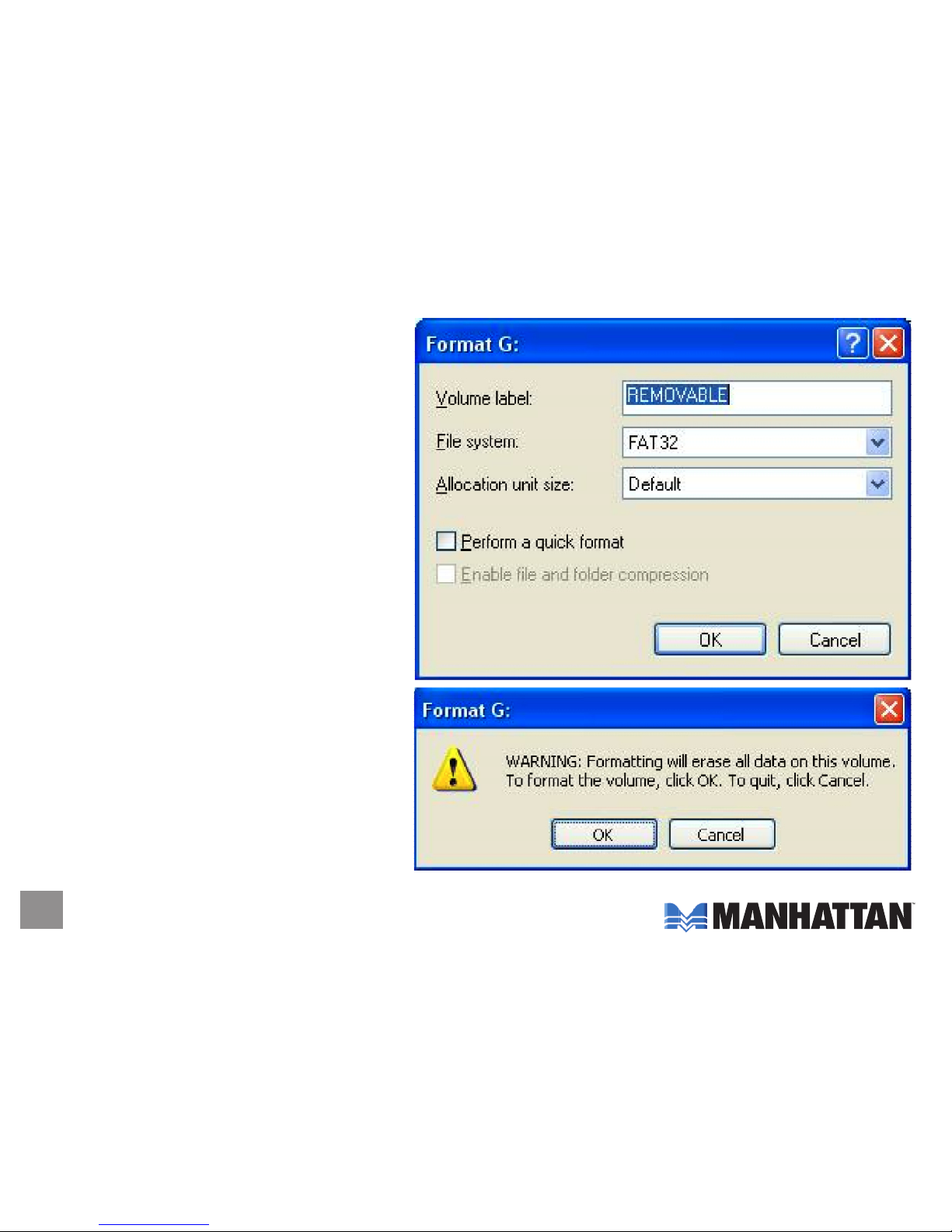
3. Confirm that "Removable" and "FAT32"
are entered/selected in the "Volume
label" and "File system" fields,
respectively. Click "OK."
4. When the warning prompt appears,
click "OK."
Page 7
7
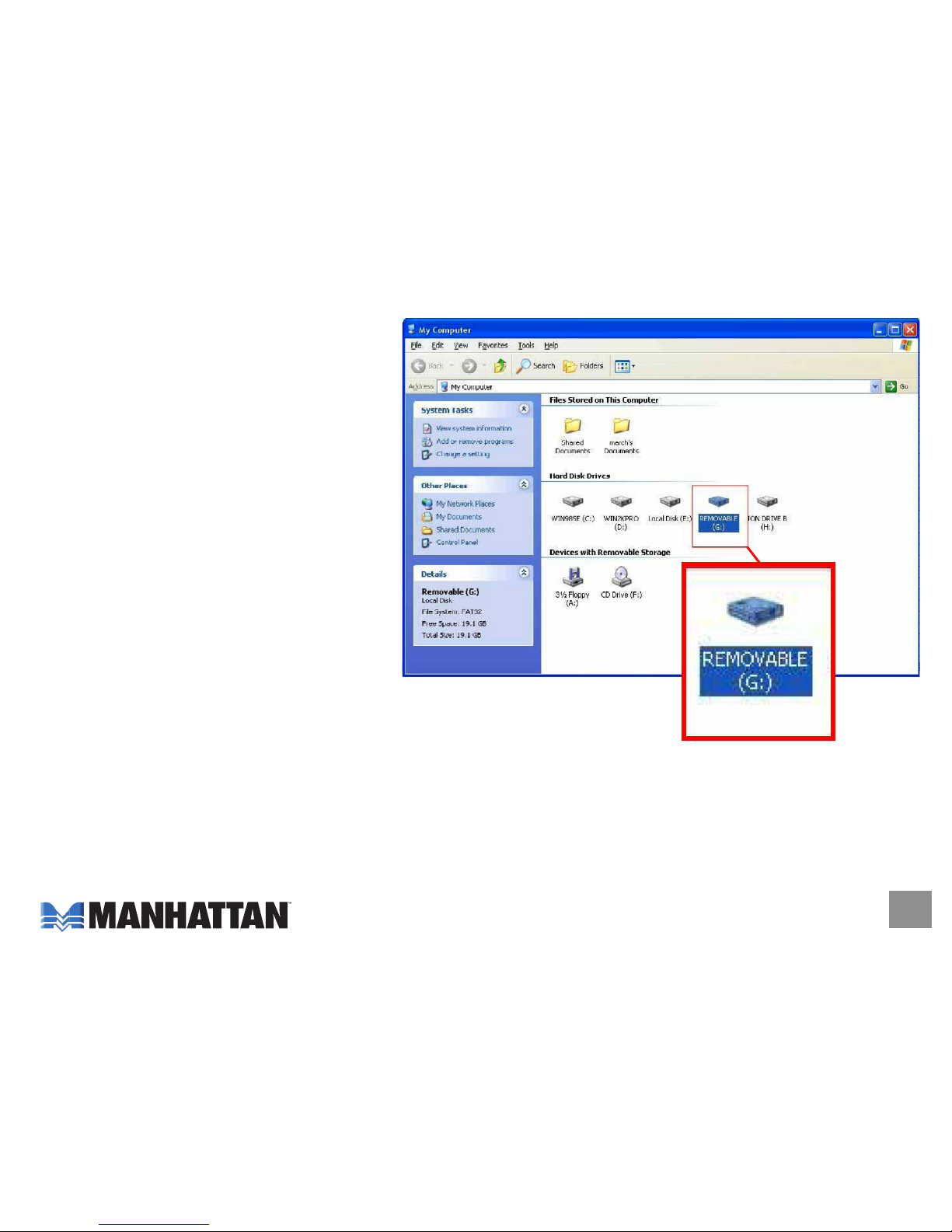
5. Click "My Computer" and confirm
that the new "Removable" icon
appears. The External Enclosure
with hard disk drive is now ready
for use.
SpEcificATionS
• SATA L-type internal data and power connections
• eSATA I-type external connections
• DC single-post power input (AC adapter included)
• eSATA I-type to I-type flat cable, 1.1 m (3.75 ft.)
• 12 V / 2 A power adapter, 1 m (3.5 ft.)
• 22.25 x 12.7 x 3.8 cm (8.75 x 5 x 1.5 in.)
• 363 g (12.8 oz.)
Page 8

www.manhatta n-products.com
Copyright © MANHATTAN
All products mentioned are trademarks or registered trademarks of their respective owners.
MANHATTAN® offers a complete line of PC Components,
Peripherals, Cables and Accessories. Ask your local computer dealer for more
information or visit us online at
 Loading...