

Page 1
MAN-702997-UM-1006-01
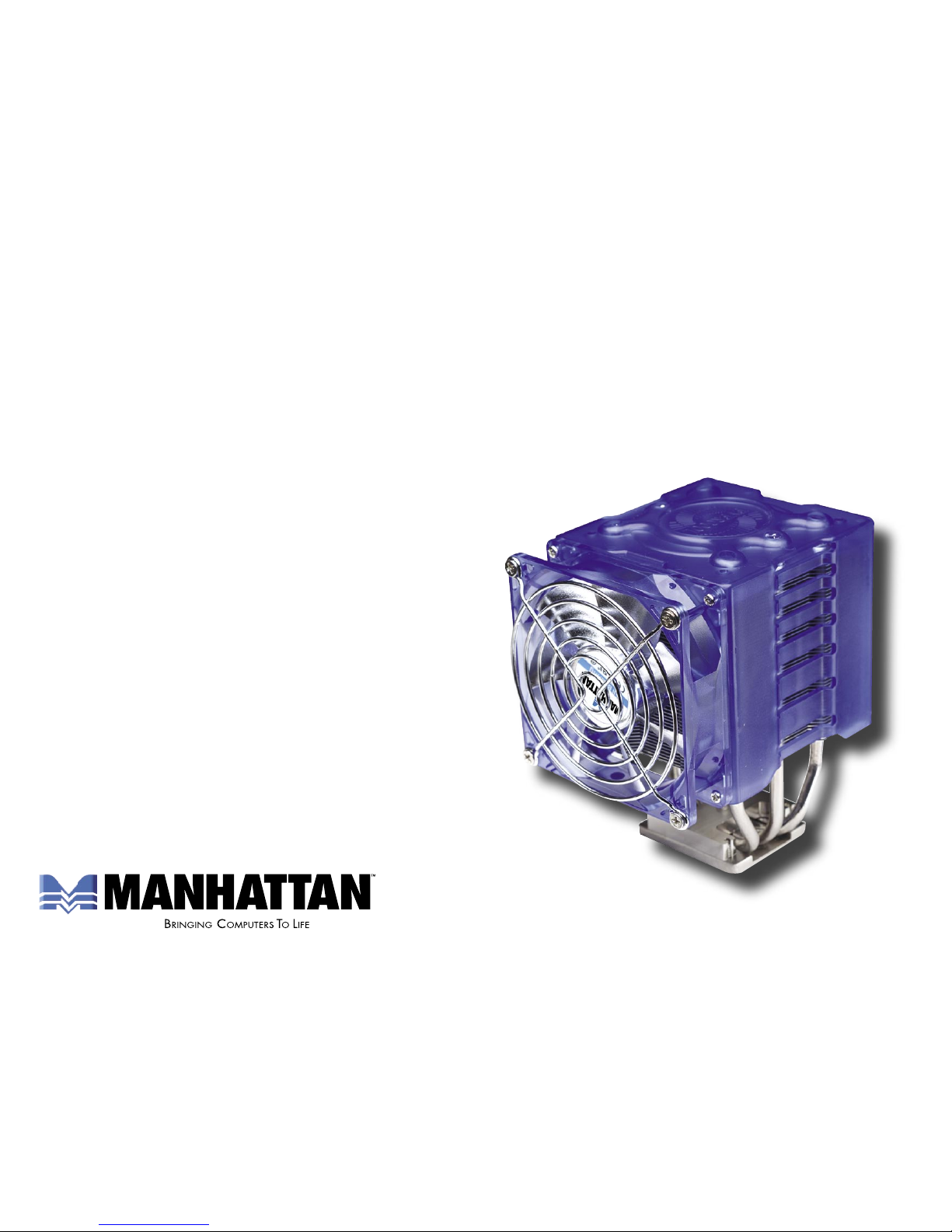
SOCKET T/478
CPU COOLER
USER MANUAL
MODEL 702997
Page 2
Thank you for purchasing the MANHATTAN® Socket T/478 CPU Cooler, Model 702997. For easy
installation, simply follow whichever of the four sets of directions below is appropriate for your device.
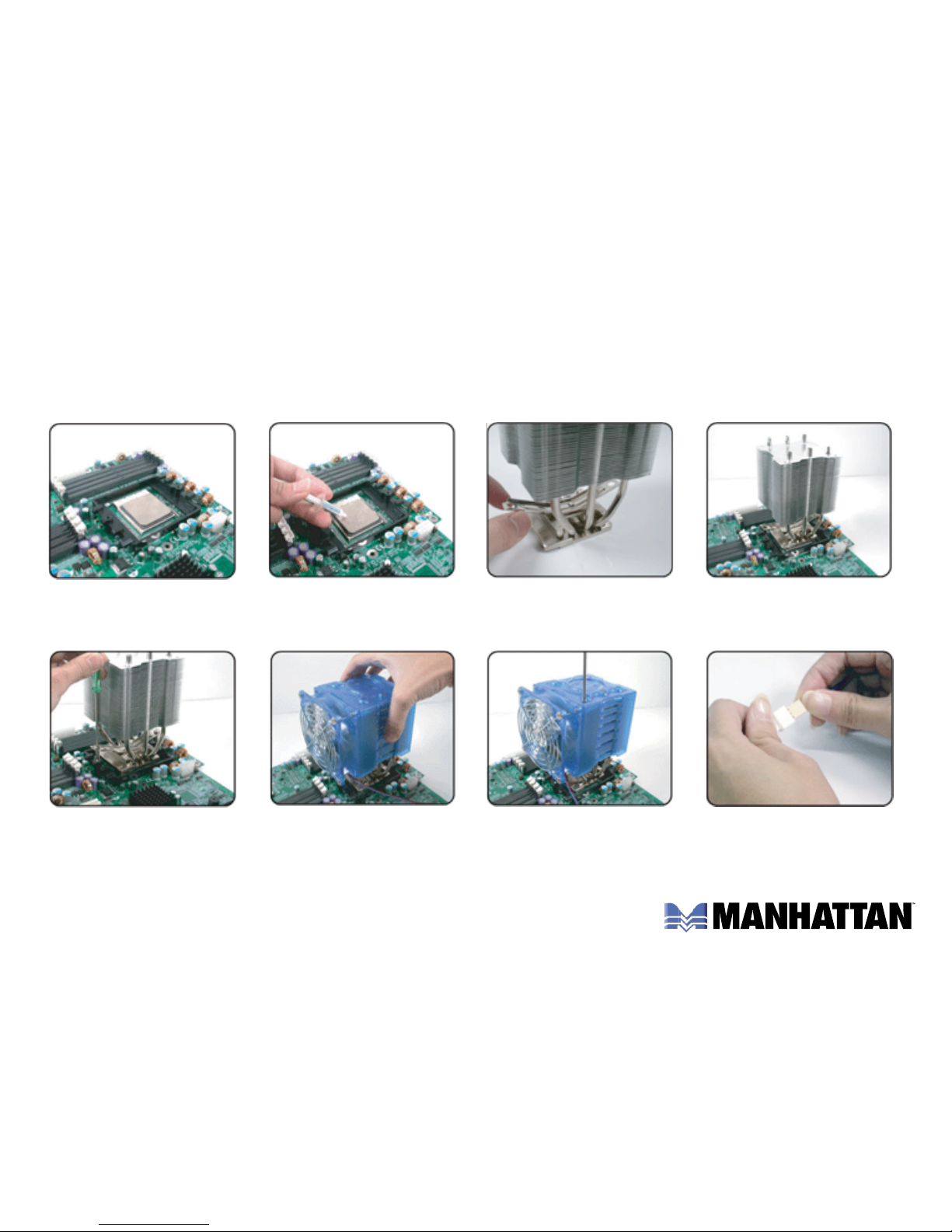
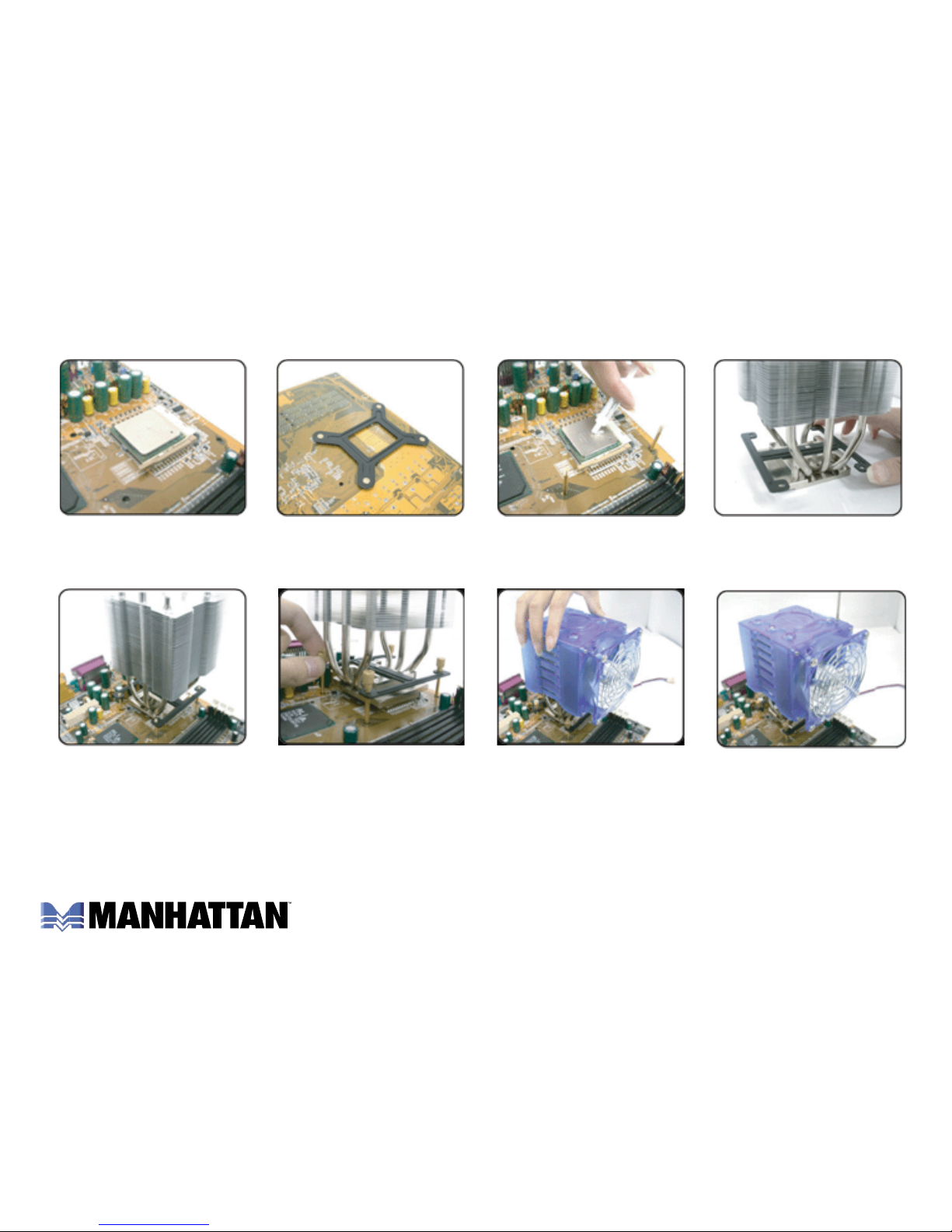
For AMD Opteron/K8 installation:
1. If applicable, remove
the original CPU
cooler.
4. Place the main cooler
unit on the CPU.
2. Apply an even layer
of thermal compound
on the CPU.
3. With the frame off, fit the
K8 clip on the metal nub
at the bottom of the unit.
5. Position screws through
the clip and retention
holder, then tighten.
6. Set the frame on the
cooler (in whichever
direction space allows).
7. Using the enclosed
screws, connect the
frame to the cooler.
8. If using a speed
controller, connect it to
the fan’s power cable.
Page 3
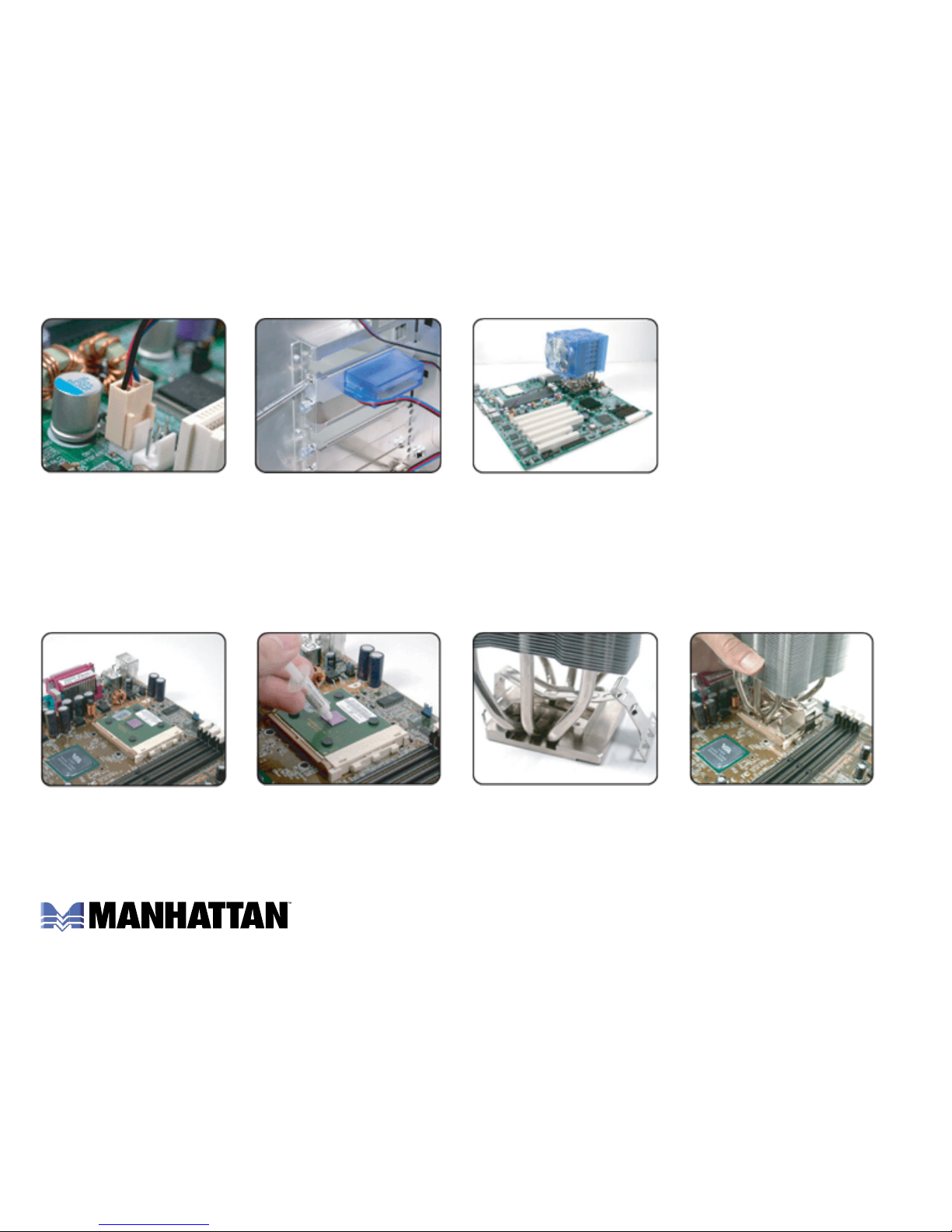
For AMD K3 & Intel Pentium 3 installation:
9. Connect the power
cable of the cooler to
the motherboard.
4. Place the main cooler
unit on the CPU.
10. If applicable, attach
the speed controller.
11. Installation is
complete.
1. If applicable, remove
the original CPU
cooler.
2. Apply an even layer
of thermal compound
on the CPU.
3. With the frame off, fit
the K7/P3 clip on the
metal nub at the bottom
of the unit.
Page 4
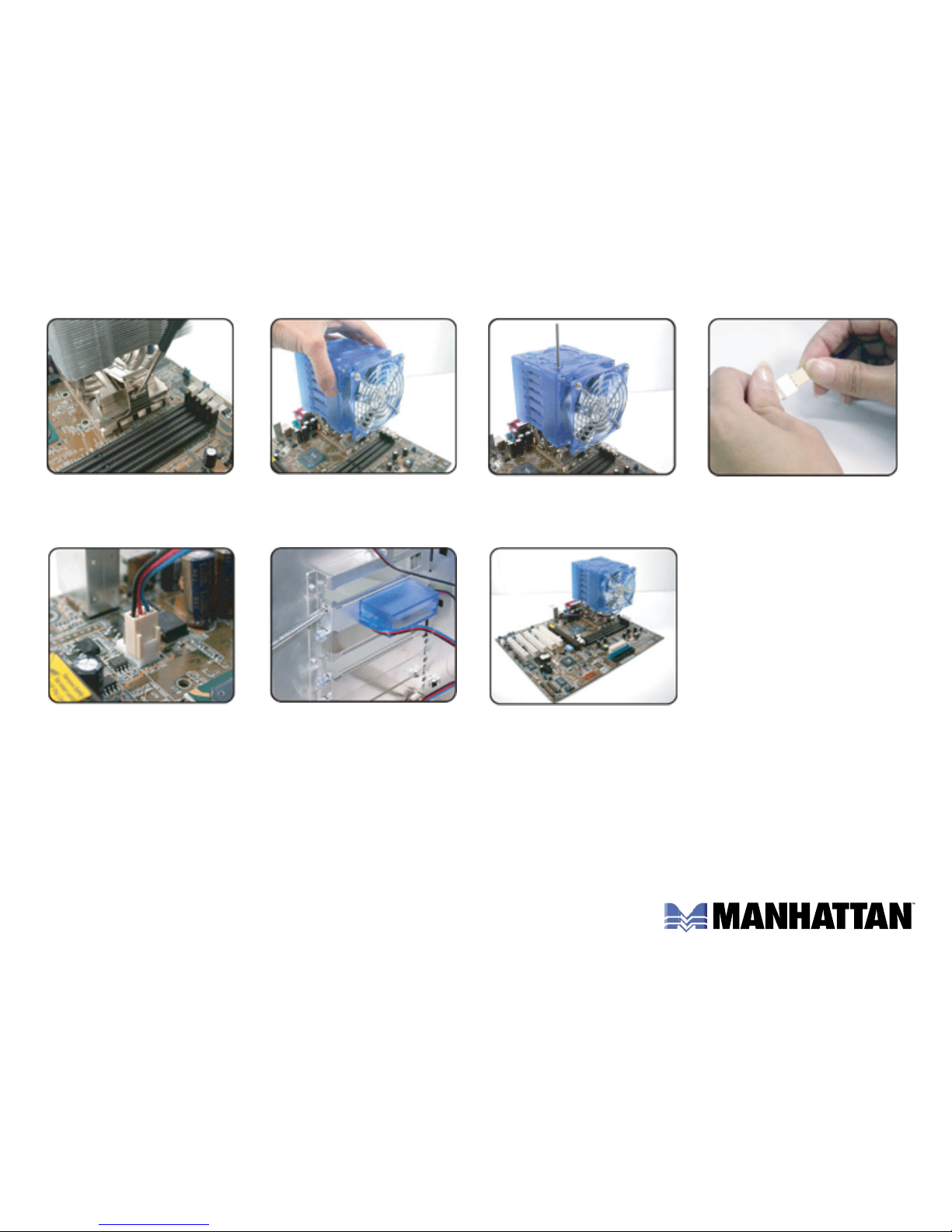
5. Position screws through
the clip and retention
holder, then tighten.
8. If using a speed
controller, connect it to
the fan’s power cable.
6. Set the frame on the
cooler (in whichever
direction space allows).
7. Using the enclosed
screws, connect the
frame to the cooler.
9. Connect the power
cable of the cooler to
the motherboard.
10. If applicable, attach
the speed controller.
11. Installation is
complete.
Page 5
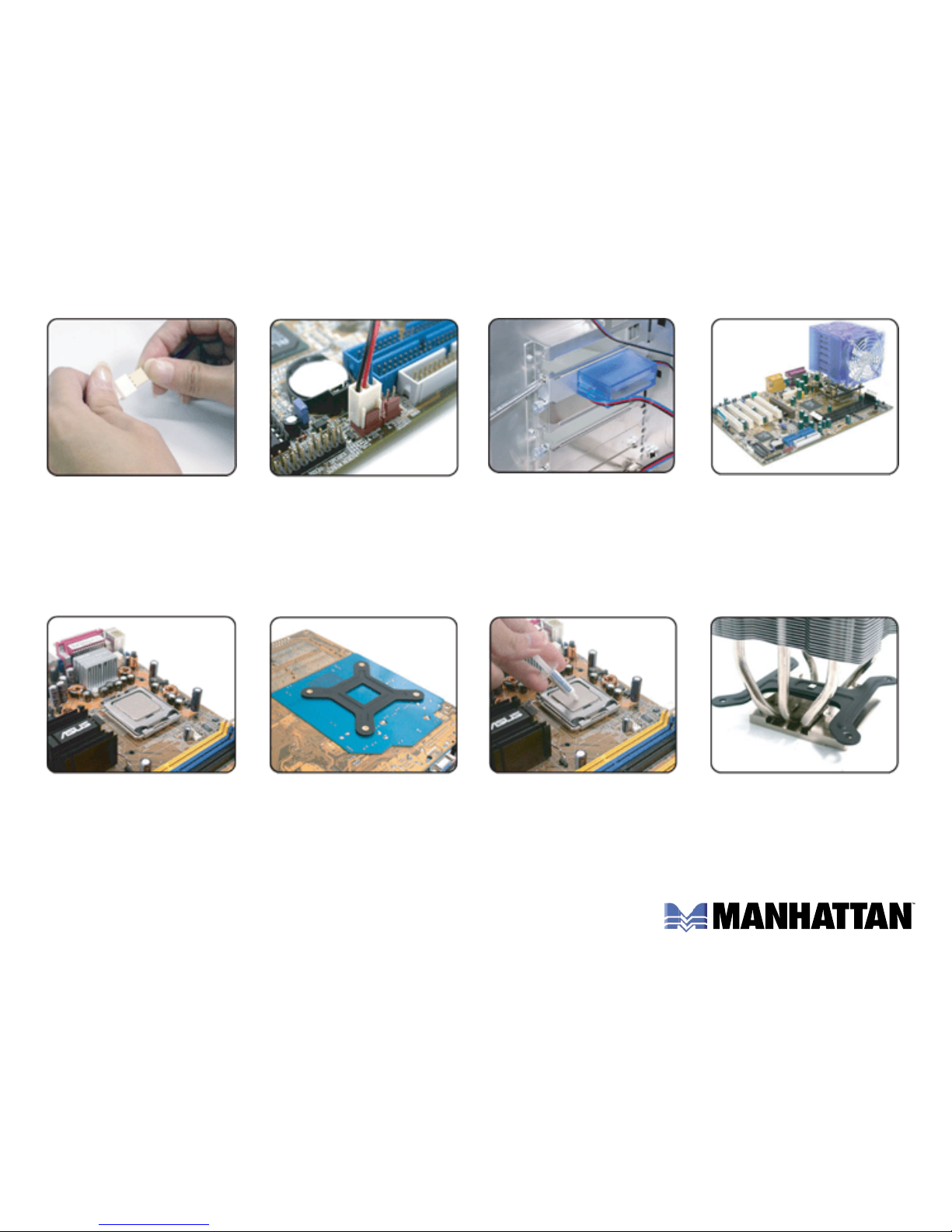
For Socket 478 Intel Pentium 4 installation:
1. If applicable, remove
the original retention
clip and CPU cooler.
4. With the frame off, fit the
P4 clip on the metal nub
at the bottom of the unit.
2. Attach the rear section
of the P4 holder to the
motherboard underside.
3. Apply an even layer
of thermal compound
on the CPU.
5. Place the main cooler
unit on the CPU and fit
the clip in place.
6. A little at a time,
tighten the clip’s
screws till they’re snug.
7. Set the frame on the
cooler (in whichever
direction space allows).
8. Using the enclosed
screws, connect the
frame to the cooler.
Page 6
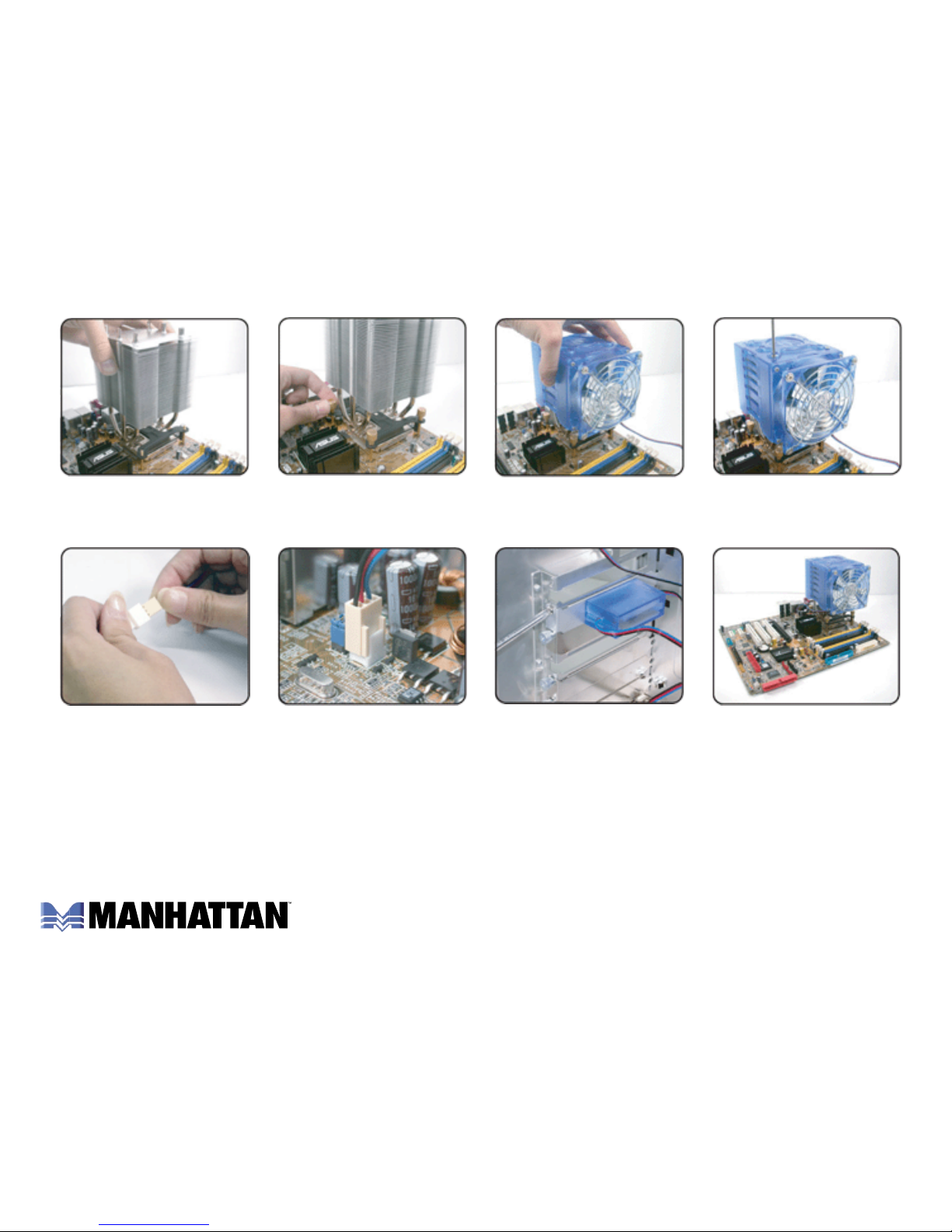
For Socket T Intel Pentium 4 installation:
9. If using a speed
controller, connect it to
the fan’s power cable.
12. Installation is
complete.
10. Connect the power
cable of the cooler to
the motherboard.
11. If applicable, attach
the speed controller.
1. If applicable, remove
the original retention
clip and CPU cooler.
4. With the frame off, fit the
P4 clip on the metal nub
at the bottom of the unit.
2. Attach the rear section
of the P4 holder to the
motherboard underside.
3. Apply an even layer
of thermal compound
on the CPU.
Page 7
5. Place the main cooler
unit on the CPU and fit
the clip in place.
8. Using the enclosed
screws, connect the
frame to the cooler.
6. A little at a time,
tighten the clip’s
screws till they’re snug.
7. Set the frame on the
cooler (in whichever
direction space allows).
9. If using a speed
controller, connect it to
the fan’s power cable.
10. Connect the power
cable of the cooler to
the motherboard.
11. If applicable, attach
the speed controller.
12. Installation is
complete.
Page 8

www.manhattan-products.com
Are you completely satisfied with this product?
Please contact your MANHATTAN
®
dealer with comments or questions.
Copyright © MANHATTAN
All products mentioned are trademarks or registered trademarks of their respective owners.
 Loading...