

Page 1
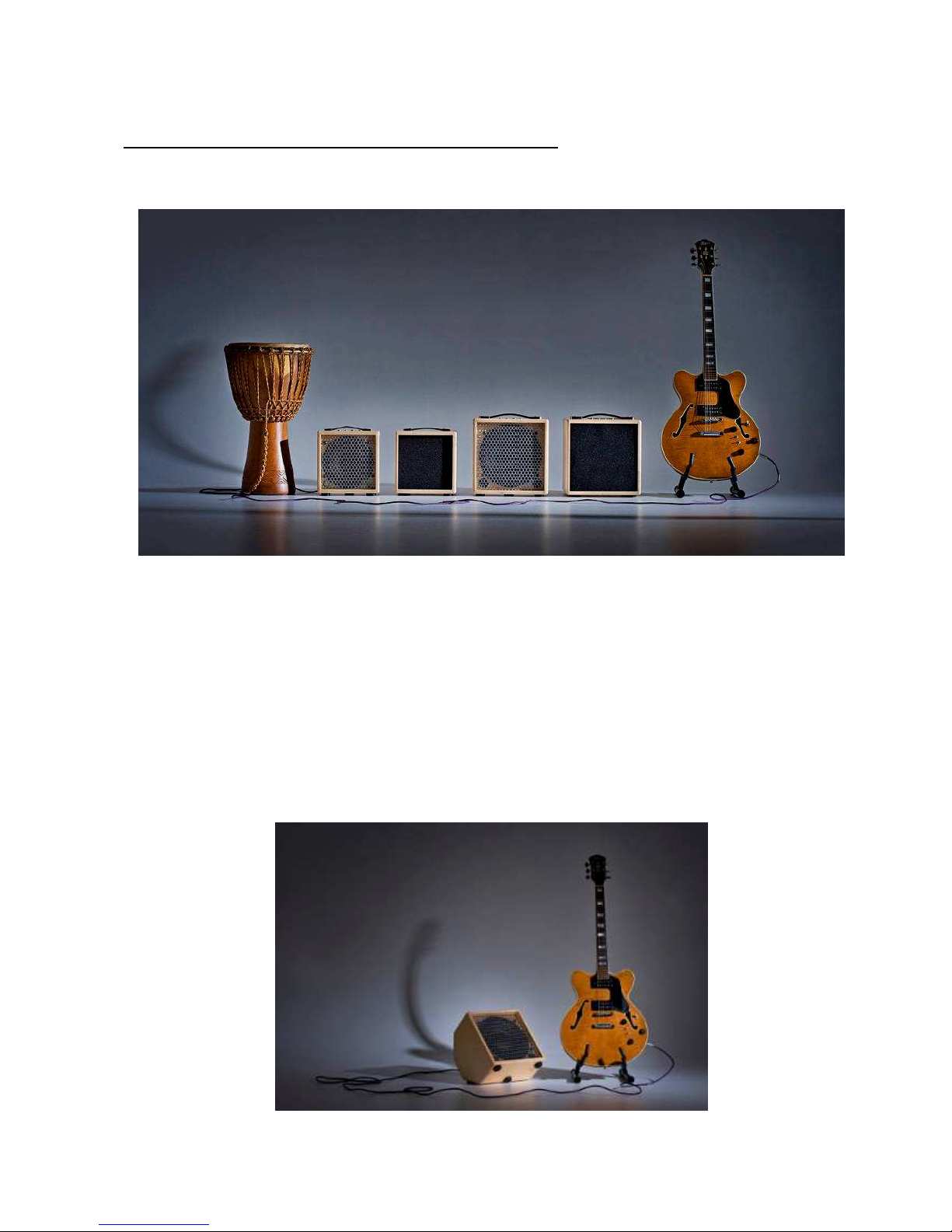
Mambo8 and Mambo 10 (single channel) user guide. issue 4, August 2012
This is a guide for the single-channel Mambo Amp. The ultra-portable Mambo8 or Mambo10.
This amp is specially designed for Jazz Guitar and other styles requiring a clear warm tone.
• very compact and portable with a warm deep tone
• powerful and loud with wide range tone controls
• built in harmonic enhancement and digital reverb
• effects loop for connecting external effects; echo, overdrive, chorus etc.
• direct output (balanced XLR)
www.mambo-amp.co.uk
1
Page 2

Using the Mambo Amp for the first time.
• Set the gain control to about half.
• Set the master volume to about half.
• Set the bass middle and treble controls to centre.
• Plug in the mains, plug in the instrument and switch on the power.
• Turn the guitar volume up to about a quarter to half.
• Start playing and adjust the master volume for a suitable volume level.
• Select the overall amp tone that suits best... deep, normal or bright.
• Adjust the tone controls to suit your taste.
• Select the harmonic setting if you want to add rich dynamic harmonics,
• or select the clean setting if you want a clean pure tone.
Volume and gain settings. Harmonics and overdrive.
• The master volume is best used to set the overall volume for the venue,
• then use the gain control to adjust the volume during playing.
• When using the harmonic setting, the guitar volume control setting will affect the level of
harmonics. If the guitar volume is set very high and you play hard you will get more
harmonics. If the guitar volume is low and you play softly the tone will be pure and clean.
This is a subtle effect and is not always immediately obvious like, for example, overdrive.
• It is sometimes possible, depending on the guitar, to overdrive the preamp when playing
hard with the guitar volume set high. If you want to stay clean, lower the guitar volume. You
may need to experiment to find the “sweet spot” for your guitar and playing style to get the
harmonics you want, depending on your style and taste and the characteristics of your
guitar.
• When using the clean setting, the guitar volume has very little effect on harmonic content
and there is a lot more headroom so that overdriving the preamp is very unlikely except
with a really loud guitar.
www.mambo-amp.co.uk
2
Page 3
Weights and measures;
Mambo 8
• cabinet size 25cm high by 25cm wide by 20cm deep (approx)
• weight 6.9 kg
• the loudspeaker is 8inch, 225W rms rated, 95 dB / Watt @ 1 metre sensitivity
• the power amplifier is rated at 180 W rms (continuous sine wave)
Mambo 10
• cabinet size 30cm high by 30cm wide by 25cm deep (approx)
• weight 8 kg
• the loudspeaker is 10inch, 250W rms rated, 97 dB / Watt @ 1 metre sensitivity
• the power amplifier is rated at 180 W rms (continuous sine wave)
Inputs, outputs and controls.
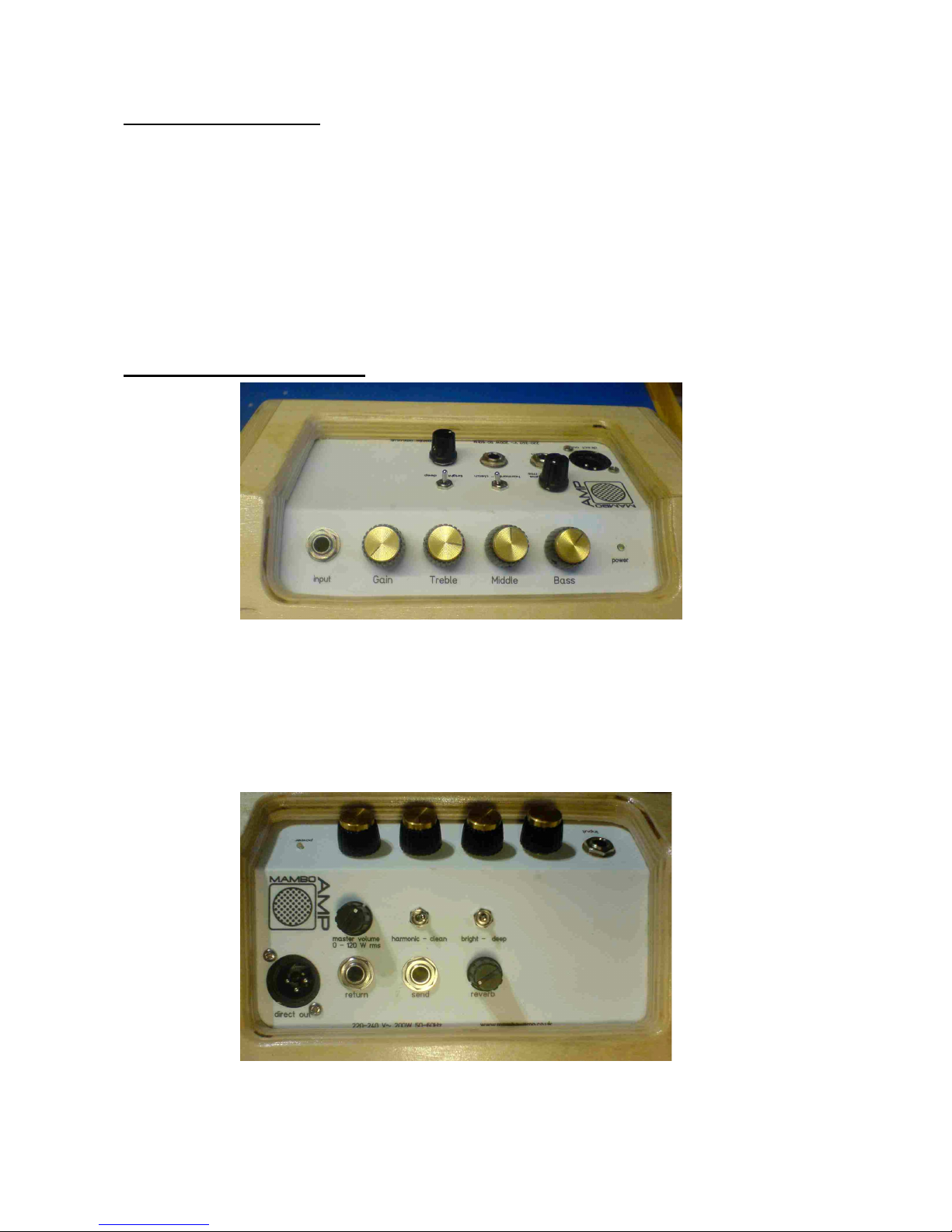
Fig. 1 top panel controls
• 1/4" mono jack instrument input
• gain / volume
• treble
• middle
• bass
• power indicator
Fig. 2 rear panel controls
www.mambo-amp.co.uk
3
Page 4

Rear panel controls. (refer to Fig. 2 on the previous page)
• master volume
• 2 position switch to choose the amp sound... pure and clean or harmonic enhanced
• 3 position switch to choose the overall amp tone... deep-normal-bright
• direct out, balanced line level male XLR
• effects loop return, line level 1/4" mono jack (can also be used as a direct in)
• effects loop send, line level 1/4" mono jack (can also be used as a direct out)
• reverb level (reverb is 24 bit digital)
Tone Controls.
The tone controls, bass, middle and treble, are active with cut and boost. The central position
is “flat”, indicated by the detent (click) in the central position of the control pot.
Fig. 3 tone control frequency response
www.mambo-amp.co.uk
4
tone controls
-15
-12
-9
-6
-3
0
3
6
9
12
15
10 100 1000 10000
frequency Hz
amplitude dB
Page 5

Overall amp tone; deep-normal-bright.
A 3 position switch gives a choice of three overall tones.
The deep setting boosts lows and cuts highs by a few dB.
Fig. 4 “deep”
The normal setting is fairly flat (-3dB bandwidth 50 Hz to 10 kHz).
Fig. 5 “normal”
www.mambo-amp.co.uk
5
"deep" tone setting (tone controls flat)
-15
-12
-9
-6
-3
0
3
6
9
12
15
10 100 1000 10000
frequency Hz
amplitude dB
"normal" tone setting (tone controls flat)
-15
-12
-9
-6
-3
0
3
6
9
12
15
10 100 1000 10000
frequency Hz
amplitude dB
Page 6

The bright setting boosts the highs and cuts the lows considerably.
Fig. 6 “bright”
Harmonic enhancement.
The harmonic enhancement setting adds a spectrum of harmonics similar to that which you
might expect from a triode valve stage. The effect is dynamic, so that the louder you play the
more harmonics are added.
The following graphs show the amplifier output with a 1 kHz sine wave input. The harmonic
enhancement distorts the sine wave asymmetrically, indicating addition of even harmonics.
This is similar to a triode valve, however the Mambo Amp adds more 2nd harmonic than you
would get with a triode valve.
Fig. 7 output waveform, harmonic setting (loud)
www.mambo-amp.co.uk
6
"bright" tone setting (tone controls flat)
-15
-12
-9
-6
-3
0
3
6
9
12
15
10 100 1000 10000
Page 7

The spectrum analysis below shows lots of second harmonic added, this makes the tone
sound richer and sweeter. The effect is dependant on the loudness of the tone, i.e. it is
dynamic.
Fig. 8 output spectrum, harmonic setting
Here the input signal is quite loud. The first peak is the fundamental (1 kHz) and the second
peak is the 2nd harmonic (2 kHz).
With a quieter input the proportion of added 2nd harmonic is reduced and the output is almost
pure and symmetrical. See Fig 9 below.
Fig. 9 output waveform, harmonic setting (quiet)
www.mambo-amp.co.uk
7
Page 8

Output power ( 1kHz , 8 Ohm Load ).
180W rms @ about 1% THD ( 8 Ohm load)
Fig. 10 output waveform @ about 1% THD
www.mambo-amp.co.uk
8
 Loading...