

Page 1

RAMAC 1.6 GHz antenna
Operating manual
Version 1.0
Page 2

www.malags.com
2
Table of Contents
_________________________________________________
1 Introduction 3
1.1 Unpacking and Inspection 4
1.2 Repacking and Shipping 4
1.3 Limited Warranty and Liability 4
2 Hardware and Start Up 5
2.1 Hardware 5
2.2 Start up 5
3 Using the RAMAC 1.6 GHz 7
4 RAMAC 1.6 GHz specifications 9
Page 3

www.malags.com
3
1 Introduction
__________________________________________________
Thank you for purchasing the RAMAC 1.6 GHz, the shielded
high frequency antenna.
Together with the RAMAC CUII control unit and the RAMAC
Monitor for data acquisition you have the entire 1.6 GHz at
hand, the high frequency concept, giving you a straightforward
one-man operated GPR system for concrete, forensic and
other high -resolution applications.
We at Malå GeoScience welcome comments from you
concerning the use and experience of this equipment, as well
as the contents and usefulness of this manual. Please take the
time to read through the assembling instructions carefully and
address any questions or suggestions to the following:
Main Office: Subsidiary:
Malå GeoScience Malå GeoScience USA, Inc.
Skolgatan 11 2040 Savage Rd, P.O. Box 80430
S-930 70 Malå Charleston, SC 29416
Sweden USA
Phone: +46 953 345 50 Phone: +1-843 852 5021
Fax: +46 953 345 67 Fax: +1-843 769 7397
E-mail: [email protected] E-mail: [email protected]
Technical support issues can be sent to: [email protected]
Information about MALÅ GeoSciences products is also
available on Internet: http://www.malags.com
Copyright© 2004 Malå Geoscience AB
Page 4

www.malags.com
4
1.1 Unpacking and Inspection
Great care should be taken when unpacking the equipment.
Be sure to verify the contents shown on the packing list and
inspect the equipment for any loose parts or other damage. All
packing material should be preserved in the event that any
damage occurred during shipping. Any claims for shipping
damage should be filed to the carrier. Any claims for missing
equipment or parts should be filed with Mala GeoScience.
1.2 Repacking and Shipping
If original packing materials are unavailable, the equipment
should be packed with at least 80 mm of absorbing material.
Do not use shredded fibres, paper wood, or wool, as these
materials tend to get compacted during shipment and permit
the instruments to move around inside the package.
1.3 Limited Warranty and Liability
Malå Geoscience warrants that, for a period of 12 months from the delivery
date to the original purchaser, Malå Geoscience products will be free from
defects in materials and workmanship. Except for the foregoing limited
warranty, Malå Geoscience disclaims all warranties, express or
implied, including nay warranty of merchantability or fitness for a
particular purpose. Malå Geoscience will repair and replace parts or
equipment which are returned to Malå Geoscience, transportation and
insurance pre-paid, without alteration or further damage, and which in Malå
Geoscience´s judgement, were defective or became defective during
normal use.
Malå Geoscience assumes no liability for any direct, indirect, speci al,
incidental or consequential damages or injures caused by proper or
improper operation of its equipment or software, whether or not
defective.
Page 5
www.malags.com
5
2 Hardware and Start Up
__________________________________________________
2.1 Hardware
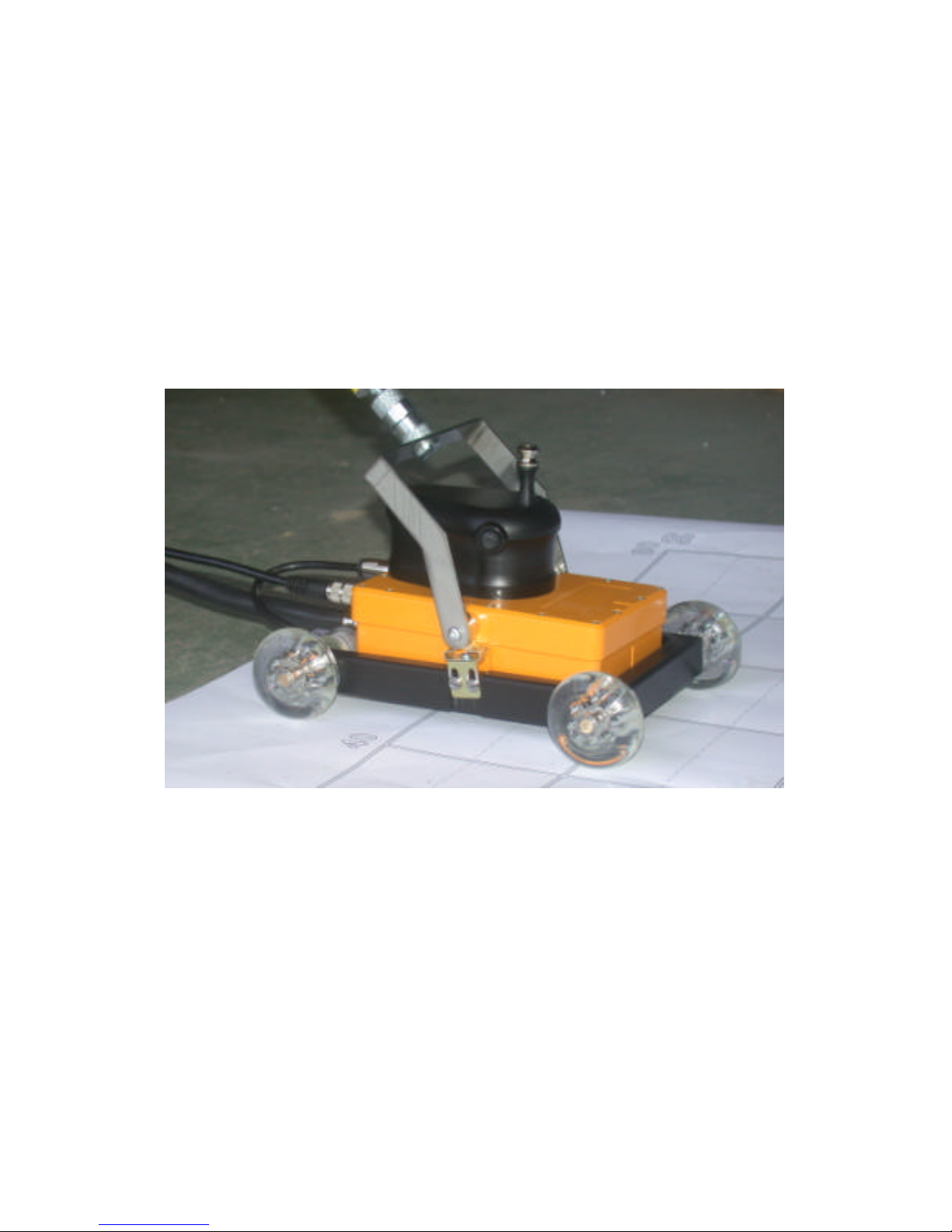
The 1.6 GHz is a one-piece radar antenna where the antenna
elements are mounted in a small handheld, shielded box easily
mounted on a small wheel carriage. See picture below.
The RAMAC 1.6 GHz antenna communicates with the control
unit CUII through a 3 m long data cable, giving you an easily
and freely movable antenna.
2.2 Start up
When initialising 1.6 GHz measurements the following easy
steps are made to connect and start up the whole GPR
system:
Page 6
www.malags.com
6
?? Make sure that the battery is fully charged for the
control unit CUII (See Operating Manual CUII) and
correctly mounted. This battery also supplies the 1.6
GHz antenna with power.
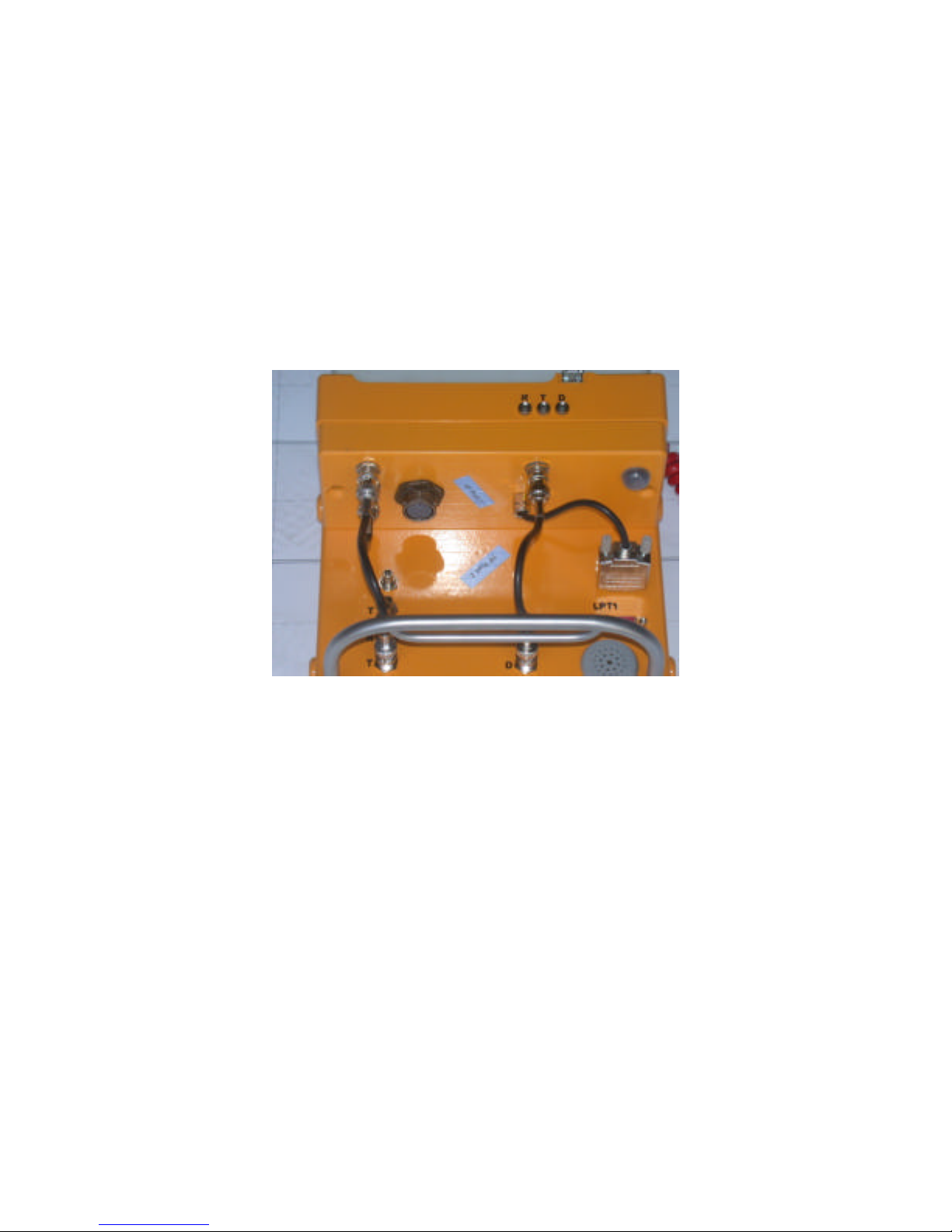
?? Connect the CUII supporting system part to the CUII
itself. Three short coaxial cables to the R, T and D
connectors and the encoder cable to the CUII encoder
connection. The T corresponds to transmitter, R to
receiver and D to data. See picture below.
?? Connect the CUII (LPT1) to the external PC parallel port
or to the parallel port on the RAMAC Monitor.
?? Connect the 1.6 GHz data cable to the control unit CUII
(dark gray connector at the left-hand side in the picture
above).
?? Attach an appropriate length-measuring device and
connect it to port ENC on the antenna. When using the
wheel carriage, the encoder is mounted on one of the
wheels and only need to be connected to the antenna.
?? Turn on the power on the CUII. Turn on the PC or the
RAMAC Monitor. Your RAMAC 1.6 GHz is now ready
for operation.
Page 7
www.malags.com
7
3 Using the RAMAC 1.6 GHz
__________________________________________________
The 1.6 Ghz antenna is operated by 2 buttons on the shielded
antenna box itself. You can easily create a new profile and
start and stop the data collection.
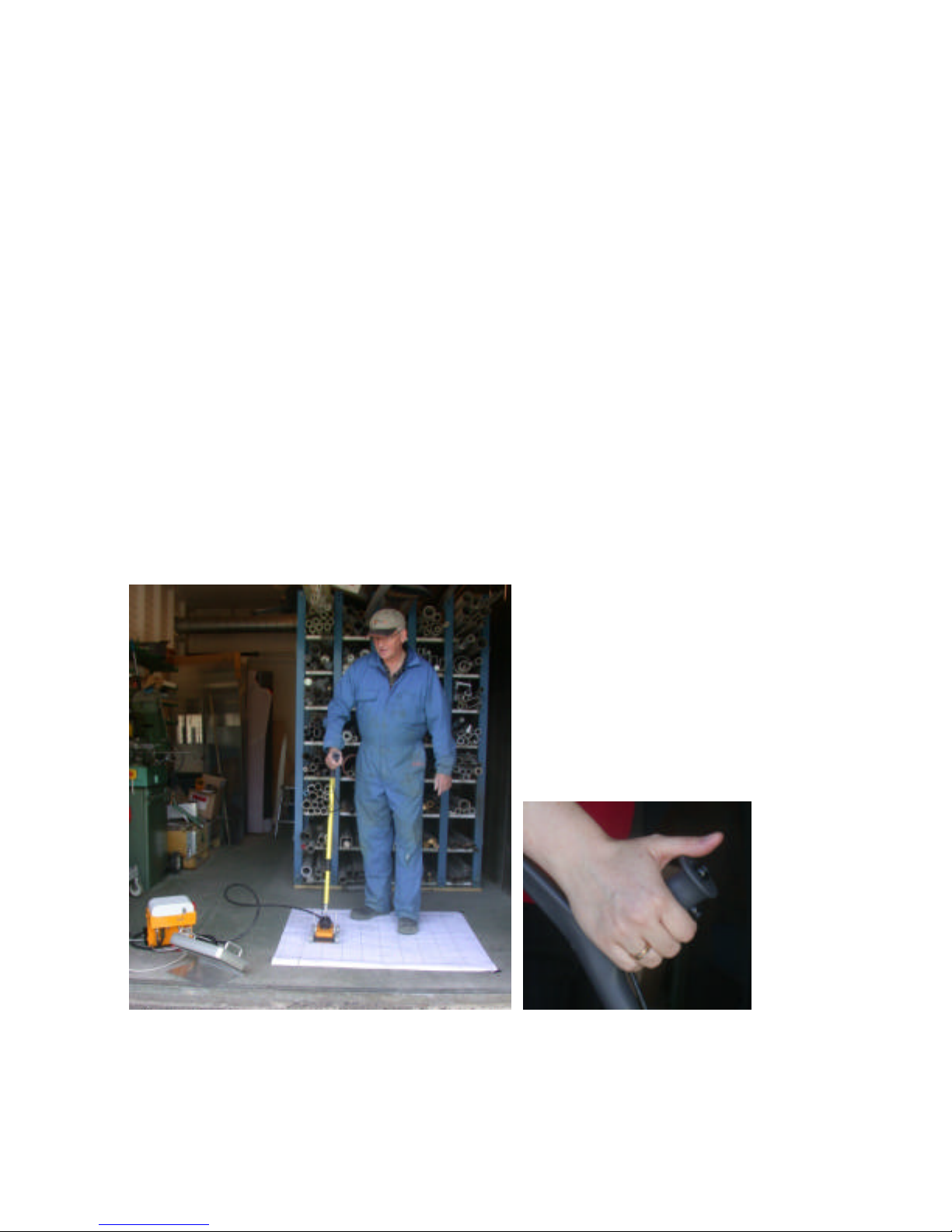
The 1.6 Ghz antenna can also be used together with an
extension handle (see picture below), giving you access to the
two dif ferent remote controls to manage the system.
Observe!
One of the remote controls (on the antenna itself and on the
extension handle) (see pictures below) also functions as a “kill”
switch, so it has to be held down at all times duing
measurments. If the button is released the transmitter will stop
transmitting within 10 seconds.
Page 8
www.malags.com
8
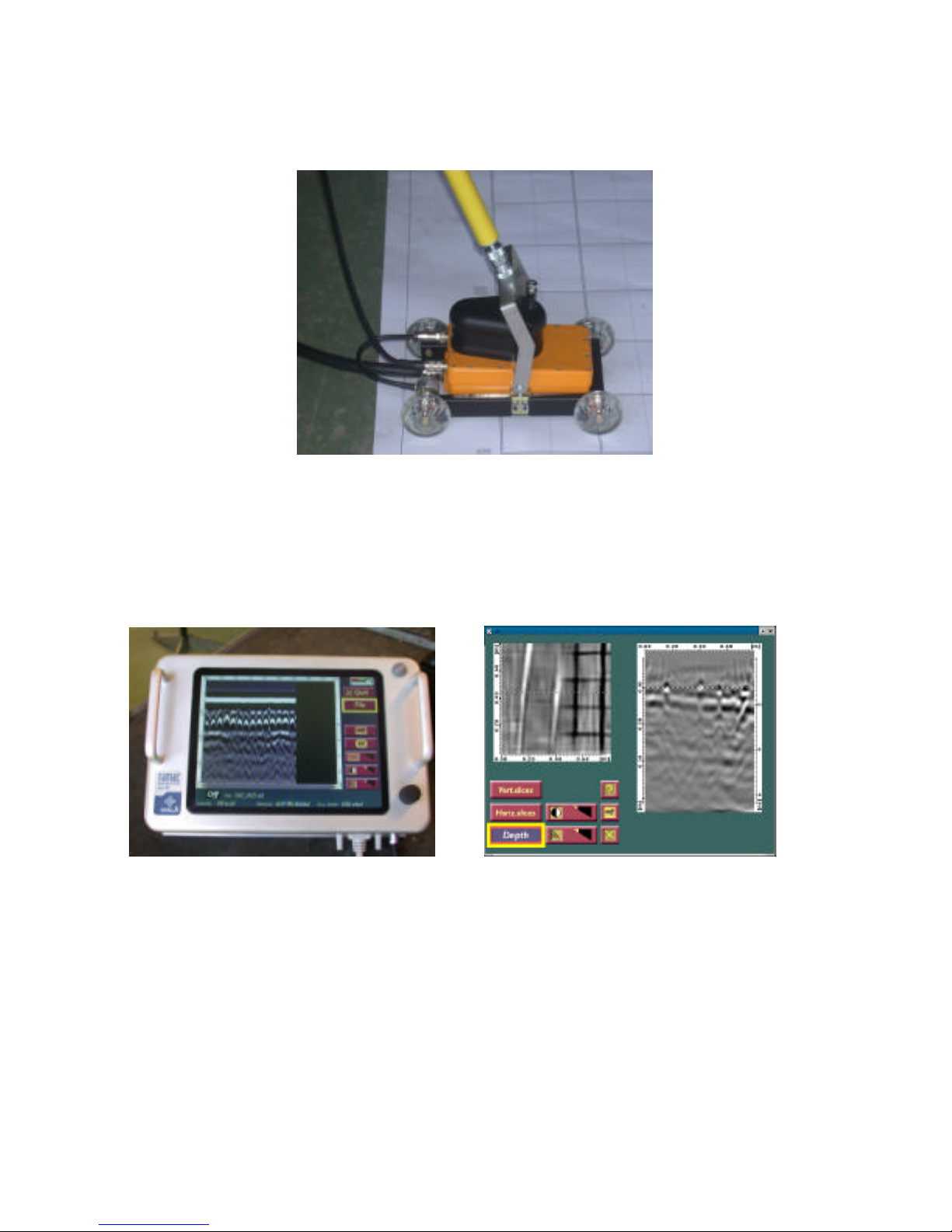
The extension handle, with the remote control, are mounted on
the wheel carriage and connected on the back-side of the 1.6
GHz antenna. See picture below.
When the 1.6 GHz system is used together with the RAMAC
XV11 Monitor, you have access o the fully integrated data
collection, 2.5D analysis tool and Migration Wizard.
See Manuals for the XV11 Monitor and Easy3D for further
details.
Page 9

www.malags.com
9
4 RAMAC 1.6 GHz specifications
__________________________________________________
Centre frequency 1.6 GHz
Bandwidth > 100 %
Time window > 50 ns
Reprate 100 kHz
Pulse width 430 ps
Total weight incl. batteries 0.6 kg
Cable length 3 m
Power supply 8 V Li-ion rechargeable batteries
Operating time 3 hours
Operating temperature -20 to + 50 0C
Control Unit RAMAC CUII
Data acquisition RAMAC Monitor (preferred) or other
laptop (with Malå Geoscience software
Ground Vision)
Environmental IP67
 Loading...