

Page 1
I----
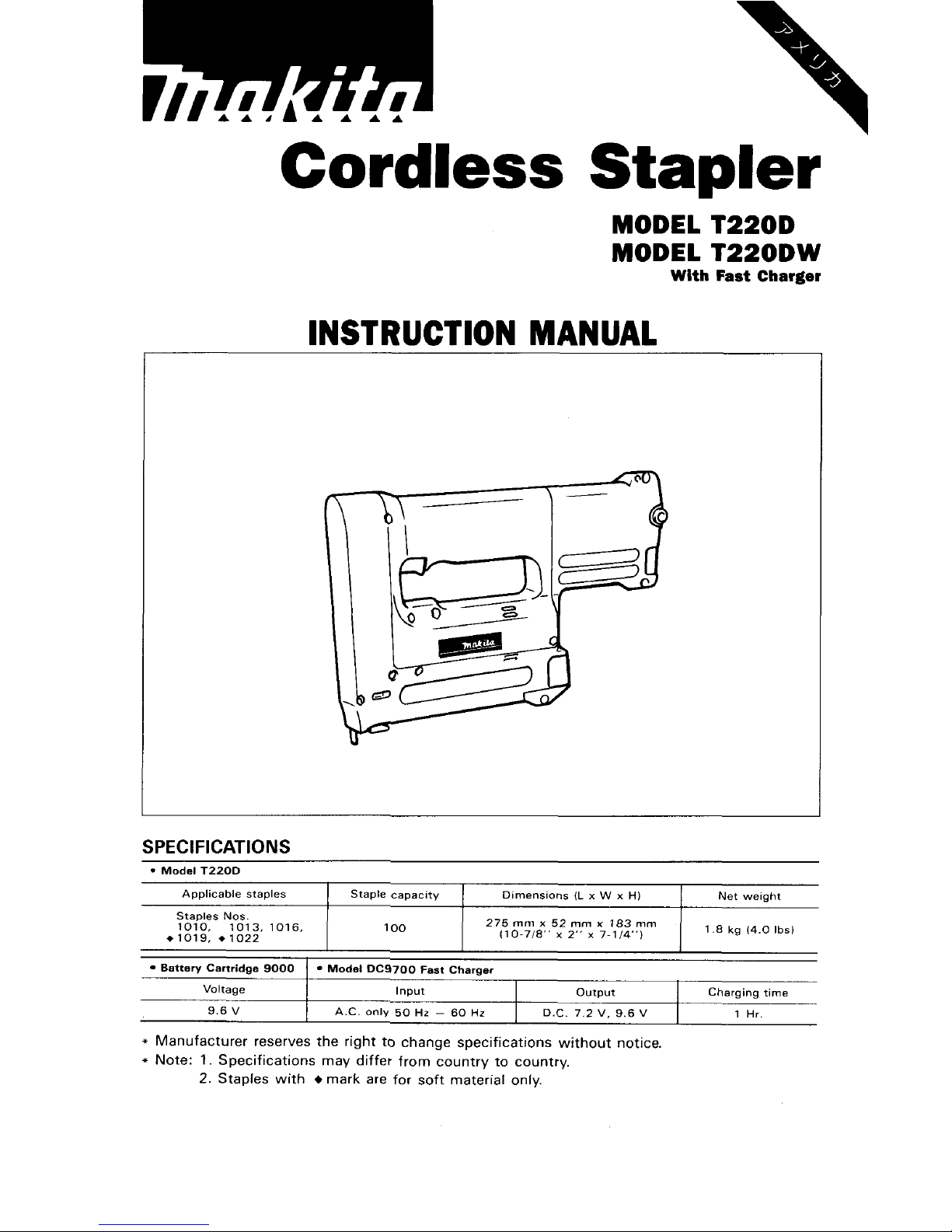
MODEL T220D
MODEL
T22ODW
With
Fast
Charger
Applicable staples
INSTRUCTION MANUAL
Staple capacity Dimensions
(L
x W x
H)
Net weight
SPECIFICATIONS
Input
Voltage
output Charging time
Staples
Nos.
1010,
1013, 1016,
1
*1019. *lo22
100
1
'7~~7m187.5x2~,mx;11~43,~m
1
1.8
kg
14.0
Ibs)
9.6
V
Battery Cartridge 9000
1
Modal DC9700 Fast Charqer
A.C.
only
50
Hr
-
60
Hz
D.C.
7.2
V.
9.6
V
1
Hr.
Page 2
IMPORTANT
SAFETY
INSTRUCTIONS
(For
All Tools)
WARNING:
WHEN USING ELECTRIC TOOLS, BASIC SAFETY
PRECAUTIONS SHOULD ALWAYS BE FOLLOWED TO REDUCE
THE RISK OF FIRE, ELECTRIC SHOCK, AND PERSONAL
INJURY, INCLUDING THE FOLLOWING:
READ ALL INSTRUCTIONS.
1.
2.
3.
4.
5.
6.
7.
8.
9.
IO.
11.
12.
KEEP WORK AREA CLEAN. Cluttered areas and benches invite injuries.
CONSIDER WORK AREA ENVIRONMENT. Don't use power tools
in
damp
or wet locations. Keep work area well
lit.
Don't expose power tools to rain.
Don't use tool in presence of flammable liquids or gases.
KEEP CHILDREN AWAY. All visitors should be kept away from work area.
Don't let visitors contact tool or extension cord.
STORE IDLE TOOLS. When not
in
use, tools should be stored
in
dry, and high
or locked-up place
-
out of reach of children.
DON'T FORCE TOOL.
It
will
do the job better and safer
at
the rate for which
it
was intended.
USE RIGHT TOOL. Don't force small tool or attachment to do the job of a
heavy-duty tool. Don't use tool for purpose not intended.
DRESS PROPERLY. Don't wear loose clothing or jewelry. They can be caught
in moving parts. Rubber gloves and non-skid footwear are recommended
when working outdoors. Wear protective hair covering to contain long hair.
USE SAFETY GLASSES. Also use face or dust mask if cutting operation is
dusty.
DON'T ABUSE CORD. Never carry tool by cord or yank
it
to disconnect from
receptacle. Keep cord from heat, oil, and sharp edges.
SECURE WORK. Use clamps or a vise to hold work. It's safer than using
your hand and
it
frees both hands to operate tool.
DON'T OVERREACH. Keep proper footing and balance at all times.
MAINTAIN TOOLS WITH CARE. Keep tools sharp and clean for better and
safer performance. Follow instructions for lubricating and changing accessories. Inspect tool cords periodically and if damaged, have repaired by authorized service facility. Inspect extension cords periodically and replace if
damaged. Keep handles dry, clean, and free from oil and grease.
13.
DISCONNECT TOOLS. When not
in
use, before servicing, and when chang-
ing accessories, such as blades, bits, cutters.
2
Page 3
14.
REMOVE ADJUSTING KEYS AND WRENCHES. Form habit of checking to
see that keys and adjusting wrenches are removed from tool before turning
it
on.
15.
AVOID UNINTENTIONAL STARTING. Don't carry plugged-in tool with finger
on switch. Be sure switch is OFF when plugging
in.
16.
OUTDOOR USE EXTENSION CORDS. When tool is used outdoors, use only
extension cords intended for use outdoors and
so
marked.
17.
STAY
ALERT.
Watch what
you
are
doing,
use common sense. Don't operate
tool when you are tired.
18.
CHECK DAMAGED PARTS. Before further use of the tool, a guard or other
part that is damaged should be carefully checked to determine that
it
will
operate properly and perform its intended function. Check for alignment of
moving parts, binding of moving parts, breakage of parts, mounting, and
any other conditions that may affect its operation. A guard or other part
that is damaged should be properly repaired or replaced by an authorized
service center unless otherwise indicated elsewhere in this instruction
manual. Have defective switches replaced by authorized service center. Don't
use tool
if
switch does not turn
it
on and off.
19.
GUARD AGAINST ELECTRIC SHOCK. Prevent body contact with grounded
surfaces. For example; pipes, radiators, ranges, refrigerator enclosures.
20.
REPLACEMENT PARTS. When servicing, use only identical replacement parts.
VOLTAGE WARNING: Before connecting the tool to a power source (receptacle,
outlet, etc.) be sure the voltage supplied is the same as that specified on the
nameplate of the tool. A power source with voltage greater than that specified
for the tool can result
in
SERIOUS INJURY to the user - as well as damage to
the tool.
If
in
doubt,
DO
NOT PLUG IN THE TOOL. Using a power source with
voltage less than the nameplate rating is harmful to the motor.
3
Page 4

IMPORTANT SAFETY
I
N
STRU CTI
0
N
S
1.
SAVE
THESE INSTRUCTIONS
-
This manual
contains important safety and operating instructions for battery charger.
2.
Before using battery charger, read all instructions and cautionary markings
on
(1)
battery charger,
(2)
battery, and
(3)
product using battery.
3.
CAUTION - To reduce risk of injury, charge only MAKITA Battery
7000,
9000
or
9100.
Other types of batteries may burst causing personal injury
and damage.
4.
Do not expose charger to rain or snow.
5.
Use of an attachment not recommended or sold by the battery charger
manufacturer may result
in
a risk of fire, electric shock, or injury to persons.
6.
To reduce risk of damage to electric plug and cord, pull by plug rather than
cord when disconnecting charger.
7.
Make sure cord is located
so
that
it
will not be stepped on, tripped over,
or otherwise subjected to damage or stress.
8.
An extension cord should not be used unless absolutely necessary. Use of
improper extension cord could result
in
a risk of fire and electric shock. If
extension cord must be used, make sure:
a. That pins on plug of extension cord are the same number, size, and shape
b. That extension cord is properly wired and
in
good electrical condition; and
c. That wire size is at least as large as the one specified in the table below.
TABLE
1
RECOMMENDED MINIMUM AWG SIZE FOR
EXTENSION CORDS FOR BATTERY CHARGERS
as those of plug on charger;
I
Length of Cord (Feet)
I
25 I 50 I 100 1 150
I
I
-
I I
I
~
AWG Size of Cord
I
18
I
18 I 18 I 16
9.
Do not operate charger with damaged cord or plug - replace them im-
mediately.
IO.
Do not operate charger if
it
has received a sharp blow, been dropped, or
otherwise damaged
in
any way; take
it
to a qualified serviceman.
11.
Do not disassemble charger or battery cartridge; take
it
to a qualified
serviceman when service or repair is required. Incorrect reassembly may
result in a risk of electric shock or fire.
12.
To reduce risk of electric shock, unplug charger from outlet before attempting any maintenance or cleaning. Turning
off
controls will not reduce this risk.
4
Page 5

ADDITIONAL SAFETY RULES
FOR CHARGER
&
BATTERY CARTRIDGE
1.
Do
not charge Battery Cartridge when temperature is BELOW 10°C
(50OF)
or ABOVE 4OoC (104OF).
2.
Do not attempt to use a step-up transformer, an engine generator or DC power
3.
Do
not allow anything to cover or clog the charger vents.
4.
Always
cover the battery terminals with the battery cover when
the
battery
5.
A battery short can cause a large current flow, overheating, possible burns
receptacle.
cartridge is not used.
and even a breakdown.
(1)
Do not touch the terminals with any conductive material.
(2)
Avoid storing battery cartridge
in
a container with other metal objects such
(3)
Do
not expose battery cartridge to water or rain.
ture may reach or exceed
5OoC
(122OF).
completely worn out. The battery cartridge can explode
in
a fire.
as nails, coins, etc.
6.
Do
not store the tool and Battery Cartridge
in
locations where the tempera-
7.
Do
not incinerate the Battery Cartridge even
if
it
is severely damaged or is
5
Page 6

ADDITIONAL SAFETY RULES
1.
Always wear safety goggles or safety glasses with side shield, and a full
face shield when needed.
2.
Do
not point the ejection port at anyone in the vicinity (especially his face).
Keep hands and feet away from the ejection port area.
3.
Always remove the battery cartridge before loading the staples, adjustment,
inspection, maintenance or after operation is over.
4.
Make sure no one is nearby before operation. Never attempt to drive staples
from both the inside and outside of wall at the same time. Staples may rip
through and/or fly off, presenting a grave danger.
5.
Watch your footing and maintain your balance with the tool. Make sure there
is no one below when working in high locations.
6.
Check walls, ceilings, floors, roofing and the like carefully to avoid possible
electrical shock, gas leakage, explosions, etc. caused by stapling into live
wires, conduits or gas pipes.
7.
Use only staples specified
in
this manual. The use of any other staples may
cause malfunction of the tool.
8.
Do
not tamper with the tool or attempt to use
it
for other than driving staples.
9.
Do
not operate the tool without staples.
It
shortens the service life of the tool.
IO.
Stop driving operations immediately
if
you notice something wrong or out
of the ordinary
with
the tool.
11.
Never staple into any materials which may allow the staple to puncture and
fly through as a projectile.
12.
Never actuate the trigger switch and safety lever at the same time
until
you
are prepared to staple workpieces. Allow the workpiece to depress the safety
lever. Never defeat its purpose
by
securing the safety lever back or
by
depressing
it
by hand.
13.
Never tamper
with
the safety lever. Check the safety lever frequently for
proper operations.
SAVE
THESE
INSTRUCTIONS.
6
,
Page 7

Installing or removing battery cartridge
Always switch off the tool before insertion
or
removal
of
the
battery cartridge.
.To
remove the battery cartridge, pull out
[
the
set
plate on the tool and grasp both
sides of the cartridge while withdrawing
it
from the tool.
*To
insert the battery cartridge, align the
tongue on the battery cartridge with the
Battery cartridge
Set plate
v
groove in the housing and slip
it
into
place. Snap the
set
plate back into place.
Be sure to close the
set
plate fully before
using the tool.
0
Do not use force when inserting the battery cartridge.
If the cartridge does not slide in easily,
it
is not being inserted correctly.
CAUTION
:
If
you
pull out the
set
plate carelessly when extra staples and stored in the storage space
in the tool, the extra staples can fall out and present
a
danger to anyone or anything
below. Always hold the tool with the
set
plate facing up to prevent the extra staples
from falling out when you pull out the
set
plate.
Charging
Plug the fast charger into your power
source. Insert the battery cartridge
so
that
the plus and minus terminals
on
the bat-
tery cartridge are on the same sides
as
their
respective markings on the fast charger.
Insert the cartridge fully into the port
so
that
it
rests
on the charger port floor.
Press the start button (red). The charging
light will come on and charging will begin.
If
the charging light does not come on,
press
the reset button (yellow) first, then
Charging light
Start button-
the start button (red). If the charging light goes out within
10
seconds even after pressing
the reset button and start button
a
couple of times, the battery cartridge
is
dead. (CAU-
TION:
Wait for more than 5 seconds after the charging light goes out to press the reset
button again.) Replace
it
with a new one. When the charging light goes out after about
one hour, you may remove the fully charged battery cartridge.
After charging, unplug the charger from the power source.
7
Page 8

CAUTION
:
0Your new battery cartridge
is
not charged. You will need to charge
it
before use.
0
Do
not keep the button pressed in with tape,
etc.
or the circuit will not function pro-
perly.
Also,
a
malfunction of the charger may result possibly causing overheating, etc.
0
If
you
try to charge a cartridge from a just-operated tool, sometimes the charging light
will not come on.
If
this occurs,
let
the cartridge cool off for a while. Then re-insert
it
and try to charge
it
once more.
0
When you charge a new battery cartridge or a battery cartridge which has not been used
for
a
long period,
it
may not accept a full charge. This
is
a
normal condition and does
not indicate
a
problem. You can recharge the battery cartridge fully after discharging
it
almost completely a couple
of
times.
0
If you wish to charge two battery cartridges, allow
15
minutes between chargings on the
fast charger.
Safety
system
Make sure
all
safety systems are in working
order before operation. The tool must not
operate if only the trigger
is
pulled or if
only the safety lever
is
pressed against the
wood.
It
must work only when both actions are performed. Test for possible
faulty operation with
a
tool unloaded and
pointed well away from yourself or any
bystanders.
Trigger
Safety
lever
NOTE
:
There
is
a
possibility that the tool may operate for an instant when only the trigger
is
pulled. This does not indicate a problem. If this occurs, point the tool well away from
yourself or any bystanders.
Release
and pull the trigger again to make sure the safety
systems are in working order.
8
Page 9

Loading staples
CAUTION
:
Always remove the battery cartridge before loading the staples into the tool.
Press the plate spring on the rear
of
the
sub-magazine and slide the sub-magazine
backward.
Load staples into the main magazine with
staple ends facing up
as
illustrated
at
right.
Slide the sub-magazine forward.
To secure the sub-magazine in
place,
push
the sub-magazine while pressing the plate
spring on the rear of
the
sub-magazine.
Staples
CAUTION
:
Always secure the sub-magazine in place, or the staples can drop out and cause problems.
With the magazine loaded,
if
the tool
is
held downward and the sub-magazine
is
opened,
the staples can fall out and present
a
danger to anyone or anything below. Keep this in
mind especially when working in high locations.
9
Page 10

Depth adjustment
If the staples
are
driven too deep or too
shallow, adjust the driving depth by turn-
ing the nut on the bottom of the tool. For
deeper driving of staples, turn the nut
clockwise. For shallower driving, turn the
nut counterclockwise. Please note the nut
must be turned in increments of
180"
(1/2
turn)
so
that the groove on the nut runs
parallel to the magazine.
NOTE
:
If the distance between the tool end (A)
and the material to be fastened
is
more
than
2
mm
(5/64"),
the tool will not
operate because the safety
lever
is
not
pressed enough to operate the tool.
Driving staples
Place the tool on the material to be fastened
so
that the front and the rear of the tool
contact the material flat. Do not tip the
tool
to
the right or left side. Hold the tool
firmly against the material. Then pull the
trigger to drive the
staples.
If the staples are driven too shallow, press
the tool head
as
shown in the figure and
drive the staples.
If the staples are still driven too shallow,
adjust the driving depth by turning the nut
clockwise. Refer to "Depth adjustment".
CAUTION:
Do not operate the tool without staples.
It
shortens the service
life
of the tool.
I
Nut
lk---?--
/
Tool
end
(A)
Material
-=-
2
mm
(5/64")
-
If the tool becomes jammed, do
as
follows. First, remove the battery cartridge. Open the
sub-magazine and remove the stuck staple using
a
screwdriver or the like.
10
Page 11

Sight window
There
is a convenient sight window on the
left side
of
the tool (when viewing the
tool
from the front).. Use this sight window to
check if there are staples in the magazine.
When staples are not visible through the
window, load staples into the magazine.
Sight
window
/
Staples
0Handle the staples and their box carefully. If the staples have been handled roughly,
.Avoid storing the staples in
a
very humid or hot place or place exposed to direct sun-
0
Do
not attempt to use staples that appear to be damaged, bent, rusty or corroded.
they may be bent out of shape, causing poor staple feed or jamming.
light.
Set plate
Extra staples
This tool has
a
space for storing extra
staples. When you wish to store extra
staples
in this
space,
pull
out the
set
plate
and insert them into the space
as
shown in
the figure
at
right.
staples
into
this space.
CAUTION
:
Always hold the tool with the
set
plate facing up to prevent the extra staples from falling
out when inserting or withdrawing the extra staples. Falling staples can present
a
danger
to anyone or anything below.
11
Page 12

MAINTENANCE
CAUTION
:
Always remove the battery cartridge before attempting to perform inspection or maintenance.
To maintain product SAFETY and RELIABILITY, repairs, maintenance or adjustment
should be performed
by Makita Authorized or Factory Service Centers, always using
Makita replacement parts only.
12
Page 13

ACCESSORIES
CAUTION:
These accessories or attachments are recommended for use with your Makita tool specified in this
manual. The use of any other accessories or attachments might present
a
risk
of
injury to persons.
The accessories or attachments
should
be used only in the proper and intended manner.
0
Fast charger
Model DC9700
Part No. 113103-2
0
Battery cartridge 9000
Part
No.
632007-4
0
Plastic carrying case
Part No. 182533-8
0
Charger
12V
for car
Model
DC9112
Part No. 113076-9
0
Battery cover
Part
No. 414938-7
0
15
minute fast charger
Model
DC9015
Part
No.
113106-6
13
Page 14

Mar.-26-'92
EN
CORDLESS STAPLER
Model
T220D
Note: The switch and other part configurations
may differ from country to country.
14
Page 15

MODEL T220D Mar-26-'92
EN
I;,',"
Aib
DESCRIPTION
I;","
DESCRIPTION
MACHINE
__
1
2
3
4
5
6
1
8
9
10
11
12
13
14
15
16
17
18
19
20
21
22
23
24
25
26
21
1
1
1
1
1
1
1
1
1
1
1
1
1
1
I
1
1
1
1
1
1
1
1
1
1
1
1
-
Housing
Set
(With Item 391
Switch
Tapping Screw
BT
4x14
Fix
Plate
Flat
Washer
9
Compression Spring
9
Guide
Plate
Driver Lock
Driver
Guide
DWtY
Pusher
Pusher
Guide
Cushion
Pi" 4
Safety
Lever
Compression Spring 3
Hammer
Plate
Sleeve
4
Helical Gear
53
Flat
Washer
10
P," 10
DC Motor
9
6
V
Flat Washer 12
Internal
Gear
69
Compresslo" sprmg 13
Spmg
P," 4- 14
28
29
30
31
32
33
34
35
36
37
38
39
40
41
42
43
44
45
46
47
48
49
50
51
52
53
54
-
1
1
1
1
1
1
1
1
7
1
1
1
2
6
1
3
1
1
1
1
1
1
1
1
1
1
1
-
Spur
Gear
27
Spur
Gear 27
Spur Gear
27
Leaf
Spmg
Helical Gear
7
Flat
Washer 10
Plane
Bearing
10
TenSlOn
spmg
4
Wing
Nut
M4
Sub
Magazine
Magazine
Lock
Hou~ing
Set IWith
Item
1
I
Pan
Head
Screw
M4x16 (With Washerl
Pan
Head
Screw
M4x22 (With Washer)
Name
Plate
Pan
Head
Screw
M4x25 IWith Washer1
Sleeve
4
Block
set
Plate
Switch
Lever
Release
Plate
P," 3
Lever
P,n
2
5
Batfery
Holder
Batter"
9000
Leaf
Sprmg
Note
The
switch
and
other
part
specificalmns
may
differ
from country to country
15
Page 16

The
only
way to dispose
of
a Makita battery is
to recycle it. The law prohibits any other
method
of
disposal.
To recycle the battery:
1.
Remove the battery
from
the
tool.
2.
a).
or
b)
1
Ni-Cd
I
Take the battery to your nearest Makita Factory Service Center
Take the battery
to
your nearest Makita Authorized Service Center or
Distributor that has been designated as a Makita battery recycling location.
Call your nearest Makita Service Center or Distributor
to
determine the location
that provides Makita battery recycling. See your local Yellow Pages under
”Tools- Electric’
:
MAKlTA LIMITED ONE YEAR WARRANTY
Warranty
Policy
I
Every Makita tool is thoroughly inspected and tested before leaving the factory.
It
IS
warranted
to
be free
of
defects from workmanship and materials
for
the period of ONE YEAR from the date of
oriimd
ourchase. Should
any
trouble develoD durinn this
one-”ear
period. return the COMPLETE
id,
freight prepad,
to
one
of Makita’s Factdry
01
Aithorized
Service
Centers.
If
inspection shows
1
the
trouble
is
caused by
defective
worhanship
or
material, Makita
will
repair
(or
at
our
option,
replace) without charge.
This Warranty doer not apply where:
repairs have been made
or
attempted by others:
repain
are
required
because
of
normal
wear
and
tear
The tool has been abused, misused
or
improperly maintained;
alterations have been made
to
the
tool.
I
IN
NO EVENT SHALL MAKlTA BE LIABLE FOR ANY INDIRECT, INCIDENTAL
OR
CON-
SEQUENTIAL DAMAGES FROM THE SALE
OR
USE
OF
THE PRODUCT. THIS DISCLAIMER
1
APPLIES BOTH DURING AND AFTER THE TERM
OF
THIS WARRANTY.
MAKlTA DISCLAIMS LIABILITY FOR ANY IMPLIED WARRANTIES, INCLUDING IMPLIED
WARRANTIES OF “MERCHANTABILITY” AND “FITNESS FOR A SPECIFIC
PURPOSE.”
AFTER THE ONE-YEAR TERM
OF
THIS WARRANTY.
This Warranty
gives
you specific legal rights, and you may
also
have other nghtr which
vary
from
state to state.
Some
states
do not
allow
the
exclusion
or
limitation of incidental
or
consequential
damages.
so
the above Imitation
or
exclusion
may not apply
to
you.
Some states do
not
allow
limitation
on
how
long
an
implied warranty lasts.
so
the above limitation may
not
apply
to
you.
Ma
ki
ta Corporation
3-11
-8,
Sumiyoshi-cho,
Anjo, Aichi
446
Japan
88381
1
A068
PRINTED IN JAPAN
1994
-
10
-
N
 Loading...