

Page 1
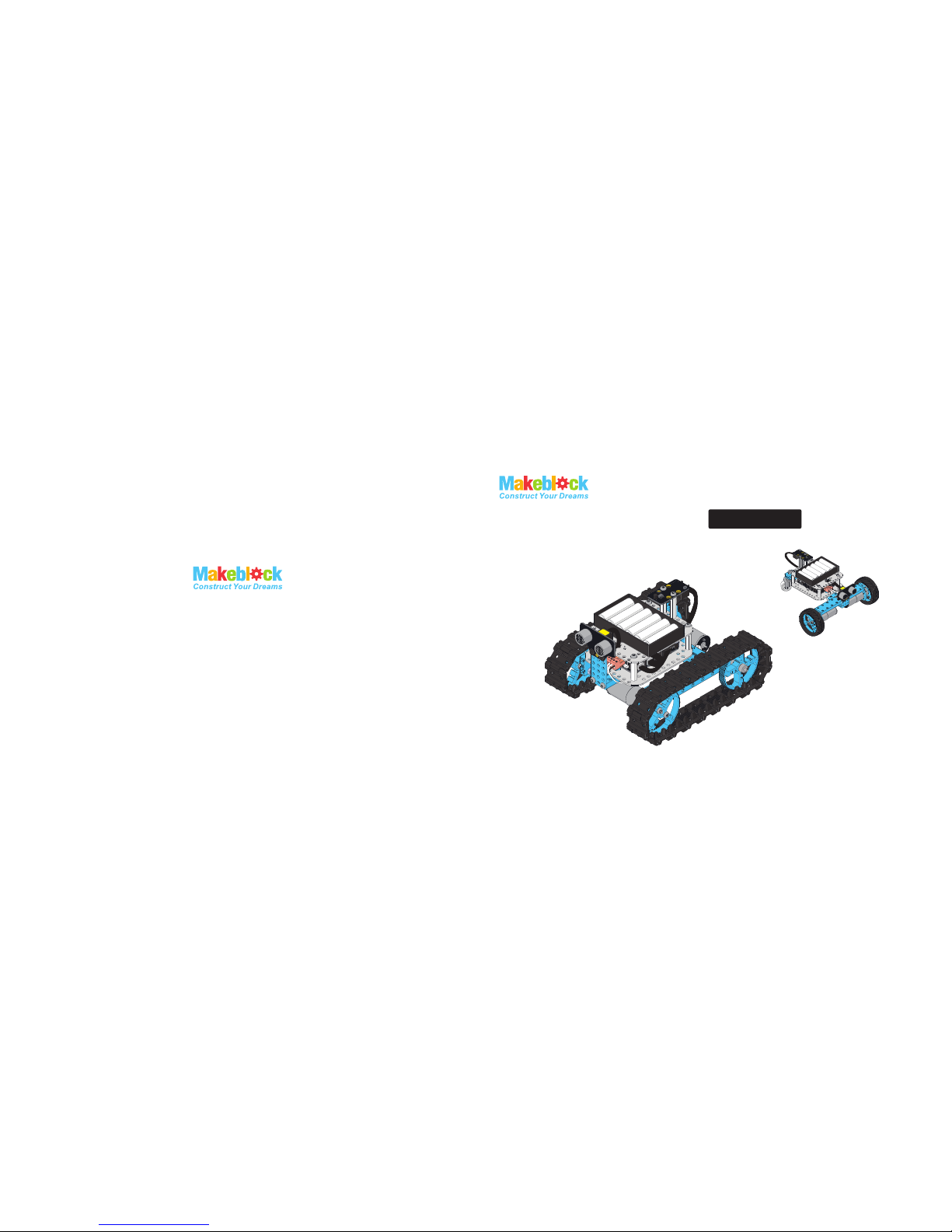
Starter Robot Kit
Robot Tank
Three-Wheeled Robot Car
IR Version
MAKER WORKS TECHNOLOGY INC
No. 426, F/4, Gonglehuating Business Building, Xinhu Road,
Xixiang Sub-district, Bao’an District, Shenzhen, 518102 China.
Please contact with us if you need some
technique support: [email protected]
www.makeblock.cc
Page 2

6× Nylon Stud M4×30
4× Plastic Rivet R4060
4× Plastic Rivet R4120
4× Plastic Ring 4×7×2mm
2× DC Motor-25
1× Makeblock Orion
1× Me Ultrasonic Sensor
1× Me Infrared Receiver Sensor
1× Me IR Remote Controller
1× Micro USB cable
1× 6P6C RJ25 Cable-20cm
1× 6P6C RJ25 Cable-35cm
2× Shaft Collar 4mm
4× Flange Bearing 4×8×3mm
2× BaseBracket
1× Battery Holder for (6) AA
1× Hex Screwdriver
1× Cross Screwdriver
2× Hex Allen Key
1× Wrench
22× Screw M4×8
14× Screw M4×14
3× Nut M4
1× Nut M8
4× Headless Set Screw M3×5
4× Screw M3×8
1× Beam 0824-96
1× Beam 0824-128
2× Beam 0824-144
1× Bracket 3×3
1× Plate 3×6
1× Bracket P3
1× Caster Wheel
2× DC Motor-25 Bracket
2×
4× Timing Pulley 90T
2× Tire 68.5×22mm
38× Track
38× Track Axle
2×
Shaft Connector 4mm
Parts List
Pic tures f or refe rence o nly
Ple ase vis it
htt p://l earn. makeb loc k. cc/ sta rter rob ot kit/
to vi ew the pr ogram ming gu ide .
1
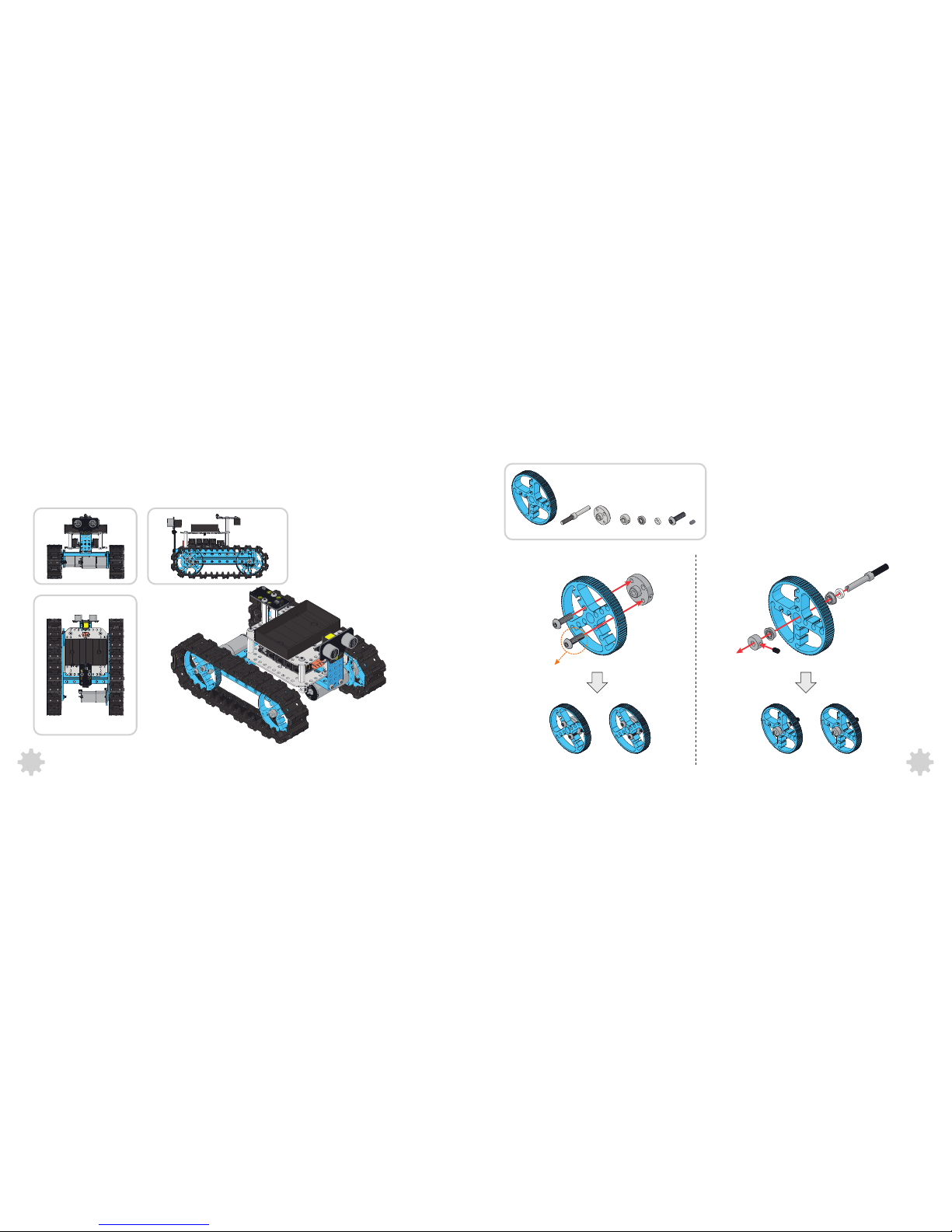
Robot Tank
Threaded Shaft 4×39mm
10
Three-w heeled Robot Car Program ming Guide
21
Contents
Pic tures f or refe rence o nly
Page 3
1 2
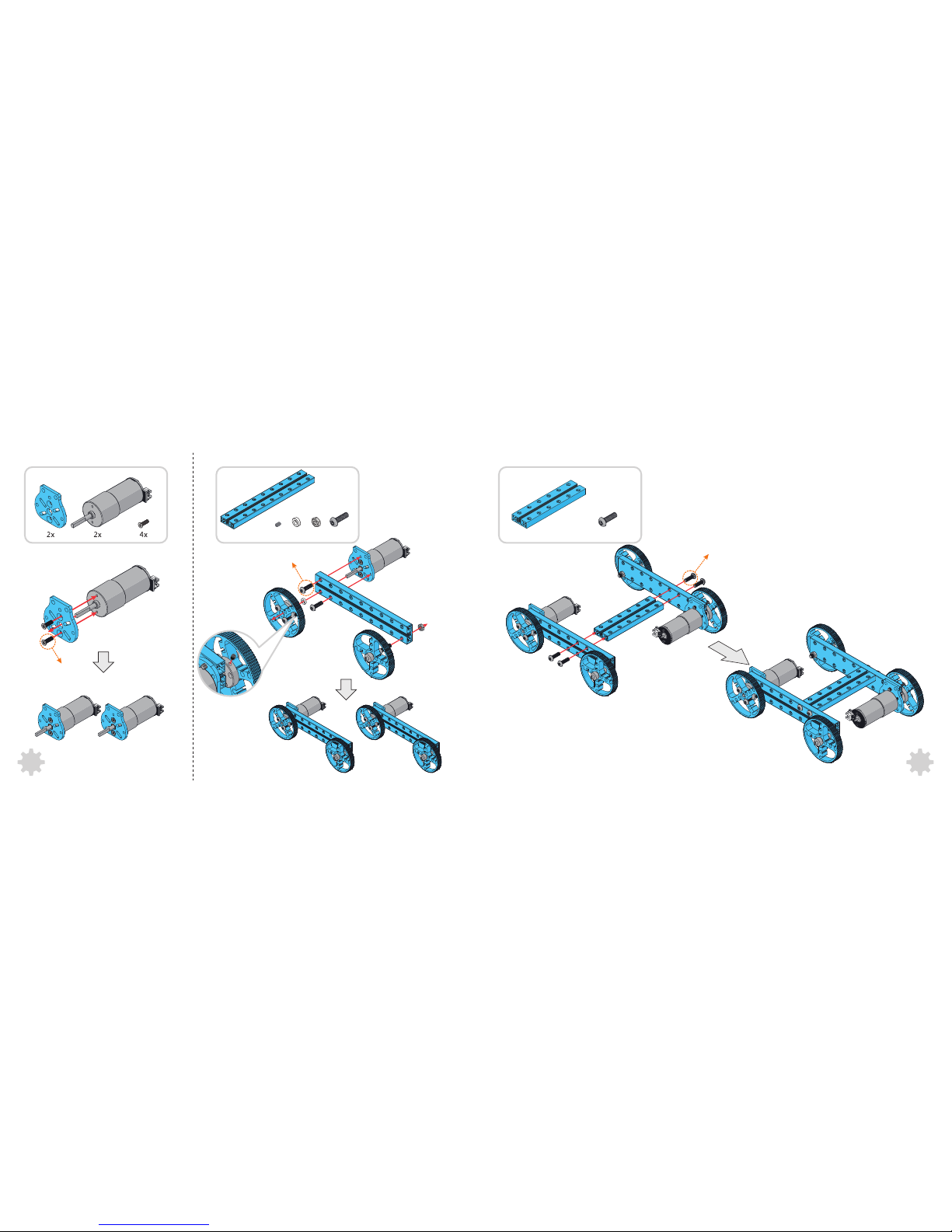
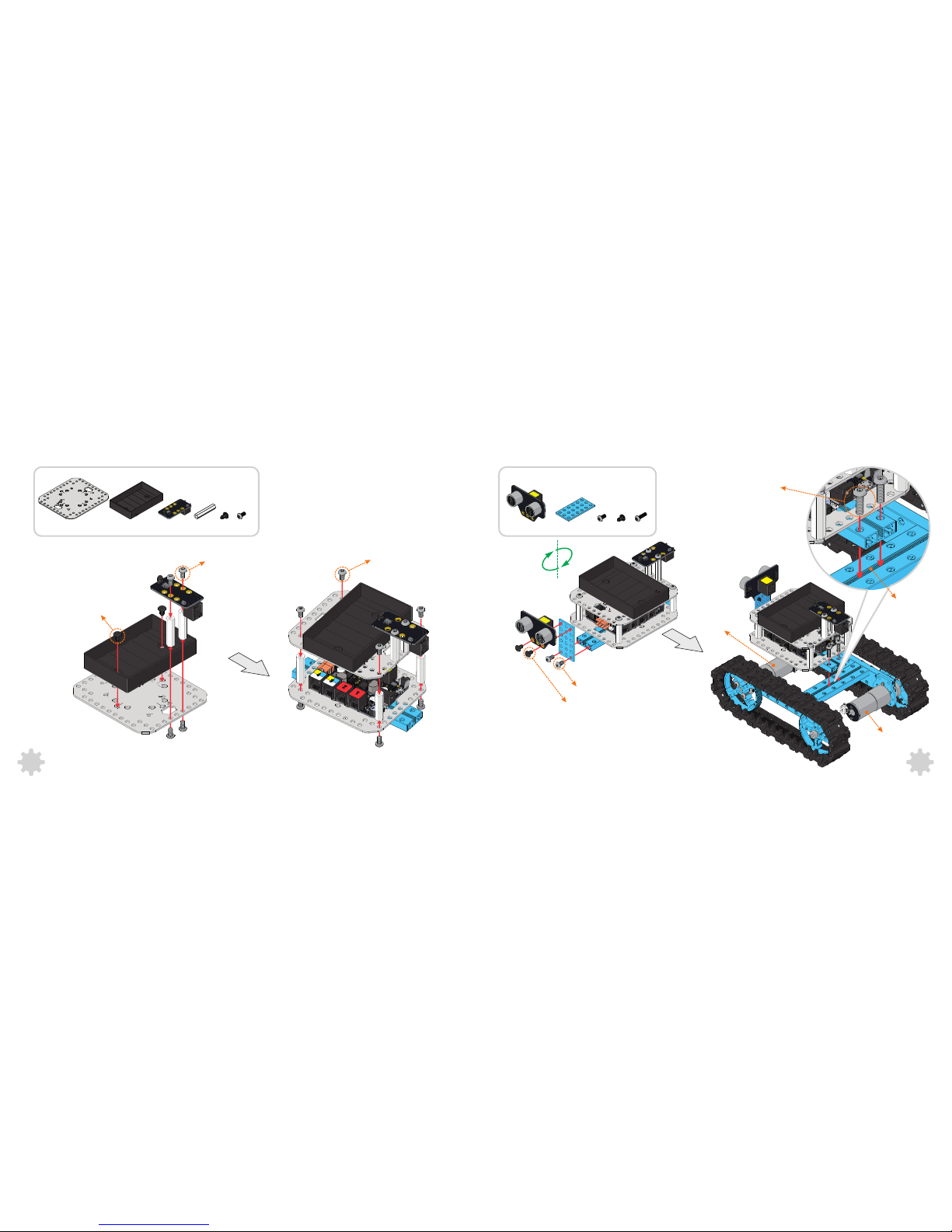
Building the Robot Tank
2× Screw M4×14
2× 2× 2× 4× 2× 4× 2×4×
1
2
Page 4
4
2× 4×
3
4×1×
4× Screw M4×14
2× Screw M3×8
2×2×
2× Screw M4×14
3
4
5
2×
Page 5
5 6
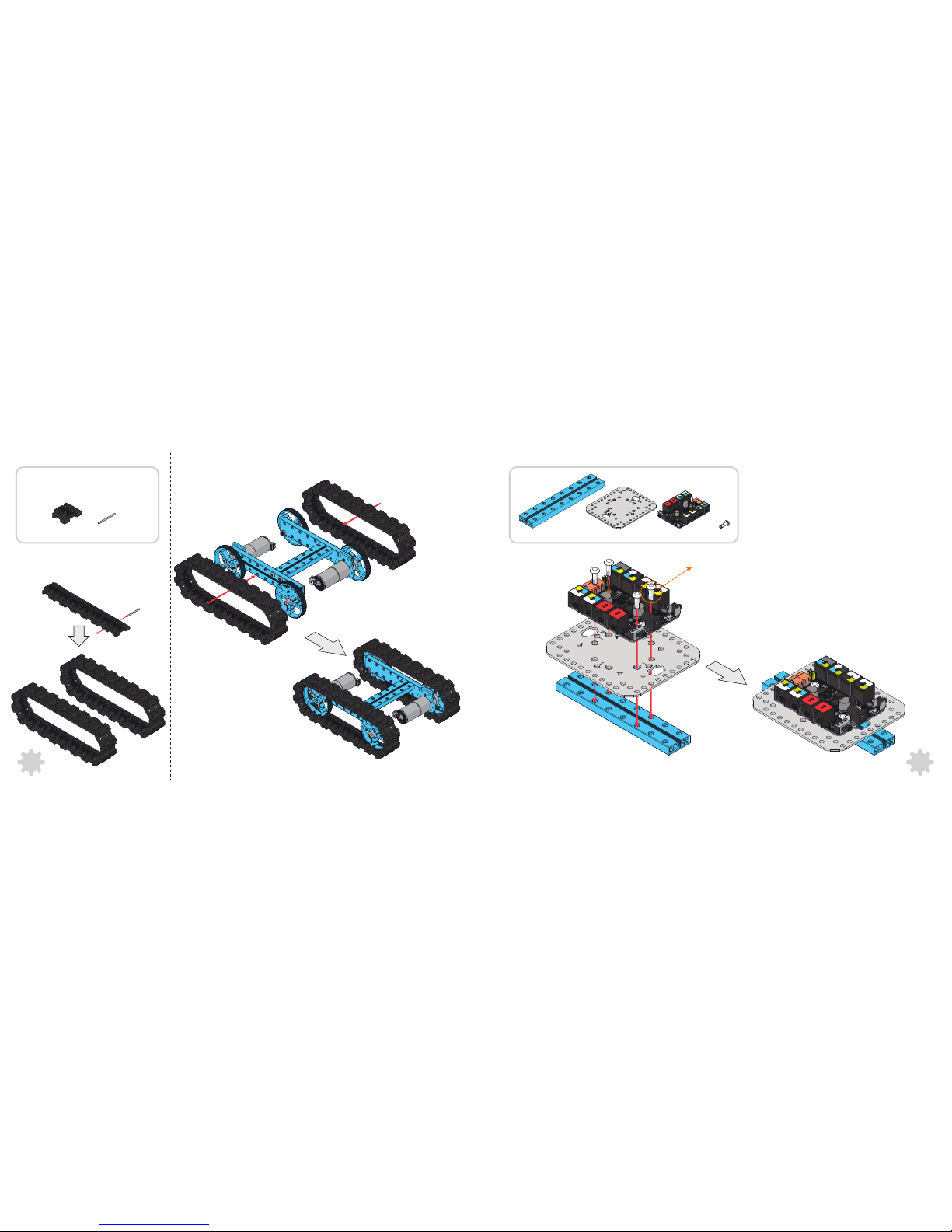
38× 38×
6
7
8
4× Plastic Rivet R4120
1× 4×1× 1×
Page 6
7 8
2×1×
2× Plastic Rivet R4060
2× Screw M4×8
8× Screw M4×8
1× 2×
2×
9 10
11
1× 1× 1× 6× 2× 12×
2× Plastic Rivet R4060
4× Screw M4×8
DC Motor-25(Left)
DC Motor-25(Right)
2× Screw M4×14
Thr eaded sl ot
Page 7
9 10
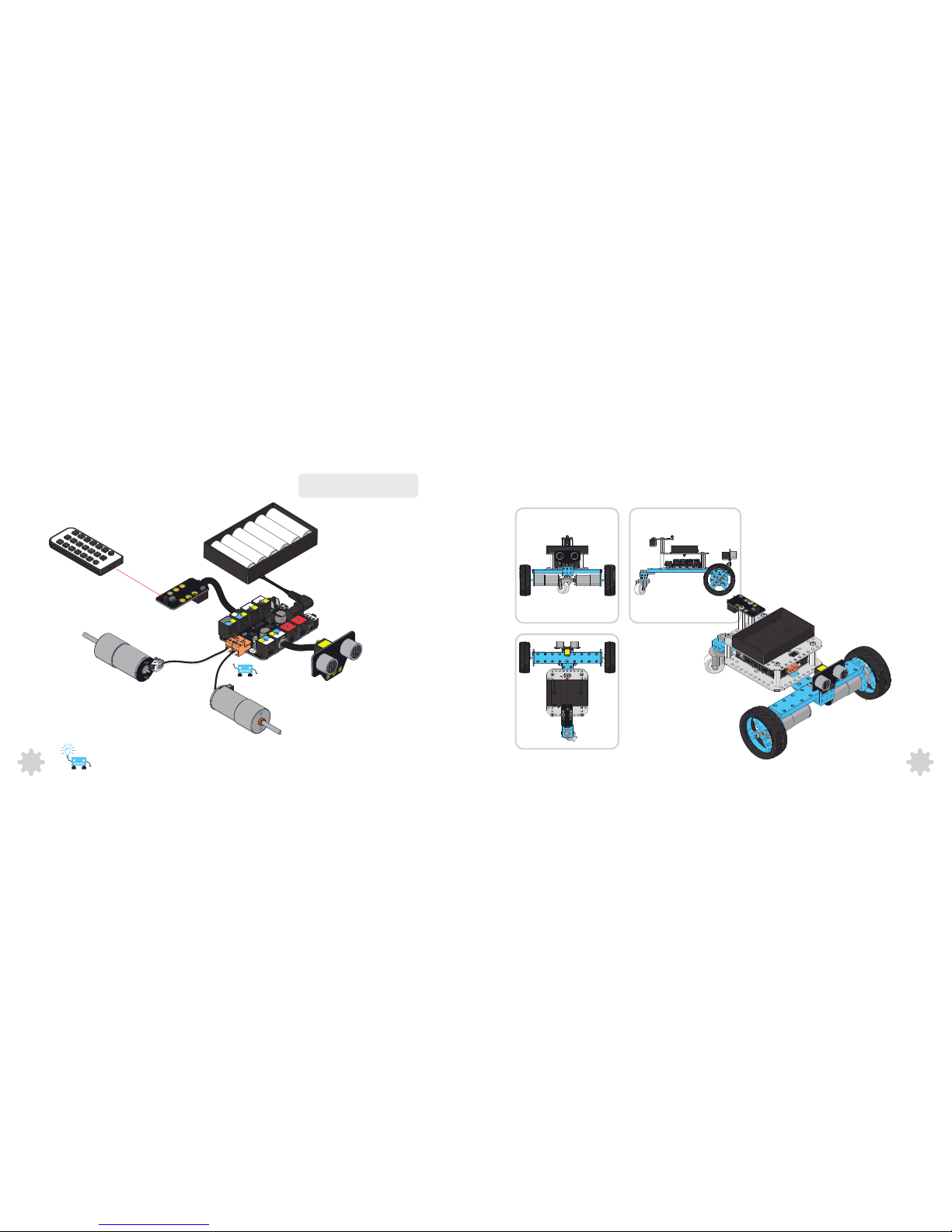
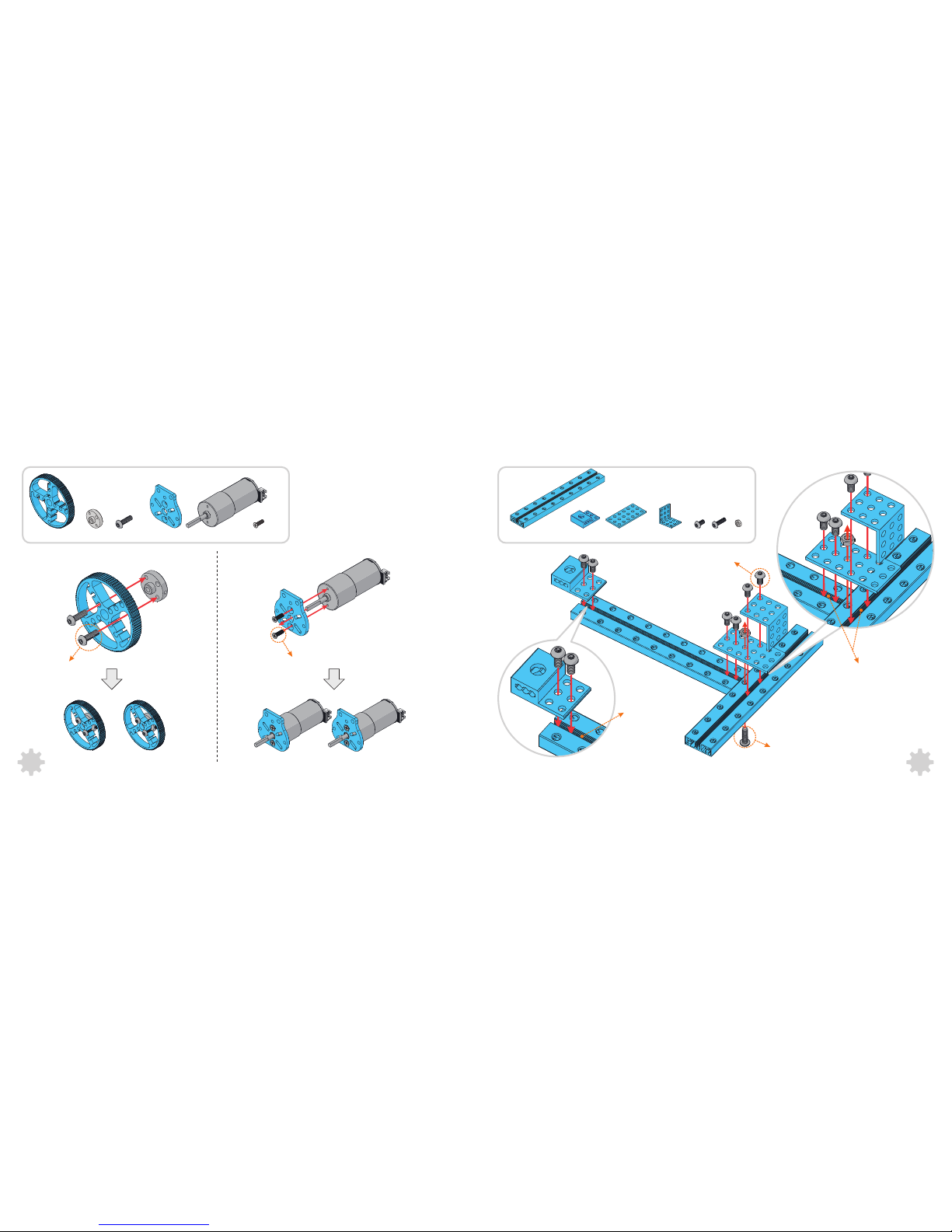
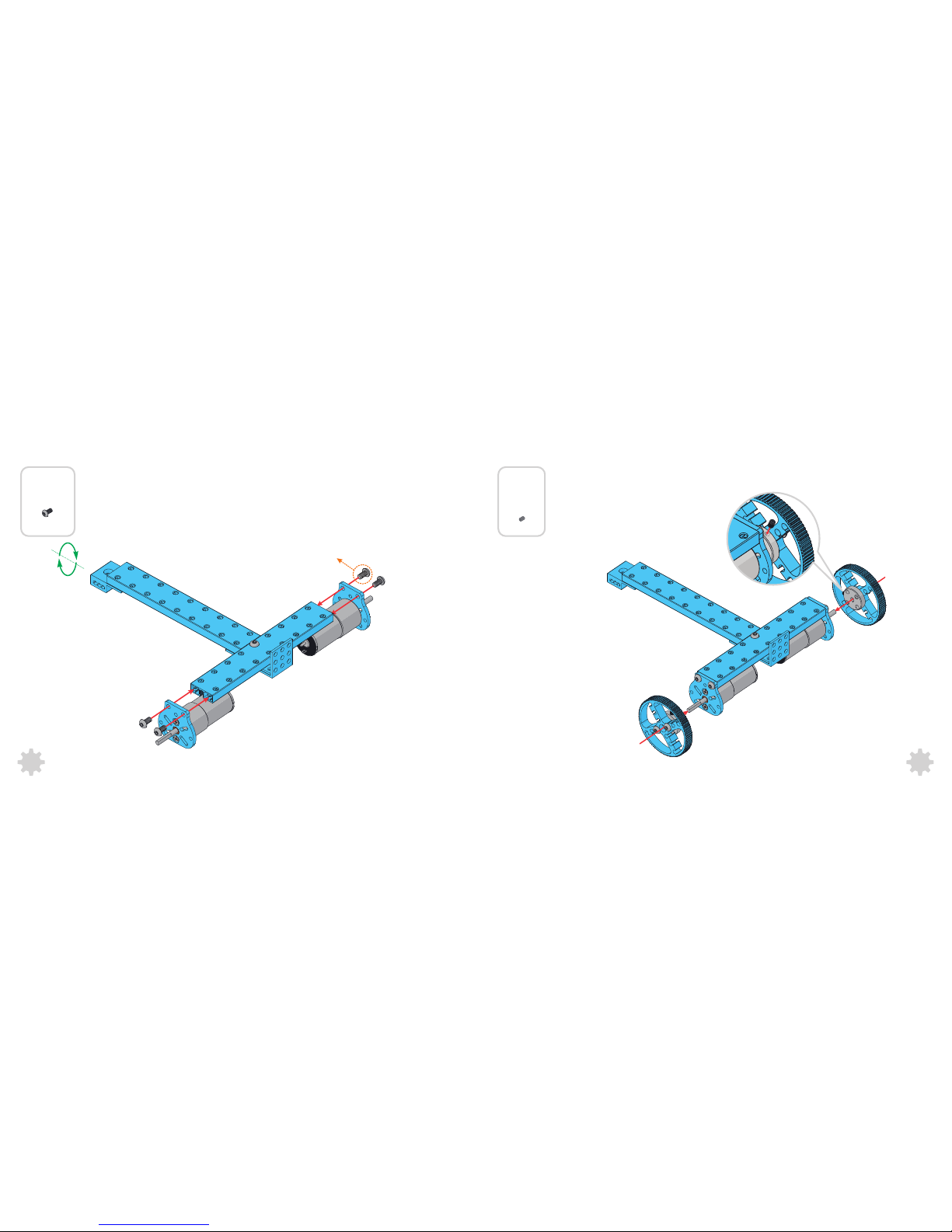
Building the Three-Wheeled Robot CarWiring and Programming
You may need to switch the order of two
wires to correct th e rot ation direction.
To reduce the electromagn etic interference ,
Please consid er to add the magnetic ring to
the wire which connn ected to motors.
Me IR Remote Controller
Me Ultrason ic Sensor
DC Motor-25(Left)
DC Motor-25(Right)
Makeblock Orion
?
Me Infrared Receiver Sensor
Battery Holder
Page 8
1211
3
1
2× 4× 2×2×
2× Screw M3×8
2
2× Screw M4×14
Screw M4×14
6× Screw M4×8
1×2× 1×
2× 6×
1×
4×2×
1×
Threaded slot
Threaded slot
Page 9
13 14
5
4×
4× Screw M4×8
2×
4
Page 10
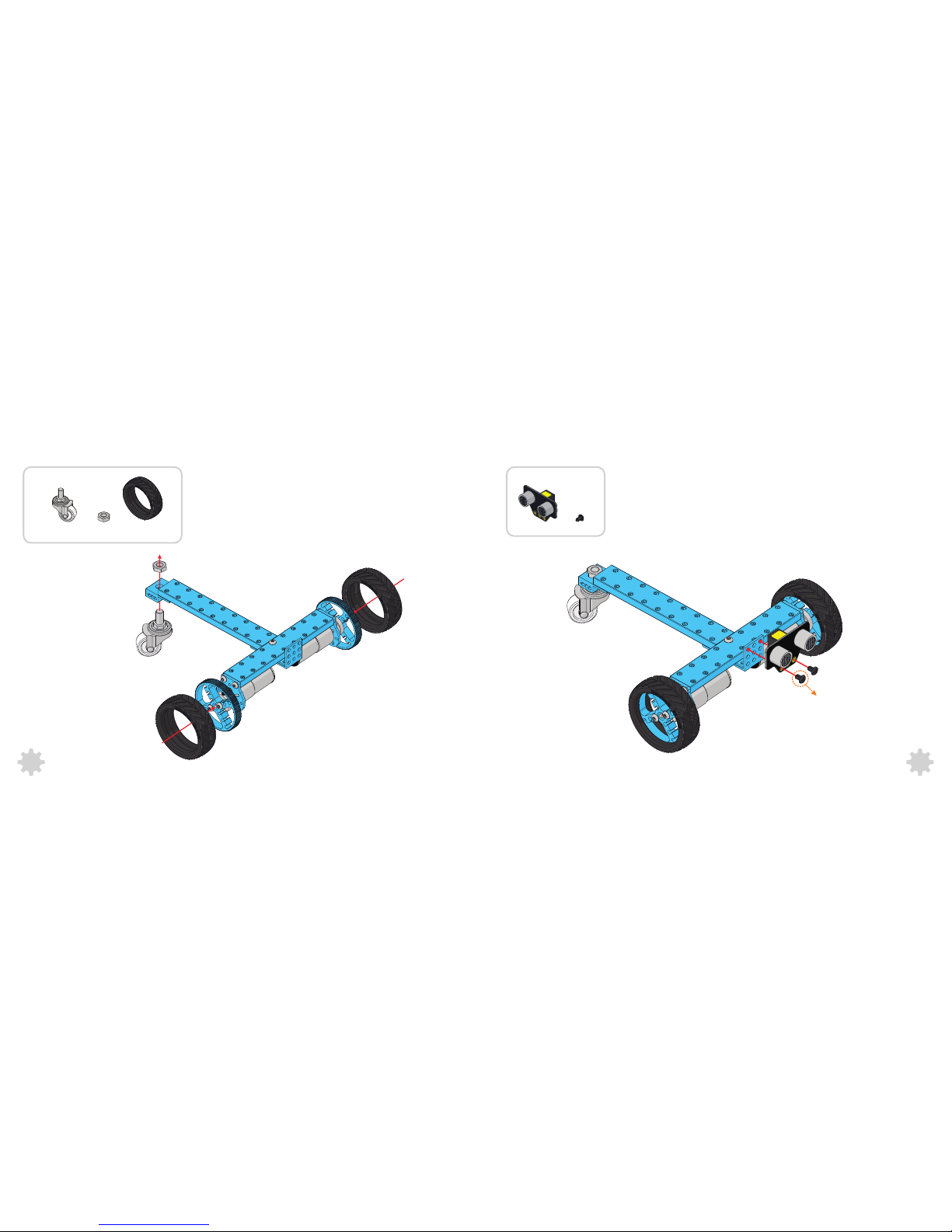
7
15 16
2×1×61×
1× 2×
2× Plastic Rivet R4060
Page 11
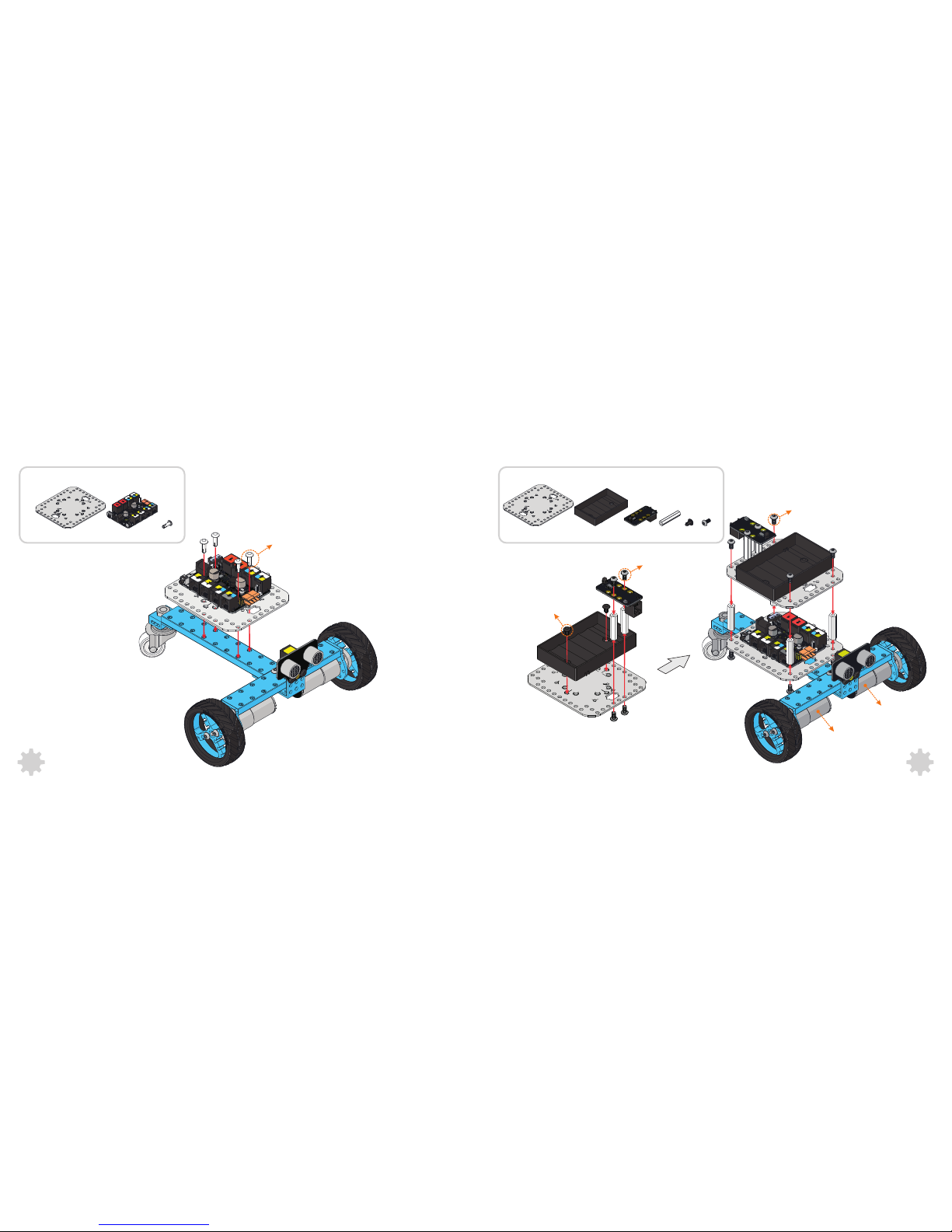
1× 1× 1× 6× 2× 12×
8
9
17 18
1× 4×1×
2× Plastic Rivet R4060
4× Screw M4×8
4× Plastic Rivet R4120
8× Screw M4×8
DC Motor-25(Left)
DC Motor-25(Right)
Page 12
You ca n build m or e on Make block
20
XY Plotter
3D Printer
Robotic Arm
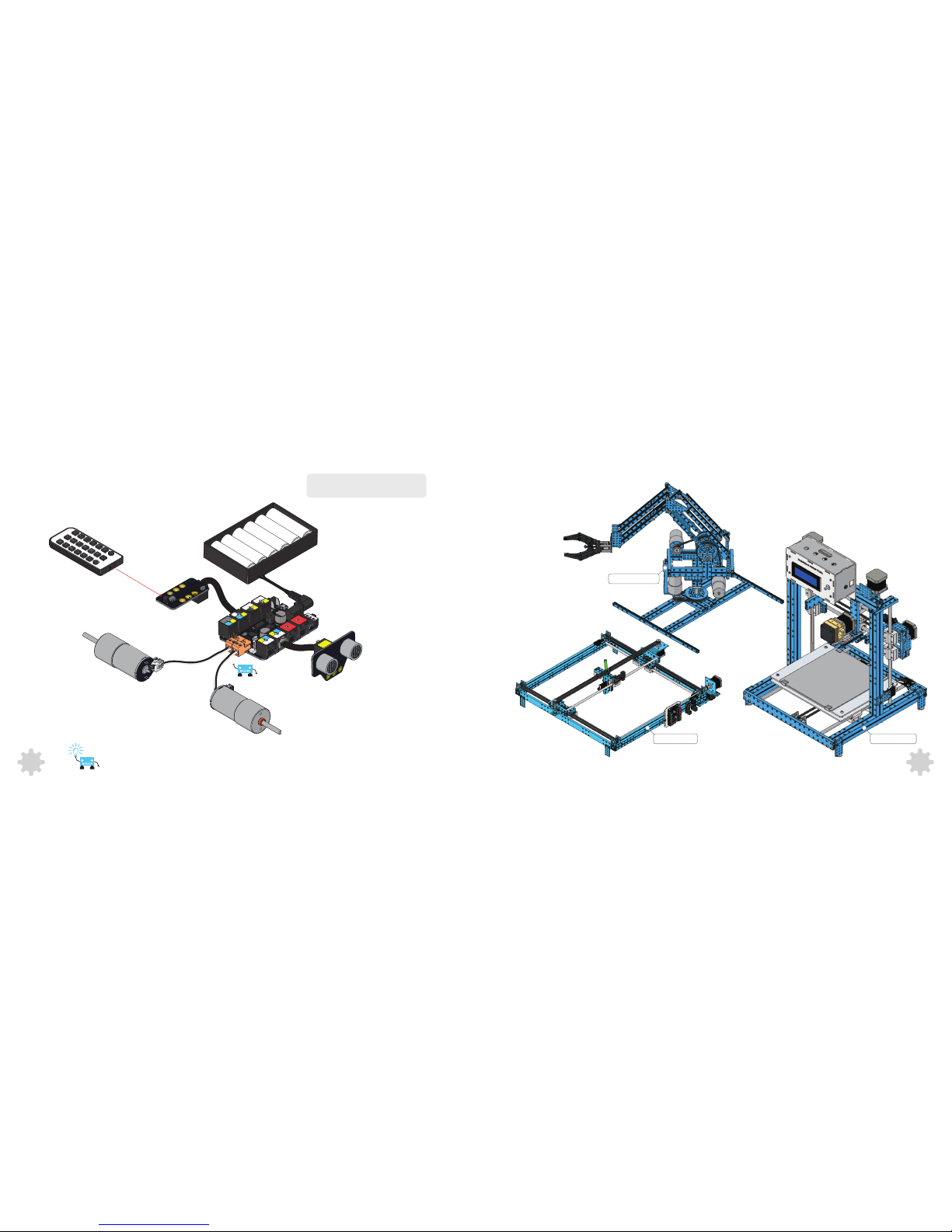
Wiring and Programming
You may need to switch the order of two
wires to correct th e rot ation direction.
To reduce the electromagn etic interference ,
Please consid er to add the magnetic ring to
the wire which connn ected to motors.
Me IR Remote Controller
Me Ultrason ic Sensor
DC Motor-25(Left)
DC Motor-25(Right)
Makeblock Orion
?
Me Infrared Receiver Sensor
Battery Holder
19
Page 13
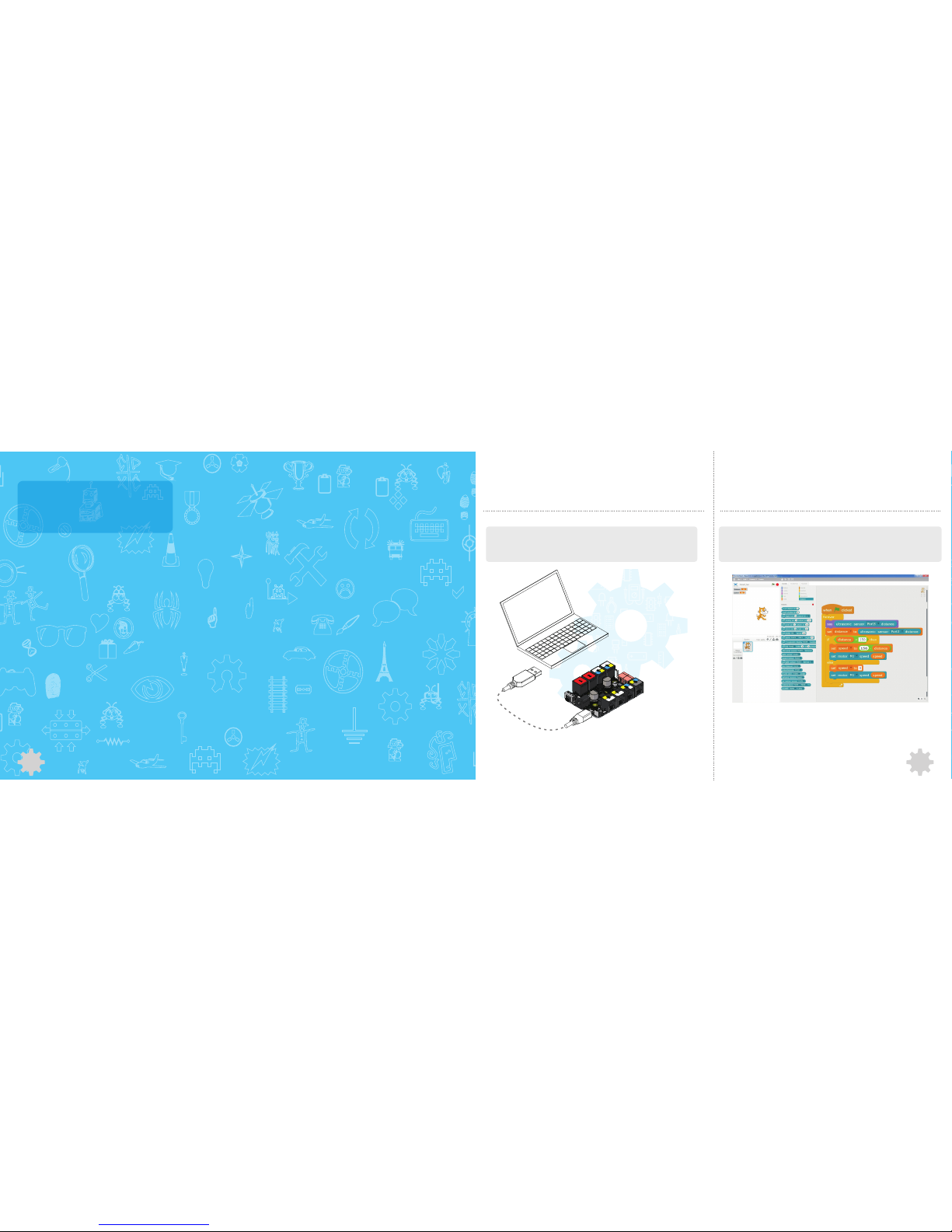
Programming Guide
21
Wor king wi th Scra tch
--Hack the Physical World
Makeblock platform supports graphical programming language Scratch, you can simply
drag and joint the blocks to run your creations without difficult coding.
Visit the following URL for more details:
http://learn.makeblock.cc/learning-scratch
Scratch is a programming language and online community where you can create your own interactive stories, games, and
animations -- and share your creations with others around the world. In the process of designing and programming Scratch
projects, young people learn to think creatively, reason systematically, and work collaboratively. Scratch is a project of the
Lifelong Kindergarten group at the MIT Media Lab. It is available for free at http://scratch.mit.edu
Mak ebloc k Orio n Driv er Ins talla tion
The USB interface of Makeblock Orion uses the chip CH340, you may need to install the
chip CH340 drivers manually.
22
Visit the following URL for more details:
http://learn.makeblock.cc/driver_installation/
If you want to creat advanced and
customized programs, please refer
to this part.
Page 14
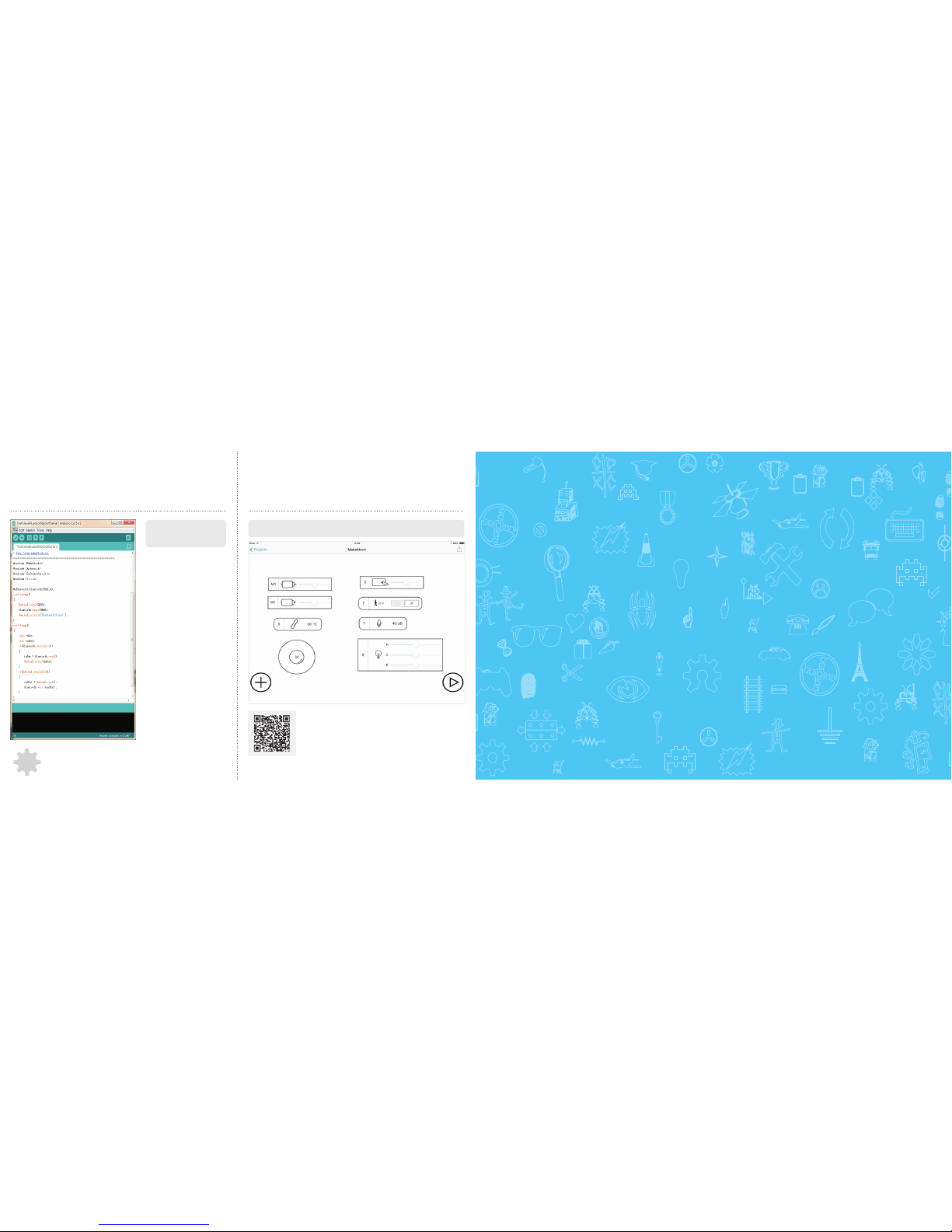
Wor king wi th Ardu ino IDE
––Learn Programming the Fun Way
Learn and play at the same time!
Enjoy it your own way.
Visit the following URL for more details:
http://learn.makeblock.cc/learning
-Arduino
Arduin o i s a n op en-s ourc e el ect ronic s
prototyping platform based on flexible, easyto-use hardware and software.The Arduino
sof twa re c ons is ts of a d eve lo pme nt
environment (IDE) and the core libraries. The
IDE is written in Java and based on the
Processing development environment. The
core libraries are written in C and C++ and
compiled using avr-gcc and AVR Libc.
23
Visit the following URL for more details:
http://learn.makeblock.cc/learning-APP
Wor king wi th the Ma keblo ck App
––Construct It Once, Control It Everywhere
Install the Makeblock app to control your creations with your Android or iOS device.
Construct Your Dreams
 Loading...