

Page 1
User Manual
www.majorcom.fr • [email protected]
Services techniques et commerciaux : 56, chemin de la Flambère - 31300 TOULOUSE (France) • Tel. +33 (0)5 61 31 86 87 • Fax. +33 (0)5 61 31 87 73
Siège Social : RN 307 - 78810 FEUCHEROLLES • S.A. Capital 80.000 € • SIRET 334 579 869 000 28 • NAF 4652 Z • TVA Intracommunautaire FR 12334579869
MAJORCOM \ QUALITE \ ENREGISTREMENT DES DOCUMENTS \ ADMINISTRATIF \ ENR-12-PEM-V02
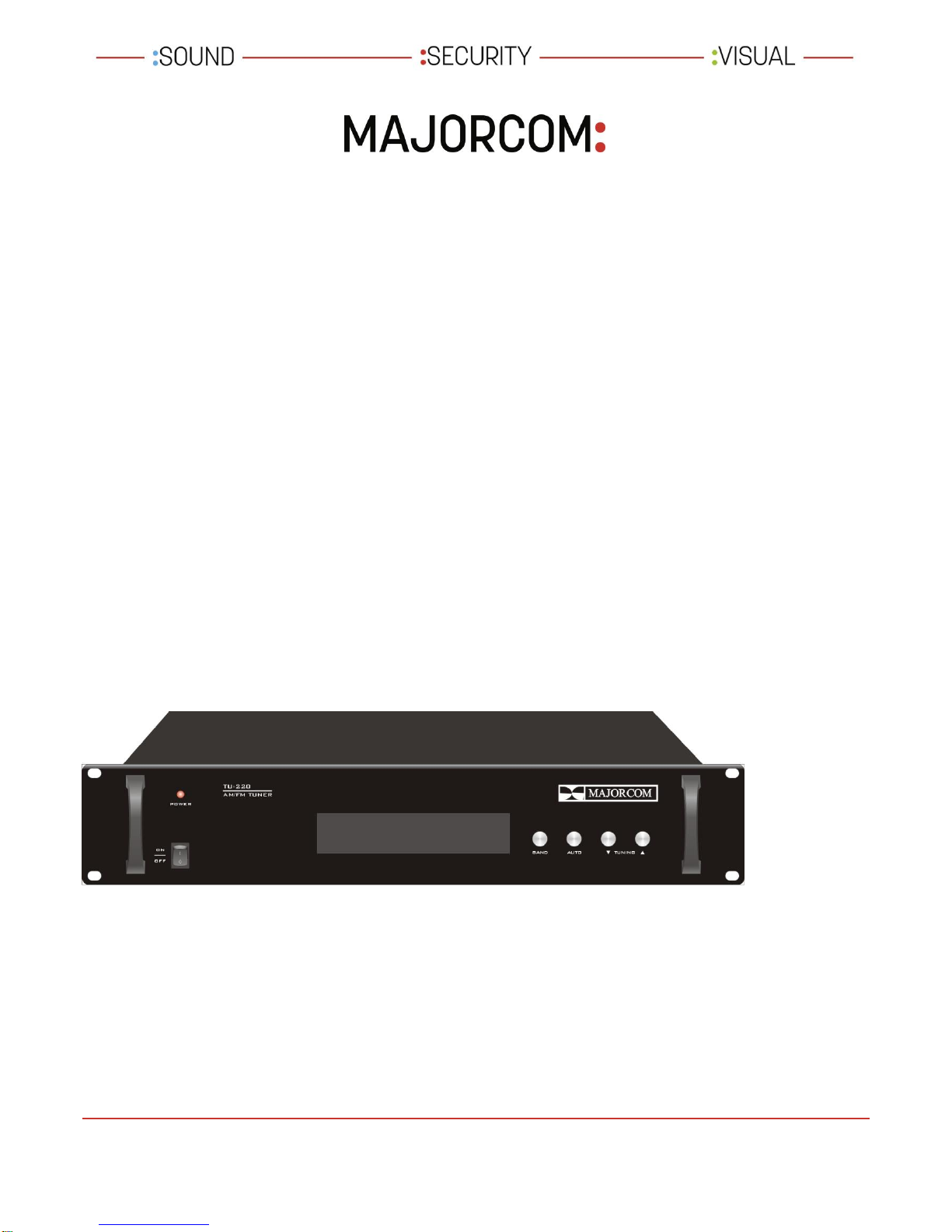
USER MANUAL
PUBLIC ADDRESS SYSTEM
TUNER AM / FM
TU-220
Page 2
User Manual
www.majorcom.fr • [email protected]
Services techniques et commerciaux : 56, chemin de la Flambère - 31300 TOULOUSE (France) • Tel. +33 (0)5 61 31 86 87 • Fax. +33 (0)5 61 31 87 73
Siège Social : RN 307 - 78810 FEUCHEROLLES • S.A. Capital 80.000 € • SIRET 334 579 869 000 28 • NAF 4652 Z • TVA Intracommunautaire FR 12334579869
MAJORCOM \ QUALITE \ ENREGISTREMENT DES DOCUMENTS \ ADMINISTRATIF \ ENR-12-PEM-V02
FEATURES
1 FM / AM stereo two wave band incept
2 Quartz automatic phase lock frequency Synthesizer tune
loop incept frequency Exactitude Stabilization
3 FM / AM two wave band 99 broadcasting station frequency memory
4 Broadcasting station frequency Automatism search incept memory
function
5 Full function microcomputer command manipulate use convenience
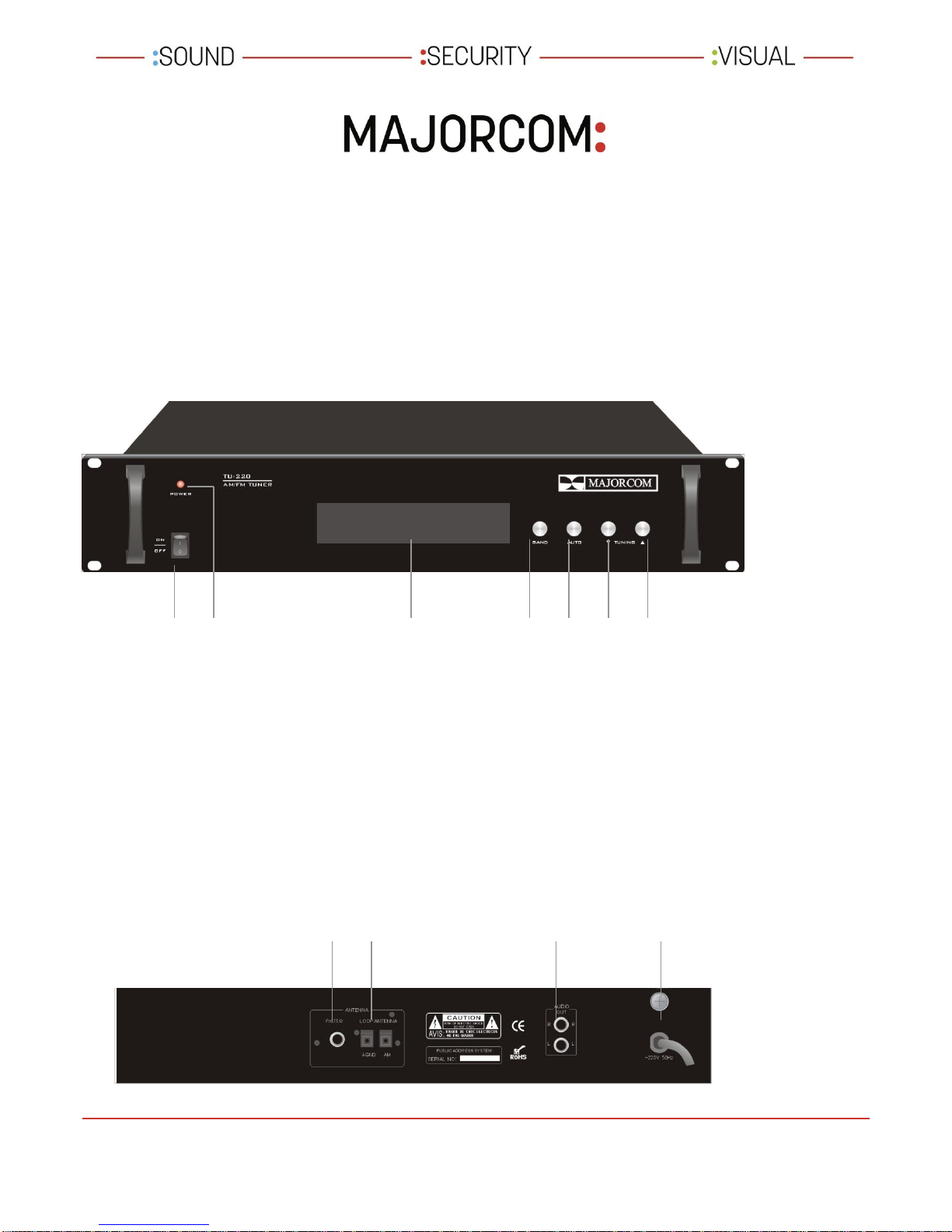
FRONT PANEL
REAR PANEL
1 FM wave band75 TX input
2 AM wave band TX input
3 Audio signal output
4 ~220V 10%/50Hz AC power cord
1
1
2
1 Power switch
2 Power LED indicator
3 Fluorescence display
4 Wave band switch
5 Automatism / manual search
6 Up search
7 Down search
4 5 6 7 3
2 3 4
Page 3
User Manual
www.majorcom.fr • [email protected]
Services techniques et commerciaux : 56, chemin de la Flambère - 31300 TOULOUSE (France) • Tel. +33 (0)5 61 31 86 87 • Fax. +33 (0)5 61 31 87 73
Siège Social : RN 307 - 78810 FEUCHEROLLES • S.A. Capital 80.000 € • SIRET 334 579 869 000 28 • NAF 4652 Z • TVA Intracommunautaire FR 12334579869
MAJORCOM \ QUALITE \ ENREGISTREMENT DES DOCUMENTS \ ADMINISTRATIF \ ENR-12-PEM-V02
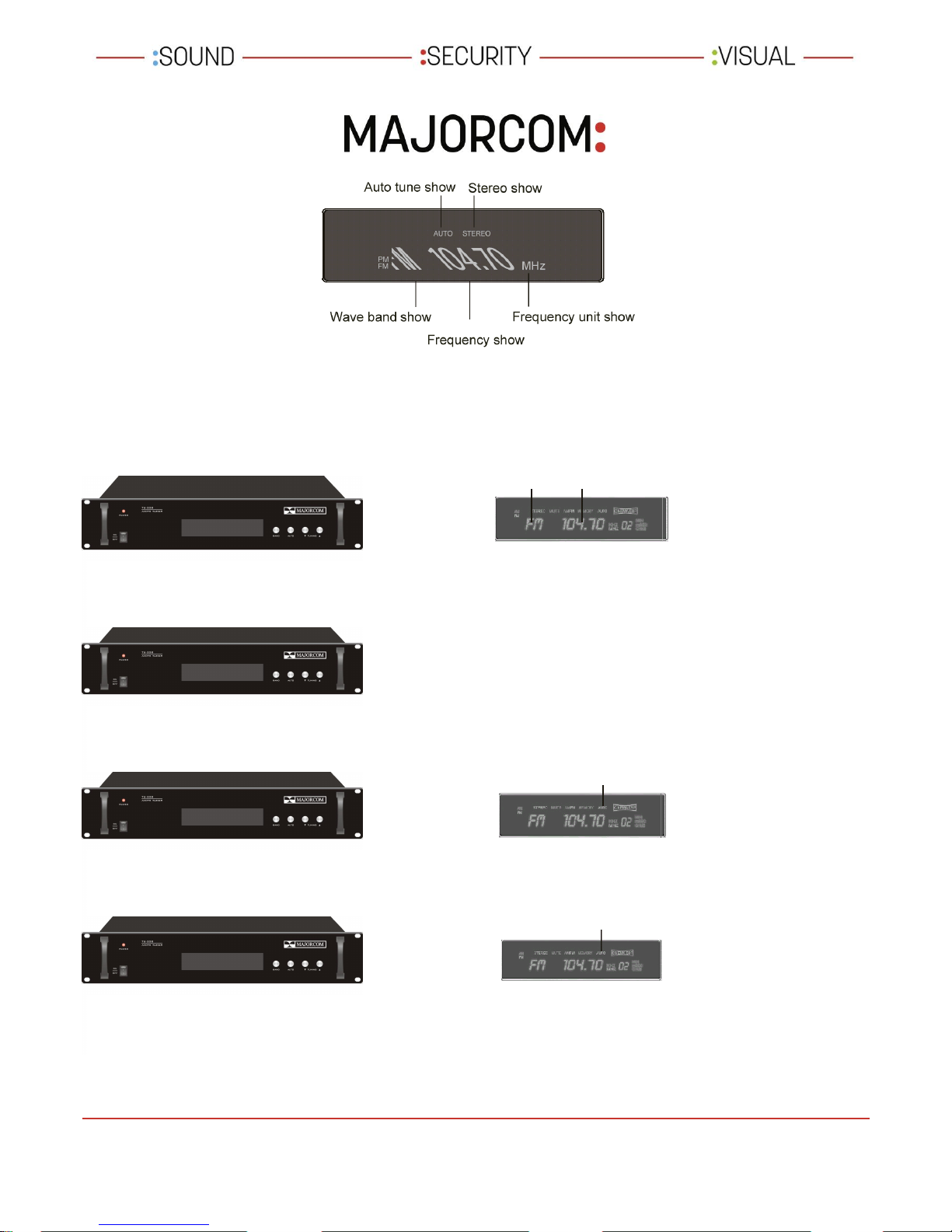
FLUORESCENCE DISPLAY
OPERATING
Wave band show Frequency show
As if show an't want to wave band,
invite press Wave band key stoke
accept of wave band, per Press
once, give switch fm/am
Per press once auto /
Manual tune select key
(auto/ma)give switch
Auto tune occasionally: Auto take over one
Broadcasting station
Manual tune occasionally: Repeat press(or
Persist press)up to select broadcasting station
1 Open power supply switch on, fluorescence show last time close employment state.
2 Select broadcast wave band
3 Select broadcasting station means
Auto tune show occasionally auto
illumine
4 Select broadcast broadcasting station
Auto tune show occasionally auto illumine
Press key up direction high end
Frequency search, press key down
Direction low end frequency search.
Page 4
User Manual
www.majorcom.fr • [email protected]
Services techniques et commerciaux : 56, chemin de la Flambère - 31300 TOULOUSE (France) • Tel. +33 (0)5 61 31 86 87 • Fax. +33 (0)5 61 31 87 73
Siège Social : RN 307 - 78810 FEUCHEROLLES • S.A. Capital 80.000 € • SIRET 334 579 869 000 28 • NAF 4652 Z • TVA Intracommunautaire FR 12334579869
MAJORCOM \ QUALITE \ ENREGISTREMENT DES DOCUMENTS \ ADMINISTRATIF \ ENR-12-PEM-V02
SPECIFICATIONS
FREQUENCY
RESPONSE
FM
87-108mhZ
LEVEL METER
500mV
AM
522-1611KhZ
OUTPUT IMPEDANCE
1kΩ
SENSITIVITY
FM
< 20uV
POWER HANDLING
10VA
AM
< 6.0mV/m
POWER REQUITEMENT
~220V/50Hz
SIGNAL /
NOISE RATIO
FM
> 40dB
DIMENSIONS
484x360x88mm
AM
> 36dB
WEIGHT
4,5kg
ANNOTATE: because of organic computer apron string, be
incapable of sequence celerity ON/OFF Power. If happen any function
fault be likely to cause static or interfere arose. Pray before organic
power supply, wait 5 second any boot-strap, so that let computer
entireness restoration if here function up to snuff follow organic can up to
snuff Employment.
 Loading...