

Page 1
PLACING A CALL
Using the Handset:
Pick up the handset, enter
the number and press
or enter the number first,
and then pick up the handset.
Using the hands-free Speaker:
With the handset on-hook, press
and dial the number.
Or dial the number, and press
ANSWERING A CALL
Using the Handset:
Pick up the handset.
Using the Speakerphone:
Press or the Answer soft key.
ENDING A CALL
Using the Handset:
Hang up or press the EndCall soft key.
Using the Speakerphone:
Press or the EndCall soft key.
MUTE
During a call, press
CALL TRANSFER
1. During a call, press the Trans
soft key (the active call is on hold).
Press the Blind soft key to transfer the call without
speaking to the second party.
2. Place a call to the number to
which you want to transfer the call.
3. After speaking with the second
party, press the Trans soft key to
complete the transfer.
The transfer process may be cancelled by pressing the
Cancel soft key. The original call is resumed.
CALL HOLD AND RESUME
During a call, press
Press again or the Resume soft key
to resume the call.
CALL FORWARDING
To enable call forwarding:
1. Press and select Features,
and then Forward.
2. Select a Forwarding Type from
Always, No Answer, and Busy.
3. For all types, enter a number to
forward all future calls to.
4. For No Answer, enter the number
of rings before forwarding. (2 is best)
5. Press the Enable soft key to
confirm Call Forwarding.
To disable call forwarding:
1. Press and select Features,
and then Forward.
2. Select a Forwarding Type from
Always, No Answer, and Busy.
3. Press the Disable soft key.
Dial
Dial
magnet
total
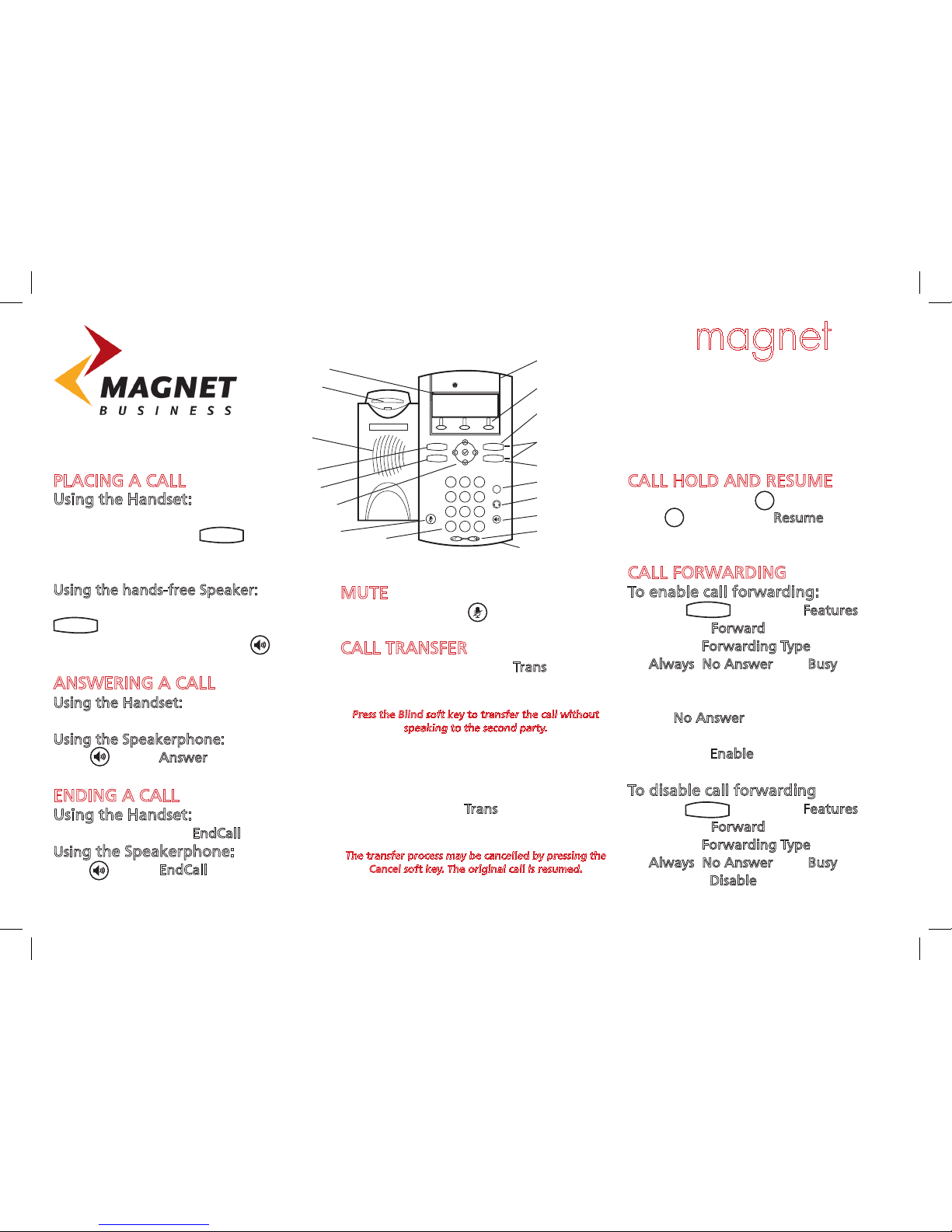
IP 330/331 Phone Userguide
Hold
Menu
Menu
POLYCOM
®
Graphical LCD
Hookswitch
Handsfree
Speaker
Dial Key
Navigation Keys
Menu Key
Microphone Mute
Dial Pad
LED Indicator
Content Sensitive
Soft Keys
Line 1 Key
LED Indicators
Line 2 Key
Hold Key
Headset Key
Speakerphone Key
Handsfree Microphone
Dial
Menu
Line 1
Line 2
1
2
ABC DEF
6
MNO5JKL4GHI
9
WXYZ8TUV7PQRS
0
OPER
Hold
#
★
3
Volume Up/Down
Hold
Page 2
LOCAL CONFERENCE CALLS
To create a three-way local
conference call:
1. Call the first party.
2. Press the Conf soft key to create a
new call (the active call is placed
on hold).
3. Place a call to the second party.
4. When the second party answers,
press the Conf soft key again to join
all parties in the conference.
When a conference has been established, pressing
the Split soft key will split the conference into two
calls on hold.
Placing the call on hold on the conference originator’s
phone will place the other parties in the conference
on hold.
A conference may be created at any time between an
active call and a call which is on hold (on the same line
or another line) by pressing the Join soft key.
Ending the call on the conference originator’s phone
will allow the other parties to continue the conference.
REDIAL
Press to display the placed call list.
Press and to scroll to search for
the desired number, and then press the
Dial key again.
DO NOT DISTURB
Press and select Features, and
then select Do Not Disturb to prevent the
phone from ringing on incoming calls.
A Do Not Disturb icon appears for all lines to
confirm that Do Not Disturb is enabled.
Press and select Features, and then select
Do Not Disturb again to turn off Do Not
Disturb.
CALL LISTS
Press and select Features, and
then select Call Lists. The received and
placed Call lists can be viewed.
From this screen, choose the
appropriate soft key:
1. Info to view detailed call information.
2. Save to store the contact to the
contact directory.
3. Delete to delete the call from list.
Press repeatedly to return to the idle
display. Or press the Callers soft key to
view the received call list.
VOICEMAIL
To access your voicemail dial 171
Type in your mailbox number when
prompted.
(Last 4 digits of DDI)
Type in your password when
prompted.
(Default 1234)
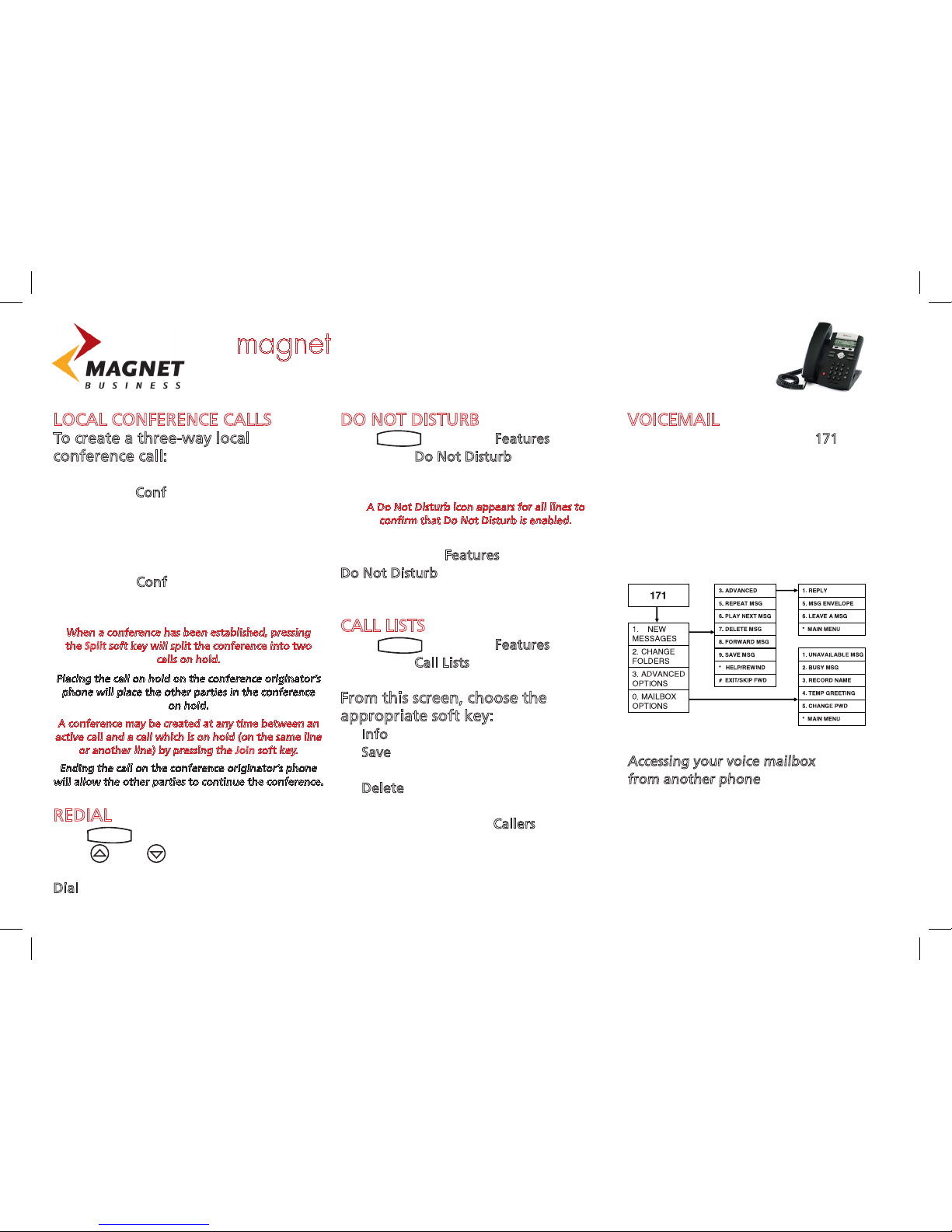
The voicemail options from the
main menu are as follows:
Accessing your voice mailbox
from another phone
Dial your direct dial phone number
When you hear your voicemail
message press *
Enter your voicemail password
when prompted.
Use the system as normal.
Dial
Menu
Menu
magnet total IP 330/331 Phone Userguide
 Loading...