

Page 1
BONEHEAD-206
6" POWERED SPEAKER SYSTEM
WWW.MADBOY-AUDIO.COM
USER MANUAL
Page 2
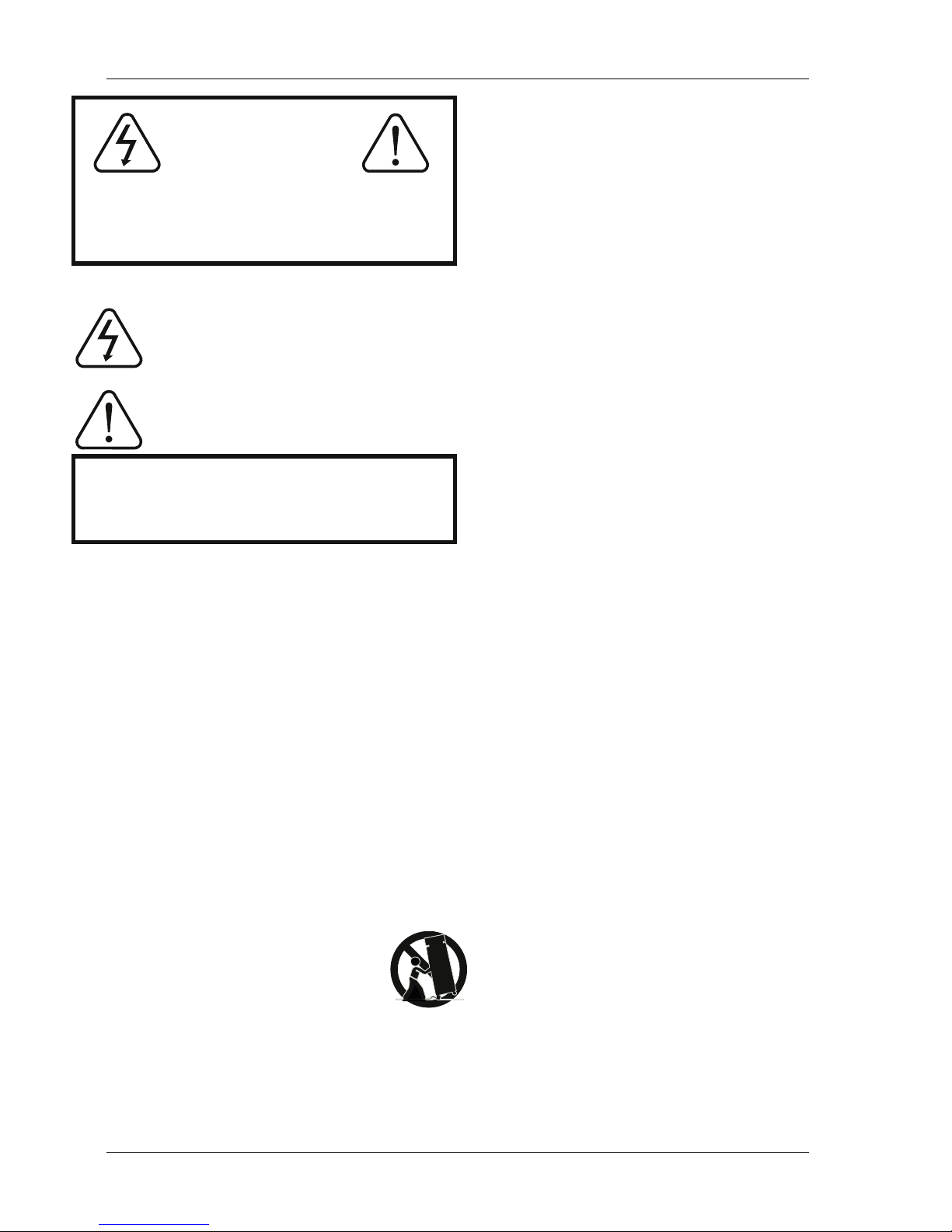
CAUTION
RISK OF SHOCK
CAUTION: To reduce the risk of electric shock, do
not remove cover (or back). No user-ser viceable
parts inside. Only refer servicing to qualified service
personnel.
WARNING
To reduce the risk of fire or electric shock,
do not expose this unit to rain or moisture.
Explanation of Graphical Symbols
The lightning flash & arrowhead symbol,
within an equilateral triangle, is intended
to aler t you to the presence of danger.
The exclamation point within an equilateral
triangle is intended to alert you to the
presence of important operating and
servicing instructions.
Read Instructions– All the safety and operating instruc tions should be read before the appliance is operated.
Retain Instructions– The safety and operating instruc
-
tions should be retained for future reference.
Heed Warnings– All warnings on the appliance and in
the operating instructions should be adhered to.
Follow Instructions– All operating and use instructions
should be followed.
Attachments– Do not use attachments not recom mended by the product manufacturer as they may cause
hazards.
Water and Moisture– Do not use this unit near water. For
example, near a bathtub or in a wet basement and the
like.
Carts and Stands– The appliance should be used only
with a cart or stand that is recommended by the manufacturer.
7A. An appliance and cart combination
should be moved with care. Quick stops,
excessive force, and uneven surfaces may
cause an overturn.
Ventilation– The appliance should be
situated so its location does not interfere with its proper
ventilation. For example, the appliance should not be
situated on a bed, sofa, rug, or similar surface that may
block the ventilation slots.
Heat– The appliance should be situated away from heat
sources such as radiators, heat registers, stoves, or
other appliances (including amplifiers) that produce
heat.
Power Sources– The appliance should be connected to a
power supply only of the type described in the operating
instructions or as marked on the appliance.
Grounding or Polarization– Precautions should be taken
so that the grounding or polarization means of an
appliance is not defeated.
Power-Cord Protection– Power-supply cords should be
routed so that they are not likely to be walked on or
pinched by items placed upon or against them, paying
particular attention to cords at plugs, convenience receptacles, and the point where they exit from the appliance.
Cleaning– Unplug this unit from the wall outlet before
cleaning. Do not use liquid cleaners or aerosol cleaners.
Use a damp cloth for cleaning.
Power lines– An outdoor antenna should be located
away from power lines.
Nonuse Periods– The power cord of the appliance
should be unplugged from the outlet when left unused
for a long period of time.
Object and Liquid Entry– Care should be taken so that
objects do not fall and liquids are not spilled into the
enclosure through openings.
Damage Requiring Service– The appliance should be
serviced by qualified service personnel when:
A. The power supply cord or plug has been damaged; or
B. Objects have fallen into the appliance; or
C. The appliance has been exposed to rain; or
D. The appliance does not appear to operate normally
or exhibits a marked change in performance; or
E. The appliance has been dropped, or the enclosure
damaged.
Servicing– The user should not attempt to service the
appliance beyond that described in the operating instructions. All other servicing should be referred to qualified
service personnel.
Note:
To CATV system installer’s (U.S.A.): This reminder is
provided to call the CATV system installer’s attention to
Article 820-40 of the NEC that provides guidelines for
proper grounding and, in particular, specifies that the
cable ground shall be connected as close to the point of
1.
2.
3.
4.
5.
6.
7.
8.
9.
10.
11.
12.
13.
14.
15.
16.
17.
18.
WWW.MADBOY-AUDIO.COM
1
Operation notice!
Page 3
– HIGH QUALITY POWERED SPEAKER SYSTEM
– 6,5” WOOFER AND 2” TWEETER
– BUILD-IN 2 x 25W RMS AMPLIFIER
– FREQUENCY RESPONSE: 60Hz – 20kHz
– VOLUME CONTROL
– STEREO RCA LINE INPUT (L/R)
– STEREO RCA LOOP THROUGH (L/R)
WWW.MADBOY-AUDIO.COM
2
Before Getting Started
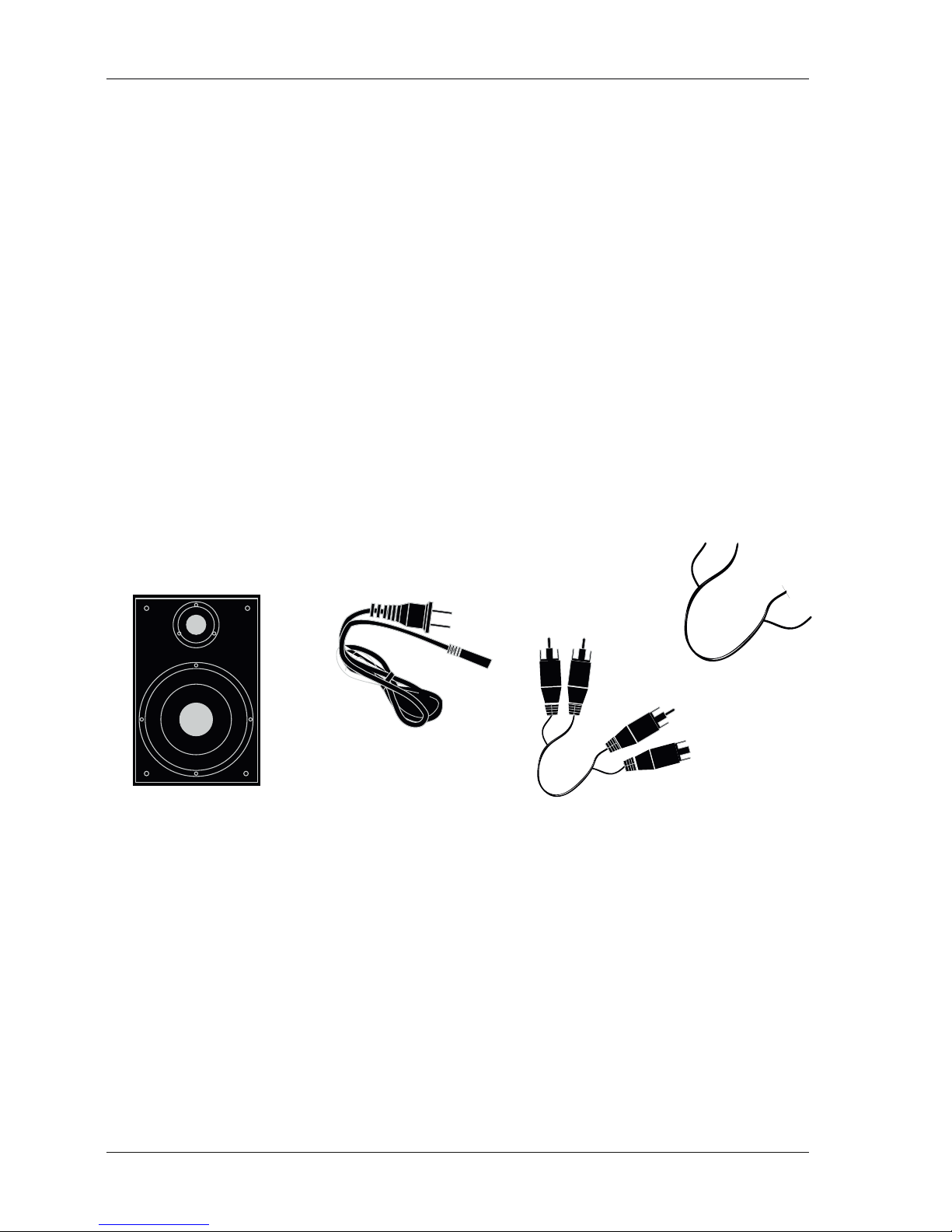
Please check that the following items are included with your MadBoy BONEHEAD-206 Speaker system:
- 2 BONEHEAD-206 Powered Speakers (1 with amplifier and 1 without)
BONEHEAD-206 (2)
Speaker Cable (1)
RCA Audio Cable (1)
Power Cord (1)
- 1 RCA to RCA-stereo cable
- 1 Power cord
- 1 Speaker cable (red and black)
For geeks:
Page 4
1
WWW.MADBOY-AUDIO.COM
MODEL:BONEHEAD-206
WWW.MADBOY-AUDIO.COM
SERIAL NO.:
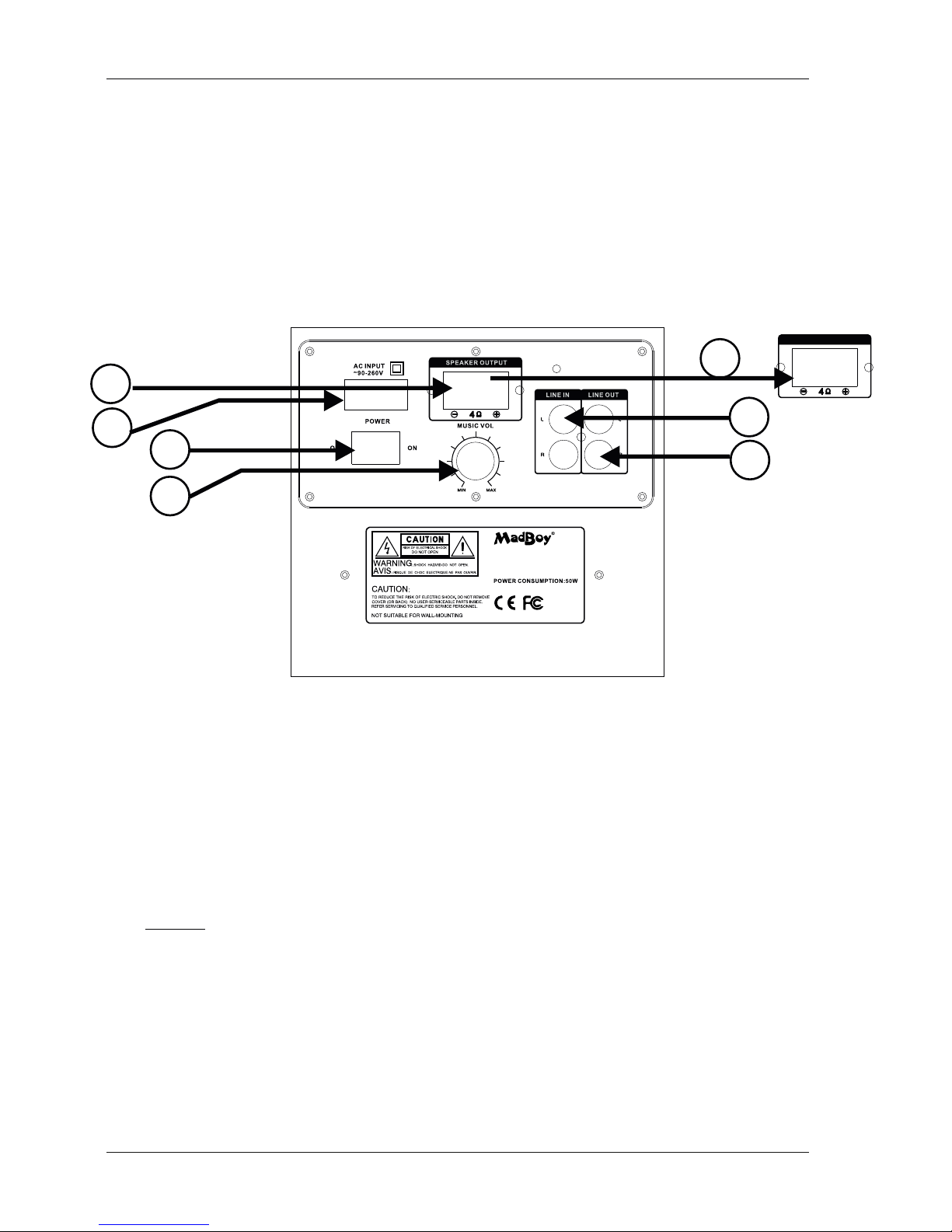
Rear panel of the BONEHEAD-206
Connecting a passive speaker (without amplifier) and power cable.
What you will need
- Another speaker of BONEHEAD-206 without amplifier on it. Speaker included
- S peaker cable (red and black). Cable included.
1. Connect one end of each speaker cable to the speaker output (1)/input(1B) red to red and black to black. (1)
2. Connect the power cable to the AC input, on BONEHEAD-206 rear panel. (2)
- Power cable. Cable included.
3. When cable is inserted to AC input of the BONEHEAD-206, connect another end of the cable to AC-wall outlet.
4. After connecting all necessary cables, players etc. (see page 4) turn power on from power switch. (3)
NOTICE! When connecting cables etc. make sure power is turned off
and volume (4) is turned down (in BONEHEAD-206 and ie. amplifier)! This is to avoid any unwanted noise/hazard.
SPEAKER INPUT
2
3
4
5
6
1B
1. SPEAKER OUTPUT (to connect passive BONEHEAD-206 speaker)
1B. SPEAKER INPUT (in rear panel of passive BONEHEAD-206 speaker)
2. AC INPUT (to connect power cord)
3. POWER SWITCH (to turn power on/off)
4. VOLUME (to turn volume level up and down)
5. LINE IN (to connect ie. CD-player, MP3-player etc. with RCA-stereo cable)
6. LINE OUT (to connect ie. active subwooffer with RCA-stereo cable)
3
Getting connected
Passive speaker
Page 5
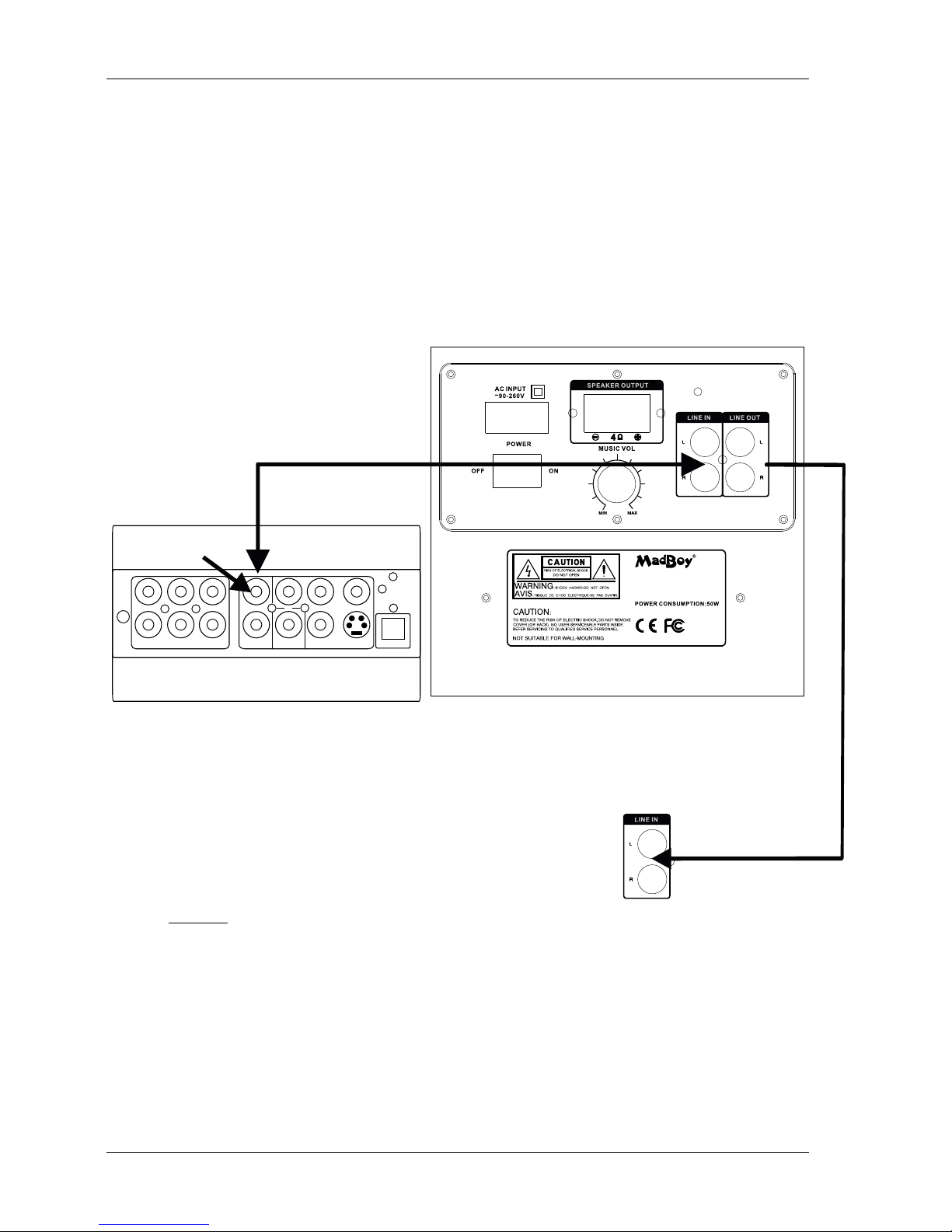
Connecting a Mixer/player (Fig. A)
What you will need
- Audio source(DVD, CD, mixer etc.) with Stereo audio output (Left and Right)
- RCA cable (Left(red) and Right(white)). Cable included.
1. Connect one end of each RCA cable to the RCA audio Left and Right outputs on the player/mixer.
2. Connect the other end of each RCA cable to the Left and Right RCA
Audio Input jacks on the rear panel of the BONEHEAD-206.
FL
CEN
SL
FR
SW SR
R
L
Y
COAXIAL VIDEO
S-VIDEO
Pb/Cb Pr/Cr
OPTICAL
Audio out
to Line in
Connecting to ie. active subwooffer (Ie. MadBoy BOSS-10) (Fig. B)
What you will need
- 1 RCA-RCA cable
Fig. A
1. Connect RCA plug to end of active subwoofer line/audio in.
2. Connect the other end of the RCA cable to Line out
on BONEHEAD-206 rear panel.
NOTICE! When connecting BONEHEAD-206 to another device via line out, make sure power is turned off
and volume is turned down (in both device ie. amplifier)! This is to avoid any unwanted noise/hazard.
WWW.MADBOY-AUDIO.COM
MODEL:BONEHEAD-206
WWW.MADBOY-AUDIO.COM
SERIAL NO.:
Rear panel of the BONEHEAD-206
to Line in
Fig. B
4
Getting connected continues
Page 6

WWW.MADBOY-AUDIO.COM
 Loading...