

Page 1
LUME CUBE
LC-V2
Powerful, Portable, Studio Quality
Light for Photo & Video
QUICK START GUIDE
TOP BOTTOM
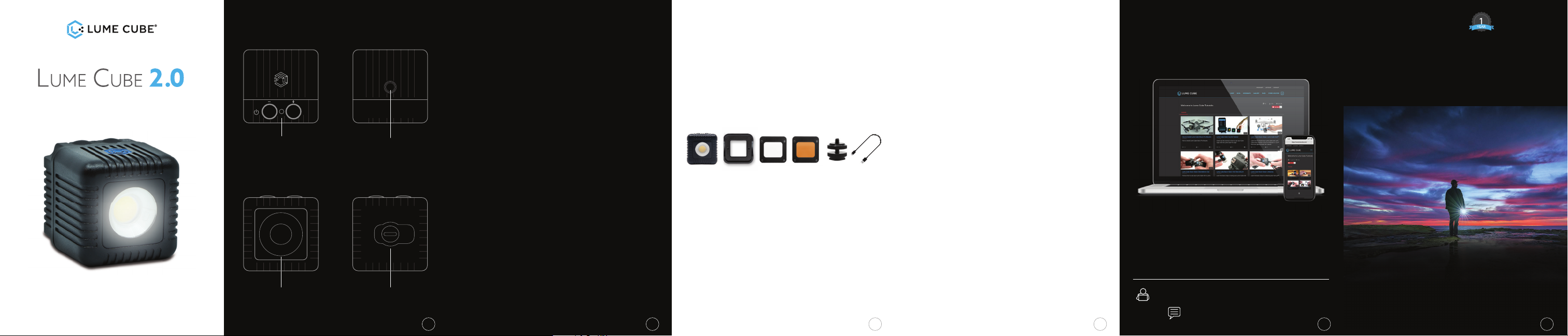
(IMAGE 1)
MANUAL CONTROL BUTTONS/
OPTICAL SENSOR/
CHARGING INDICATOR
FRONT BACK
(IMAGE 3)
CUSTOM LENS
(IMAGE 2)
1/4” 20 THREAD
(IMAGE 4)
USB-C CHARGING PORT
GET STARTED WITH YOUR
Lume Cube 2.0
• POWER ON: While off, hold left button for 3 seconds.
• POWER OFF: While on, hold left button for 3 seconds.
• RIGHT BUTTON ( + ): Increase your brightness levels in
10% increments (10%-100%).
• LEFT BUTTON ( - ): Decrease your brightness levels in
10% increments (100%-10%).
• OPTICAL SENSOR/CHARGING INDICATOR: To turn ON
the Optical Sensor for Flash Photography, use your
Lume-X Mobile App OR while the light is ON, hold the
RIGHT button for 3 SECONDS. The Light will go into
Optical Slave Mode (to move back to Standard Mode,
hold the RIGHT button for 3 seconds).
• LOW LIGHT MODE: When the cube is ON, hold BOTH
BUTTONS down for 3 seconds to go into LOW LIGHT
MODE (controls switch to 1%-10% brightness in 1%
increments). To get back to normal mode, hold BOTH
BUTTONS down for 3 seconds.
To fi nd out more details on setup and
controls, visit:
www.lumecube.com/videos/lumecube2.0
WHAT’S INCLUDED
• 1 Lume Cube 2.0
• 1 Modifi cation Frame for mounting gels & diffusers
• 1 Magnetic Softening Diffuser
• 1 Magnetic Warming Gel
• 1 DSLR Camera Mount
• 1 USB-C Cable
CHARGING
BLUETOOTH: When charging indicator is BLUE, that means
Bluetooth is Connected.
CHARGING: Charging indicator will fl ash RED when
charging (full charge takes approx. 45-60 min).
FULL CHARGE: Charging indicator will illuminate GREEN
when fully charged.
(Illustration on page 1, image 1)
32 4 51
SPECIFICATIONS
• 95 CRI +/- for Professional Quality Output
• 5600K Color Temperature Daylight Balanced LED
• 80º Beam Angle for evenly spread light
• Optical Flash Mode for Flash Photography
• Fully Waterproof to 30 feet (10 meters)
• Input: 850mA
• Rechargeable via USB-C Charging Port
• Adjustable Brightness Levels via Buttons or Wireless
Bluetooth App
• Built-In 1/4” 20 for Tripod Mounting
• 2.5+ hour run time@ 50% brightness
• Portable & Durable Aluminum Body
SECRET LOW LIGHT MODE
For photographers who enjoy long exposure photography,
we’ve built in a secret LOW LIGHT MODE which allows you
to manually switch your controls from the normal 10%100% brightness range, to a 1%-10% brightness range,
adjustable by 1% increments. Simply HOLD DOWN BOTH
BUTTONS FOR 3 SECONDS while your Lume Cube is ON
and you’ll notice it drop to low light settings. To get back
to normal settings, simply HOLD DOWN BOTH BUTTONS
FOR 3 SECONDS again and you’ll be back to normal.
TUTORIALS / EDUCATION / BLOG
LEARN HOW TO CREATE BETTER,
MORE EXCITING CONTENT!
Our goal is to allow anyone to capture great
content and share it with the world. Take a
look at our blog and tutorials to learn how to
use your Lume Cube 2.0 like a professional.
Tutorials/Education: www.lumecube.com/videos
Blog: www.lumecube.com/blog
LUME CUBE 2.0 LIMITED WARRANTY
For more information and to register for your
1-year Manufacturer’s Warranty, please visit :
www.lumecube.com/warranty
To request a printed warranty, please contact
6
Page 2
John Smith
LUMEX APP
• The Lume-X App gives you
ultimate wireless control of
your Lume Cube 2.0.
• Wirelessly control brightness,
mode, fl ash duration, strobe,
and more.
• Monitor battery levels.
• Trigger your Lume Cube 2.0
fl ash or video light with your
smartphone photo/video.
• Capture and save photos
and videos directly from the Lume-X App to your
phone.
• Control multiple Lume Cube 2.0s individually or
simultaneously.
• Easily share your creations across your Social
Networks.
Download your Lume-X App from the Apple App
Store or the Google Play Store.
REGISTRATION
Register your Lume Cube 2.0 to activate and
sync with the Lume-X App. This will ensure your
warranty is validated and will give you immediate
access to future product updates.
Install and open
the Lume-X App.
(Make sure the
Bluetooth on your
mobile device is
ON) Press the
power button on
your Lume Cube
2.0 to enable the
Bluetooth. A congratulations screen will prompt
and the Lume Cube 2.0 serial number will auto fi ll in
the fi rst line. Enter your email address, name, and
hit OK to connect. You’re done!
Look for the Lume-X icon
in the upper left corner. A
blinking icon means you are
not connected, a solid blue
icon indicates the App and
your Lume Cube 2.0 have synced.
Congratulations! XXXXX
has been discovered
Please register your device’s serial
number to use it with the app
LumeCubeXXXXX
DISCONNECT OK
Connected
Not
Connected
87
LUMEX APP MODES
Flash - Perfect
for capturing
still images or
selfi es with your
smartphone. In
FLASH MODE,
your Lume
Cube 2.0 will
trigger with your
smartphone
camera when you take an image in the Lume-X
App. You can adjust the brightness of your fl ash
with the brightness slider.
Constant - Provide continuous lighting with your
Lume Cube 2.0 in CONSTANT MODE. This is great
for photo and video, and to wirelessly control the
mood and setting of your scene, no matter where
you are. Use the brightness slider to adjust the
intensity of your constant light.
Strobe - Find your desired strobe speed in the
Lume-X App. This works great on bikes, as a safety
light, to achieve creative effects, or even for events!
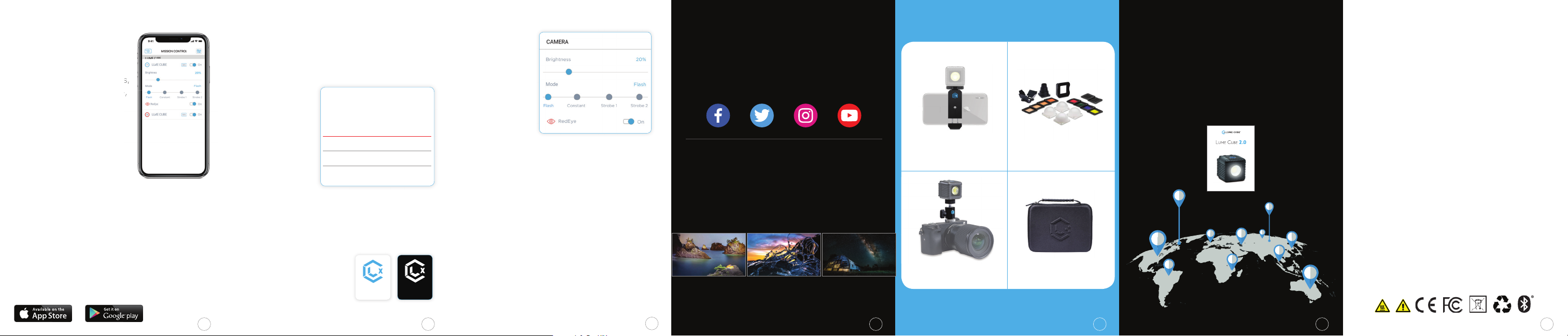
Flash ModeLume-X App
FOLLOW US ON SOCIAL MEDIA!
Follow along to see what is possible with
The World’s Most Versatile Lights.
LUMECUBE ON
Win free product with your content!
Think you’ve got what it takes to create
head-turning photos? Put your work to
the test by entering Lume Cube’s weekly
#CAPTURE4CUBES contest!
@sanluisobispo @justhoep @the_gingers_adventures
LUME CUBE - ACCESSORIES
SMARTPHONE CLIP GELS & DIFFUSION
CAMERA MOUNT ZIPPER CASE
FOR INTERNATIONAL
TRANSLATIONS
PLEASE VISIT OUR WEBSITE BELOW:
https://www.lumecube.com/quickstartguides
Powerful, Portable, Studio Quality
Light for Photo & Video
QUICK START GUIDE
FCC WARNING
This device complies with part 15 of the FCC Rules. Operation is subject to
the following two conditions:
(1) This device may not cause harmful interference, and (2) this device must
accept any interference received, including interference that may cause
undesired operation. Any Changes or modifi cations not expressly approved
by the party responsible for compliance could void the user’s authority
to operate the equipment. This equipment has been tested and found to
comply with the limits for a Class B digital device, pursuant to part 15 of
the FCC Rules. These limits are designed to provide reasonable protection
against harmful interference in a residential installation. This equipment
generates uses and can radiate radio frequency energy and, if not
installed and used in accordance with the instructions, may cause harmful
interference to radio communications. However, there is no guarantee that
interference will not occur in a particular installation. If this equipment does
cause harmful interference to radio or television reception, which can be
determined by turning the equipment off and on, the user is encouraged to
try to correct the interference by one or more of the following measures:
- Reorient or relocate the receiving antenna.
- Increase the separation between the equipment and receiver.
- Connect the equipment into an outlet on a circuit different from that to
which the receiver is connected.
- Consult the dealer or an experienced radio/TV technician for help.
The device has been evaluated to meet general RF exposure requirement.
The device can be used in portable exposure condition without restriction.
Head to our website for more information
www.lumecube.com/capture4cubes
9
10
See a full line of Lume Cube 2.0 accessories
at
www.lumecube.com/shop
11 12
13
 Loading...