

Page 1
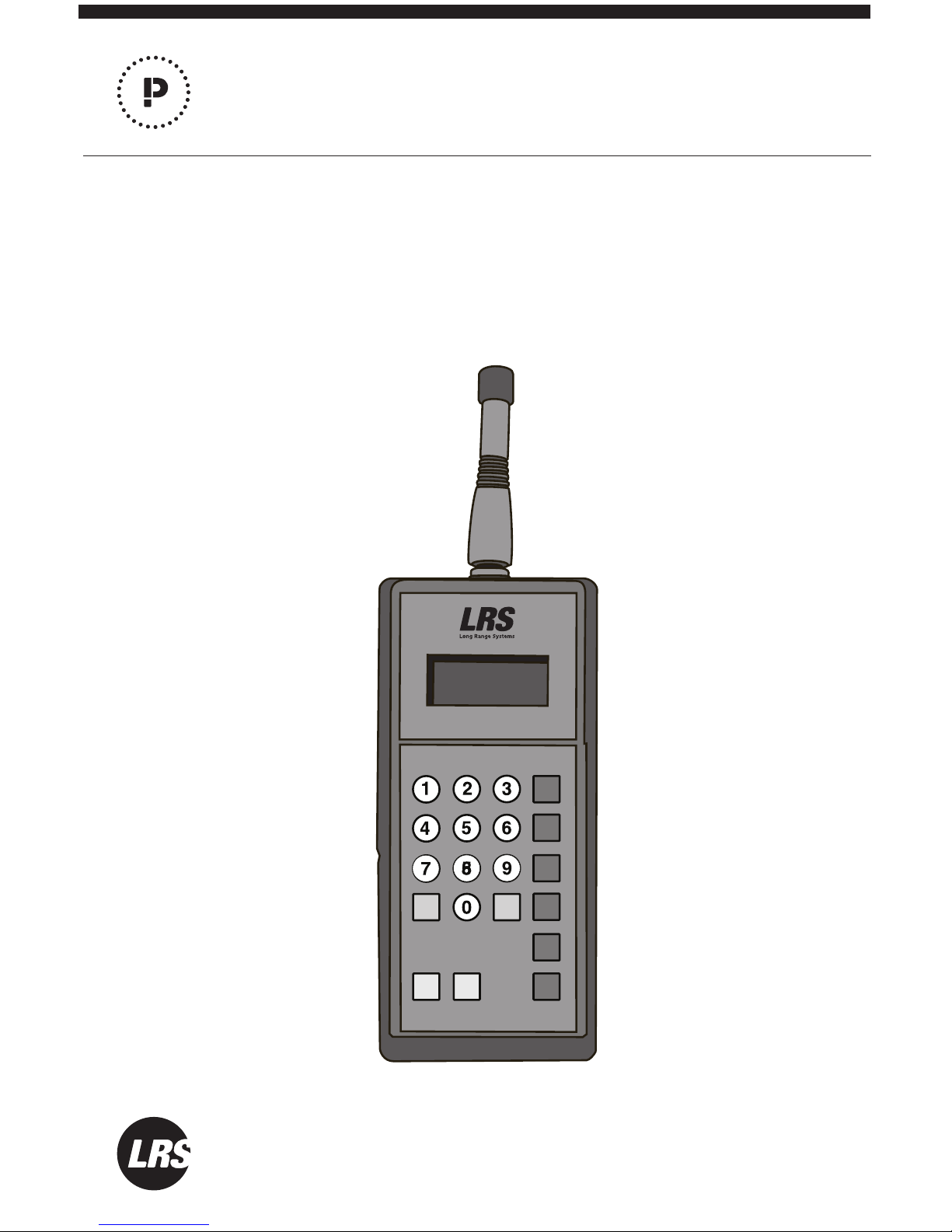
T9560 Multitouch
Paging System Transmitter
MODEL: TX-9560MT
Long Range Systems, LLC.
LRSUS.COM | 800.437.4996 | 214.553.5308
USER MANUAL
LRSUS.com
PROGG
M1
M2
M3
M4
M5
M6
CLR SEND
Page 2

USER MANUAL | TX-9560MT
LRSUS.COM | 2
TABLE OF CONTENTS
Long Range Systems 2
Keypad Operation 2
Setting Operation Mode 2
Paging Your Pager 3
Messages to Your Pager 3
Configuring Your Message 4
System ID 4
Range Test 5
Pager Programming 5
Group Paging and Programming 5
Low Battery Alert 6
Factory Reset 7
Cleaning & Charging Instructions for LRS Paging Equipment 7
Troubleshooting 8
Transmitter Unit 8
Service Questions and Answers 10
Warranty 10
Page 3

USER MANUAL | TX-9560MT
LRSUS.COM | 3
GENERAL INFORMATION
Congratulations on the purchase of your on-premise paging system. Please keep these
instructions in an easy to find place for future reference. For questions or help pertaining
to your paging system that aren’t found in this manual, please call us at: 800.437.4996 or
214.553.5308
KEYPAD OPERATION
Number Keys 0-9 – used to enter the pager number
CLR - Clear Key – Delete the previous typed entry
SEND – Sends the numeric entry for the pager
G - Group Function Key
Prog – Program Button
Message Keys M1-M6 - sends preset messages to pagers
SETTING OPERATION MODE
The TX-9560MT has 3 operational modes to work with dierent LRS Pager types:
- LRS Guest - non-text pagers including Coasters and Paddle Pagers
- Alphanumeric (POCSAG) Sta - text pagers (these pagers use replaceable
batteries)
- SP4 Sta - non-text pagers
Please note that when a mode of operation is selected, only pagers of that type can be
paged from the transmitter. If LRS Guest Mode is turned on, only LRS Coasters and Paddle Pagers can be paged; SP4’s and Alpha Pagers cannot be paged. As well, if Alphanumeric (POCSAG) Sta is enabled, SP4’s and Guest Pagers cannot be paged.
To turn on LRS Guest, press 9-9-6-Prog-Prog
To turn on Alphanumeric (POCSAG) Sta, press 9-9-7-Prog-Prog
To turn on SP4 Sta, press 9-9-9-Prog-Prog
Page 4

USER MANUAL | TX-9560MT
LRSUS.COM | 4
PAGING YOUR PAGER
The TX-9560MT will page single pagers numbered from 1-799.
To page a pager, press the pager number and the send button to immediately send a page
with the default alert which is Flash/Vibe for 5 minutes. Example: To page pager #22,
press 2-2-Send.
To use the All Page, press 9-1-1. This will immediately send a page to all pagers.
PAGING USING MESSAGE (M1-M6) KEYS
Alternatively, you may press the pager number followed by a Message Key (M1-M6).
Example: To page pager #22 with Message 1 (Flash/Vibe 30 Seconds), press 2-2-M1. The
Message Keys (M1-M6) store 6 preset paging alerts/messages for each mode of operation
(Alphanumeric (POCSAG) Sta, etc.).
Guest Paging Mode
M1 – Flash/Vibe 30 Seconds
M2 – Flash/Vibe 5 Minutes
M3 – Flash/Vibe 1 Second
M4 – Flash/Vibe Until Reset (Adverteaser & Star Pager will also beep)
M5 – Glow/Vibe 15 times
M6 – Glow/Vibe 5 Minutes
Alphanumeric Sta Paging Mode
M1 – preset message
M2 – preset message
M3 – preset message
M4 – preset message
M5 – preset message
M6 – preset message
Page 5

USER MANUAL | TX-9560MT
LRSUS.COM | 5
SP4 Sta Paging Mode
M1 – Vibe 2 Time, LED 1 lights
M2 – Vibe 3 Times, LED 2 lights
M3 – Vibe 1 Times, LED 3 lights
M4 – Vibe/Beep 1 Time, LED 1 lights
M5 – Vibe/Beep 2 Times, LED 2 lights
M6 – Vibe/Beep 3 Times, LED 2 lights
CONFIGURING MESSAGES FOR ALPHANUMERIC (POCSAG)
The Alphanumeric Sta message can be edited and changed to a user-defined set of
messages.
(Please refer to TX-9560MT Programmer instructions for creating and editing messages.)
System ID
To change the System ID, press 9-0-x-Prog-Prog (x = sys ID from 0 to 49).
Please contact Long Range Systems before changing the System ID of your transmitter.
Range Test
The Range Test feature is used to broadcast a continuous signal. This will allow for testing
within your location regarding range for your pagers to receive a page from the TX9560MT.
To turn ON Range Test, press 9-9-2-Prog-Prog
When the range test is active, the LCD will display an 8 moving across screen. Then the
red LED will transmit once every 10 seconds.
To turn OFF Range Test, press CLR
PAGER PROGRAMMING
The TX-9560MT can program any LRS Pager type. The transmitter’s current mode of
operation must match the desired pager to program. (Example: To program an SP4, the
transmitter must be set to the SP4 Sta Mode.)
To program an SP4, coaster, or paddle pager:
1) Remove the pager from the charger
2) Allow the pager to complete the vibration and flashing sequence
Page 6

USER MANUAL | TX-9560MT
LRSUS.COM | 6
3) Press a number from 1-799 and press Prog Prog. (Example: For Pager #200, press
2-0-0-Prog-Prog)
4) The red LED in the top right corner of the transmitter will light up once.
5) The pager will glow once to indicate it received the programming.
To program an Alpha Pager:
1) Remove the battery from the pager
2) Re-insert the battery into the pager
3) On the keypad, press a number from 1-799 then press Prog Prog. (Example: For
Pager #200, press 2-0-0-Prog-Prog)
4) The red LED on the top right corner of the transmitter will light up three times.
5) The pager will beep three times to indicate it received programming.
GROUP PAGING AND PROGRAMMING
The TX-9560MT has the ability to program groups into the LRS Alphanuermic Sta.
Up to 5 groups can be programmed into the transmitter and pager.
Please note that when Groups Setting is enabled, Groups are numbered 1-9, and paged
using 001 through 009.
Any Alphanumeric Sta Pager with a programmed pager number 1-9 matching a specific
defined group number, will be programmed higher than 100 for that pager’s number.
Example: If Group 1 is defined and a pager is programmed as Pager #1, the pager will
display Pager #101 for the individual pager number and 1 for Group Number.
To turn ON Group Paging, press 9-9-1-Prog-Prog
To turn OFF Group Paging, press 9-9-0-Prog-Prog
When Group Paging is enabled, select up to 5 Group Numbers to set and define in the
transmitter. Please follow these steps to setup Groups:
1) Turn ON Group Paging, press 9-9-1-Prog-Prog
2) To set Group Number, press G-0-0-#-Prog-Prog (# is a number from 1 to 9)
Page 7

USER MANUAL | TX-9560MT
LRSUS.COM | 7
3) Program each individual pager that will belong to this Group
(see Pager Programming section)
a. While the pager is programmed, the red LED on the transmitter will blink one
additional time for each group to program.
b. The pager will beep an additional time for each group programmed. (Exam-
ple: If 3 groups are set, the red LED will blink 6 times on the TX-9560MT, and
the pager will beep 6 times.)
4) Turn OFF Group Paging, press 9-9-0-Prog-Prog
5) Repeat Steps 1-4 for each Group to be setup (be sure to turn Group Paging ON
for each Group and then OFF after each Group is setup and individual pagers are
programmed for that Group)
6) When all Groups are setup and programmed, be sure that Group Paging is turned
OFF
To Page a group, press the G key, followed by the group number, then a Message Key
Example: To Page Group 2 with Message 2, press G-2-M2 or G-002-M2.
Low Battery Alert
When the transmitter’s battery is low, the LCD will display “LoBat”.
Factory Reset
To reset the transmitter factory defaults, press 0-0-0-Prog-Prog. CAUTION: Doing this will
revert to factory defaults and will erase any
CLEANING & CHARGING LRS PAGING EQUIPMENT
Cleaning:
LRS pagers are made from industrial-strength, polycarbonate material. However, this material is susceptible to hairline cracking if non-approved cleaners are used. When cleaning
LRS pagers, we recommend only using ISOPROPYL ALCOHOL-BASED CLEANERS.
To clean the equipment:
1. Take a clean rag and an isopropyl-alcohol based cleaner
2. Soak the clean rag with the isopropyl alcohol cleaner
3. Wipe down the pagers or equipment.
Cleaning equipment with any other non-approved cleaners can weaken plastic and cause
hairline cracks. Pagers and equipment that are cleaned with unapproved cleaners and
suer cracking will not be covered under warranty.
Page 8

USER MANUAL | TX-9560MT
LRSUS.COM | 8
Do not submerge any LRS paging equipment in any type of liquid as this will also damage
the equipment and is not covered under the standard warranty.
Charging:
Place rechargeable pagers on the charger and let them charge for 8 hours prior to first
use.
Rechargeable pagers should be kept on charge even during extremely long periods of
inactivity.
Should you have any questions, please contact the LRS Customer Service Department at
800.437.4996.
TROUBLESHOOTING
Transmitter Unit
Transmitter Display does not light when a key is pressed
• The proper power supply for this transmitter is 12VDC 4.0A
• Ensuring that the proper power supply is in use, plug the TX-9560MT into that power
supply and allow it to charge for 30 minutes
• If the display still is blank and has no power, substitute the power supply being used
with the power supply used for the pager charging base (this is meant as a test only
and not as a permanent replacement)
• If substituting with another power supply results in a TX-9560MT that is working
properly, please call LRS to purchase a new power supply for the TX-9560MT
Transmitter display is okay, but the pager does not receive the page.
Check whether this aects all pagers or just one pager.
If only one pager is aected:
• Ensure that the pager is properly charged and initiates a vibrate/flash sequence when
removed from the charging base
• If the pager does not vibrate and flash when removed from the charging base, please
charge it overnight before troubleshooting further
• If the pager initiates the vibrate/flash sequence when removed from the charging
base, please continue with the next steps
Page 9

USER MANUAL | TX-9560MT
LRSUS.COM | 9
If ALL pagers are aected and none of them will page:
• Check the Restaurant ID on the TX-9560MT to ensure that it matches the Restaurant
ID for the pagers (please call LRS if you do not have this information on file)
• If the Restaurant ID is correct, all pagers are appropriately charged yet none of the
pagers page, please contact LRS
Pager(s) not charging
When placed in the charging base, do all pagers have a single red charge light lit up?
If no pagers have a charge light, this may be an issue with the power supply (please contact LRS)
If only some pagers have a charge light that is lit, please do the following:
• Remove the main power supply and all jumper wires (all pagers will go o at once and
this is ok)
• Insert the power supply into each individual row (or base for Coasters) to see if the
pagers on that row/Coaster base all light up
• If all pagers on that row or Coaster base light up, please test the next row/base with
the power supply until you have tested each one
• If some of the pagers do not light up but those specific pagers light up on other rows/
bases, please call LRS to have this row/base replaced
If all pagers have the charge light lit up as you test the individual rows/bases, you may
have a jumper wire that is not connecting properly or causing a short. Please contact LRS
to purchase additional jumper wires to replace ones that are not working as they should.
Note Regarding Pagers: Please be sure that all pagers are plugged in and charging when
not in use. Please also note that a maximum of 60 Coasters or 25 Paddle Pagers or 30
Lobster Pagers or 30 Pizza Pagers can be on one 10V power supply. If you are exceeding
any of these limits, it may have long term eects on your pagers’ ability to charge properly. Please contact LRS to purchase additional charging bases to supplement your entire
inventory.
Page 10

USER MANUAL | TX-9560MT
LRSUS.COM | 10
SERVICE QUESTIONS AND ANSWERS
What to do if the system malfunctions
Should your paging system ever fail to function properly, refer to the previous troubleshooting section. If you’ve followed all the steps and requirements and your system is still
inoperable, you may submit a support request at support.LRSUS.com or call Long Range
Systems at (800) 437-4996 Monday through Friday 8:30 am to 5:00 pm Central Time.
For after hours inquiries, please follow the instructions on the support line. LRS
Customer Support will return the call as soon as possible. Please keep in mind that options
are limited over the weekend.
System Repair After Warranty Expiration
Call Long Range Systems before sending a non-warranty item in for repair.
Ordering Additional Pagers
Call Long Range Systems at 800.437.4996 or 214.553.5308 to place your order.
Loss Deterrent and Recovery
Return address labels on the back of all of your equipment are highly recommended.
Should any of your pagers be taken o premise, this will help them find their way back to
you. You may order return address labels from LRS or print them yourself.
WARRANTY
Long Range Systems, LLC. warrants this product against any defects that are due to
faulty material or workmanship for a one-year period after the original date of consumer
purchase of the complete paging system (transmitter, pagers, and charger). This warranty
does not include damage to the product resulting from accident, misuse or improper electrical connection. If this product should become defective within the warranty period, we
will repair or replace with equivalent product, free of charge. We will return your product,
transportation charges prepaid standard FedEx Ground shipping, provided the product is
shipped prepaid to:
Long Range Systems, LLC.
4550 Excel Pkwy., Suite 200
Addison, TX 75001
No return or replacement can be received without prior authorization and the proper
RMA# posted to the outside of the shipping container.
This warranty gives you specific legal rights and you may also have rights that vary from
state to state.
Page 11

USER MANUAL | TX-9560MT
LRSUS.COM | 11
FEDERAL COMMUNICATIONS COMMISSION INTERFERENCE STATEMENT
This equipment has been tested and found to comply with the limits for a Class B digital
device, pursuant to part 15 of the FCC Rules. These limits are designed to provide reasonable protection against harmful interference in a residential installation. This equipment
generates, uses and can radiate radio frequency energy and, if not installed and used in
accordance with the instructions, may cause harmful interference to radio communications. However, there is no guarantee that interference will not occur in a particular installation. If this equipment does cause harmful interference to radio or television reception,
which can be determined by turning the equipment o and on, the user is encouraged to
try to correct the interference by one or more of the following measures:
Reorient or relocate the receiving antenna.
Increase the separation between the equipment and receiver.
Connect the equipment into an outlet on a circuit dierent from that to which the receiver
is connected.
Consult the dealer or an experienced radio/ TV technician for help.
CAUTION:
Any changes or modifications not expressly approved by the grantee of this device could
void the user’s authority to operate the equipment.
TERMS & CONDTIONS
GENERAL TERMS AND CONDITIONS FOR LONG RANGE SYSTEMS, LLC (FOR PURCHASERS)
These general terms and conditions (“General Terms and Conditions”) govern all persons
(“Purchasers”) that purchase or license equipment, software, firmware, and/or services
(collectively “Deliverables”) from Long Range Systems, LLC (“LRS”).
Limited Software Use License. All software and firmware (collectively “Software”) is
licensed for use only by Purchaser and, in the case of Software for paging receivers, by
customers of Purchasers. The Software is not sold.
Usage Restriction. Paging technology may at times not work due to structural and other
types of interference with signal transmission and due to other reasons. Purchaser therefore agrees not to use any Deliverable for an application in which a paging failure might
cause harm to a person, injury to a property, or a substantial business loss. Purchaser also
agrees to abide by and strictly adhere to any rules, regulations and guidelines related to
the use of any portion of any Deliverable to collect, store or transmit personally-identifiable information, including any “protected health information” (as defined by HIPAA), or
billing or financial payment data, from any customer or other consumer.
Data Collection. In connection with the Deliverables, data provided by Purchaser and its
customers may be collected in connection with surveys, consultations, and uses of the
Page 12

USER MANUAL | TX-9560MT
LRSUS.COM | 12
Deliverables, including email addresses, telephone numbers, locations of users (which
may utilize geo-location technology), times of usage, times of paging, times of responses
to paging, devices used, configuration preferences, cookies, and social network information. In order to provide LRS’s customers with enhanced comparative benchmarking
services with respect to customer industries, among other services, Purchaser hereby
grants to LRS a royalty-free, perpetual, irrevocable license to use and distribute this data
and results obtained through Purchaser’s use of the Deliverables for any and all purposes; provided that LRS shall not identify any Purchaser, or distribute to third parties any
“protected health information” (as defined by HIPAA) or billing or financial payment data
of any customer or consumer of Purchaser, without the express prior consent of such Purchaser. Purchaser warrants that Purchaser has the right to disclose, transfer or otherwise
make available any Protected Health Information (as defined in 45 C.F.R. § 160.103) or
other personally identifiable information that is made available to LRS by Purchaser or
by Purchaser’s customers in connection with the Software or other Deliverables. Without limiting the foregoing, Purchaser shall obtain all authorizations, consents or other
permissions from Purchaser’s customers (or the customer’s authorized personal representative) for the disclosure of customers’ personally identifiable information to LRS that
are required by federal, state or local law, including, without limitation, the administrative
simplification section of the Health Insurance Portability and Accountability Act of 1996
and its implementing regulations.
Limited Warranty. LRS warrants to only Purchaser that the Deliverables will perform in
accordance with specifications for them that LRS has published prior to their delivery for
a period of time as specified in the purchase agreement or purchase order relating to
such Deliverables. This limited warranty shall be voided if any Deliverable is modified or
serviced by someone other than LRS.
Disclaimers. LRS HEREBY DISCLAIMS ALL IMPLIED WARRANTIES CONCERNING THE DELIVERABLES, INCLUDING ANY IMPLIED WARRANTY OF MERCHANTABILITY, ANY IMPLIED
WARRANTY OF FITNESS FOR A PARTICULAR PURPOSE, OR ANY IMPLIED WARRANTY OF
NON-INFRINGEMENT. PURCHASER ACCEPTS
THE DELIVERABLES “AS IS,” EXCEPT FOR THE EXPRESS LIMITED WARRANTY MADE HEREIN.
Limitation of Remedies. In the event of any breach of any express warranty made herein,
LRS may at its option repair or replace any defective Deliverable or refund the money that
Purchaser paid for it. LRS’s total liability for any defect in any Deliverable or for any other
breach of any of its duties and obligations to Purchaser shall be limited to the amount of
money that was paid for the defective Deliverable or the other duty or obligation. LRS will
in no event be liable for any lost profit or any other type of consequential damage.
Confidentiality. The Deliverables and all computer systems that deliver any portion of
them contain confidential trade secret information. Purchaser shall not attempt to reverse
engineer any portion of the Deliverables or such computer systems, such as to decompile
any portion of the Software, nor aid anyone else in doing so.
Page 13

USER MANUAL | TX-9560MT
LRSUS.COM | 13
Intellectual Property. No portion of any intellectual property right in the Deliverables is
being transferred to the Purchaser or to its customers. Purchaser may not copy or modify
any portion of the Deliverables, nor permit or aid anyone else in doing so. Notwithstanding, Purchaser may use the Deliverables as they are intended to be used, as expressed in
written materials published by LRS.
Operational Authority and Licensing Requirements. Non-Federal government Purchasers may operate the Deliverables within the United States under the licensing authority
issued to LRS by the Federal Communications Commission (FCC), provided, however, that
such operation is: (a) subject to LRS’s control, (b) conducted on a non-profit, cost shared
basis with costs apportioned as part of the price for such Deliverable, (c) in accordance
method of operation set forth in the manual for the deliverable, available for download at
http://lrsus.com/support and (d) limited to the term of this Agreement, the term of LRS’s
authority, or a term otherwise specified by LRS, whichever expires earlier. Notwithstanding the provision below entitled “No Third Party Beneficiary,” users of any Deliverables
acquired from Purchasers or other entities may contact LRS to determine if they may be
eligible to operate under LRS’s authority. Alternatively, Purchasers and users may obtain
their own licensing authority; the FCC posts a list of licensing coordinators at http://wireless.fcc.gov/services/index.htm?job=licensing_3&id=industrial_business. Purchasers and
eligible users of any Deliverable agree to abide by and strictly adhere to any rules, regulations and guidelines, including the FCC’s rules, governing the operation of the Deliverable.
Changes or modifications to any portion of any Deliverable may void the Purchaser’s or
user’s authority to operate the Deliverable and should not be made without the express
approval of LRS. Moreover, use of any portion of any Deliverable outside the United
States is subject to the rules and regulations of other countries and may be prohibited.
Use of any Deliverable constitutes Purchaser’s and user’s acceptance of and agreement to
these General Terms and Conditions, including any revisions to these General Terms and
Conditions that may be required to reflect changes in the regulatory or other obligations
imposed upon LRS.
Governing Law and Venue. These General Terms and Conditions and any agreement
relating to them shall be construed in accordance with and governed by the laws of the
State of Texas (without regard to its conflicts of laws). Any dispute relating to these
General Terms and Conditions and any agreement relating to them may only be heard
and resolved by a court in Dallas County in the State of Texas. Purchaser consents to the
personal jurisdiction of such courts over it. If any action at law or in equity is necessary to
enforce or interpret any of the rights or obligations of the parties to these General Terms
and Conditions, the prevailing party shall be entitled to reasonable attorneys’ fees, costs,
and necessary disbursements, in addition to any other relief to which it may be entitled.
No Assignment or Transfer. The rights and benefits provided under these General Terms
and Conditions, as well as under any agreement that incorporates them, shall not be assigned without the express written permission of LRS. Similarly, the Deliverables may not
be transferred to any other person, without the express written permission of LRS. Notwithstanding, Purchaser may temporarily loan its customers paging receivers. Purchaser
may also transfer the Deliverables, as well as the rights and benefits under these General
Page 14

USER MANUAL | TX-9560MT
LRSUS.COM | 14
Terms and Conditions and any agreement that incorporates them, as an ancillary part of a
sale of its business or substantially all of its assets. Following any assignment or transfer, Purchaser shall remain bound by all of the duties and obligations that are set forth in
these General Terms and Conditions and any agreement that incorporates them.
No Third Party Beneficiary. Except as otherwise expressly provided in this Agreement,
these General Terms and Conditions, as well as any agreement that incorporates them,
are solely for the benefit of Purchaser. Neither the customers of Purchaser, nor any other
person is an intended beneficiary of these General Terms and Conditions or any agreement that incorporates them, nor shall any such person have the right to any benefit that
is provided under these General Terms and Conditions or any agreement that incorporates
them.
Merger. Except as otherwise specifically set forth herein, these General Terms and Conditions, and any agreement that incorporates them, supersede any oral or other representation that may have been made about these General Terms and Conditions, any agreement
that incorporates them, or any of the Deliverables. These General Terms and Conditions,
and any agreement that incorporates them, may not be modified or superseded, except
by a written agreement or a written amendment that is signed by LRS. In the event of any
inconsistency between these General Terms and Conditions or any agreement that incorporates them and any form or other document supplied by Purchaser, such as a purchase
order, the terms of these General Terms and Conditions or any agreement that incorporates will prevail
Severability. In the event that any portion of these General Terms and Conditions or any
agreement that incorporates them is found to be invalid or unenforceable for any reason,
the remaining portions shall continue to be in full force and eect.
Fees & Payment. Purchaser agrees to pay all Service and Deliverable fees, plus any applicable taxes, in accordance with the terms and payment method set forth in this agreement. Purchaser is responsible for providing accurate billing and contact information to
LRS. LRS retains the right to suspend or terminate services if fees become past due. LRS
reserves the right to change Service rates by providing Customer at least 30 days’ notice
prior to billing.
Term & Termination. Purchaser has the option of purchasing Monthly or Annual service
plans which are non-refundable and not available for proration except as required by law.
Monthly agreements will auto-renew on a month-to-month basis until such time that a
formal termination notice has been received by LRS. Prepaid Annual agreements will automatically renew at the end of each annual term unless Purchaser has given cancellation
notice 30 days in advance of renewal term. Monthly-billed Annual agreements will auto-renew on a perpetual month-to-month basis upon completion of the initial annual term
until cancellation notice is received by LRS. In the event that any agreement incorporating these General Terms and Conditions is terminated for any reason, all of the duties and
obligations that the agreement and these General Terms and Conditions impose upon
Purchaser shall continue in full force and eect, except any obligation to make payment
for a Deliverable prior to its delivery.
042016
 Loading...