

Page 1
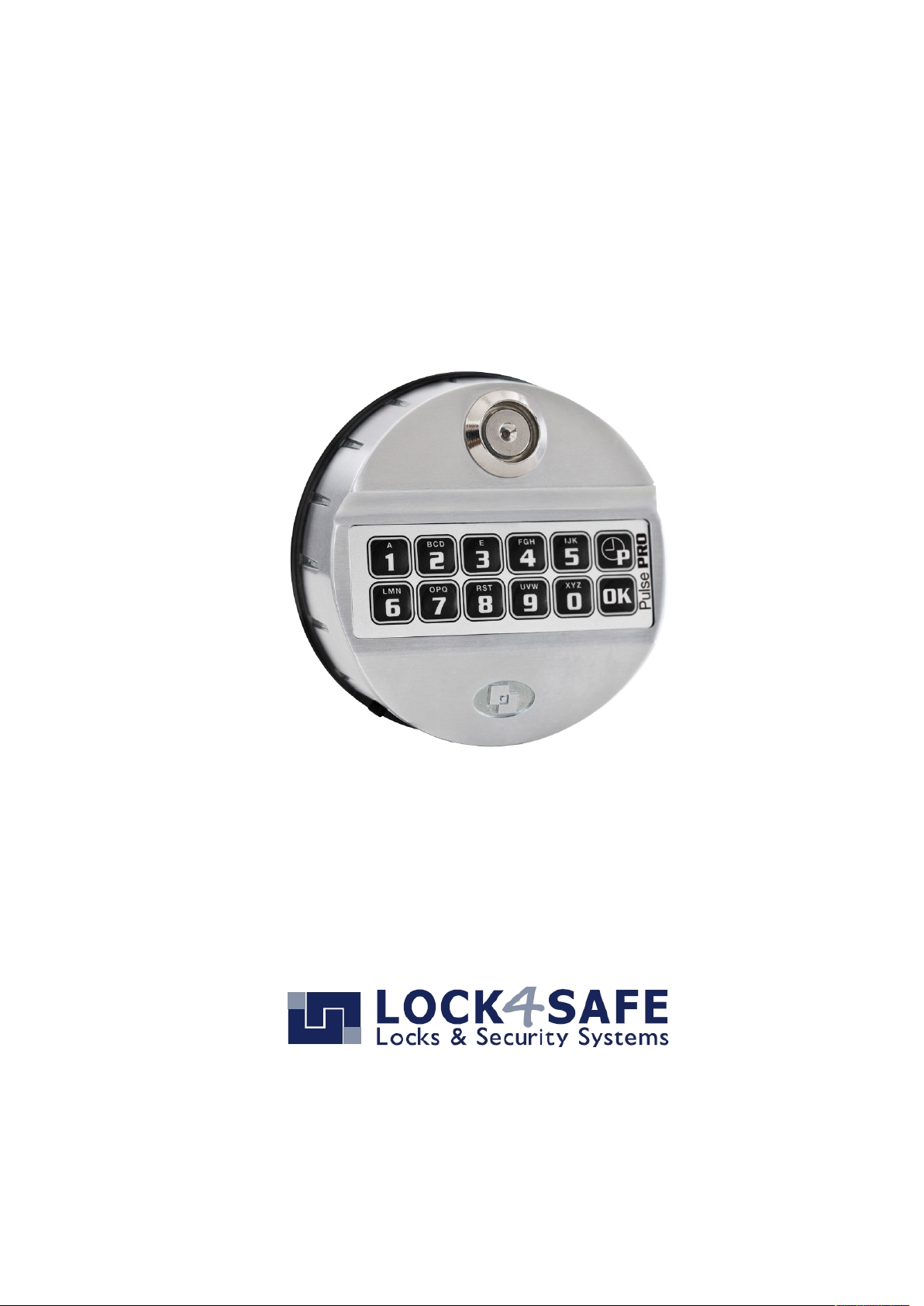
Pulse PRO
High security lock for safes
User Manual
EN 180105
Page 2

L4S User Instructions Pulse PRO EN 180105
2
Index
Information about Pulse PRO .................................................. 3
Open the lock ........................................................................ 5
Change code (function 0) .......................................................5
Battery test (function 4) ......................................................... 6
Diagnostic Mode (Function 5).................................................. 6
Add Codes (Function 1) ..........................................................7
Disabling/Enabling user (function 2) ........................................ 7
Deleting user (function 3) ....................................................... 7
Code Status (Function 7) ........................................................8
Reset mode (ERC function) ..................................................... 8
Time delay (function 9) .......................................................... 9
Set Date and Time ............................................................... 10
Download Audit (Function 7)................................................. 11
System settings (function 6) ................................................. 12
Lock configuration (function 8) ............................................. 13
Configurations-Numbers Tables A, B, C & D ........................... 13
Page 3
www.lock4safe.com
3
Information about Pulse PRO
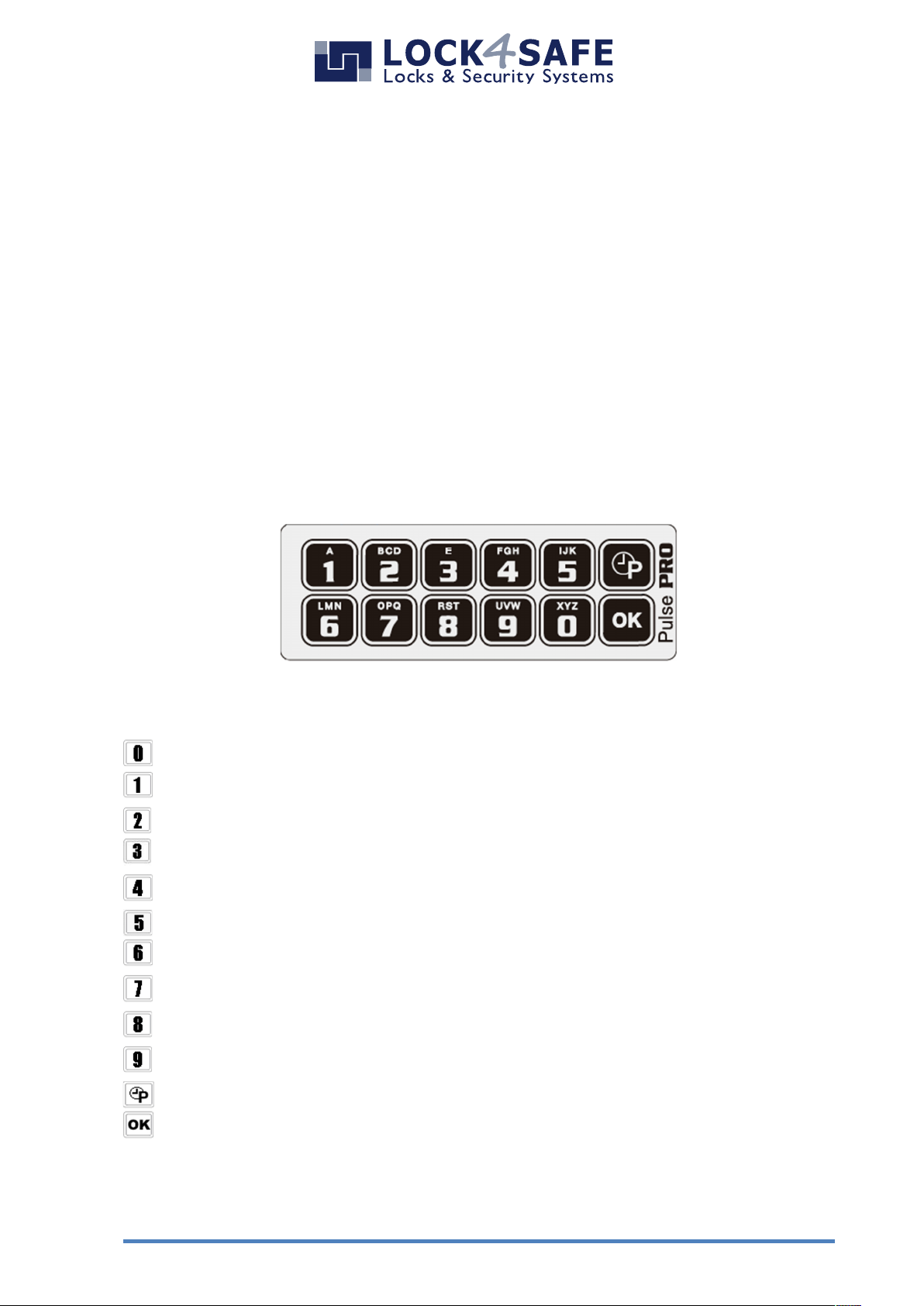
Keypad
For security reasons the keypad will automatically switch off if no operation is
performed for 5 seconds.
If a wrong operation is made, wait 5 seconds until the keypad switch off.
Function Keys
Important functions are accessible by function keys. Press and hold the button for
approximately 2 seconds until the LED stays on permanently.
= Change Code
= Add user codes*
= Enable/Disable user codes*
= Delete user codes*
= Battery test
= Diagnostic Mode
= System settings*
= Code Status/Download audit*
= Configuration/Setup*
= Time delay and Open window settings *
= Date and time*
= Reset*
* These functions require adequate user rights.
Page 4
L4S User Instructions Pulse PRO EN 180105
4
Codes: Types and Settings
Code Type
Code ID
Description
Factory Setting
Master Code
80
1-2-3-4-5-6
Master Code 2*
81
1-2-3-4-5-6
Manager Code
60
1-2-3-4-5-6
Manager Code 2*
61
1-2-3-4-5-6
User Codes
01-59
-
Override Code*
10
-
Multi Override Codes*
50-59
-
* = optional depending on configuration
Safety reference:
All codes are to be securely stored. Do not use personal data (i.e. Birthdays,
telephone numbers etc.) as the code. Change the factory code before you start using
the safe!
Manipulation Protection
Four consecutive wrong codes initiate a four minutes penalty. During this period LCD
will display the message “PENALTY” and no operation will be allowed.
Time Delay
Values can be changed with Manager Code.
Time delay 0 - 99 minutes; open window 1 - 19 minutes.
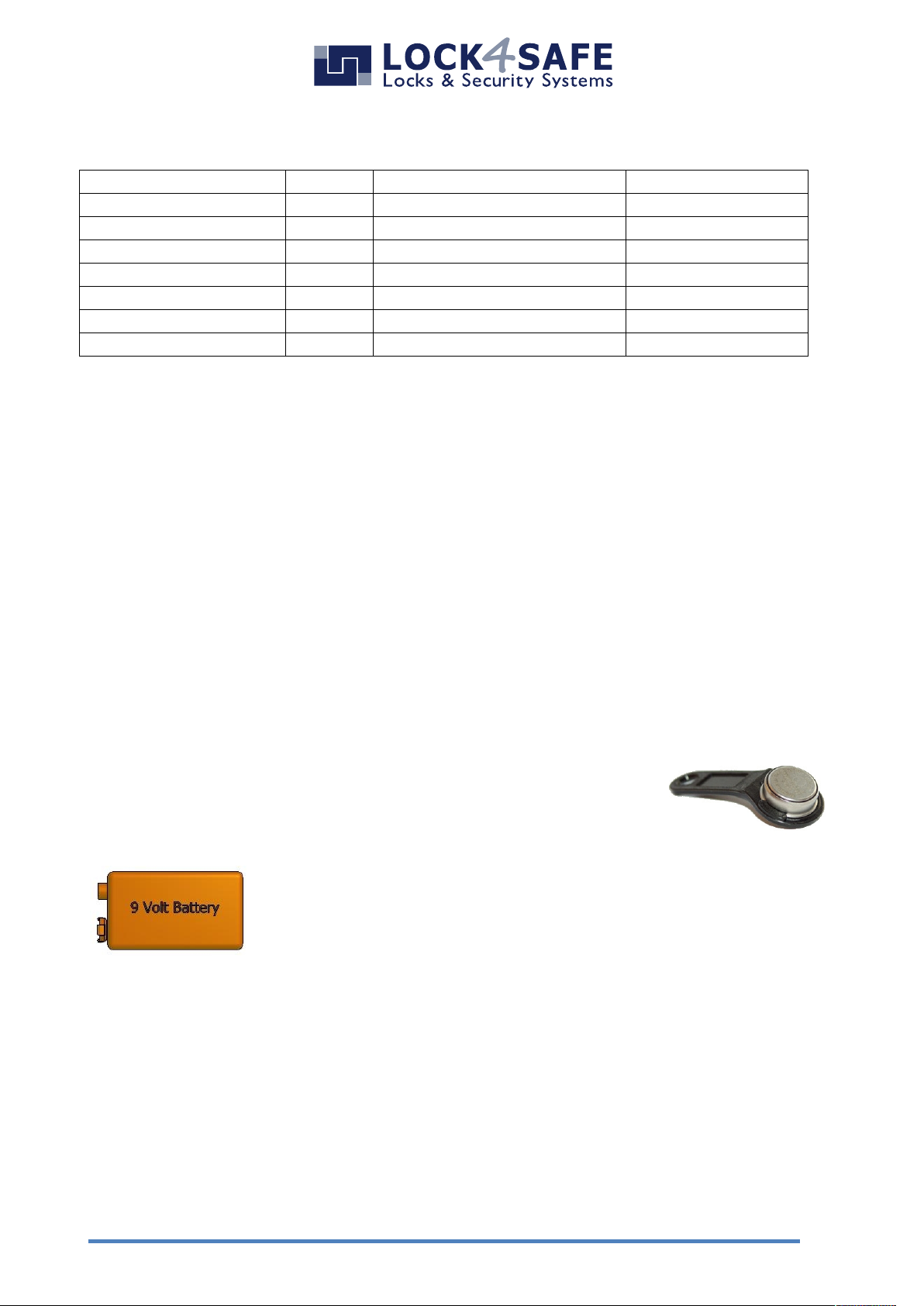
Electronic Key
With exception of the Master Code, all codes can be tied to an electronic key. (Entry
unit requires iButton terminal.)
Power Supply
The battery compartment is located in the bottom of the entry unit.
Use 9 V Batteries Type Alkaline or Lithium only!
Lithium batteries provide longer operation.
Alternatively, it is possible to power with an internal large battery box (6 ALKALINE
1.5V batteries) or with power supply and dedicated interface.
Low battery warning
A long beep and the message “BATTERY LOW” indicate the battery i slow and has to
be immediately changed.
Audit
The lock stores the last 5500 operations with time, date, user and operation.
Page 5
www.lock4safe.com
5
Open the lock
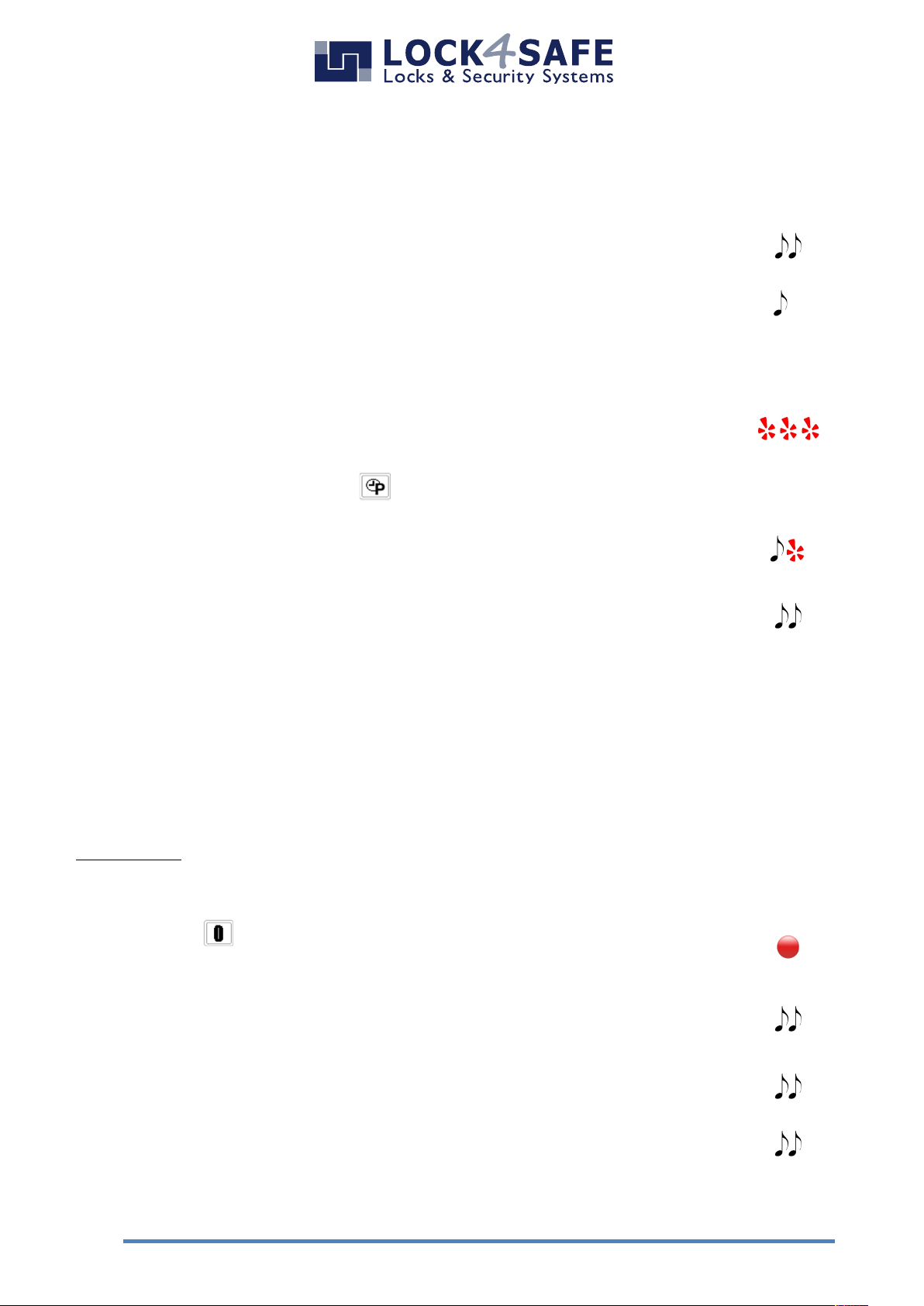
If time delay is set to 00 minutes (=OFF) the lock opens immediately.
Enter valid ID and Code (followed by electronic key if required).
Double signal und lock opens.
Long signal if code is invalid.
In case time delay is set ON, there is a waiting period for
Manager (ID 60,61) and Users (ID 01-59).
Enter valid ID and Code (followed by electronic key if required).
During waiting period the LED flashes every 2 seconds.
To stop time delay counting press .
After the waiting period begins the „open window“ period. This is
indicated by sound and LED signals at 1 second intervals.
Enter valid ID and Code (followed by electronic key if required).
Double signal und lock opens.
Turn safe handle within 3 seconds to open the container.
An override code opens without waiting period.
Change code (function 0)
Safety reference:
All codes are to be securely stored. Do not use personal data (i.e. Birthdays, telephone
numbers etc.) as the code. Change the factory code before you start using the safe!
It is recommended to perform this operation with door open.
Press and hold for approx. 2 seconds until double signal and LED
remains ON
Enter valid ID and current Code (followed by electronic key if
required). Double signal.
Enter the new code without ID. (followed by electronic key if
required). Double signal.
Repeat new code. Double signal.
In case of error the old code remains valid.
Page 6
L4S User Instructions Pulse PRO EN 180105
6
In case the unit emits a buzzing sound after opening, the Date and Time settings
need to be adjusted. (See chapter on page 10)
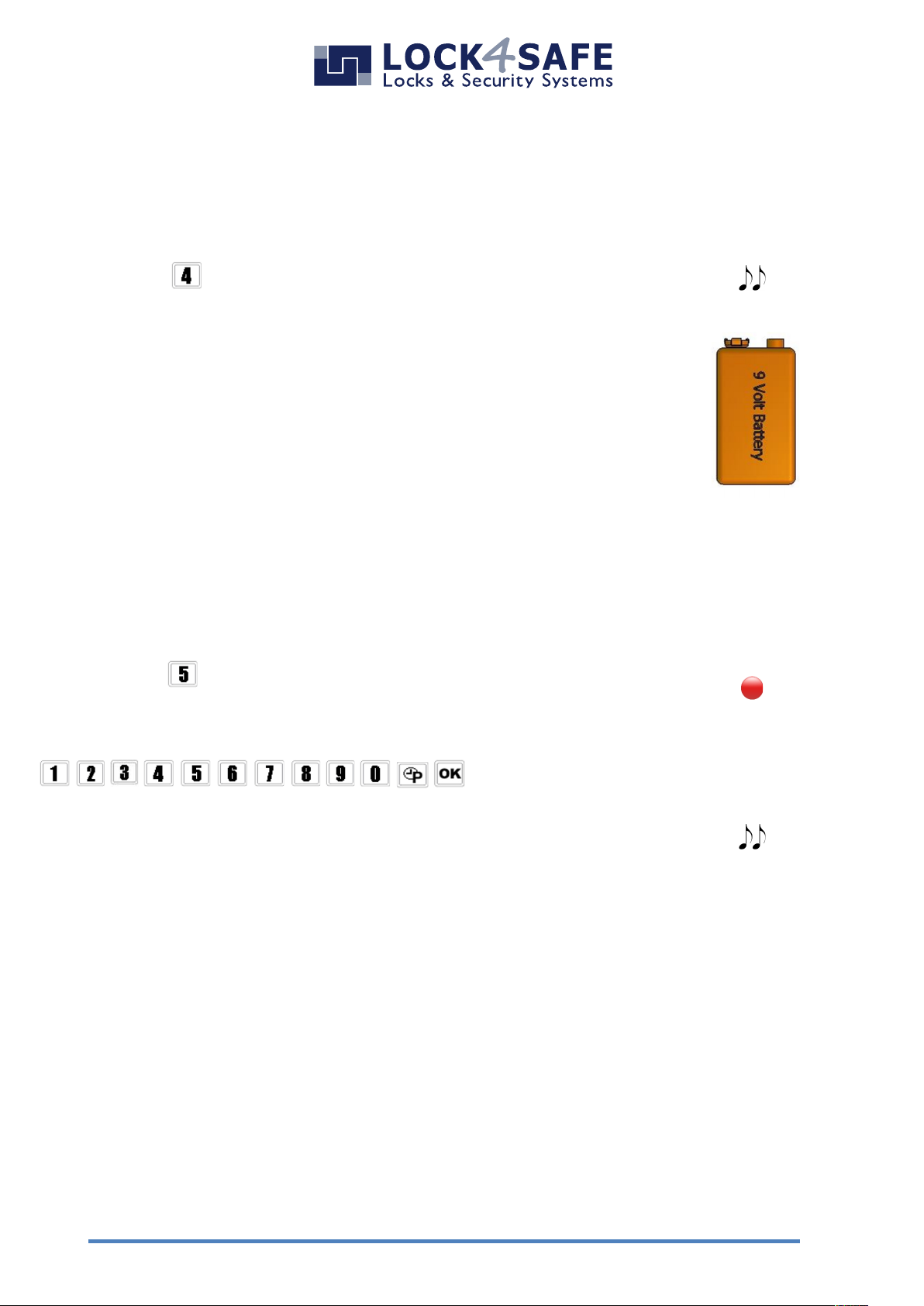
Battery test (function 4)
The battery test gives information about the power level of the last opening.
Press and hold for approx. 2 seconds until double signal.
Double signal indicates a sufficient battery level. A long
beep indicated the battery is low and needs to be
replaced.
The battery compartment is located in the
bottom of the entry unit.
Use 9 V Batteries Type Alkaline or Lithium only!
Diagnostic Mode (Function 5)
The lock/keypad test gives information about the correct communication between
lock and keypad and the status of each button.
Press and hold for approx. 2 seconds until double signal and LED
remains ON.
Enter the following sequence of keys:
.
Double-signal indicates the key works and is correctly recognized by
the lock.
A damaged button will cause a long beep and the lock exits the
function
Page 7
www.lock4safe.com
7
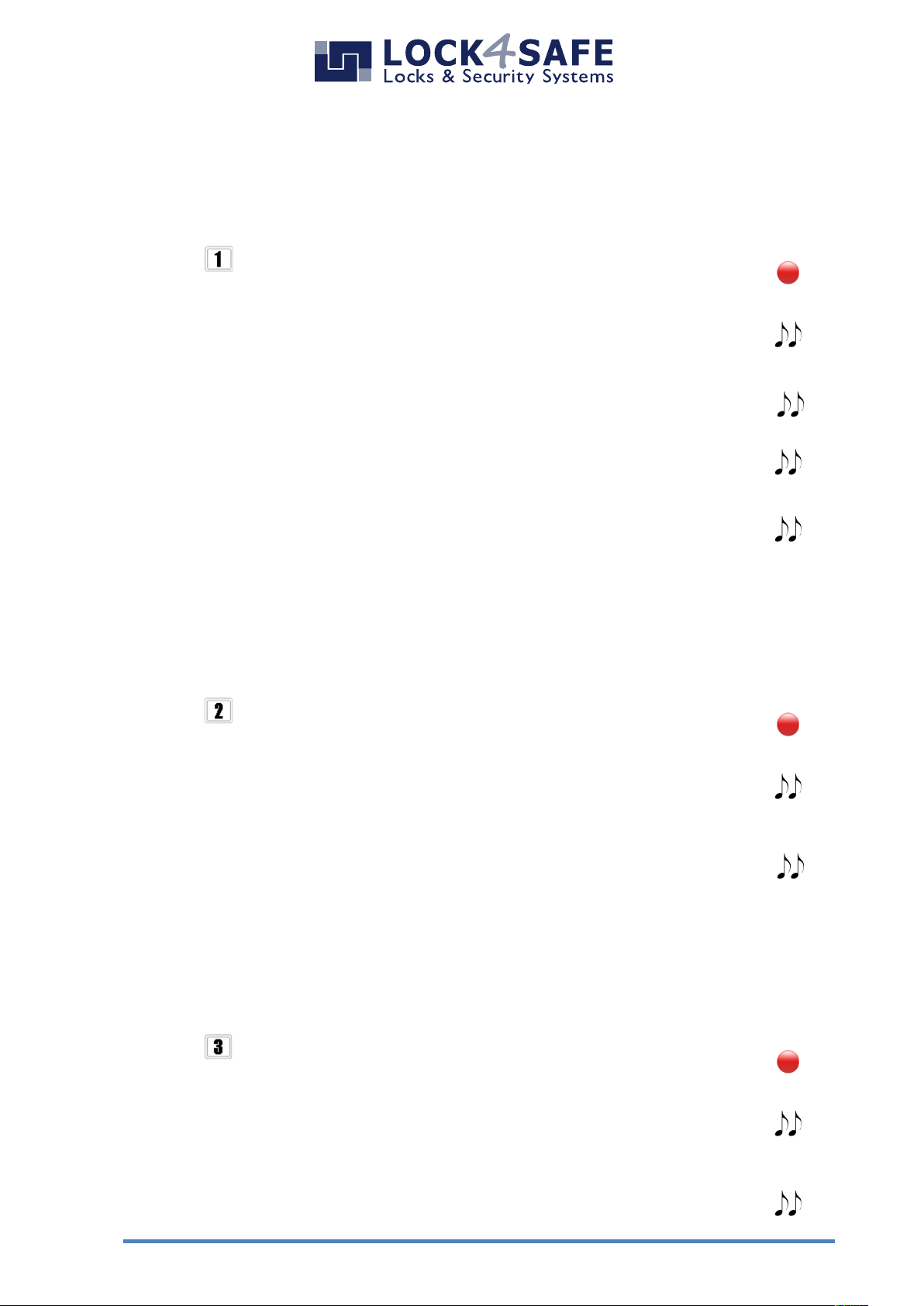
Add Codes (Function 1)
This task can be performed by Manager Code(s) to install Users
Master Code(s) to install Manager Codes
Press and hold for approx. 2 seconds until double signal and LED
remains ON.
Enter a valid Manager code. Double beep.
(Some configurations require a second code to be entered „4-eyes“)
Enter the ID of the new user. Double signal.
Enter the new code (followed by electronic key if required).
Double signal.
Repeat new code (followed by electronic key if required).
Double signal.
Disabling/Enabling user (function 2)
This task can be performed by Manager Code(s) to enable/disable Users
Master Code(s) to enable/disable Manager Codes
Press and hold for approx. 2 seconds until double signal and LED
remains ON.
Enter a valid Manager code. Double beep.
(Some configurations require a second code to be entered „4-eyes“)
Enter the ID of the user which must be disabled/enabled.
Double beep and LED goes off.
Deleting user (function 3)
This task can be performed by Manager Code(s) to delete Users
Master Code(s) to delete Manager Codes
Press and hold for approx. 2 seconds until double signal and LED
remains ON.
Enter a valid Manager code. Double beep.
(Some configurations require a second code to be entered „4-eyes“)
Enter the ID of the user which must be deleted.
Double beep and LED goes off.
Page 8
L4S User Instructions Pulse PRO EN 180105
8
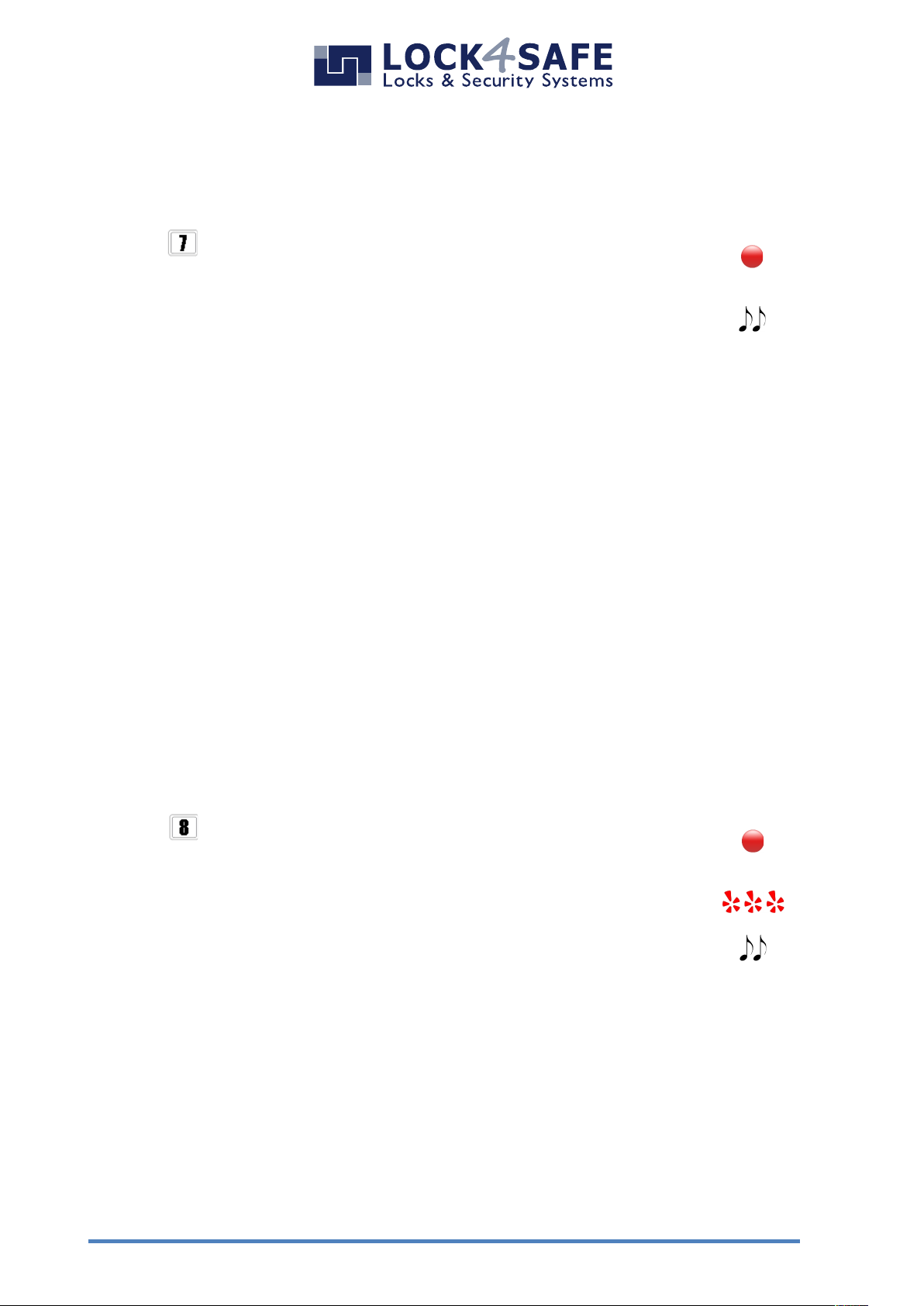
Reset mode (ERC function)
The ERC or emergency rescue code operation can be performed using an ERC code programmed
by the manufacture only if requested.
The ERC function is useful in any case in which all the codes have been lost and there is no
possibility to open the lock.
ERC function restores the standard codes of the configuration already in use. All the settings
already set are not changed.
Press and hold for approx. 2 seconds until double signal and LED
remains ON.
Enter your personal ERC code. LED flashing.
A double signal means operation done. LED goes off.
Code Status (Function 7)
This task can be performed by Manager and Master Code(s)
Press and hold for approx. 2 seconds until double signal and LED
remains ON.
Enter a valid Manager code. Double beep.
(Some configurations require a second code to be entered „4-eyes“)
Enter the User ID to check the code status.
Single Signal: Code ID available (not currently used)
Double-Signal: Code ID in use
Long Signal: Code ID not available
Page 9

www.lock4safe.com
9
Time delay (function 9)
This task can be performed by Manager Code(s) with door open.
Press and hold for approx. 2 seconds until double signal and LED
remains ON.
Enter a valid Manager code. Double beep.
(Some configurations require a second code to be entered „4-eyes“)
Enter Value in minutes for the waiting period.
00 to 99 minutes. (00=OFF).
Enter Value in minutes for the “open window” period.
00 to 19 minutes. Double signal if values accepted.
Repeat value in minutes for the waiting period (00 to 99).
Repeat value in minutes for the open window (01 to 19).
Double-Signal und LED goes off.
Page 10
L4S User Instructions Pulse PRO EN 180105
10
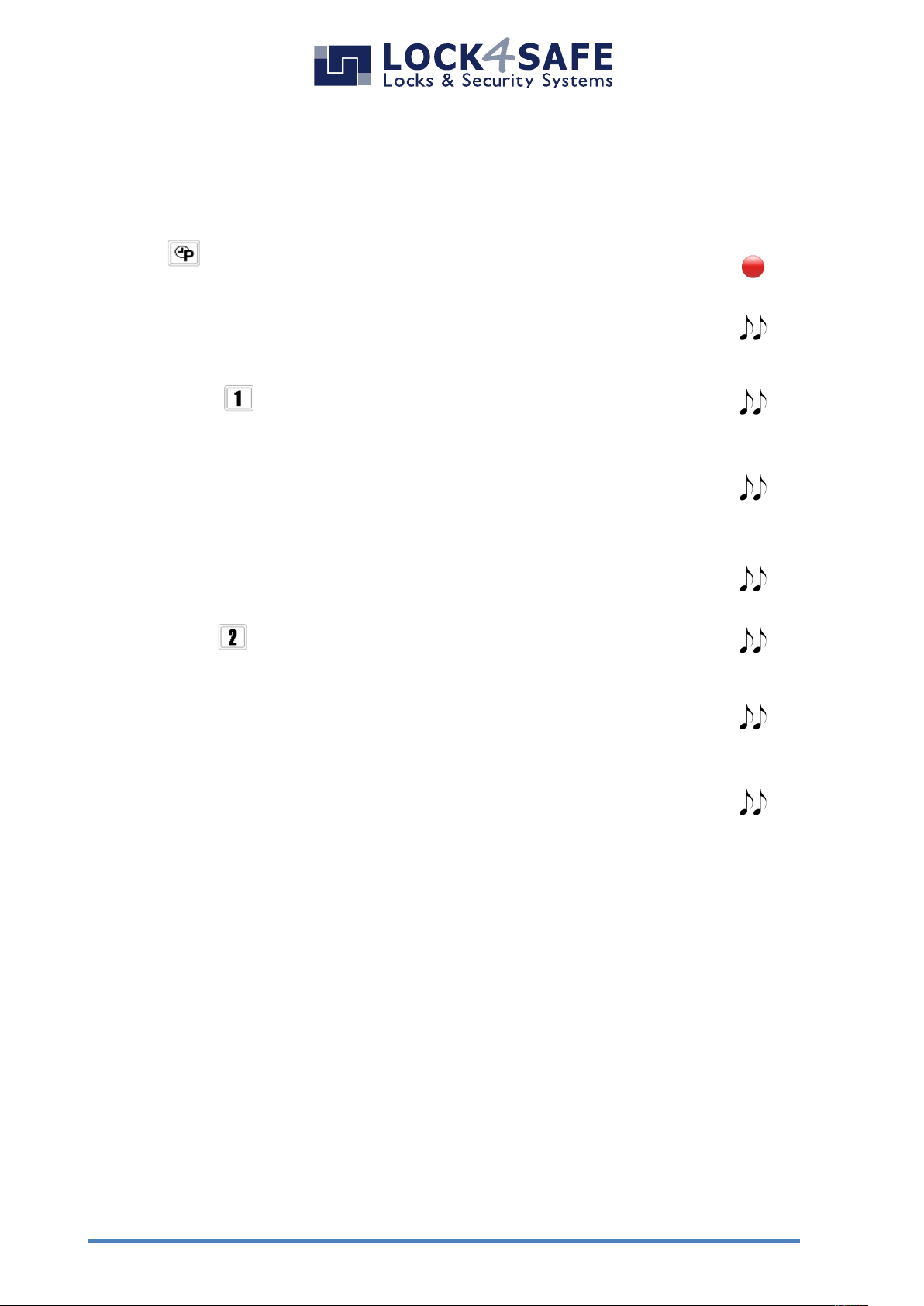
Set Date and Time
This task can be performed by Manager Code(s).
Press and hold for approx. 2 seconds until double signal and LED
remains ON.
Enter a valid Manager code. Double beep.
(Some configurations require a second code to be entered „4-eyes“)
To set Time press . Double-Signal.
Enter the time in this format: hh:mm.
(military time)
Examples: Nine thirty five in the morning: 0935
Seventeen minutes past ten in the evening: 2217
Double signal if values accepted.
Repeat time values.
Double-Signal und LED goes off.
To set Date press . Double-Signal.
Enter date in this format: DD/MM/YY (or MM/DD/YY)*
Note! Enter only the last two digits of the year.
Double signal if values accepted.
Repeat date values.
Double-Signal und LED goes off.
* Date format can be changed in system settings (see chapter on page 12)
Page 11
www.lock4safe.com
11
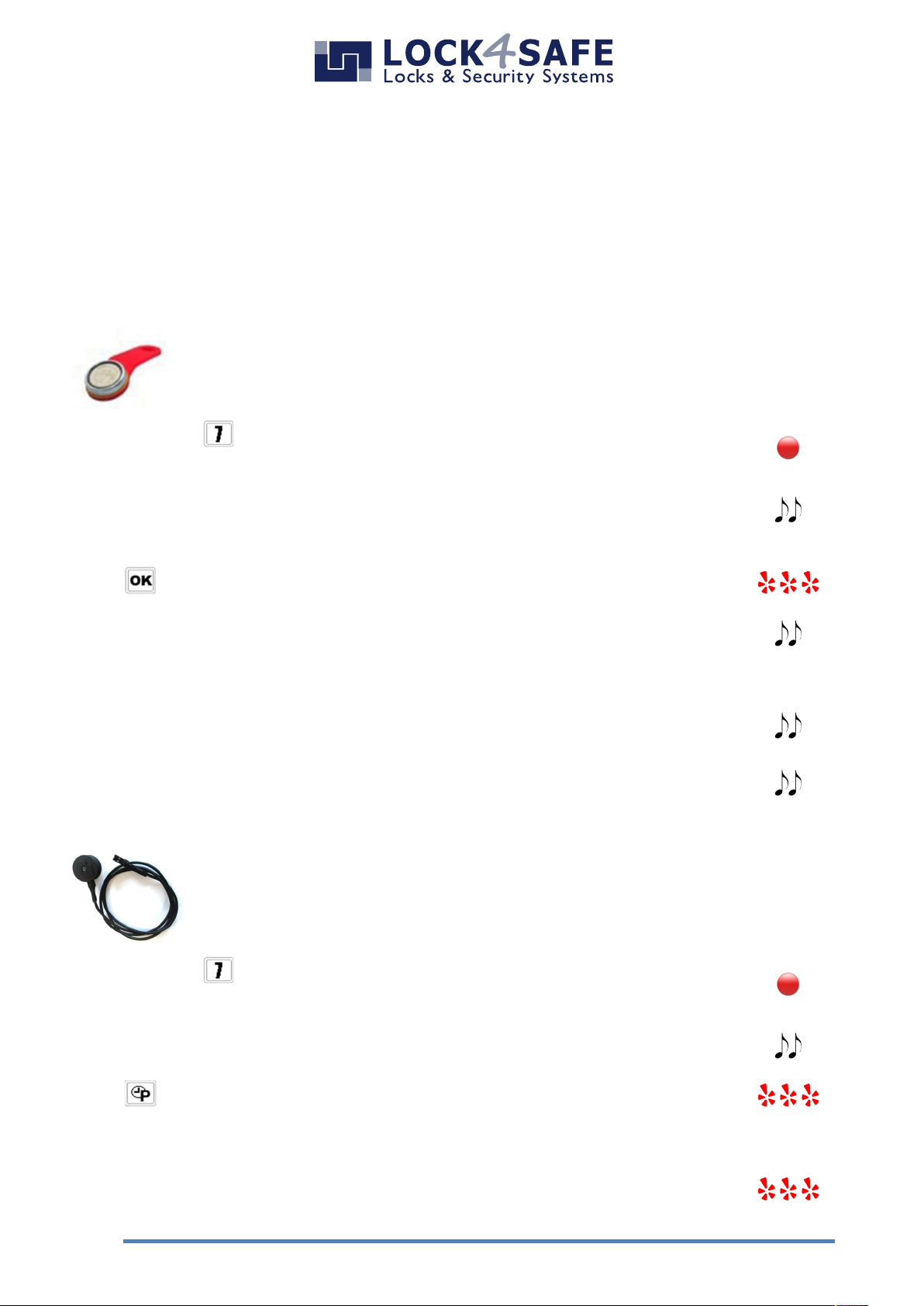
Download Audit (Function 7)
This task can be performed by Manager Code(s).
Additionally the audit set is required:
(Art.-Nr: LS1296, Includes: Audit software, USB Interface & magnetic Dallas iButton)
With Dallas iButton:
Download the last 1.200 operations to a Dallas key (Art.-Nr: TN1996RM).
The audit, stored on the Dallas key, can later be transferred to PC for
analyzing.
Press and hold for approx. 2 seconds until double signal and LED
remains ON.
Enter a valid Manager code. Double beep.
(Some configurations require a second code to be entered „4-eyes“)
Press . LED is flashing.
Press Audit Dallas key against the terminal. Double-Signal.
While download in progress, unit emits a single beep every 3 seconds
Double signal indicates download is finished.
When the Dallas key is removed from the reader, a double beep
indicates that operation was successful.
Download from the keypad directly to a PC:
All 5.500 events can downloaded directly from the entry unit to PC, using
a USB interface and the PC software.
Press and hold for approx. 2 seconds until double signal and LED
remains ON.
Enter a valid Manager or Master code. Double beep.
Press . LED is flashing.
Start the download by pressing ”download” in the Audit software
While download in progress, LED is flashing.
LED goes off when download is finished.
Page 12
L4S User Instructions Pulse PRO EN 180105
12
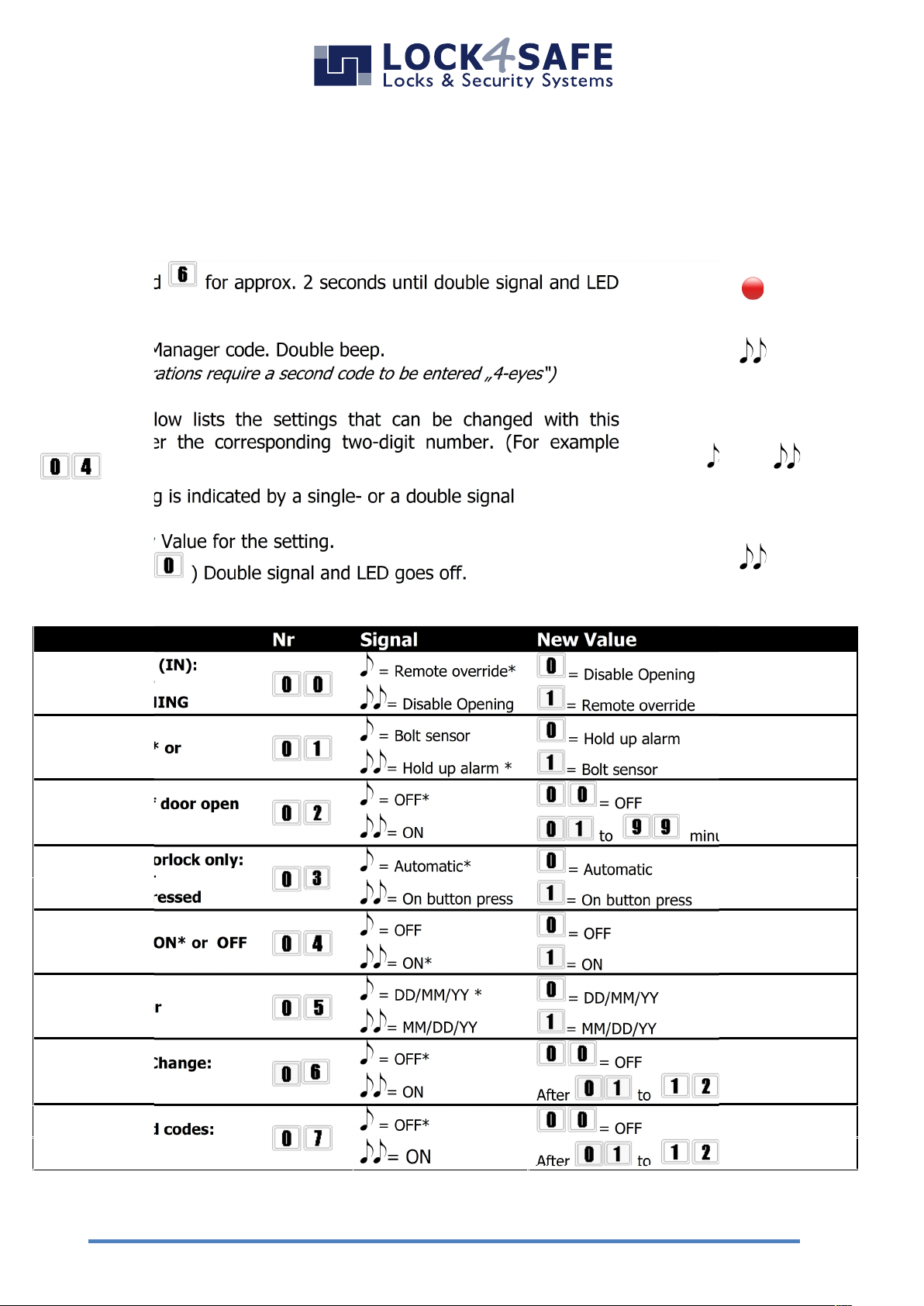
System settings (function 6)
This task can be performed by Manager Code(s).
Press and hold for approx. 2 seconds until double signal and LED
remains ON.
Enter a valid Manager code. Double beep.
(Some configurations require a second code to be entered „4-eyes“)
The table below lists the settings that can be changed with this
function. Enter the corresponding two-digit number. (For example
).
Current setting is indicated by a single- or a double signal
OR
Enter the new Value for the setting.
(For example ) Double signal and LED goes off.
Settings
Nr
Signal
New Value
Remote Signal (IN):
OVERRIDE* or
DISABLE OPENING
= Remote override*
= Disable Opening
= Disable Opening
= Remote override
Signal OUT:
Hold up alarm* or
Bolt sensor
= Bolt sensor
= Hold up alarm
= Hold up alarm *
= Bolt sensor
Sound signal if door open
too long
= OFF*
= OFF
= ON
to minutes until signal
Closing of Motorlock only:
Automatic * or
After button pressed
= Automatic*
= Automatic
= On button press
= On button press
Sound signals ON* or OFF
= OFF
= OFF
= ON*
= ON
Date format:
DD/MM/YY* or
MM/DD/YY
= DD/MM/YY *
= DD/MM/YY
= MM/DD/YY
= MM/DD/YY
Enforce Code Change:
ON or OFF*
= OFF*
= OFF
= ON
After to month
Disable unused codes:
ON or OFF*
= OFF*
= OFF
= ON
After to month
* = Factory setting
Page 13
www.lock4safe.com
13
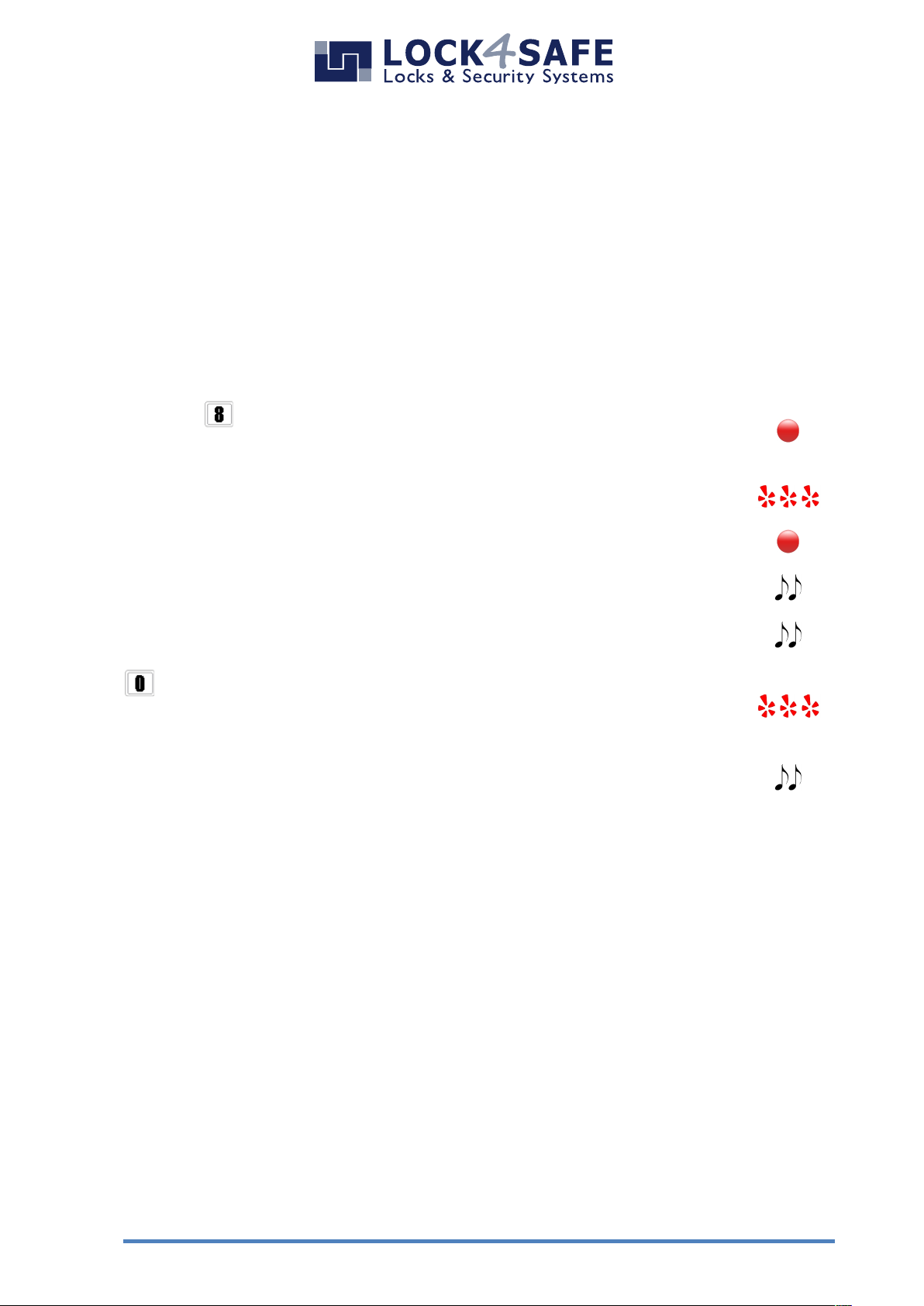
Lock configuration (function 8)
This task can be performed by Manager Code(s) plus the Master Code.
This Action resets all settings (function 6) to factory settings. Time delay will be set to
00 minutes (= OFF).
Select the configuration number from the following tables A, B, C or D write it down.
The lock needs to be open to change the configuration.
Press and hold for approx. 2 seconds until double signal and LED
remains ON.
Enter a valid Manager code. LED flashes.
Enter valid Master code. LED remains ON.
Enter Configuration-Number (from table A,B,C or D). Double-Signal.
Repeat Configuration-Number. Double-Signal.
Press .
(For date format MM/DD/YY press [1] instead).
Double-Signal and LED flashes.
Double-Signal if operation successful. LED goes off.
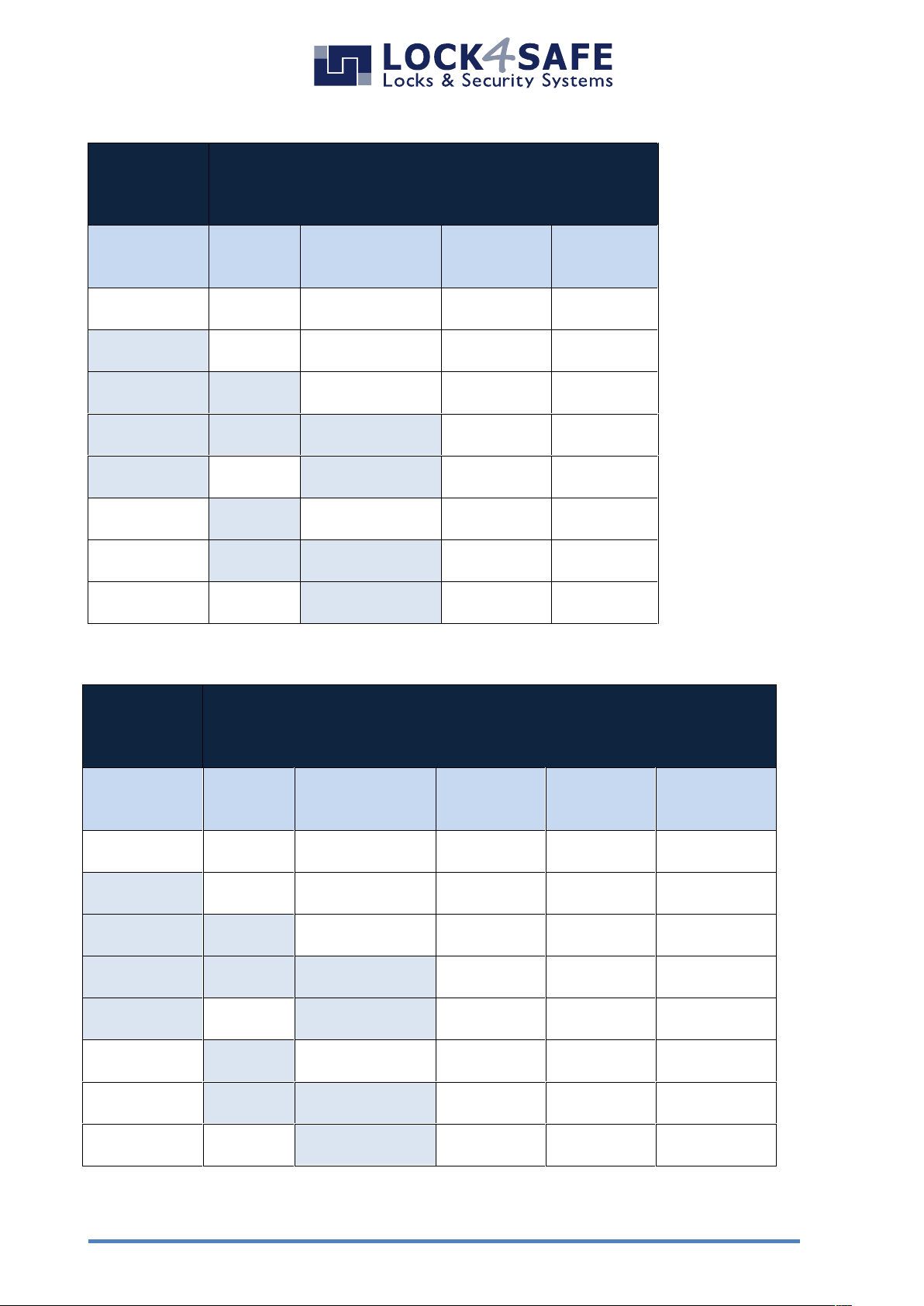
Configurations-Numbers Tables A, B, C & D
Choose from 80 possible Configurations. Find the corresponding number in the tables on next
pages.
First select the number of required user codes.
Up to 10 Table A , Up to 10 plus 1 Override code Table B
Up to 50 Table C , Up to 50 plus 10 Override codes Table D
Additionally there is a Hotel mode (Configuration Nr 80)
Your safe service company is able to create additional customized configurations and upload them
into the lock for you.
Page 14
L4S User Instructions Pulse PRO EN 180105
14
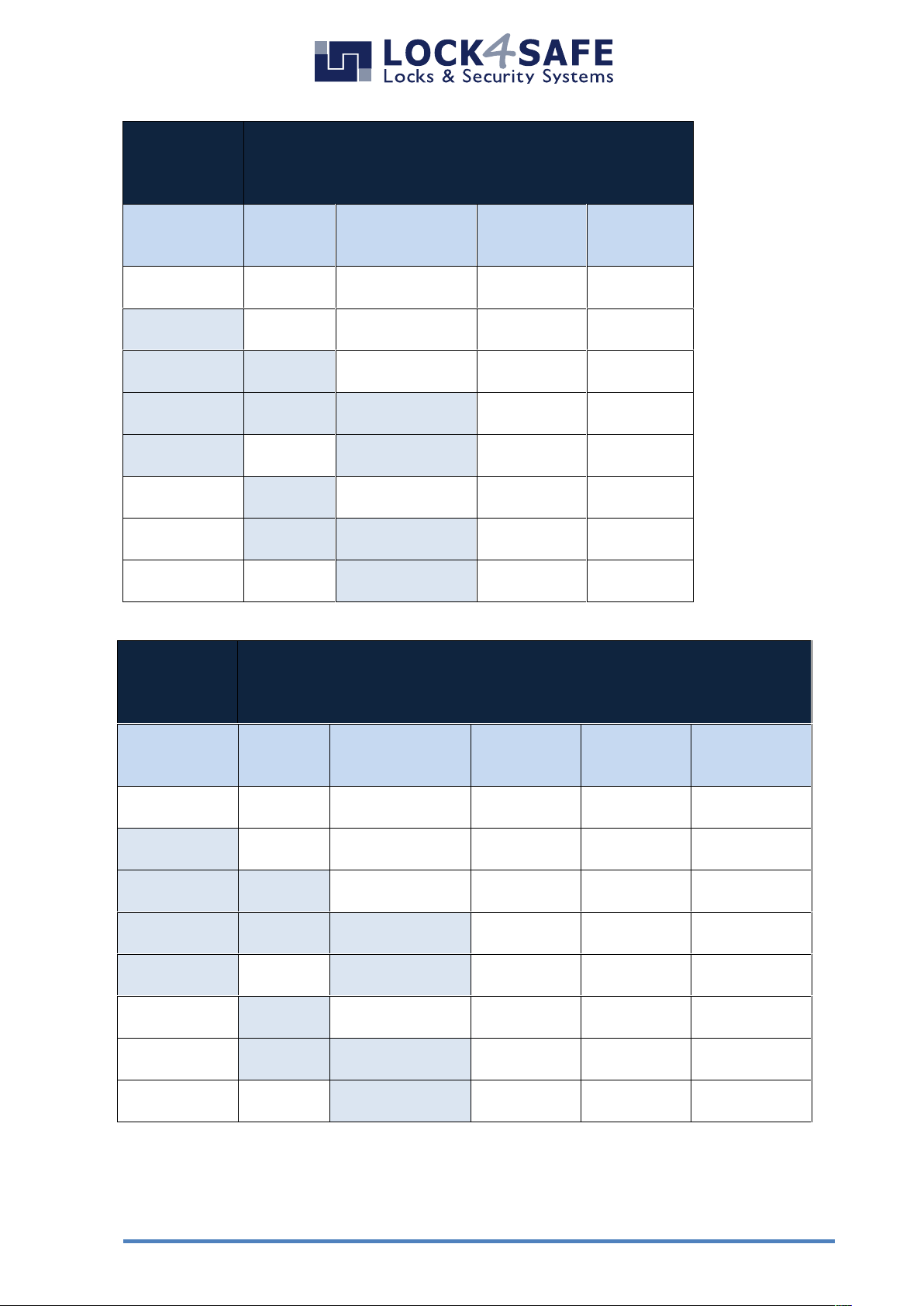
A
9 User codes, ID 01 to 09
1 Manager Code, ID 60
1 Master Code, ID 80
Master can
delete
Manager
Second
Manager
Second
Master
Normal
All in dual
mode
“4-eyes”
nonono
02
04
yesnono
12
14
yes
yesno32
34
yes
yes
yes
72
74
yesnoyes
52
54
no
yesno22
24
no
yes
yes
62
64
nonoyes
42
44
B
9 User codes, ID 01 to 09
1 Override Code, ID 10
1 Manager Code, ID 60
1 Master Code, ID 80
Master can
delete
Manager
Second
Manager
Second
Master
Normal
All in dual
mode
“4-eyes”
Dual mode
for override
codes only
nonono
010300
yesnono
111310
yes
yesno313330
yes
yes
yes
717370
yesnoyes
515350
no
yesno212320
no
yes
yes
616360
nonoyes
414340
Page 15
www.lock4safe.com
15
C
49 User codes, ID 01 to 49
1 Manager Code, ID 60
1 Master Code, ID 80
Master can
delete
Manager
Second
Manager
Second
Master
Normal
All in dual
mode
“4-eyes”
nonono
07
09
yesnono
17
19
yes
yesno37
39
yes
yes
yes
77
79
yesnoyes
57
59
no
yesno27
29
no
yes
yes
37
69
nonoyes
47
49
D
49 User codes , ID 01 to 49
10 Override Codes, ID 50 to 59
1 Manager Code, ID 60
1 Master Code, ID 80
Master can
delete
Manager
Second
Manager
Second
Master
Normal
All in dual
mode
“4-eyes”
Dual mode
for override
codes only
nonono
060805
yesnono
161815
yes
yesno363835
yes
yes
yes
764875
yesnoyes
565855
no
yesno262825
no
yes
yes
666865
nonoyes
464845
Page 16
Before operating the lock, please read this manual
thoroughly, and retain it for future reference.
Manufacturer:
ISO 9001 : 2008 certified
Correct disposal of this product:
(Waste Electrical & Electronic Equipment)
Applicable in the European Union and other European countries with
separate collection systems.
This marking displayed on the product or its literature indicates that
it should not be disposed with other wastes at the end of its working
life. To prevent possible harm to the environment or human health
from uncontrolled waste disposal, please separate this from other
types of wastes and recycle it responsibly to promote the sustainable
reuse of material resources.
De Flammert 1002G
NL-5854 NA Bergen
T +31 (0)485 551 215
F +31 (0)485 551 219
Boschstr. 16
D - 47533 Kleve
T +49 (0)2821 894 41 90
F +49 (0)2821 894 41 99
www.lock4safe.com
 Loading...