

Page 1

QUICK TOUR
Accurate Tracking | Power standby
Please carefully read the user guide before use in order to quickly get the right
to operate. Product appearance, color and accessories are subject to change
without prior notice in this manual!
Page 2

1
Functions and Product parameters
Waterproof IPX5
Frequency
GSM 850/900/1800/1900MHz
Networks
GSM/GPRS
Battery
3.7V 400mAh
Location time
Cold start 35s-80s
Hot start 1s
Location accuracy
5 meters
Operating temperature
-20℃~+55℃
Dimension
70*55*20mm
Weight
29g
◆
Real-time tracking
◆
Vibration/Displacement/Low battery alert
◆
SOS◆Two-way communication◆Geo-fence
◆
History Route◆WIFI locating◆AGPS locating
◆
Page 3
2 LED Indicator Definition
Green Indicator:GPRS
Status of indicator
Meaning
Flash
GSM/GPRS conversation start
Continuously in bright status
No GPRS signal
Green Led off
Power off or in sleep mode
Blue Indicator:GPS
Status of indicator
Meaning
Flash
GPS location successful
Continuously in bright status
GPS signal searching
Blue led off
Power off or in sleep mode
Red Indicator:Power charge
Status of indicator
Meaning
Continuously in bright status
charging
Red led off
Power off or charged full
NOTE: When the equipment in power saving sleep mode, the light
will turn off after about 10 minutes(settable) without any operation.
Page 4
3
Start up
(Ⅰ)
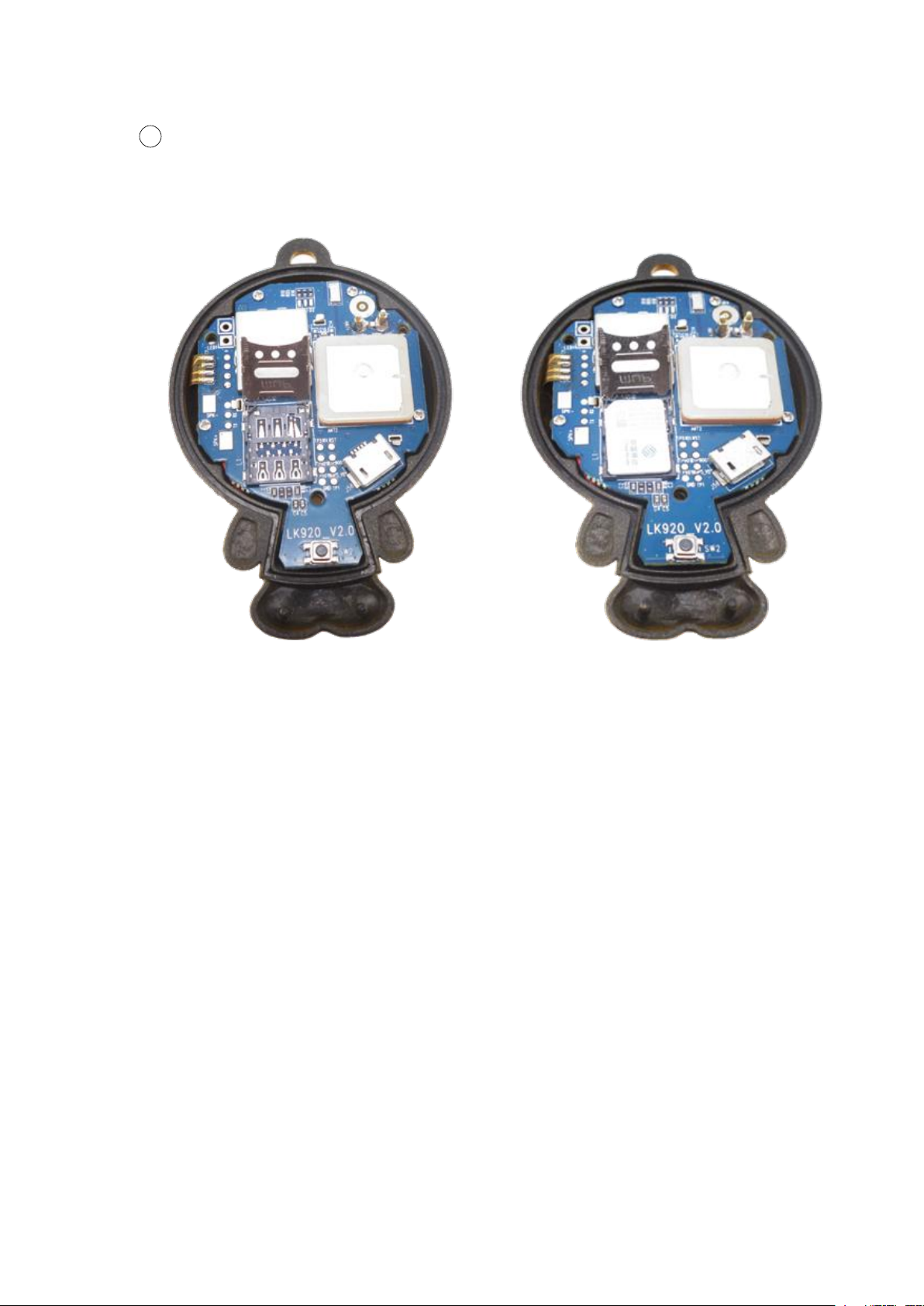
GSM/GPRS network into the slot and make sure the chip side is down.
Open the top cover with the screw driver, Insert a mini SIM card support
(Ⅱ)
(Ⅲ)
device.
For example: admin123456 +86186******** (+86186********should be your
phone number)
(Ⅳ)
CMNET,if you do not know the APN content,you should contact your SIM card
supplier)
Press the power button more than 3 seconds,the device would turn on.
Set admin number,by sending a SMS command to the SIM card inside
Set APN: APN123456 CMNET (please use your local APN instead of
Page 5

4 More Commands
Function
Command Format
Reply
Delete
for example
APN
apn+123456+space+conte
nt
apn ok
apn123456 cmnet
apnuser+123456+space+c
ontent
apnuser
ok
apnpasswd+123456+space
+content
apnpass
wd ok
admin
number
admin123456+space+admi
n phone number
admin ok
noadmin
123456
admin123456
186********
time zone
timezone+123456+space+
GMT No.
timezone
ok
timezone123456
+1
time
sleep(defa
ult)
sleep123456 time
sleep
time ok
shock
sleep
sleep123456 shock
sleep
shock ok
no sleep
sleep123456 off
sleep off
ok
upload
frequency
upload123456+space+time
upload
ok
upload123456 10
SOS
SOS,phone1
number,phone2 number
SOS!
S1: S2:
sos,,
SOS,186******,189
******
Position
G123456# or where
google
map
Restart
rst
restart
ok
Back to
factory
format
No reply
Page 6
5
Download phone APP
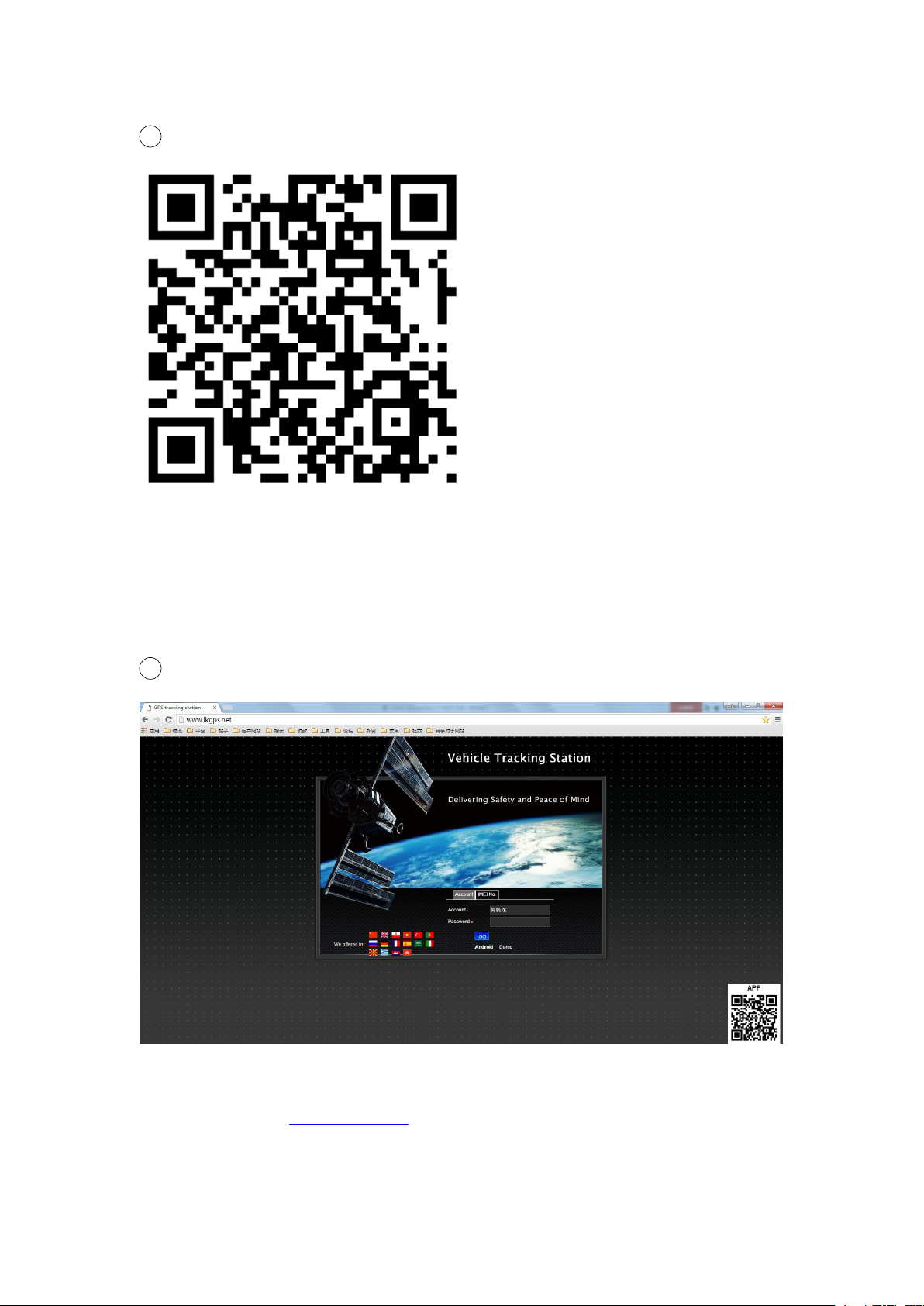
Method 1: Scan above QR to download;
6
Log in by website and phone APP
Method 2: search “LKGPS2” in the app store or Google play store to download.
Log in by Website:
Open the website www.lkgps.net, choose IMEI, enter the 10-digit bar code of
the device, the default password is 123456, click “GO” to log in into the
platform.
Page 7
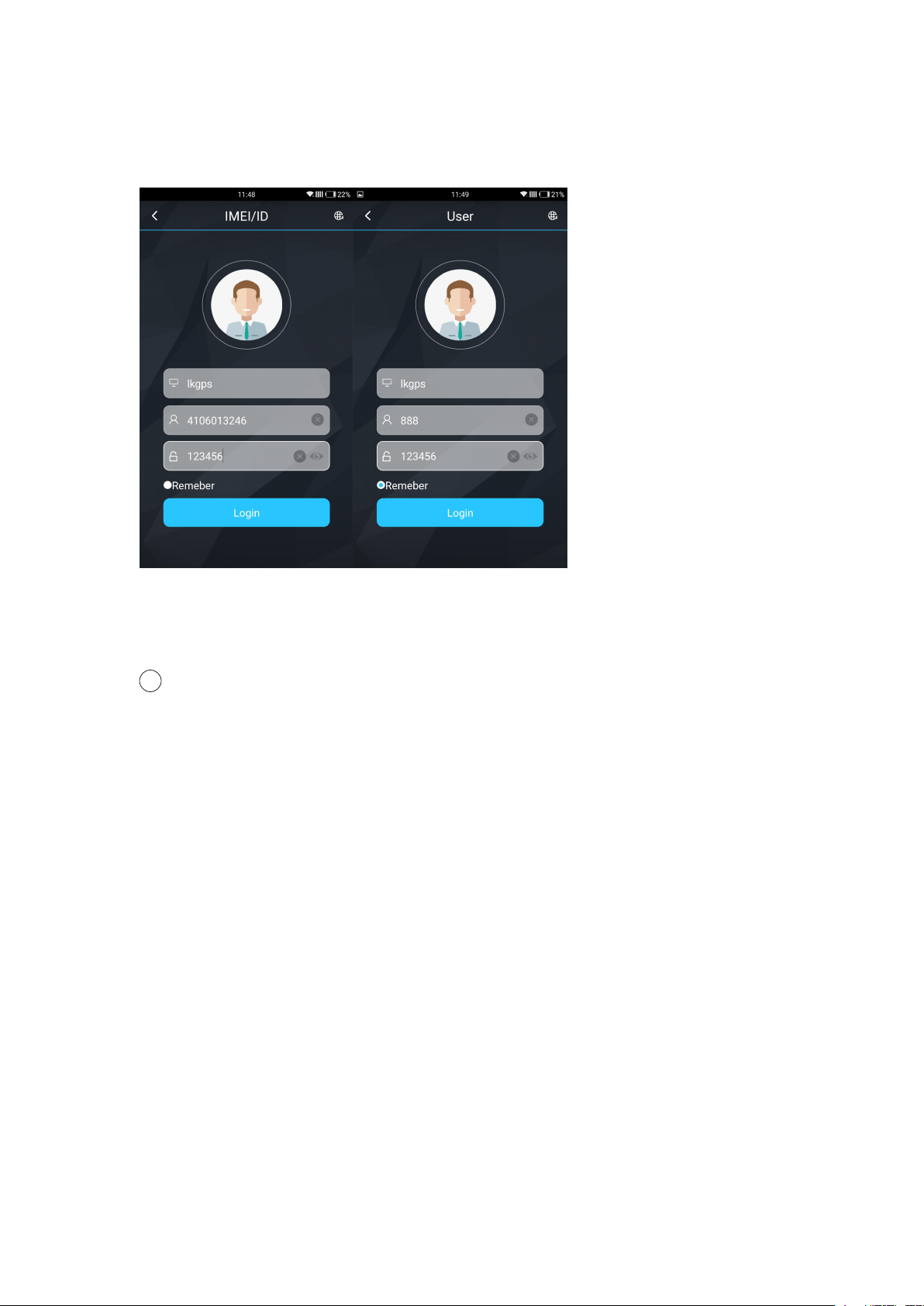
Log in by Phone APP:
7 Faults & The solutions
Please see the following photo:
Q:Start up Fail?
A:Check the battery charge full or not.
Q:The device can not obtain location information?
A:Place the unit at the open area to test.
Q:How to choose SIM card?
A: the SIM card must support GSM&GPRS,and ensure that the
card has enough currency and credit.
Page 8

Q: How to use in the foreign countries?
8
Cautions
A:please set the APN before use,please edit the text “APN123456
CMNET “ and send it to the SIM card of the device,CMNET is
Chinese operator’s APN, Replace the corresponding APN when
use in other countries, APN details, please consult your local SIM
card carrier.
Please comply with the instructions to extend the unit life:
1. Keep the unit dry. Any liquid, i.e. rain, moisture, may destroy or
damage the inside circuitry.
2. Don’t use & store the unit in dusty places.
3. Don’t put the unit in overheated or over cooled places.
4. Handle carefully. Don’t vibrate or shake it violently.
5. Clear the unit with a piece of dry cloth. Don’t clean in chemicals,
detergent.
6. Don’t paint the unit, this may cause some foreign materials left in
between the parts.
7. Don’t disassemble or refit the unit.
8. Please use the battery and charger provided by manufacturer.
Using other batteries and chargers will cause unwanted situation.
 Loading...