

Page 1
HumPROTM Series Master Development System
Quick Start Reference
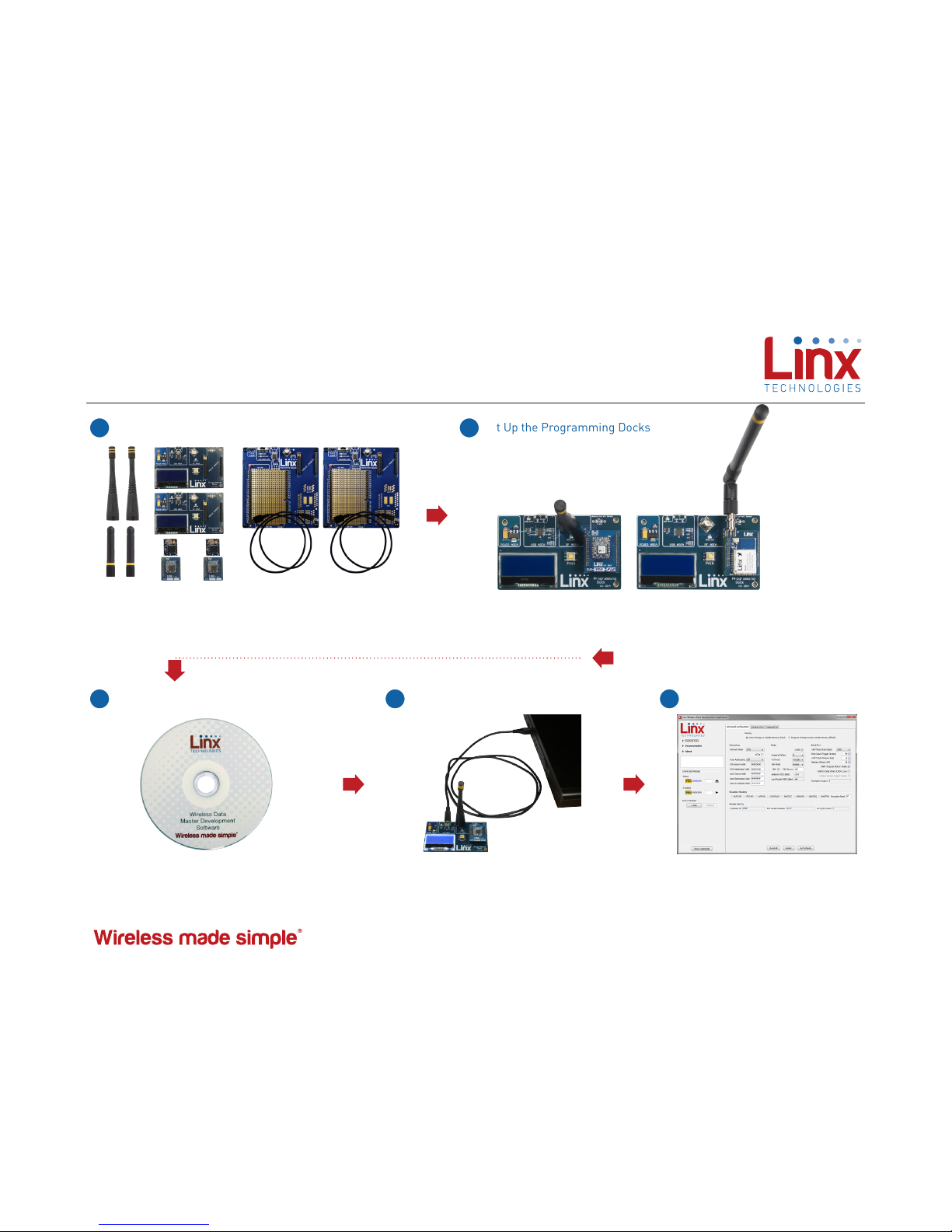
Remove Contents
Remove kit contents including development boards,
antennas, batteries, modules and USB cables.
1
Set Up the Programming Docks
With the power off, set up boards by inserting EVMs into
sockets on the Programming Docks and attaching the
antennas.
2
Revised 7/27/2017
Install the Windows software from the
CD that is included with the kit. If already
installed, skip this step.
Install the Software
3
Connect the Programming Docks to a
computer with the cables included with
the kit. USB drivers are on the CD so
install them if prompted by the computer.
Connect the Programming Docks
4
Start the software. It automatically
detects conected modules and reads
their configurations.
Start the Software
5
MDEV-fff-PRO MDEV-A-fff-PRO
Connect the antenna
to the Carrier Board
Page 2
EX
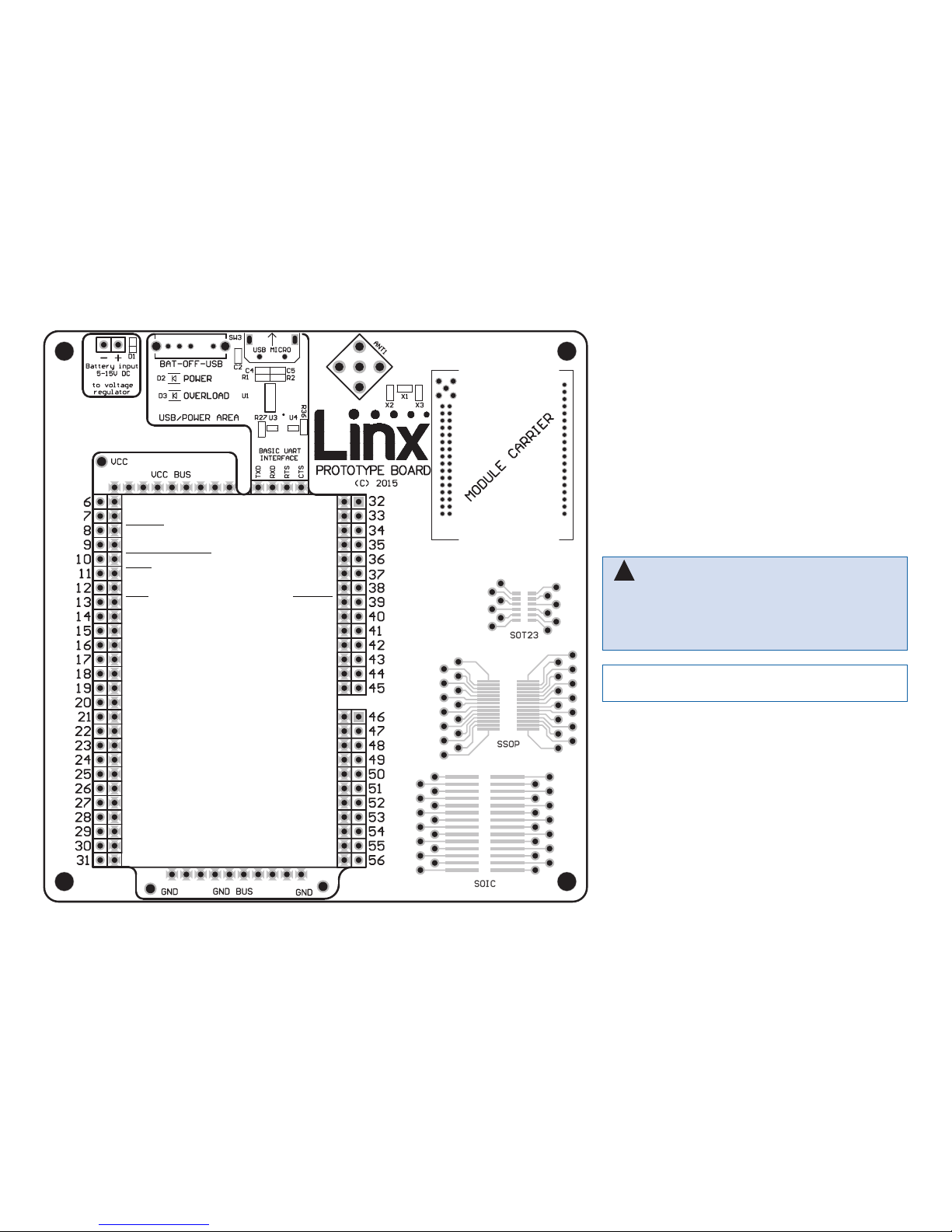
CRESP
MODE_IND
CMD_DATA_IN
PB
CMD_DATA_OUT
VCC
POWER_DOWN
RESET
LNA_EN (NC on amplified)
PA_EN (NC on amplified)
CMD
CTS
BE
Warning: Installing or removing a Carrier Board
while power is applied could cause permanent damage to the module. Either turn off power to the board
or unplug the USB cable before installing or removing a
Carrier Board
!
Note: The LNA_EN and PA_EN lines are not wired out
on the HUM-A-900-PRO.
 Loading...