

Page 1
Need help? Call 1-877-826-5443
MOTION SENSOR
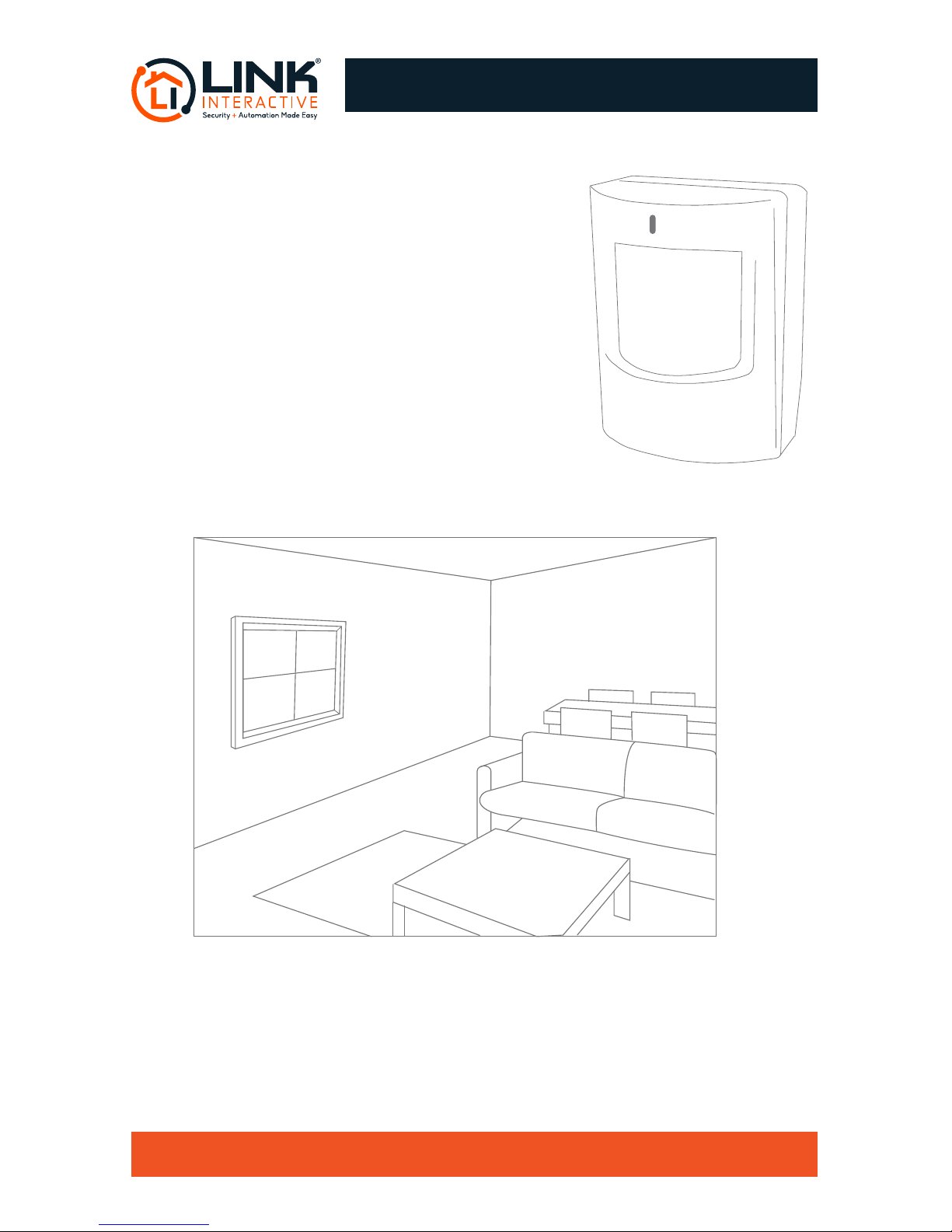
The Motion Sensor detects movement across a
room or hallway, and should be used to secure
larger, high-trac areas.
The motion sensor has a range of 90 degrees,
and detects motion up to 30’ away.
Determine where you want to mount your motion
sensor. You can choose to wall mount the sensor
or rest it on a shelf. Do not place the sensor near
a ventilation source or pointed toward windows.
**
Note: In order to save battery power, the motion sensor rests for approximately 5 minutes
after sending a signal before sending a signal again. While you are testing the sensor,
please keep in mind this 5-minute resting period. For the sensor to reset it must sit idle
for 5 minutes with no motion detection.
Page 2
Need help? Call 1-877-826-5443
MOTION SENSOR PLACEMENT
Step 1
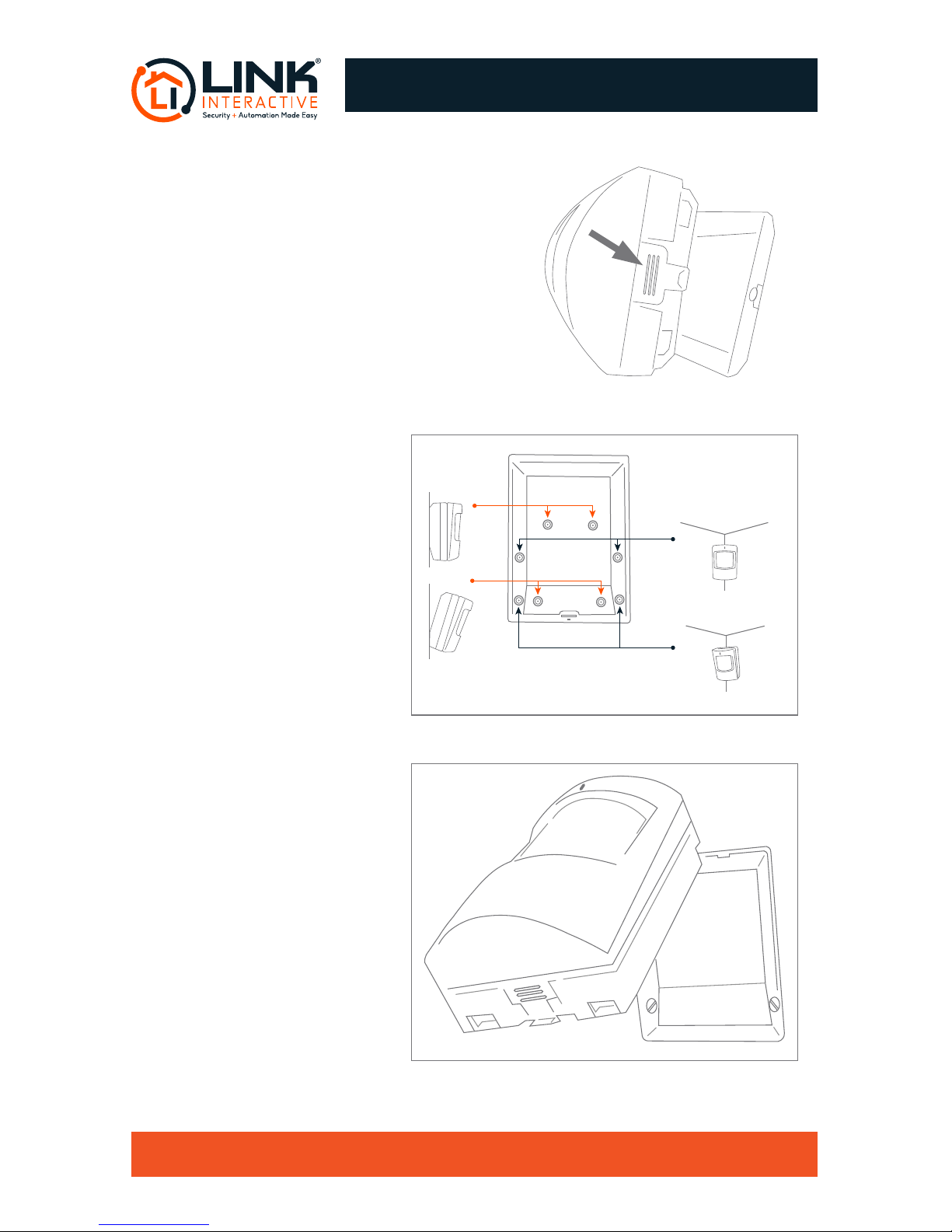
Remove the back cover of the motion sensor
by pushing on the tab and pulling the back
plate outward.
Note: If you have pets, visit the Resource Center
at www.linkinteractive.com/installation-guide/
for tips to set up your Motion Sensor for use
with pets.
Step 2
Screw the back cover into
the wall (7.5 to 8 feet above
oor level) depending on
the selected location and
desired coverage area. Use
the pilot holes specic to the
installation (g 1).
Step 3
Starting with the top, click
the motion sensor onto the
back cover (g 2).
fig 2
fig 1
Corner Mount - Straight
(pet immunity)
Corner Mount -
Angled Down
(no pet immunity)
Flush Wall
Mount - Straight
(pet immunity)
Flush Wall
Mount - Angled Down
(no pet immunity)
Page 3
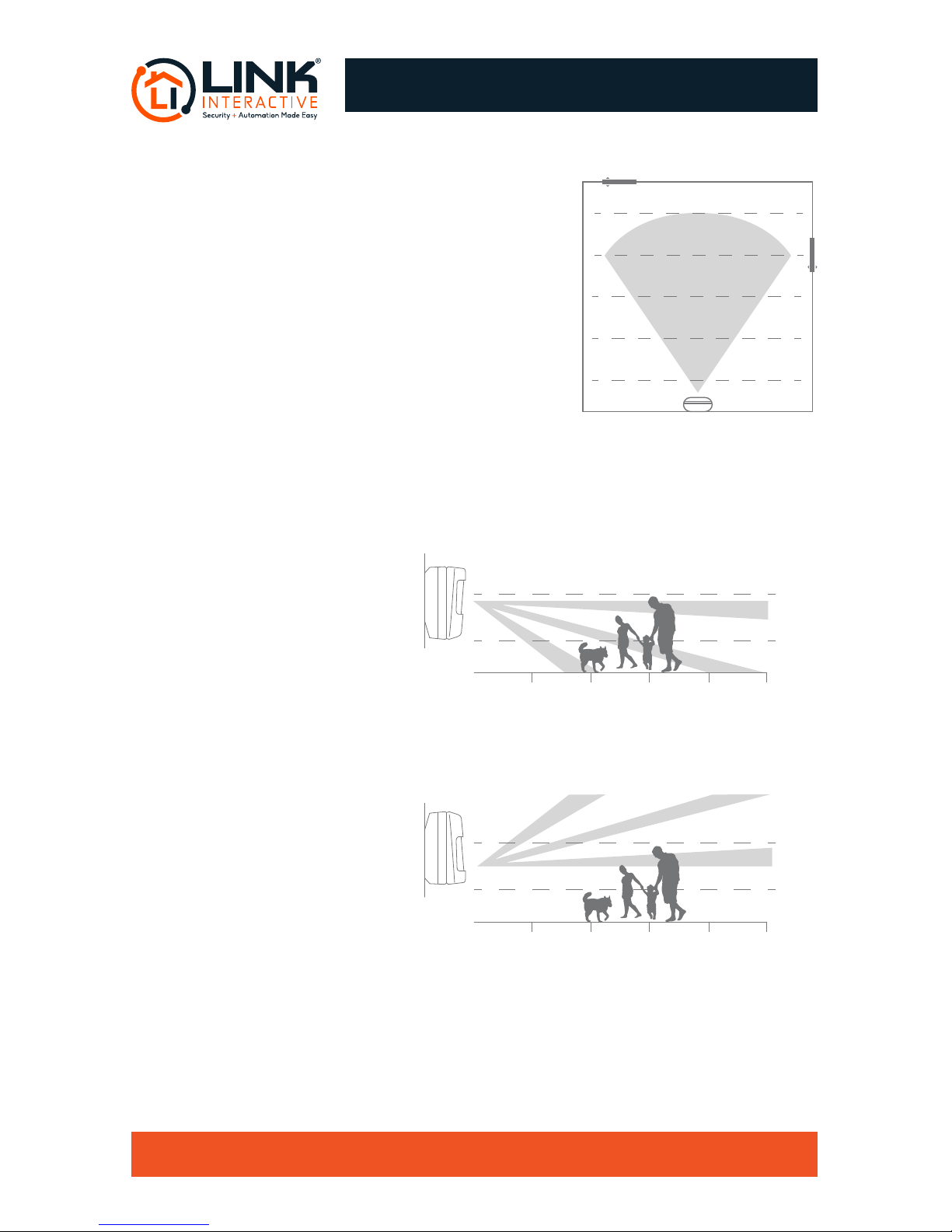
The motion sensor has a detection range of 80
degrees, and detects motion up to 25 feet away.
Note: Make sure system is disarmed.
1. To activate test mode, press the button on the
bottom of the sensor and separate the front portion.
Then replace the front portion and the red light will
turn on for a few seconds.
2. Leave the area and wait for the red light to turn off.
3. Walk across the coverage area to test. If the light
illuminates then the sensor is working properly.
4. The sensor will stay in test mode for 60 seconds with no motion detected.
PET OWNERS
Below are tips on how to place your
motion detector when having pets.
Motion sensors are designed to
avoid detecting pets under 40 lbs.
There are situations when small
pets may trigger your motion sen-
sor. If your pet sets off your motion
detector then try the steps below.
1. With a typical installation of your
sensor, the motion detector looks
straight and down. If you feel your
pet is triggering the motion detector
then you can turn the detector
upside down with the light on the
bottom. Now the motion detector
will look straight and up.
2. If your still experiencing false alarms with the motion detector turned upside down you
may have to relocate to a different area. Make sure that the motion detector isn’t facing
any furniture that your pet has the ability to climb on.
Need help? Call 1-877-826-5443
MOTION SENSOR TESTING
25 feet
20 feet
15 feet
10feet
5 feet
80˚ ARC
5 feet
Flat Mount (5 feet from the floor)
6 feet
3 feet
10 feet 15 feet 20 feet 25 feet
5 feet
Flat Mount - Upside Down (5 feet from the floor)
6 feet
3 feet
10 feet 15 feet 20 feet 25 feet
 Loading...