

Page 1
Pan and Tilt
LY6 User Manual
Before using this product, please read the guide carefully to avoid
any damages to the product, do not misconfiguration or misuse.
Page 2
Before using this product, please read the guide carefully to avoid
any damages to the product, do not misconfiguration or misuse.
User Manual
IP Camera
1. Product Description
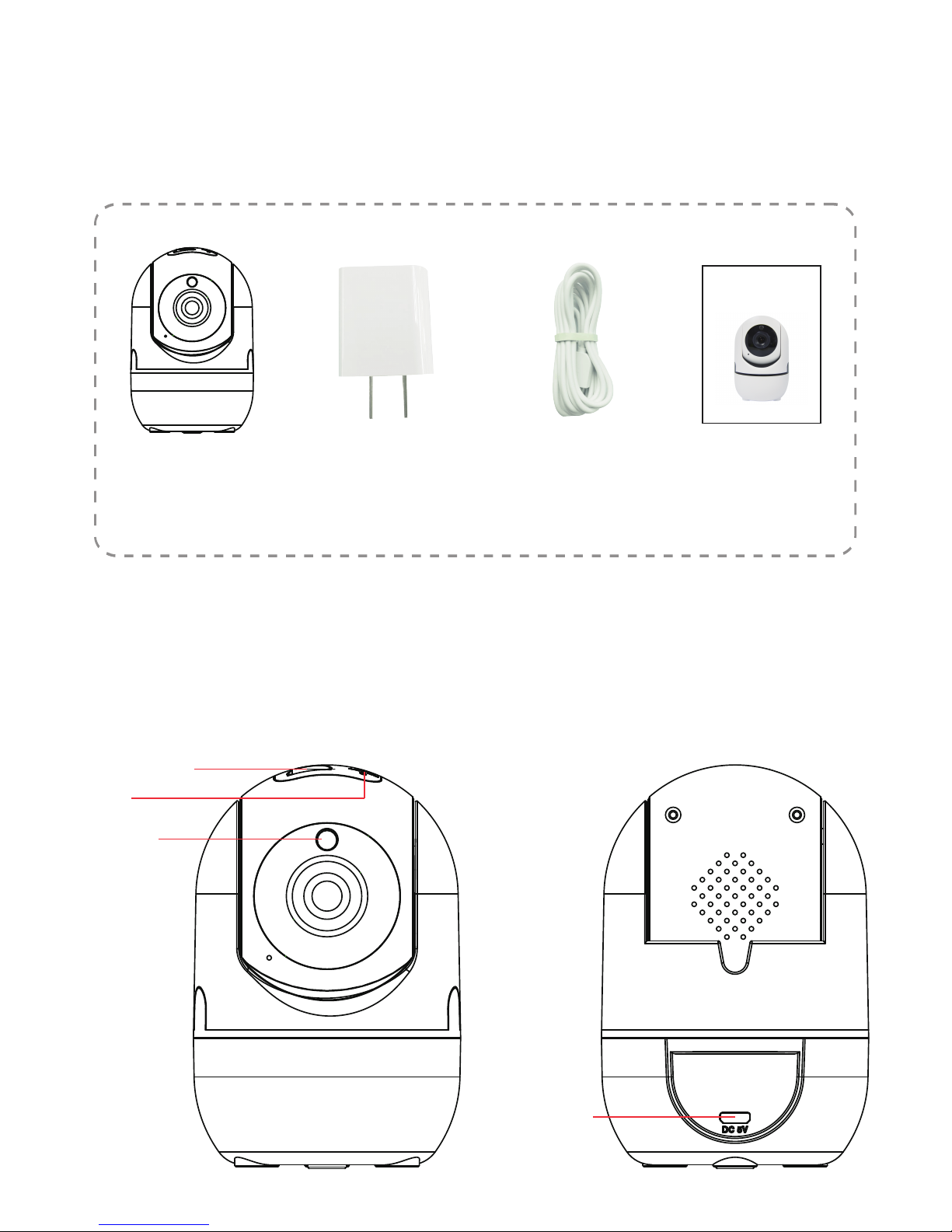
1.1 Packing list
Camera
USB cable
*Pictures are only for reference.
1.2 Product Overview
Adapter
IR cut
Reset
USB port
TF card slot
-2-
Manual
(online)
Page 3
2. Installation
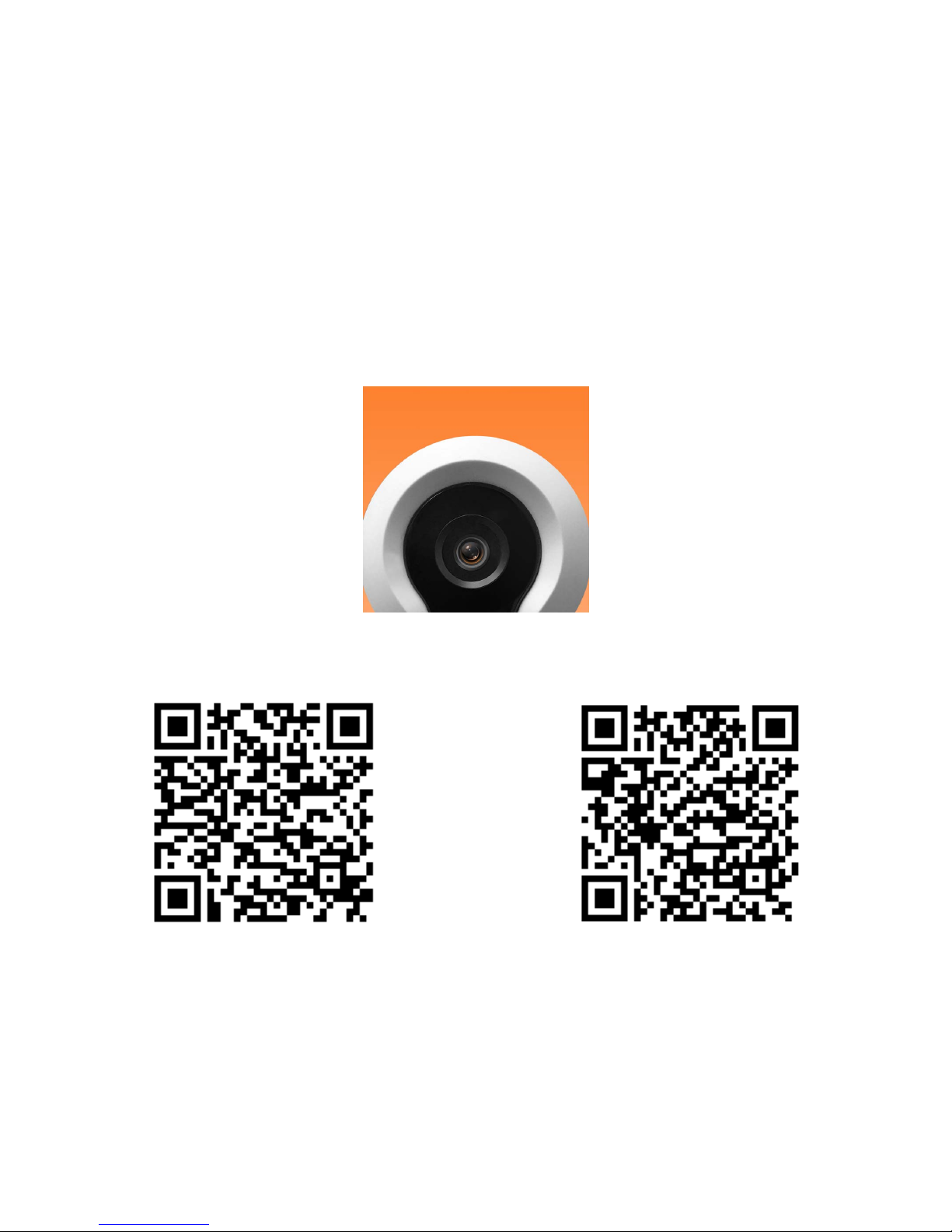
2.1 App installation
For iPhone users:
Open the App Store and search for “X10 Linked” Download
and install the Linked app onto your iPhone.
For Android phone users:
Open the Google Play Store and search for “X10 Linked”
Download and install the Linked app onto your Android phone.
2.2 Device Hardware installation
Connect the power supply to the camera device, then wait for
the indicator light to flash.
X10 Linked
For AndroidFor iOS
-3-
Page 4
a. Click "Send code", your email will receive a verification
code, enter the code within 30 minutes.
b. Input the password twice, click "Register immediately".
c. Your login information will be saved the next time you
open the app; however, it is recommended that you write your
login information down.
Different LED colors correspond to different
camera status:
Blue
Slow blue flash
Fast blue flash
Solid blue
System start up
Syncing mode
Connecting to Wi-Fi
Camera working properly
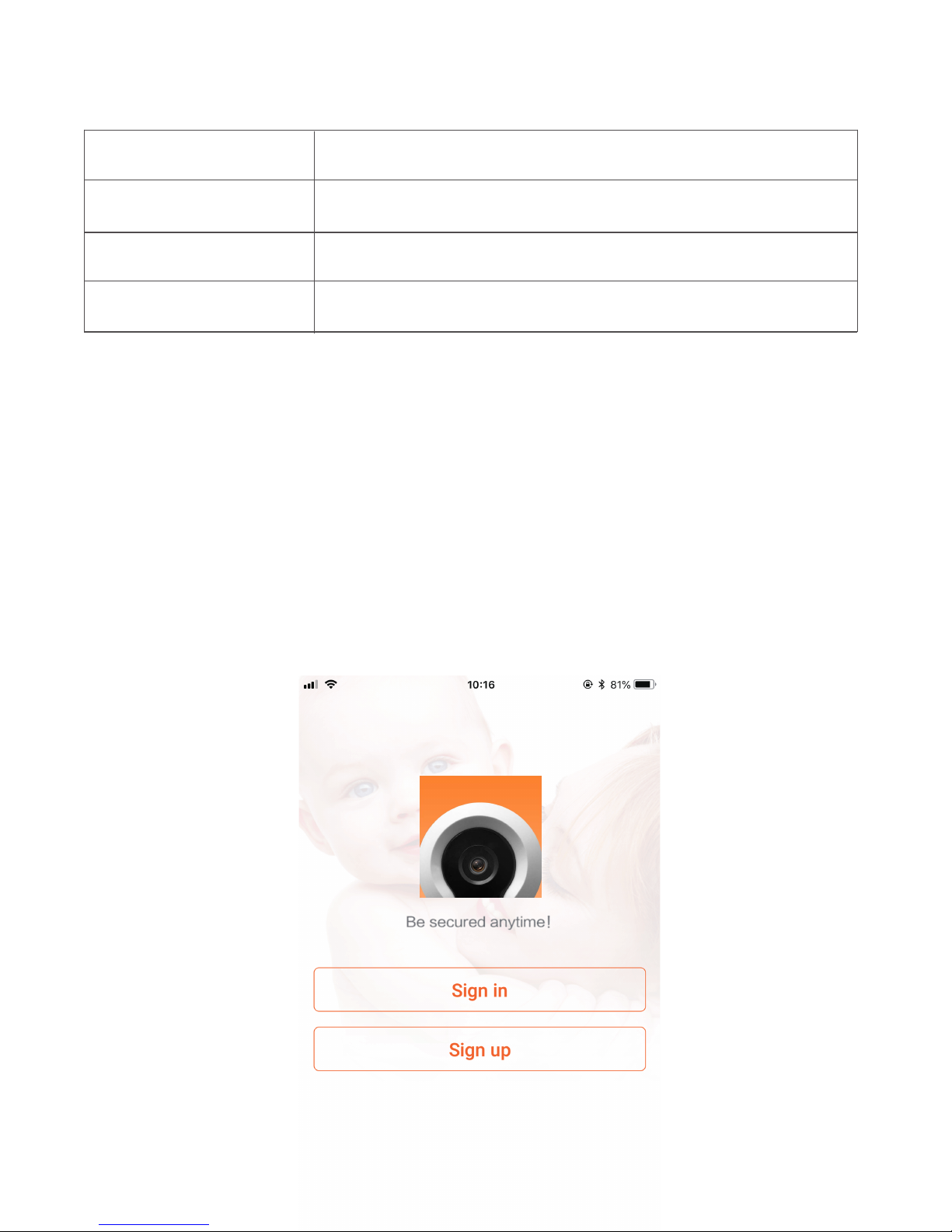
2.3 User Account Registration
1. After opening the app for the first time, register your account
by clicking ‘sign up’ and enter the email address.
-4-
Page 5

a. Find your wireless network in the first field. You can
select ‘Other’ if you do not see your wireless network.
b. Enter your Wi-Fi password. If your wireless network does not
have a password, click on the ‘No Wi-Fi password’ box. Then click
‘Next’, select your timezone.
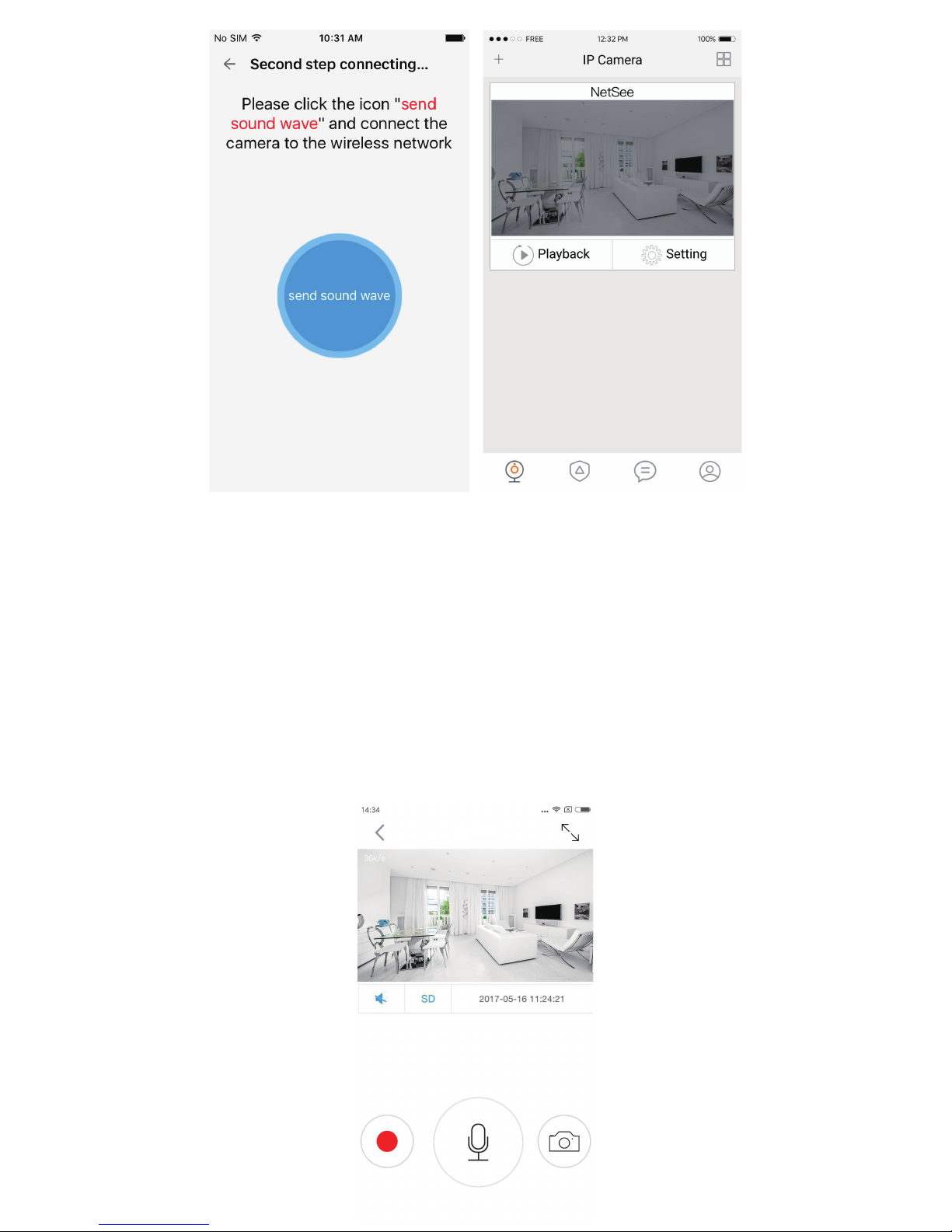
c. Follow the instructions on the screen and move your phone
speaker close to the camera’s microphone. Before doing so, make
sure you are in a quiet environment without any noise interference
and make sure your phone is not on silent. Then click ‘send sound
wave’.
d. You will hear a scrambled sound being played from your
phone. Keep your phone still and wait for the duration of the
transmission, before you move your phone away. Afterwards, the
voice prompt will indicate that the binding was successful and the
app will redirect to the camera view interface automatically.
e. If you do not hear the voice prompt say, ‘binding successful’,
you can try again by clicking the ‘Send sound wave’ or click on the
hyperlink and follow the instructions.
2.4 Camera Device and Phone Synchronization
Click Add Camera button, click on ‘connecting my camera’ Step 1:
Check to see if the front LED light is flashing: After powering on
the camera, the LED light should be flashing blue, click on ‘Next’
and proceed to Step 2.
Step 2: Connect to your wifi network(802.11 b/g/n 2.4GHz):
-5-
Page 6
3. App functions
3.1 Live video
After syncing successfully, click the IP Camera interface to view live
video. Smooth, SD and HD video definition are available.
3.2 Video Recording
3.2.1 Users can record video on live video interface , by pressing the
red video recording icon on the left, refer to photo below. The
recorded video will be stored in the album on the homepage of app.
X10 Linked
-6-
Page 7
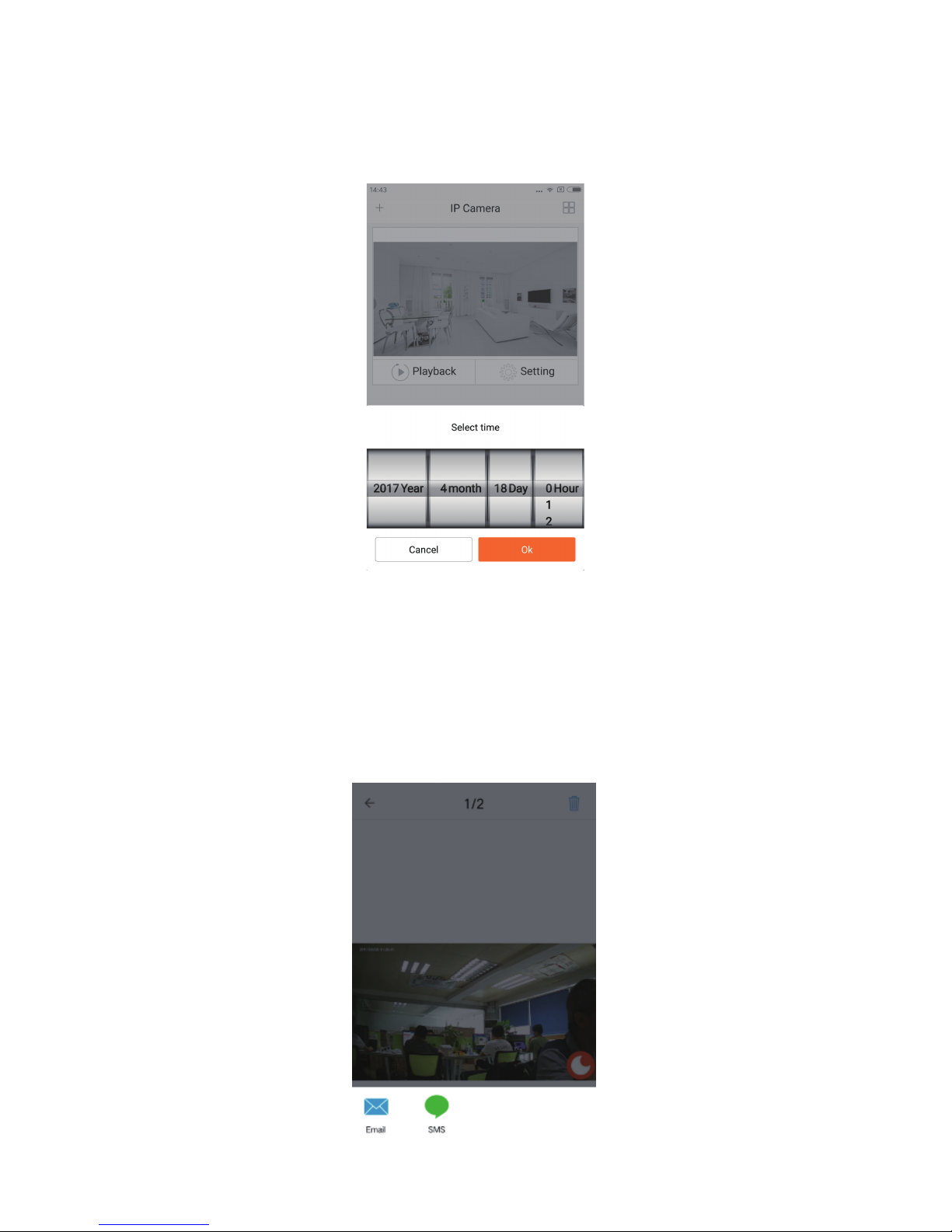
3.2.2 Playback: Click “Playback” icon and choose the time to
replay the video recorded in the MicroSD card.
Select the date and time you wish to playback. You can fast
forward/backward by swiping on the time bar. Tap on the camera
icon to take a screen shot while replaying the video. Refer to photo
below.
3.3 SNAPSHOT SHARING
Our camera provides a function that shares any snapshot
photos to Email/SMS, etc. To access snapshots, please follow same
directions as accessing your video recording explained under playback
feature, choose the photo you want to share
and the platform you want to share it from as indicated in Figure 1.
X10 Linked
Figure 1
-7-
Page 8
3.4 SUB-ACCOUNT MANAGEMENT
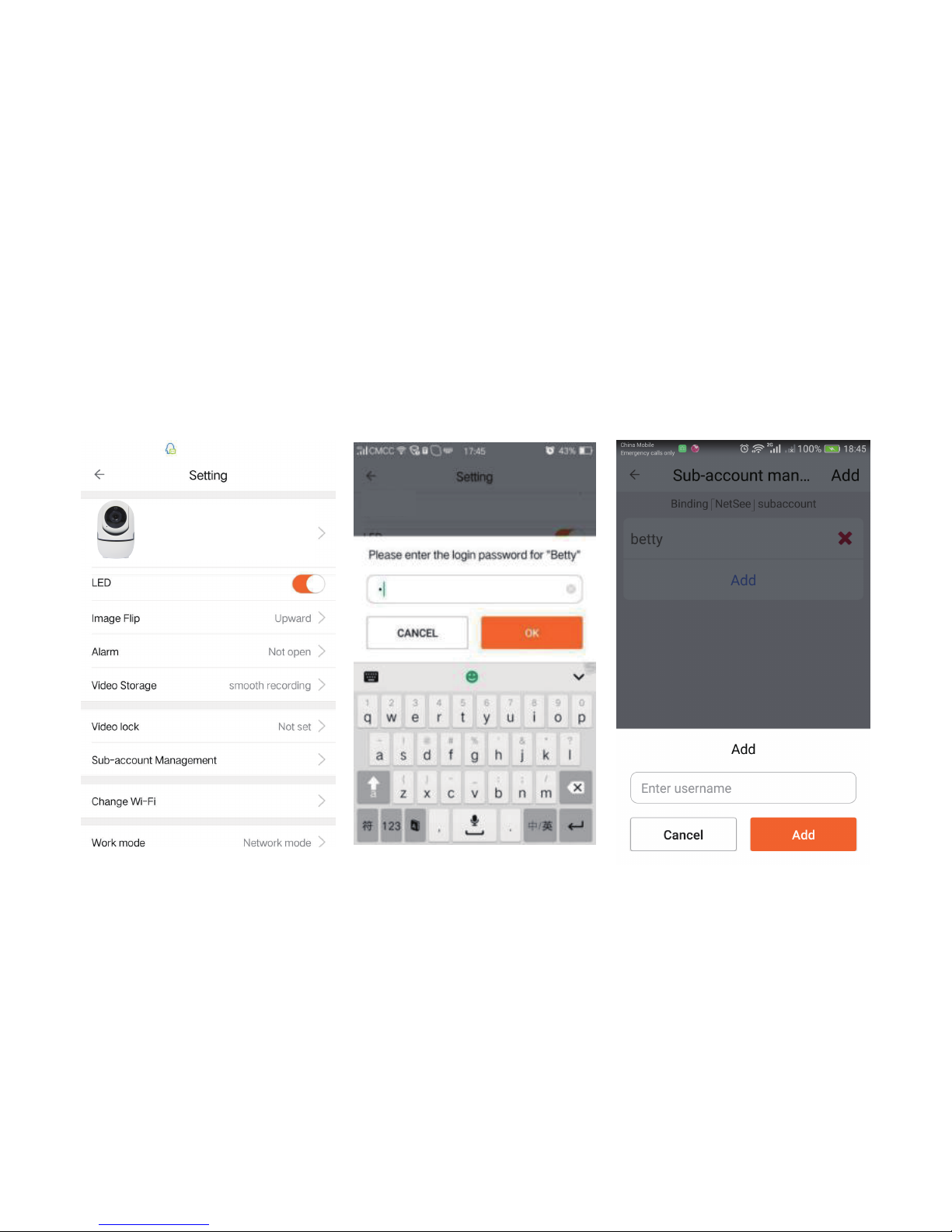
Sub-Accounts gives you the option to allow for multiple users live access
to the same camera. Each camera can support up to 15 live viewer
accounts (including the Administrator account). The administrator can
add and delete sub-accounts by using
Sub-Account Management function. Refer Figures 2, 3 & 4 below.
New sub-accounts can be setup by clicking on the “Add” button. Note:
Please follow the same procedure under user account registration in
page 2 to register and verify the email address you are willing to add as
a sub-account prior to adding it as new sub-account.
3.5 VIEWING LOCK
This function allows the user to watch live video and replay
videos only after a password has been setup.
Figure 2 Figure 3 Figure 4
X10 Linked
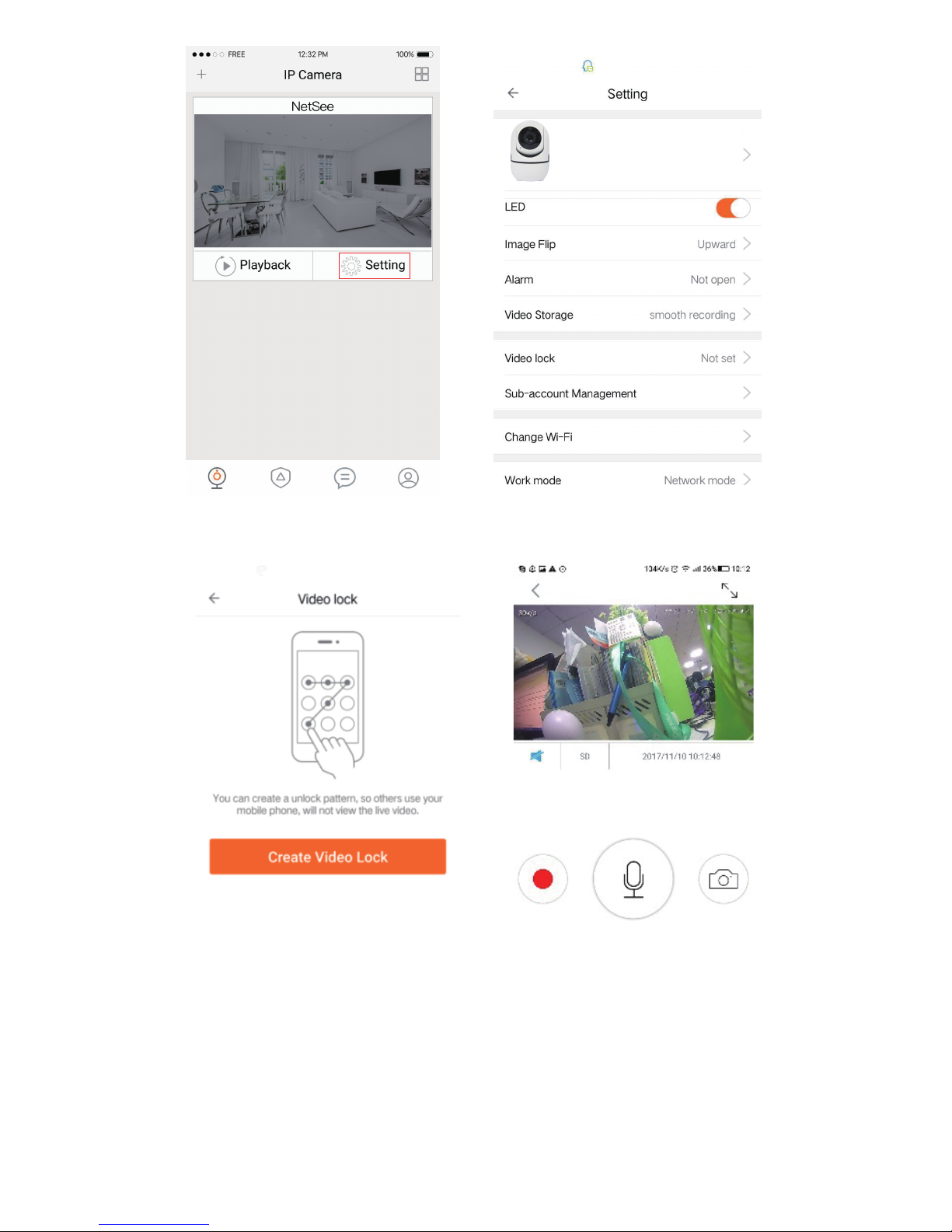
1) To set up, click on the ‘Setting’ button in the IP camera page
as indicated in Figure 5 & 6 below.
2) In the Setting screen, tap on the ‘Video Lock’ button
[defaulted to ‘Not Set’] as indicated in Figure 7 below.
3) Then enter a password that you can remember.
-8-
Page 9
X10 Linked
Figure 5 Figure 6
Figure 8
X10 Linked
Figure 7
3.6 TWO WAY AUDIO
When you are viewing camera, you can press the “Microphone Icon”
as indicated in Figure 8 above and talk or if the volume on the phone
is up the voice from the camera could be heard in the phone.
-9-
Page 10
3.7 INFRARED NIGHT VISION
Infrared night vision is controlled by camera system automatically.
When the area around the camera becomes too dark, the infrared night
vision will activate automatically. Likewise, when the area around the
camera is bright enough, the night vision will deactivate automatically.
3.8 INFRARED ALARM
The camera uses infrared sensors when someone/something appears
within its detection area. The alarm on camera will
ring for 5 seconds, and at the same time, the phone will also ring and
receive an alarm notification. Set the alert notification message to
access the live video feed.
You can adjust the timing of the alarm and enable/disable the alarm
sound under the camera setting.
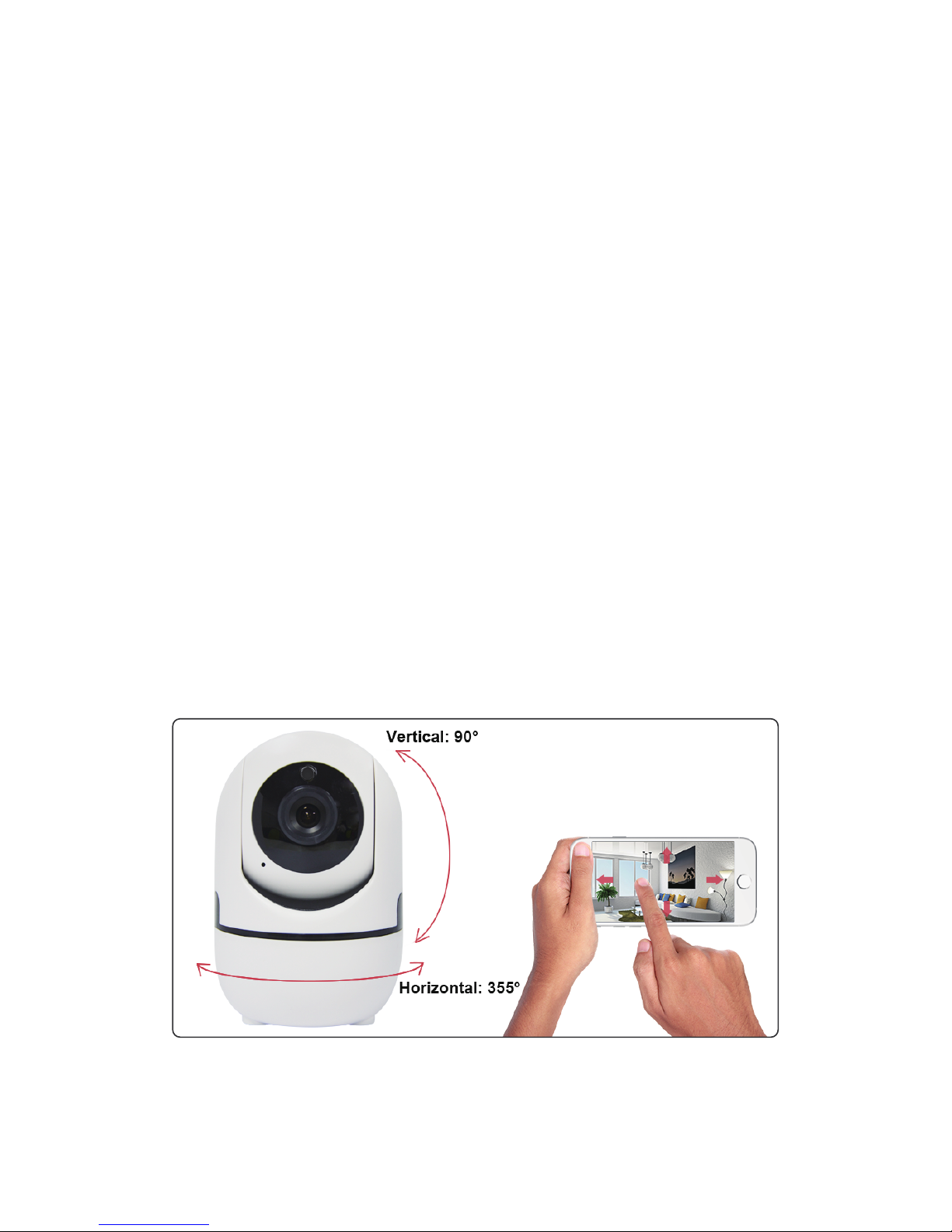
3.9 REMOTE CONTROL YOUR LY6 BY APP
Enter the live video interface of the X10 Linked Camera APP, using
your finger to slide the screen up/down/left/right to control the camera
to rotate vertically/horizontally.
-10-
Page 11

4. Warning
● When using the camera, please avoid rain, fire and lightning. The
camera’s working humidity range is: 20%-50% indoor, 20%-70%
outdoor. Working temperature range is: -10°-50℃
(14°-122°F)
indoor; -20°-55℃ (-4°-131°F) outdoor.
● The IP Camera is designed to ensure the security and
confidentiality of its users, but cannot completely guarantee the
threat of being compromised, due to various setup circumstances.
We highly advise that you only use the camera on a trusted
password protected Wi-Fi network. This camera is recommended
for general purpose monitoring only. The user acknowledges the
risk of using the device otherwise.
☆ User can only bind when the camera device is in the Binding mode
(i.e. LED is blue and flashes once a second). Otherwise, you cannot
bind a camera device when outside of the Binding mode.
☆ Make sure the environment around the camera is quiet when
transmitting the “sound wave” and the outer speaker of your phone is
close to the microphone in the side of the camera.
☆ If shown warning “WIFI does not exists”, please make sure your
Wi-Fi network name is correct.
☆ If shown warning “WIFI connection fail”, please make sure your WiFi password is correct.
☆ If shown warning “Network abnormal please check router
configuration”, please make sure your router is connected to Internet.
5.FAQ
1) Cannot bind camera device?
☆ Check the compatibility of the camera device with your router.
Supports 802.11 b/g/n 2.4GHz wifi network.
☆ Check whether the name and password of WIFI has been
changed.
2) Cannot connect to Internet?
3) Video quality is not clear?
Switch between “SD” and “HD”.
-11-
Page 12

☆ Check if there is a micro-SD card.
☆ Insert a micro-SD card, you can replay video after 10 minutes.
4) Cannot replay video?
5) If the Wi-Fi is hidden, why cannot I find any
network or camera device?
Our camera device can only connect to non-hidden Wi-Fi networks.
6) How to restore Factory Settings?
While the camera device is on, use a small object to hold down the reset
button located on the back of the unit for 3-5 seconds. During the period,
do not unplug the camera device.
7) Sound is not coming from app on phone?
Please make sure your phone is not on silent and the volume
is turned up.
OTHER NOTES:
● To refresh your camera list, pull-down on the screen while viewing
the camera list.
● After binding the device and phone successfully, if the camera
device does not appear on the homepage, refresh the camera list
interface. If the device is still not showing, log out of your account, then
login again.
● There is approximately a 10-minute delay after a micro SD card has
been inserted before you can replay videos.
● When testing the alarm function, after setting the alarm, please exit
the app to receive the notification when the camera is triggered by
motion.
● 15 user accounts can view the live video of the camera
simultaneously (if the account administrator shares access).
● The first account bound to the camera is defaulted as the
administrator account.
● When syncing the camera device and phone, do not leave the
binding page, please wait for the camera to finish automatically.
 Loading...