

Page 1

Translation
User Manual
Don’t Translate it. Lingmo it!
Leading edge language translation technology for the global market
Page 2
Contents
• About T2T Translation Software
• Your Time2Translate
• Charging your Time2Translate Smartwatch
• Using T2T Software
2
Accessories included with
Time2Translate
• 1 x USB Charger
• 1 x Small screw driver
(Lifestyle)
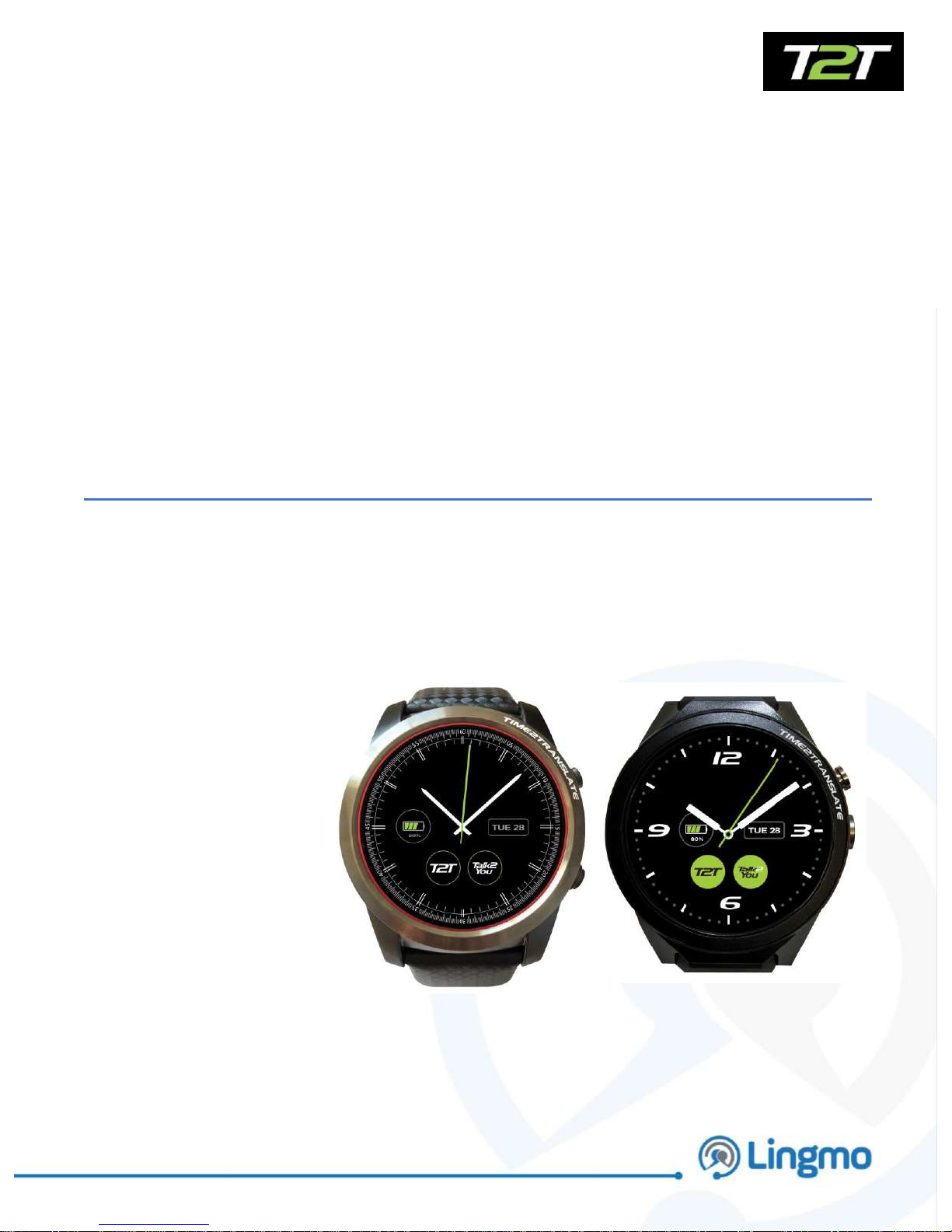
Lifestyle model used in this user guide
Page 3
About T2T Translation Software
• Time2Translate is an independent wearable translation smartwatch
• The T2T translation software translates 29 languages across spoken and written
communication in real time
• Translates 2-way conversations
• Translations are above 85% accurate
• Translates effortlessly and effectivity in an average of 5 seconds
• Translation technology can detect nuances and dialect
• Compatible with Bluetooth devices – Speakers and Earphones
• Operated via a Nano SIM Card without relying on Wi-Fi Connectivity
• Android Operating System
Languages
How the guide works
• The guide will show you a step by step guide on how to operate the T2T
face to face translation software
• In addition to this user guide there is also a video that explains how to
operate Time2Translate.
• www.lingmointernational.com
3
• Arabic
• Catalan
• Chinese
• Czech
• Danish
• Dutch
• English (UK) and (US)
• Finnish
• French
• Galicia
• German
• Greek
• Hebrew
• Hindi
• Hungarian
• Indonesian
• Italian
• Japanese
• Korean
• Norwegian
• Polish
• Portuguese
• Portuguese (Brazilian)
• Russian
• Slovak
• Spanish
• Swedish
• Thai
• Turkish
Page 4
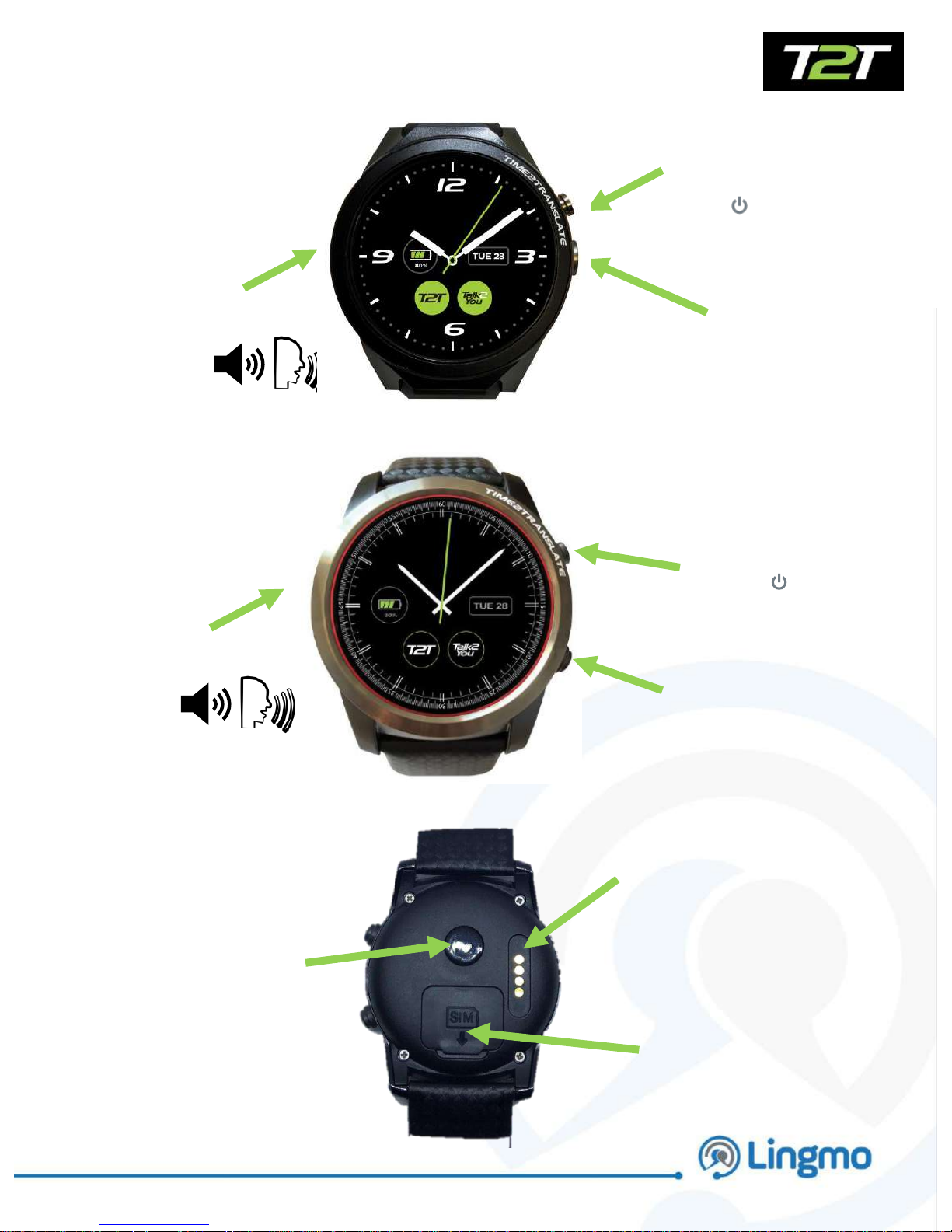
Power/ Lock and Back
button
SIM card
port
Your Time2Translate
Power and Lock
Button
Back button
4
Speaker/Microphone
Camera
Lifestyle
Executive
Magnetic
Charger
Connection
point
Speaker/Microphone
Heart Rate
Monitor
Page 5
Charging your Time2Translate Smartwatch
5
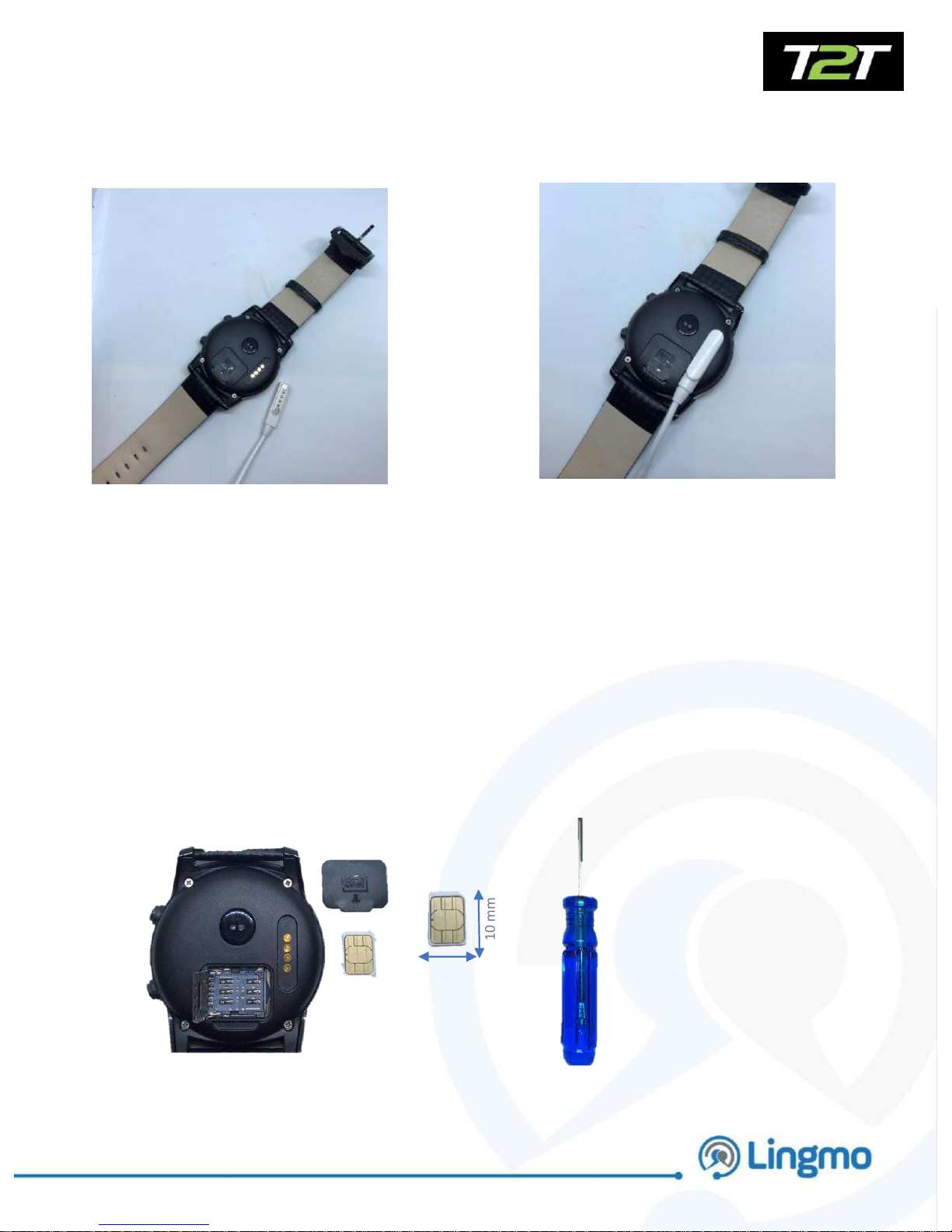
The magnetic USB charger
connects to the rear side of
device.
Simply lay the charger over the
charging panel and it will connect
Lifestyle – Active Use 4-6 Hours,
Intermittent Use 6-10, Hours
Standby 32 Hours (Flight Mode)
Executive – Active Use 6-8 Hours,
Intermittent Use 10-12, Hours
Standby 40 Hours (Flight Mode)
10 mm
Insert a SIM card to operate your Translation Software
Tool for
Lifestyle only
Nano SIM
Page 6
FITNESS
TRACKING
Android Features
Accessing T2T Software
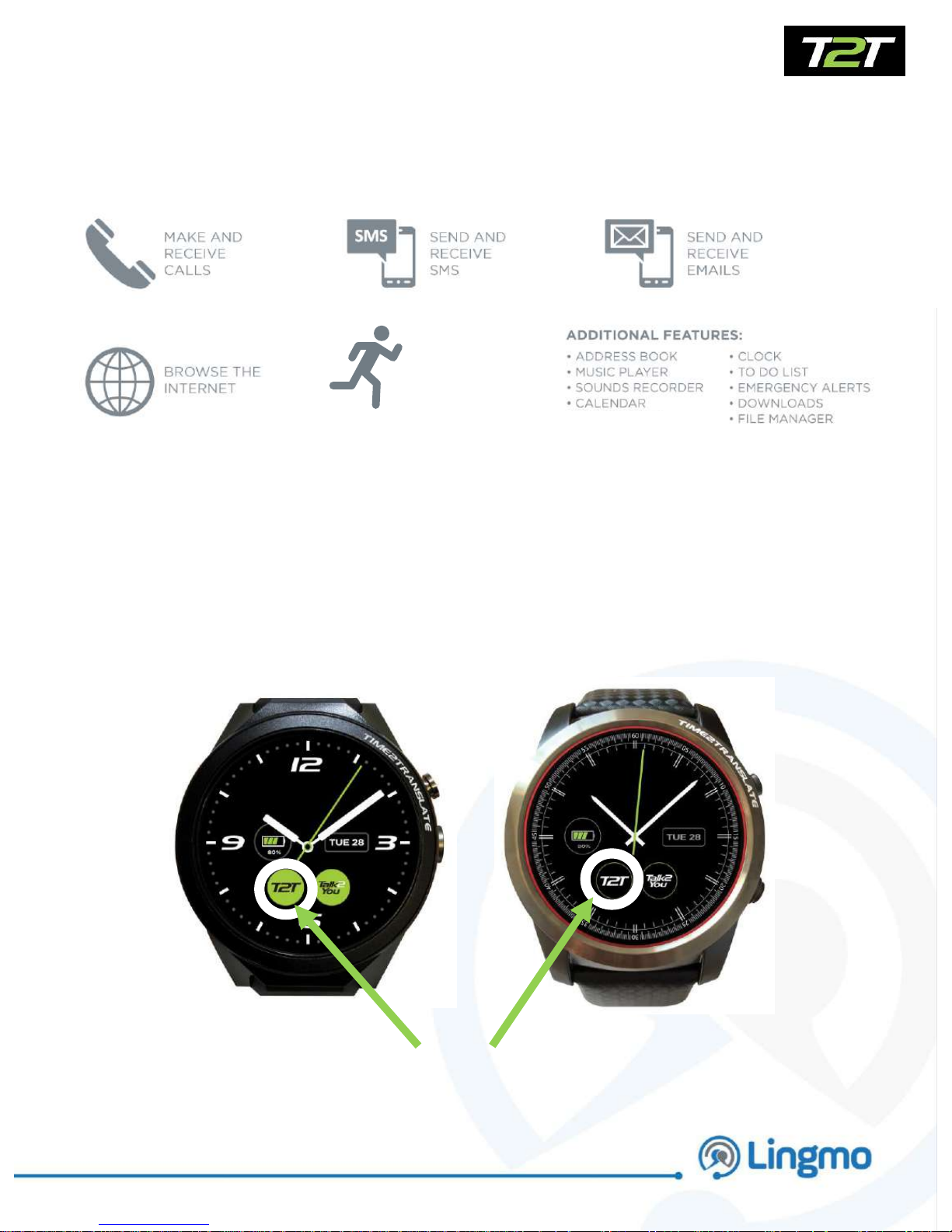
Access T2T software
by pressing the icon
on the watch face
6
Page 7
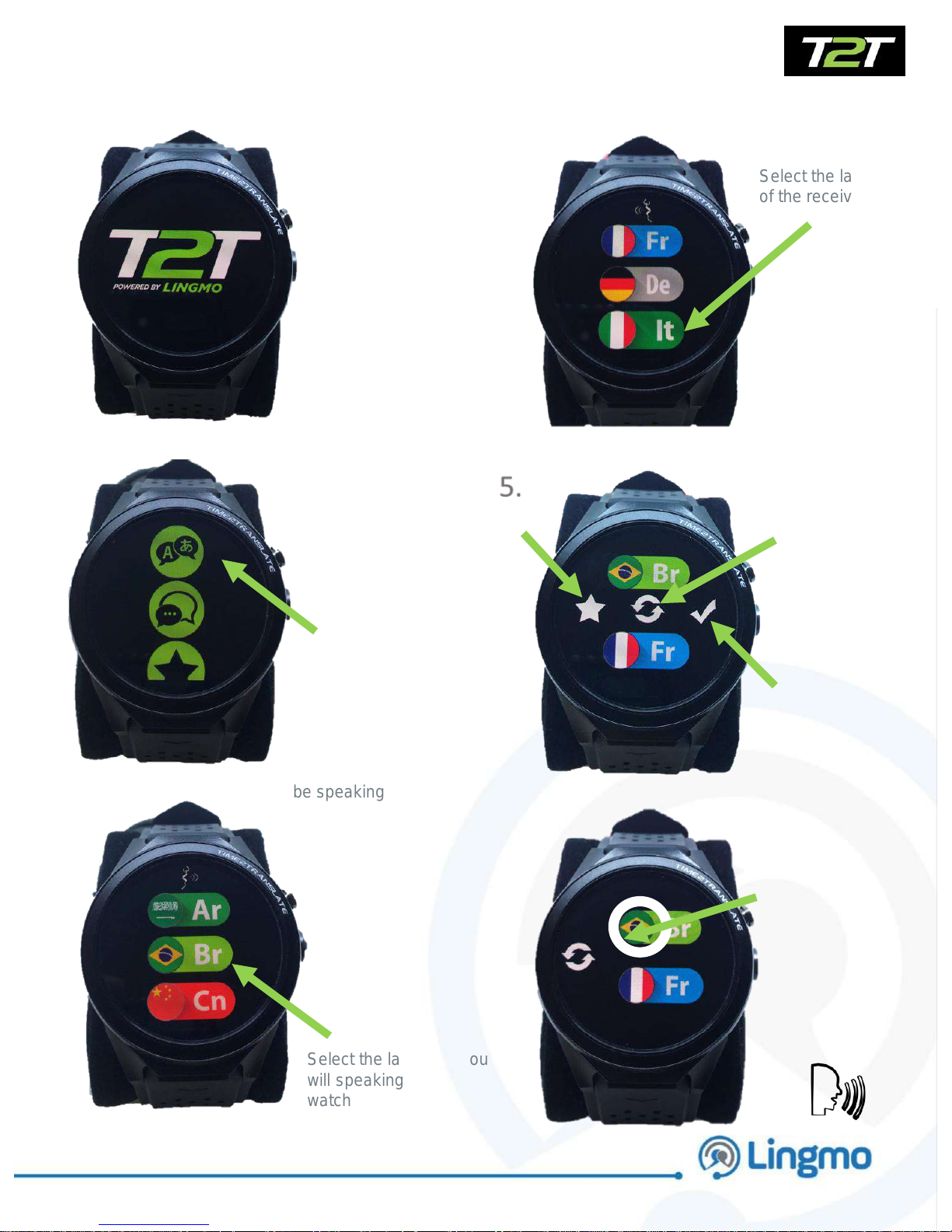
Open T2T
Watch app
Select the language you
will speaking into the
watch
Select the language
of the receiver
Using T2T Software
7
Press the
language
icon to select
the
languages
you and the
receiver will
be speaking
1.
2.
3.
4.
Once on the
translation
screen, hold your
finger on the
language you
wish to speak,
and speak,
release once
finished speaking
6.
Press the star to
add language
combination into
your favourites
Press the tick to
confirm your
languages
Press the circling
arrows to switch the
to and from
languages
Page 8
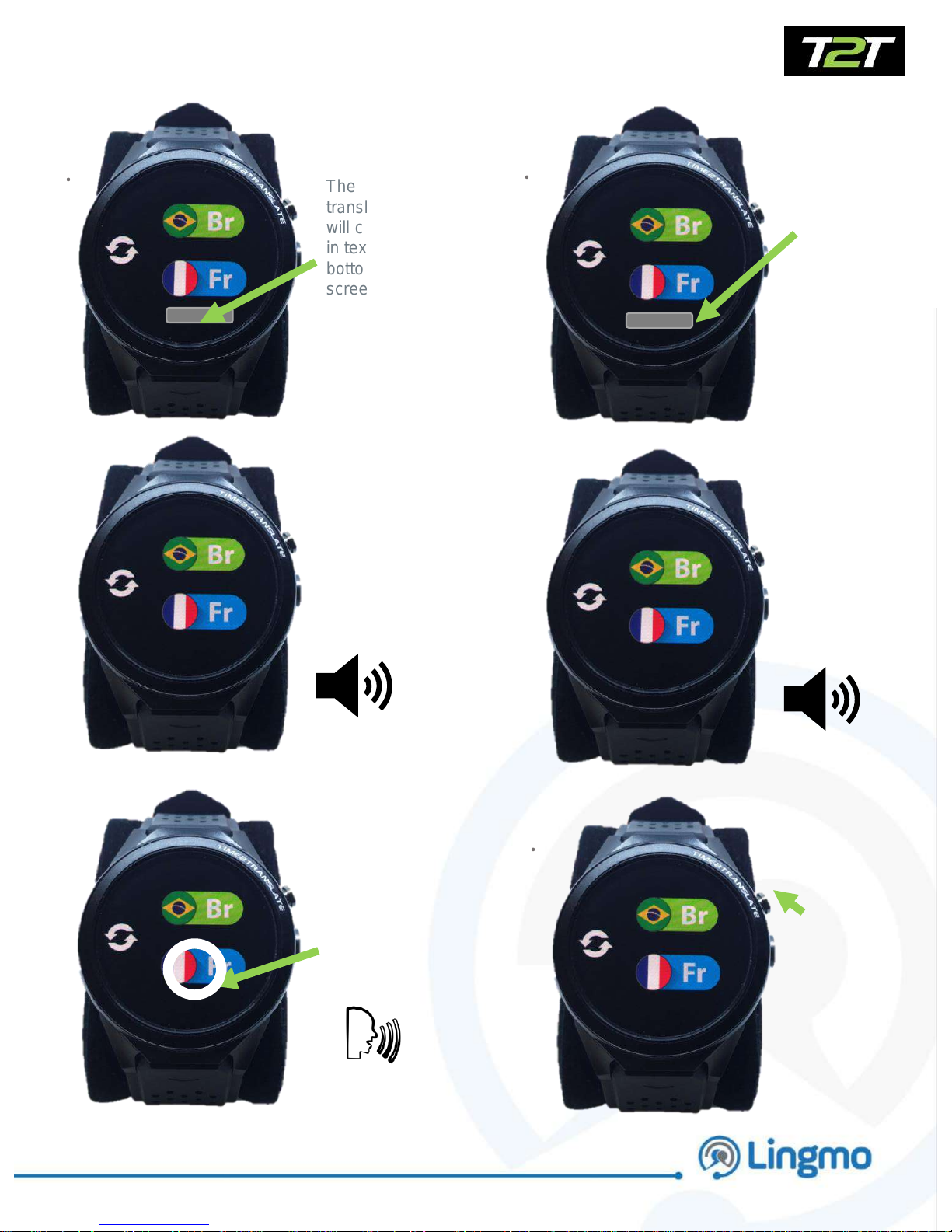
The
translation
will come up
in text at the
bottom of the
screen
The recipient can
then
reply by pressing
their flag and
speaking into the
smartwatch
Using Time2Translate Software con’t
8
The
translation
will be heard
from the
speaker
7.
8.
9.
10.
12.
The
translation
will come up
in text at the
bottom of the
screen
The
translation
will be heard
from the
speaker
Press the
top button
to go back
to the
menu
screen
11.
Page 9
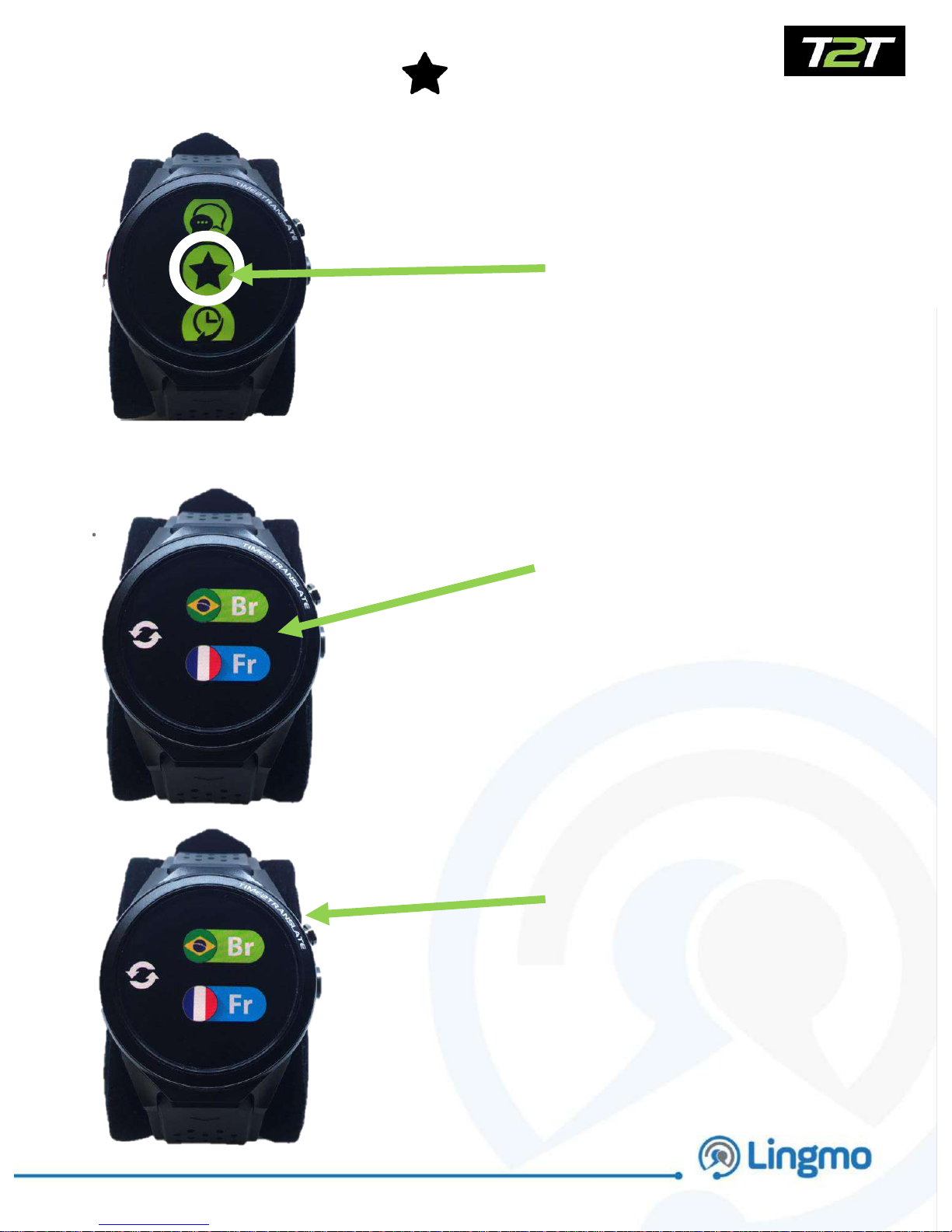
Press the star icon to
access your favourite
language combinations
which you have saved
13.
14.
Menu Icons - Favourites
15.
The screen will open up
so you can start a
conversation and start
translating
The screen will open the
translate screen so you
can start your
conversation
9
Page 10
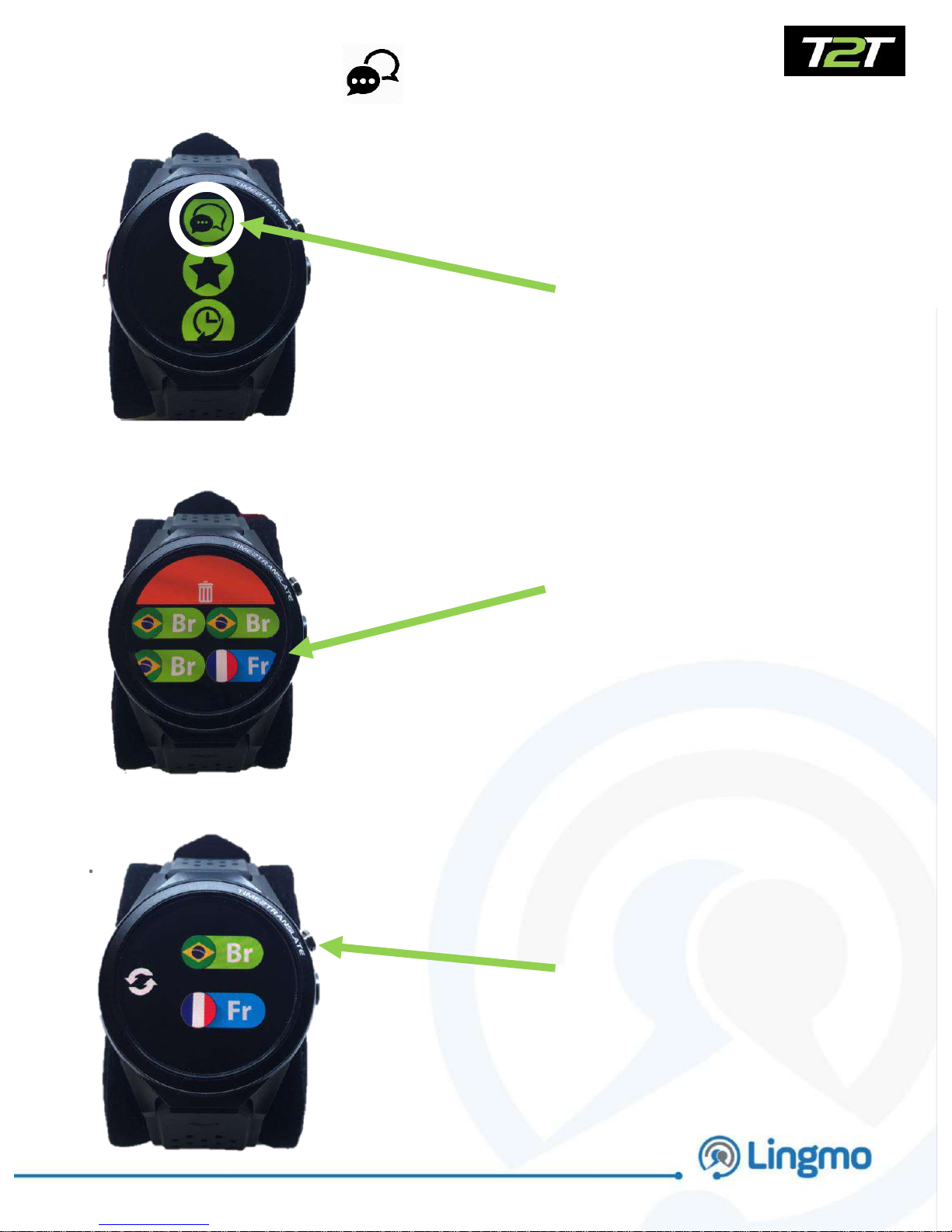
Press the chat icon to
access your language
combinations if you have
already chosen your
language set up
previously
16.
17.
Menu Icons - Chat
18.
Press the desired
favourite language
combination
Press the top button to
go back to the menu
screen
10
Page 11
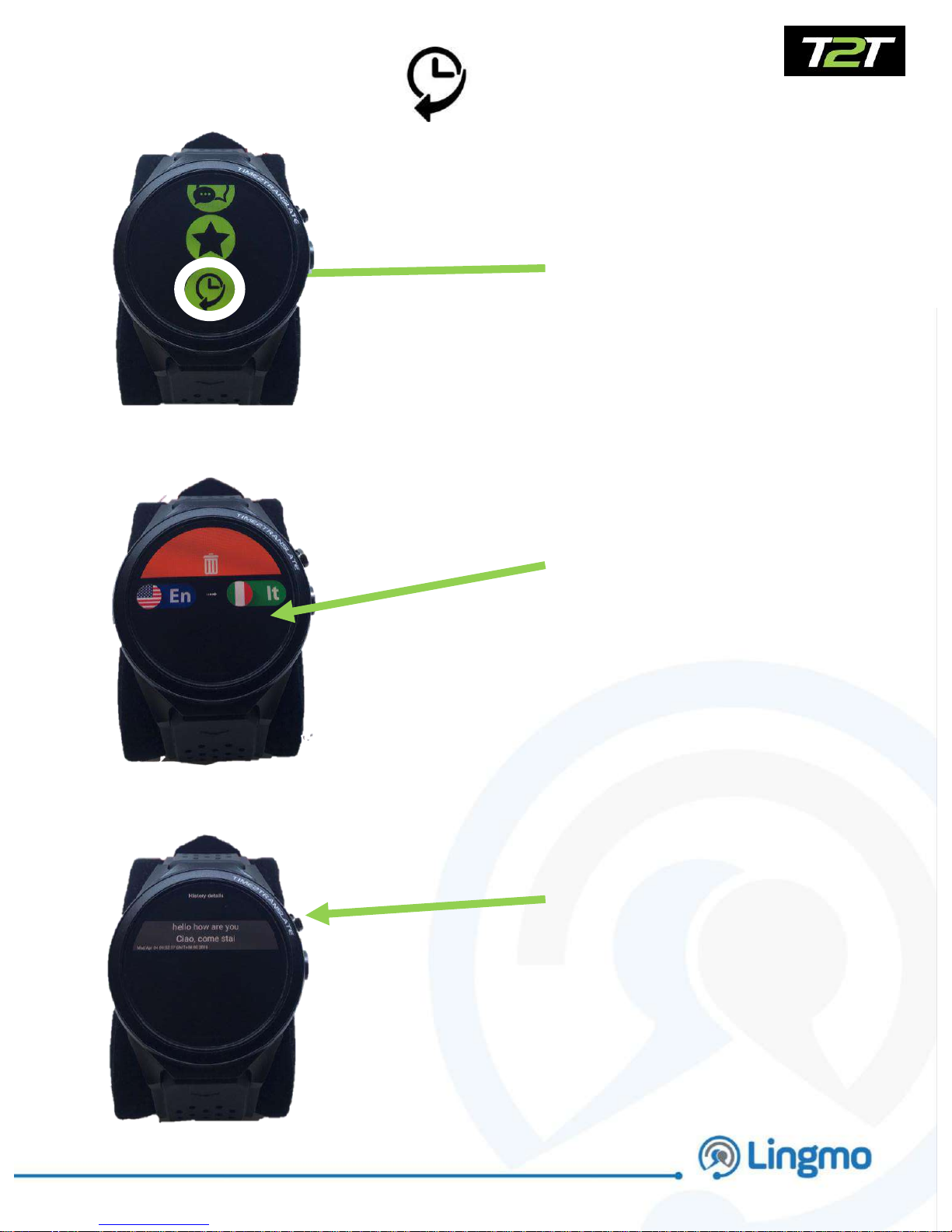
Press the history icon to
access your conversation
history
19.
20.
Menu Icons - History
21.
Press the desired
translated history
conversation
The screen will show the
spoken translated
conversation in text
format
11
 Loading...