

Page 1
User’s Manual
USB to RS-422 & RS-485 Converter
Introduction
This converter is designed to make massive data communication become quick and simple
through an USB port of PC. By taking the advantage of the feature of USB port and Serial port,
it provides an easier and more convenient connectivity than ever for efficient and friendly
interaction between RS-422 or RS-485 devices and your computer systems.
The interface of RS-422 and RS-485 are very common adopted in data acquisition world. Both
standards feature reliable performance of full-duplex or half-duplex multi-drop communication
network with faster data rates and longer communication distance than RS-232. Application
devices include telecommunication units, LAN, data concentration, data multiplexers, ISDN, POS,
industrial controls, etc.
Features
Connectivity of RS-422 or RS-485 devices and PC through USB port
Short Circuit and over-current protection
Plug and play and hot-swapping
No external power supply is required
Supports data transmission at high rates over long distance (4,000 Ft.)
Isolation protected
Nullifies the effects of ground shifts and noise signals of the voltages on a network
Supports USB 1.1 at full rate speed up to 12 Mbps
Supports Windows 98/ME/2000/XP/VISTA, Mac OS 8.6/9.X/10.X and Linux
Specification
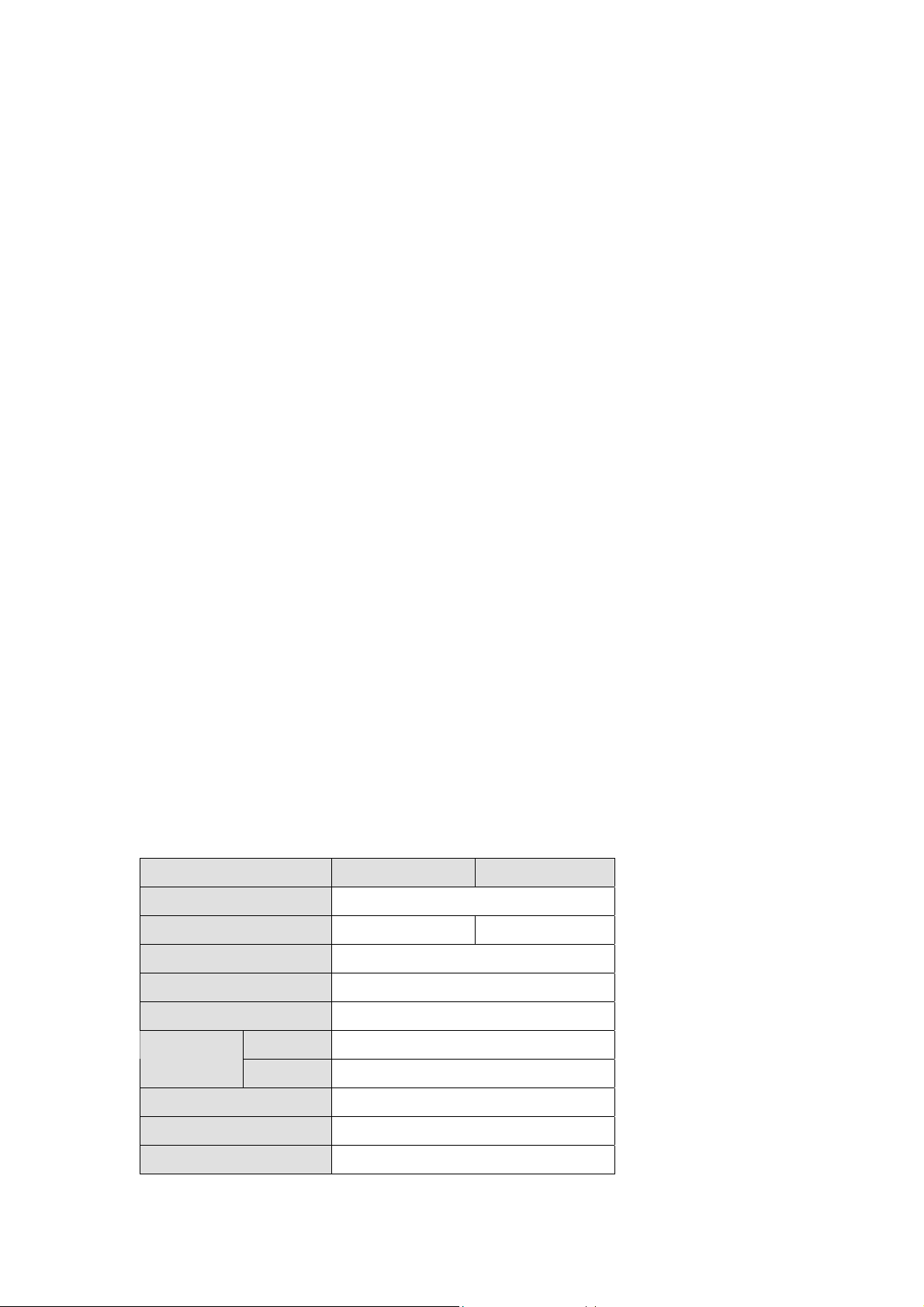
Compliant USB Version
Connector
Model No. UTS-485 UTS-422
Chipset
Interface
Data Speed
Selection Mode
Upstream
Device
Power Mode
Cable Length
Housing
RS-485 RS-422
FTDI
USB 1.1
Min. 3 Mbps
Auto
USB Type A Male
DB-9 Pin Male*1
Bus
1M
PVC Molding
Page 2
Drive r Ins tallat io n
1.
Please plug the UTS-422 or UTS-485 converter into the USB port of PC first.
2.
Insert the driver CD into the CD-ROM drive of your computer. The setup p rogram wi ll begin to
run automatically.
3.
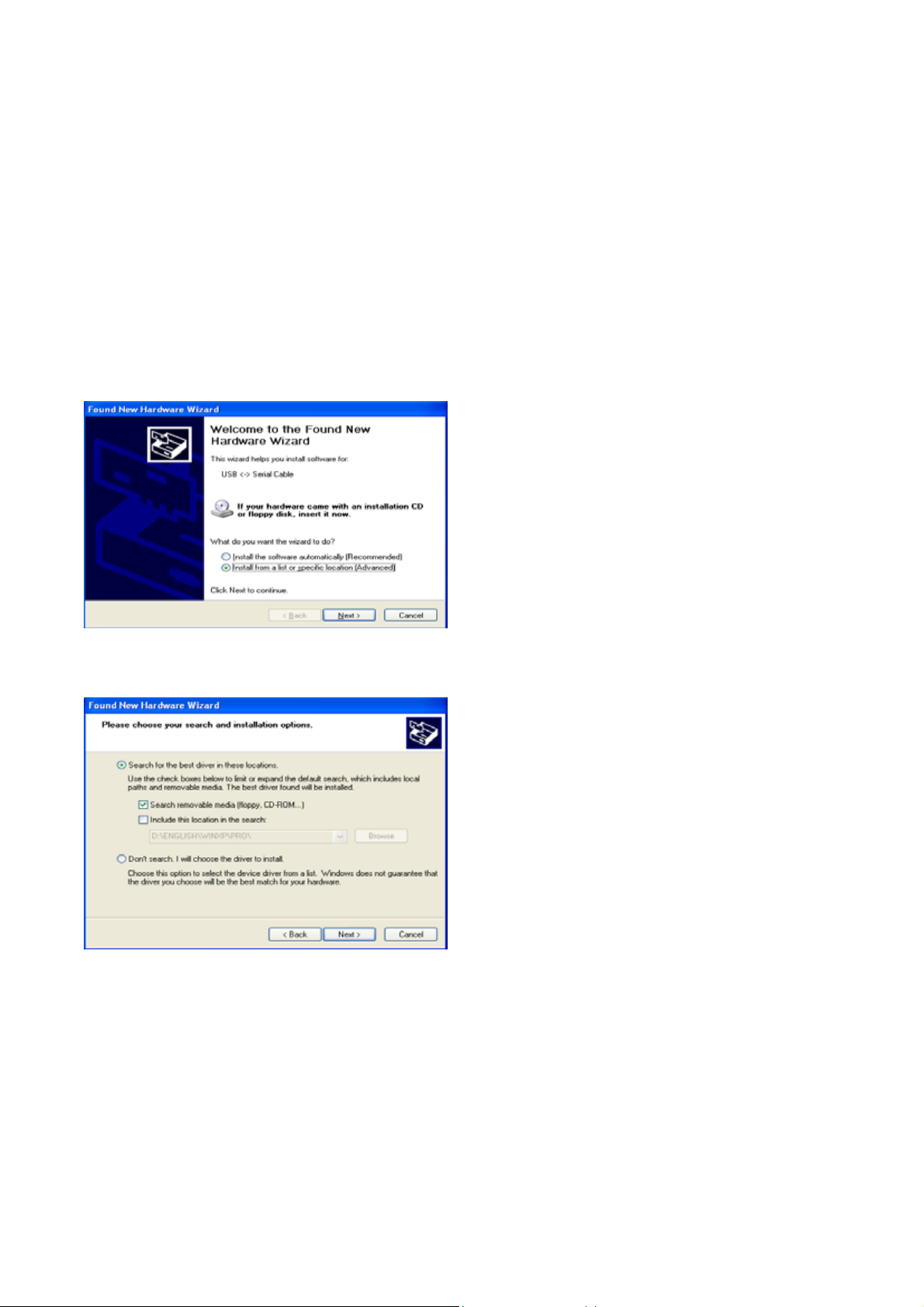
If it’s the first time you install the driver of USB to Serial device, you will need to install the driver
twice. One is for the device under Universal Serial Bus Controller; the other is for COM port.
You will be prompted by following screen dialogs to complete the work.
1.
What do you want Windows to do?
-
2.
Searching locations for new driver
Page 3
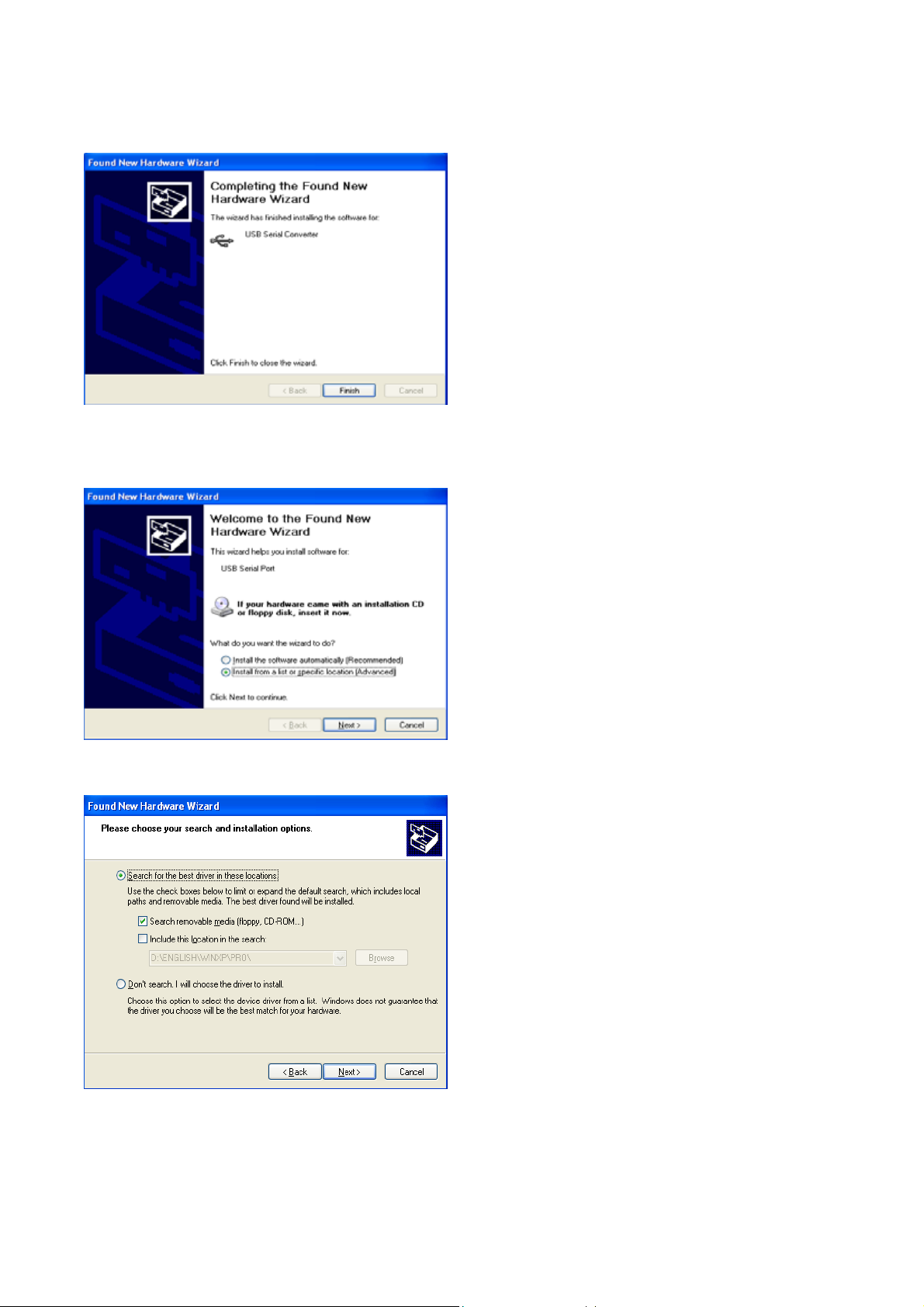
3. Windows has finished installing the software for USB Serial Converter
4. What do you want Windows to do?
5. Searching locations for new driver
Page 4
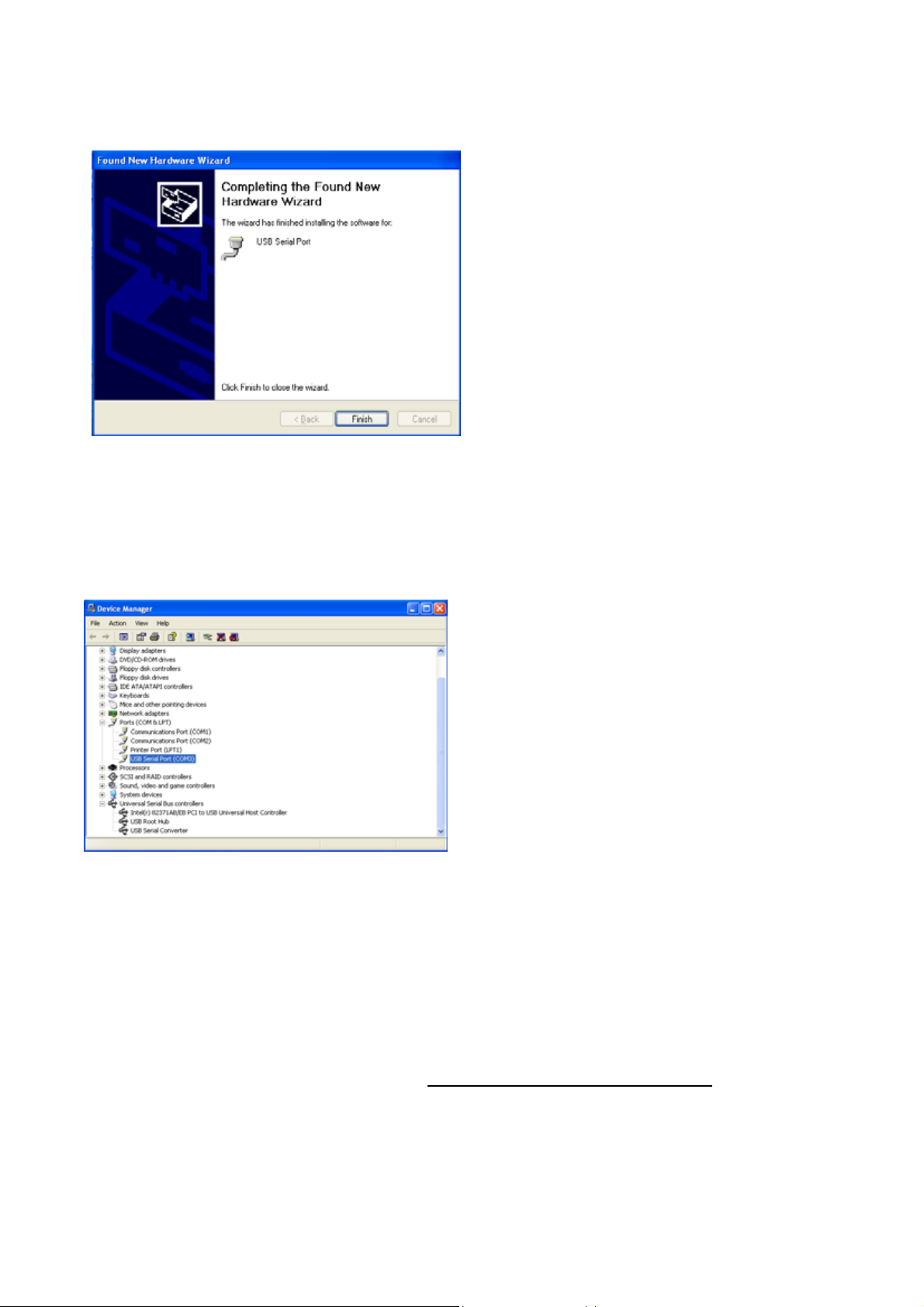
6. Windows has finished installing the software “USB Serial Port”
7. Make sure the driver installation is finished
Plug UTS-422 or UTS-485 unit into the USB port of the computer then click " Start " ->" Settings
" -> " Control Panel " -> " System " ->" Device Manager " to see if there are " USB Serial Port
(COM3)" under Ports (COM ) and "US B S er i a l Converter " under Univer s a l Seri a l Bus
controllers.
Note:
If you have any difficulties with the drivers we provided in this CD, you may download the updated or
appropriate versions from FTDI Web site www.ftdichip.com/Drivers/VCP.htm, supported device
“FT232BM”.
Page 5
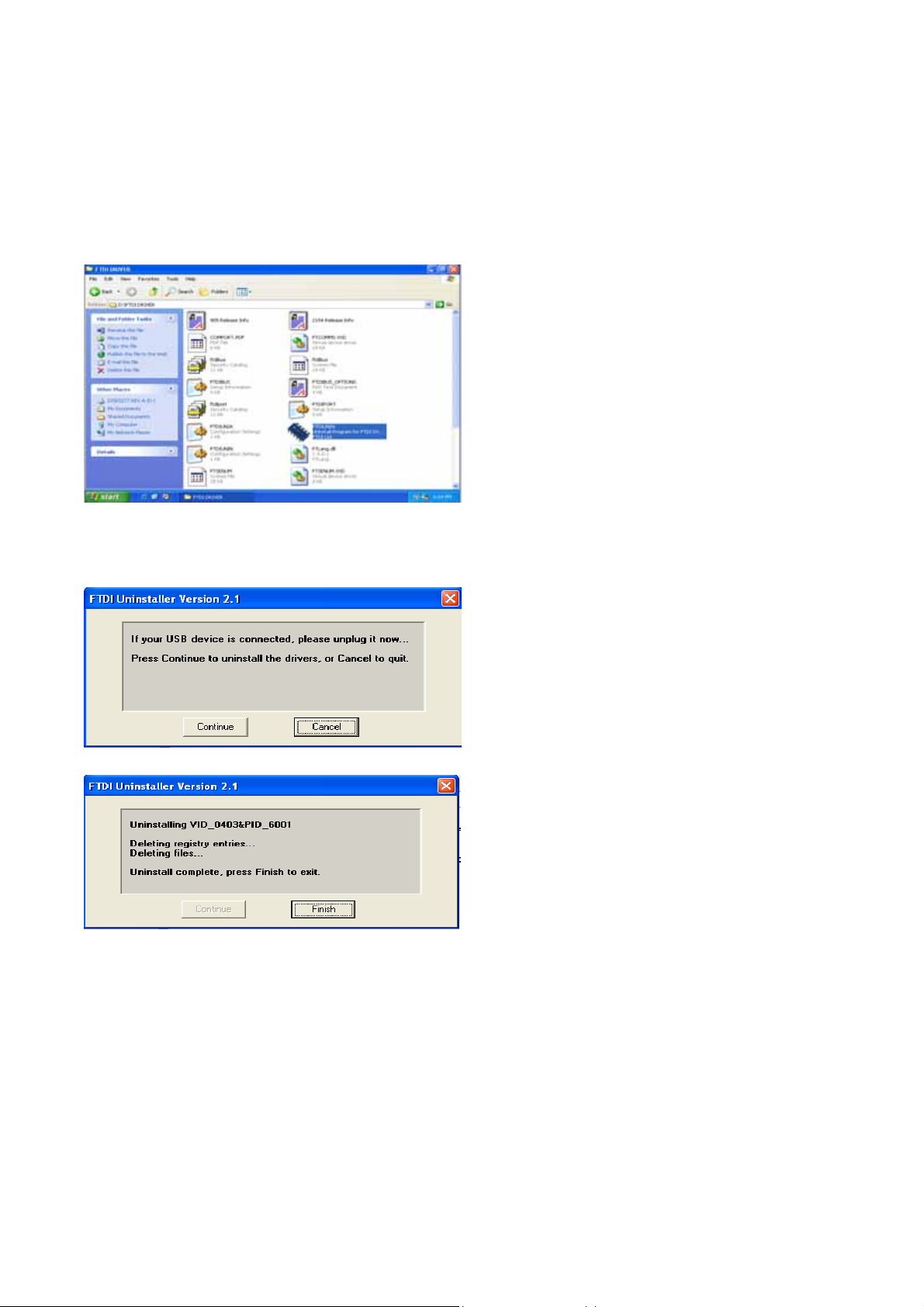
Removal of Driver Software
Place the driver
“FTDIUNIN.EXE” by following steps:
1. Execute FTDIUNIN.EXE program
CD
into the CD-ROM disk drive of the computer
first then
find and exec ut e f ile
2. Unplug UTS-422 or UTS-485 dev ice, cl ick “Continue” to un ins tall the drivers then click “Finish” to
exit.
LED Indication
LINK---When the UTS-422 or UTS-485 unit is ready for use.
TX---When the data is being sent from USB port to RS-422 or RS-485 device.
RX-
--Wh
en the data is being sent from RS-422 or RS-485 device to USB port
Page 6
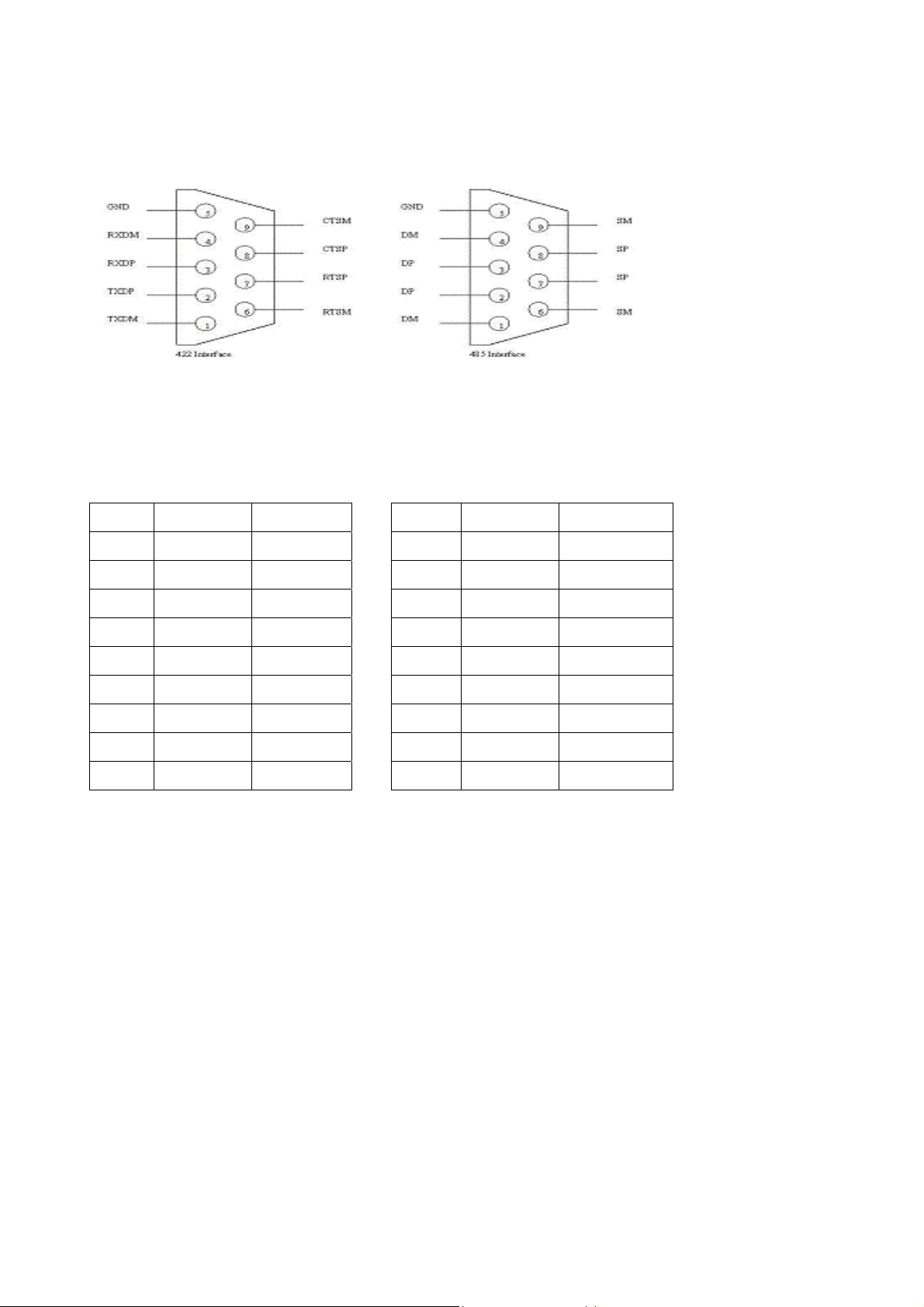
PIN Assignments
UTS-422 UTS-485
Pin# Definition Description Pin# Definition Description
1. TXDM TX-
2. TXDP TX+
3. RXDP RX+
4. RXDM RX-
5. GND GND
6. RTSM RTS-
7. RTSP RTS+
8. CTSP CTS+
9. CTSM CTS-
1. DM (1)TX/RX-
2. DP (1)TX/RX+
3. DP (2)TX/RX+
4. DM (2)TX/RX-
5. GND GND
6. SM (1)RTS/CTS-
7. SP (1)RTS/CTS+
8. SP (2)RTS/CTS+
9. SM (2)RTS/CTS-
 Loading...