

Page 1
Please make a note of your product details for
future use:
Date Purchased:_________________________
Model Number:__________________________
Serial Number:__________________________
Dealer:_________________________________
_______________________________________
Installation, Operating and Servicing
Instructions
Hot Air Display
HAD40, HAD40/MOR
IS763 ECN 4935 Page 1 of 8
Page 2
CONTENTS
Important Information
2
Warnings and Precautions
3
Technical Data
3
Checklist of Enclosures
3
Installation and Commissioning
4
Operating Instructions
5
Cleaning
5
Servicing, Maintenance and Component Replacement
6
Fault Finding
6
Spare Parts List
7
Service Information and Guarantee
8
IMPORTANT INFORMATION
Read these instructions carefully before using this product, paying particular
attention to all sections that carry warning symbols, caution symbols and notices.
Ensure that these are understood at all times.
WARNING!
This symbol is used whenever there is a risk of personal injury.
CAUTION!
This symbol is used whenever there is a risk of damaging your Lincat product.
NOTE:
This symbol is used to provide additional information, hints and tips.
KEEP THIS MANUAL FOR FUTURE REFERENCE
IS763 ECN 4935 Page 2 of 8
Page 3
WARNINGS AND PRECAUTIONS
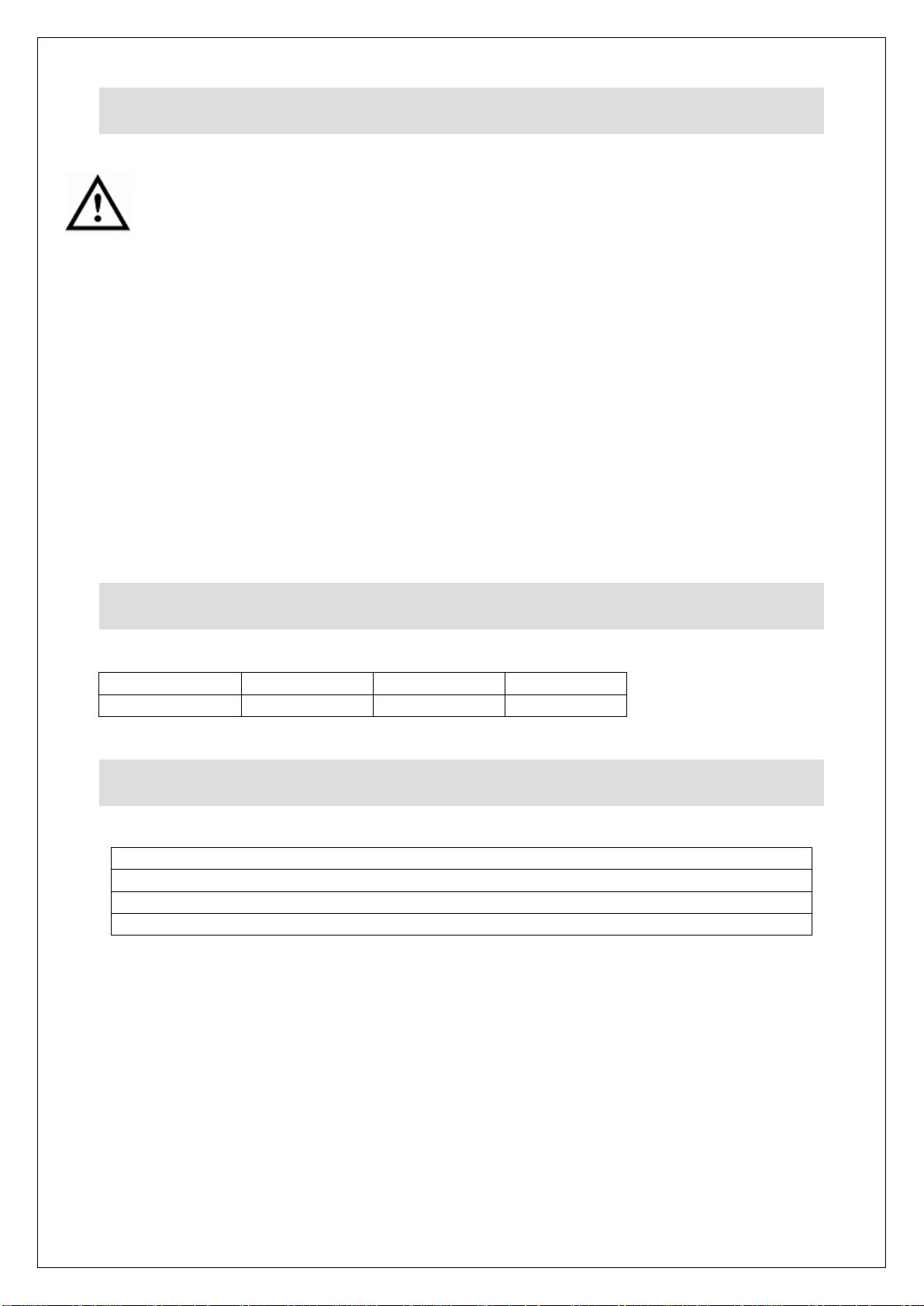
TECHNICAL DATA
Height (mm)
Width (mm)
Depth (mm)
Weight (kg)
845
400
585
40.5
CHECK LIST OF ENCLOSURES
Warranty card
Instructions manual
4 x Shelves
2 x POS strips
This appliance must be Installed, Commissioned and Serviced by a qualified
person in accordance with national and local regulations in force in the country of
installation.
If the supply cord is damaged, it must be replaced by the manufacturer, its service
agent or similarly qualified person.
Ensure that the plug/socket is accessible at all times.
Strip plastic coating and clean the appliance before use.
During operation parts may become hot - avoid accidental contact.
Disconnect this appliance before servicing, maintenance or cleaning.
In use, these appliances have hot interior panels. It is important that provision is
provided for the placing and removal of food products when using the appliance.
IS763 ECN 4935 Page 3 of 8
Page 4
INSTALLATION AND COMMISSIONING
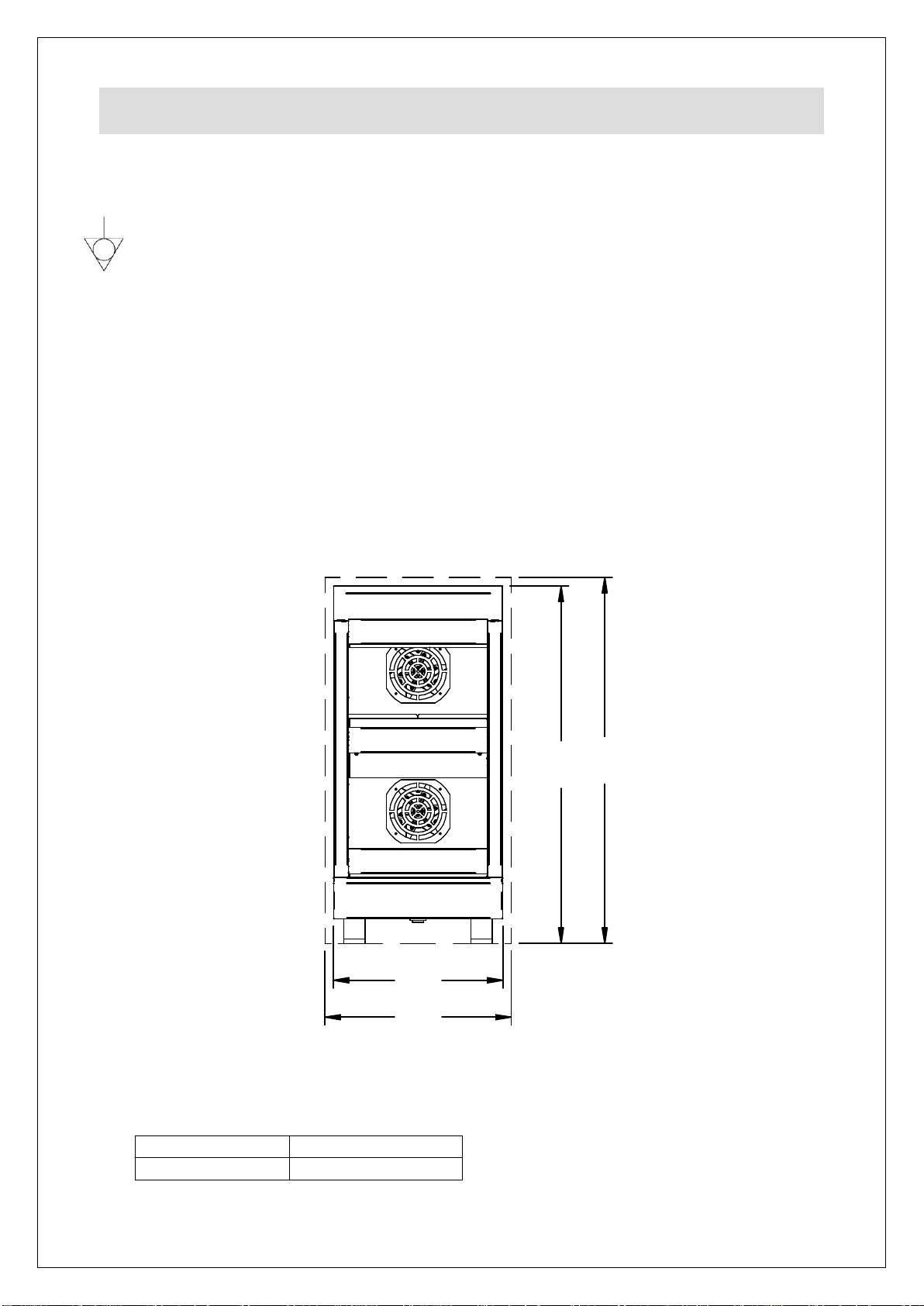
400
440
845
865
kW
Amps
2.2
9.6
This appliance must be earthed.
An equipotential bonding terminal is provided to allow cross bonding with other
equipment.
If replacing the plug connect the terminals as follows:
Green and Yellow wire Earth E
Blue wire Neutral N
Brown wire Live L
Supply cords shall be oil resistant, sheathed flexible cable not lighter than ordinary
polychloroprene or equivalent elastomer sheathed cord (code 60245 IEC 57)
Install this appliance on a level surface ensuring all vents are unobstructed. Any
partitions, walls or furniture must be of non-combustible material.
See Fig 1. below for minimum clearance distances also allowing 20 mm at the rear.
Fig 1.
Power Ratings
IS763 ECN 4935 Page 4 of 8
Page 5
OPERATING INSTRUCTIONS
CLEANING
A
This unit is designed to hold pre-heated foods at the correct temperature.
Do not use to bring products to temperature.
Only qualified or trained personnel should use this appliance.
Operating efficiency relies on the circulation of warm air passing through and
around the shelves. Ensure circulation is not compromised either by overloading or
the use of aluminium foil.
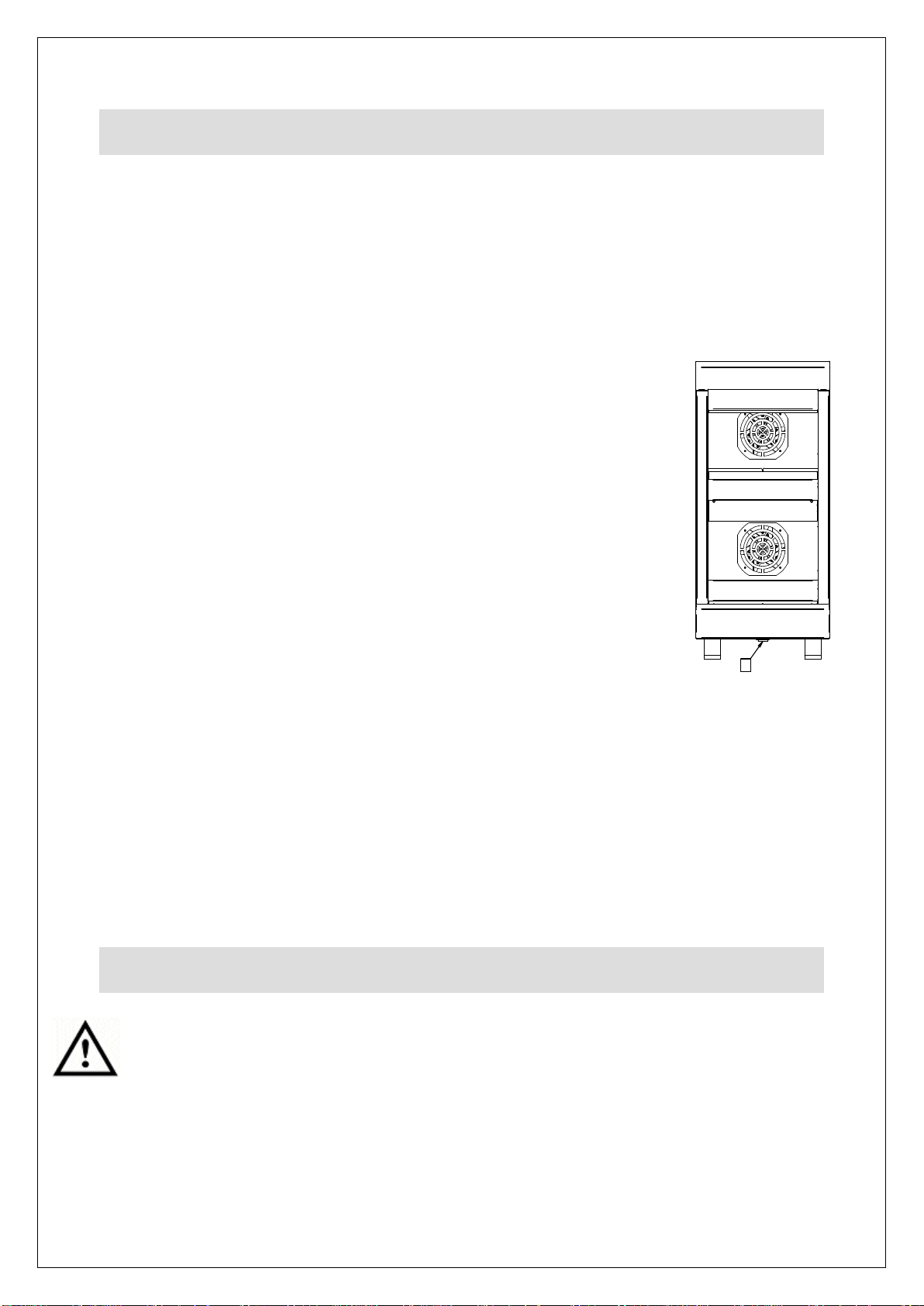
Connect the appliance to an electrical supply and turn the unit
on (A). Allow approximately 30 minutes for the temperature to
stabilise before loading with pre-heated product.
The operating temperature of this unit has been factory pre-set
to 75°C
Adjustment to the operating temperature is possible between
the pre-set parameters of
65 – 80° C.
ACCESSING AND SETTING THE CONTROLLER
PARAMETERS.
Connect the unit to the electrical supply and turn the unit on
using the ON/OFF switch “A”. You now have 30 seconds to adjust the temperature
before the controller goes to “Lock” mode.
To adjust the temperature during this period, press the SET key, the controller will
display the set temperature and a green “OUT1” symbol will flash in the top left
hand corner of the control.
Press the UP or DOWN arrow keys to set the new temperature and press the SET
key again to store the new setting.
The controller will now display the current cabinet temperature.
Do not use a water jet or steam cleaner, and do not immerse this appliance.
Clean all panels with warm water and mild detergent, do not use abrasive materials.
Dry with a soft cloth.
The shelves, may be removed for cleaning and can be washed through a
dishwasher. Ensure that they are dry before loading back into the unit.
IS763 ECN 4935 Page 5 of 8
Page 6
Reset
SERVICING, MAINTENANCE AND
COMPONENT REPLACEMENT
FAULT FINDING
To replace a light bulb in the display case, disconnect the appliance. Lever off the
light cover and remove the bulb by grasping it between finger and thumb and pulling
it from the holder. Reverse the procedure to fit a new bulb being careful not to
touch the bulb directly as fingerprints on the surface can reduce the lifespan of the
bulb. Use paper towel or something similar.
All other servicing, maintenance and component replacement on this appliance
should be carried out by one of our recommended service engineers.
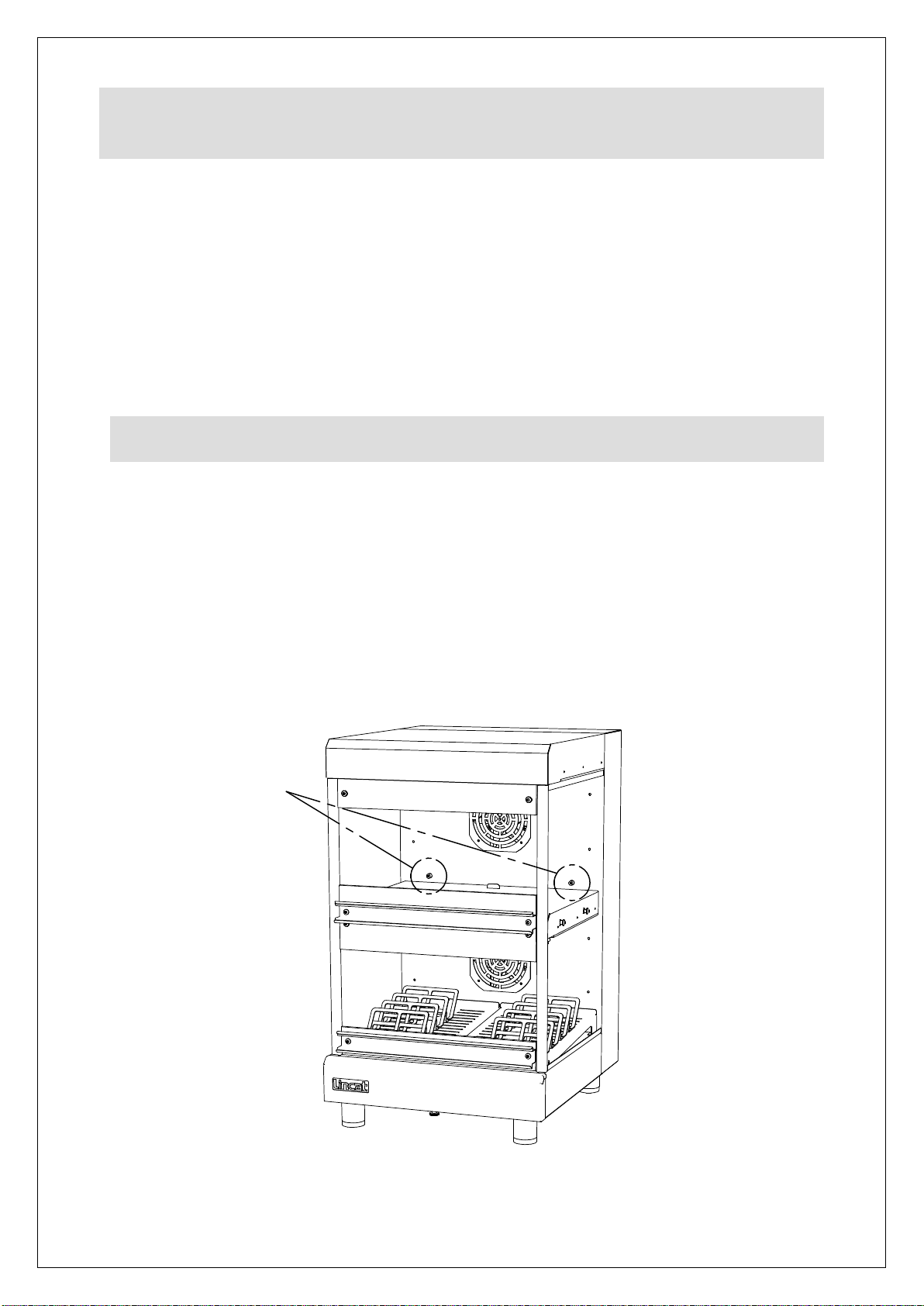
This appliance is fitted with safety thermostats protecting the individual sections. In
a fault condition they will cut power to the section they protect. If when turning the
unit on it fails to operate, firstly check the power supply to the unit then the resets
before contacting Lincat service. To access the resets remove the two upper
shelves and operate the reset by firmly pushing the central red button see picture
below. This re-set cannot be activated until the appliance has cooled. If the
problem persists please call the Service Help Desk number on the final page of this
manual.
IS763 ECN 4935 Page 6 of 8
Page 7
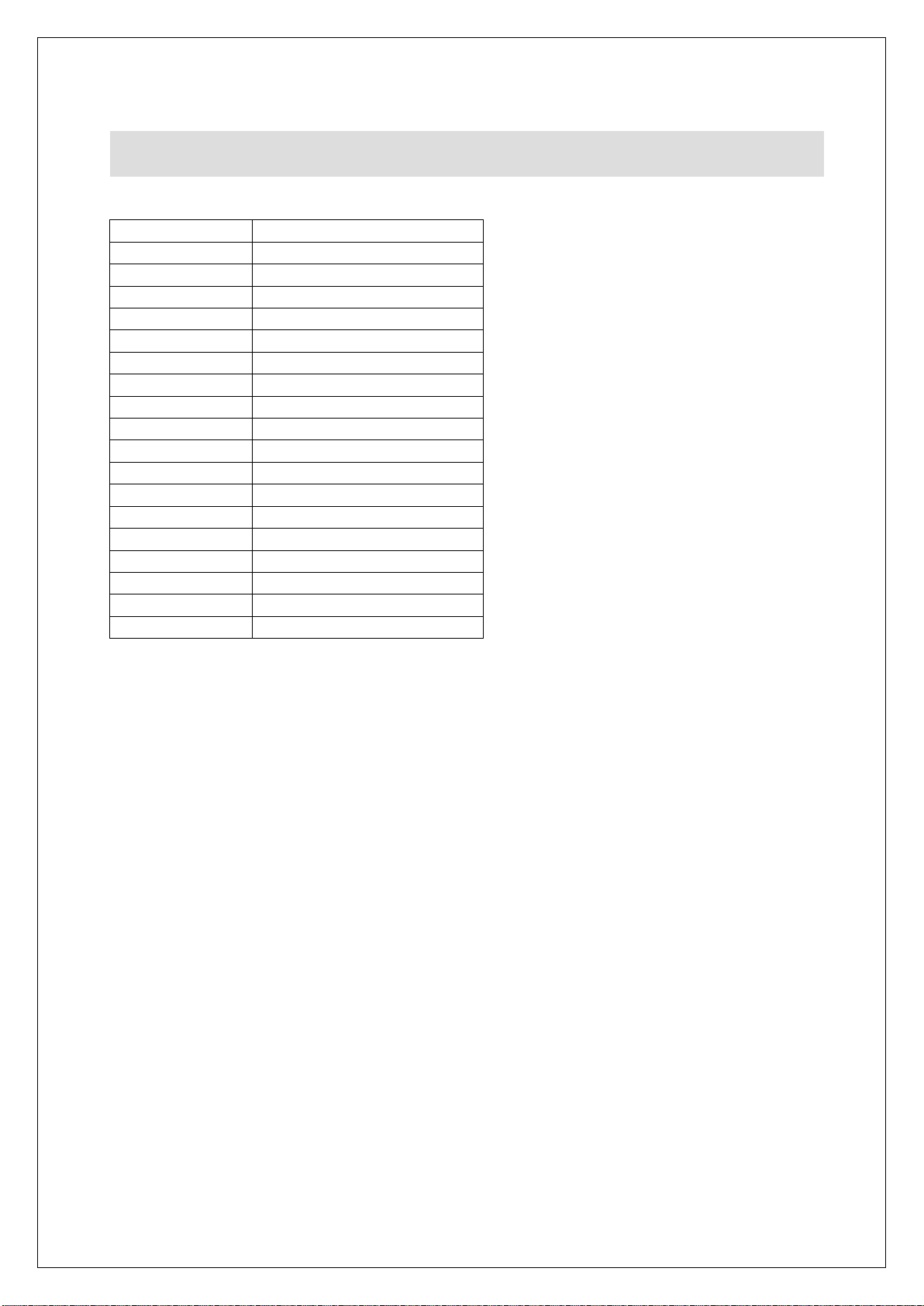
Part Number
Description
BU263
G9 40 watt Bulb
EC10
Electronic Controller
EL170
750 watt Element
EL214
250 watt Element
EL349
1000 watt Element
FA142
Centrifugal Fan
FT03
Thermocouple Gland
GL722
Glass Sides
GL727
Small Glass Deflector
GL728
Large Glass Deflector
LA10
Light Unit
LE85
Adjustable Leg
PL202
Mains cable
POS01
Point of sale strip
SW34
Switch
TC47
Thermocouple
TH206
Safety Cut-out Stat
TS04
Thumb screw
SPARE PARTS LIST
IS763 ECN 4935 Page 7 of 8
Page 8

Product code
All available on serial plate
Type number
Serial number
SERVICE INFORMATION
For help with the installation, maintenance and use of your Lincat equipment,
please contact our service department:
UK: 01522 875520
For non-UK customers, please contact your local Lincat dealer
All service work, other than routine cleaning should be carried out by one of our
authorised service agents. We cannot accept responsibility for work carried out by
other persons.
To ensure your service enquiry is handled as efficiently as possible, please tell us:
Brief details of the problem
Lincat reserve the right to carry out any work under warranty, given reasonable
access to the appliance, during normal working hours, Monday to Friday, 08:30 to
17:00.
GUARANTEE
This unit carries a comprehensive UK mainland 2 year warranty. The guarantee is
in addition to, and does not diminish your statutory or legal rights.
The guarantee does not cover:
Accidental damage, misuse or use not in accordance with the manufacturer’s
instructions
Consumable items (such as filters, glass, bulbs, slot toaster elements and door
seals.)
Damage due to incorrect installation, modification, unauthorised service work or
damage due to scale, food debris build-up, etc.
The manufacturer disclaims any liability for incidental, or consequential damages.
Attendance is based on reasonable access to the appliance to allow the authorised
technician to carry out the warranty work.
Service calls to equipment under warranty will be carried out in accordance with the
conditions of sale.
IS763 ECN 4935 Page 8 of 8
 Loading...