

Page 1
Quick start guide
Page 2
CIBO uses a patent pending combination
of three different heat sources –
convection, grill and a heated base.
Phased cooking programmes enable each of the three heat sources
to switch on and off during the cook cycle to deliver fast results.
This produces high-quality, perfectly-cooked food in 2-3 minutes.
To help you get the best results
this quick start guide will explain:
• How CIBO works
• What you can cook
• How to programme CIBO
• How to get the best from CIBO
• How to adjust the programmes
to get optimal results
• Updating your CIBO
Page 3
How CIBO works
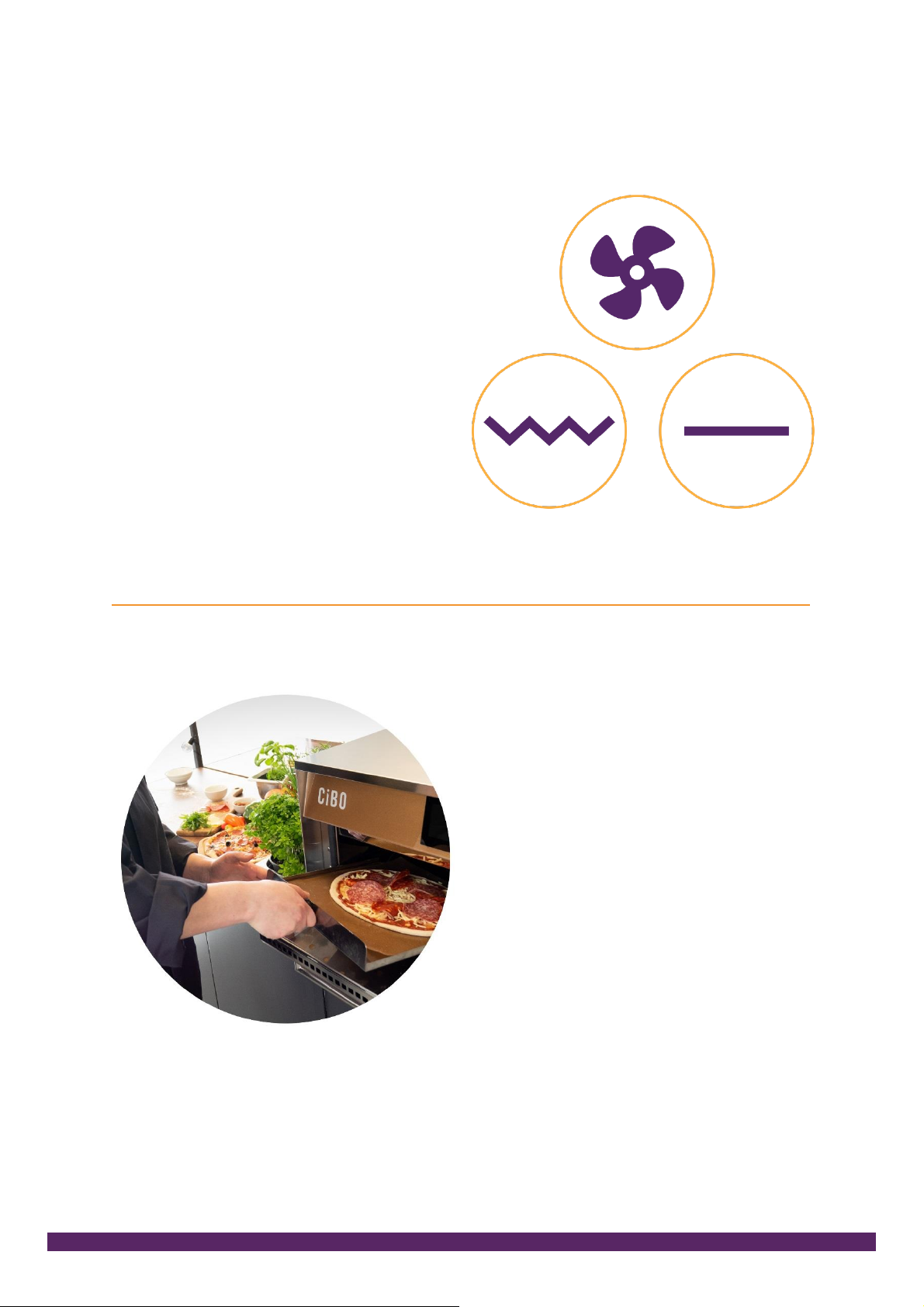
CIBO has three heat sources –
convection, grill and a heated base.
The total power of all the heat sources
is 4900W. Not all the elements can
be powered on at same time (the
controller prevents this) and power
is limited to less than 13Amps,
so a normal plug can be used.
What you can cook
CIBO can cook all types of food,
however with a small cavity we
advise against the continual use for
cooking proteins high in fat content.
We recommend you always cook on
the Teflon sheet if you are cooking
directly on the glass base.
Page 4
How to programme your CIBO
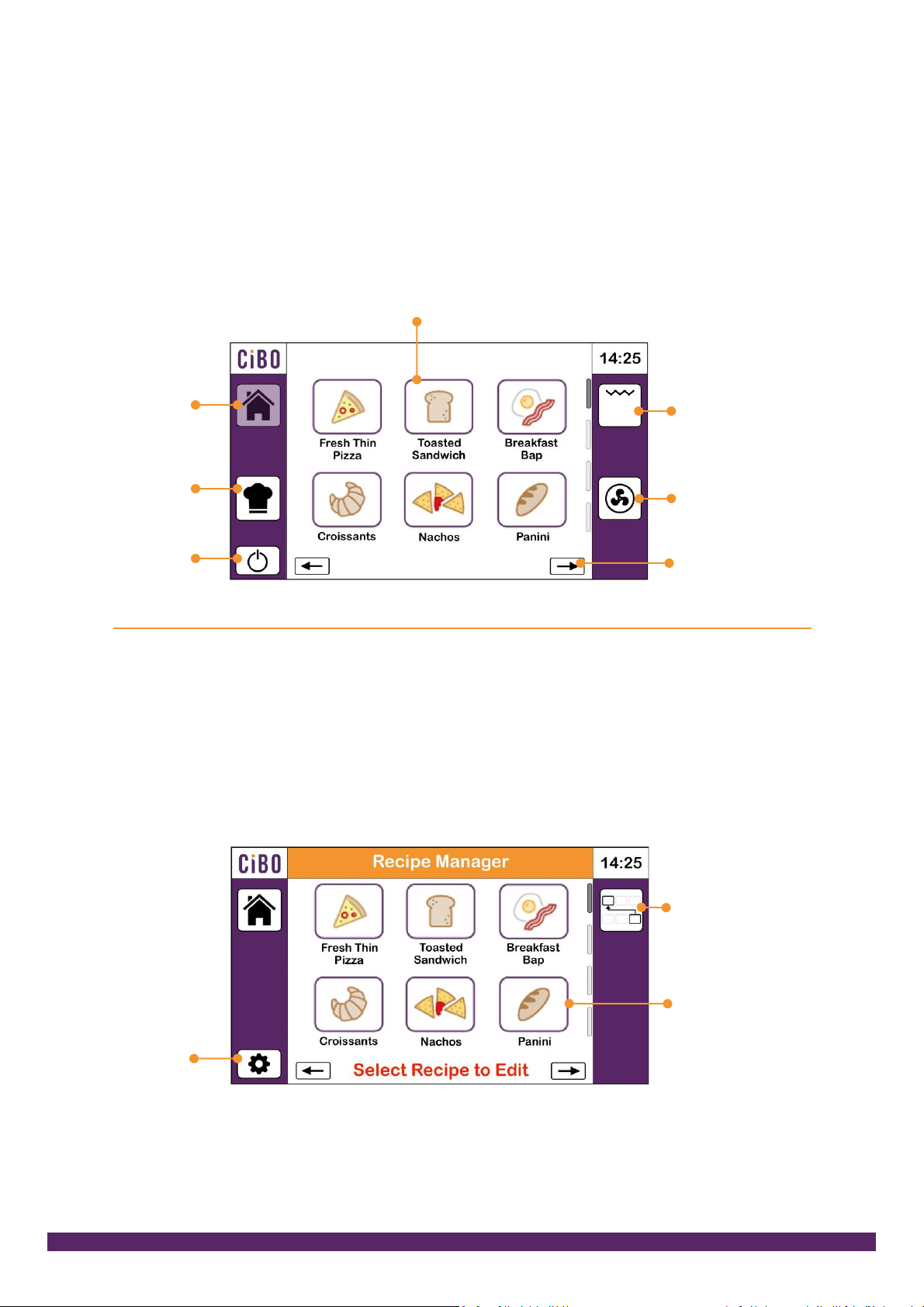
Home screen
This is where you run recipes from (just press the recipe you want). You can
also switch on the grill or operate a timed fan oven function from here.
Pressing recipe manager takes you into the programming area.
Recipe
Manager
Standby
Move to
next page
Oven only
mode
Grill only
mode
Select recipe to start cooking
Home
Recipe Manager
This lets you select a recipe to edit (just press the recipe). Here you can also
reassign the order recipes are presented in, access further machine settings
and run updates through the USB port.
Select recipe
to edit
Move and
reorder your
recipes
Machine
settings
Page 5
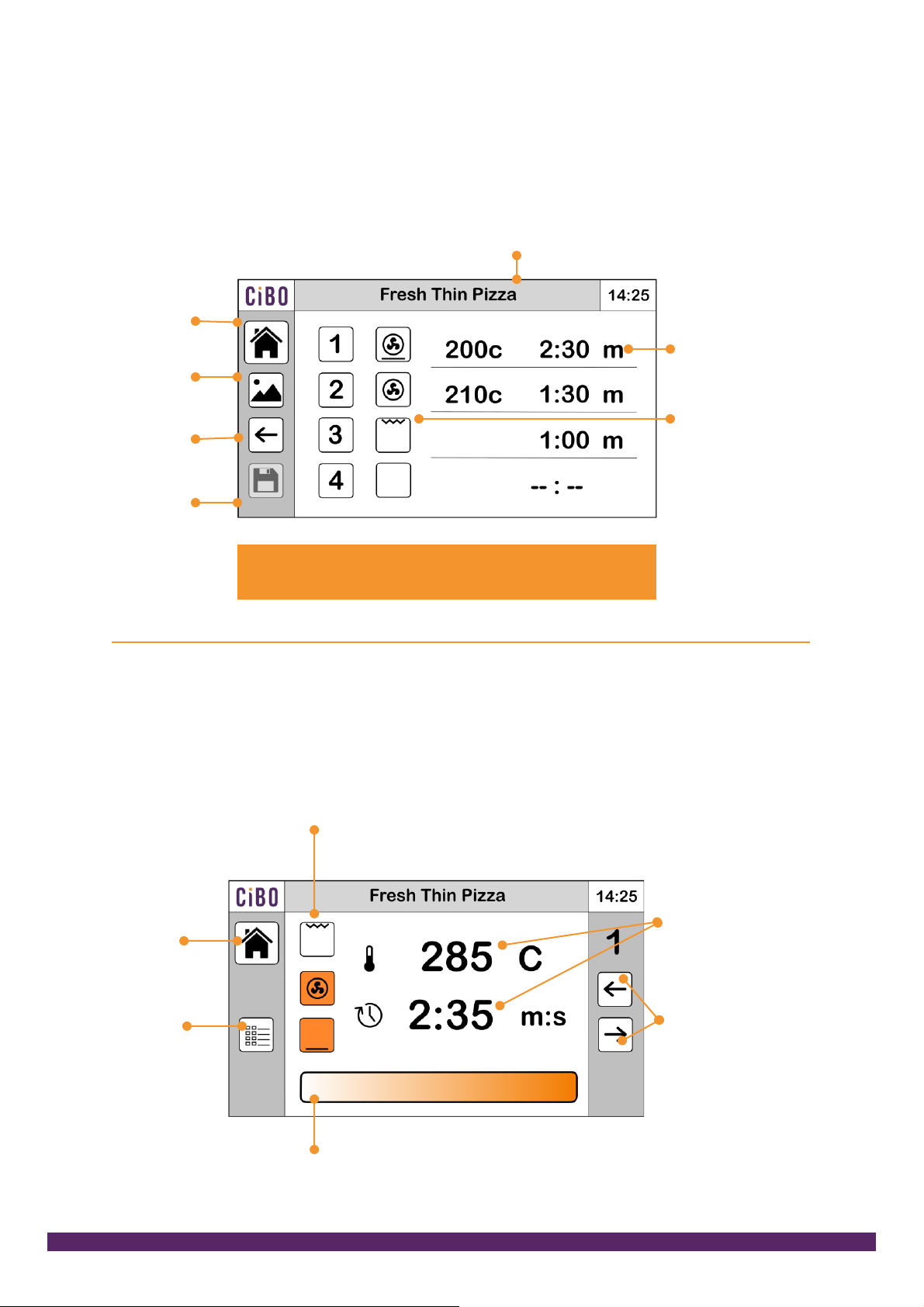
Recipe summary and edit screen
This is where you view your recipe with changes highlighted in orange. Press on the
steps to edit them. Press on the name bar to rename the recipe. Attach or change
an icon from the library. Click on to save to keep your recipe. Or exit without saving.
Save
Return
to recipe
manager
Change
icon
Return to
home
Touch here to rename
Steps – touch
to add or edit
recipe steps
Shows which
heat sources
are used in
each step
The settings you have changed will be highlighted in
orange. Once saved they return to black
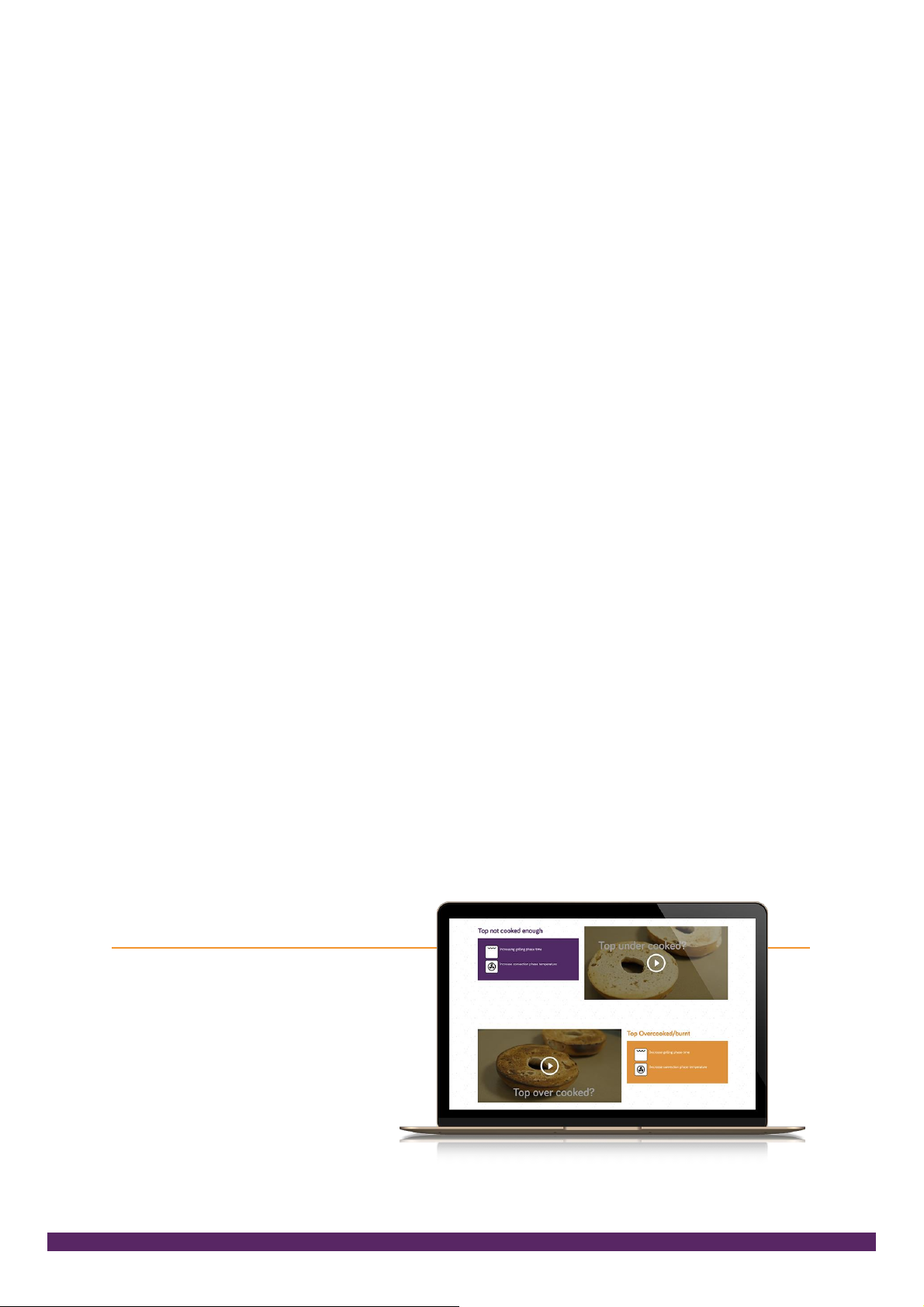
Step screen
This is where you adjust the times, temperature and select the heat sources. The
recipe summary button takes you back so you can review changes and save or exit.
Return to
recipe
summary
Home
Switch on and off the heat sources – Grill (top),
Oven (middle) and base (bottom). Grill can only
run on its own due to the 13A power limit
Touch time or
temp then adjust
with the slider
Move between steps.
If you are ready to
review the changes
press the recipe
summary button and
save or exit
Tap the end of the bar for small
increments, swipe for larger increments
Page 6
How to get the best from CIBO
As with many products there are a few simple rules to help you get the best results.
• For most recipes the first stage should use the oven and base elements to fully
heat the oven cavity. For speed and consistency in service we recommend you
develop recipes using the same start temperatures.
• Most programs will consist of an oven/base cycle followed by a grill cycle.
See the default examples over page
• The grill cannot be selected with base heat and convection as it would exceed
the available inlet supply. (This is prevented by the controller)
• There is a default pre-heat temperature in the settings that can be adjusted to
your preference. This is the oven set temperature when programmes are not
running. If your programmes are typically higher than 180°C this should be
increased. It will help prevent long pre-heating before a recipe can start.
• The oven has time and temperature settings. The base and grill only require
time settings.
And some basic tips
• Consistency in = consistency out. Foods need to be the same thickness and weights
• Keep meats and cheeses thin.
• Paninis and sandwiches should be cooked open for the fastest results.
• Keep the product loading uniform.
• For the best results baked products should be placed on the baking tray placed
on the rack.
• Baking times are similar to a good fan oven.
Go to cibo-oven.com
for easy to follow
instructional videos
Page 7
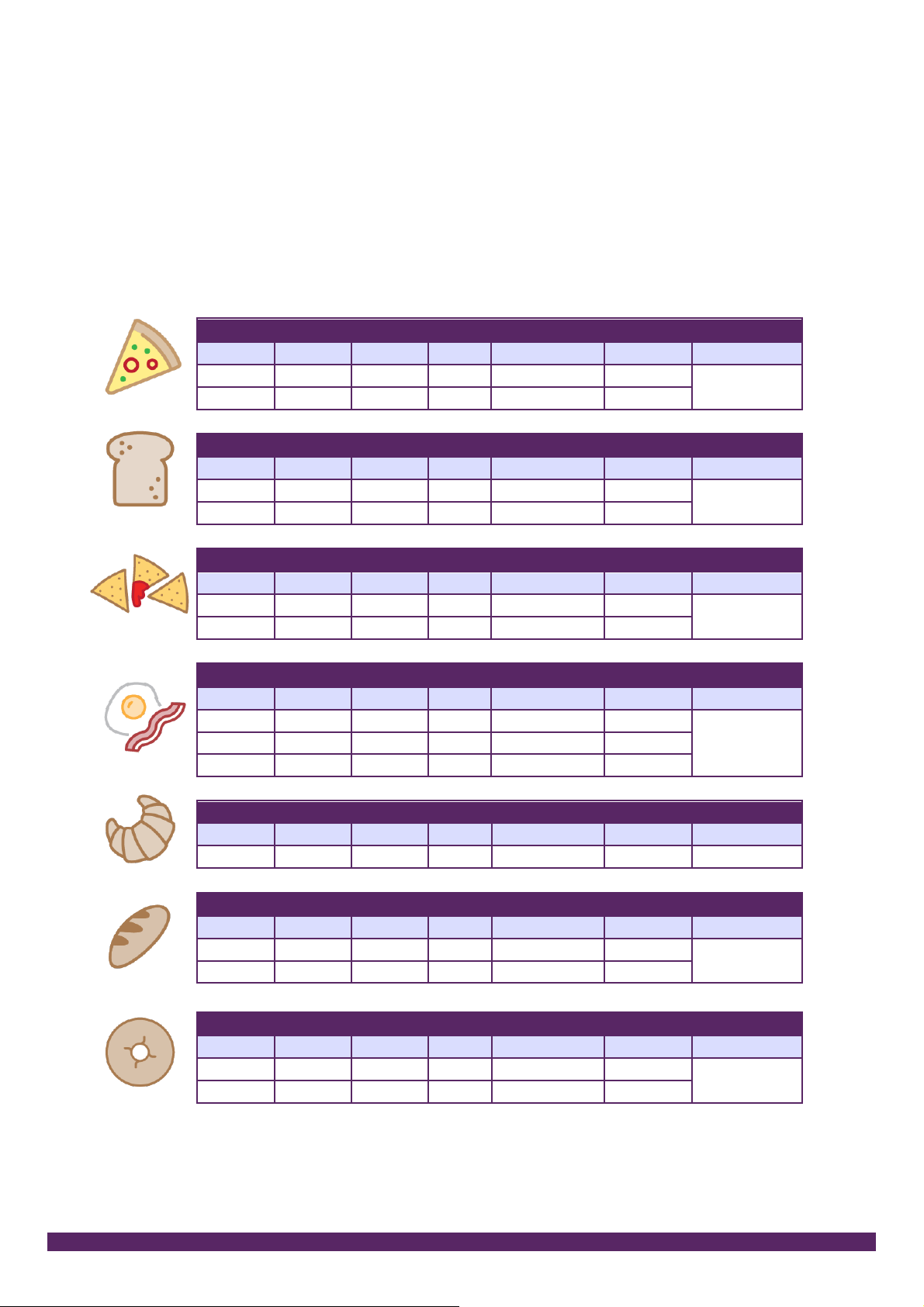
How to optimise programmes
For video guides please visit cibo-oven.com/optimising-your-cibo/
Default recipe settings (recipes can be re-entered in the settings)
Fresh thin crust pizza – Cheese and Tomato – 3:25 cook time
Oven
Base
Grill
Temperature
Time
Cook on?
Step 1 Y Y 285
2:35
Teflon on
base
Step 2 Y 275
0:50
Toasted Sandwich – Open – 1:10 cook time
Oven
Base
Grill
Temperature
Time
Cook on?
Step 1 Y Y 280
0:40
Teflon on
base
Step 2 Y -
0:30
Nachos – 1:30 cook time
Oven
Base
Grill
Temperature
Time
Cook on?
Step 1 Y Y 260
0:55
Teflon on
tray
Step 2 Y -
0:35
Breakfast bap – 2:35 cook time
Oven
Base
Grill
Temperature
Time
Cook on?
Step 1 Y Y 210
0:45
Teflon on
tray
Step 2 Y Y 215
1:20
Step 3 Y -
0:30
Croissants – 16:00 cook time
Oven
Base
Grill
Temperature
Time
Cook on?
Step 1 Y 165
16:00
Tray on rack
Panini – Open (pre-branded) – 2:30 cook time
Oven
Base
Grill
Temperature
Time
Cook on?
Step 1 Y Y 260
1:55
Tray with
teflon
Step 1 Y
0:35
Bagel – Halved and open – 1:05 cook time
Oven
Base
Grill
Temperature
Time
Cook on?
Step 1 Y Y 280
0:40
Tray with
teflon
Step 2 Y
0:25
Page 8
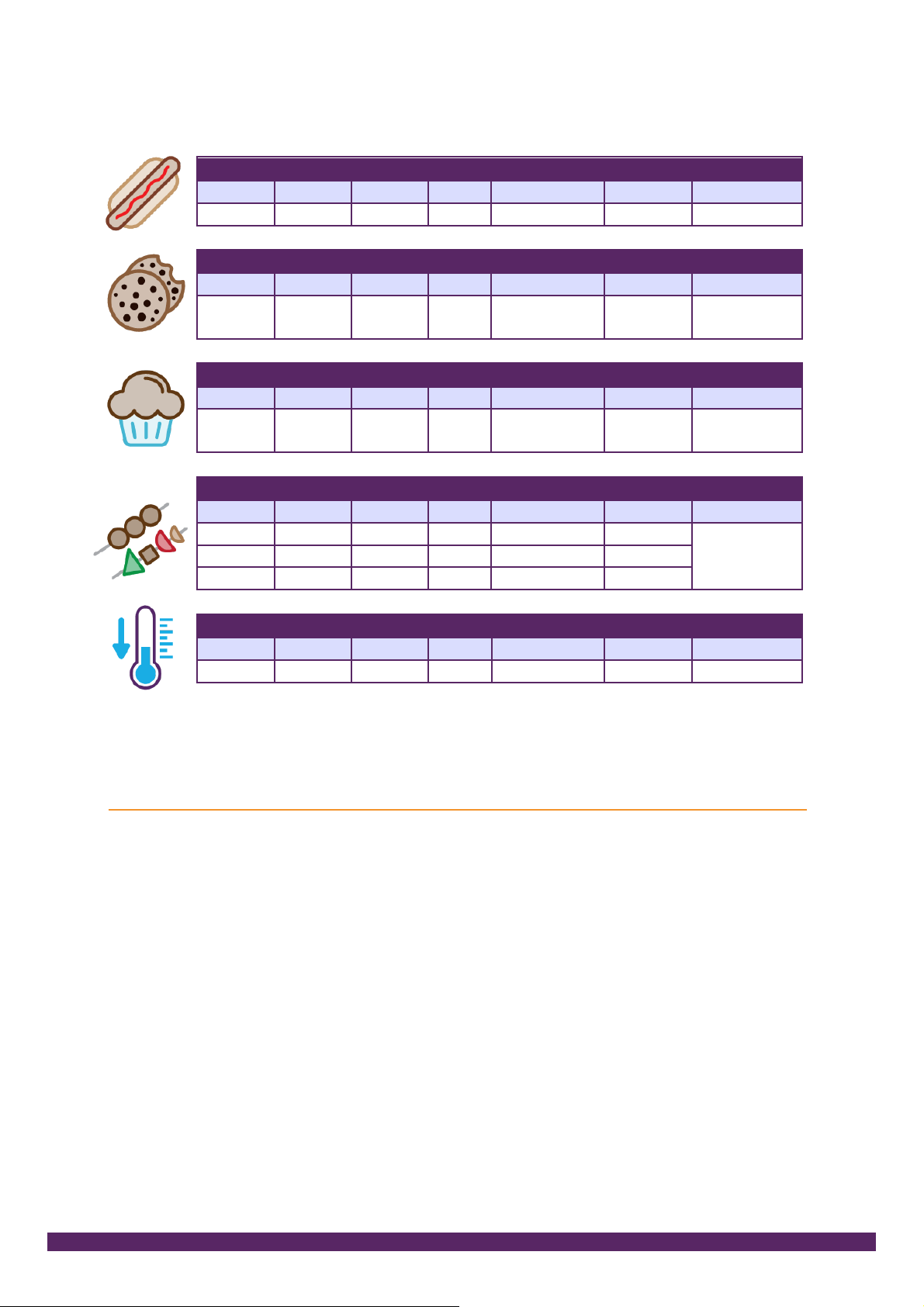
Hot Dogs – in metal gastronorm covered in brine – 7:00 cook time
Oven
Base
Grill
Temperature
Time
Cook on?
Step 1 Y Y 245
7:00
Gastronorm
Cookies – 16:00 cook time
Oven
Base
Grill
Temperature
Time
Cook on?
Step 1 Y 165
16:00
Teflon on
tray on rack
Muffins – 20:00 cook time
Oven
Base
Grill
Temperature
Time
Cook on?
Step 1 Y 160
20:00
Muffin tray
on rack
Kebabs – 3:50 cook time
Oven
Base
Grill
Temperature
Time
Cook on?
Step 1 Y Y 285
2:35
Teflon on
tray
Step 2 Y 280
0:50
Step 3 Y -
0:25
Cool down (with door open) – 10:00 time
Oven
Base
Grill
Temperature
Time
Cook on?
Step 1 Y 30
10:00
-
Updating your CIBO
The CIBO controller can be updated with the USB key supplied. You can:
1. Update the controller and we may ask you to do this if you call for support.
The files can be downloaded from cibo-oven.com or we can send you a
new USB key. Our service desk will take you through the stages.
2. Recipes can be saved and loaded into another CIBO. Call us for help.
 Loading...