

Page 1

USER MANUAL
www.lightboxpower.com
Page 2
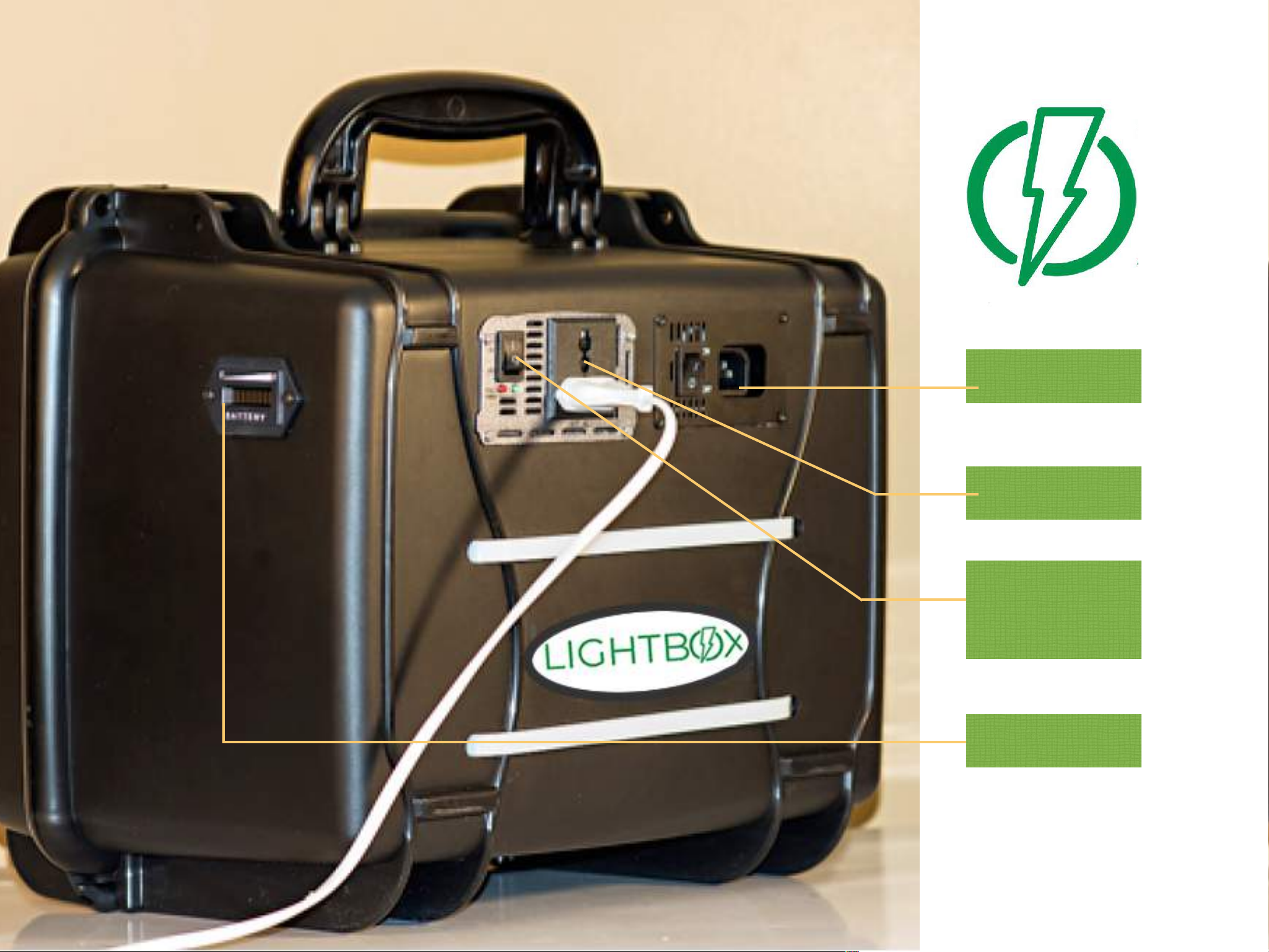
Charging Port
Power Port
Battery
ON/OFF Switch
Page 3
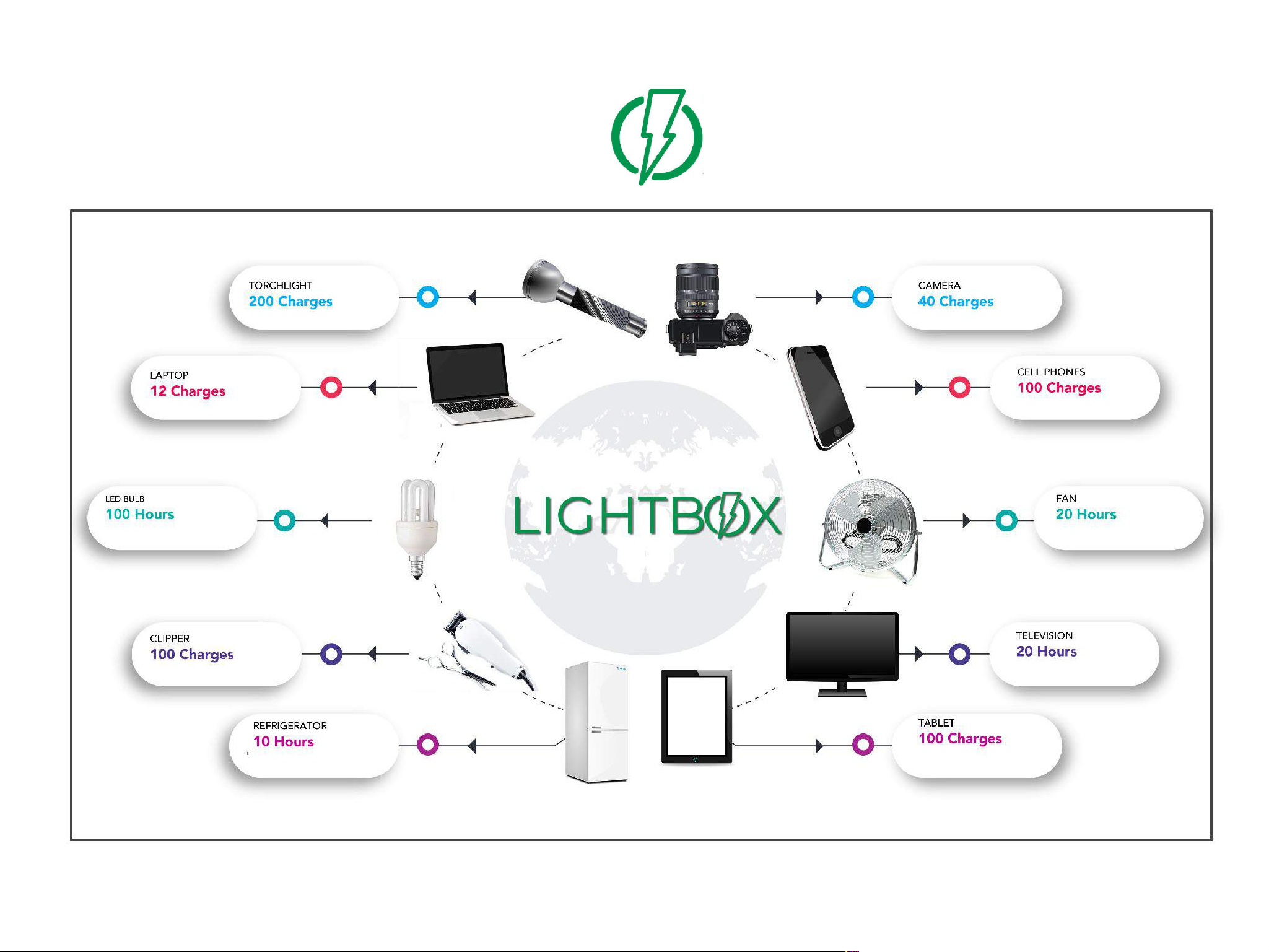
Devices you can power
Page 4

To Charge the Unit:
1. Plug the cable that came with the unit
into the wall and plug the other end into
the charger port.
2. Turn the charger switch to the ON
position.
3. Look on the back of the unit to see
the indicator showing the battery is
charging. A fast blinking green light
means the battery was very low. A slow
blinking green light means the battery is
almost fully charged. A steady green
light means the battery is FULL.
To power your devices:
1. Plug the device or an extension box
into Power port.
2. Turn the switch to the ON position.
3. The GREEN light will come on
signifying that it is powering your
devices. The RED light will only come on
if the device or appliance is too heavy
for the unit OR the battery is too low to
power the device/appliance.
4. Monitor the battery indicator on the
side of the unit to know how much
battery capacity is left in the unit.
Product Care:
1. You must charge your unit at least
once a month to maintain the battery.
2. DO NOT block the vents on the back
of the unit.
3. The unit is not waterproof and should
not be kept outdoors without proper
covering in case of rain or moisture.
4. Do not sit or place heavy items on
top of the unit.
5. Do not open the unit or try to fix it. It
should only be opened or repaired by a
qualified technician. Please contact the
manufacturer.
6. DO NOT use the unit to power heat
producing appliances such as irons,
curling iron, heater, AC unit.
7. To maintain the design life of the
battery, avoid using the battery below
the 20% level. This corresponds with
the two leftmost indicators that turn
RED when the battery is low.
Troubleshooting
1. If the Power port RED light comes on,
your devices are using too much power.
Either reduce the number of devices
connected or remove the device that
uses more power than the unit can
provide.
Warranty
Your LightBox comes with a limited 1year warranty.
The warranty is voided if the unit is
opened. Any issues should be
immediately reported to the
manufacturer.
KEEP OUT OF REACH OF
CHILDREN.
Contact !
[email protected] for further
assistance.
Page 5

www.lightboxpower.com
 Loading...