

Page 1

Simply Brilliant
Motion Sensor
Setting up your LifeSmart™ Motion Sensor
User Guide Version 1.0
Model. LS005
Page 2

PRODUCT INTRODUCTION
Combine the LifeSmart™ Motion Sensor with your LifeSmart™ Smart Station and other devices
to make your life simple, and to let you monitor, control, and even automate your home or office
environment. Care for your pets and loved ones with 24 hour access and stay informed of
changing security conditions. You can choose automatic actions such as turning on or off
televisions, lights, coffee makers, or other devices when you come and go. You can have lights
turn on when motion is detected, such as when you get up out of bed to go to the bathroom,
your pets and children are moving around, or if a stranger enters your home at night.
The LifeSmart™ APP will keep you aware of changing conditions in your home and can be set
to notify you if movement is detected, no matter where you are. Protect your home and loved
ones anytime, anywhere. Brilliant and simple, get ready to experience carefree smart home
living that the whole family can enjoy.
Disposal And Recycling Information
This symbol indicates that this product and/or battery should not be disposed of with
household waste.When you decide to dispose of this product and/or its battery,do so in
accordance with local environmental laws and guidelines.
Page 3
IN YOUR PACKAGE
Motion Sensor
1
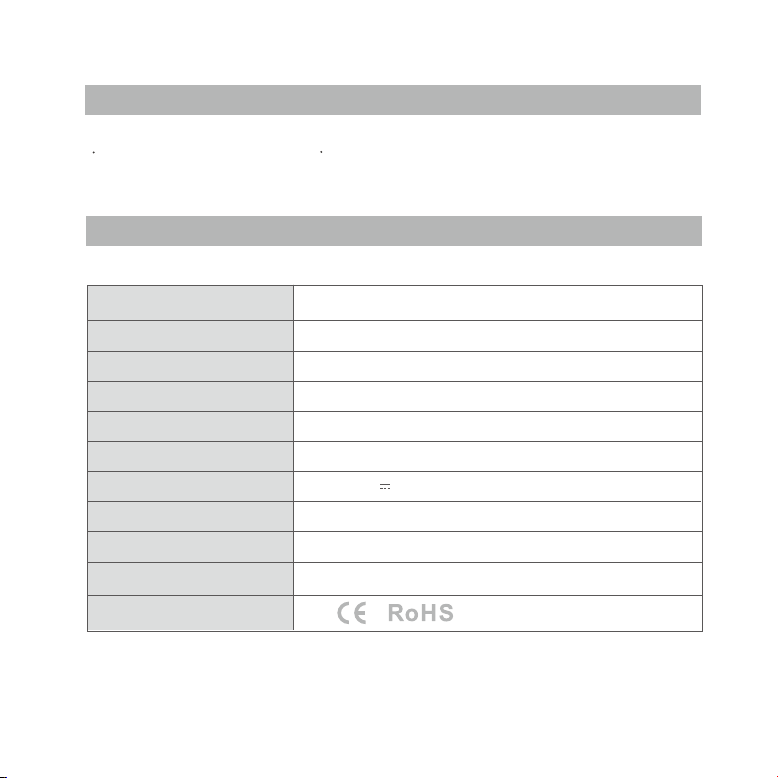
SPECIFICATIONS
Size
Weight
Wireless distance
Operating frequency
Operating temperature
Operating humidity
Input
Standby time
Detection range
Detection angle
Regulatory certification
User Guide
70*70*38mm
110g
400m (open field)
433MHz GFSK
-25 ~ 40°C
0 ~ 95%
5V DC 500mA
≥ 6 months (standard environment)
5 meters
120° hemispherical
1
Page 4
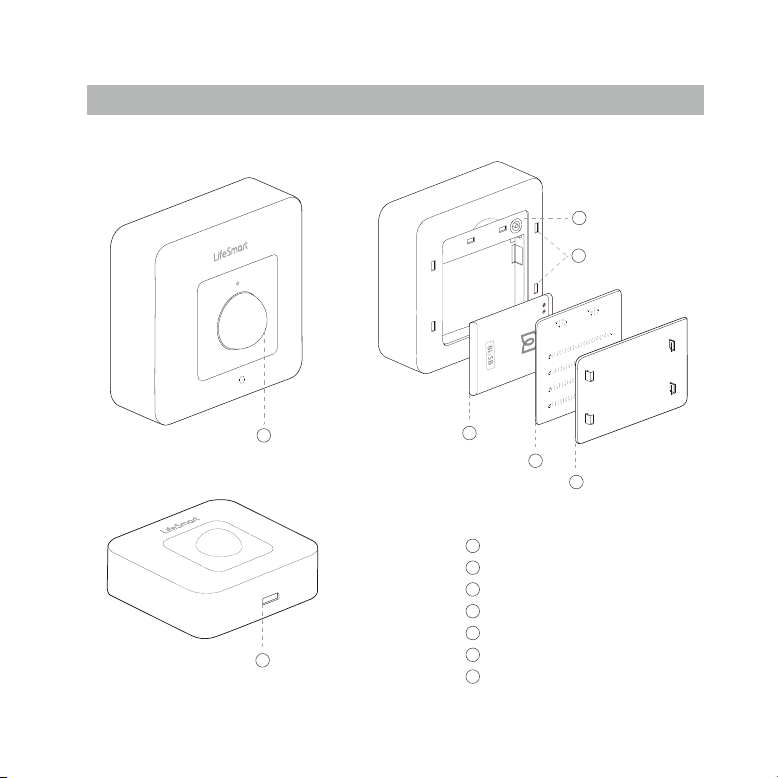
MOTION SENSOR
3
4
1
2
5
6
7
PIR Induction Motion Sensor
1
Micro USB Charging Port
2
Pairing Button
3
4
Mounting Bracket Insertion Slots
5
Battery
6
Battery Cover
7
Mounting Bracket
Page 5
EASY SETUP
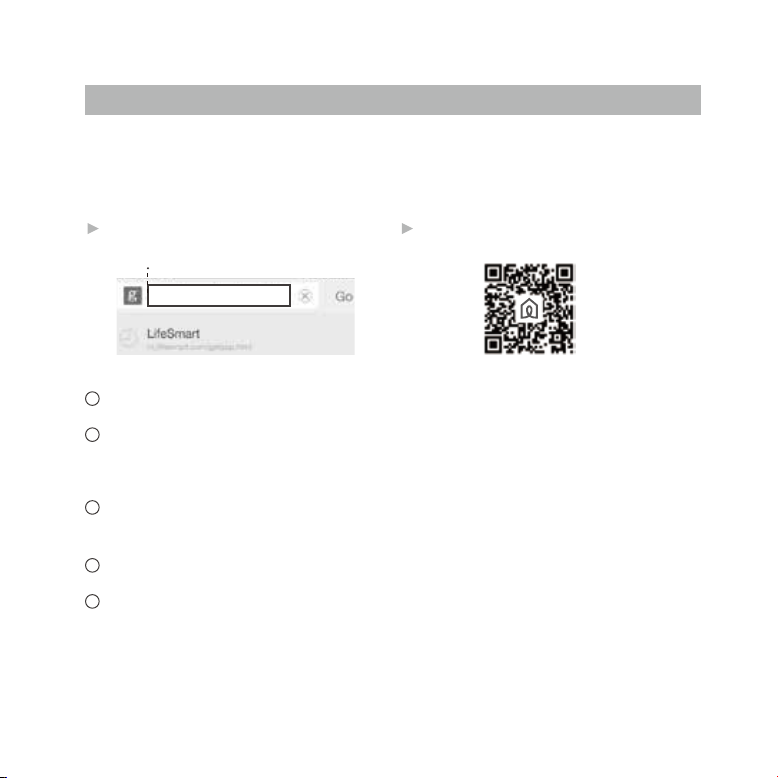
Your Motion Sensor requires a LifeSmart Smart Station and the LifeSmart App to operate. Please download
the APP to your smart device and set up your Smart Station before proceeding. The APP is available by
going directly to our website or scanning the following QR Code.
2Method 1Method
m.ilifesmart.com/getapp.html
NJMJGFTNBSUDPNHFUBQQIUNM
Open the LifeSmart APP and initiate adding a device.
1
Open and insert the battery in your Motion Sensor. Although the sensor comes with a partial
2
charge from the factory, it is recommended that you connect the micro USB power cord and
charge your device for 6-8 hours before use.
3
Push the pairing button on the back of your Motion Sensor for 5 seconds until the indicator
light flashes to indicate that the sensor is being paired.
4
You will be prompted in the app when pairing is complete.
5
Remove adhesive tape and install the mounting bracket wherever you want to mount the
sensor with attention to coverage area.
For technical support or FAQ's please visit us at
team in your region.
www.ilifesmart.com
and find out how to contact our happiness
 Loading...