

Page 1
1
Programming Manual
Fall Detection – GPS Locator - 2-way Voice Calls
Sensing What Matters
Page 2

2
Index
Subject Page
Overview ......................................................................................................................... 3
Life Minder – Choice of Colours ..................................................................................... 4
1 Setting Emergency Contact Numbers .................................................................... 5
2 Add User Name (sent to mobiles) ......................................................................... 6
3 Location request .................................................................................................... 6
4 Low Battery Alarm ................................................................................................. 6
5 Password Lock ........................................................................................................ 6
6 Change Password Lock ........................................................................................... 6
7 GEO Fence Alarms .................................................................................................. 7
8 Over Speed Alert .................................................................................................... 7
9 Movement Alert ..................................................................................................... 8
10 Motion Alarm ......................................................................................................... 8
11 AGPS ....................................................................................................................... 8
12 Checking Settings ................................................................................................... 8
13 Fall Detection ......................................................................................................... 9
14 Outgoing Call Contact ............................................................................................ 9
15 Battery Saving ........................................................................................................ 9
16 Modifying Time Zones ......................................................................................... 10
17 Reboot & Reset .................................................................................................... 10
18 Switching the tracker on and off ......................................................................... 10
19 What do the lights mean ..................................................................................... 11
20 Activating an SOS Alarm ...................................................................................... 11
21 Making a Phone Call............................................................................................. 12
22 How to adjust sound volume when in voice contact .......................................... 12
23 Contact Details ..................................................................................................... 12
Page 3

3
OVERVIEW
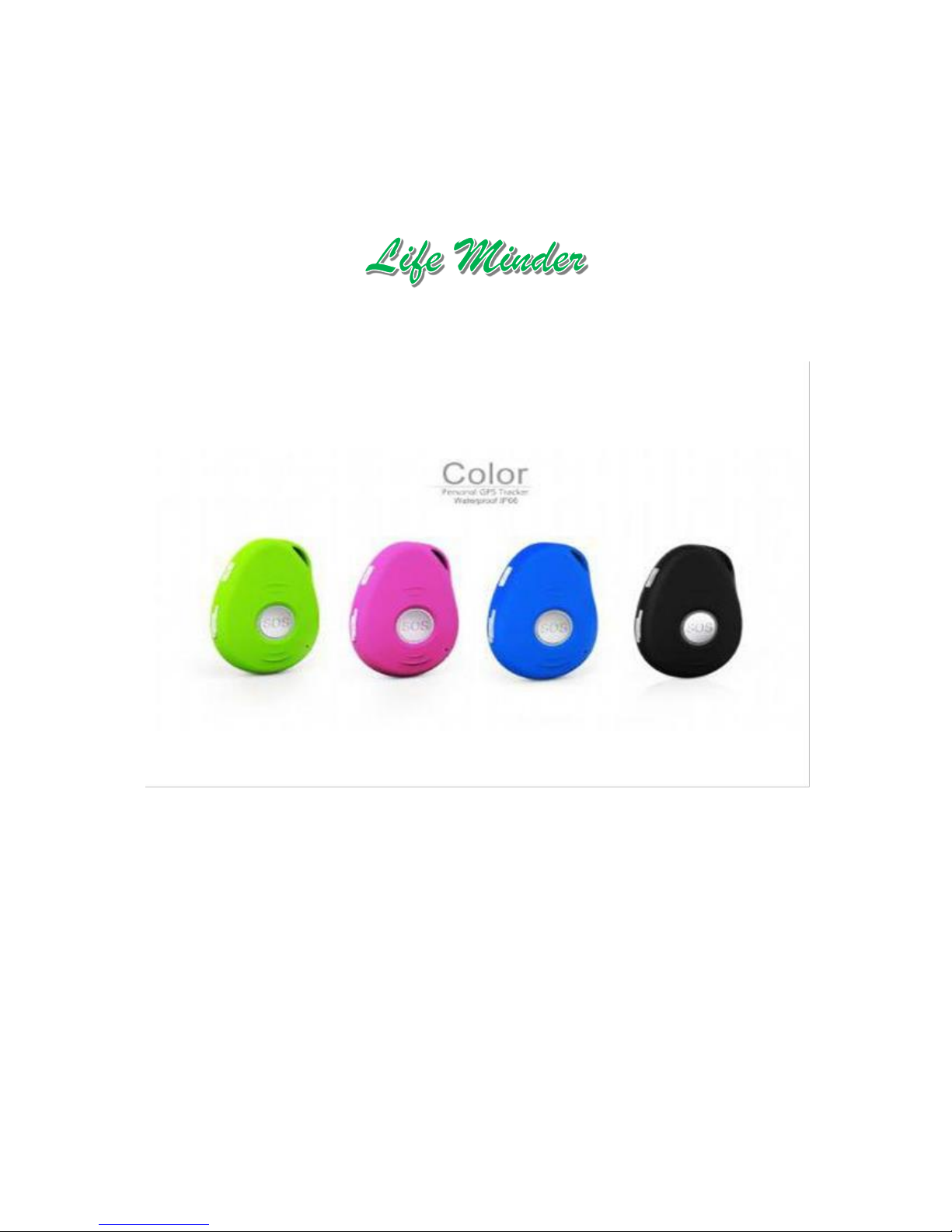
Thank you for purchasing Life Minder version EV-07W.
Life Minder is an advanced 3G network personal tracker that
is water resistant IP67, innovative miniature size personal
remote positioning tracker with built-in U-blox GPS and
GSM/GPRS technology.
It is for monitoring and protecting people and property.
It can be used in all walks of life –
Workers in isolation
Home care nursing staff
The elderly living at home
Dementia
Epilepsy
After hours delivery staff
Page 4
4
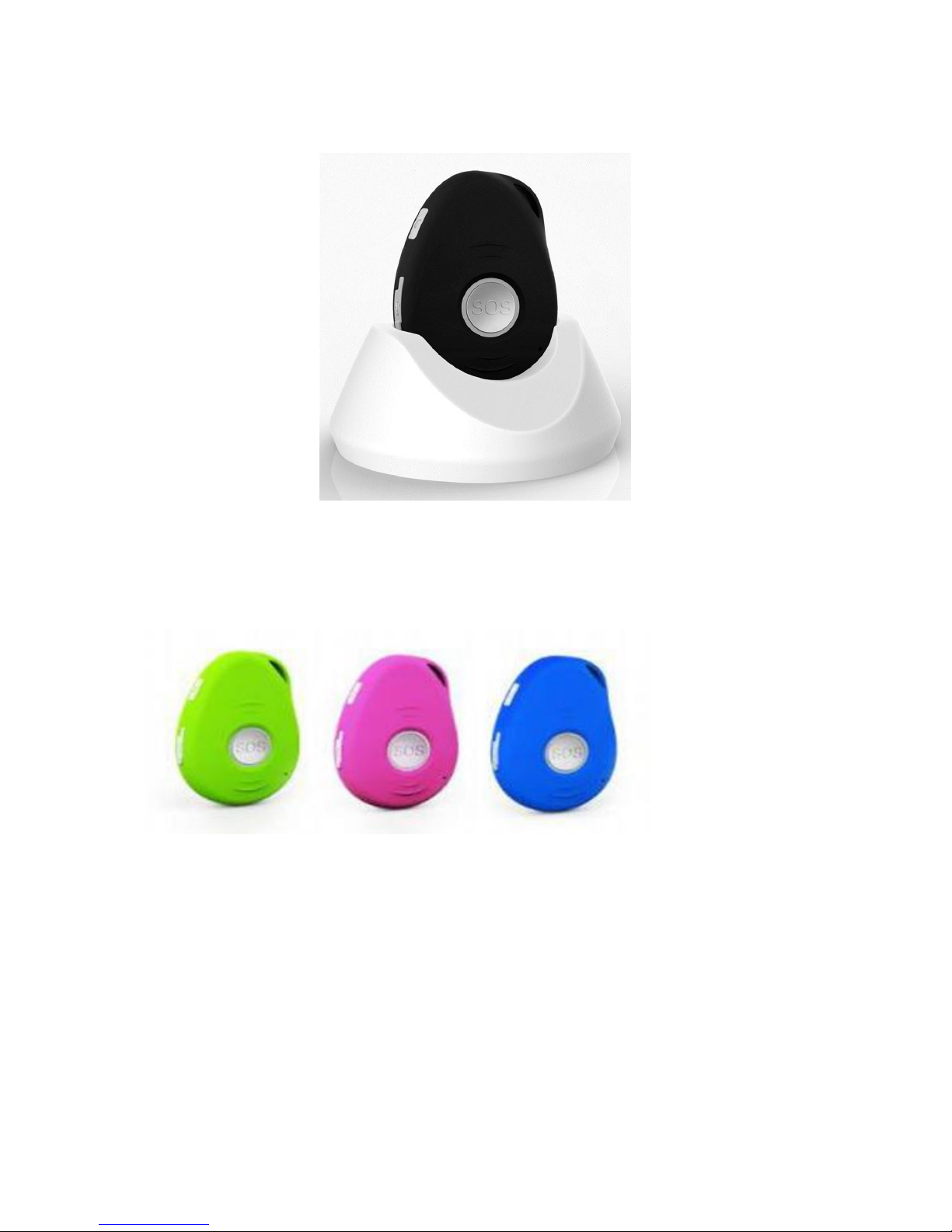
Life Minder
Choice of Colours
Page 5

5
CONFIGURATION – BY SMS
Programming the Life Minder is achieved by sending the Life Minder SMS command
messages from a separate smart phone (not supplied).
1. Setting Emergency Contact Numbers
The Life MInder can store up to 5 emergency contacts. It is not mandatory for all five
contacts to be set, however a minimum of one emergency contact must always be set.
Add Contact #1 (Emergency calls direct to this number)
Send Life Minder SMS Command – A1, phone-number
Example: A1,0412345678 (with no spaces in the text, case sensitive)
The tracker will reply – Set mobile number 1 OK!
To delete, send Life Minder SMS Command – A0 (A+Zero)
Add Contact #2 (Non-emergency calls direct to this number)
Send Life Minder SMS Command – B1,phone-number
Example: B1,0412345678 (with no spaces in the text, case sensitive)
The tracker will reply – Set mobile number 2 OK!
To delete send Life Minder SMS Command – B0 (B+Zero)
Add Contact #3 (SMS Only)
Send Life Minder SMS Command – C1,phone-number
Example - C1,0412345678 (with no spaces in the text, case sensitive)
The tracker will reply – Set mobile number 3 OK!
To delete send Life Minder SMS Command – C0 (C+Zero)
Add Contact #4 (Non-emergency calls direct to this number)
Send Life Minder SMS Command – D1,phone-number
Example: D1,0412345678 (with no spaces in the text, case sensitive)
The tracker will reply – Set mobile number 4 OK!
To delete send Life Minder SMS Command – D0 (B+Zero)
Add Contact #5 (SMS Only)
Send Life Minder SMS Command – E1,phone-number
Example - E1,0412345678 (with no spaces in the text, case sensitive)
The tracker will reply – Set mobile number 5 OK!
To delete send Life Minder SMS Command – E0 (C+Zero)
2. Add User Name (sent to mobiles)
Send Life MInder SMS Command – name1,user-name
Example: name1,Grandma (with no spaces in the text, case sensitive)
The Life Minder will reply – Add name OK!
(To delete send Life MinderSMS Command – name0 (name+zero)
Page 6

6
3. Location Request
To locate the Life MInder:
Send Life Minder SMS Command – loc (loc for locate)
The Life Minder will reply with GPS coordinates and link to Google Maps. To see
map on smart phone, click the line in the received message.
4. Low Battery Alarm
When the Life Minder’s battery is less the 15%, it will send and SMS alarm “BAT:LOW!”
to all authorised numbers. If battery is less than 15%, the blue light will flash rapidly to
warn the user to charge the tracker as soon as possible.
Send L SMS Command – low1
To turn off this function, send Life Minder SMS Command Low0 (low+zero)
5. Password Lock
To add an additional security layer to the tracker to prevent unauthorised commands:
Send Life Minder SMS Command – 123456lock
After sending this command, it will then require a password in front of all
commands (except reboot and RESET!)
For example, 123456LOC, 123456A1, etc (default password is 123456).
To remove password protection send SMS Command – 123456unlock
6. Change Password Lock
Send Life Minder SMS Command – Old password+H+newword
Example: 123456H987654. The password now is changed to 987654
Make sure the new password is 6 digits, or else the tracker cannot recognise
the password.
The password cannot be erased by changing a new SIM Card. Be sure to keep the new
password in a safe place. Should you lose your password, unlocking can only be
achieved by returning the Life Minder to GPS Smart Tracker or its agents, along with
proof of purchase. Unlocking may incur costs.
Page 7

7
7. GEO Fence Alarms
To program the Life Minder for GEO fencing:
Send Life Minder SMS Command: GX,Y,Z, XXXM or KM (M = meters, KM =
kilometres)
Example 1: G1,1,1,100M (no spaces in between) i.e. Contact 1 turns on function
to set alarm when tracker enters the peset area of 100 metres.
Example 2: G1,1,0,100M (no spaces in between) i.e. Contact 1 turns on function
to set alarm when tracker exits the preset area of 100 meters.
X= Contact# (1~5), Each user can set 3 Geofences
Y= 0 means to TURN OFF the function
Y= 1 means to TURN ON the function
Z=1 means to set alarm when the tracker ENTERS the preset area
Z=0 means to set alarm when the tracker EXITS the preset area
XXX is the preset distance to the tracker’s original place, must be 3 digits i.e.
100M.
The tracker will send the message to the authorized numbers as “Geofence
alarm!+GPSinfo” when it enter the area you set. (User must set this function
when the blue light is flashing rapidly.)
To turn off this function, please send Life Minder SMS Command G1,0 or G2,0
or G3,0
(G+Usernumber+Zero).
8. Over Speed Alert
Send Life Minder SMS Command – speed1,+speed
Example: speed1,100
Note: the speed must be in km/h in 2 or 3 digitals – (01~255km/h)
To turn off this function, send Life Minder SMS Command speed0 (speed+zero)
Page 8

8
9. Movement Alert
Life Minder SMS Command: M1,xxxM/KM
Example: M1,100M
Note: xxx must be 3 digits. M means meters, KM means kilometres. (The
settings must be at least 50 meters)
The tracker must be stationary when setting this function.
When the tracker moves beyond 100 meters, it will send an SMS alarm to all
registered phone numbers.
To turn off this function, please SMS Life Minder M0 (M+Zero)
10.Motion Alarm
Life Minder SMS Command: V1,xxS/M/H
Example: V1,05M (No spaces in between)
S means seconds, M means minutes, H means hours, xx means the time you set
and must be two digitals.
Device will detect motion every 5 minutes
To turn off this function, please SMS Life Minder V0 (V+numberZero)
11.AGPS
Assisted GPS (abbreviated generally as A-GPS and less commonly as aGPS) is a system
that is often able to significantly improve the start-up performance or time-to-first-fix
(TTFF) and improve the GPS location to be more precise, of a GPS satellite-based
positioning system.
Life Minder SMS Command: AGPS1,latitude,longitude
To turn off this function, please SMS Life Minder AGPS0 (AGPS+Zero)
12.Check Settings
Life Minder SMS Command: status
The Life Minder will respond by SMS with a list of applied settings
Page 9

9
13.Fall Detection
A simple fall may cause a devastating consequence. When a fall is detected by the
height and angle of the fall. The authorized numbers will be alerted without the user
pushing SOS button, a beep will be heard by the User, if not heard press the SOS button
Activate Fall Detection:
Enter Life Minder SMS Command: FL1
The tracker must sense height, impact and angle. The height must at least above
1 meter. After a fall is detected, the Life Minder will send SMS alarm to all
registered phone numbers.
Enable Auto dial in Fall Detection:
Enter Life Minder SMS Command: FL2
After a fall is detected, the Life Minder will send SMS alarm to all registered
phone numbers. It will also Auto dial the dial the #1 Contact
Turn off all Fall Detection:
Enter Life Minder SMS Command FL0 (FL+Zero)
14.Outgoing Call Control
Enter Life Minder SMS Command: CALL1
With this command, the outgoing call function is ENABLED (Default)
To disable the outgoing call function enter Life Minder SMS Command: CALL0
Page 10

10
15 Battery Saving
Under normal use, battery can last 3 - days
Smart Power Saving Mode (default working mode)
Enter Life Minder SMS Command: PS1
In this mode, GPS chip is off when there is no movement or no phone
usage/alarm/SMS. Battery life is not wasted when the tracker isn't moving.
GSM/GPRS chip is always working to receives calls, SMS and transmits location.
The GPS chip is activated by motion, incoming calls and SMS.
Deep Sleep Mode
Enter Life Minder SMS Command: DS1 or DS1,xxM/H
Both GSM and GPS chip will be off to save power, the tracker is unable to
receive calls or SMS.
Once Deep Sleep is activated it can be only be reactivated by movement. Once
movement is detected, it will run for the set time (xxM/H- Minutes or Hours)
and sleep again if no movement is detected.
Battery can last 40 days if no movement at all.
To turn off this function, Life Minder SMS Command: DS0 (DS+Zero)
All on, all the time Mode
Life Minder SMS Command: PS0 (PS+Zero)
In this mode, Both GSM and GPS chip are always working, battery can last 1824 hours.
16.Modifying Time Zones
This tracker works on UTC time as default. Australian Eastern Standard Time (AEST); is
UTC +10 (or +11 for Daylight saving time)
Enter Life Minder SMS Command TZ+10 (AEST)
17.Reboot & Reset
Command: reboot
The tracker will restart itself without changing any settings.
Command: RESET!
Note: This is to take all settings back to the factory default.
Page 11

11
18.Switching the tracker on and off
To turn on tracker press and hold the power button for 3 seconds, all LED will flash
rapidly. (Please keep the unit under the open sky or close to the window to be able to
get a fix on the satellites.
To turn off tracker press and hold the power button for 3 seconds, after you hear beep
sound tracker is turned off.
19.What do the lights mean
GSM LED …GREEN
Light shows a single flash rapidly every 3 seconds
The tacker is connected to GSM network
Light shows a double flash rapidly every 3 seconds
The tracker is registered to GPRS network
Light shows a slow flash every 3 seconds
The tracker is connecting to GSM network
Light Solid (not flashing)
No SIM card detected.
GPS LED…BLUE
Light shows a single flash rapidly every 3 seconds
The tracker has GPS positioning fix
Light shows a slow flash every 3 seconds
(1 second on and 3 seconds off)
The tracker has no GPS fix
No flashing
GPS chip is sleeping
Power LED…RED
Red on
The tracker is charging
Off
The tracker is not charging or has been fully charged
Flashing rapidly
The tracker power is lower that 15%
Flashing randomly
The tracker is on the move
Page 12

12
20.Activating an SOS Alarm
Press and hold the SOS button for 3 seconds and you will hear the beep sound, and
then green light will start to flash rapidly to confirm the request. After that, and SOS
Alarm “Help Me!” will be sent to all authorised phone numbers and platform. In the
meantime, it will dial up to 5 authorised numbers. The first number will take priority
over the second, the second over the third, etc. If the tracker fails to connect to the
first number, it will switch to the second and follow through to the other numbers if
unanswered. If the tracker fails to successfully connect to all programmed numbers,
the tracker will start to redial the numbers again after 5 minutes. This will go on and
on until one of the mobile numbers are answered and two-way communication starts.
To end the call, press the SOS button.
21.Making a Phone Call
To make a call press and hold the call button for 3 seconds and you will hear a beep
sound, green light will start to flash rapidly to confirm the request, it will then dial the
2nd emergency number allowing normal two-way voice conversation.
22.How to adjust sound volume when in voice contact
Press the side button VOL+ (power button) and VOL- (call button) to adjust the volume
when in two-way voice communication.
23.Contact Details
Contact: John Burgess
Phone: 1800 684 422
Mobile: 0414 492 222
Email: sales@lifeminder.com.au
Address: P O Box 371 Salamander Bay 2317
 Loading...