

Page 1

Colour
Monitor
USER
BENUTZERHANDBUCH
MANUEL
GUIDA
GUIA
GUIDE
D'UTILISATION
UTENTE
DEL
USUARIO
78FT
plus
Page 2

AGENCY
REGULATORY
NOTICE
FCC
Compliance
Statement
This
equipment
with
the
limits
for
Part15of
to
provide
interference
This
radio
in
accordance
harmful
However,
not
occur
If
this
radioortelevision
by
turning
encouraged
one
-
Reorient
-
Increase
and
-
Connect
different
connected.
-
Consult
technician
Caution:
approved
could
equipment.
devices,
with
monitor.
likely
the
equipment
frequency
interference
there
in
equipment
or
more
the
receiver.
Changes
by
void
the
terminals,
the
Class
Operation
to
result
FCC
reasonable
in
a
a
particular
the
to
of
the
or
relocate
the
the
from
the
for
the
user's
Only
reception.
has
been
a
Class
Rules.
residential
generates,
energy
with
the
is
no
guarantee
does
reception
equipment
to
correct
try
following
the
separation
equipment
that
dealer
help.
or
party
(or
peripherals
printers,
B
limits
with
in
interference
tested
B
digital
These
protection
installation.
uses,
if
and
not
instructions,
to
radio
installation.
cause
harmful
(which
off
and
the
interference
measures:
receiving
between
into
an
to
which
or
an
experienced
modifications
responsible
your)
authority
(digital
etc.)
be
may
non-certified
and
found
device
limits
pursuant
are
against
and
can
installed
may
communications.
that
interference
interference
can
be
determined
the
on),
antenna.
the
equipment
outlet
on a
the
receiver
not
for
compliance
to
operate
input/output
certified
attached
peripherals
to
radio
to
comply
designed
harmful
radiate
and
used
cause
will
user
by
using
circuit
radio/TV
expressly
the
to
comply
to
this
TV
and
to
to
is
is
is
shielded
Only
System.
Signal
i
Cables
may
be used
with
this
Page 3

Canadian
D.O.C.
Notice
This
Class
requirements
Equipment
B
digital
of
the
Canadian
Regulations.
apparatus
meets
Interference-Causing
all
CE
Conformity
Notice
Cet
appareil
toutes
brouilleur
Products
EMC
Directive
the
les
Directive(89/336/EEC)
European
Compiance
to
the
following
EN
55022
EN
50082-1:1992
EN
60555-2
EN
60555-3
EN
60950
numerique
exigences
du
Canada.
with
(73/23/EEC)
Community.
with
du
the
"CE"
issued
these
European
Radio
;
;
Electromagnetic
Power
;
;
Voltage
Product
;
de
la
Reglement
Marking
by
directives
Norms
Frequency
Line
classe
sur
comply
and
LOW
the
Commission
implies
:
Harmonics
Fluctuations
Safety
B
respecte
le
materiel
with
VOLTAGE
conformity
Interference
Immunity
the
of
ii
Page 4

Environmental
Congratulations!
You
have
just
purchased
Your
choice
professional
burden
has
use.
on
the
environmentally
do
we
to
other
have
countries,
method
the
electronics
Why
In
many
established
services
and
environmentally
and
during
satisfactorily
these
their
recycle
potentially
Labelling
a
provided
Your
purchase
environment
adapted
environmentally
environment.
harmful
damaging
electronics
environmental
for
encouraging
substances
manufacture.
the
majority
of
TCO'99
you
has
and
also
The
main
equipment
Since
substances
Personal
approved
with
also
to
products.
labelled
labelling
the
problem,
are
of
electronics
sooner
Computers
and
labelled
a
product
contributed
the
further
computers?
adaptationofgoods
are
used
it
is
not
developed
to
development
has
as
far
concerned,
in
both
so
far
equipment,
or
later
enter
become
as
the
product!
reducing
computers
is
products
possible
most
nature.
for
the
of
an
and
that
to
of
There
consumption
work
of
(e.g.
vital
are
also
(internal)
electricity
acidic
and
to
save
other
levels,
and
generation
climate-influencing
energy.
running continuously
What
does
labelling
This
product
provides
computers.
the
TCO
Svenska
Conservation)
Energy
meets
for
international
The
labelling
Swedish
(The
Naturskyddsforeningen
and
Administration).
characteristics
that
are
natural
Statens
(external)
have
Electronics
and
thereby
involve?
the
requirements
scheme
Confederation
of
important
a
from
environments.
negative
emissions,
equipment
consumes
for
and
environmental
was
developed
(The
Energimyndighet
iii
a
computer,
the
effect
a
the
of
Professional
Swedish
such
as
energy
of
all
environment
waste),
scheme
both
methods
viewpoints
Since
on
the
radioactive
in
officesisoften
lot
of
energy.
TCO'99
labellingofpersonal
as a
joint
effort
Employees),
for
Nature
National
(The
Society
Swedish
which
the
it
left
by
is
Page 5

Approval
ergonomics,
consumption
The
environmental
use
of
heavy
CFCs
product
obliged
each
(freons)
must
to
country
requirements
usability,
and
electrical
demands
metals,
and
be
prepared
have
an
environmental
where
the
cover a
emission
and
brominated
chlorinated
company
wide
of
fire
impose
solvents,
for
recycling
range
electric
and
safety.
restrictions
and
chlorinated
which
policy
implements
of
magnetic
among
and
must
its
issues:
environment,
fields,
on
the
presence
flame
other
things.
the
manufacturer
be
adhered
operational
energy
and
retardants,
The
to
policy.
is
in
The
energy
display,
consumption
timetoreactivate
Labelled
example,
physical
Below
requirements
afteracertain
to
products
in
respect
and
visual
will
you
requirements
criteria
document
TCO
Development
SE-114
Fax:+4687829207
Email
(Internet):
Current
products
address:
includeademand
periodofinactivity,
a
lower
the
ergonomics
find
met
may
94
Stockholm,
computer
must
of
the reduction
a
this
by
be
in
level
meet
brief
one
shallbereasonable
strict
and
summary
product.
ordered
Sweden
good
from:
information
may
also
regarding
be
obtained
http://www.tco-info.com/
that
or
more
environmental
of
electric
usability.
of
The
complete
TCO'99
via
the
the
shall
reduce
stages.
for
and
the
approved
Internet,
computer
its
The
length
the
user.
demands,
magnetic
environmental
environmental
and
labelled
using
and/or
power
of
for
fields,
the
iv
Page 6
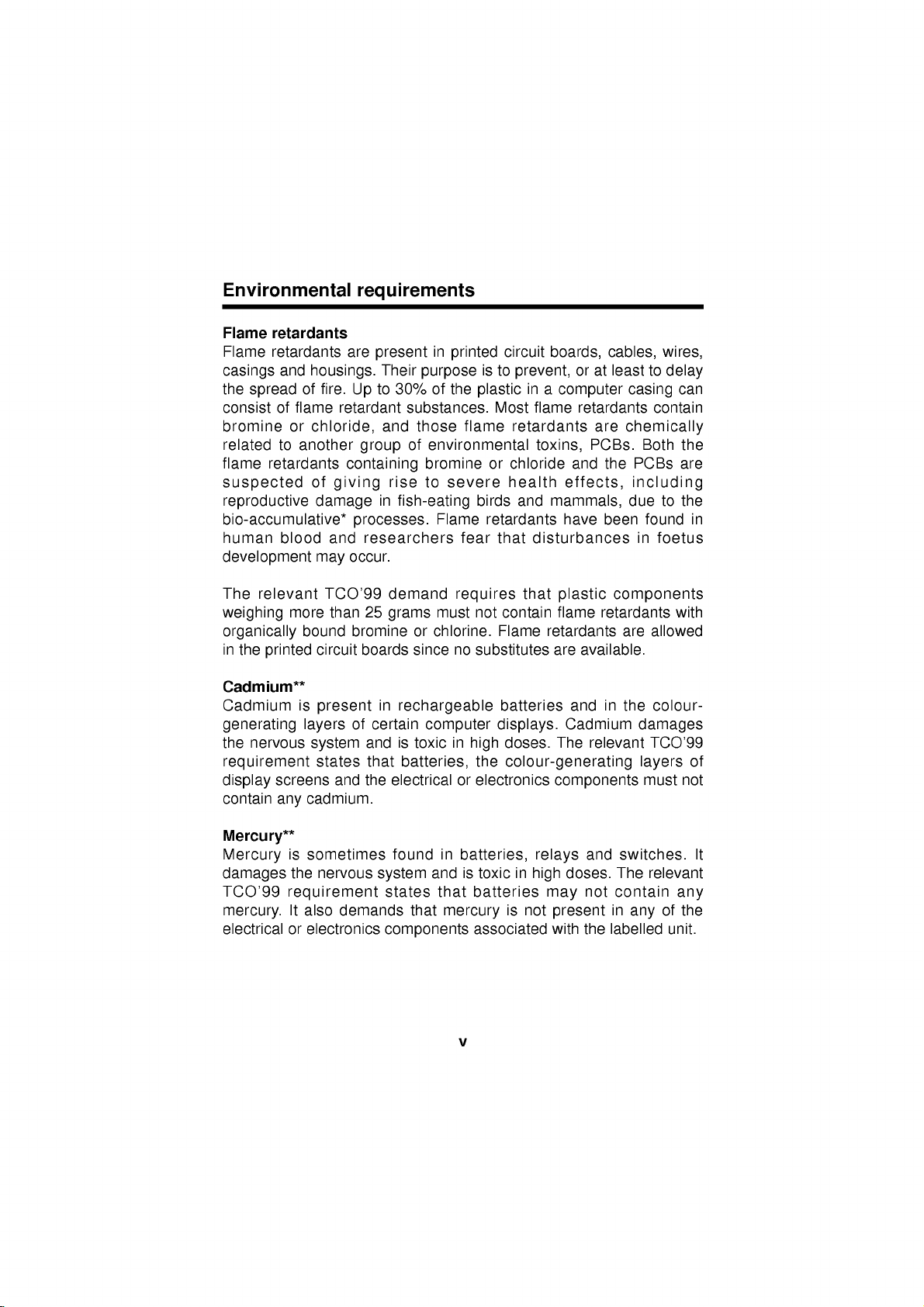
Environmental
requirements
Flame
Flame
casings
the
consist
bromine
related
flame
retardants
retardants
and
spread
of
to
retardants
of
flame
or
another
suspected
reproductive
bio-accumulative*
human
blood
development
The
relevant
weighing
organically
in
the
Cadmium**
Cadmium
generating
the
more
bound
printed
is
layers
nervous
requirement
display
contain
screens
any
cadmium.
are
housings.
fire.
Up
retardant
chloride,
group
containing
of
giving
damage
processes.
and
researchers
occur.
may
TCO'99
than
bromine
circuit
boards
present
of
system
states
and
present
Their
to
and
in
25
in
certain
andistoxic
that
the
in
printed
purpose
30%
of
the
substances.
those flame
of
environmental
bromine
rise
to
severe
fish-eating
Flame
fear
demand
grams
or
since
requires
must
chlorine.
no
rechargeable
computer
in
high
batteries,
electricalorelectronics
circuit
boards,
is
to
prevent,
in
plastic
Most
a
flame
retardants
toxins,
or
chloride
health
birds
and
mammals,
retardants
that
disturbances
that
not
contain
Flame
substitutes
retardants
are
batteries
displays.
doses.
the
colour-generating
The
components
or
at
computer
retardants
are
PCBs.
and
effects,
have
plastic
flame
available.
and
Cadmium
relevant
cables,
least
casing
chemically
Both
the
PCBs
including
due
been
found
in
components
retardants
are
in
the
damages
layers
must
wires,
to
delay
contain
to
foetus
with
allowed
colour-
TCO'99
can
the
are
the
in
of
not
Mercury**
is
Mercury
damages
TCO'99
mercury.
electricalorelectronics
sometimes
the
nervous
requirement
It
also
demands
found
system
states
that
components
in
batteries,
andistoxic
that
batteries
mercury
associated
v
is
in
not
relays
high
may
present
with
and
doses.
not
the
switches.
The
contain
in
any
labelled
relevant
any
of
the
unit.
It
Page 7

CFCs
The
product.
circuit
ozone
of
capacitors.
causes
(freons)
relevant
HCFCs
melanoma)
Lead**
Lead
inclusionoflead
may
CFCs
boards.
layer
ultraviolet
can
lead
in
as a
be
Lead
poisoning.
TCO'99
be
used
(freons)
CFCs
the
stratosphere,
with
light
consequence.
found
damages
since
requirement
during
are
break
increased
e.g.
in
picture
the
The
no
replacement
the
sometimes
down
causing
tubes,
nervous
relevant
states
manufacture
ozone
increased
risks of
display
system
TCO'99
has
that
and
used
for
and
thereby
skin
screens,
and
requirement
been
yet
neither
assembly
washing
damage
reception
cancer
solders
in
higher
developed.
CFCs
nor
of
printed
the
on
earth
(malignant
and
doses,
permits
the
the
*
Bio-accumulative
**
Cadmium
Lead,
is
and
defined
Mercury
as
substances
are
heavy
which
metals
which
vi
accumulate
are
within
Bio-accumulative.
living
organisms
Page 8
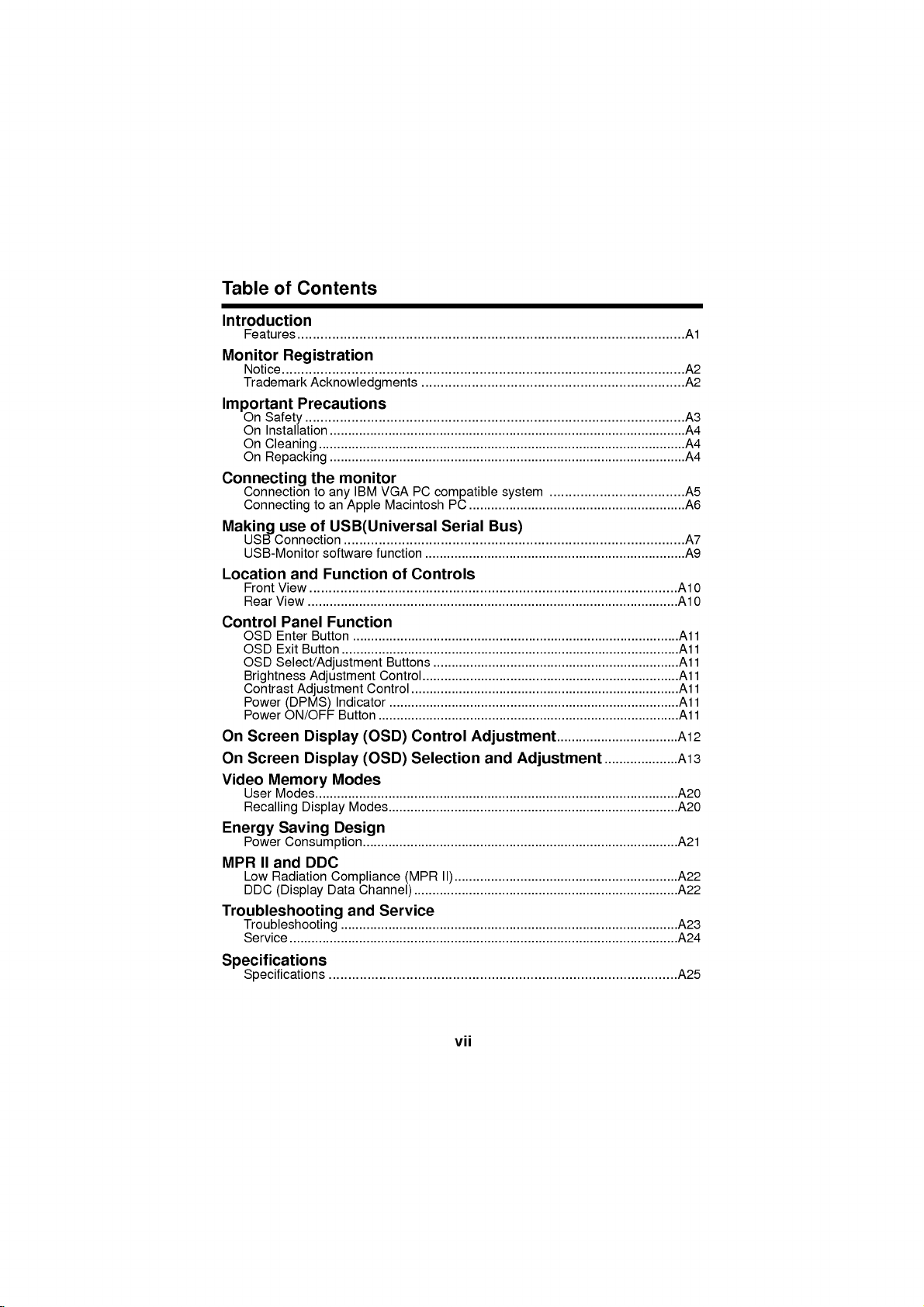
Table
of
Contents
Introduction
Features
Monitor
Notice........................................................................................................A2
Trademark
Important
On
On
On
On
Connecting
Connection
Connecting
Making
USB
USB-Monitor
Location
Front
Rear
Control
OSD
OSD
OSD
Brightness
Contrast
Power
Power
On
Screen
On
Screen
Video
User
Recalling
Energy
Power
MPR
Low
DDC
Troubleshooting
Troubleshooting
Service
....................................................................................................A1
Registration
Acknowledgments
Precautions
..................................................................................................A3
Safety
Installation
Cleaning
Repacking
use
Connection
View
View
Panel
Enter
Exit
.................................................................................................A4
....................................................................................................A4
.................................................................................................A4
the
monitor
to
IBM
any
to
an
Apple
of
USB(Universal
........................................................................................A7
software
and
Function
...............................................................................................A10
.....................................................................................................A10
Function
Button
Button
.........................................................................................A11
............................................................................................A11
Select/Adjustment
Adjustment
Adjustment
(DPMS)
ON/OFF
Display
Display
Memory
Modes...................................................................................................A20
Display
Saving
Control
Indicator
Button
(OSD)
(OSD)
Modes
Modes...............................................................................A20
Design
Consumption......................................................................................A21
II
and
DDC
Radiation
(Display
Compliance
Data
Channel)
and
..........................................................................................................A24
............................................................................................A23
....................................................................A2
VGA
PC
Macintosh
compatible
PC
Serial
function
..................................................................................A11
.......................................................................A9
of
Controls
Buttons
Control......................................................................A11
...................................................................A11
.........................................................................A11
...............................................................................A11
Control
Selection
(MPR
II).............................................................A22
........................................................................A22
system
...........................................................A6
Bus)
Adjustment.................................A12
and
...................................A5
Adjustment
....................A13
Service
Specifications
Specifications
..........................................................................................A25
vii
Page 9
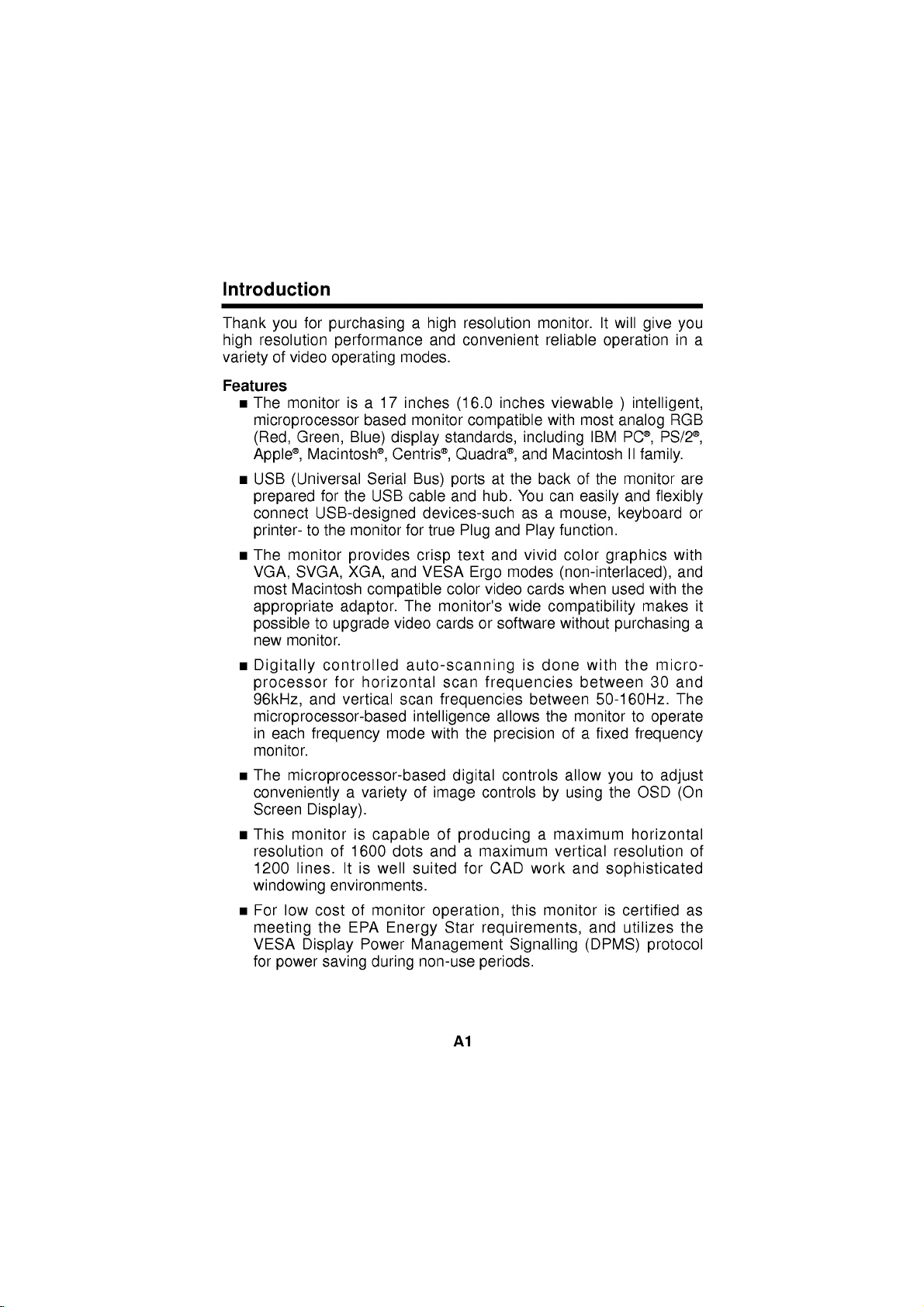
Introduction
Thank
high
variety
Features
The
microprocessor
(Red,
Apple,
USB
prepared
connect
printer-
The
VGA,
most
appropriate
possibletoupgrade
new
Digitally
processor
96kHz,
for
you
resolution
of
video
monitor
Green,
(Universal
monitor
SVGA,
Macintosh
monitor.
purchasingahigh
performance
operating
17
is
a
based
Blue)
display
Macintosh,
for
the
Centris,
Serial
USB
USB-designed
to
the
monitor
provides
and
XGA,
compatible
adaptor.
video
controlled
for
horizontal
and
vertical
microprocessor-based
in
each
monitor.
The
frequency
microprocessor-based
mode
convenientlyavarietyofimage
Screen
This
resolution
1200
windowing
For
meeting
VESA
for
Display).
monitor
lines.Itis
low
cost
Display
power
is
of
1600
environments.
of
EPA
the
Power
saving
capable
dots
well
monitor
Energy
during
resolution
and
convenient
modes.
inches
monitor
(16.0
compatible
standards,
Quadra,
Bus)
ports
cable
and
devices-such
for
true
Plug
text
crisp
VESA
The
Ergo
color
monitor's
cards
auto-scanning
scan
scan
frequencies
intelligence
with
the
digital
of
producing
and
a
suited
for
operation,
Star
Management
non-use
monitor.
reliable
inches
viewable
with
including
and
Macintosh
at
the
back
hub.
You
can
as a
and
Play
and
vivid
modes
video
cards
wide
or
software
compatibility
is
done
frequencies
between
allows
the
precision
controls
controls
maximum
CAD
this
by
a
work
monitor
maximum
vertical
requirements,
Signalling
periods.
will
It
give
operation
)
analog
IBM
the
keyboard
graphics
PC,
monitor
intelligent,
PS/2,
II
family.
and
flexibly
most
of
easily
mouse,
function.
color
(non-interlaced),
when
used
with
makes
without
ofafixed
allow
using
purchasing
with
between
50-160Hz.
monitor
you
the
resolution
and
sophisticated
is
and
(DPMS)
the
micro-
30 and
to
operate
frequency
to
adjust
OSD
horizontal
certified
utilizes
protocol
you
in
RGB
with
and
The
(On
a
are
or
the
it
a
of
as
the
A1
Page 10

Monitor
The
model
These
You
should
as a
permanent
Registration
and
serial
numbers
are
record
record
numbers
unique
requested
of
your
are
to
this
information
purchase.
found
unit
on
and
here
Staple
not
the
available
and
your
rear
retain
receipt
of
this
unit.
to
others.
this
guide
here.
Date
of
Purchase
Dealer
Dealer
Dealer
Model
Serial
Notice
All
strictly
Trademark
LG
IBM
International
Purchased
Address
Phone
No.
No.
rights
prohibited
isatrademark
is
a
Warning
expose
Avertissement
Cela
peut
From
No.
reserved.
Reproduction
without
Acknowledgments
of
registered
Business
:
To
this
entrainer
trademark
reduce
appliance
:
Ne
:
:
:
:
:
:
the
written
LG
Electronics
and
Machines
the
riskoffireorelectric
to
rainormoisture.
pas
placer
un
incendie
in
manner,
any
permission
Inc.
VGA
isatrademark
Corporation.
cet
appareil
ou
une
decharge
in
whole
ofLGElectronics
un
do
endroit
shock,
dans
electrique.
of
or
not
in
part,
humide.
is
Inc.
A2
Page 11

Important
This
unit
has
personal
shock
incorporated
installation,
instructions
On
safety,
or
Safety
Precautions
been
but
fire
hazard.
in
this
use,
marked
engineered
improper
In
monitor,
and
servicing.
directly
order
observe
on
use
your
and
can
not
monitor.
manufactured
result
to
the
following
Also
follow
defeat
in
potential
the
basic
all
to
assure
electrical
safeguards
rules
warnings
for
your
its
and
Use
another
national
Operate
only
the
power
standards
the
specifications
sure
what
type
dealer.
your
Overloaded
frayed
fire
hazard.
Do
not
There
There
is
Contact
To
Avoid
Do
Use
Do
deep
To
Prevent
Always
short
house.
Keep
cabinet
AC
power
Call
Open
are
are
OFF.
your
Personal
not
place
only
not
try
pile
FireorHazards:
turn
period
children
openings.
power
cord,
if
monitor
of
this
of
power
outlets
cords
and
your
the
Monitor
no
user
Dangerous
dealerifthe
Injury
the
a
stand
to
rollastand
carpets.
the
monitor
of
time.
from
cord
supplied
make
sure
thatitis
not
being
provided
from
or
listedonthe
you
extension
plugs.
technician
Voltages
monitor
on
a
sloping
with
if
OFF
leave
a
components
small
you
only
manual
supply
and
broken
service
serviceable
High
:
monitor
recommended
Never
droppingorpushing
Some
internal
with
power
have
cords
They
is
by
leave
the
parts
by
for
inside,
not
shelf
the
casters
monitor
the
unit.
certified
the
source
in
supplier.
monitor.
home,
your
are
dangerous.
result
may
by
replacement.
inside.
even
operating
unless
manufacturer.
the
properly
across
room
ON
objects
hazardous
carry
In
case
the
indicated
If
you
consult
in
when
properly.
thresholds
for
more
when
into
the
use
you
applicable
in
the
are
not
with
So
are
a
shock
the
power
secured.
than
leaving
the
monitor's
voltages.
or
or
a
A3
Page 12

Do
not
add
Duringalightning
foranextended
Do
not
bring
allow
the
use
sink,
tube.
this
On
Do
not
not
place
Do
not
kitchen
picture
Installation
pool.
accessories
magnetic
anything
monitor
monitor
laundry
storm
period
to
where
near
tub,
that
of
devices
rest
the
in
or
when
time,
upon
water
a
have
power
wet
not
the
unplug
such
or
roll
cord
such
basement,
been
designed
monitor
it
as
as
istobe
from
the
magnets
over
the
is
subjecttodamage.
near
a
or
for
left
wall
outlet.
or
motors
power
bathtub,
near
this
monitor.
unattended
near
cord,
washbowl,
a
swimming
and
the
do
Monitors
allow
the
openings
in
result
Block
bed,
Place
is
Cover
Place
On
Cleaning
Unplug
Use
directly
electrical
On
Repacking
Do
an
the
are
provided
release
are
blocked,
a
fire
hazard.
the
bottom
sofa,
rug,
the
monitor
provided.
the
openings
the
monitor
the
monitor
a
slightly
on
shock.
not
throw
ideal
container
unittoanother
etc.
the
away
with
of
heat
built-up
Therefore,
ventilation
in
a
with
near
before
damp
picture
the
in
which
location,
ventilation
generated
heat
NEVER:
slots
built-in
or
enclosure
clothorother
over
a
cleaning
(not
wet)
tube
because
carton
and
to
transport
repack
A4
openings
during
can
by
radiatororheat
the
cloth.
packing
itinits
operation.
cause
placing
unless
material.
faceofthe
Do
not
overspray
materials.
the
unit.
original
in
the
failures
the
proper
source.
use
When
material.
cabinet
which
monitor
ventilation
picture
an
may
They
to
If
these
may
on
tube.
aerosol
cause
make
shipping
a
Page 13

Connecting
the
Monitor
Connection
1
Figure
Video
shows
Graphics
compatible.
or
workstation
Power
1.
Connect
2.
the
output
connector
input
mate
only
connector
thumbscrews
Power
3.
If
4.
you
cable
and
After
5.
using
to
This
off
the
ON
see
any
the
signal
Array
also
that
hasa15
both
the
15
pin
VGA
one
way.Ifyou
upside
to
secure
the
PC,
the
SELF
connectors.
the
system,
IBM
applies
monitor
VGA
video
on
the
down
then
VGA
PC
cable
(VGA)
to
pin
high
and
connector
connector
rear
cannot
and
the
connection.
the
monitor.
DIAGNOSTICS
power
compatible
connections
port
typical
any
graphics
density(3row)
PC.
of
on
of
the
monitor.
attach the
try
again.
OFF
the
system
from
in
video
the
supplied
the
PC
When
message,
monitor,
an
and
The
cable
mated,
the
IBM
card
D-Sub
connectors
check
then
monitor
PC
for
connector.
signal
the
matching
easily,
tighten
the
the
PC.
to
or
PC-CAD
cable
turn
signal
the
PC
to
will
the
the
Power
Cord
Figure
A5
Signal
1.
D-15P
Cable
Page 14

Connecting
Figure
2
separately
to
an
shows
purchased
Apple
the
Macintosh
connection
adapter.
PC
to
an
Apple
Macintosh,
using
a
Power
1.
Locate
2.
computer
pin
with
sideofthe
Connect
3.
output
Power
4.
If
5.
cable
After
6.
you
VGA
your
using
OFF
the
on
ON
see
and
connector
the
your
both
the
appropriate
store.
This
MAC.
Attach
adapter
attached
MAC.
the
PC,
the
SELF
connectors.
the
system,
monitor
adapter
to
the
block
then
DIAGNOSTICS
power
and
MAC
correct
the
other
with
adapter
the
monitor.
the
PC.
to
VGA
changes
15
pin
end
3
rows.
block/signal
OFF
the
adapter
the
high
2
row
of
the
message,
monitor,
Adapter
block
density
connection
signal
cable
check
then
the
15P
at
cable
to
your
3
the
the
PC.
row
to
to
video
signal
D-15P
local
15
mate
the
Power
Cord
Figure
A6
Signal
2.
Cable
Page 15

Making
use
of
USB
(Universal
Serial
Bus)
USB
(Universal
computer
connect
monitor
give
you
have
true
USB
connection
Connect
(1)
of
the
(Computer
Connect
(2)
the
to
your
instead
greater
Plug
the
USB
the
monitor
etc.
mouse
printer
keyboard
Serial
your
mouse,
of
monitor.
keyboard,
having
Bus)
to
flexibilityinsetting
and
Play
capability.
upstream
compliant
must
USB
have
a USB
compliant
port
PC
is
an
By
using
printer,
connect
of
the
or
anthor
port)
peripherals
innovation
the
and
them
up
monitor
USB
downstream
connect
compliant
keyboard,
scanner,
in
USB,
you
other
peripherals
to
your
computer.
your
system.
to
the
hub
using
to
the
the
cables
peripherals-such
mouse,
etc
USB
printer,
upstream
connecting
will
be
Plus
downstream
the
USB
downstream
Ports
from
USB
as
Port
able
to
This
you
your
to
your
will
will
port
cable.
ports
USB
Upstream
To
the
another
connector
USB
USB
downstream
compliant
hub
cable
of
port
PC
or
USB
Downstream
A7
connector
Page 16

Example
of
connection
computer
:
To
Note
USB
compliant
When
the
cable
When
connected
Evenifthe
function
downstream)
USB
specifications
USB
standard
Downstream
Communication
USB
port
activate
connecting
side
matches
the
monitor
to
the
monitorisin
when
of
power
speed
keyboard
the
PC(OS)
the
is
downstream
they
the
supply
USB
or
USB
the
not
are
connected
monitor.
monitor
hub
another
cable,
shape
connected
a
power
mouse
function,
hub
check
at
will
ports
saving
Rev.
1.0
500mA
12
Mbps
1
Upstream
4
Downstream
with
the
to
not
the
complied
for
(full),
the
monitor
the
that
the
connecting
AC
power
operate.
mode,
USB
ports(both
each
(MAX)
1.5
port
ports
printer
must
USB
cable(enclosed).
of
shape
side.
supply,
USB
compliant
the
self-powered
Mbps
(low)
scanner
be connected
the
connector
the
peripherals
devices
upstream
hub
to
will
and
a
at
A8
Page 17

USB
Monitor
As
an
computer
size,
position,
with
easy
disk).
Note
To
access
functon:
Click
1.
then
added
with
the
:
USB-Monitor
the
the
select
Software
advantage,
a
mouse
screen
USB-Monitor
software
USB-Monitor
button
right
the
Properties.
or
color
functon
the
keyboard.
and
software
functon
of
the
monitor
operating
is
software
mouse,
can
Making
parameters
(please
supported
be
controlled
adjustments
of
refertothe
Windows
the
98
to
and
the
monitor
from
image
supplied
higher.
a
is
2.
3.
4.
The
Display
appears,
Click
the
You
can
Control
and
Advanced).
When
changes,
To
reset
changes,
Degauss
buildup
and
purity
To
close
as
shown
USB-Monitor.
select
Options
are
you
click
the
image
click
removes
that
can
convergence.
the
window,
Properties
in
the
and
(General,
finished
the
Save.
without
the
Default.
magnetic
be
affect
click
windows
figure.
adjust
the
applying
color
OK.
the
Color
making
field
A9
Properties
Display
Properties
Page 18

Location
View
Front
Digital
Rear
View
and
Control
Brightness
Function
Panel
Adjustment
of
Control
Controls
Contrast
Power
Power
Indicator
Adjustment
ON/OFF
(DPMS)
Control
button
ID
Label
AC
Power
USB
Socket
downstream
USB
ports
D-Sub
upstream
Signal
port
Connector
A10
Page 19

Control
Front
Panel
OSD
OSD
Panel
Controls
Enter
Select
Function
Button
/Adjustment
Brightness
Indicator
Contrast
Power
On/Off
Button
OSD
Exit
Button
Button
Power(DPMS)
Control
OSD
Enter
OSD
Exit
OSD
Select/
Adjustment
Brightness
Adjustment
Contrast
Adjustment
Power
(DPMS)
Indicator
Power
ON/OFF
Button
Button
Button
Buttons
Control
Control
Use
this
button
the
On
OSD
button
To
Use
an
for
be
Used
Adjust
This
monitor
DPM
Screen
on
the
will
disappear
these
OSD
icontobe
selecting
adjusted.
to
adjust
the
indicator
operates
(Energy
show
buttons
display
suspend/power
to
this
A11
amber.
button
changes
Use
to
Display
screen,
the
of
the
the
levelofthe
the
lights
Saving)
off),
to
Function
start/enter
(OSD).
One
Main
OSD
for
selecting
adjusted.
brightness
to
the
contrast
up
green
normally.
mode
this
indicator
turn
the
click
Menu.
on
the
selected
of
when
If
the
(stand-by/
monitor
and
exit
from
If
there
is
(press)
Itisalso
of
screen.
(highlighting)
the
monitorisin
screen.
desired.
the
color
on
or
used
item
off.
no
this
to
Page 20

On
Screen
Making
parameters
Display
Control
with
the
available
:
Note
Display
adjustments
of
the
Control
buttons.
use
adjustments
Allow
image
system,
A
of
the
the
adjustment.
monitor
quick
controls.
monitor
(OSD)
to
and
the
are
using
example
Following
selections
to
stabilize
Control
image
only
size,
and
quick
the
Enter
is
given
this
section
can
you
foratleast30minutes
Adjustment
position
with
easy
button
below
make
and
to
isanoutlineofthe
using
and
operating
the
On
Adjustment
familiarize
the
before
Screen
you
OSD.
making
1
1
4
4
ENTER:
A
single
button(
the
Main
display
You
want
icon,
(
then
press
When
ENTER
return
another
BASIC
68.7kHz/85Hz
press
)
Menuofthe
system
to
Adjust
)control.
the
68.7kHz/85Hz
ENTER:
are
you
button
to
the
selection.
ADJUSTMENTS
will
.
move
the
ENTER
H
OSD
SEL:
of
present
next
press
button(
OSD
POSITION
done,
( )
menu
the
to
on
ETC
SEL:
Press
ETC
ENTER
you
screen
the
button
button.
the
once
to
make
with
next
EXIT
)
the
2
2
Select
adjusted.(
3
3
Adjust
to
selected
ENTER:
OSD
ETC
H
POSITION
68.7kHz/85Hz
SEL:
an
OSD
icontobe
)
OSD
ETC
H
POSITION
MIN
EXIT:
the
item.(
level
MAX
ADJ:
of
the
)
A12
Page 21

On
You
item
Screen
were
using
Display(OSD)
introduced
the
OSD
system.
Selection
to
the
procedure
of
selection
and
Adjustment
and
adjusting
an
Listed
items
ENTER:
below
that
BASIC
68.7kHz/85Hz
ENTER:
EXIT:
OSD
MIN
are
ADJUSTMENTS
H
68.7kHz/85Hz
H
are
the
shown
Adjust
OSD
SEL:
OSD
POSITION
OSD
POSITION
SEL:
ADJ:
ETC
ETC
ETC
MAX
icons,
on
the
icon
Menu.
names,
H
Position
To
move
H
Size
(Horizontal
To
adjust
V
Position
To
move
V
Size
(Vertical
To
adjust
Zoom
To
adjust
size
simultaneously.
Tilt
To
correct
Recall
If
the
monitor
mode,
preset
to
image
If
the
monitor
this
mode,
and
icon
Description
(Horizontal
picture
image
Size)
width.
image
(Vertical
image
up
Size)
image
height.
horizontal
image
is
operating
this
the
factory
is
operating
control
descriptions
Position)
left
and
Position)
and
down.
and
vertical
rotation.
in
control
will
preset
in
hasnoeffect.
a
mode.
a
right.
image
factory
reset
user
of
the
the
A13
Page 22

ENTER:
OSD
68.7kHz/85Hz
ENTER:
MIN
EXIT:
GEOMETRY
68.7kHz/85Hz
Adjust
OSD
OSD
PINCUSHION
OSD
PINCUSHION
Description
Pincushion
ETC
SEL:
ETC
SEL:
ETC
MAX
ADJ:
(side)
To
correct
the
Trapezoid
To
correct
Pin
balance
To
correct
the
Parallelogram
This
control
screen
image.
Pin
S
Adjust
To
correct
the
Pin
W
Adjust
To
correct
the
Recall
Select
the
Pincushion
and
Adjust
factory
preset
If
the
monitor
this
control
in
bowing
geometric
(Side
and
distortion.
pincushion
balanceofboth sides
for
adjusts
a
balanceofboth
balanceofboth
Recall
screen
Balance,
Pin
Parallelogram,
W
Adjust
to
settings.
is
operating
hasnoeffect.
out
of
balance)
skewing
sides
sides
to
reset
their
in
a
user
the
image.
bowling.
of
the
S
bowling.
W
bowling.
Side
Pin
original
mode,
S
A14
Page 23

ENTER:
68.7kHz/85Hz
ENTER:
MIN
EXIT:
OSD
IMAGE
H
68.7kHz/85Hz
H
Adjust
OSD
SEL:
OSD
MOIRE
OSD
MOIRE
Description
H
Moire
ETC
Reduce
horizontal
interference
(Horizontal
lines
appear
adjustments
screen.
V
Moire
(Vertical
ETC
patterns
appear
Reduce
vertical
of
on
adjustments
screen.
SEL:
ETC
MAX
ADJ:
H
Convergence
This
item
horizontal
The
horizontal
the
alignment
horizontal
V
Convergence
This
item
convergence.
The
vertical
allows
convergence.
fields.
allows
alignment
fields.
patterns
on
your
may
Moire)
dark
screen.
your
may
(Horizontal
you
convergence
of
the red
(Vertical
convergence
of
the red
Moire)
moire
affect
moire
steady
affect
to
to
you
and
when
of
dark
screen.
the
when
wary
The
the
Convergence)
adjust
and
Convergence)
adjust
control
blue
steady
wary
The
moire
focusofthe
interference
lines
moire
focusofthe
the
control
adjust
blue
the
vertical
adjust
vertical
the
U
Purity
This
control
image.
notice
you
Degauss
Used
move
A15
adjust
You
should
an
to
demagnetize
account
unevenness
image
the
only
purity
the
and
of
the
use
this
control
inacolor.
picturetogive
color.
overall
it
a
Page 24

EN
ENTER:
OSD
68.6kHz/85Hz
E
9300 6500
ENTER:
COLOR
RGB
9300K
68.6kHz/85Hz
Adjust
OSD
SEL:
OSD
K
CLAMP
Description
9300K
9300
ETC
To
temperature.
6500
6500K
To
appear
Slightly
RGB
User
To
Allow
ETC
Green
K
Color
Temperature
SEL:
10000K.
adjustment
(R/G/B).
CLAMP
Clamp
In
case
Video
the
On
backtothe
appear
set
your
for
and
Temp
Signal,
green.
Green)
the
the
reddish
own
specific
Blue
(Temperature)
So,
Red,
of
input
Then,
in
original
display's
Slightly
display's
white.
color
adjustments
(R/G/B).
is
range
user
easily
Green
SOG(Sync
the
back
to
select
the
clamp,
back
color
bluish
color
levels.
from
color
and
raster
white.
temperature.
to
5000K
set
Blue
On
Green)
will
the
SOG(Sync
will
take
raster.
Red,
to
without
appear
you
A16
Page 25

ENTER:
ENTER:
OSD
ENTER:
EXIT:
OSD
OSD
68.7kHz/85Hz
68.7kHz/85Hz
68.7kHz/85Hz
Adjust
OSD
ADJUST
OSD
H
POSITION
OSD
H
POSITION
: :
OSD
LANGUAGE
Description
H
Position
This
item
item
lets
(Vertical
lets
ETC
SEL:
ETC
horizontal
V
Position
This
position.
SEL:
(Horizontal
ETC
ADJ:
ETC
SEL:
OSD
Time
To
control
second
Language
To
choose
control
OSD
Menus
English,
Italiano,
to
names
Deutsch,
Svenska
you
position.
Position)
you
OSD
display
120
second.
the
language
are
are
available
Position)
the
adjust
the
adjust
time
in
displayed.
Francais,
and
Suomi.
which
in
OSD
OSD
from
7
vertical
5
the
language:
Espaol,
ENGLISH
FRANCAIS
ITALIANO
SUOMI
EXIT:
LANGUAGE
OSD
ETC
DEUTSCH
ESPANOL
SVENSKA
SEL:
A17
Page 26

ENTER:
ETC
OSD
MISCELLANEOUS
68.7kHz/85Hz
ENTER:
DEGAUSS
68.7kHz/85Hz
Adjust
OSD
SEL:
OSD
DDC
Description
U
Degauss
Used
to
ETC
move
Information
To
account
inform
demagnetize
users
data.
This
item
select
video
Level
provides
modes.
input
ETC
stored
Video
To
SEL:
image
of
signal
the
and
and
preset
information
Level
picturetogive
color.
user
mode
about
the
(0.7Vor1.0V).
a
DDC
(Display
To
select
A18
Data
the
Channel)
DDC
function.
Page 27

Video
Memory
Modes
The
are
monitor
factory
Mode
1
2
3
4
5
6
7
8
9
10
11
12
has
preset
38
memory
to
popular
Display
720x400
640x480
640x480
832x624
800x600
1024x768
1024x768
1152x870
1152x864
1280x1024
1280x1024
1600x1200
Mode
locations
video
modes.
for
display
Horizontal
Frequency
31.469
31.469
43.269
49.725
53.674
60.023
68.677
68.681
77.487
79.976
91.146
93.750
modes,
12
of
Vertical
Frequency
70
60
85
75
85
75
85
75
85
75
85
75
which
A19
Page 28
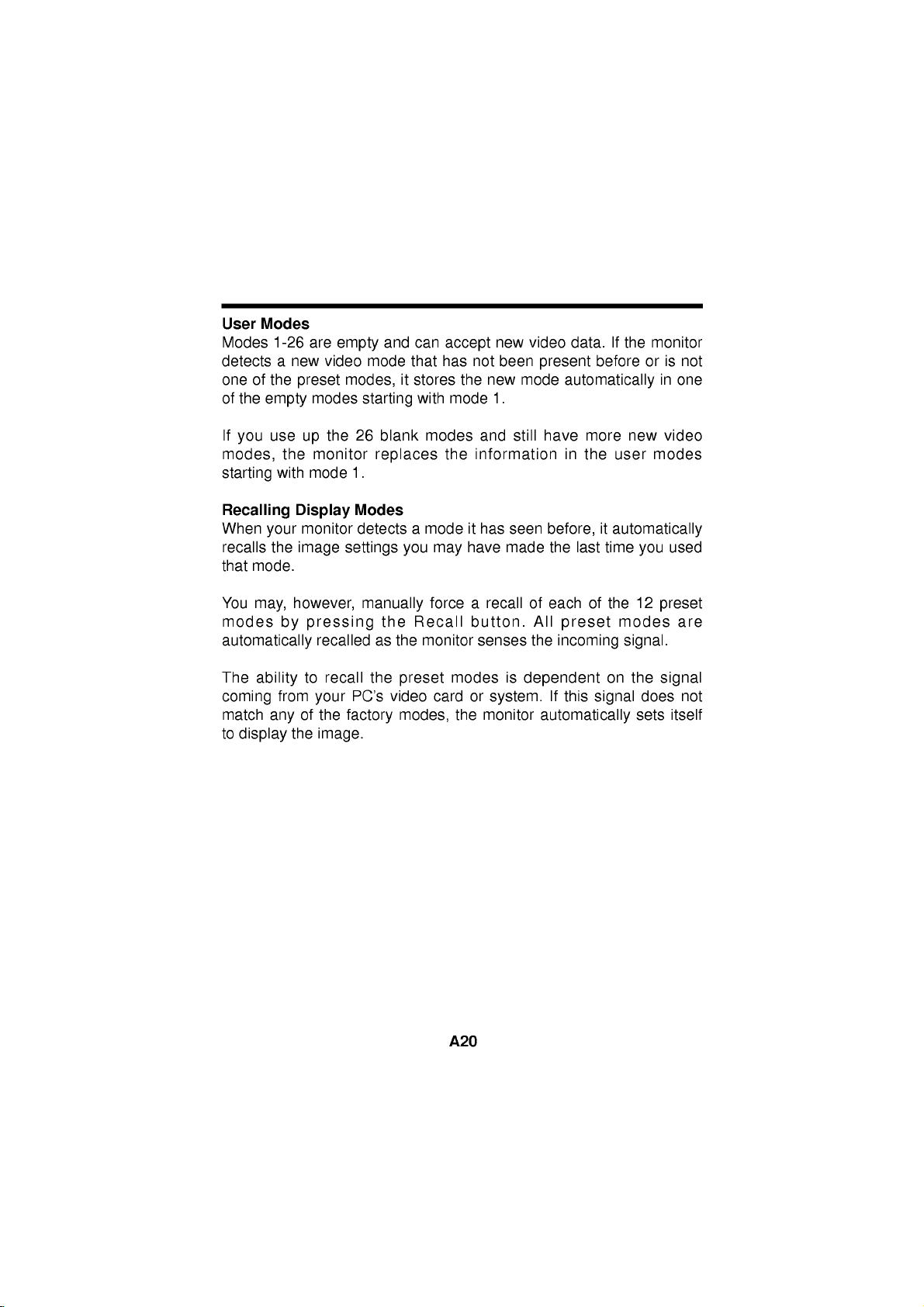
User
Modes
detects
one
of
the
Modes
of
1-26
a
the
empty
are
new
preset
modes
empty
video
mode
modes,
starting
and
it
can
that
stores
with
accept
has
the
mode
not
new
new
1.
been
video
present
mode
data.Ifthe
before
or
automatically
monitor
is
in
one
not
If
modes,
starting
Recalling
When
recalls
that
You
modes
you
your
mode.
may,
use
the
with
the
by
up
Display
monitor
image
however,
automatically
The
ability
coming
match
to
from
any
display
of
the
the
monitor
mode
settings
pressing
recalled
to
recall
your
the
factory
image.
26
blank
replaces
1.
Modes
detectsamode
you
manually
the
Recall
as
the
monitor
the
preset
PC's
video
modes,
modes
forcearecallofeach
may
card
the
modes
the
and
information
it
has
seen
have
made
button.
senses
is
or
system.
monitor
still
have
before,
the
All
the
dependent
automatically
more
in
the
last
of
preset
incoming
If
this
new
user
modes
it
automatically
time
you
12
the
modes
signal.
on
the
does
signal
sets
video
used
preset
are
signal
not
itself
A20
Page 29

Energy
This
monitor
program
build
circuitry
time
of
Saving
designed
non-use.
Design
complies
into
their
with
to
have
products
the
EPA's
manufacturers
to
Energy
reduce
Star
of
power
program,
computer
consumption
which
is
equipment
during
a
This
monitor
monitor's
1600x1200
50-160Hz
Energy
VESA
monitor
Star
Display
can
consumption
energy
state,
to
the
energy.
our
When
monitor
the
saving
indicated
an
amber
monitor
In
specifications,
you
will
Power
green
consumption
Power
Consumption
Mode
Normal(Max.)
Stand-by
Suspend
Off
also
goes
operating
or
the
vertical.
or
PC,
Power
conserve
during
mode,
by
color.
will
then
the
semi-OFF
awaken
also
awaken
LED
can
be
Hori.
Sync
On
Off
On
Off
into
its
energy
this
with
such
refresh
monitor
a screen
limits,
frequency
When
a
PC
Management
significant
Power
an
enter
Power
PC
of
monitor
LED
extended
a
mode
by
hittingakeyormoving
to
its
periods
the
the
After
the
your
light.Byfollowing
reduced
to
Verti.
Sync
On
On
Off
Off
as
non-use.
will
light
semi-OFF
or
DPMS
LED
normal
the
following
Video
Normal
Off
Off
Off
saving
the
maximum
rates
of
is
used
blanking
Signalling
energy
When
into
go
changing
period
will
in
mode
OFF
still
operating
these
levels:
Consumption
130W(140W)
if
mode
30-96kHz
with
software
a
you
Green
(DPMS)
by
reducing
the
PC
a
suspended
from
the
suspended
to
conserve
mode
as
show
an
the
mode,
conventions,
Power
8W(
30W)
8W(
30W)
3W(
20W)
exceed
resolution
horizontal
or
following
protocol,
power
into
goes
operation
a
green
we
call
amber
mouse,
indicated
the
LED
Green
Amber
Amber
Amber
the
EPA
the
this
the
color
mode,
more
it
color.
the
power
Color
of
or
in
by
A21
*(
):USB
Page 30

Low
Radiation
This
monitor
low
radiation
antistatic
agency
Extremely
screen
in
meets
Sweden,
Low
electromagnetic
Compliance
one
emissions,
coating.
limit
Frequency
range.
of
the
offering
These
the
(ELF)
(MPR
strictest
the
user
guidelines,
amount
and
II)
guidelines
extra
set
forth
of
emission
Low
Very
available
shielding
a
by
government
allowed
Frequency
today
and
in
(VLF)
for
an
the
DDC
(Display
DDC
isacommunication
informs
two
DDC
directional
these
situations,
commands
:
PC
Note
If
monitor
your
DDC
OFF
the
host
function;
communication
to
must
function.
Data
system
the
control
support
is
displaying
DDC1,
PC
the
DDC
Channel)
channel
about
(PC)
DDC2B.
between
sends
monitor
functionstodo
a
mono
chrome
over
which
its
capabilities.
DDC1
the
display
settings.
this.
image
PC
data
or
and
the
the
and
monitor
DDC2B
to
wrong
the
the
automatically
This
monitor
carry
monitor.
monitor
resolution,
out
Under
but
select
has
uni-
not
the
A22
Page 31

Troubleshooting
SELF
DIAGNOSTICS
The
OUT
The
the
Use
frequency
OF
monitor.
cable
signal
FREQUENCY
frequency
*Horizontal
*Vertical
the
graphics
setting
message.
is
not
message
of
the
Frequency:
Frequency:
board's
(Refer
connected.
sync
50-160Hz
utility
to
input
30-96kHz
the
appears.
is
outside
software
manual
to
for
the
operating
change
graphics
the
board).
range
of
The
power
Display
These
The
signal
Check
The
image
a
rectangle
Image
mode.
your
The
monitor
Computer
PC
or
power
:
If
Note
conditionofthe
Then
pressapower
technician
LED
power
is
no
cable
the
computer
on
the
shape.
adjustment
Use
the
liking.
doesn't
video
the
video
management
the
power
monitor.
for
more
is
illuminated
management
sync
signal.
is
not
SCREEN
not
SELECT
enter
signal
controller
indicator(LED)
ON/OFF
information.
fastened
been
is
and
is
and
the
not
power
function.
lightisblinking
buttononthe
amber.
mode.
not
done
power
VESA
card
securely.
graphics
centered,
in
yet
or
buttons
saving
DPMS
is
not
front
panel
adapter
or
the
using
amber,
control
configuration.
too
small,
current
to
set
off
mode
standard.
the
resultinabnomal
may
and
or
operating
the
image
(Amber).
Either
VESA
call
DPMS
your
not
to
the
service
A23
Page 32

Service
Unplug
qualified
The
Liquid
The
The
instructions.
operating
may
qualified
The
damaged.
The
Snapping
while
make
changing
Do
not
removing
hazards.
the
monitor
service
power
has
monitor
monitor
result
technician
monitor
monitor
the
occasional
video
attempt
covers
Refer
from
the
personnel
cord
or
been
has
does
Adjust
instructions.
in
damage
has
exhibitsadistinct
or
popping
monitor
modes.
to
may
all
servicingtoqualified
when
plugisdamaged
not
into
exposed
operate
spilled
been
only
An
and
to
restore
been
from
is
operating.
sounds
service
expose
wall
:
the
those
improper
often
the
dropped
outlet
monitor.
to
rain
normally
controls
monitor
and
or
frayed.
or
water.
that
adjustment
requires
or
the
following
to
changeinperformance.
the
when
the
monitor
Itisnormal
being
monitor
you
to
dangerous
service
is
turned
yourself,
refer
are
of
extensive
normal
cabinet
continuous
for
some
on
or
as
voltage
personnel.
servicing
the
operating
covered
other
controls
work
operation.
has
or
frequent
monitors
or
off,
opening
or
in
by
been
when
other
to
the
a
to
or
When
replacement
verifyinwriting
characteristics
replacements
Upon
completion
service
manufacturer's
When
a
disposal
service
can
technician
video
could
technician
that
as
the
prevent
of
service
monitor
result
to
parts
the
replacements
original
any
to
perform
manual.
reaches
in
a
dispose
are
fire,
service
picture
of
required,
Use
parts.
the
the
A24
or
the
monitor.
and
repairs
safety
end
tube
shock,
have
the
used have
of
manufacturer
other
hazards.
to
the
check
of
its
implosion.
service
useful
the
same
monitor,
described
life,
Ask
technician
safety
specified
ask
in
improper
a
qualified
the
the
Page 33

Specifications
Sync
Signal
Types
(N.C
Signal
Pin
1
2
3
4
5
6
7
8
Priority
1
2
3
:
No
Connector
Separate
Composite
Sync
Connection)
Pin
Signal(D-Sub)
Red
Green
Blue
Ground
Self-Test
Red
Ground
Green
Blue
Ground
Type
On
Green
Assignment
1
Ground
Sync
Sync
6
11
H.
Sync
H.
Sync
H/V.
Sync
N.C
5
10
15
Pin
Signal(D-Sub)
9
10
11
12
13
14
15
V.
V.
N.C
N.C
NC
Ground
Ground
SDA
Hori.
Vert.
SCL
Sync
Sync
Sync
Sync
Note
:No.5Pin
have
to
ground
on
thePCside.
A25
Page 34
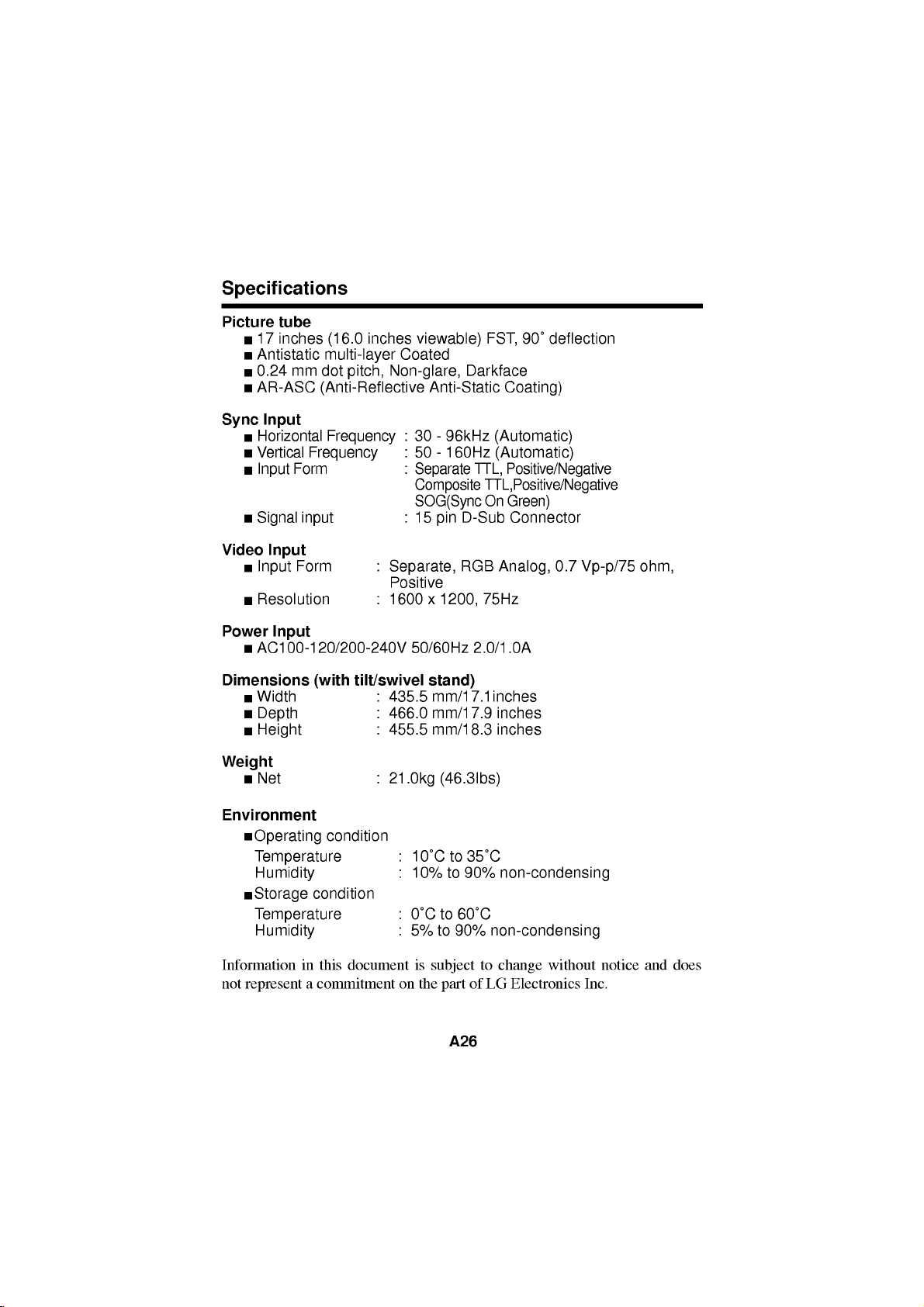
Specifications
Picture
Sync
tube
17
inches
Antistatic
0.24
AR-ASC
Input
Horizontal
Vertical
Input
Signal
Video
Input
Input
Resolution
Power
Dimensions
Input
AC100-120/200-240V
Width
Depth
Height
Weight
Net
(16.0
multi-layer
mm
dot
pitch,
(Anti-Reflective
Frequency
Frequency
Form
input
Form
tilt/swivel
(with
inches
Coated
Non-glare,
:
:
:
:
:
Separate,
Positive
:
1600
:
435.5
:
466.0
:
455.5
:
21.0kg
viewable)
Anti-Static
30-96kHz
50-160Hz
Separate
Composite
SOG(Sync
15
D-Sub
pin
RGB
x
1200,
50/60Hz
stand)
mm/17.1inches
mm/17.9
mm/18.3
(46.3Ibs)
90˚
FST,
Darkface
deflection
Coating)
(Automatic)
(Automatic)
TTL,
Positive/Negative
TTL,Positive/Negative
On
Green)
Connector
Analog,
75Hz
2.0/1.0A
inches
inches
0.7
Vp-p/75
ohm,
Environment
Operating
Temperature
Humidity
Storage
Temperature
Humidity
Information
not
represent
condition
condition
in
this
a
commitment
document
:
10˚Cto35˚C
:
10%
to
:
0˚Cto60˚C
:
5%
to
90%
is
subject
on
the
part
A26
90%
non-condensing
non-condensing
to
change
of
Electronics
LG
without
Inc.
notice
and
does
 Loading...