

Page 1

Colour
Television
OWNER'S
Please
Retainitfor
Record
See
mation
Model
Serial
the
number
read
this
future
model
label
attachedonthe
to
your
number
number
dealer
manual
reference.
when
:
:
MANUAL
carefully
and
serial
back
you
before
number
cover
require
ST
operating
of
the
set.
and
quote
service.
your
this
set.
infor-
Page 2
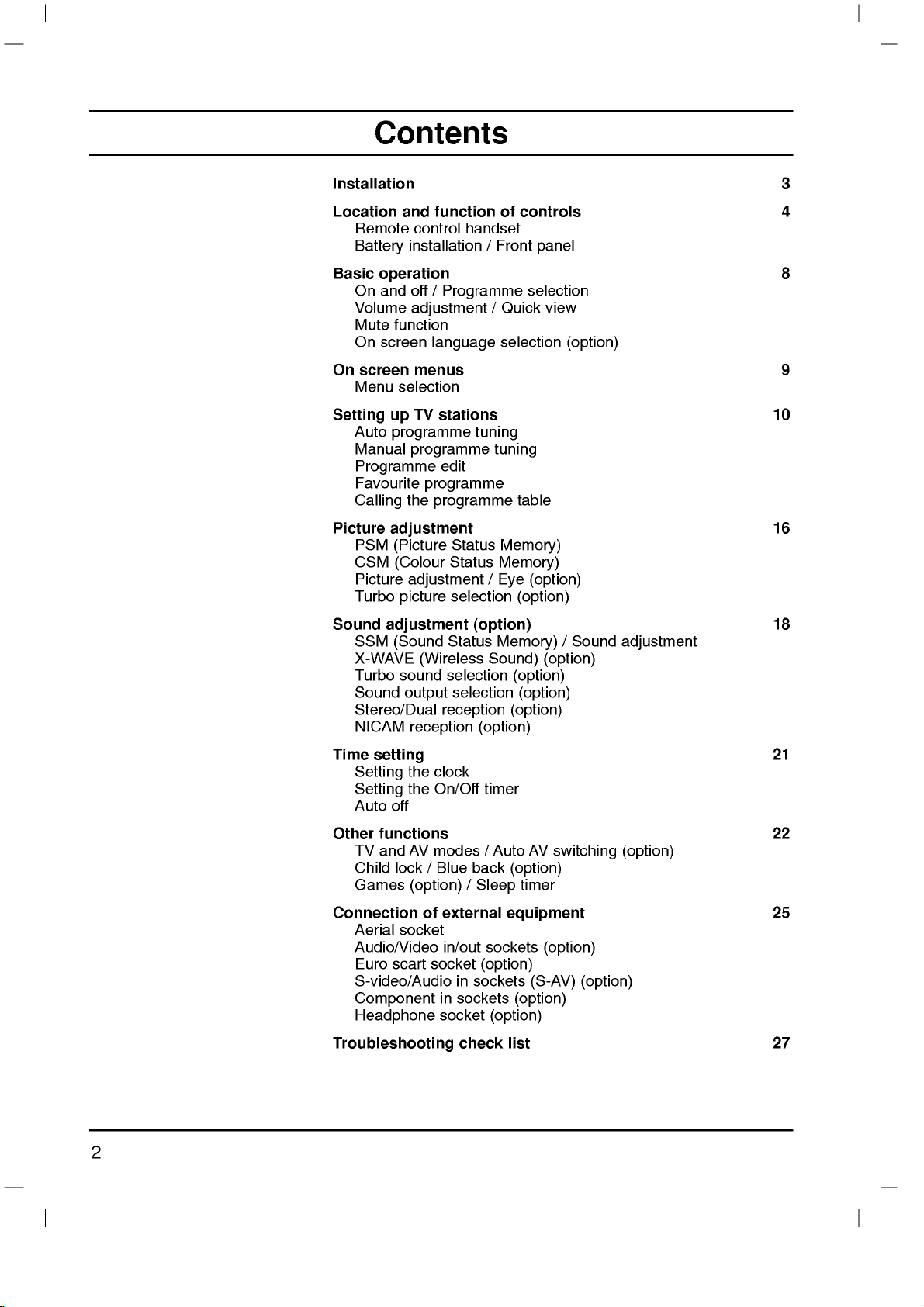
Contents
Installation
Location
Remote
Battery
Basic
operation
On
and
Volume
Mute
On
screen
On
screen
Menu
Setting
Auto
Manual
Programme
Favourite
Calling
Picture
PSM
CSM
Picture
Turbo
Sound
Time
adjustment
SSM
X-WAVE
Turbo
Sound
Stereo/Dual
NICAM
setting
Setting
Setting
Auto
and
function
control
installation/Front
off
handset
/
Programme
adjustment
function
language
menus
selection
TV
programme
programme
programme
the
stations
edit
programme
up
adjustment
(Picture
(Colour
Status
Status
adjustment/Eye
picture
selection
(option)
(Sound
Status
(Wireless
sound
selection
output
selection
reception
reception
the
clock
the
On/Off
off
of
/
Quick
selection
tuning
tuning
table
Memory)
Memory)
(option)
Memory)
Sound)
(option)
(option)
(option)
timer
controls
panel
selection
view
(option)
/
(option)
(option)
(option)
Sound
3
4
8
9
10
16
18
adjustment
21
Other
functions
TV
and
AV
Child
lock/Blue
Games
Connection
Aerial
Audio/Video
Euro
S-video/Audio
(option)/Sleep
of
socket
scart
Component
Headphone
Troubleshooting
modes/Auto
back
external
in/out
sockets
socket
in
in
sockets
socket
check
(option)
sockets
(option)
AV
switching
(option)
timer
equipment
(option)
(S-AV)
(option)
list
(option)
(option)
22
25
27
2
Page 3
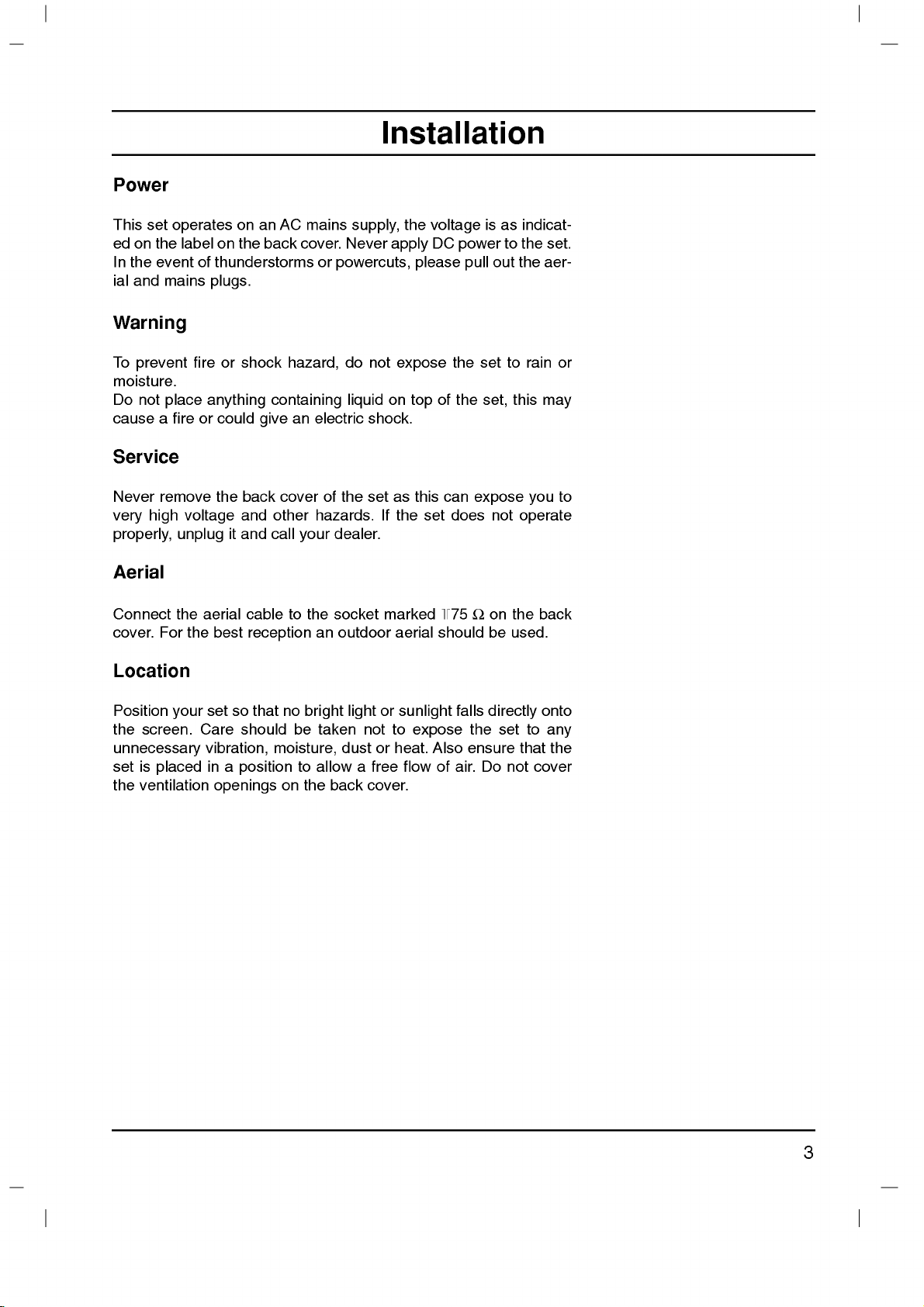
Power
This
set
ed
on
the
In
the
event
ial
and
Warning
operates
labelonthe
of
mains
on an
back
thunderstorms
plugs.
Installation
AC
mains
cover.
or
supply,
Never
powercuts,
the
apply
voltage
DC
please
isasindicat-
power
out
pull
to
the
set.
the
aer-
To
prevent
moisture.
Do
not
cause
place
a
Service
Never
very
remove
high
properly,
Aerial
Connect
cover.
For
Location
Position
the
screen.
unnecessary
set
is
placed
the
ventilation
fireorshock
anything
fireorcould
the
voltage
aerial
the
best
set
Care
vibration,
in
it
so
a
unplug
the
your
openings
containing
give
back
cover
and
other
and
call
cable
reception
that
no
should
moisture,
position
on
hazard,
an
electric
of
hazards.
your
to
the
an
bright
be
taken
to
allowafree
the
do
not
expose
on
liquid
shock.
the
set
as
If
the
dealer.
socket
outdoor
marked
aerial
lightorsunlight
not
to
dustorheat.
flowofair.
back
cover.
top
this
set
expose
of
can
+75
should
Also
the
the
does
falls
set
set,
expose
not
Ω
on
be
directly
the
ensure
Do
to
this
the
used.
set
not
rain
may
you
operate
back
onto
to
any
that
the
cover
or
to
3
Page 4

Location
and
All
the
Some
panel
function
functions
functions
of
the
set.
of
controls
can
be
controlled
can
also
be
with
adjusted
the
with
remote
the
control
buttons
on
handset.
the
front
POWER
MUTE
Remote
Before
teries.
1.
POWER
switches
you
See
control
use
the
next
the
the
set
handset
remote
page.
on
from
control
standby
handset,
or
off
please
to
standby.
install
the
bat-
1
123
456
2
789
MENU
0
TV/AV
3
4
/
E
Y
E
5
Q
.
V
I
E
W
I
/
I
I
/
()
PR
OK
PR
VOLVOL
()
T
S
I
L
6
PSM
SSM/
SLEEP
7
8
FAVOURITE
PICTURE
TURBO/
/
SOUND
9
2.
3.
4.
5.
6.
7.
NUMBER
switches
MENU
selects
*
EYE/
switches
()
/
selects
switches
scans
F/G
adjusts
adjusts
OK
accepts
Q.VIEW
returns
PSM
recalls
BUTTONS
the
a
menu.
(option)
the
()
(Programme
a
programme
the
programmes
(Volume
the
volume.
menu
your
to
the
(Picture
your
set
on
function
eye
set
on
automatically.
Up/Down)
settings.
selection
previously
Status
preferred
from
standbyordirectly
on
or
off.
Up/Down)
oramenu
from
standby.
or
displays
viewed
Memory)
picture
setting.
item.
the
current
programme.
selectanumber.
mode.
8.
FAVOURITE
selectsafavorite
9.
TURBO
selects
PICTURE
Turbo
programme.
/
picture
SOUND
and
sound.
BUTTON
(option)
4
Page 5

10.
11.
MUTE
switches
TV/AV
selects
switches
Location
the
sound
TVorAV
the
set
mode.
on
on
from
or
off.
standby.
and
function
of
controls
12.
I/II/
selects
selects
13.
LIST
displays
14.
SLEEP
sets
15.
SSM/
recalls
16.
SURROUND
selects
:
*
No
COLOURED
TELETEXT
Battery
The
remote
To
load
the
open
the
polarity
*
(option)
the
the
the
the
sleep
*
(Sound
your
surround
function
BUTTONS
models)
installation
control
the
batteries,
battery
symbols
language
sound
output.
programme
timer.
Status
preferred
º
*
/
(
sound.
or
programme
handset
turn
compartment.
+
(
during
table.
Memory)
sound
)
(option)
:
These
is
the
and
dual
setting.
powered
remote
Install
-
marked
)
buttons
edit.
language
(option)
are
two
by
control
two
batteries
inside
broadcast.
used
AAA
handset
the
(option)
for
teletext
batteries.
type
over
as
indicated
compartment.
(only
and
by
POWER
MENU
VOL
123
456
789
Y
E
Q
.
V
PSM
FAVOURITE
MUTE
10
0
TV/AV
11
I
/
E
PR
PR
I
E
W
/
I
I
/
()
OK
VOL
()
T
S
I
L
12
13
SSM/
SLEEP
14
PICTURE
TURBO/
/
SOUND
15
16
Note
batteries
extended
:
To
avoid
if
you
period
damage
do
not
of
time.
plan
from
possible
to
use
the
battery
remote
leakage,
control
remove
handset
for
the
an
5
Page 6

Location
and
function
of
controls
Front
21FD1/4
AV2
VIDEO L/MONO
6
AUDIO
R
panel
series
1234
7
7
6
AV2
R
AUDIO
L/MONO
VIDEO
21FX4
21FB2
ON/OFF
series
1234
series
123
7
6
21FB5
R AUDIO
ON/OFF
L/MONO
VIDEO
AV2
series
MENUOKVOL PR
1
234
21FX6
MENU
OK
VOL
PR
3
series
8
2
5
1
15/21FC2
5
MENU
OK
48
5
VIDEO
AUDIO
L
R
AV
8
VOL
PR
21FC9
4
5
series
MENU
OK
ON/OFF
series
1
1
7
5
6
8
4
2
3
5
45
PR
3
PR
2
VOL
8
5
21FB3
ON/OFF
7
AUDIO
6
VIDEO
17/21FB7
AV
1234
series
MENUOKVOLPRVIDEO AUDIO
5
series
AV
7 7
6
VIDEO
AUDIO
L/MONO
R
AV3
6
12345
AV
VIDEO
L/MONO
6
AUDIO
R
7
17/21FX5
series
1
235
4
8
6
Page 7

Location
and
function
of
controls
6
7
6
7
6
7
6
7
Front
21FC1
panel
series
VIDEO AUDIO
12345
AV
VIDEO
L/MONO
AUDIO
R
V2
A
VIDEO
L/MONO
AUDIO
R
AV2
17/21FA3
ON/OFF
15/21Q9
ON/OFF
1
21FE6
21Q6
ON/OFF
1231011
21Q4
1
1
ON/OFF
2
3
series
series
series
series
2
series
123
4
MENUOKVOL
34
TV/AV
R
() ()
(VOL)P
12
MENU
OK
VOL
VOL
PR
5
MENU
VIDEO AUDIO
23
1.
MAIN
POWER
switches
OK
VOL
PR
2.
POWER/STANDBY
illuminates
when
:
Only
handset.
they'll
(option)
a
(option)
mode.
(Volume
the
E
/
(Programme
a
mode.
your
menu
standby
dims
3.
REMOTE
Note
4.
5.
control
ers,
MENU
selects
OK
accepts
current
F/G
adjusts
PR
L/MONO
2
VOL
PR
598
7
6
SOUND
TURBO
PICTURE
5
MENU
OK
4
adjusts
D
selects
switches
6.
AUDIO
(or
SOCKETS
4
5
L/MONO
R
AV2
7.
Connect
external
HEADPHONE
Connect
equipment
(ON/OFF)
the
set
on
or
INDICATOR
set
when
is
switched
brightly
the
CONTROL
use
the
supplied
(When
be
not
able
menu.
selection
Up/Down)
volume.
settings.
Up/Down)
programme
the
set
on
from
AUDIO-L/R)/VIDEO
or
(AV
the
the
AV2)
audio/video
to
SOCKET
headphone
off.
the
SENSOR
you
to
function.)
or
displays
oramenu
standby.
(option)
out
these
(option)
plug
set
is
on.
remote
use
oth-
(option)
(option)
item.
IN
sockets
sockets.
to
this
in
the
of
socket.
67
8
8
EYE
8.
9.
10.
11.
12.+/-(
Note
(option)
adjusts
rounding
TURBO
switches
function
TV/AV
selects
clears
the
switches
(Function)
selects
items
the
menus
D
adjusts
switches
:
Shown
picture
conditions.
SOUND
Turbo
on
or
(option)
TVorAV
menu
the
volume,
or
brief
not
E
/
)
the
functionorselects
the
is
tionoffrontorside
be
may
somewhat
according
/
sound
off.
mode.
from
set
on
(option)
EYE
auto
display.
(option)
set
on
a
simplified
panel.
different
PICTURE
or
the
from
(option),
programme
from
Here
to
the
(option)
Turbo
screen.
standby.
a
programme.
standby.
representa-
shown
from
your
sur-
picture
picture
while
set.
7
Page 8

POWER
123
MUTE
Basic
On
and
1.
Press
2.
If
or
on
3.
Press
The
4.
Press
Note
nected
operation
off
the
the
set
NUMBER
fully.
the
set
reverts
the
:
while
If,
the
set
plugisreplaced
main
is
POWER
main
in
standby
buttons
the
will
in
power
to
power
set
switch
the
button
mode,
on
button
standby
button
is
switched
to
mains
the
remote
on
mode.
standby
power
to
switch
press
the
again
on,
socket.
the
control
remote
to
or
the
POWER,
control
switch the
the
mains
power
set
handset
on
on.
D
handset.
set
plug
when
/
to
E
off.
is
the
TV/AV
,
switch
discon-
mains
it
MENU
456
789
TV/AV
0
Programme
You
can
select
buttons.
Volume
I
/
I
I
/
()
PR
()
TURBO/
VOLVOL
SOUND
OK
PR
Q
.
V
I
E
W
SSM/
Press
Quick
Press
were
Mute
Press
>
You
TURBO
On
the
view
the
watching.
function
the
appears.
can
SOUND
screen
selection
a
programme
adjustment
F/G
button
Q.VIEW
MUTE
cancel
button.
it
by
button.
language
to
button
The
pressing
number
the
adjust
to
view
sound
the
selection
with
volume.
the
previous
is
switched
MUTE,
(option)
the
F/G
D
off
E
or
/
programme
and
SSM/
,
NUMBER
the
display
*
I/II/
,
you
*
,
The
menu
can
First
1.
2.
3.
select
Press
Special
Press
Press
be
your
language.
the
MENU
menu.
theGbutton
theGbutton
displayed
button
and
to
select
then
on
and
Language.
D
the
screen
then
D
E
buttontoselect
/
in
desired
E
button
/
language.
to
select
your
the
desired
language.
All
the
on
Press
4.
Repeatedly
the
screen
OK
or
press
displays
F
the
button
MENU
will
to
appear
select
button
the
in
the
Special
to
selected
return
menu.
to
language.
normal
TV
viewing.
8
Page 9

On
screen
menus
The
an
also
Menu
1.
2.
3.
4.
Note
a.
b.
c.
d.
operator
dialogue
displayed.
selection
Press
the
Press
theGbutton
Press
theGbutton
Change
F/Gor
You
can
to
move
:
In
mono
In
some
In
some
or
Treble,
In
some
will
not
AutoOprog.
Manual
Prog.Oedit
Favourite
(
O}i{OOKOMENU
)
PSM
TurboOPic.
CSM
Contrast
Brightness
Colour
Sharpness
(
O}i{OOKOMENU
)
SSM
TurboOSnd.
AVL
Balance
Woofer
Treble
Bass
X-WAVE
(
O}i{OOKOMENU
)
between
menu.
MENU
the
setting
D
/
move
to
the
models,
models,
models,
Bass
models,
display
you
The
buttons
button
and
to
ofaniteminthe
E
.
to
the
lower
the
Turbo
Turbo.Snd.,
will
Language,
in
the
{
{
{
{
Station
{
{
{
{
{
{
{
Picture
{
{
{
{
{
{
{
{
Sound
and
and
then
display
higher
level
Sound
Pic.
not
display
Special
menu
menu
menu
your
required
then
D
/
the
level
menu
menu
will
AV
menu.
set
D
E
sub
menu
not
L
in
Blue
takes
for
E
button
/
button
menu
sub
press
does
display
,
Balance,
the
(
O}i{OOKOMENU
)
(
O}i{OOKOMENU
)
place
the
operating
to
to
select
or
the
or
pull-down
with
OK
theGbutton.
not
appear.
in
Sound
menu.
back,
DeleteOOOCopy
MoveOOOOOSkip
(
O}i{OOKOMENU
)
{
{
{
{
{
{
{
{
{
{
System
Storage
Normal
Turbo
Storage
System
Channel
Fine
Search
Name
OOOOCO1DOOOO5OOSO69
O1OOCO03OOOO6OOSO17
O2OOCO12OOOO7OOSO22
O3OOSO66OOOO8OOCO09
O4OOSO67OOOO9OOCO11
on
display
pull-down
or
the
Picture
Woofer,
Game,
BG
I
DK
M
2
a
F
screen
each
menu
menu
button
steps
menu.
X-WAVE
Booster
menu.
menu.
with
are
item.
with
and
MENU
()
PR
OK
PR
VOLVOL
()
TV
Clock
OffOtime
OnOtime
AutoOoff
(
O}i{OOKOMENU
)
Language
Input
BlueOback
ChildOlock
(
O}i{OOKOMENU
)
programme
{
{
{
{
Time
{
{
{
{
Special
menu
menu
9
Page 10

Setting
to
100
O
O
Up
Once
or
NUMBER
Stations
Note
you
:Insome
up
TV
have
can
TV
stations
preset
buttons
be
can
to
tuned
models
stations
be
stored
the
stations,
scan
the
stations
automatic
using
to
200
up
by
you
TV
programme
willbeable
you
programmed.
or
manual
stations
can
numbers
to
modes.
be
use
stored.
(0to99).
the
D
E
/
MENU
OiO
456
789
123
O
0
()
PR
OK
PR
VOLVOL
()
Auto
All
ommended
1.
2.
3.
4.
5.
6.
7.
8.
9.
programme
stations
Press
Press
Press
Press
on
BG
I
DK
M
Press
Press
Press
with
from
numeric
Press
Press
Option:
that
can
that
you
the
MENU
theGbutton
theGbutton
theGbutton.
the
System
:
(Asia/New
:
(Hong
:
:
the
Kong/South
(East
Europe/China/Africa/CIS)
(USA/Korea/Philippines)
the
OK
the
D
/
theGbutton.
F/G
pull-down
'0'
(or
the
OK
the
D
/
In
some
tuning
be
received
use
auto
button
and
to
OiO
SelectaTV
pull-down
Zealand/M.East/Africa/Australia)
F
or
button.
E
button
Select
button
menu.
in
'00')
button.
E
button
models,
programme
to
select
then
display
O
menu;
Africa)
to
select
or
Any
front
to
select
you
are
D
the
NUMBER
number
of
stored
during
the
Station
E
buttontoselect
/
the
Auto
system
(option)
Storage.
beginning
under
i.e.
'05'
it,
Normal
can
only
by
prog.
with
buttons
select
this
method.
installationofthis
menu.
Auto
menu.
programme
10
(or
'005')
or
the
on
is
Turbo.
D
the
entered
for
E
/
Storage
Start.
It
prog..
button
number
5.
is
with
rec-
set.
a
10
Note
a.
Turbo
searches
b.
If
system
10.
Press
All
To
When
appears
the stored
11.
Repeatedly
viewing.
:
the
programmed
Normal
(Normal
theGbutton
receivable
stop
auto
is
faster
will
again
{000
auto
programming
on
the
programme.
search)
programming,
press
than
Normal
automatically
station
in
the
Manual
0
OO
OOO
to
the
begin
are
See
MENU
stations
screen.
store
has
menu.
auto
stored.
press
is
completed,
the
'Programme
button
and
in
all
receivable
poor
quality
Turbo
(Turbo
programming.
the
MENU
to
some
the
return
models,
stations.
sound,
{0000
search)
button.
Prog.
edit'
OO
OOO
edit
section
to
select
normal
these
menu
to
the
edit
TV
Page 11

Setting
up
TV
stations
Auto
programme
To
automatically
D
the
D
()or
E
D
programmes
To
buttons.
Manual
Manual
tionsinwhatever
name
1.
2.
3.
4.
5.
6.
7.
8.
9.
10.
11.
12.
13.
14.
auto
stop
programme
programme
with
five
Press
the
Press
theGbutton
Press
theGbutton
Press
the
Press
theGbutton
desired
NUMBER
under
'05'
Press
Press
Press
on
BG
I
DK
M
Press
Press
Press
or
If
buttons.
'00')
Press
Press
Press
programme
10
(or
'005')
the
the
theGbutton.
the
System
:
(Asia/New
:
(Hong
:
(East
:
(USA/Korea/Philippines)
the
the
the
Cable
possible,
Any
in
front
the
the
the
searching
the
search
15.
Press
the
scan
scan
the
E
E
()button
appears
programme
pictures
for
about3seconds.
on
the
scanning,
screen
tuning
lets
you
order
characters
MENU
D
buttons
is
OK
D
E
/
entered
for
button.
E
/
button
OiO
button
on
5.
button
pull-down
Zealand/M.East/Africa/Australia)
Kong/South
Europe/China/Africa/CIS)
G
select
G
will
or
E
/
button.
the
number
of
it,
or
E
/
button.
the
stop.
button
F
button
Channel
the
i.e.
F
button
Search
OK
D
on
OK
D
on
OK
manually
desire.
you
to
each
to
select
and
then
to
display
O
to
to
select
select
number
the
Storage
withanumeric
to
select
SelectaTV
menu;
Africa)
button.
to
select
Press
the
pull-down
channel
under
10
'05'
(or
button.
to
select
Press
pull-down
to
store
of
one
press
Also
programme
the
E
D
/
the
Manual
Storage.
the
programme
(0to99)
pull-down
System.
system
(option)
Channel.
D
/
number
is
entered
'005')
Search.
F/G
the
it.
The
stored
by
any
tune
you
Station
button
with
'0'
(or
E
button
menu.
directly
for
5.
menu.
display
programmes,
The
picture
one.
button
and
arrange
can
assign
number.
menu.
to
select
menu.
number.
F/G
the
menu.
in
'00')
with
the
to
select
with
withanumeric
button
to
Ifastation
Stored
of
except
a
Manual.
Select
button
Any
front of
E
D
/
the
commence
will
press
stored
VCR
the
station
number
it,
button
V/UHF
number
'0'
is
found
appear.
sta-
the
or
i.e.
(or
MENU
OiO
456
789
123
O
O
O
0
()
PR
OK
PR
VOLVOL
()
16.
To
17.
Repeatedly
viewing.
store
another
press
Search
station,
the
repeat
MENU
{
steps
button
4to15.
to
return
to
normal
TV
11
Page 12

Setting
O
O
OiO
O
Assigning
1.
Repeat
2.
Press
3.
Press
4.
Press
to
9
With
5.
Select
your
6.
Press
7.
Repeatedly
and
TV
up
a
station
the
'Manual
the
D
theGbutton
theDbutton.
the
theEbutton
the
positionbypressing
choice
the
OK
E
button
/
alphabet
of
the
button.
press
stations
name
programme
to
select
on
the
Name
You
can
AtoZ.
can
you
second
the
selectinthe
character,
MENU
tuning'
use a
the
button
Name.
pull-down
blank,
F/G
and
to
return
1to3.
steps
menu.
+,
-,
opposite
button
so
on.
to
the
direction.
and
normal
numeric
then
0
take
TV
viewing.
MENU
Booster
In
Booster
If
the
Booster
Booster
1
2.
3.
()
PR
OK
PR
VOLVOL
()
4.
5.
6.
(option)
some
models,
can
reception
to
to
Repeat
Press
Press
Press
pull-down
Press
Repeatedly
viewing.
Booster
perform
is
poor
When
On.
On.
the
'Manual
the
theGbutton.
the
the
D
D
menu.
OK
/
/
press
E
E
button.
this
at
the
button
button
the
is
an
function.
the
fringe
picture
programme
to
to
MENU
optional
condition
select
select
button
function.
area
tuning'
Booster.
On
to
of
or
TV
is
steps
Off
return
Only
signal,
good,
1to3.
on
the
to
select
do
Booster
normal
a
set
with
not
select
TV
12
Page 13

Setting
up
TV
stations
Programme
This
function
Also
insertablank
1.
2.
3.
Deleting
1.
2.
Copying
1.
2.
Moving
1.
2.
3.
4.
you
Press
Station
Press
Press
Select
Press
The
grammes
Select
Press
All
the
Select
Press
Move
the
D
Press
can
theGbutton
theGbutton
a
a
the
selected
a
a
the
a
a
the
the
/
the
edit
enables
move
station
the
MENU
menu.
programme
programme
RED
are
shifted
programme
programme
GREEN
following
programme
programme
YELLOW
programme
E
orF/Gbutton.
YELLOW
you
some
data
button
and
to
OOOOCO1DOOOO5OOSO69
O1OOCO03OOOO6OOSO17
O2OOCO12OOOO7OOSO22
O3OOSO66OOOO8OOCO09
O4OOSO67OOOO9OOCO11
(
)
to
button
programme
to
button.
programmes
to
button.
button
to
delete
or
stationstoother
into
the
selected
and
then
then
display
DeleteOOOCopy
MoveOOOOOSkip
O}i{OOKOMENU
be
deleted
E
D
/
the
with
twice.
is
deleted,
one
up
be
be
to
position.
copied
are
moved
the
desired
again
with
with
to
the
skip
stored
programme
programme
E
D
button
/
buttontoselect
edit
Prog.
the
D
/
all
the
the
D
/
shifted
the
down
D
/
programme
release
this
programmes.
to
menu.
F/G
E
or
following
E
orF/Gbutton.
one
F/G
E
or
function.
numbers
number.
select
Prog.
button.
position.
button.
number
the
edit.
pro-
with
AutoOprog.
Manual
Prog.Oedit
(
O}i{OOKOMENU
)
123
456
789
MENU
Favourite
0
PR
PR
or
{
{
{
{
()
VOLVOL
()
Skipping
1.
Select
F/G
2.
Press
3.
Press
gramme.
willbeunable
you
mal
TV
directly
tons
Repeatedly
a
programme
a
programme
button.
the
the
When
viewing.
enter
or
selectitin
press
BLUE
BLUE
the
the
OOOOCO1DOOOO5OOSO69
O1OOCO03OOOO6OOSO17
O2OOCO12OOOO7OOSO22
O3OOSO66OOOO8OOCO09
O4OOSO67OOOO9OOCO11
(
)
button.
button
a
programme
to
If
you
programme
the
MENU
Move0Off
O}i{OMENU
number
number
The
select
want
programme
button
skipped
again
it
using
to
to
be
to
number
select
number
editortable
to
return
skipped
programme
release
is
the
D
the
with
with
the
skipped
E
button
/
skipped
the
to
normal
the
turns
skipped
it
NUMBER
menu.
D
/
to
means
during
programme,
TV
viewing.
E
blue.
pro-
that
nor-
but-
or
13
Page 14

Setting
up
TV
stations
MENU
O
O
OiO
O
Favourite
This
function
1.
Press
2.
Press
3.
Press
4.
Press
5.
Selectadesired
6.
To
You
7.
Press
8.
Repeatedly
programme
lets
the
theGbutton
theGbutton
the
store
another
can
store
the
MENU
D
OK
select
you
buttontoselect
and
to
Favourite
OiOOO
E
button
/
programme
programme,
to
8
up
button.
the
press
your
then
display
O
O
to
select
programmes.
MENU
favourite
the
E
D
/
the
Favourite
{
--
with
repeat
button
programmes
Station
menu.
buttontoselect
menu.
00
-----.
F/G
the
steps
button.
4to5.
to
return
directly.
Favourite.
to
normal
TV
viewing.
the
()
PR
OK
VOLVOL
Repeatedly
programmes.
press
FAVOURITE
button
to
select
stored
favourite
FAVOURITE
()
PR
14
Page 15

Setting
up
TV
stations
Calling
You
can
check
the
programme
Displaying
Press
the
The
programme
table
contains
:
Note
a.
You
may
to
be
mode.
b.
Some
gramme
Selecting
Select
Then
The
Paging
There
200)
press
set
are
programmes.
Pressing
a
switches
through
the
programme
LIST
ten
find
skipped
programmes
table
a
programme
programme
the
10
(or
the
D
programme
the
programmes
table.
button
table
programmes
some
auto
by
indicate
with
button.
OK
to
the
a
programme
20)
programme
E
or
/
table
to
display
appears
OOOOCO1DOOOO5OOSO69
O1OOCO03OOOO6OOSO17
O2OOCO12OOOO7OOSO22
O3OOSO66OOOO8OOCO09
O4OOSO67OOOO9OOCO11
(
O}i{OOKOMENU
)
blue
programmes.
programming
with
the
there
in
the
the
chosen
F/G
table
storedinthe
the
Programme
on
the
as
below.
channel
isnostation
programme
E
or
D
/
programme
table
table
button
repeatedly
screen.
or
number
F/G
pages
memory
They
in
the
name
table
button.
number.
which
table
One
have
programme
shown
turns
by
displaying
menu.
programme
been
in
the
assigned.
contain
the
pages.
100
set
edit
pro-
(or
up
()
PR
OK
PR
VOLVOL
()
T
S
I
L
Press
the
LIST
button
to
return
to
normal
TV
viewing.
15
Page 16

Picture
adjustment
(
O}i{OOKOMENU
)
MENU
PSM
PSM
TurboOPic.
CSM
Contrast
Brightness
Colour
Sharpness
PR
OK
PR
Picture
{
{
{
{
{
{
{
Note:
PSM
1.
2.
3.
(Picture
Press
Picture
Press
Press
setting
4.
Press
5.
Repeatedly
menu
Status
the
MENU
menu.
theGbutton
theGbutton
on
the
PSM
the
OK
or
press
options
button
to
and
pull-down
PSM
TurboOPic.
CSM
Contrast
Brightness
Colour
Sharpness
(
O}i{OOKOMENU
)
F
button.
the
are
Memory)
and
select
then
MENU
not
then
PSM.
available
D
/
menu.
{
Dynamic
Standard
{
Mild
{
Game
{
User
{
{
{
button
for
RGB
E
D
E
/
button
to
button
return
to
select
input
to
to
select
a
normal
source.
the
picture
TV
viewing.
You
can
also
recall
a
desired
Dynamic,
picture
select
as
you
the
menu.
theGbutton
theGbutton
or
reproduction
the
MENU
Greenish
Game
Mild,
picture
for
good
CSM
You
()
VOLVOL
()
or
1.
2.
3.
4.
(Colour
can
bluish,
Press
Picture
Press
Press
Reddish,
Repeatedly
User)
Standard,
Status
picture
prefer.
press
with
Memory)
colour
button
and
and
or
the
PSM
at
and
then
then
Bluish
MENU
picture
button
Mild
the
status;
then
D
D
and
factory
standard,
D
E
button
/
E
button
/
on
the
button
(Dynamic,
on
the
Game
and
E
/
CSM
to
return
remote
cannot
button
to
to
pull-down
are
reddish,
select
select
to
Standard,
control.
programmed
be
changed.
greenish
to
select
CSM.
Standard,
menu.
normal
The
the
TV
viewing.
Picture
You
ness
1.
2.
adjustment
can
adjust
and
tint
Press
the
Picture
Press
Brightness,
menu.
theGbutton
picture
(NTSC
MENU
input only)
Colour
contrast,
button
and
or
brightness,
to
the
and
then
then
D
/
Sharpness.
E
levels
D
button
/
colour
you
E
prefer.
button
to
select
intensity,
to
select
Contrast,
sharp-
the
16
3.
Press
adjustments
4.
Press
5.
Repeatedly
viewing.
theGbutton
on
}i{O)OOKOMENU
the
OK
button
press
the
(
O}i{OOKOMENU
)
and
each
(
the
PSM
TurboOPic.
CSM
Contrast
Brightness
Colour
Sharpness
then
to
store
MENU
sub
Contrast
{
{
{
{
{
{
{
F/G
menu.
it
for
button
100
button
the
to
80
picture
to
return
make
user.
appropriate
to
normal
TV
Page 17

Eye
is
Eye
this
function.
In
some
to
ing
most
suitable
Press
When
cally
adjusted
At
this
ously
condition
(option)
an
optional
models,
the
surrounding
the
EYE/
Off
the
eye
time
the
but the
display
changes.
function.
the
set
picture
function
according
*
buttontoswitch
according
display
Only
will
automatically
conditions.
is
the
on,
to
the
in
Picture
a
set
with
This
will
to
the
surroundings.
the
eye
most
suitable
surrounding
in
green
yellow
appears
adjustment
option
the
picture
you
on
appear
time
can
or
eye
adjust
enable
function
conditions.
does
picture
not
each
to
enjoy
off.
is
automati-
the
perform
accord-
the
continu-
picture
/
E
Y
E
:
Note
a.
If
you
function,
b.
EYE
Turbo
When
tinct
picture
this
than
Repeatedly
(Turbo
:
Note
a.
If
you
Turbo
b.
TURBO
source.
press
the
function
function
normal
press
Picture
press
picture
PICTURE
the
PSM
function
eye
is
not
selection
is
picture.
the
off)
the
PSM
function
available
on,
TURBO
button
function
or
TURBO
is
automatically
for
(option)
the
picture
PICTURE
with
is
automatically
is
PICTURE
RGB
will
the
not
input
be
more
button
(Turbo
Turbo
switched
available
button
switched
source.
brilliant
to
switch
Picture
picture
with
off.
function,
off.
for
RGB
on
on)
and
the
eye
dis-
or
input
off.
the
PSM
PICTURE
TURBO/
17
Page 18

Sound
adjustment
(option)
(
O}i{OOKOMENU
)
MENU
SSM
TurboOSnd.
AVL
Balance
Woofer
Treble
Bass
X-WAVE
PR
{
{
{
{
{
{
{
{
()
Sound
adjustment
SSM
You
Speech
1.
2.
3.
adjustment
can
(Sound
can
select
and
you
Press
the
Sound
Press
Press
ting
Sound
a.
b.
c.
d.
menu.
theGbutton
theGbutton
on
the
Frequency
Press
Selectasound band
Make
appropriate
Press
is
an
perform
Status
your
preferred
can
also
MENU
SSM
theGbutton
the
OK
button
pull-down
(
)
button
optional
this
function.
Memory)
sound
adjust
and
to
select
and
then
menu.
Adjustment
in
User
by
SSM
TurboOSnd.
AVL
Balance
Woofer
Treble
Bass
X-WAVE
O}i{OOKOMENU
sound
to
store
function
the
sound
then
SSM.
E
D
/
to
pressing
{
Flat
Music
{
Movie
{
{
Speech
User
{
{
{
{
level
it
only
setting;
Flat,
frequency
E
D
button
display
with
for
button
/
to
selectasound
the
theF/Gbutton.
the
D
the
sound
Equalizer
a
User
/
set
Music,
E
button.
User.
with
Movie
of
equalizer.
to
select
sub
sound
or
the
set-
menu.
OK
PR
SSM/
VOLVOL
Flat)
to
sound
Speech
button
the
then
D
/
theF/
button
0.1O0.4O1.0O4.0O10OkHz
return
on
and
display
set
D
E
button
to
(Flat,
the
are
cannot
after
a
factory
E
/
Treble,
G
,
to
normal
remote
making
User
button
to
D
return
select
/
TV
Music,
control.
programmed
be
changed.
appropriate
automatically
preset
to
select
the
Bass
or
E
or
OK
to
normal
viewing.
Movie,
The
for
setting;
the
desired
Woofer
button
TV
()
Repeatedly
You
can
also
Speech
sound
good
Note
adjustment
appears
Flat,
Sound
1.
2.
3.
4.
5.
or
Flat,
sound
:
If
you
even
Music,
adjustment
Press
the
Sound
Press
sound
(option).
Press
Make
on
Repeatedly
menu.
theGbutton
item;
theGbutton.
desired
each
()O}{OOKOMENU
the
press
recall
User)
with
Music,
reproduction
press
on
the
User
though
Movie
MENU
AVL
adjustment
pull-down
press
STEREO,
(RF
MENU
a
desired
SSM/
Movie
at
the
the
SSM/
sub
have
you
or
Speech.
button
and
then
(option),
menu.
the
MENU
button
button
*
and
factory
*
menu,
already
and
Balance,
with
viewing.
18
Page 19

Sound
adjustment
(option)
X-WAVE
You
1.
Sound
2.
3.
cy
4.
Some
1.
Sound
2.
3.
4.
Press
menu.
5.
Use
TV's
Note:
a.
If
b.
For
between
c.
In
as near
d.
The
(FM
can
Press
Press
Press
on
Match
models
Press
Press
Press
the
best
certain
(Wireless
also
listentothe
the
MENU
menu.
theGbutton
theGbutton
the
X-WAVE
SSM
TurboOSnd.
AVL
Balance
Woofer
Treble
Bass
X-WAVE
(
O}i{OOKOMENU
)
the
TV's
are
the
MENU
menu.
theGbutton
theGbutton
SSM
TurboOSnd.
AVL
Balance
Woofer
Treble
Bass
X-WAVE
(
O}i{OOKOMENU
)
theGbutton
the
number
frequency
reception
results,
the
areas,
a
broadcast
reception
radio).
button
and
and
pull-down
{
{
{
{
{
{
{
{
frequency
displayed
button
and
and
{
{
{
{
{
{
{
{
to
to
0
and
the
is
poor
there
TV
and
the
sensitivity
Sound)
sound
and
then
then
Off
87.7
87.9
88.1
88.3
88.5
88.7
88.9
as
and
then
then
SetOFreq
Off
tune
9
or
press
FM
or
weak,
should
FM
Receiver.
FM
transmitter
tower.
may
(option)
through
then
E
D
/
E
D
/
menu.
and
the
shown
then
E
D
/
E
D
/
{
in
a
frequency
theF/Gbutton
receiver's.
selectadifferent
be
no
depend
the
D
/
button
button
or
FM
receiver's.
below.
D
/
button
button
more
ability
on
FM
E
button
to
to
E
button
to
to
88MHz
}{i0-9OOKOMENU
on
that
may
the
receiver.
select
tune
Off
106.7
106.9
107.1
107.3
107.5
107.7
107.9
select
select
X-WAVE
FMO95.0MHz
the
X-wave
5m
be
kinds
to
select
X-WAVE.
in
a
frequen-
to
select
X-WAVE.
Set
Freq.
107MHz
to
match
frequency.
(16.4ft)
such
weak,
of
receiver
the
the
the
(
O}i{OOKOMENU
)
123
456
789
MENU
SSM
TurboOSnd.
AVL
Balance
Woofer
Treble
Bass
X-WAVE
PR
PR
{
{
{
{
{
{
{
{
0
()
()
TURBO/
VOLVOL
SOUND
OK
Turbo
When
this
amplified
Repeatedly
(Turbo
sound
function
than
press
selection
normal
the
Sound
(option)
is
the
on,
sound.
TURBO
off)
sound
SOUND
will
be
button
(Turbo
more
emphasized
to
switch
TURBO
Sound
on
on)
and
or
off.
19
Page 20

Sound
adjustment
(option)
Sound
In
AV
output
mode,
you
selection
can
select
(option)
output
sound
for
the
left
and
right
loud-
speakers.
Repeatedly
L+R
:
Audio
and
L+L
R+R
speaker.
:
Audio
speakers.
:
Audio
press
signal
audio
signal
signal
the
I/II/
from
signal
from
from audio
*
buttontoselect
audio
L
audio
L
R
input
input
input
from
audio
R
is
input
is
sent
is
sent
sent
the
is
to
sound
to
sent
left
to
left
left
output.
loud-speaker
to
right
and
right
and
right
loud-
loud-
loud-speakers.
Stereo/Dual
When
a
tion
pear.
I
/
I
I
/
Mono
In
mono
depth
I/II/
Language
If
switch
ton
DUAL
DUAL
speakers.
DUAL
programme
appears
Broadcast
Mono
Stereo
Dual
sound
stereo
by
of
*
button
a
programme
to
repeatedly.
I
sends
II
I+II
reception
after
selection
reception
pressing
sound
twice
selection
received
DUAL
the
sends
sends
the
if
the
is
improved.
again.
DUAL
I,
primary
the
a
separate
is
programme
the
for
secondary
(option)
selected,
stereo
*
button
I/II/
To
dual
in
two
II
or
broadcast
language
the
sound
number
On
MONO
STEREO
DUAL
signal
twice.
switch
language
languages
DUAL
broadcast
and
Screen
I
is
weak,
back
broadcast
(dual
I+II
by
language
to
each
information
station
Display
you
In
mono
to
stereo,
language),
pressing
to
the
language
loudspeaker.
for
the
switch
press
you
I/II/
the
sta-
disap-
to
the
the
can
*
but-
loud-
name
can
reception
the
loudspeakers.
to
20
NICAM
If
high
Multiplex)
Sound
broadcast
1.
2.
3.
your
set
quality
When
MONO
When
STEREO
FM
When
NICAM
I,
FM
screen.
output
mono.
reception
is
equipped
NICAM
sound
digital
can
as
follows
NICAM
or
FM MONO.
NICAM
or
FM
NICAM
DUAL
mono
is
(option)
be
selected
by
mono
stereo
MONO.
dual
II
selected
with
the
(Near
can
be
pressing
is
is
is
received,
or
NICAM
the
receiver
Instantaneous
received.
according
the
received,
received,
If
the
stereo
you
display
I/II/
DUAL
for
*
you
you
signal
can
MONO
NICAM
Companding
to
the
button
can
can
select
I+II
reception,
of
type
repeatedly.
select
select
is
weak,
NICAM
or
MONO.
appears
Audio
received
NICAM
NICAM
switch
DUAL
When
on
the
to
the
Page 21

Setting
1.
Press
Time
2.
Press
3.
Press
4.
Press
5.
Press
6.
Repeatedly
Setting
By
using
1.
time.
Press
Time
Press
time/On
Press
preset
function.
2.
3.
the
clock
the
MENU
menu.
G
the
the
button
G
button
theGbutton
the
OK
press
the
On/Off
this
function,
You
must
the
MENU
menu.
G
the
time.
G
the
button
button.
the
button
button
to
and
OiO
and
MENU
timer
the
set
button
and
and
select
then
o
o
o
O
then
button
set
automatically
the
time
and
and
then
then
o
o
o
Time
then
D
Clock.
E
D
/
io
E
D
/
to
correctly
then
D
D
E
D
/
io
button
oi
button
return
/
button
oi
/
/
E
E
before
E
Setting
button
to
adjust
to
adjust
to
normal
switches
using
button
button
to
adjust
to
to
on
to
select
the
the
TV
or
on/off
select
select
the
the
hour.
minute.
viewing.
off
at
time
the
Off
hour.
o
o
o
OiO
O
a
MENU
()
PR
OK
VOLVOL
4.
Press
5.
Only
button
6.
Press
7.
Repeatedly
:
Note
a.
On
b.
To
c.
When
d.
Two
will
has
Auto
If
select
you
matically
afteraTV
1.
Press
Time
2.
Press
3.
Press
the
4.
Press
5.
Repeatedly
theGbutton
On
time
to
adjust
the
OK
press
works
time
view
the
remaining
switch
you
hours
after
automatically
been
pressed.
off
on
On
switch
menu.
Auto
itself
station
the
MENU
theGbutton
theGbutton
off
the
OK
press
OiO
and
function;
programme
button.
the
MENU
onlyinstandby
the
main
the
set
switch
the
Auto
to
standby
stops
broadcasting.
button
and
and
pull-down
F
or
button.
the
MENU
O
then
on/off
is
back
and
then
then
menu.
D
Press
number
button
time,
power
switched
to
off
pull-down
mode
then
D
D
button
E
button
/
G
the
and
to
return
mode.
select
the
off,
on
by
standby
approximately
D
/
E
button
/
E
buttontoselect
/
to
return
button
volume
the
Clock
the
mode
menu,
E
to
adjust
and
to
normal
Time
on
time
unlessabutton
the
button
to
select
to
normal
the
then
level.
TV
menu.
is
reset
set
ten
to
Auto
On
TV
minute.
viewing.
function
will
minutes
select
or
Off
viewing.
D
.
auto-
off.
/
the
()
PR
E
it
on
21
Page 22

Other
functions
MENU
OiO
456
789
123
TV
o
o
O
0
TV/AV
()
PR
OK
PR
VOL
()
Inputs
cassette
Note
inTVmode.
1.
2.
3.
4.
AV
and
can
:
Press
Special
Press
Press
or
(option)
be
recorder
When
a
See
the
menu.
theGbutton
theGbutton
AV
2
),
on
modes
set
VCR
MENU
AV3
the
AVorAV1:VCR
of
the
on
on
set
connected
connected
:
S-VIDEO
the
the
press
jack
AV2:VCR
AV3:VCR
S-VIDEO
socket
COMPONENT
sockets
Repeatedly
for
TVorAV
(VCR),
is
connected
the
'Connection
button
(option),
Input
connected
set
(option)
:
DVD
set
(option)
the
or
other
and
then
and
then
pull-down
OiO
to
to
socket
Player
MENU
mode.
and
S-VIDEO
o
o
O
the
the
of
button
AV
equipment
via
the
of
external
then
E
D
/
E
D
/
menu.
to
the
AV2
sockets
sockets
AV3
VCR
connected
to
mode
is
aerial
equipment'
E
D
/
button
button
(option)
Euro
connected
return
is
used
connected
socket
button
to
select
to
select
or
scart
of
of
to
the
to
socket
the
the
to
normal
when
the
set
section.
to
Input.
TV,
COMPONENT
set
(option)
set
(option)
the
COMPONENT
TV
a
to
the
is
select
AV
or
phone
Euro
viewing.
video
set.
used
(AV
scart
the
1
22
Alternatively
button.
In
AV
mode,
tons.
AV
Auto
If
VCR
your
with
the
VCR
switched
ically
want
you
buttons.
to
Press
can
return
to
select
to
switching
AV
or
TV
(option)
to
AV1mode
you
to
switching
outputs
connected
keeponwatching
the
TV/AV
the
mode,
the
button
TVorAV
voltage
Euro
TV
mode,
to
press
scart
when
return
when
mode
the
socket.
an
press
to
by
pressing
E
or
D
/
itisswitched
The
AV
signalisinput.
the
D
AV
/
modes.
the
TV/AV
NUMBER
to
playback
setisautomat-
But
E
or
NUMBER
but-
if
Page 23

Other
functions
Child
The
TV
control
ing.
1.
Press
Special
2.
Press
3.
Press
on
4.
Press
5.
Repeatedly
viewing.
With
if
any
Note
button
any
Blue
If
you
ground
the
the
button
:
back
select
lock
can
it.
lock
The
appears
be
set
so
This
feature
the
MENU
menu.
theGbutton
theGbutton
Child
the
lock
or
OK
press
the
on,
on
the
display
on
the
panelispressed
(option)
on
On
on
that
the
remote
can
be used
button
F
display
and
and
then
and
then
pull-down
button.
the
MENU
Child
D
panelispressed
Child
the
the
Blue
screen
lock
on
back
when
control
to
prevent
then
D
E
buttontoselect
/
E
button
D
/
menu.
button
lock
while
will
not
while
pull-down
there
handset
unauthorized
E
button
/
to
to
return
on
appears
viewing
appear
displaying
menu,
is
no
or
select
to
the
on
the
the
poor
is
to
Child
on
TV.
the
needed
select
lock.
or
On
normal
the
screen
screen
menus.
blue
signal.
view-
Off
back-
the
TV
to
if
MENU
o
o
OiO
O
()
PR
OK
VOLVOL
1.
Press
Special
2.
Press
3.
Press
on
4.
Press
5.
Repeatedly
viewing.
Note
doesn't
the
theGbutton
theGbutton
the
Blue
the
:
In
the
appear
menu.
MENU
OK
AV
back
press
on
or
mode,
the
button
and
and
pull-down
F
button.
the
Component
screen.
then
then
MENU
and
D
then
/
D
menu.
button
E
/
E
mode,
E
D
button
/
buttontoselect
button
to
select
to
return
the
blue
to
select
Blue
On
to
normal
background
back.
or
the
Off
TV
()
PR
23
Page 24

Other
functions
MENU
Games
o
o
OiO
O
Game
function
1.
2.
3.
4.
Note
a.
is
an
by
Press
Special
Press
Press
Press
button.
You
can
:
Press
(option)
optional
the
using
the
MENU
menu.
theGbutton
theGbutton
the
the
D
enjoy
TV/AV
E
/
function,
remote
button
buttontoselect
the
or
and
to
game
control
and
then
enter
by
MENU
only
the
using
a
then
D
button
set
handset.
D
E
/
game
a
game
the
with
/
button
mode.
GAME
to
game
E
and
return
button
to
select
then
owner's
to
can
to
press
the
perform
select
Game.
the
manual.
normal
this
the
OK
TV
viewing.
b.
If
want
a
to
sleep
time
appear
240.
selected.
new
remember
timer
elapses.
button
on
The
game,
timer
to
automatically
to
select
the
screen,
begins
you
the
game.
TV/AV
don't
the
the
180
minutes
timer
The
-- -
have
preset
SLEEP
will
and
Sleep
You
()
PR
OK
PR
VOL
()
sleep.
after
Press
play
120,
of
press
switch the
the
the
switches
number
followed
to
count
RED
set
button
by
down
off
the
of
10,
to
before
set
minutes.
20,
from
start
you
to
30,
the
during
go
standby
The
dis-
60,
90,
number
to
SLEEP
Note
a.
b.
c.
To
once.
To
until
When
time.
:
view
cancel
the
you
the
remaining
the
display
switch
sleep
the
time,
- - -
set
sleep
repeatedly
appears.
the
off,
time,
set
press
press
releases
the
the
the
SLEEP
SLEEP
preset
button
button
sleep
24
Page 25

You
etc.
Here
Aerial
1.
Connect
the
2.
Connect
3.
Store
'Manual
4.
Select
stored.
5.
Press
can
to
your
shown
Connection
connect
set.
may
socket
the
back
of
the
the
the
VCR
programme
the
programme
the
PLAY
additional
be
somewhat
RF
out
set.
aerial
channel
button
equipment,
socket
cabletothe
of
on
the
tuning'
number
on
the
different
the
RF
programme
section.
VCR.
of
external
such
as
VCRs,
from
your
VCR
to
the
aerialinsocket
number
where
the
set.
aerial
VCR
camcorders
socket
of
the
VCR.
0
using
channel
equipment
ANT
on
the
is
ANT
IN
YPBPR
LL
IN
LL
VCR
OUT
AV
IN
OUT
AV
IN
DVD
VIDEO
YPBPR
DVD
VIDEO
COMPONENT
INPUT
(480i)
AUDIO
(L/MONO)
(R)
COMPONENT
INPUT
(480i)
AUDIO
(L/MONO)
(R)
Audio/Video
1.
Connect
in
sockets
of
the
2.
If
the
TV/AV
3.
Press
The
VCR
You
can
via
tape
:
Note
VCR
Euro
1.
If
to
scart
Connect
you
the
socket
2.
Press
If
your
Euro
scart
matically.
the
D
Otherwise
set
to
on
the
the
set.
VCR
button
the
also
audio/video
have
AUDIO
the
of
the
VCR
E
/
select
screen.
in/out
audio/video
of
the
is
connected
to
PLAY
playback
record
a
L/MONO
socket
Euro
the
set.
PLAY
outputs
socket,
But
if
you
or
NUMBER
press
AV
sockets
set
and
select
button
picture
programmes
out
mono
(option)
scart
button
a
the
want
the
TV/AV
AV
(or
out
sockets
in
sockets
to
the
AV
AV
(or
AV1),
on
the
VCR.
appears
sockets.
connect
VCR,
socket
socket
on
the
VCR.
switching
set
will
switch
to
keeponwatching
buttons.
button
1
The
).
VCR
(option)
of
the
of
the
sockets
AV
2.
on
the
received
the
of
the
set.
of
the
VCR
voltage
to
AV
on
the
playback
VCR
VCR
on
screen.
by
audio
when
(or
remote
to
to
the
set,
the
cable
to
the
AV
1
TV
picture
audio/video
out
sockets
press
TV
on
from
Euro
connected
mode
)
mode,
control
appears
video
scart
auto-
press
hand-
the
the
VCR
R
AUDIO
L/MONO
VIDEO
AV2
VCR
to
MENUOKVOL
VCR
PR
LM
NO
2
You
tape.
Note
be
only
mitted,
CD
unit,
can
:
Signal
selected
for
also
example,
etc.
type
record
for
RGB,
the
by
programmes
i.e.
Euro
scart
a
pay
the
TV
received
signals
socket.
decoder,
red,
These
game
by
green
signals
machine
the
and
TV
on
video
1
blue
can
are
trans-
or
photo
ANT
IN
AV1
VCR
25
Page 26

Connection
of
external
equipment
the
S-video
audio
by
PLAY
S-VIDEO
in
COMPONENT
B-Y
audio
AV
TV/AV
PLAY
in
sockets
the
S-video
picture
socket
cable
pressing
button
picture
and
sockets
R-Y)
(YPBPR)
cable
(orAV1).
button
button
playback
quality
from
the
on
VIDEO
only
(option)
of
the
on
to
on
socket
of
the
TV/AV
the
appears
the
video
DVD
the
from
select
the
picture
(S-AV)
the
VCR.
DVD
(option)
of
the
VCR
willbefurther
VCR
to
the
VCR
to
the
button
sockets
S-VIDEO
output
player
set.
the
COMPONENT.
on
the
have
DVD
player.
appears
repeatedly.
screen.
can
sockets
to
player
to
improved.
S-VIDEO
AUDIO
been
be
the
COMPONENT
on
the
sockets
connected
received.
(Y
to
AUDIO
the
screen.
S-VIDEO
socket
Cb
Cr,
of
Y
IN
S-video
When
ANT
IN
OUT
75Ω
VCR
ANT
IN
75Ω
-
-
VIDEO
AUDIO
(L)
(R)
IN
OUT
VIDEO
AUDIO
IN
socket
1.
2.
3.
4.
Note
to
the
connecting
of
Connect
of
the
Connect
the
set.
Select
Press
The
VCR
:
If
both
VCR
/
Audio
the
set,
the
set.
the
AV
3
the
playback
simultaneously,
Component
VCR
ANT
IN
YPBPR
LL
COMPONENT
DVD
INPUT
(480i)
OUT
AV
VIDEO
AUDIO
(L/MONO)
(R)
IN
1.
Connect
Pb
INPUT
2.
Connect
sockets
3.
Press
4.
Press
The
the
ProrY
sockets
the
of
the
the
COMPONENT
DVD
Player
Headphone
models
Only
socket
which
(option)
have
a
headphone
socket
can
perform
this
function.
Insert
the
You
can
headphone
headphone
listentothe
volume,
plug
sound
press
to
the
through
F/G
the
headphone
the
headphones.
button.
socket
of
To
the
adjust
set.
the
R AUDIO
L/MONO
VIDEO
AV2
OK
VOL
PR
LMONO
2
If
you
switched
press
off.
the
MUTE
button,
the
sound
from
the
headphone's
is
26
Page 27

Symptoms
Troubleshooting
check
list
No
picture,
Sound
no
sound
OK,
Picture
poor
OK,
Picture
picture
sound
poor
blurred
Linesorstreaks
Poor
in
reception
No
colour
Poor
picture
on
some
colour
Remote
channels
control
Check
adjust
The
switched
Is
the
does
mains
TV
not
work
these
items
these
plug-(plugged
on)
switched
and
in
on
and
try
to
another
Try
Check
Check
Check
Check
Adjust
Adjust
Adjust
Adjust
Check
Check
channel
aerial
(plugged
aerial
(broken
aerial
for
local
contrast
brightness
colour
volume
the
batteries
Audio/Video
(weak
into
lead?)
interference
in
remote
sockets
signal)
TV?)
control
(VCR
only)
27
Page 28

 Loading...