

Page 1

TABLET DEDUSTER
USER MANUAL
LFA Tablet Presses is a trading name of
LFA Machines Oxford LTD
All of the content in this document is covered by copyright ©
Page 2
Page 1. Introduction
CONTENTS
Introduction
Page 1. Technical Specications
Page 2. Fig. 1 Structure
Page 3. Installation
Page 3. Operation
Page 4. Cleaning
The Tablet Deduster is a dedicated machine for the removal of dust residues from tablets after
pressing. Able to process more than half a million tablets an hour, it can be connected to most
tablet presses and ensures clean, professional looking tablets that are free of unsightly powder
traces.
The Tablet Deduster is a modern, highly specied design whose advantages include better efciency, better dust removal, lower noise and easy maintenance.
NOTE: Please read these instructions carefully before rst use.
Technical Specications
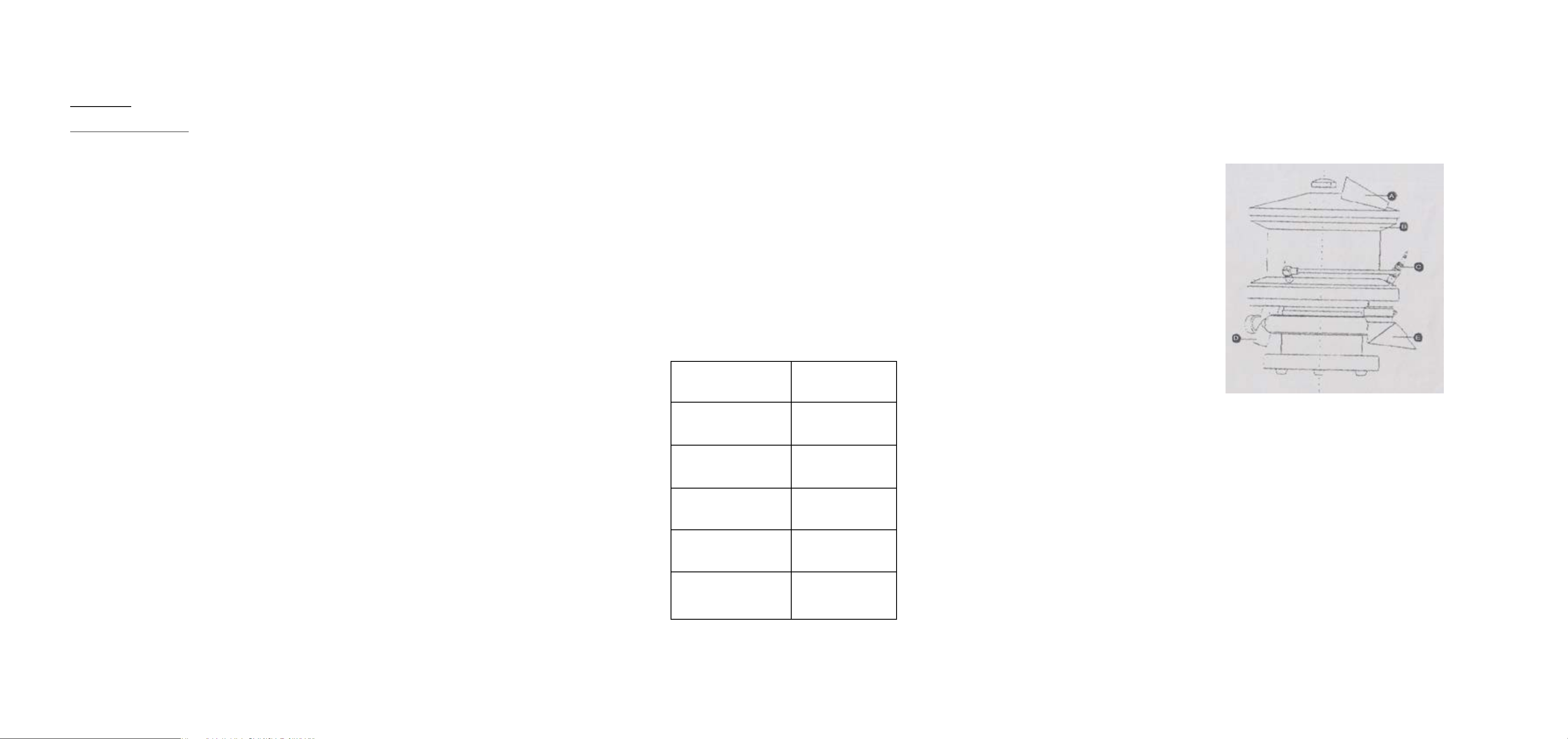
Fig. 1 Structure
A - Tablet inlet
B - Concave channel
C- Compressed air nozzle
D - Dust pipe
E – Tablet outlet
Capacity 550,000pcs/hour
Power ~220V 50HZ
(Φ315m-
Dimension
Weight 38kg
Vacuum 1.8m²/min-0.01MPa
Compressed air 20Pa
m~Φ350mm~) ×(
900mm~1070)
LFA Machines Oxford LTD © LFA Machines Oxford LTD ©
1
2
Page 3
Installation
Cleaning
The Tablet Deduster should be installed on stable ooring in a dry, well ventilated environment
that has a suitable power supply.
Ensure that the three compressed air nozzles are aligned with the three dust holes.
NOTE: The base can be turned to 360 degrees, but cannot rotate continuously.
Ensure the screw is tightened to avoid the machine making a noise.
Operation
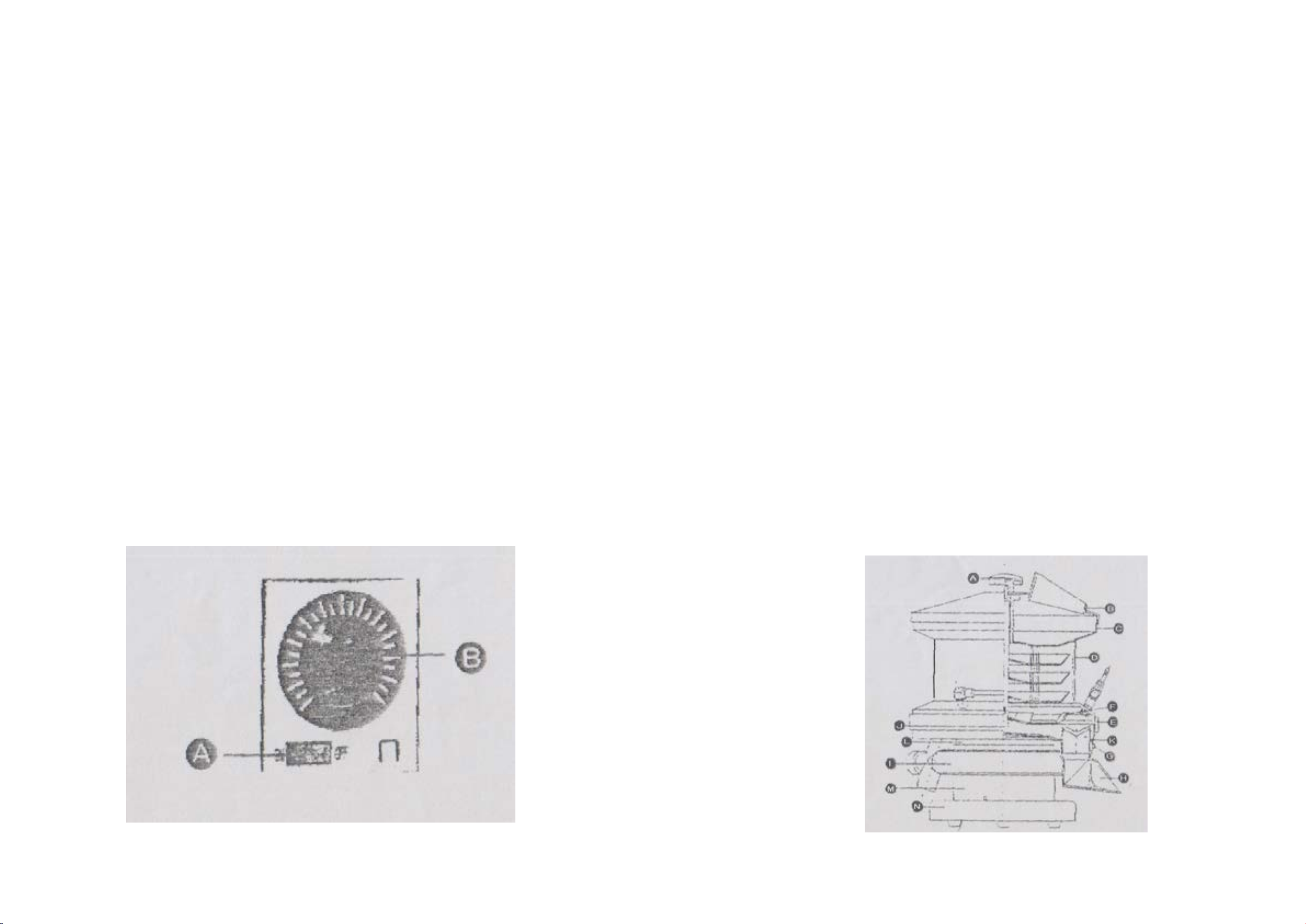
Press Switch “A” to turn on.
To clean the Tablet Deduster, remove component parts as follows:
1. Detach the compressed air pipe and dust pipe
1. Turn o A and remove B
1. Separate lter disc combination C and its cover, D
1. Take o rubber ring E and disc F
1. Loosen G to detach H
1. Detach I
1. Take out K by detaching J
NOTE: When cleaning the lower section do not use a direct stream of water
as this will cause damage.
If the machine becomes noisy or slows, detach the ring and tighten the screws.
Turn knob “B” clockwise to set then speed to your requirement.
Start your tablet press.
When nished, set knob “B” to “zero” and switch off the power.
Clean A, B, C, D, E, H and I with neutral detergent then rinse thoroughly.
Clean C, F, G, J and K with water or alcohol.
Use gauze dipped with water or alcohol to clean L, M, N and base. Do not wash directly with
a free stream of water as this will damage the machine.
Air dry the parts before reassembling.
LFA Machines Oxford LTD © LFA Machines Oxford LTD ©
43
 Loading...