

Page 1
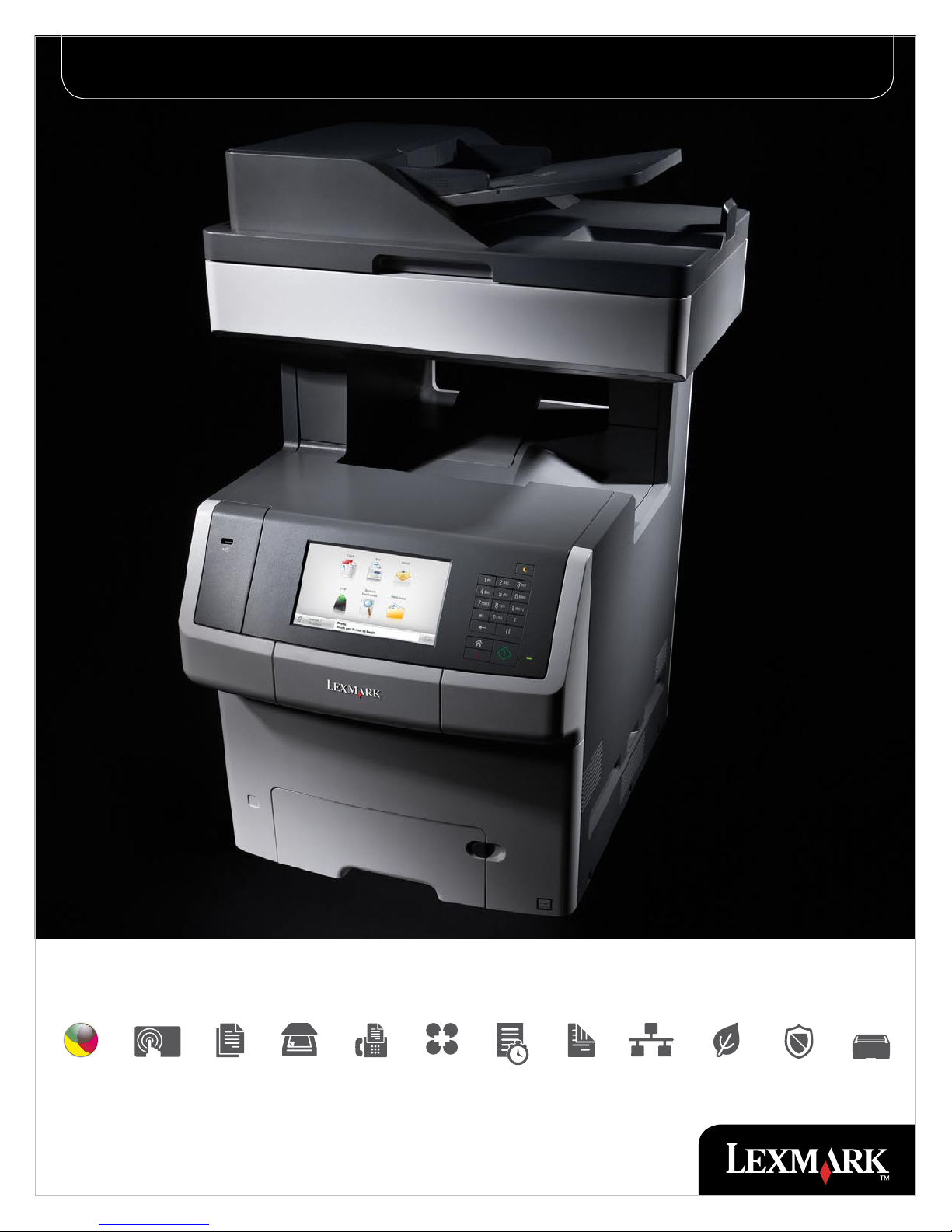
Lexmark XS748de Color laser MFP
7.0”
Intuitive color MFP for busy workgroups
Color 7-In. Touch
Screen
Copy Scan Fax Solutions Up to
35 ppm
Duplex Network Eco-Mode Security Flexible
Input
Page 2
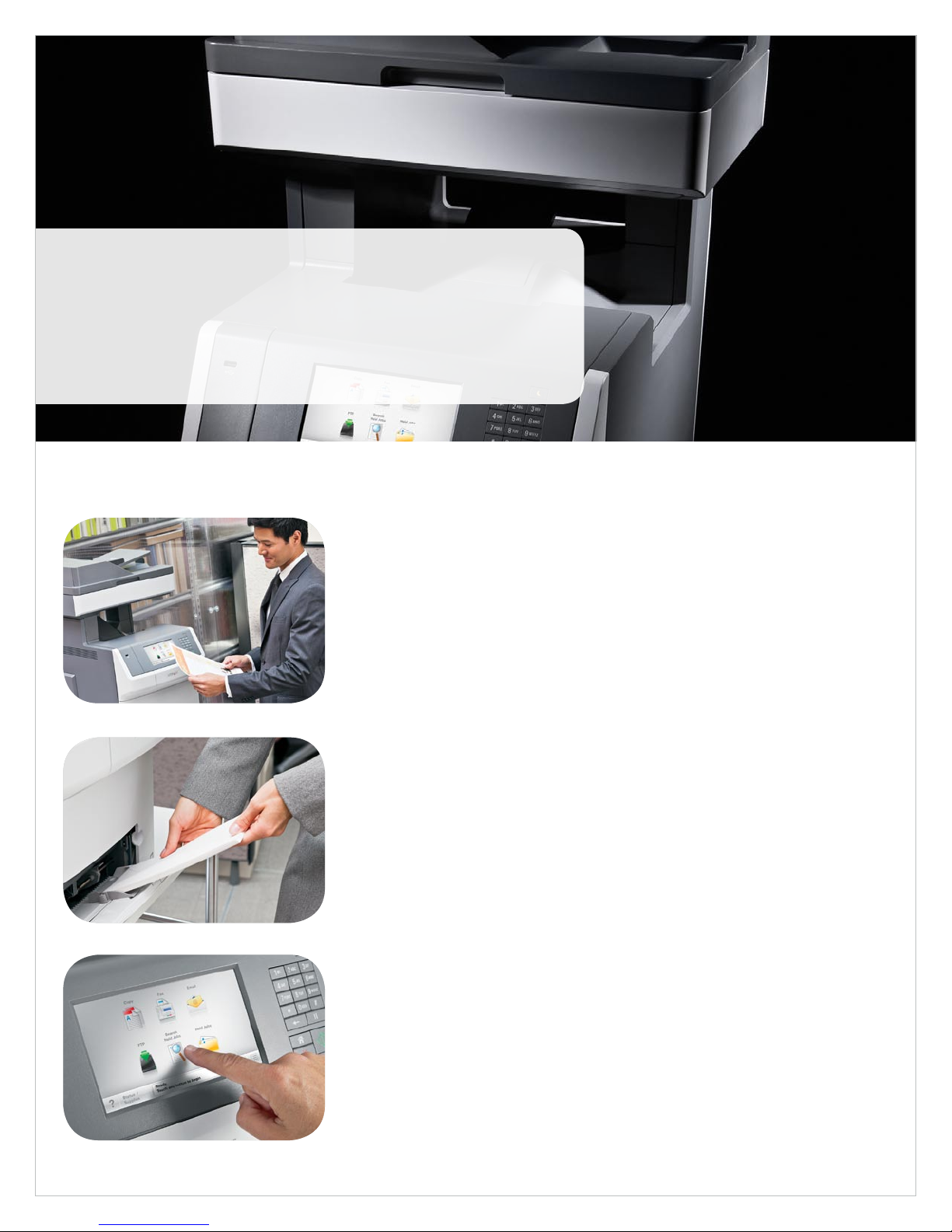
Why Lexmark?
Founded in 1991 from an IBM heritage in Lexington, Kentucky, Lexmark is one
of the few American companies to own, develop and market inkjet, monochrome
laser and color laser print technologies. Lexmark is poised to deliver on its
promise to produce quality, dependable products well into the future.
Lexmark XS748de Overview
Robust high-quality color Rely on the Lexmark XS748de color laser MFP for the
high-quality color printing, scanning and copying essential to business.
• Match corporate colors with Lexmark Named Color Replacement and PANTONE® calibration.
• Lexmark high-yield cartridges let you print up to 12,000 pages per cartridge in black and 10,000
pages per cartridge in color.
• Print and copy quickly at speeds up to 35 ppm and a time to first page as fast as 9 seconds in both
black and color.
• The high-speed processor, 512MB RAM and Gigabit Ethernet networking mean fast data transfer and
fast processing, even on complex color documents.
• Reliable paper feeding supports diverse media, including card stock, vinyl labels, banners and more.
1
Performance and productivity The combination of easy-to-use features and reliable
performance means business processes are intuitive and you are productive.
• The easy-to-use 7-inch color touch screen provides audible feedback and tablet-like navigation.
• Expand input capacity with optional paper drawers that boost total input capacity up to 4,300 sheets.
• Quickly print and copy documents using the instant warm-up fuser that also reduces energy
consumption.
• Create custom messages to provide helpful information such as helpdesk telephone numbers and
company communications.
• Instead of installing individual drivers for each printer model, the Lexmark Universal Print Driver
provides a standardized, one-driver solution.
Business solutions The Lexmark Embedded Solutions Framework (eSF) helps expand
functionality, move information more efficiently, lower costs and analyze usage patterns.
• Quickly and efficiently access basic eSF solutions directly from the 7-inch color touch screen.
• The optional hard disk provides the ability to store files on the device and run additional solutions with
ease.
• Pre-loaded solutions mean you can be productive and save time, money and paper right out of the box.
• Additional solutions are available for greater savings and productivity.
• Models with solutions capabilities also have the card reader option for greater security.
Page 3

Why Lexmark color?
The documents you print define an important image – yours. The Lexmark
XS748de color laser MFP is perfect for printing reports, marketing collateral and
on-demand signage with brilliant color reproduction. So when you put a highquality color document in a client’s hands, you’re advancing communication and
your company’s image at the same time.
Professional color quality Color communicates, informs and persuades. Vibrant, expressive color
also attracts attention and increases impact. In short, color is your brand – who you are. The Lexmark
XS748de color laser MFP is a color powerhouse. It offers repeatable, accurate color matching and
features that create continuity from one document to the next.
• Easy brand matching - Match corporate colors on marketing collateral and logos with Lexmark Named
Color Replacement. Simply enter specific color values for easy color matching, including company
defined colors and PANTONE® color.
•
Money saving color - Color is business critical, but often it is seen as expensive or wasteful. Lexmark
ColorCare Technology helps change that perception. Tools, like user quotas, help you manage and make
intelligent decisions about color printing.
•
Continuous color - Print with confidence, knowing the Lexmark XS748de MFP produces documents
at optimum quality. Status screens and supply alerts notify you when toner is low, so you don’t run out in
the middle of a job.
Professional color performance Whether you need one document or many, consistency
is important. The Lexmark XS748de color laser MFP delivers in all types of situations – last minute
presentations, large print jobs for promotional events or constantly used forms. It creates high-quality
documents on a variety of media while helping you save money at the same time.
Consistent color across media - Lexmark color technology gives you precise, professional color on
•
a variety of media types and sizes. Carry a consistent look across materials and show clients your true
colors, no matter what you provide to them.
•
Print on demand - Eliminate waste. Don’t print forms, marketing materials or other documents
externally and store the paper versions. Instead, with the Forms and Favorites solution, store frequently
required files online and print in-house and on demand.
•
On-the-fly updates - Create custom color documents directly from the Lexmark XS748de MFP. Use
print preview and post process job changes to make updates like removing a cover page or switching
between simplex and duplex printing.
Page 4
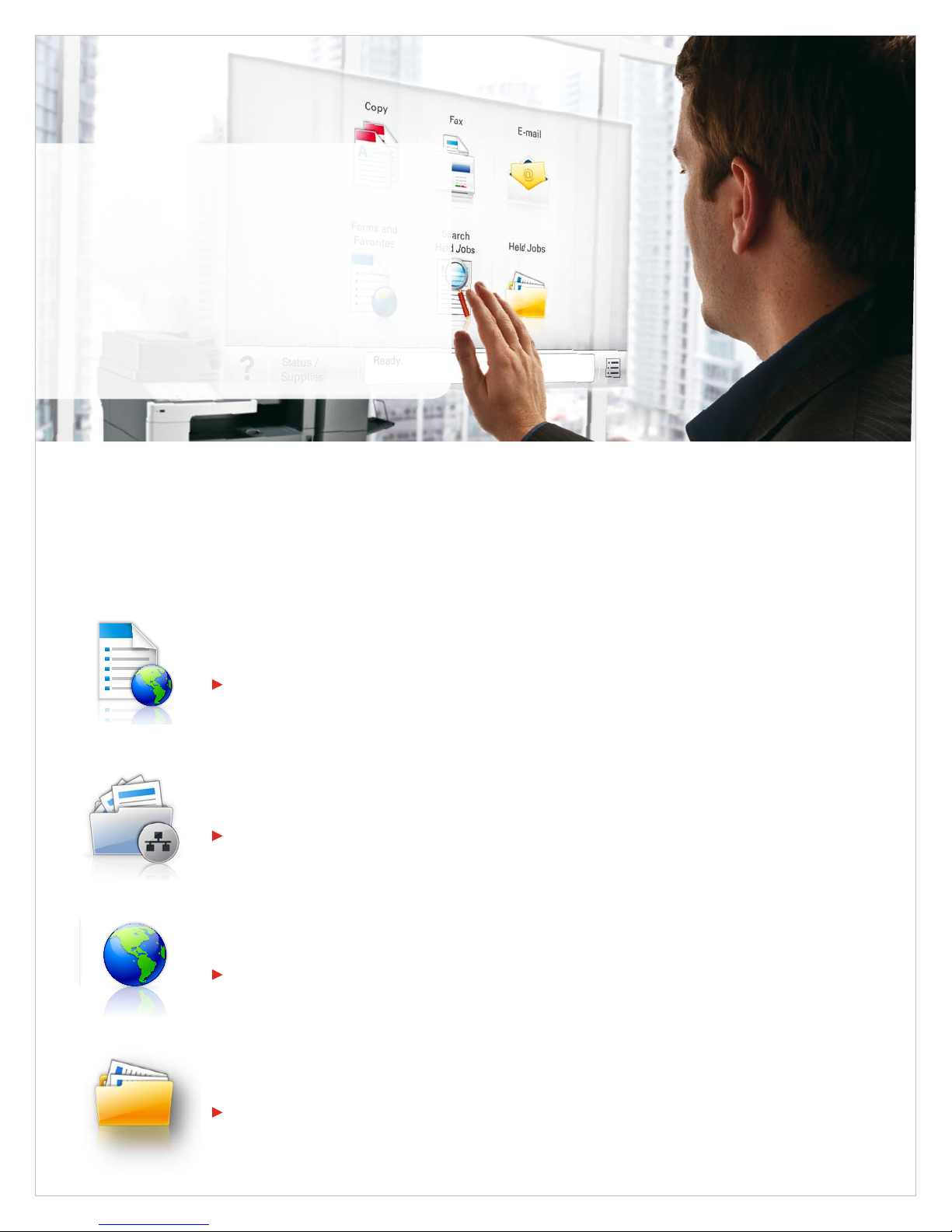
Lexmark XS748de Solutions
Reduce unnecessary printing and simplify work processes
through Lexmark solutions. The Lexmark Embedded Solutions
Framework (eSF) enables you to add a wide range of software
apps directly onto the device. Solutions are designed with
your productivity in mind, helping you streamline—or even
eliminate—paper intensive business processes.
Lexmark XS748de Solutions
The following are applications are standard on the XS748de device.
Forms and Favorites
Eliminate waste and inefficiencies associated with preprinted forms. Rather than printing collateral externally and storing the
paper versions, store frequently required files online. Then print them in-house and on demand. This application is standard.
Example: When opening a savings account, the bank employee downloads and prints the required forms for the
customer to complete, so the bank always has the most recent documentation.
Scan to Network - Basic
Scan a hard copy document and route the image to one of 30 predefined personal or public shared network folders.
Example: Scan a mortgage document and save the file in PDF, XPS, TIFF or JPEG image format and store it in a shared
drive on a network or FTP server where it can be routed to several different locations.
Change language
Easily switch the language displayed on the touch screen at any time – 18 languages supported.
Example: A company with many international employees can change the MFP panel to their native language easily
with one touch.
Held jobs
Cancel unwanted jobs sent to the printer and using the MFP touch screen. Print job is held in the printer’s memory until printed
or deleted.
Example: After realizing they printed the wrong page, an employee may cancel a print job at the MFP before it is printed
– reducing paper waste.
Page 5
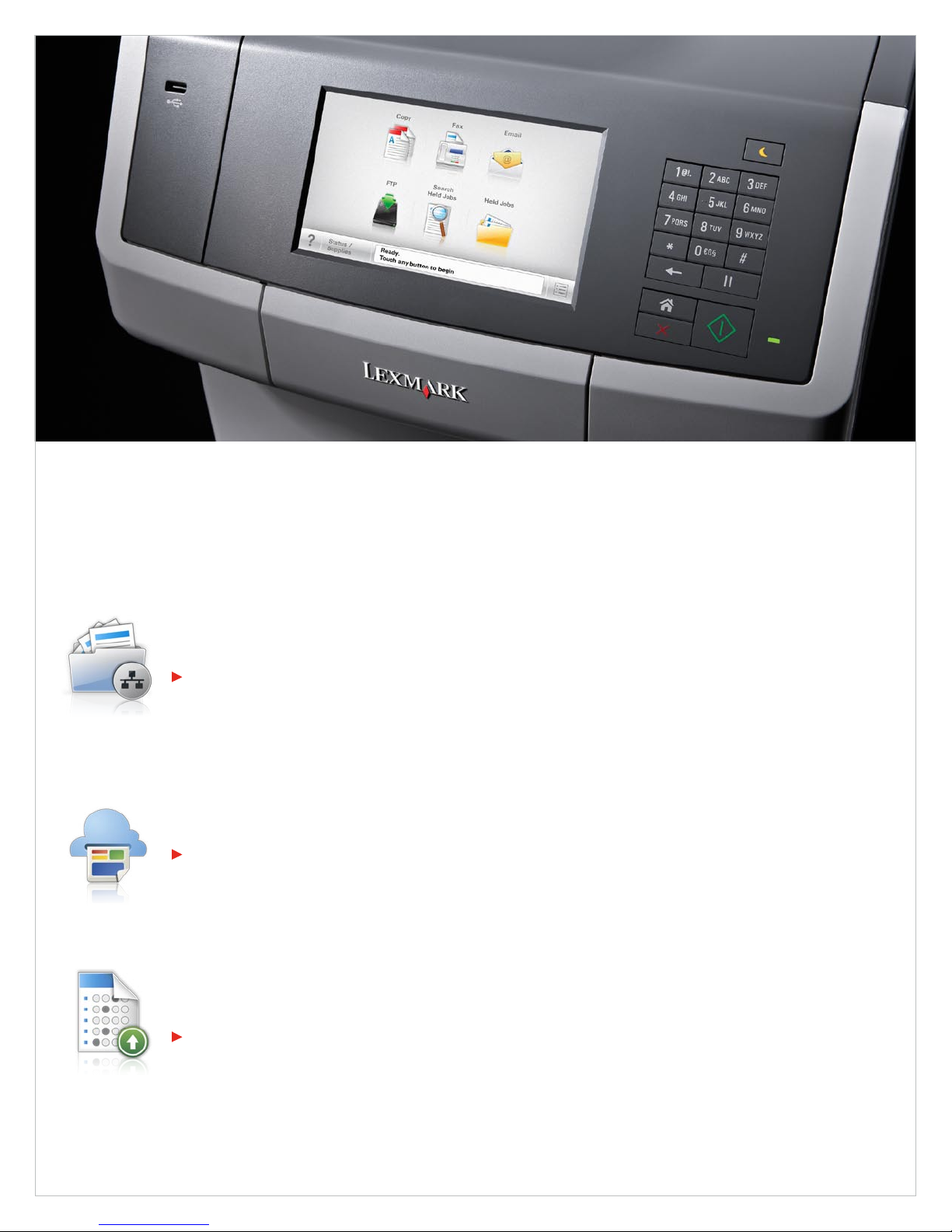
Lexmark XS748de Additional solutions
In addition to the solutions built into the device, a diverse portfolio of additional Lexmark solutions is available from your Lexmark Authorized Dealer to help
accommodate your workflow needs. The following are just a few examples.
Capture and Route
Capture, store and share business documents and benefit from improved cycle times and increased efficiencies. Lexmark offers solutions
that let you convert hard copy documents into digital information with the touch of a button.
Example: Scan to Network Premium lets you capture a digital image of hard copy documents and route the file to a shared
network folder. Immediately upon delivery, the file is available to anyone permitted to access the folder.
Related solutions
Scan to Email • Scan to Network Premium • Scan to SharePoint • Scan to Hard Drive
Mobility
Today, there are many ways to implement mobile printing, but no single solution that fits all. Select from multiple mobility-related solutions
that enable your business or organization to capitalize on the benefits of mobile productivity.
Example: The Lexmark App for Google Cloud Print™ solution enables you to easily and securely release print jobs that you send to
Google Cloud Print™. No PC is required to enable the printing process.
Related solutions
Lexmark Print Release • Lexmark App for Google Cloud Print™ • Lexmark App for Google Docs™
Education
Trainers and teachers, whether in a school or a business, want to spend more time teaching and less time doing paperwork. Lexmark
offers several solutions that help lower the time barriers associated with preprinted test forms and manual scoring.
Example: The Hosted Testing and Grading solution helps you respond to individual learning gaps or class comprehension issues with
grade results and reports that can be emailed, saved to a shared network folder or printed.
Related solutions
Education Station • Hosted Testing and Grading • Hosted Testing and Grading Standard • Hosted Testing and Grading Enterprise
Contact your Lexmark Business Solutions Dealer for additional solutions.
Page 6
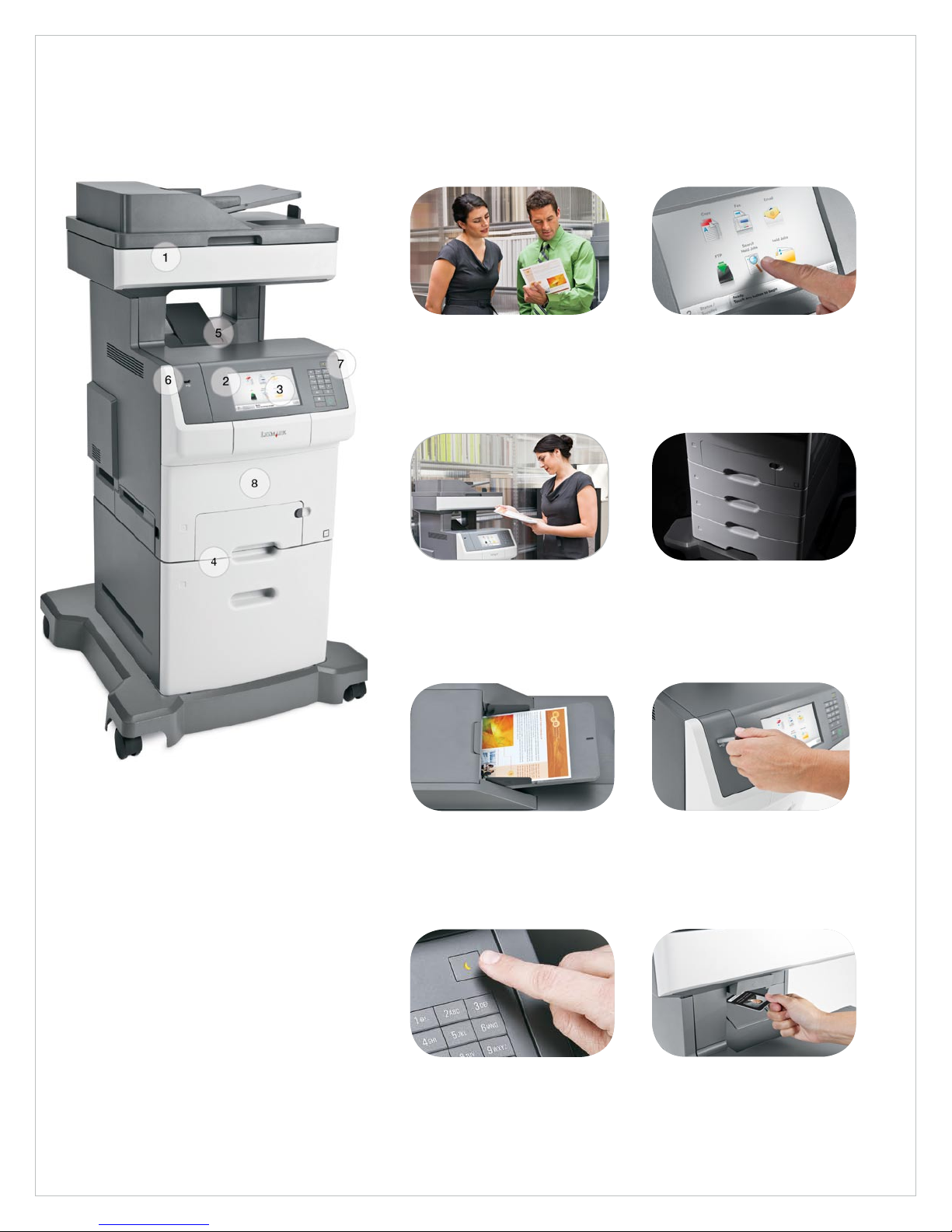
Lexmark XS748de Key features
Features that help you optimize your work
Lexmark XS748de color laser MFP shown
with optional 2,000-sheet high capacity
feeder and caster base.
1) Easy brand matching
Consistently match branded colors
and print marketing collateral inhouse with Lexmark Named Color
Replacement.
3) Convenient updates
Preview documents and change
output settings, such as two-sided
printing, directly at the device.
5) Two-sided printing
Reduce paper consumption by up
to 50% and reduce your impact
on the environment with two-sided
printing.
2) Intuitive color touch screen
Operate your printer with ease and
confidence using the 7-inch color
touch screen that makes navigation
smart and intuitive.
4) Flexible input capacity
With optional 550-sheet drawers,
a specialty media drawer and a
2,000-sheet high capacity feeder,
customize input options to meet
your printing needs.
6) Walk-up USB printing
The front USB port allows for
convenient walk-up preview, printing
and scanning of PDFs and many
printable image file formats.
7) Eco-friendly printing
Print responsibly with Eco-Settings
that let you customize print settings
and Hibernate Mode which reduces
energy consumption to less than one
watt.
8) Built-in security
Advanced security controls protect
data at every stage: from user
authentication to security audits
and disk wiping.
Page 7
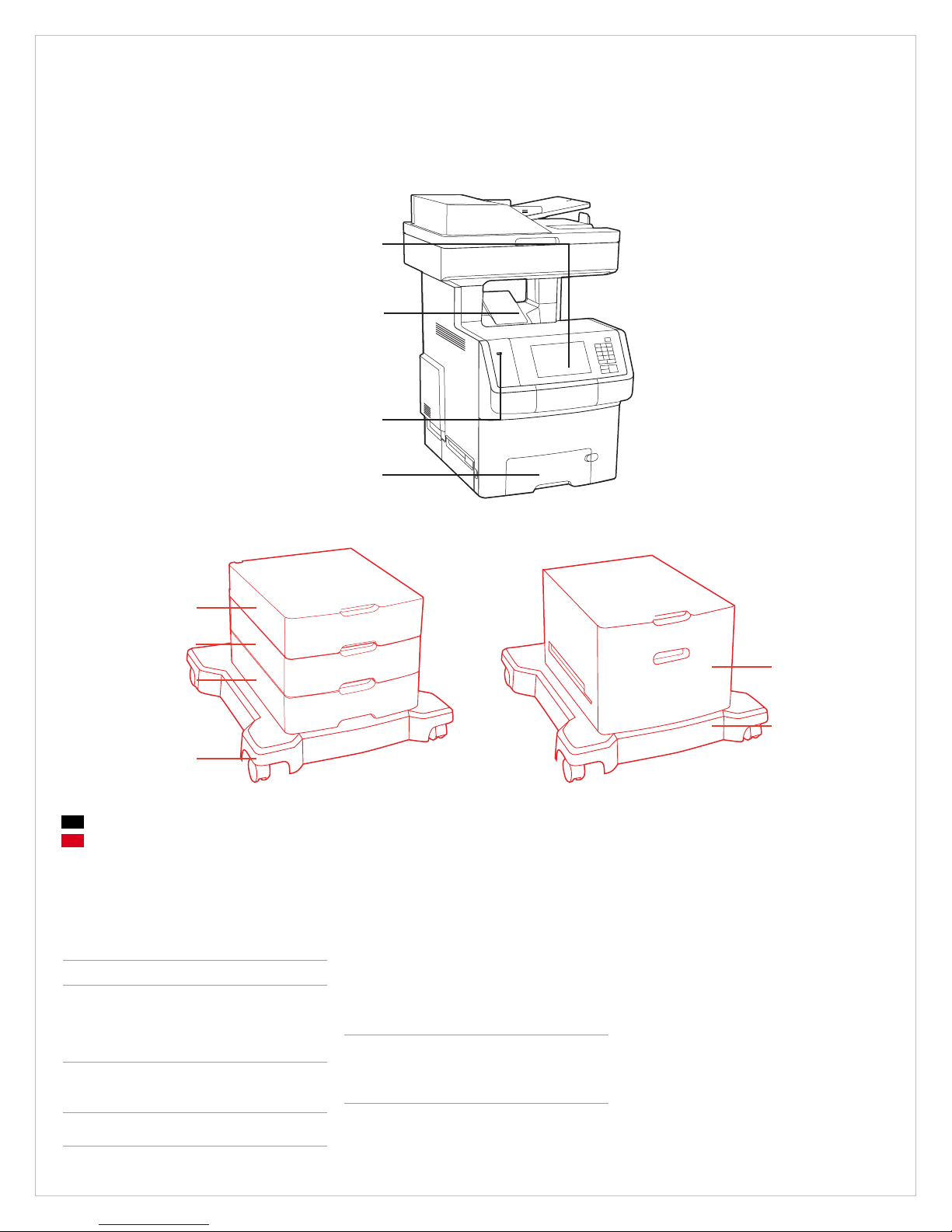
Lexmark XS748de Ordering information
7-Inch Touch Screen
250-Sheet Output Bin
Walk-Up USB Printing
550-Sheet Tray and 100-Sheet Multipurpose Feeder
550-Sheet Drawer
550-Sheet Drawer
550-Sheet Drawer
Caster Base
Standard
Optional
Compatible with Lexmark XS748de MFP
Part # Model
34T5123 Lexmark XS748de
Part # Laser Ton er/Print Cartridge
24B5807 CS736, XS73x Black High Yield Return Program Toner Cartridge
24B5804 CS736, XS73x Cyan High Yield Return Program Toner Cartridge
24B5805 CS736, XS73x Magenta High Yield Return Program Toner Cartridge
24B5806 CS736, XS73x Yellow High Yield Return Program Toner Cartridge
C734X20G Photoconductor Unit
C734X24G Photoconductor Unit, 4-Pack
C734X77G Waste Toner Box
Part # Paper Handling
27S2100 550-Sheet Drawer
27S2400 2,000-Sheet High Capacity Feeder
27S2650 550-Sheet Specialty Media Drawer
27S2190 4.8 inch (12.2 cm) Spacer
Part # Furniture
3052765 Swivel Cabinet
34T5114 C74x, X74x Caster Base
Part # Memory Options
1025041 256MB DDR2-DRAM
1025042 512MB DDR2-DRAM
1025043 1024MB DDR2-DRAM
14F0245 256MB Flash Card
27X0014 160+ GB Hard Disk
30G0287 Arabic Font Card
30G0828 Japanese Font Card
30G0825 Korean Font Card
30G0826 Simplified Chinese Font Card
30G0827 Traditional Chinese Font Card
Part # Application Solutions
57X9000 Lexmark PrintCryption Card
34T5121 X746, X748 Card for IPDS
34T5122 X746, X748 Card for PRESCRIBE Emulation
34T5120 X746, X748 Forms and Bar Code Card
3053996 Large Pod for PKI Card Reader
57X0020 PKI Authentication App for eSF Capable Devices
Part # Connectivity
27X0025 MarkNet N8250 802.11b/g/n Wireless Print Server
14F0037 MarkNet N8120 Gigabit Ethernet Print Server
1021294 USB Cable (2-meter)
14F0000 Parallel 1284-B Interface Card
1021231 Parallel Cable (10-foot)
14F0100 RS-232C Serial Interface Card
2,000-Sheet HighCapacity Feeder
Caster Base
Page 8
Lexmark XS748de Product specifications
Product specifications
Lexmark XS748de
Printing
Display Lexmark e-Task 7-inch (17.8 cm) color touch screen with audible feedback
Print Speed: Up to Black: 35 ppm / Color: 35 ppm
Time to First Page: As fast as Black: 9 seconds / Color: 9 seconds
Print Resolution, Color 1200 x 1200 dpi, 4800 Color Quality (2400 x 600 dpi)
Processor Speed 1.2 GHz
Memory Standard: 512 MB / Maximum: 1536 MB
Hard Disk Option available
Recommended Monthly Page Volume
Maximum Monthly Duty Cycle: Up to
2
3
3000 - 10000 pages
100000 pages per month
Copying
Copy Speed: Up to Black: 35 cpm / Color: 35 cpm
Time to First Copy: As fast as Black: 13 seconds / Color: 13.5 seconds
Reduce / Enlarge Range 25 - 400%
Scanning
Duplex Scan Speed: Up to A4/Ltr, Black: 12 / 12 sides per minute - A4/Ltr, Color: 12 / 12 sides per minute
Simplex Scan Speed: Up to A4/Ltr, Black: 34 / 35 sides per minute - A4/Ltr, Color: 33 / 35 sides per minute
Scanner Type Flatbed scanner with ADF
Hardware Scanning Resolution 600 X 600 ppi
Faxing
Modem Speed 33.6 Kbps
Fax Transmission Speed < 3 seconds per page
Supplies
Supplies Yield 10,000¹-page color High Yield Toner Cartridges (CMY), 12,000¹-page Black High Yield Toner Cartridge
Cartridge(s) Shipping with Product 6,000¹-page Black starter Return Program Toner Cartridge, 6,000¹-page color (CMY) Starter Return Program Toner Cartridges
Paper Handling
Paper Handling Standard 250-Sheet Output Bin, Integrated Duplex, 100-Sheet Multipurpose Feeder, 550-Sheet Input Tray
Paper Handling Optional 550-Sheet Drawer, 2,000-Sheet High-Capacity Feeder, 550-Sheet Specialty Media Drawer
Paper Input Capacity: Up to Standard: 650 pages 20 lb or 75 gsm bond / Maximum: 4300pages 20 lb or 75 gsm bond (Add 3 of 550-Sheet Drawers and 2,000 Sheet
High-Capacity Feeder with caster base)
Paper Output Capacity: Up to Standard: 250 pages 20 lb or 75 gsm bond / Maximum: 250 pages 20 lb or 75 gsm bond
Media Types Supported Card Stock, Envelopes, Paper Labels, Plain Paper, Transparencies, Vinyl Labels, Refer to the Card Stock & Label Guide
Media Sizes Supported 10 Envelope, 7 3/4 Envelope, 9 Envelope, A4, A5, B5 Envelope, C5 Envelope, DL Envelope, B5, Executive, Folio, JIS-B5, Legal, Letter,
Statement, Universal, Oficio, A6
General
Standard Ports USB 2.0 Specification Hi-Speed Certified (Type B), Front USB 2.0 Specification Hi-Speed Certified Port (Type A), Rear USB 2.0 Specification
Hi-Speed Certified Port (Type A), Ethernet 10/100/1000 BaseTX (RJ-45)
Optional Network Ports Internal MarkNet™ N8120 Gigabit Ethernet, Internal MarkNet™ N8250 802.11b/g/n Wireless
Optional Local Ports Internal RS-232C serial, Internal 1284-B Bidirectional Parallel
Noise Level, Operating Printing: 57 dBA / Copy: 58 dBA / Scan: 54 dBA
Energy Star Yes
Specified Operating Environment Temperature: 16 to 32°C (60 to 90°F), Humidity: 8 to 80% Relative Humidity, Altitude: 0 - 3048 Meters (10,000 Feet)
Size (in. - H x W x D) / Weight (lb.) 31.0 x 21.5 x 24.5 in. / 97.5 lb.
1
Based on approximately 5% print coverage. Actual yields may vary based on factors such as page coverage, image type, job size, print/copy/fax modes, and duplexing.
2
“Recommended Monthly Page Volume” is a range of pages that helps customers evaluate Lexmark’s product offerings based on the average number of pages customers plan to print on the device each month. Lexmark recommends that the number of pages per month be within the stated range for optimum
device performance, based on factors including: supplies replacement intervals, paper loading intervals, speed, and typical customer usage.
3
“Maximum Monthly Duty Cycle” is defined as the maximum number of pages a device could deliver in a month using a multishift operation. This metric provides a comparison of robustness in relation to other Lexmark printers and MFPs.
Lexmark and Lexmark with the diamond design are trademarks of Lexmark International, Inc., registered in the United States and/or other countries. All other trademarks are the property
of their respective owners. ENERGY STAR® is a U.S. registered mark. Information in this document is subject to change without notice. PANTONE® is a registered trademark of
Pantone, Inc. AirPrint and the AirPrint logo are trandemarks of Apple Inc. Google Docs and Google Cloud Print are trademarks of Google Inc.
 Loading...