

Page 1
XS463de
g
p
performance
monochrome
MFPs
for
small
to
medium
gp
ps
Easy. Smart. Fast.
XS463de
workgrou
Page 2
Founded from an IBM heritage in
We
our
custo
s
and
r
expectations,
be
k?
k
es
Lexington, Kentucky, in 1991, Lexmark
is one of the few American companies
to own, develop and market inkjet, laser
and color laser print technologies.
Lexmark is poised to deliver on its
promise to produce quality, dependable
products well into the future.
Lexmar
listen to
mer
we deliver solutions.
Raise you
we are raising the bar.
exmar
r
When it comes to our planet, we
know there is no substitute. We
strive to provide industry-leading
environmental practices that
relate not only to our products,
but also to everything we do,
everywhere in the world. For
more details on our environmental,
health and safety practices, visit
our website at www.lexmark.com.
e
Every day Lexmark’s award-winning laser
multifunction devices help businesses increase
productivity. With a multifunction device, save
valuable office space, reduce the number of
supplies to manage and simplify device
maintenance. Maximize your office productivity
with a Lexmark laser multifunction device.
2
Page 3
5678
-
-
12345
5678
-
-
,
O
123
5
m
-
-
5
5
m
-
-
,
O
5678
-
-
12345
5678
-
-
,
O
123
5
m
-
-
5
5
m
-
-
,
O
5
m
-
-
5
5
m
-
-
,
O
5678
m
-
-
12345
5678
m
-
-
,
O
123
5
m
-
-
5
5
m
-
-
,
O
5678
m
-
-
12345
5678
m
-
-
,
O
123
5
m
-
-
5
5
m
-
-
,
O
Per
fo
rmance
Be more productive
Compact design
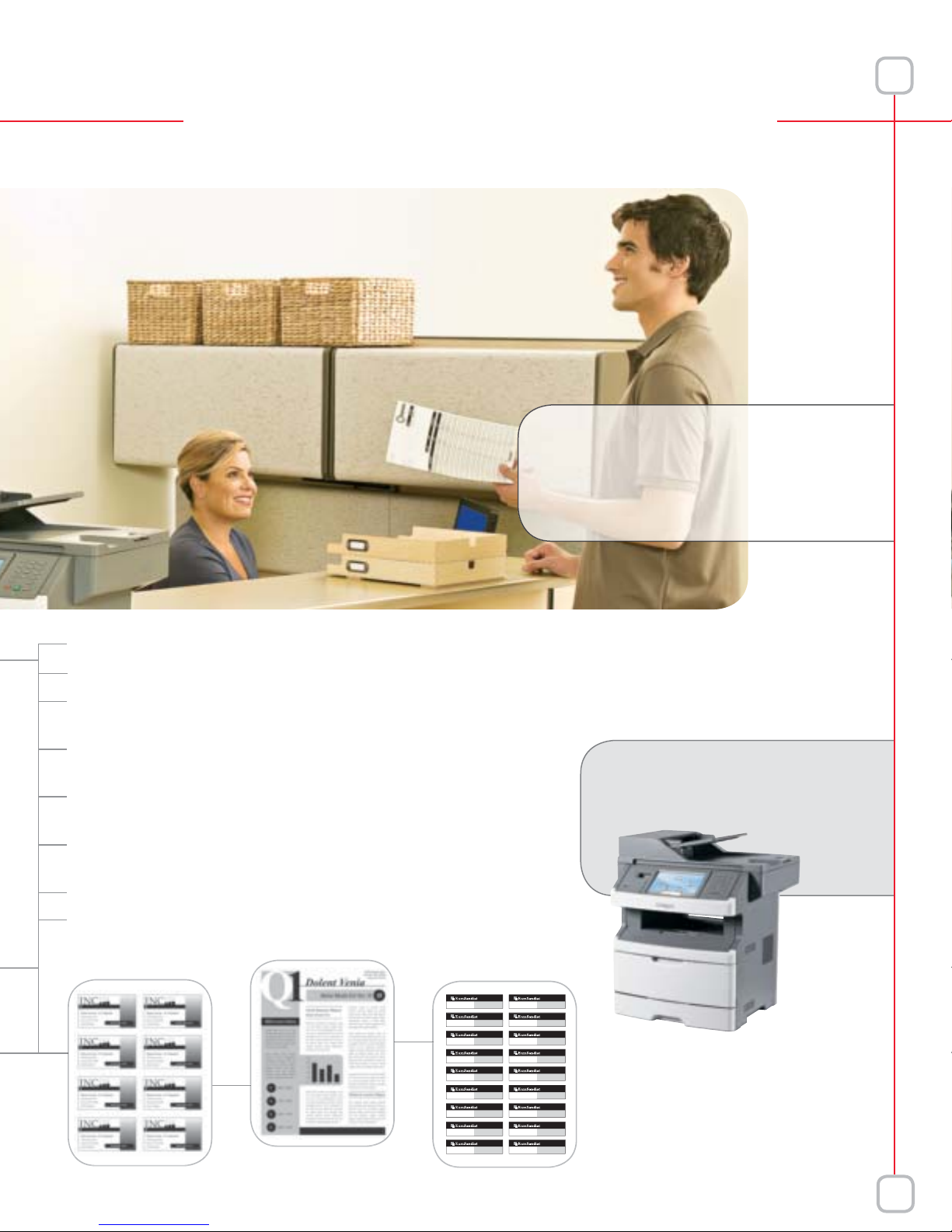
Boost productivity with two-sided printing, scanning and copying
Expand your possibilities with additional paper input options, memory,
hard disk, fax modem and wireless connectivity
Add tailored workflow solutions through the Lexmark Embedded Solutions
Framework (requires optional hard disk and at least 256MB RAM)
Scan directly to multiple destinations, including e-mail, flash drive,
network folders (requires minimum of 256MB RAM) and others
Protect your data, your documents and your device with advanced security
features, like functional access control
The intuitive color touch screen gives you one-touch access to all functions
The instant warm-up fuser reduces power consumption
Ipsum Lorem
Seclusiss, OP
Ipsum Lorem
Seclusiss
678 Ipsum Lore
Seclusiss, OP1234
678 Ipsum Lore
Seclusiss
Ipsum Lorem
Seclusiss, OP
Ipsum Lorem
Seclusiss
678 Ipsum Lore
Seclusiss, OP1234
678 Ipsum Lore
Seclusiss
678 Ipsum Lore
Seclusiss, OP1234
678 Ipsum Lore
Seclusiss
Ipsum Lore
Seclusiss, OP
Ipsum Lore
Seclusiss
678 Ipsum Lore
Seclusiss, OP1234
678 Ipsum Lore
Seclusiss
Ipsum Lore
Seclusiss, OP
Ipsum Lore
Seclusiss
678 Ipsum Lore
Seclusiss, OP1234
678 Ipsum Lore
Seclusiss
Lexmark’s multifunction
devices are Easy.
Smart.
Fast.
P
45
P12345
P
45
P12345
P12345
P
45
P12345
P
45
P12345
3
Page 4
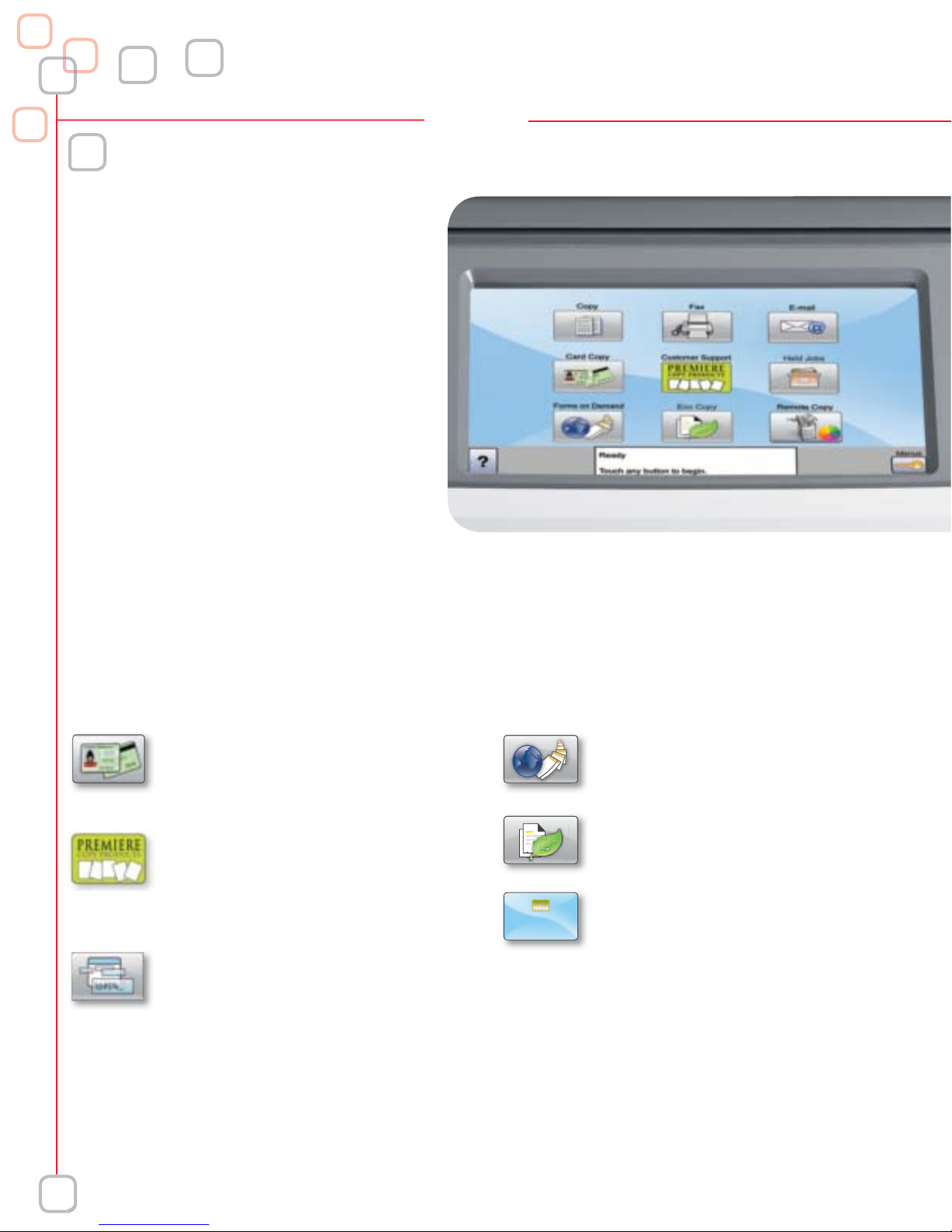
e-Task interface
The Lexmark e-Task interface is the entry
point to your Lexmark multifunction
device. It’s a customizable touch screen
with capabilities for high-demand
multitasking. The e-Task interface requires
virtually no set-up or installation and can
be easily integrated with your network.
Lexmark’s workflow software enables
your business to print less, move more
information fast and manage documents
more effectively.
embedded Solutions Framework (eSF)
Lexmark’s eSF gives you control to accomplish a variety of tasks from the multifunction device, through an intuitive
Java®-based platform. We offer a wide variety of embedded applications such as:
Card Copy - This innovative feature
helps save paper and time by copying
both sides of an insurance or ID card
onto the front of a single sheet of paper.
Customer Support Application - An
icon on the e-Task interface will link
directly to your dealer’s contact
information for quick and easy service
and supplies calls.
Custom Prompts - This application
allows users to create up to six custom
prompts. User input is stored on a
network directory, allowing for easy
integration into many electronic
document management systems.
Forms on Demand - Users choose and
then print selected forms right from the
MFP touch screen.
Eco Copy - This innovative feature helps
save paper and toner, helping offices run
more efficiently.
Background and Idle Screen - This
feature enables a timed idle screen to
appear and a custom background
to be featured on the MFP touch screen.
MFP Usage - This application tracks copy,
fax, e-mail and FTP usage on an MFP that
has a hard drive. Statistics can be sent
via email, FTP or to a network share on a
scheduled basis.
4
The Lexmark XS463de requires an optional hard drive
and at least 256MB RAM to operate the eSF.
Java is a registered trademark of Sun Microsystems, Inc.
Page 5
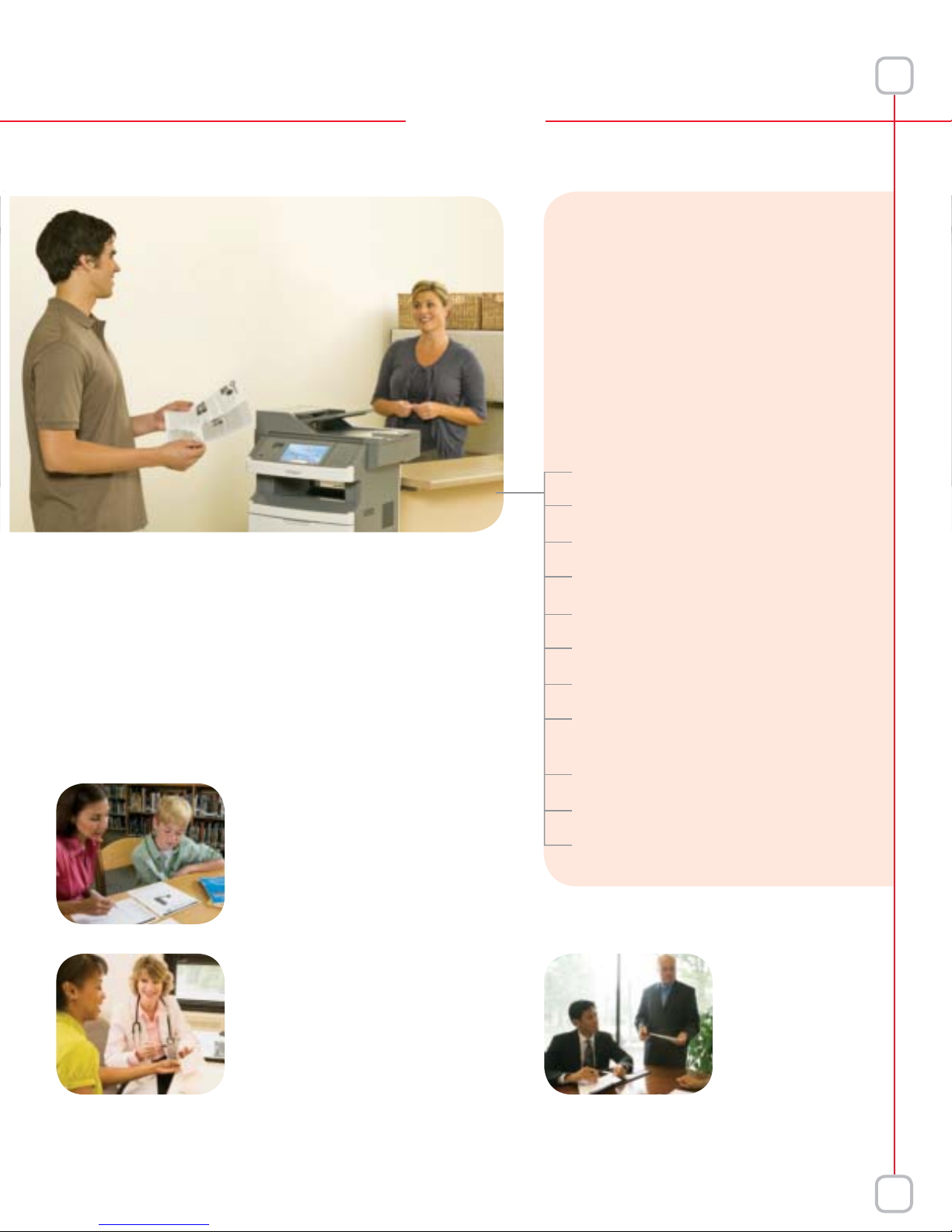
Lexmark keeps
you secure
Lexmark ‘s MFPs and printers support
industry best practices for network
device protection, and Lexmark’s
enhanced security features seamlessly
help protect user data without
sacrificing performance.
Confidential print
Operator panel lock
Secure data encryption
Vertical Solutions
Lexmark offers a wide variety of bundled
software solutions to help customers be more
productive and work smarter. Leverage the
Lexmark e-Task interface along with the eSF
platform to fully customize this MFP for
industry-unique applications.
Education
Solution integrated into the
educational space where classroom
testing and paperwork tasks can
be performed with just one touch.
Consists of Scan to Classroom,
Print Test, Grade Test and Forms on
Demand.
Healthcare
Solution for the healthcare industry
designed to save clinicians time and
improve patient care by streamlining
common healthcare workflow
processes. Consists of Scan to EMR,
Physician Order Routing, Forms on
Demand and Card Copy.
The Lexmark XS463de requires an optional hard drive and
at least 256MB RAM to operate the Vertical Solutions.
MFP lockout
IPSec, SNMPv3 and 802.1x network security
IPV6
Secure user authentication
Industry-leading access restrictions,
including LDAP
HTTPS
Proactively tracks and identifies security risks
Physical locking capabilities (Kensington™)
Legals
Solution for the legal
industry designed
to simplify law office
workflow processes.
Consists of Scan
to Court, Scan to
Network, CopitrakCapable and Custom
Screensaver.
5
Page 6
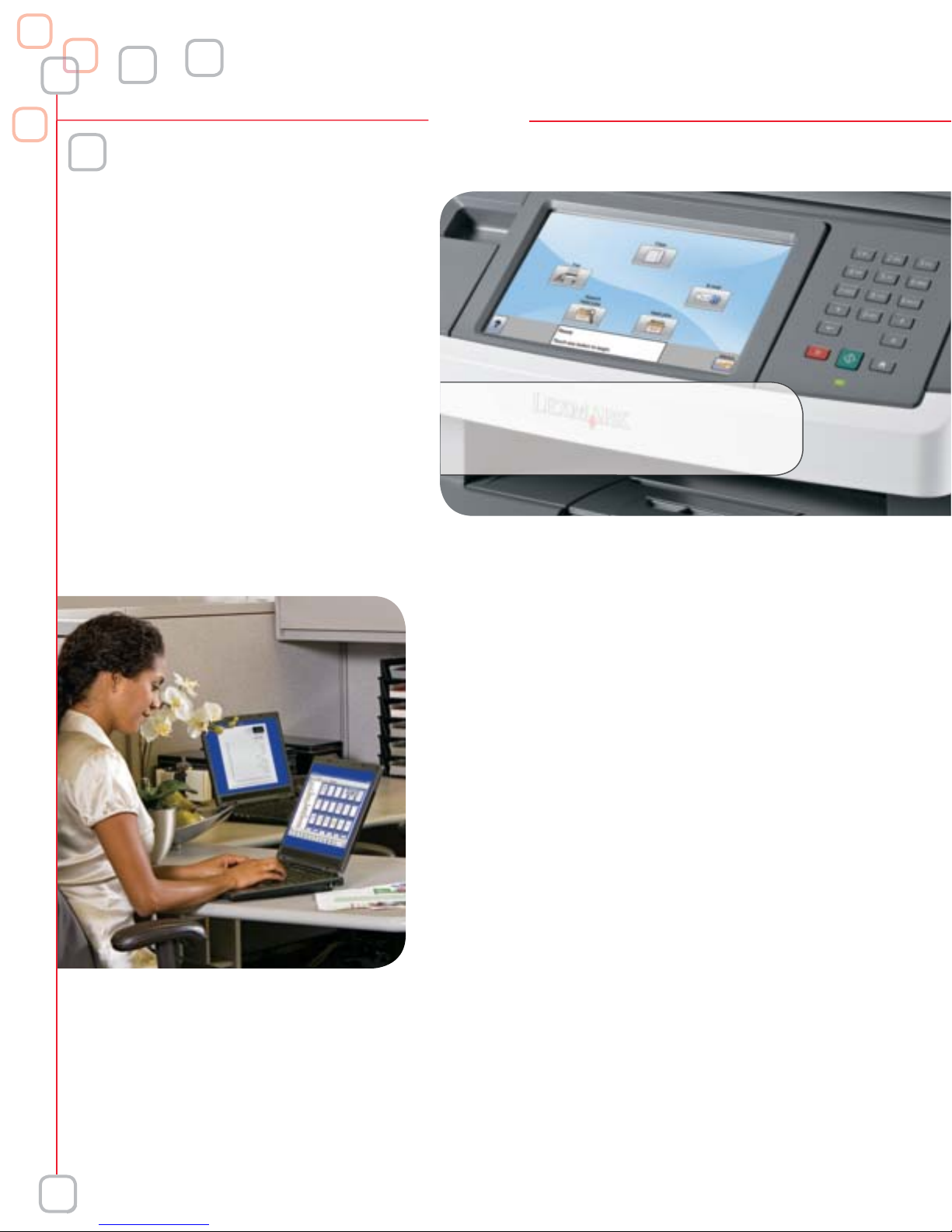
Network
management
Easy network management is accomplished
by well-designed tools that facilitate device
administration—streamlining workflow in daily
business operations. We understand networks.
Lexmark MarkVision Professional provides
network administrators with timesaving and
easy-to-use print management applications.
The Lexmark embedded web server provides
administrators access to embedded web
pages in order to view, monitor and configure
the multifunction device directly from the
user’s computer.
Work faster
Scanning capabilities
Lexmark provides a variety of scanning options, in
monochrome and color. It is a fast, convenient way to
communicate with colleagues and customers by scanning
documents to your e-mail, desktop, network folder or FTP.
Scan Preview - Preview a document prior to sending it to print
to ensure accuracy and avoid waste.
Scan to E-mail - With a single touch of a button, easily scan
your paper based documents to e-mail accounts or groups.
Seamlessly integrates into your corporate LDAP directory.
Scan to Desktop - Multiple ways to scan documents to a
PC/desktop. The scanned file can be sent to an individual
workstation via web browser, ScanBack utility, local or
network TWAIN driver or scan to network embedded solution.
Scan to FTP - Ideal way to archive and share large files with
multiple people.
Scan to Network - Users can scan documents to a shared
network folder or to a desktop with the click of a button,
saving space on the server and improving productivity.
LDAP/Active Directory can be used by the MFP to
authenticate user credentials, and to look up e-mail or fax
numbers from the corporate directory during scan-to-e-mail
or scan-to-fax operations.
6
Quickly and easily scan and archive documents in a wide variety
of file formats including: TIFF, MTIFF, JPG, PDF, Secure PDF and XPS.
Page 7
2
y
Galler
1
4
5
3
6
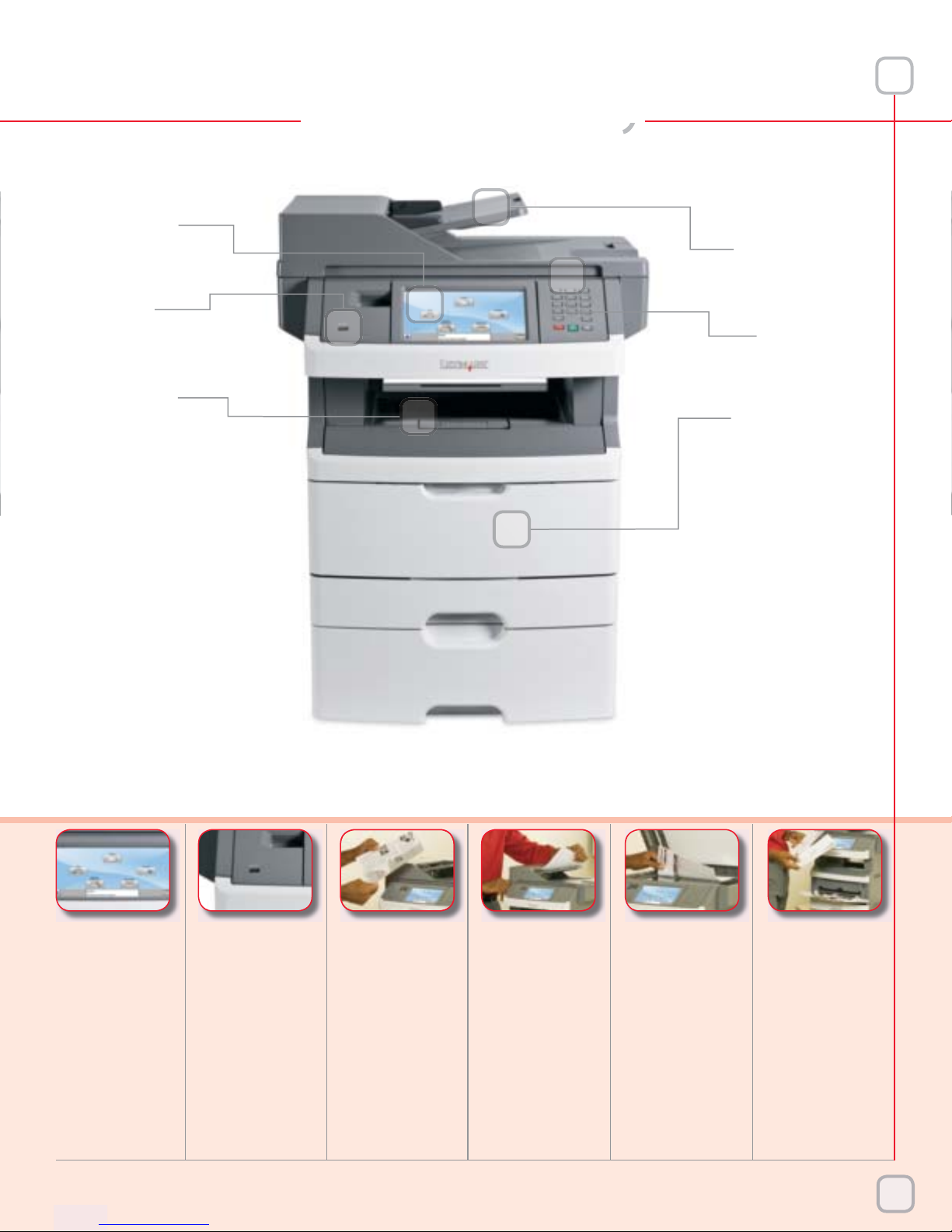
XS463de
with additional
550-sheet
drawer
123456
7-in Color
Touch Screen
Easy access
to a rich range
of functions
and features
Front USB Port
Scan to or print
directly from a
flash drive to store
and retrieve your
personal MFP
settings with the
MyMFP feature
Fast Print
Speeds
Up to 40 ppm
and first page
out as fast as 6.5
seconds for efficient
printing, copying
and scanning
Simple Duplex
Scanning
Load your stack
of originals, up
to 50 sheets, and
let the automatic
document feeder
do the work
for you
LED Indicator
Lights
Illuminated
guides show you
where to place
your originals
for perfect scans
every time
Multipurpose
Feeder
Print on diverse
media types,
like envelopes,
labels and card
stock, without
removing your
paper from the
main tray
7
Page 8
Configurations
y:
Standard
Standard
Ma
dia
:
Ty
S
ght:
DF
ouch Sc
(Min/Max):
st
Copy
Out:
Copy
Resolution:
Copy
atures:
l
d
Connectivity
(Standard):
Connectivity
(Optional):
Scan F
Scan
T
fig
s
005
XS463de
Con
uration
Speeds
Paper Handling
Copy
Print
Scan
Supplies Yield
Recommended
Monthly Volume
Other Options
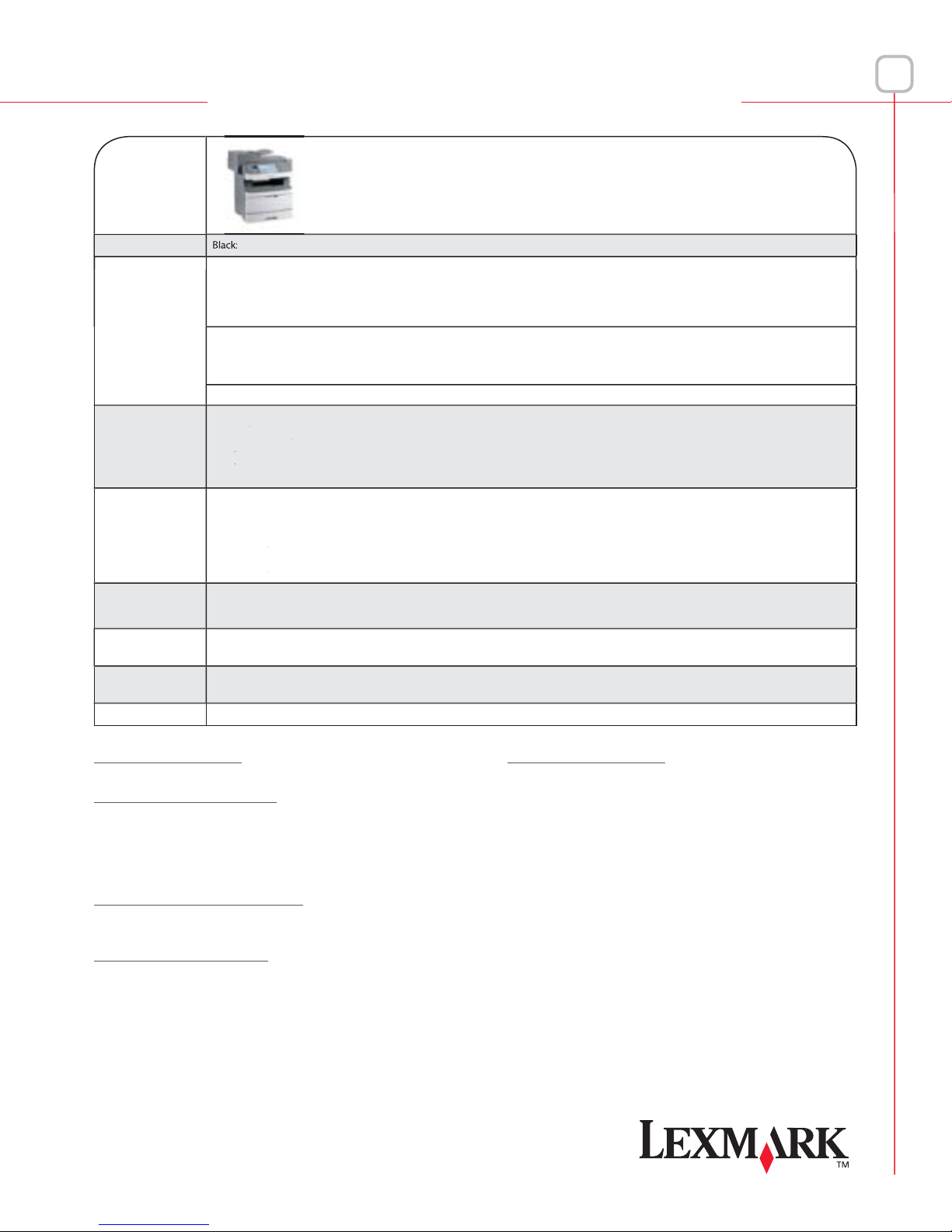
Copy, Print, Scan up to 40 ppm
Paper Capacit
Me
A
T
Time to Fir
Copy Select 1-999, Date/Time Stamp, Message Overlay, Priority Copy (Job Interrupt), Copy Countdown
Time to First Page: As Fast as 6.5 Seconds
Reso
rocessor: 500 MHz
Har
Specification Hi-Speed Certified Port (Type A), Rear USB 2.0 Specification Hi-Speed Certified Port (Type A)
File Formats: TIFF, MTIFF, JPG, PDF, XPS, Secure PDF
oner Cartridges:Ships with 7,000*-Page Starter Return Program Toner Cartridge; 14,000*-Page Extra High Yield Toner Cartridge
*Based on approximately 5% print coverage. Yields may vary based on actual customer usage.
2,000 - 10,000 Pages per Month
Contact your dealer about other workflow solutions.
Input:300
Output: 150
ximumInput: 850 (250 + 550 + 50 Bypass)
ximum Output: 150
Information
pes: Plain Paper, Paper Labels, Card Stock, Transparencies, Envelopes
ize:Letter, Legal, A4, A5, JIS B5, Executive, Folio, Statement, Universal (2.75 in. x 5 in. to 8.5 in. x 14 in.), Envelopes (7-3/4, 9, 10, DL, B5, C5)
Plain Paper: 16 to 43 lb. (60 to 162.7 g/m²); Card Stock: Up to 90 to 110 lb. (162.7 to 198.9 g/m²)
Wei
Capacity:Up to 50 Sheets
reen: 7-in. Color, Customizable
Fe
ution: Up to 1200 x 1200 dpi; 2400 Image Quality
Drive: Optional
eatures: Resolution: up to 600 x 600 dpi Black
Destinations: USB Thumb Drive, E-mail, FTP, LDSS, Network or USB Connected Computer, Windows Network Folder
128MB/640MB
As Fast as 10 Seconds
Up to 600 x 600 dpi Black
Reduce/Enlarge (25-400%), Paper Saver (2-up and 4-up), Collation, Darkness Adjustment, Original Size to Output Size Selection,
Ethernet 10/100BaseTX (RJ-45), USB 2.0 Specification Hi-Speed Certified (Type B), One Internal Card Slot, Front USB 2.0
Parallel, Serial, Wireless
Part # Fax Option
14F0052 Fax Card
Part # Memory Options
1022298 128MB DDR1-DRAM
1022299 256MB DDR1-DRAM
1022301 512MB DDR1-DRAM
14F0245 256MB Flash Card
14F0102 80+GB Hard Disk
Part # Application Solutions
30G0829 Lexmark PrintCryption Card
34S7721 X463, X464, X466 Forms and Bar Code Card
Part # Paper Handling
34S0550 550-Sheet Drawer
34S0250 250-Sheet Drawer
Part # Connectivity
1021294 USB Cable (2-Meter)
1021231 Parallel Cable (10-foot)
14F0037 MarkNet N8120 Gigabit Ethernet Print Server
14F0042 MarkNet N8130 Fiber Ethernet 100BaseFX,
10BaseFL Print Server
14F0040 MarkNet N8150 802.11b/g/n Wireless Print Server
14T0145 Lexmark N4050e 802.11g Wireless Print Server
14T0220 MarkNet™ N7020e Gigabit Ethernet Print Server
14F0000 Parallel 1284-B Interface Card
14F0100 RS-232C Serial Interface Card
1K4
 Loading...