

Page 1
M5270
Reliability. Security. Performance.
This is a Class A device according to international electromagnetic emissions standards ( i.e. FCC Rules, EN 55022/EN 55032, etc.). Class A p roducts are
intended for use in non-residential/non-domestic environments. Use of a Class A product in residential/domestic environments may cause interference to
radio communications and require corrective measures.
Page 2

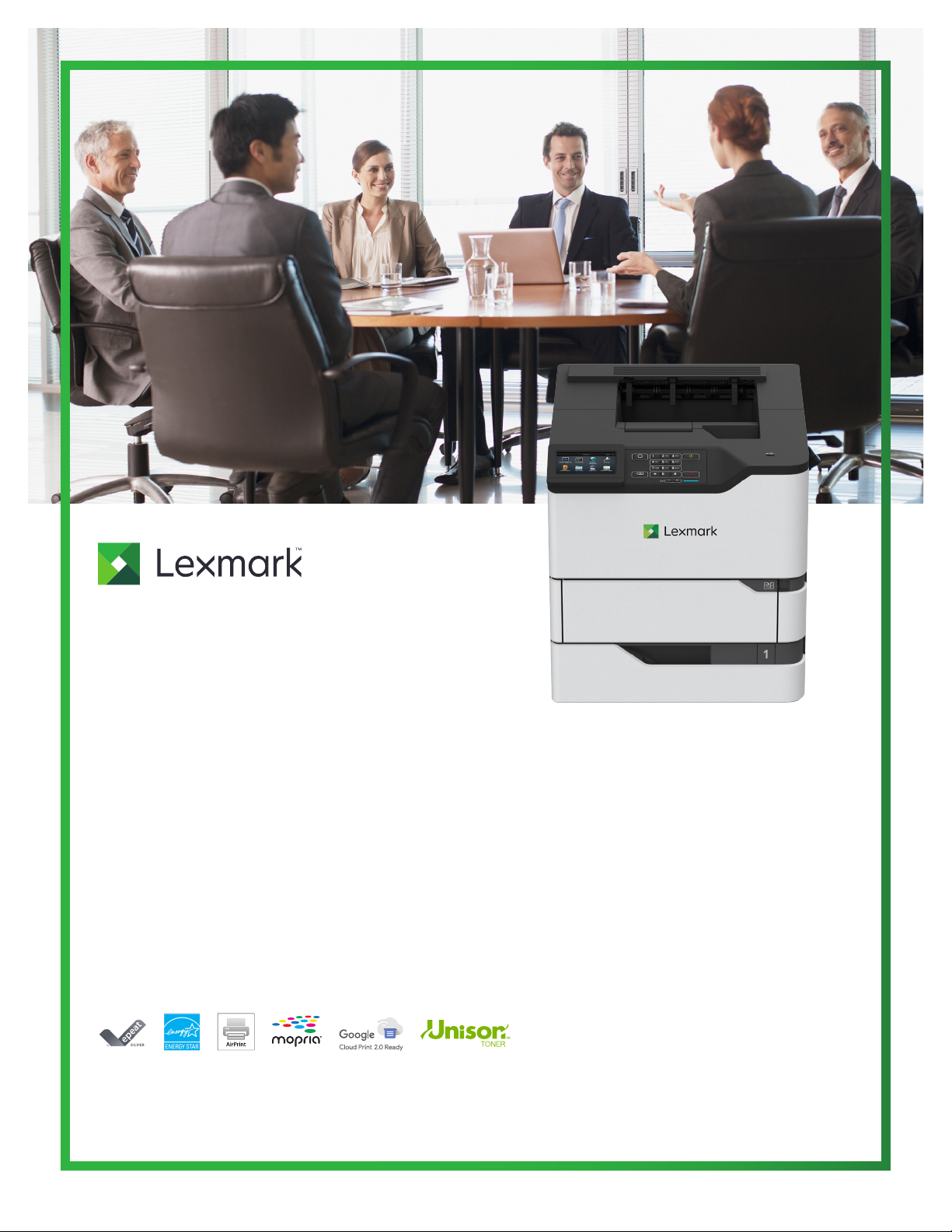
Lexmark M5270
Large workgroups need maximum performance and the Lexmark M5270 delivers with a rst page as fast as 4 seconds and output
up to 70 pages per minute*. A 4.3-inch/10.9-cm e-Task touch screen supports productivity-enhancing apps while Ultra High Yield
replacement toner and up to 4400 sheets of input keep things going for the longhaul.
Ready when you are
} Long-life fuser and imaging components extend uptime.
} Unison™ Toner replacement cartridges deliver up to 45,000
pages** of high-quality printing.
} Steel frame and durable design stands up to heavy use and
harsh environments.
Full-spectrum security
Get more done
} Powerful 1-GHz dual-core processor and up to 5 GB of
memory drives printing at up to 70 ppm.*
} Lexmark’s full-spectrum security architecture helps keep
your information safe—in the document, on the device and
over the network.
} Robust paper handling includes reliable feeding of a wide
range of media types and sizes, up to 4400 sheets of
standard input and optional nishing.
} Connect via Ethernet, USB, or simple mobile printing options.
Interact with ease
} Intuitive 4.3-inch/10.9-cm color touch screen offers smooth,
tablet-like interaction with customizable convenience and
productivity apps.
} Front access to the paper path and power button means
you’ll virtually never have to access the back of the device,
allowing placement in or on cabinets.
} Innovative serviceability features, starting with single-
door access to parts and supplies, help you resolve
problems quickly.
} Keypoint Intelligence - Buyers Lab honored Lexmark
with a prestigious BLI PaceSetter award for Document
Imaging Security***.
Built for planet earth
} Energy management features reduce power consumption in
active use or sleep mode.
} Standard two-sided printing saves paper.
} Device is rated EPEAT® Silver and ENERGY STAR® certied.
} Recycle cartridges through the award-winning Lexmark
Cartridge Collection Program (LCCP).
*Print and copy spe eds measured in accordance with ISO/IEC 24734 and ISO/IEC 24735 respectively (ESAT). For more information see: www.lexmark.com/ISOspeeds.
**Average yield based on approximately 5% print coverage.
***Award based on North America and/or Western Europe data
lexmark.com
2
Page 3
Lexmark M5270
1
2
3
4
4
4
5
6
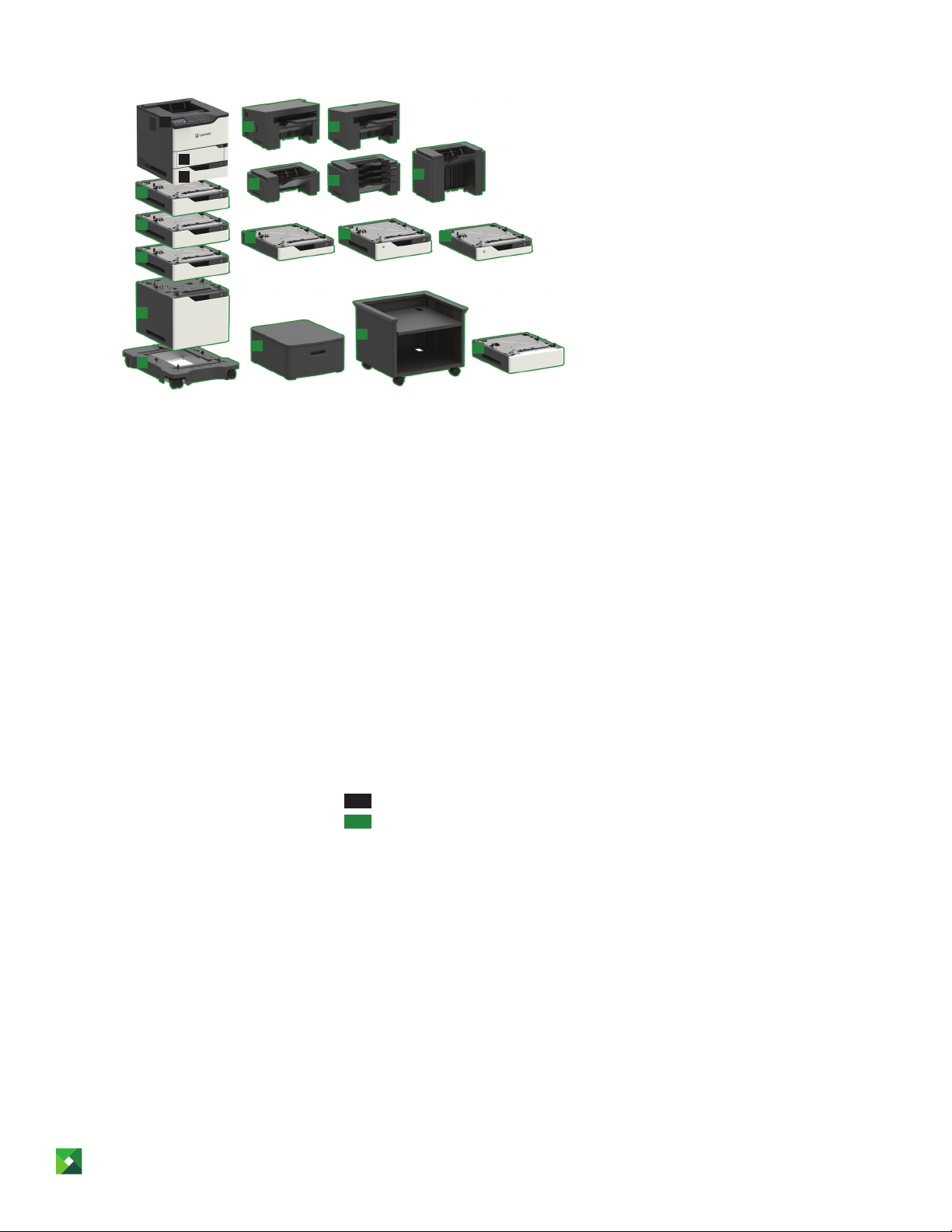
1 Printer with 4.3-inch (10.9 cm)
e-Task color touch screen
17.4 x 16.85 x 20.1 inches
441 x 428 x 510 mm
2 100-sheet multipurpose feeder
Dimensions included as part of base model
3 550-sheet tray
Dimensions included as part of base model
4 550-sheet tray
4.3 x 16.85 x 20.1 inches
110 x 428 x 510 mm
5 2100-sheet tray
13.8 x 16.85 x 20.1 inches
350 x 428 x 510 mm
6 Caster base
5 x 20.5 x 27.3 inches
126 x 521 x 693 mm
7 Staple, hole punch nisher
10.3 x 18.2 x 20.0 inches
263 x 462 x 507 mm
8 Staple nisher
9.7 x 17.1 x 16.3 inches
246 x 435 x 414 mm
9 Output expander
6.5 x 16.6 x 15.0 inches
165 x 421 x 380 mm
7 8
9
12
15
10
13
16
11
14
17
10 4-Bin mailbox
10.7 x 16.6 x 15.1 inches
272 x 421 x 384 mm
11 High capacity output expander
12.2 x 16.6 x 13.2 inches
310 x 421 x 335 mm
12 250-sheet tray
3.2 x 16.85 x 20.1 inches
80 x 428 x 510 mm
13 550-sheet lockable tray
4.3 x 16.85 x 20.1 inches
110 x 428 x 510 mm
14 250-sheet lockable tray
3.2 x 16.85 x 20.1 inches
80 x 428 x 510 mm
15 Swivel cabinet
10.4 x 18.7 x 23.6 inches
263 x 476 x 600 mm
16 Adjustable printer stand
23 x 23.5 x 23.5
584.2 x 596.9 x 596.9
17 Spacer to add additional height
4.3 x 16.85 x 20.1 inches
110 x 428 x 510 mm
Standard
Optional
P/N Hardware
50 G0 740 Lexmark M5270
P/N Cartridges and supplies
25 B3 074 Black Lexmark toner cartridge
58D0Z00 Imaging Unit
25A0013 3 staple cartridges
P/N Paper handling
50G0800 250-sheet tray
50G0820 250-sheet lockable tray
50G0802 550-sheet-tray
50G0822 550-sheet lockable tray
50G0804 2100-sheet tray
50G08 49 Staple, hole punch nisher
50G0850 Staple nisher
50G0851 Output expander
50G0852 4-Bin mailbox
50G0853 High capacity output expander
P/N Memory options
57X9801 User ash
27X0400 SATA hard disk drive
57X0204 Memory expansion (4GB) DDR3
P/N Connectivity
14F0100 RS-232C serial inter face card
14F0000 Parallel 1284-B interface card
27X0142 MarkNet N8230 ber ethernet 100BASE-
FX(LC ), 1000BASE-SX( LC)
27X6510 MarkNet N8370 802.11a/b/g/n/ac 2.4/5GHz
wireless
1021231 10-Foot Parallel Printer Cable
1021294 2-Meter USB Printer Cable
P/N Furniture and accessories
50G0855 Caster base
50G0854 Spacer
3073173 Swivel cabinet
40C2300 Adjustable printer stand
P/N User replaceable parts
41X2352 Roller kit
41X2351 ADF maintenance kit
41X1108 Media pick roll er (input tray)
41X1119 Tray separator (input tray)
41X 1076 Transfer roller
41X1123 Multipurpose feeder pick roller
For fusers and fuser maintenance kits, contact your
service provider.
For application solutions see https://www.lexmark.
com/epg
Note 1: Supports up to 4 optional trays. For maximum paper input capacity, install 3 optional 550-sheet trays and one optional 2100-sheet tray. When a 2100-sheet tray is
installed, it must be the bottom tray, and a caster base isrequired.
Note 2: Support s many output congurations, including: any combination of up to three output expanders and 4-bin mailboxes; OR staple nisher with 4-bin mailbox; OR staple
nisher with output expander; OR output expand er with high capacity output expander; OR the staple, hole punch nisher; OR any single output option by itself. When installing
the optional stapler, it must always be on top. When installing the optional high capacity output expander, it must always be on the bottom.
Note 3: All measurements are shown as height x width x depth. For more information about supported congurations, refer to the Printer, Option and Stand Compatibility Guide
athttp://www.lexmark.com/publications/furniture_safety/
© 2018 Lexmark. All rights reserved.
Lexmark, the Lexmark logo and Unison are trademarks of Lexmark International, Inc., registered in the United States and/or other countries. AirPrint® and the AirPrint Logo® are
trademarks of Apple, Inc. ENERGY STAR® is a U.S. registered mark. Google Cloud Print™ is a trademark of Google, Inc. MOPRIA®, the Mopria® Logo™ and the Mopria® Alliance
logos are trademarks , service marks, and certication marks of Mopria Alliance, Inc. in the United States and other countries. All other trademarks are the property of their
respective owners.
This product include s software developed by the OpenSSL Project for use in the Open SSL Toolkit (http://www.openssl.org/ ).
lexmark.com
3
Page 4
Product specications Lexmark M5270
Printing
Display
Print Speed: Up to
Time to First Page: As fast as
Print Resolution
Memory / Processor
Hard Disk
Recommended Monthly Page Volume
Maximum Monthly Duty Cycle: Up to
Supplies
Laser Cartridge Yields (up to)
Imaging Unit Estimated Yield: Up to
Cartridge(s) Shipping with Product
6
2
3
7
1
1
Paper Handling
Included Paper Handling
Optional Paper Handling
Paper Input Capacity: Up to
Paper Output Capacity: Up to
Media Types Supported
Media Sizes Supported
General Information
Standard Ports
Optional Network Ports / Optional Local Ports
Noise Level: Operating
Specied Operating Environment
Limited Warranty - See Statement of Limited
Warranty
Size (in. - H x W x D) / Weight (lb.)
4
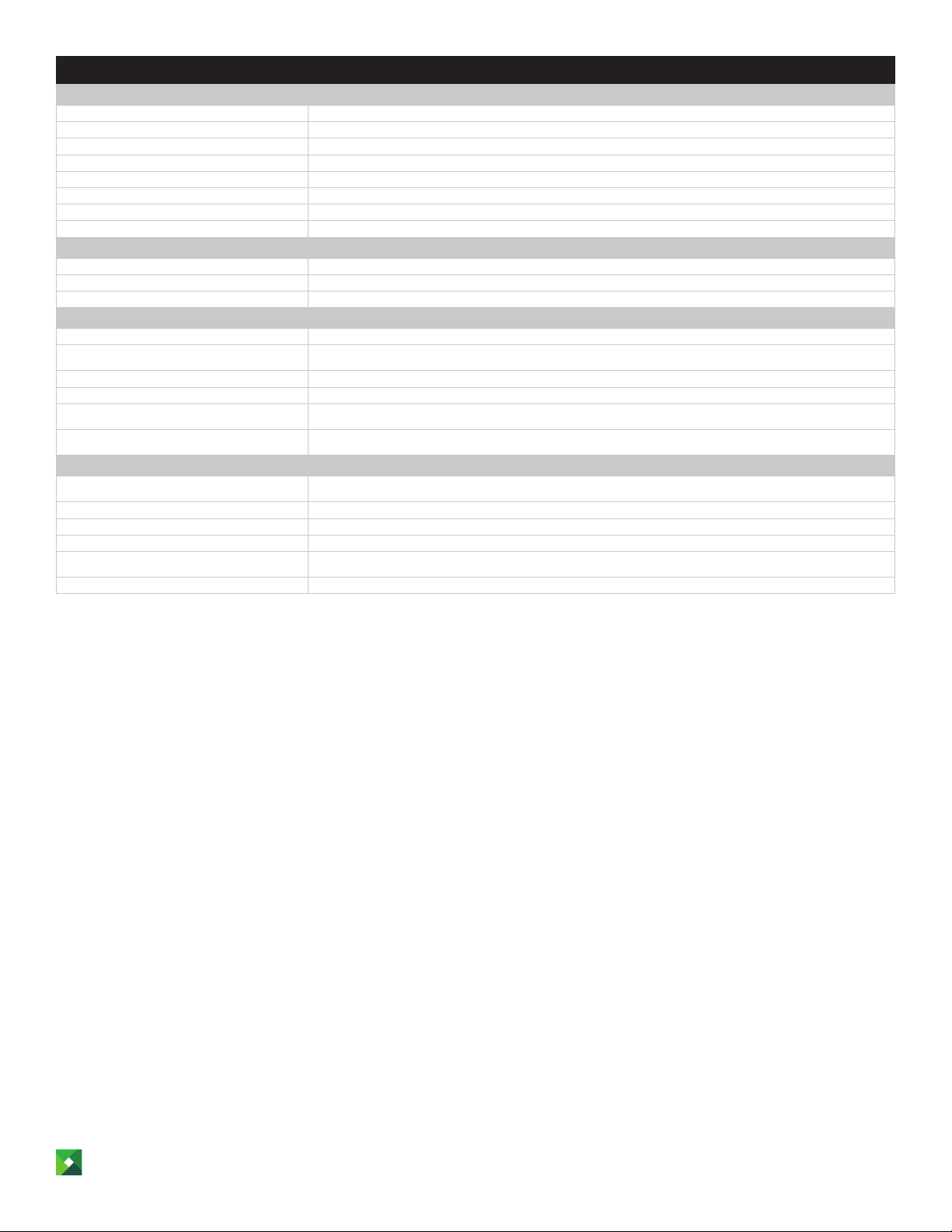
Black: 1200 Image Quality, 1200 x 1200 dpi, 2400 Image Quality, 300 x 300 dpi, 600 x 600 dpi
Standard: 1024 MB / Maximum: 5120 MB / Dual Core, 1000 MHz
150000 pages, based on 3 average letter/A4-size pages per print job and ~ 5% coverage
550-Sheet Input, 100-Sheet Multipurpose Feeder, 550-Sheet Output Bin, Integrated Duplex
250-Sheet Tray, 550-Sheet Tray, 2100-Sheet Tray, 250-Sheet Lockable Tray, 550-Sheet Lockable Tray, 4-Bin Mailbox, Staple
Card Stock, Dual Web Labels, Envelopes, Integrated Labels, Paper Labels, Plain Paper, Transparencies, Refer to the Card Stock
10 Envelope, 7 3/4 Envelope, 9 Envelope, A4, A5, B5 Envelope, C5 Envelope, DL Envelope, Executive, Folio, JIS-B5, Legal, Letter,
One Internal Card Slot, USB 2.0 Specication Hi-Speed Certied (Type B), Gigabit Ethernet (10/100/1000), Front USB 2.0
Specication Hi-Speed Certied port (Type A), Rear USB 2.0 Specication Hi-Speed Certied Port (Type A)
Internal MarkNet N8350 802.11b/g/n Wireless / Internal RS-232C serial, Internal 1284-B Bidirectional Parallel
Humidity: 8 to 80% Relative Humidity, Temperature: 10 to 32°C (50 to 90°F), Altitude: 0 - 2896 Meters (9,500 Feet)
Finisher, Staple Punch Finisher, High Capacity Output Expander, Output Expander
Standard: 650 pages 20 lb or 75 gsm bond / Maximum: 4400 pages 20 lb or 75 gsm bond
Standard: 550 pages 20 lb or 75 gsm bond / Maximum: 2550 pages 20 lb or 75 gsm bond
Lexmark e-Task 4.3-inch color touch screen
Black: 70 ppm
Black: 4.0 seconds
Option available
5000 - 100000 pages
350000 pages per month
45,000-page Extra High Yield Cartridge
11,000-page Starter Return Program Toner Cartridge
& Label Guide.
Statement, Universal, Ocio, A6
Print: 58 dBA
1-Year Advanced Exchange, Next Business Day
17.4 x 16.85 x 20.1 in. / 56.4 lb.
All information in this brochure is subject to change without notice. Lexmark is not liable for any errors or omissions.
This is a Class A device according to international electromagnetic emissions standards (i.e. FCC Rules, EN 55022/EN 55032, etc.).
Class A products are intended for use in non-residential/non-domestic environments. Use of a Class A product in residential/
domestic environments may cause interference to radio communications and require corrective measures.
1
Average standard page yield value declared in accordance with ISO/IEC 19752. 2”Recommended Monthly Page Volume” is a range of pages that helps customers evaluate
Lexmark’s product of ferings based on the average number of pages customers plan to print on the device each month. Lexmark recommends that the number of pages p er
month be within the stated range for optimum device performance, based on factors including: supplies replacement inter vals, paper loading intervals, speed, and typical
customer usage. 3”Maximum Monthly Duty Cycle” is dened as the maximum number of pages a device could deliver in a month using a multishift operation. This metric provides a
comparison of robustness in relation to other Lexmark printers and MFPs. 4Printers are sold subject to certain license/agreement conditions. See www.lexmark.com/printerlicense
for details. 5Actual Yield may vary based on other factors such as device speed, paper size and feed orientation, toner coverage, tray source, percentage of black-only printing
and average print job complexity. 6Print and copy speeds measured in accordance with ISO/IEC 24734 and ISO/IEC 24735 respectively (ESAT). For more information see: www.
lexmark.com/ISOspeeds. 7Product functions only with replacement car tridges designed for use in a specic geographical region. See www.lexmark.com/regions for more details.
lexmark.com
4
 Loading...