

Page 1
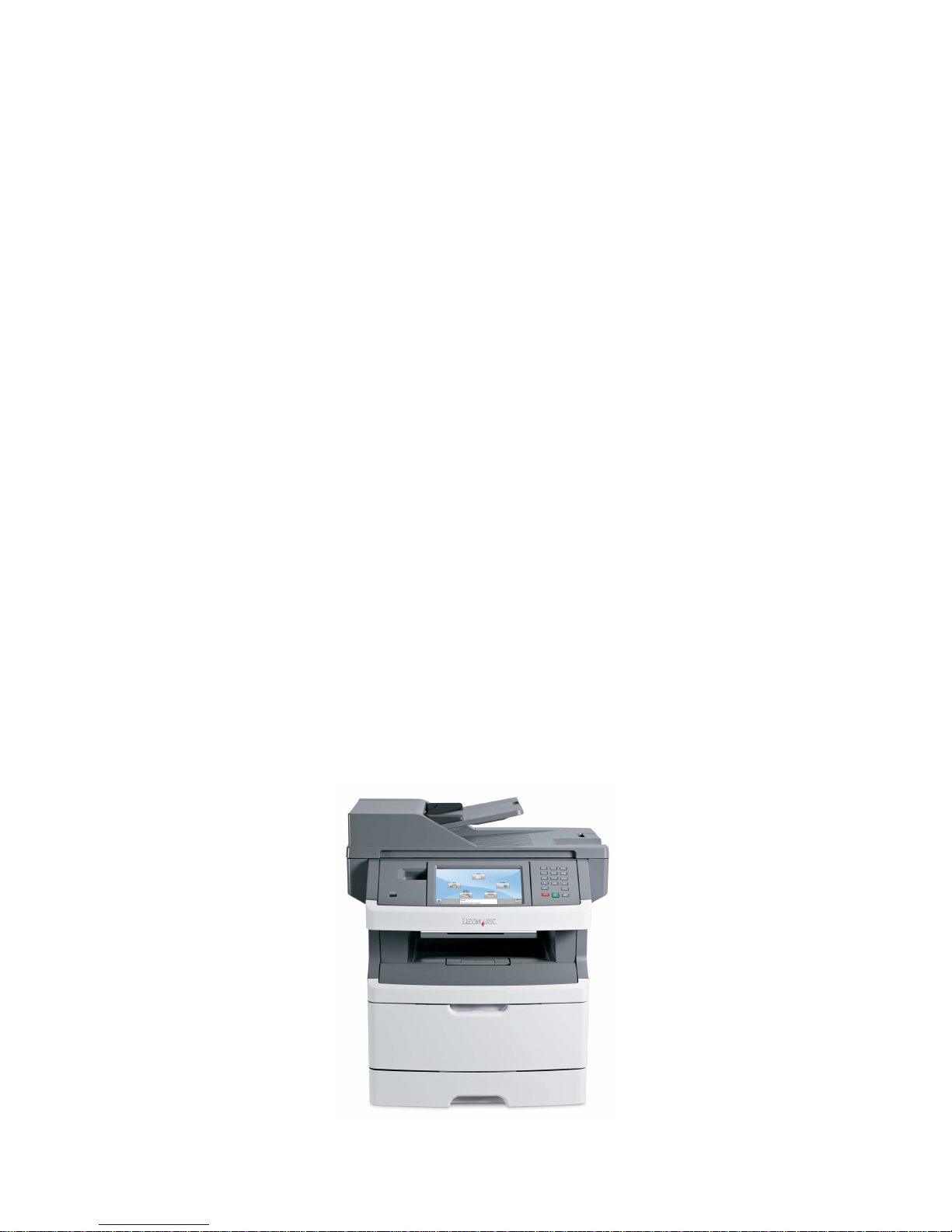
LEXMARK 463
DATA DIRECTOR
Test
Scanning
Printing
User’s
Manual
Page 2
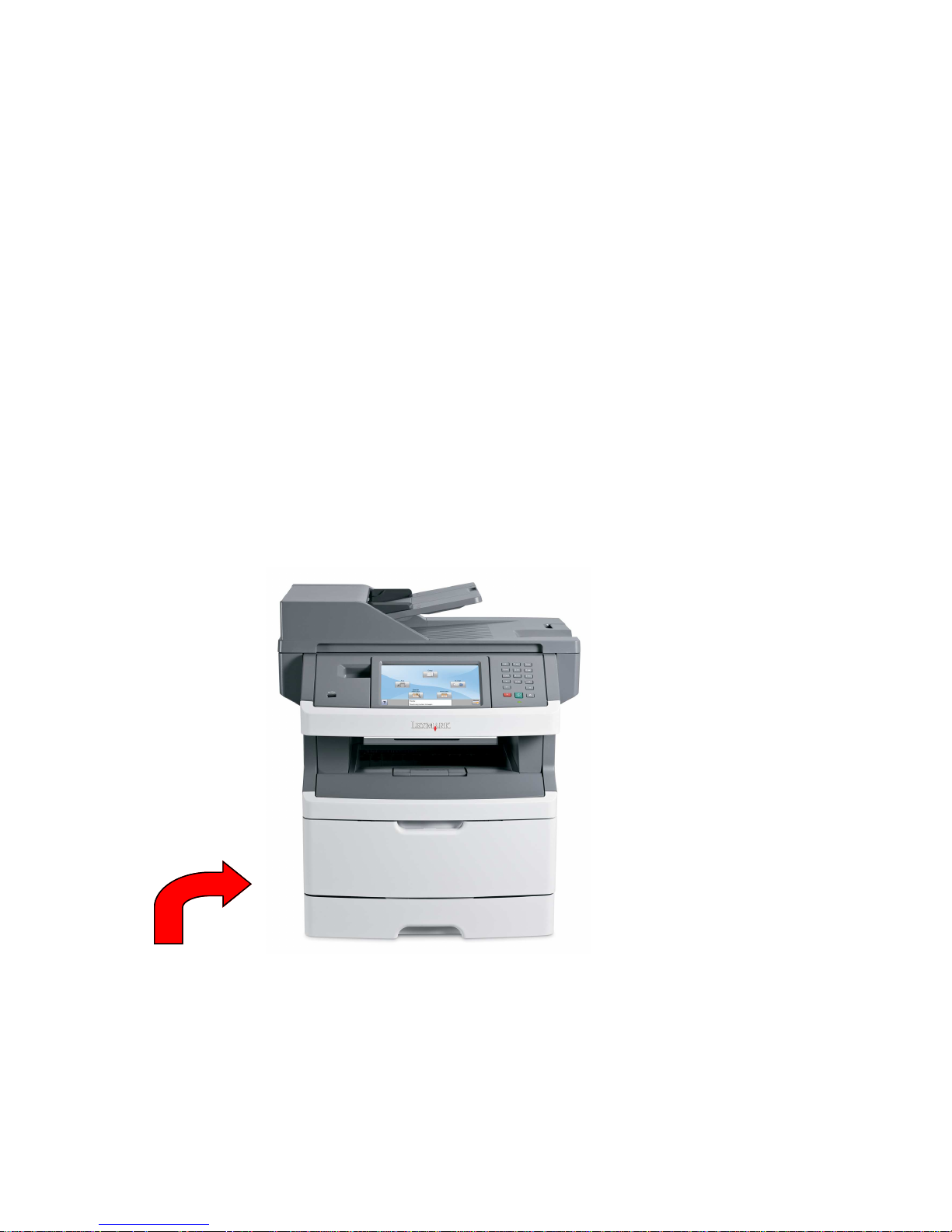
Your Lexmark 463 printer has been set up, and is ready for you to scan into Data
Director as soon as the program is rolled out.
This short manual will outline the basic steps for:
•
PRINTING BUBBLE TEST SHEETS FROM DATA DIRECTOR
•
SCANNING TEST SHEETS INTO DATA DIRECTOR
•
WALK UP COPY
•
SCAN TO EMAIL
•
LOADING PAPER
•
ADDING TONER
•
CLEARING PAPER JAMS
•
PLACING A SERVICE CALL & RE-ORDERING TONER
Please take a few moments to walk through the following procedures BEFORE
attempting to scan a live test.
POWER BUTTON-ON OFF SWITCH
The on/off switch is located on the back of the machine, on the lower left hand
side of the unit. Please turn this switch on
It will take about 5 minutes for the machine to warm up.
AND NEVER TURN IT OFF.
Page 3
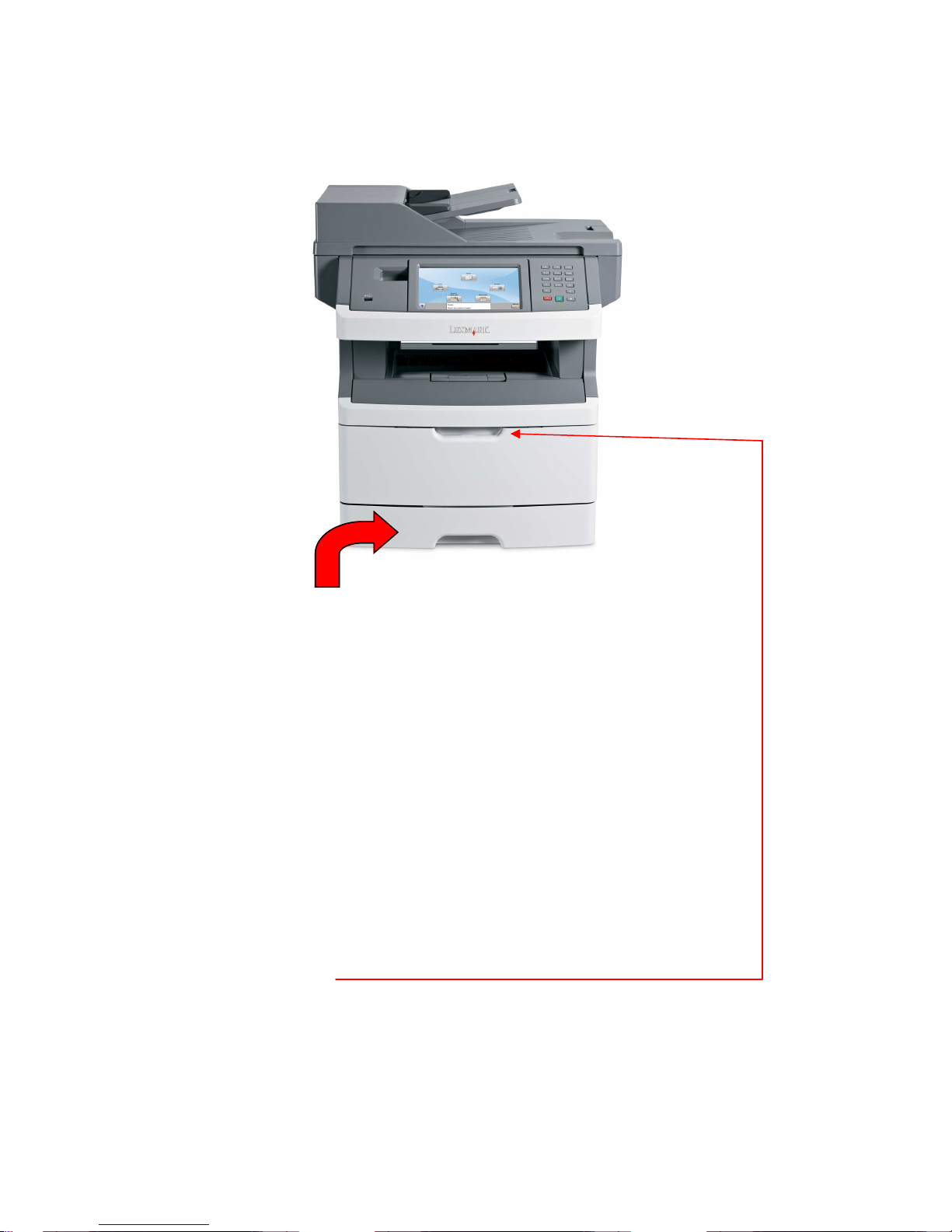
HOW TO LOAD PAPER
•
Pull out the drawer. It will come completely out of the machine.
•
Place 1/2 ream of paper in the tray.
•
Please fan the paper before loading
•
Do not over fill paper drawer-see the max fill line on the green
side bars in the tray
•
Replace paper tray SLOWLY & GENTLY! If you feel paper
crunching, you have over filled the tray.
BYPASS TRAY
You may use the bypass tray for the following paper types:
Card Stock-Up to 40 pounds #10 Envelopes
Laser Printer Labels Legal Size Paper (8.5 x 14)
Open Bypass Drawer
You may load up to 25 sheets of paper, or 10 envelopes
Page 4
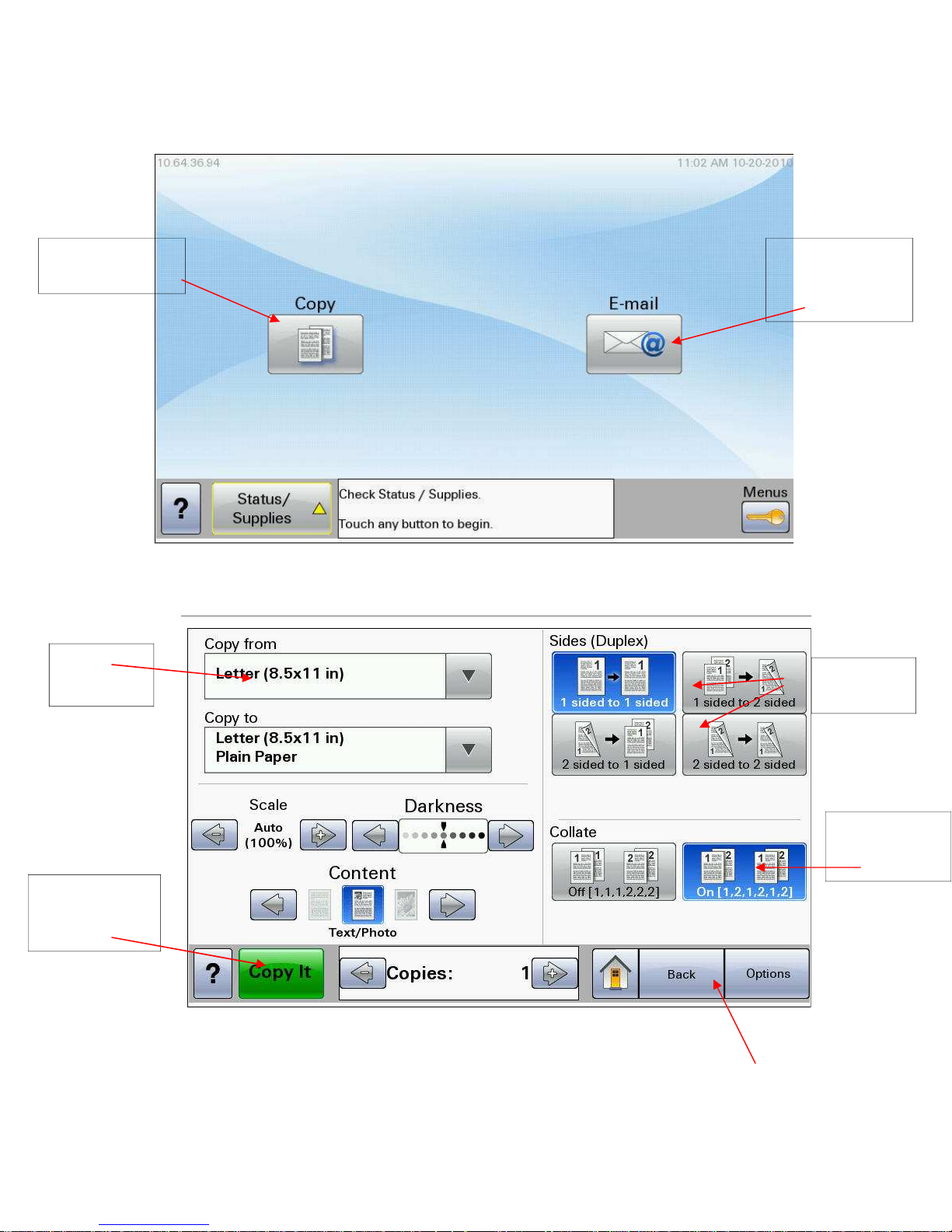
BASIC PRINTER SCREEN
COPY
FUNCTIONS
PAPER
SIZES
SCAN TO EMAIL
NOT
DATA DIRECTOR
COPY SCREEN
TWO SIDED
COPY
START
BUTTON
PRINT AS
SORTED SETS
RETURN TO MAIN
SCREEN
Page 5
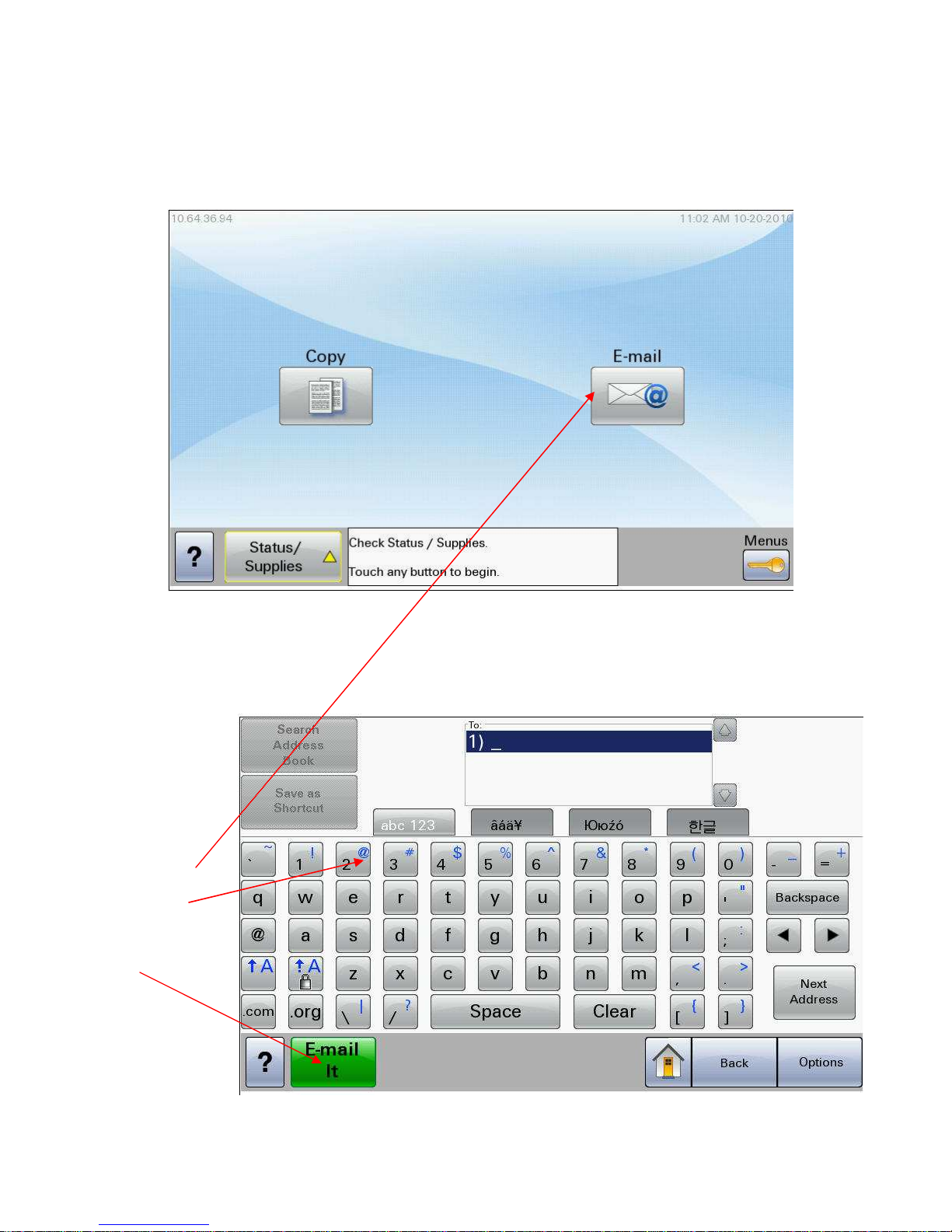
SCAN TO EMAIL
***THIS IS NOT HOW TO SCAN TO DATA DIRECTOR***
1. Place documents
into the document feeder face
up.
2. Press SCAN TO
EMAIL BUTTON
3. Type in the
email address
using the keypad
4. Press EMAIL IT
button
SCAN TO EMAIL SCREEN
Page 6
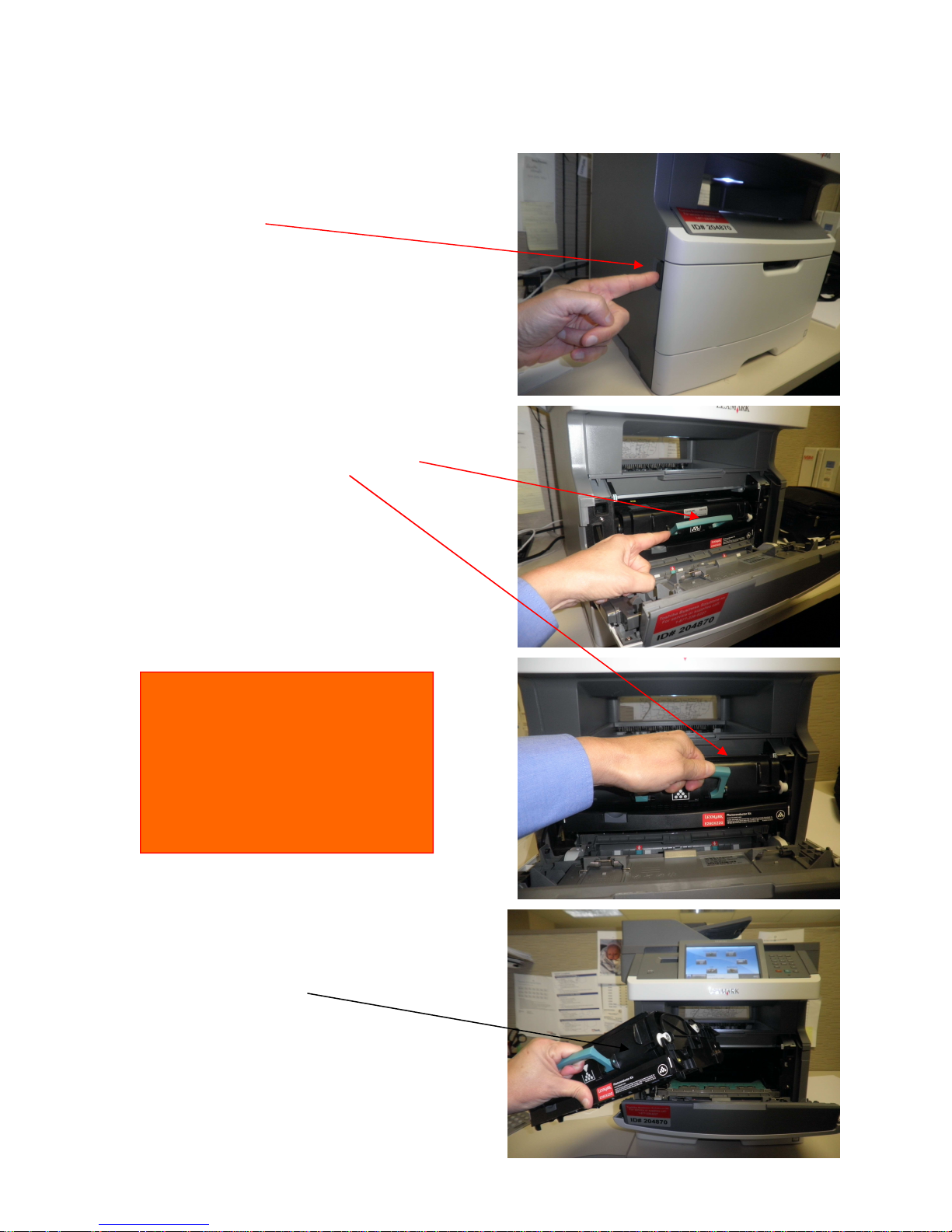
REPLACING THE TONER CARTRIDGE
Press this button to open
Toner area
Grasp green handle, lift and
Remove from printer
Please see
ORANGE
Sticker on front of machine
RE-ORDER CARTRIDGE #
LEX-24B2818
Open new cartridge, shake for 10
seconds
Replace cartridge in machine
And close the door
Page 7
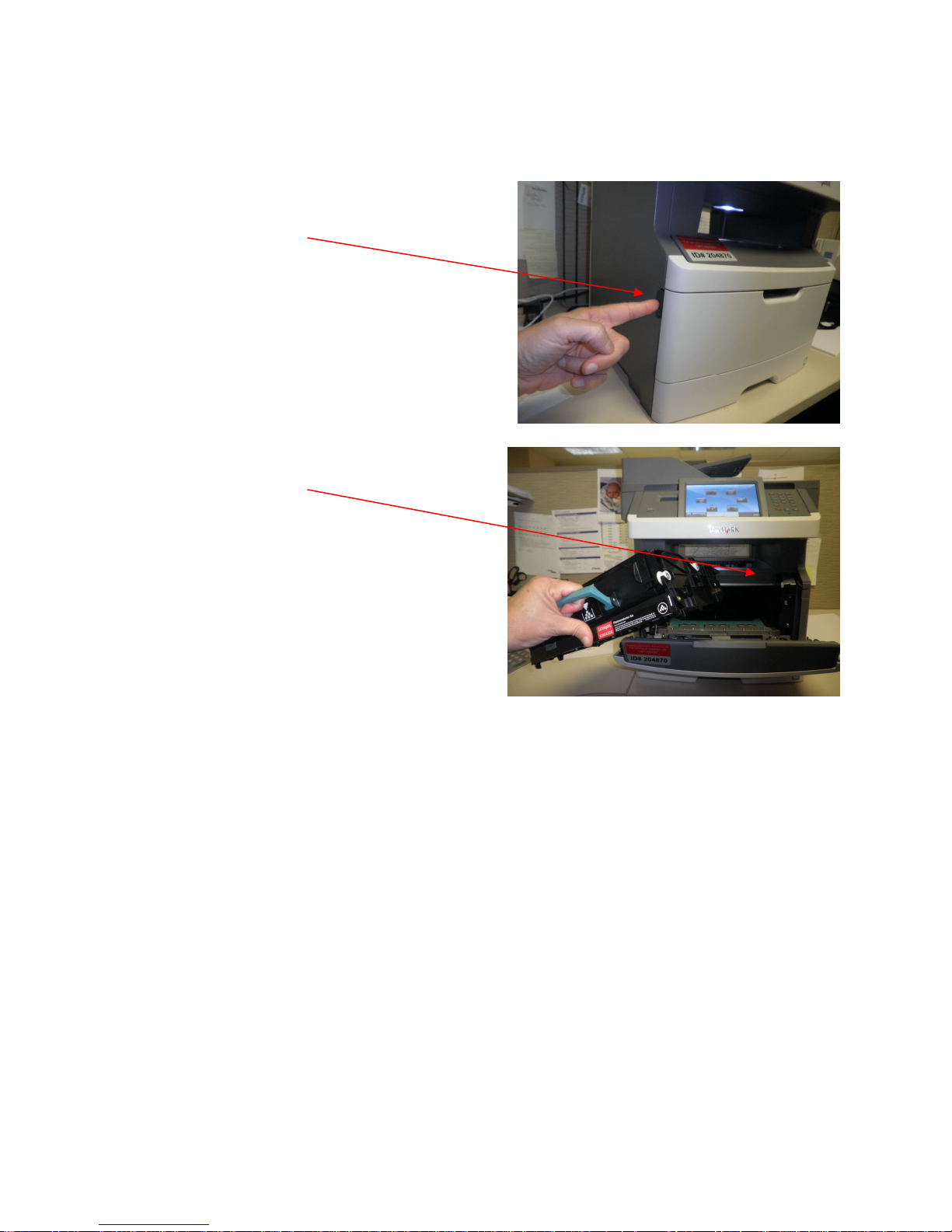
CLEARING A PAPER JAM
Press this button to open
Toner area
Remove toner cartridge to access
The paper path.
There is also a second access door on the
rear of the machine.
Waking Up The Machine
From
Energy Save Mode
Please touch any button on the panel, or touch any part of the display to
wake the Lexmark up from sleep mode
Page 8

TOSHIBA CONTACT INFORMATION
Service Calls
Dial Toshiba Directly
877-338-8227 x 2
Please Give Machine ID & Room Number
Customer Service & Supplies
Dial
877-338-8227 x 2
Re-Order Cartridge #
LEX-24B2818
** Cartridges must be purchased with building funds
 Loading...