

Page 1
Getting Started Guide
WEB VERSION
MINI PLUG-IN OUTLET
Cat. No. DW15P
Page 2
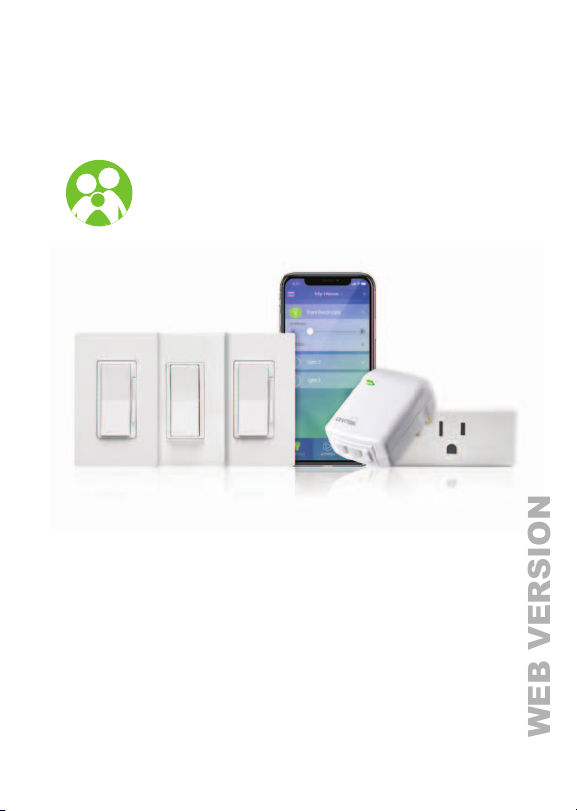
Meet the Decora Smart
WEB VERSION
Wi-Fi Family
See the complete line of My Leviton app compatible
dimmers, switches and plug-ins at
leviton.com/decorasmart
Page 3
Welcome
WEB VERSION
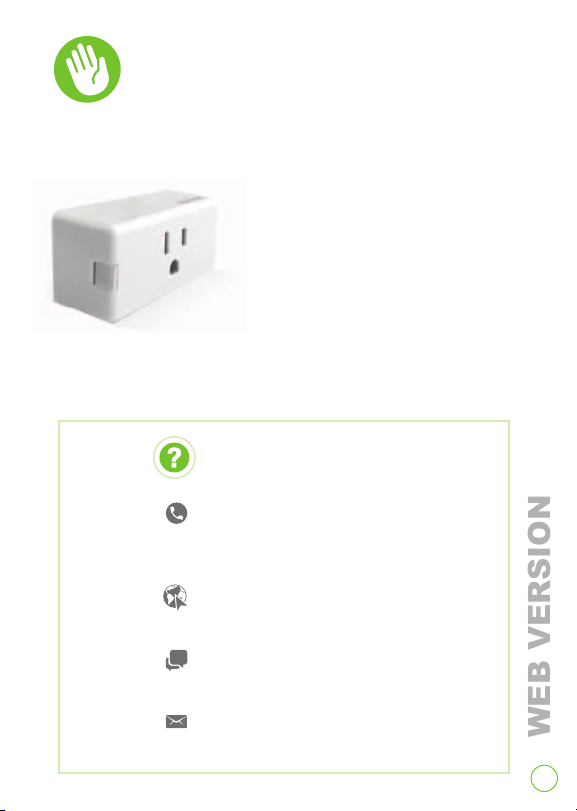
The Mini Plug-In Outlet allows you to control
electronics, lamps and other devices from a
smartphone or tablet when you
are at home or away as long as
you have an internet connection.
Built-in scheduling lets you turn
things on or off at a specific
time of day, sunrise or sunset.
A convenient push button provides manual control
and simple enrollment to your home Wi-Fi network.
We are here to help
CALL
1-800-824-3005 (USA)
1-800-405-5320 (Canada)
ONLINE RESOURCE
my.leviton.com
CHAT
www.leviton.com
EMAIL
3
Page 4
Features
WEB VERSION
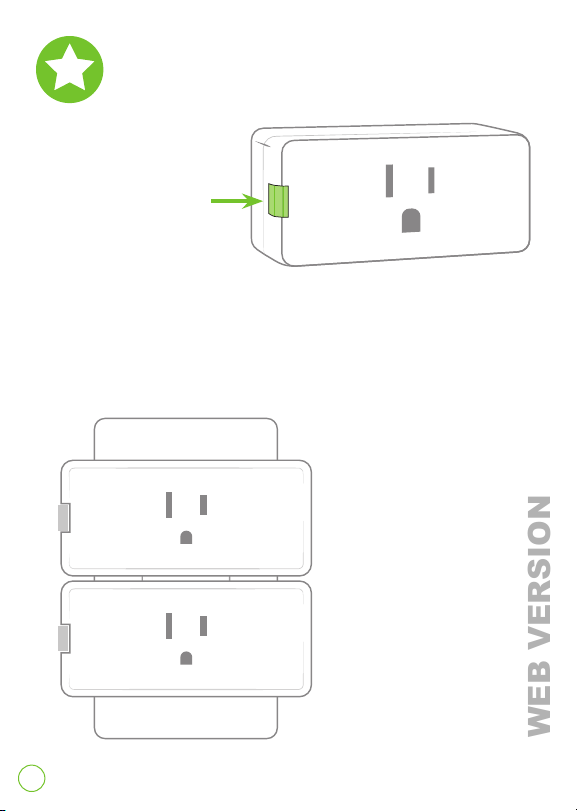
Indicator light/button
• Shows network connectivity.
• Allows you to turn on/off manually.
The size allows two
mini plug-in outlets to
be plugged into the
same receptacle.
4
Page 5
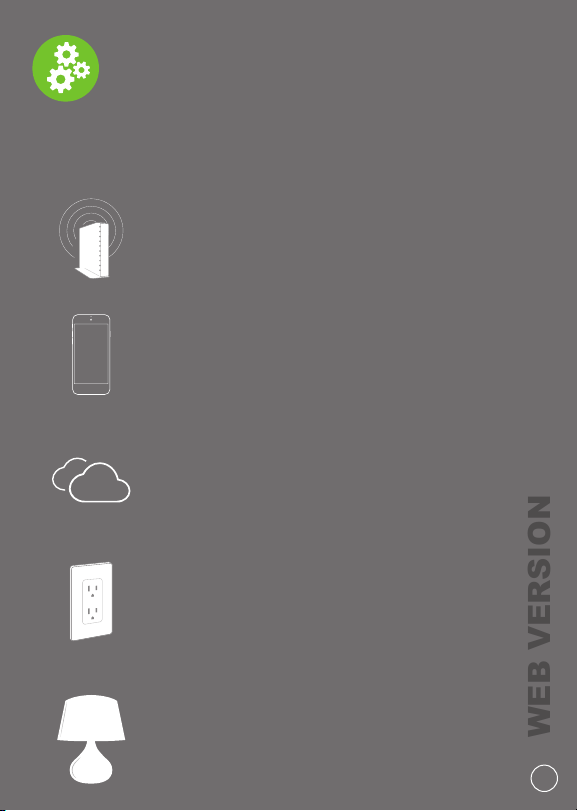
What you need to make it work
WEB VERSION
To install and operate the plug-in outlet:
1. A home Wi-Fi network with
high speed internet
2. An iOS (8.0 or later) or
Android (4.1 or later) mobile device
3. A My Leviton cloud account
(set up through the My Leviton app)
4. An available interior 120VAC outlet
5. A lamp or plug-in device
5
Page 6
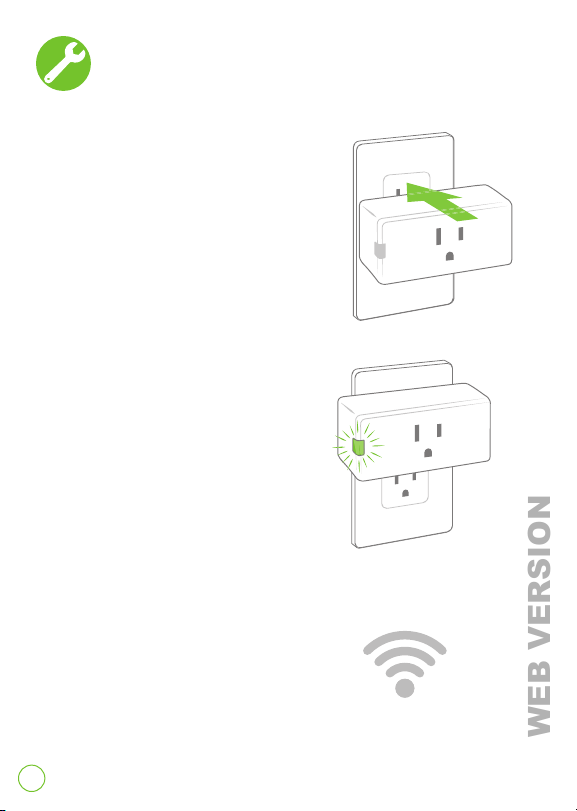
Installation
WEB VERSION
1. Insert plug-in outlet into any
120VAC receptacle.
NOTE: Your mini plug-in outlet
works with GFCI and AFCI
protected receptacles, but
NOT receptacles that
are controlled.
2. When it first powers
up, the indicator light
will flash green to
show it is ready to be
configured.
3. Using a smartphone
or tablet, confirm a
strong Wi-Fi signal
is available in the
area in which you are
installing your plug-in.
6
Page 7
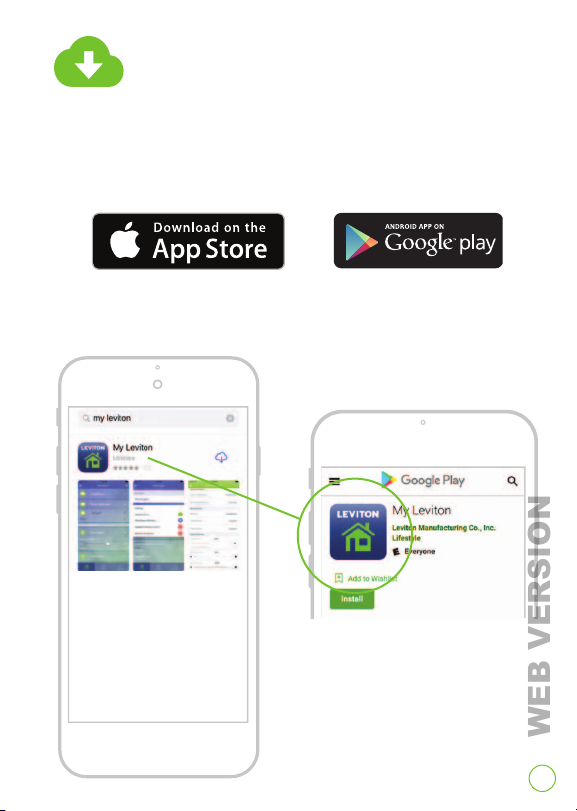
Get the app
WEB VERSION
Visit http://my.leviton.com and select the link
for your smartphone or tablet.
Tap the My Leviton app and install.
7
Page 8
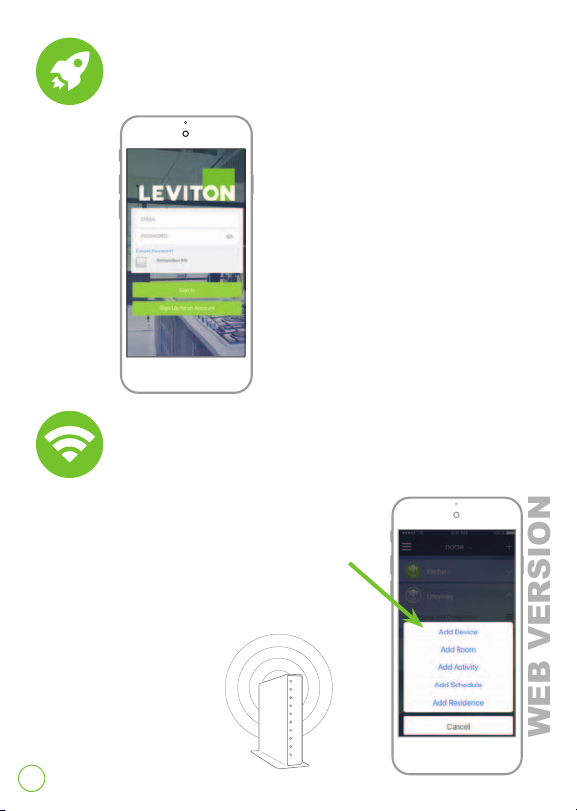
Launch the app
WEB VERSION
1. Launch the My Leviton app.
2. Log in or choose Sign Up
for an Account.
3. Follow the instructions on
the screen.
Add to your home network
1. Tap Add Device.
2. Follow the app instructions
to add your device to your
home network.
8
Page 9
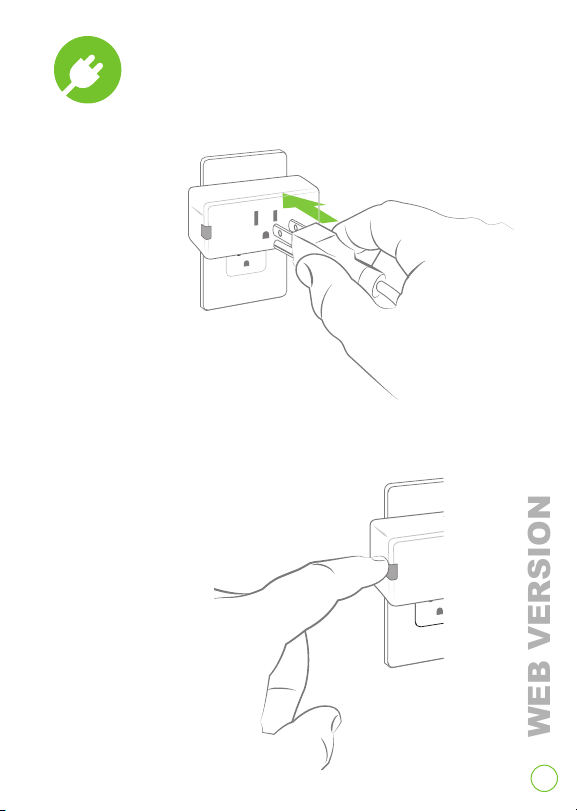
Plug in your device
WEB VERSION
1.
2. Press to turn
on and off.
9
Page 10
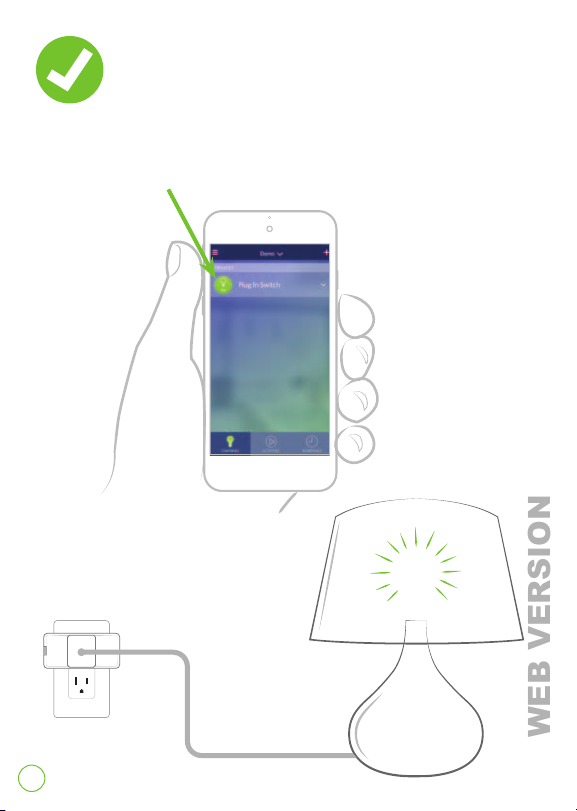
Test app control
WEB VERSION
1. Open the My Leviton app.
2. Tap bulb icon to turn on/off.
10
Page 11
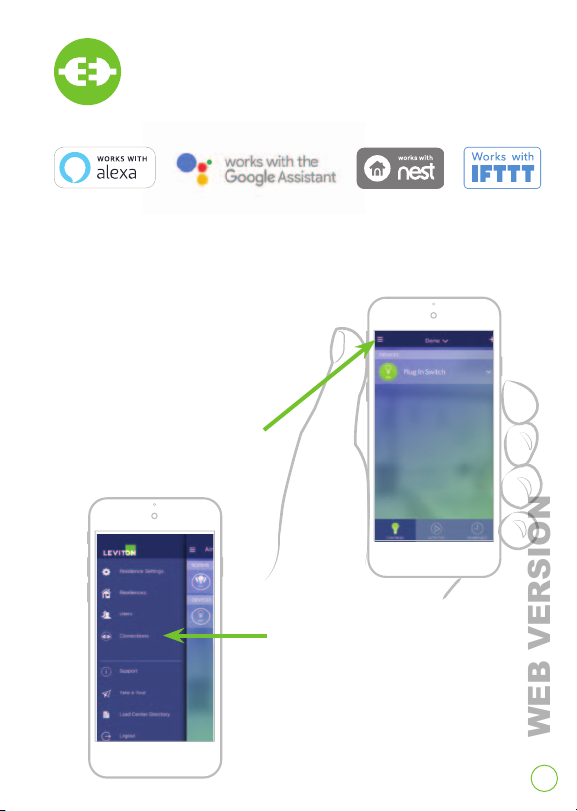
Connect to
WEB VERSION
My Leviton Partners (optional)
Visit my.leviton.com for a complete list of
compatible smart home products.
To add voice control or
integrate with another
service:
1. Tap menu icon in
upper left corner.
2. Tap Connections, choose
desired service and follow
app instructions.
11
Page 12
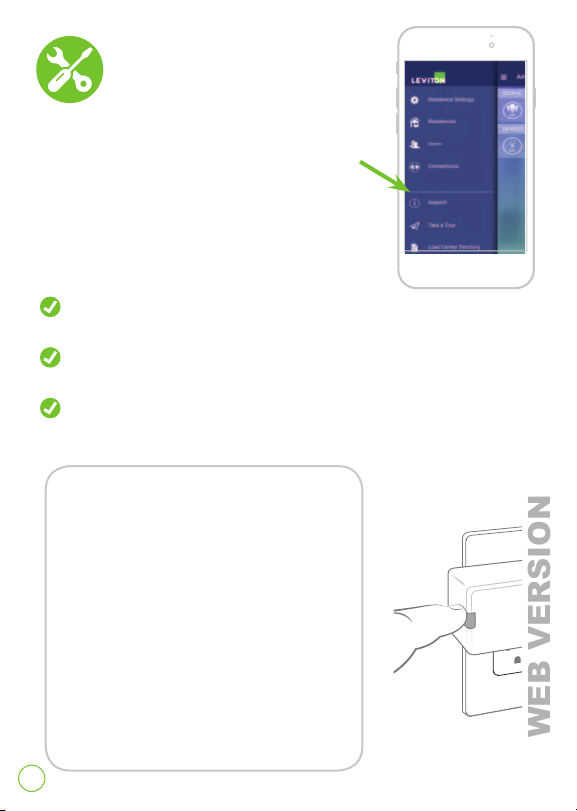
Quick Tips
WEB VERSION
If your plug-in outlet is not performing as
expected, the My Leviton app contains a
Support section with FAQs and instructions.
Try these steps first:
Make sure your plug-in outlet is being
supplied from a 120VAC, 50/60Hz source ONLY.
Make sure the lamp or appliance you’re controlling is working
(local switch is ON) and check for burned-out bulbs.
Make sure the lamp or appliance you’re controlling does not
exceed the 15A limit.
If you need to reset
to factory default:
1. Press and hold the button.
2. After the first 7 seconds it will turn
amber. Continue holding.
3. After 14 seconds, it will quickly
flash red/amber. Release button
and your plug-in device is reset.
12
Page 13
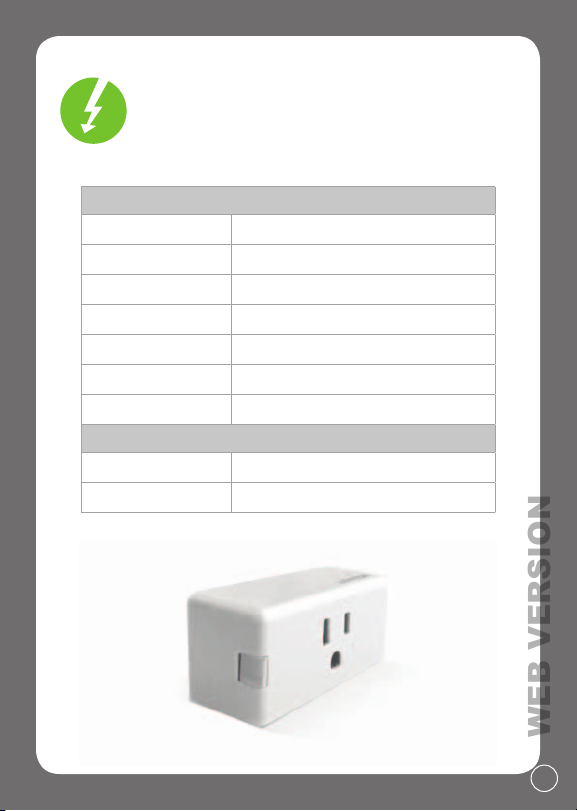
Your plug-in outlet
WEB VERSION
works with:
RATINGS
General Use 15A - 120VAC, 50/60Hz
Magnetic 15A - 120VAC, 50/60Hz
LED / CFL 5A - 120VAC, 50/60Hz
Incandescent 1500W - 120VAC, 50/60Hz
Motor 3/4 HP - 120VAC, 50/60Hz
Operating Temp 0°C - 40°C (32°F - 104°F)
Operating Humidity 0-90% non-condensing
NETWORK
Wi-Fi 802.11 a/b/g/n @ 2.4GHz and 5GHz
Security
WPA or WPA2
13
Page 14

Safety First
WEB VERSION
WAR NING : TO AVOID FIRE, PERSONAL INJURY OR DEATH DO NOT USE the
remote for the control of hi gh power heati ng appliances such as port able
heaters. There can be some unexpecte d consequences if not used with care.
For example, an empt y coffee pot can be remotely turned on. If that should
happen, your cof fee pot could be da maged from overheating. If an elec tric
heater is turned on by remote control while clothing is draped over it, a fire
could res ult. This module will not cont rol lighting that is used with elec tronic
low-voltage and high frequency power supply t ransformers, nor hi gh pressure
discharge la mps (HID lighting). Thi s includes mercury-vapor, sodium vapor and
metal halide lamps.
WAR NING S:
• This product is to be installed and/or used in accordance with electrical
and regulations.
codes
• Indoor use only
• If you are unsure about any part of these instruc tions, consult
n electr ician.
a
• To reduce the r isk of overheat ing and possible damage to ot her equipment do
ot install to co ntrol a motor-operated receptacle, fluorescent light ing fixture,
n
or a transform er supplied receptacle.
• Unplug unit when servicing loads.
• Leviton Wi-Fi enabled dev ices rely on Wi-Fi communic ation. Increa sing the
umber of W i-Fi dev ices can affect Wi-Fi performance. Consult the network’s
n
wireless access point spec ifications to determine the ma ximum number of
supported Wi-Fi devices. For installations with a large number of Leviton Wi-Fi
devices, a high performance wireless access p oint capable of supporting a
large number of devices may be required.
• Save thi s instruc tion sheet. It contains impo rtant technical dat a along
ith testing and troublesho oting information which will be useful after
w
installation is complete.
14
Page 15

Limited 5 Year Warranty & Exclusions
WEB VERSION
For Levit on’s limited pro duct warra nty, go to www.leviton.com. For a pr inted copy of th e warranty,
call 1-800-824-300 5.
FOR CANADA ONLY
For warra nty inform ation and/or prod uct returns , residents of C anada should c ontact Lev iton in
writ ing at Leviton Ma nufactur ing of Canada Ltd t o the attent ion of the Qualit y Assuranc e Departm ent,
165 Hymus Blv d, Pointe-Cl aire (Quebec), Can ada H9R 1E9 or by teleph one at 1-800-405-5320.
FCC COMPLIANCE STATEMENT
Contai ns FCC ID: VPY-LB1GC
The encl osed device c omplies wit h Part 15 of the FCC Ru les. Operat ion is subjec t to the follow ing
two con ditions: (i.) Th is device may no t cause harmf ul interfer ence (ii.) This dev ice must acc ept any
inter ference receiv ed, includi ng interfere nce that may cau se undesir ed operation . Any changes or
modific ations not exp ressly appro ved by Leviton co uld void the user ’s author ity to operate t his equipm ent.
This eq uipment has b een tested an d found to comply w ith the lim its for a Class B d igital dev ice, pursuan t
to part 15 of t he FCC Rules. Th ese limits ar e designed t o provide reas onable prote ction agai nst harmful
inter ference in a res idential in stallatio n. This equi pment generat es uses and ca n radiate radio fr equency
energ y and, if not inst alled and us ed in accordan ce with the i nstruct ions, may caus e harmful int erference
to radio co mmunicatio ns. However, ther e is no guarant ee that inter ference wil l not occur in a pa rticula r
insta llation. If th is equipme nt does cause h armful inte rference to ra dio or televis ion recepti on, which
can be de termined by tu rning the eq uipment of f and on, the use r is encoura ged to try to cor rect the
inter ference by one or m ore of the follo wing measu res:
• Reorie nt or relocate t he receivin g antenna.
• Increa se the separ ation betwe en the equip ment and recei ver.
• C onnect th e equipmen t into an outle t on a circuit di fferent from t hat to which th e receiver is c onnected.
• Consul t the dealer or a n experienc ed radio/TV tec hnician for h elp.
FC
C CAUTIO N
Any chan ges or modifica tions not expr essly approve d by Leviton Man ufacturi ng Co., Inc., could v oid the
user’s a uthorit y to operate the e quipment.
FCC SUPPL IER’S DECLA RATION OF CONFO RMITY
Model DW15P – Mi ni Plug-In Outle t is manufac tured by Levito n Manufactu ring Co., Inc.
This dev ice complies w ith part 15 of t he FCC Rules. Op eration is sub ject to the fol lowing two c onditions :
(1) This devic e may not cause h armful inter ference, and (2) th is device mu st accept any in terference
receive d, includin g interferen ce that may caus e undesired o peration.
IC S TATEM ENT
This dev ice complies w ith Indust ry Canada li cense-exem pt RSS standa rd(s). Operation is s ubject to the
follow ing two cond itions: (1) this dev ice may not caus e interfere nce, and (2) this dev ice must acc ept any
inter ference, incl uding inter ference that m ay cause unde sired operat ion of the dev ice.
RF EXPO SURE AND CO -LOCATION
To comply wit h FCC OET Bullet in 65 and ISED RF ex posure limit s for general pop ulation and u ncontroll ed
exposu re, this devi ce shall be ins talled and op erated with a m inimum dis tance of 7.9 inches (20 cm)
betwe en the radiato r and your body. Al so, must not be c o-located or o perated in con junction w ith any
other a ntenna or tran smitter.
Copyright and Trademark Information
Decora is a registered trademark of Leviton Manufacturing Co., Inc. Google Play, Android, App Store,
Apple iOS, Google Assistant, Nest and IFTTT are the trademarks of their respective owners and any use
of such marks by Leviton is under license. Alexa, and related logos are trademarks of Amazon.com, Inc.
or its affiliates. Wi-Fi CERTIFIED logo is a trademark of the Wi-Fi Alliance. Use herein of other third party
trademarks, service marks, trade names, brand names and/or product names are for informational
purposes only, are/may be the trademarks of their respective owners; such use is not meant to imply
affiliation, sponsorship, or endorsement. No part of this document may be reproduced, transmitted or
transcribed without the express written permission of Leviton Manufacturing Co., Inc.
15
Page 16

If you need help...
WEB VERSION
CALL
1-800-824-3005 (USA)
1-800-405-5320 (Canada)
ONLINE RESOURCE
my.leviton.com
CHAT
www.leviton.com
EMAIL
Leviton Manufacturing Co., Inc.
201 North Service Road, Melville, NY 11747
Telepho n e: 1-800-824 -30 05
Visit Leviton’s website at http://www.leviton.com
© 2018 Leviton Manufacturing Co., Inc. All rights reserved.
Specifications and price subject to change at any time
without notice.
DI-000-DW15P-02A
 Loading...