

Page 1
4 FE + 1 MM SC Unmanaged Switch
Quick Installation Guide
IES-0510
-
10 to 60, DIN
-rail
v1.00 - 1206
IES-0510 Page 1
Overview
LevelOne IES-0510 Industry Ethernet Switch provides 4 ports
of 10/100Base-TX Ethernet plus 1 port 100FX Multimode SC
fiber to enable high speed network at mission-critical
environment. This device is designed to be mounted on an
industry standard DIN-rail, plus the clearly visible status LEDs
provide simple monitoring of port link activity.
Cost Effective
This device operates under -10 to 60 Celsius (-14 to 140
Fahrenheit) temperature that offers optimal suitability for
industrial applications at low cost while maintaining all
components built to withstand harsh environment applications
without compromise reliability and stability.
Plug & Play
This unmanaged Industrial Ethernet Switch is designed for the
demanding industrial environments at businesses in need of
instant connectivity with no setup or configure required, truly
plug and play.
IES-0510 Page 2
Features
• Complies with IEC61000-6-2 EMC Generic standard immunity for industrial
environment.
• Support 802.3/802.3u/802.3x. Auto-negotiation: 10/100Mbps, Full/halfduplex; Auto MDI/MDIX.
• 100Base-FX: Multi mode SC or ST type; Single mode SC or ST type; WDM
Single mode SC type.
• Supports IEEE802.1p QoS with two priority queues.
• Supports IEEE802.3az Energy Efficient Ethernet (EEE).
• Support 2048 MAC addresses, 384K bits buffer memory.
• Store-and-forward mechanism.
• Full wire-speed forwarding rate and non-blocking mechanism.
• Broadcast storm filtering.
• Operating voltage and Max. current consumption: 0.2A @ 12VDC, 0.1A @
24VDC, 0.05A @ 48VDC. Power consumption: 2.4W Max.
• Power Supply: DC Terminal Block power input, 12-48VDC.
• Operating temperature ranges from -10℃ to 60℃.
• Plastic compact DIN-Rail industrial case design.
Package Contents
IES-0510
Quick Installation Guide
IES-0510
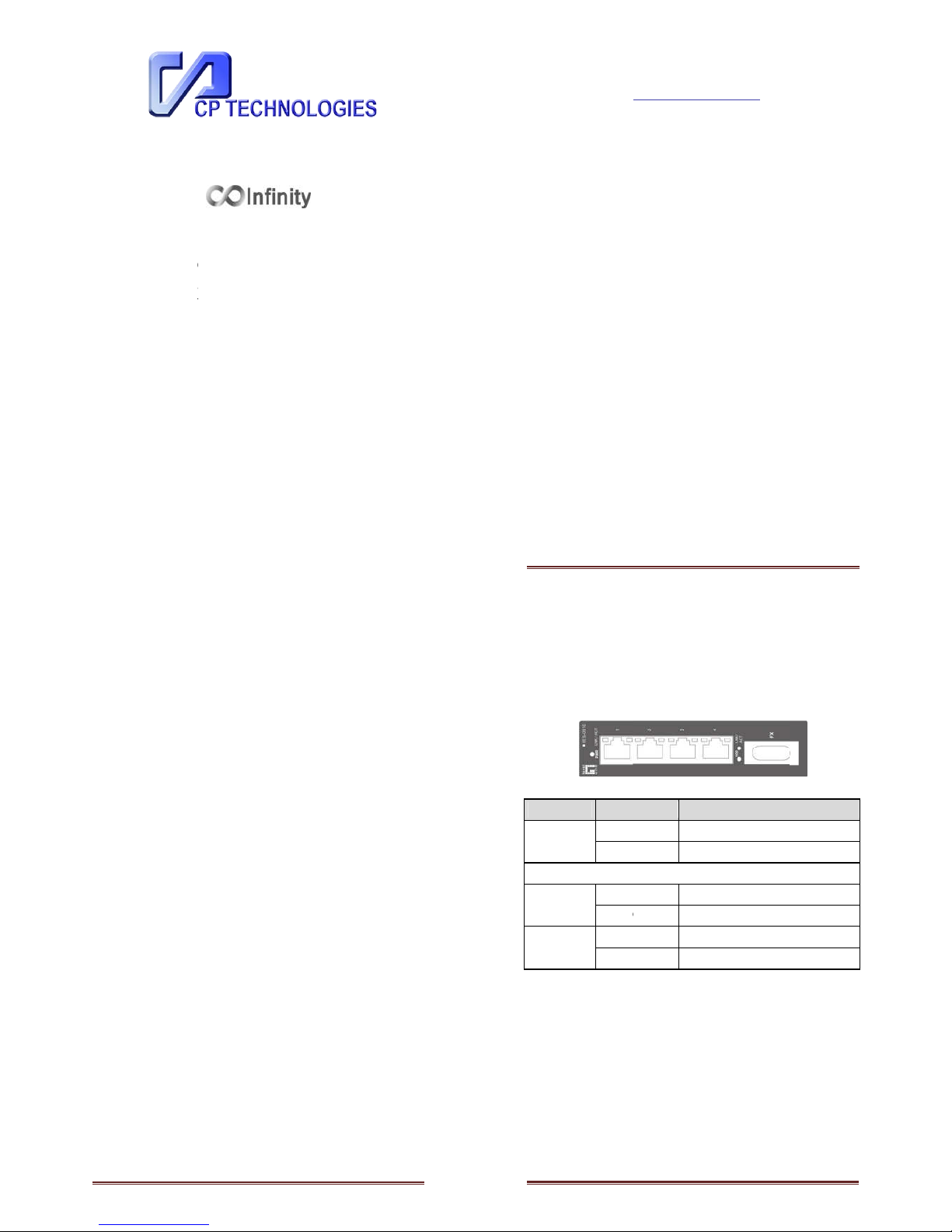
LED Status
LED Status
PWR
(Green)
Steady
Off
10/100Base
-
TX or 100Base
LNK/ACT
Steady
Flashing
100
Steady
Off
Description
Power On
Power Off
-
FX/BX
Network connection is established
Transmitting or Receiving data
Connection at 100Mbps speed
Connection at 10Mbps speed
Page 3
Page 2
IES-0510
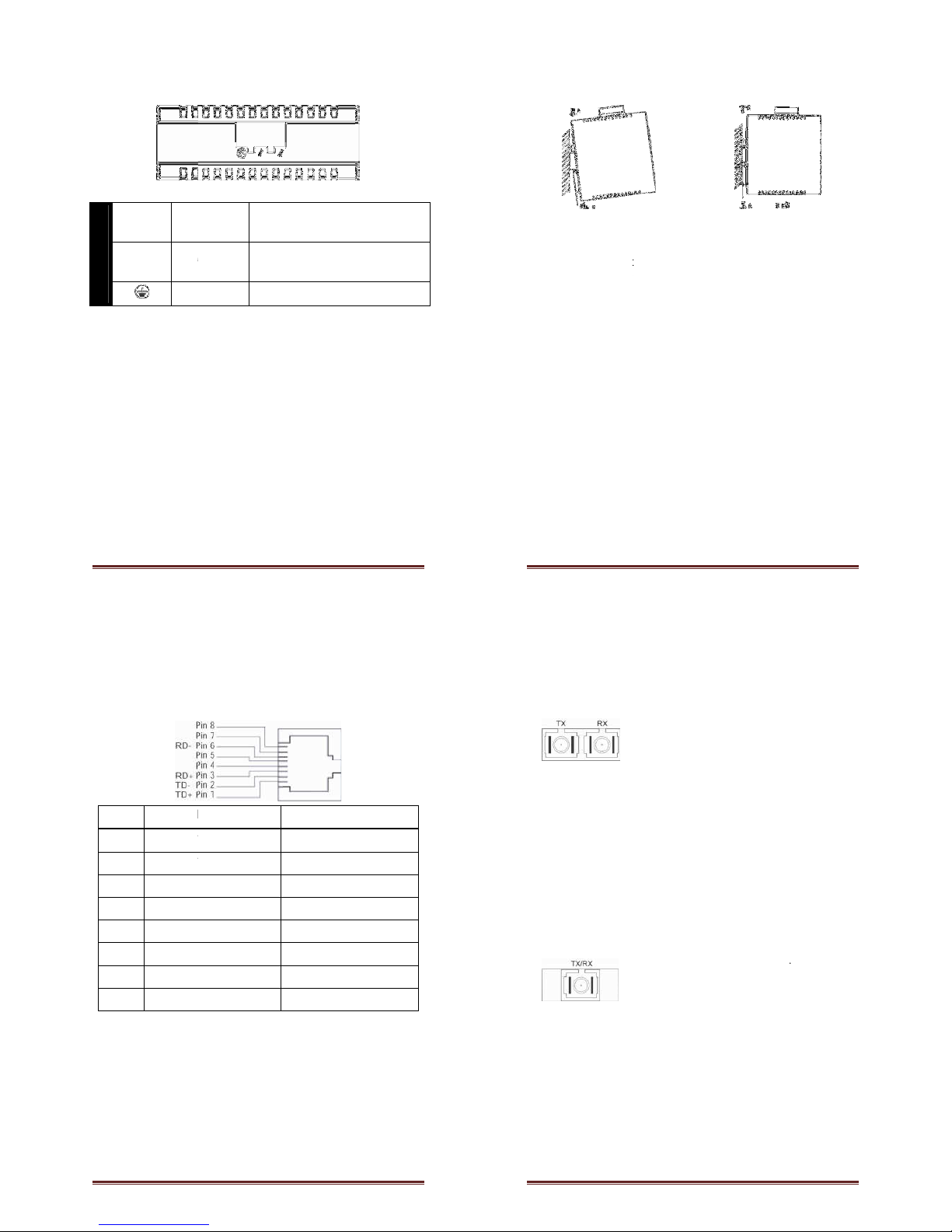
Power Input
Terminal Block
PWR
Power Input
GND
Power Ground
Earth Ground
12 to 48VDC
Power Ground
Page 4
IES-0510
DIN Rail Mount
•
Assembly: Place the switch on the DIN rail from above using
the slot. Push the front of the switch toward the
surface until it audibly snaps into place
• Start-
up: Connect the supply voltage to start up the switch
via the terminal block (or DC JACK)
•
Dismantling: Pull out the lower edge and then remove the
switch from the DIN rail.
mounting
Page 5
IES-0510
10/100Base
The following lists the
Pin Standard Port
1
Output Transmit Data +
2
Output Transmit Data
3
Input Receive Data +
4 NC
5 NC
6 Input
Receive Data
7 NC
8 NC
-
TX Connector
pin-out of 10/100Base-
TX ports.
Uplink Port
Input Receive Data +
-
Input Receive Data
Output Transmit Data +
NC
NC
-
Output Transmit Data
NC
NC
Page 6
-
-
IES-0510
100Base
-
WDM 100Base
Connection
FX Connection
The Tx (transmit) port of device I
is connected to the Rx (receive)
port of device II, and the Rx
(receive) port of device I to the
Tx (transmit) port of device II.
-BX
Only one optical fiber is required
to transmit and receive data
Page 7
 Loading...