

Page 1

QV830
Quick Start Guide
Page 2
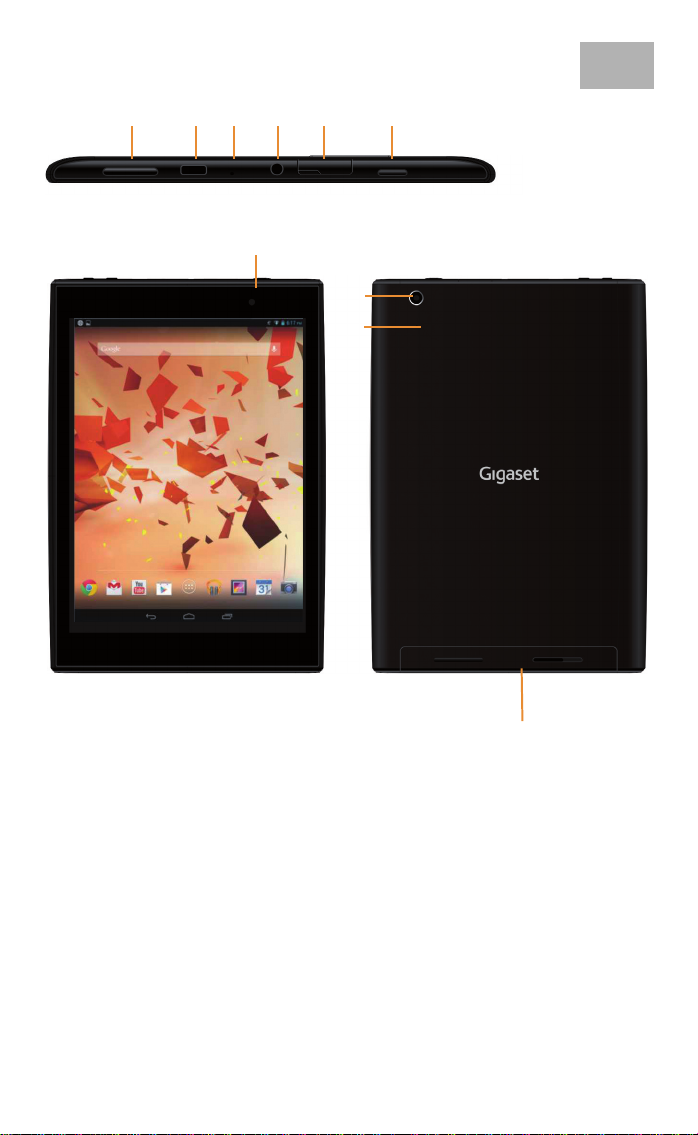
1 Overview
12345 6
EN
7
8
9
1 Volume Button
2 Micro USB Port
3 Microphone
4 Headphone Jack
5 Micro SD Slot
6 Power Button
7 Front Camera
8 Rear Camera
9 Reset Button
10 Speaker
2
10
Page 3
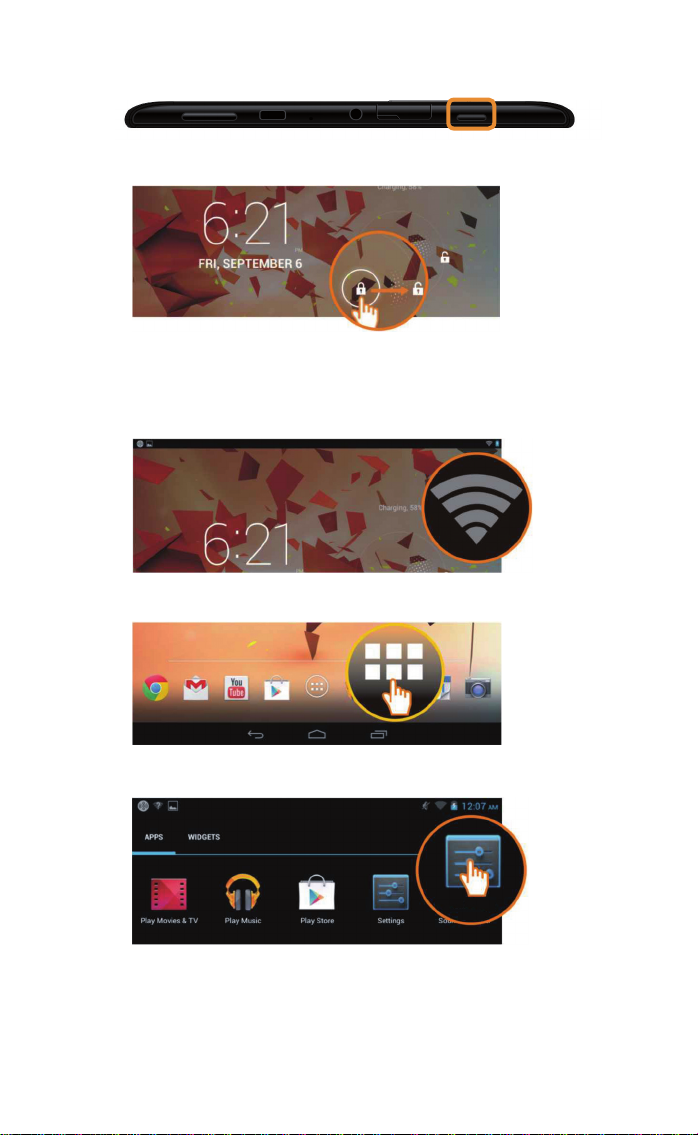
2 Turning your Tablet on
u Press the Power button and hold for a few seconds.
u Slide the Unlock icon to the right.
3 Connecting to a WiFi Network
u Available WiFi network found.
u Touch the Launcher icon.
u Touch the Settings icon.
Settings
3
Page 4
Settings
ON
Wi-Fi
TP-LINK_123
Connected
NETGEAR_12345
Secured with WPA
NETGEAR_ROSE
Secured with WPA2
NETGEAR_MAT
Secured with WPA2 (protected network availa-
WIRELESS & NETWORKS
Wi-Fi
Bluetooth
Data usage
More…
DEVICE
Sound
OFF
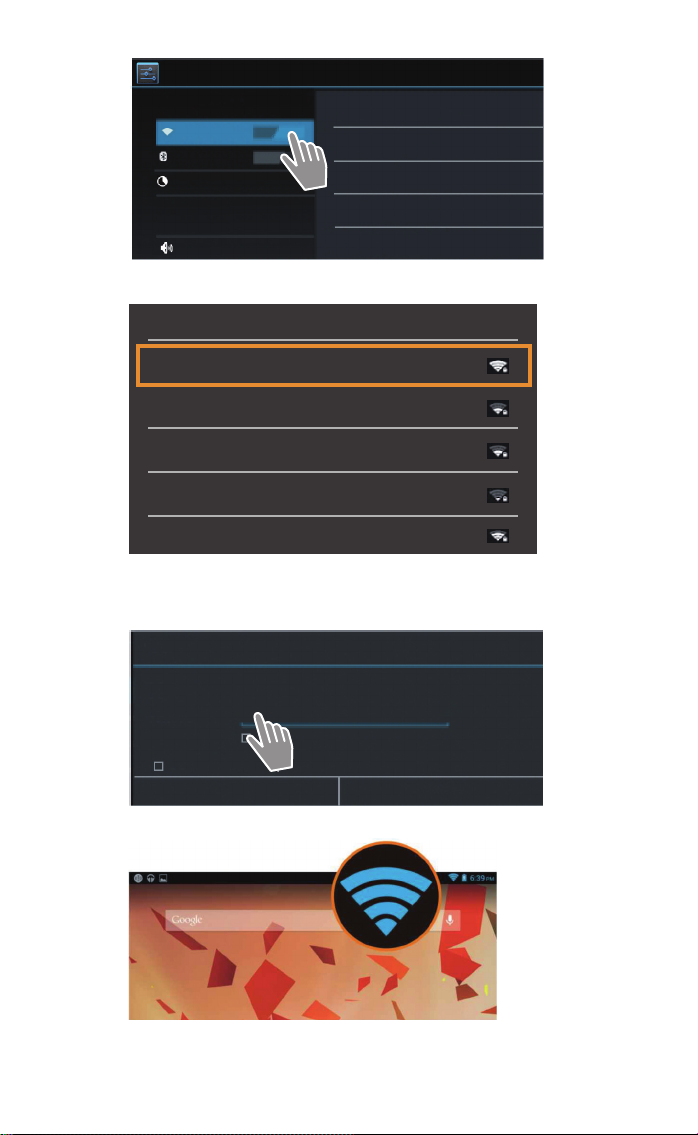
u Touch to select WiFi.
Wi-Fi
TP-LINK_123
Connected
NETGEAR_12345
Secured with WPA
NETGEAR_ROSE
Secured with WPA2
NETGEAR_MAT
Secured with WPA2 (protected network available)
Wireless
u Select your desired WiFi connection.
u You may be asked to enter the WiFi password.
TP-LINK_123
Signal strength
Security
Password
Show advanced options
Cancel
Good
WPA PSK
Show password
Connect
u Touch to enter the password.
u WiFi connection has been successfully established.
4
Page 5
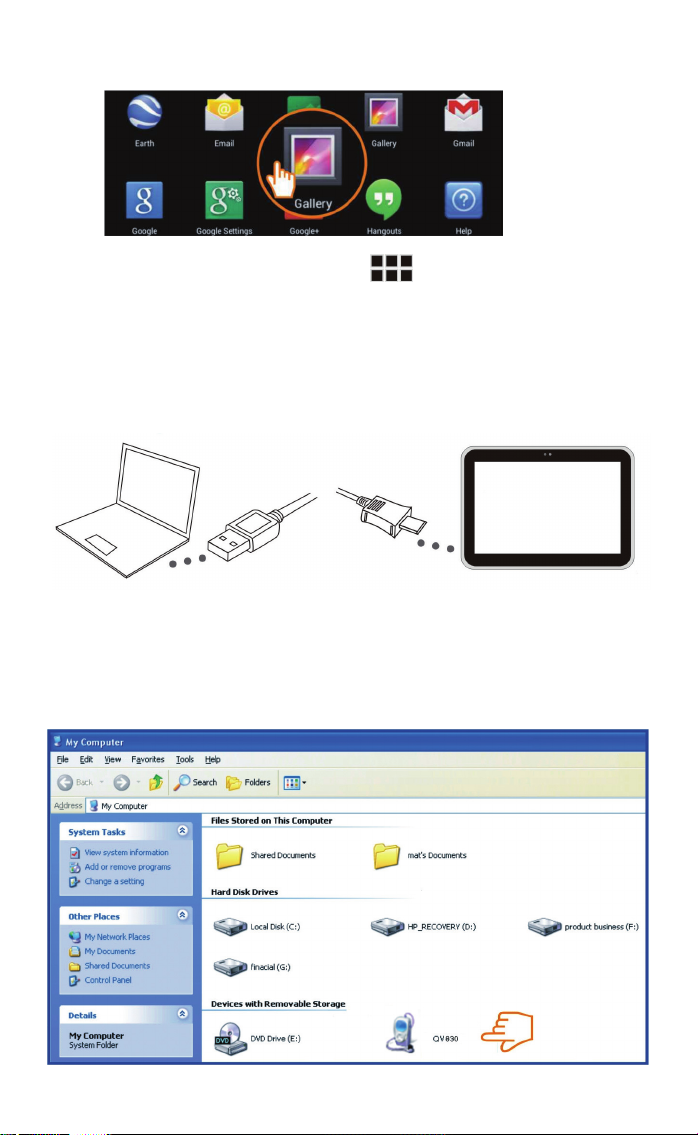
4 Opening an Application
u Touch the Launcher icon.
u Touch the application you want to open.
5 Transferring Files between Tablet and
Computer
QV830
u Use the included Micro USB cable to connect tablet and
computer.
Tip: Install "Windows Media Player 11" if Windows XP or an earlier version is installed on your computer.
5
Page 6
u Select drive "Gigaset QV830" to see the files stored on the
tablet and to transfer files between tablet and computer.
u Disconnect cable when finished.
u For more information, visit: www.gigaset.com/service
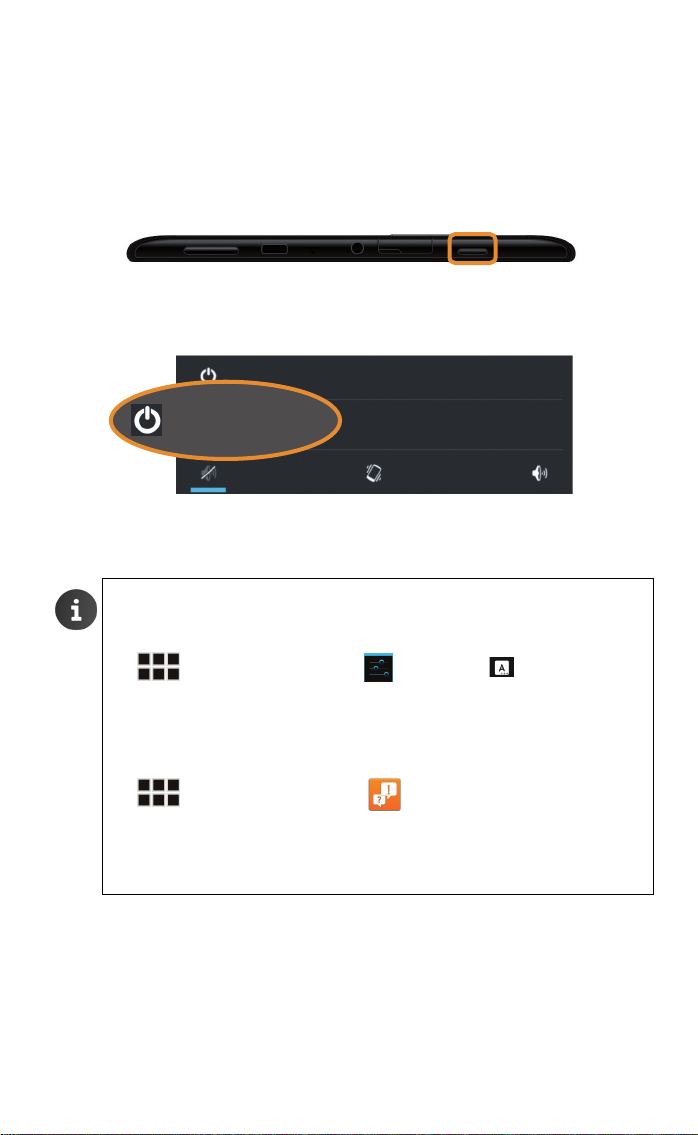
6 Turning your Tablet off
u Press and hold the Power button until the dialogue box
below appears.
Power off
Aeroplane mode
Power off
Aeroplane mode is OFF
u Touch to select Power off.
Selecting the Language
To change the language:
6
¤ Application screen ¤ Settings ¤ Language &
input
¤ Language. ¤ Select language.
Online Help
¤ Application screen ¤ Help.
Battery charging
¤ Battery charging in power-off mode is more efficient.
Page 7

Gigaset Mobile USA Inc
Hotline: 800-588-2553
Web: www.gigasetmobileusa.com
 Loading...