

Page 1
IMPORTANT SAFEGUARDS
LEM Products
West Chester, OH 45011
Toll Free: 1-877-536-7763
www.lemproducts.com
IT IS IMPORTANT TO READ AND UNDERSTAND ALL OF THE
INSTRUCTIONS AND SAFEGUARDS PRIOR TO USE
Save these instructions for future reference.
The scale must be kept stable for accurate weighing.
Do not drop, shock or overload the scale.
Place items to be weighed onto the scale with care. Although the scale is
designed to be durable, rough treatment may permanently damage the
internal sensor.
The weight of the item should not exceed the capacity of the scale (330
lbs/150 kgs.) Overloading the scale may cause damage.
Items should be placed on the center of the scale when being weighed.
Scale should be kept free of dust, dirt, moisture, vibration and not in close
proximity to other electronic equipment. Any or all of these may cause an
adverse effect on the reliability and accuracy of the scale.
If “EEEE” appears on the display, then the item’s weight has exceeded
the maximum capacity of the scale. Remove item immediately. Scale
can be permanently damaged by overloading.
Store scale in a cool dry place. Do not expose the scale to moisture.
Avoid lengthy exposure to extreme heat or cold.
Do not allow items to sit on scale platform for and extended amount of
time. Doing so may have an adverse effect on the longevity and accuracy
of the scale.
Failure to follow these directions/precautions may result in damage to
your scale and may void warranty.
Rev 7/2012
For more great products, log onto www.lemproducts.com
If any components of this unit are broken,
or if the unit does not operate properly,
please contact LEM Products at
1-877-536-7763
ATTENTION
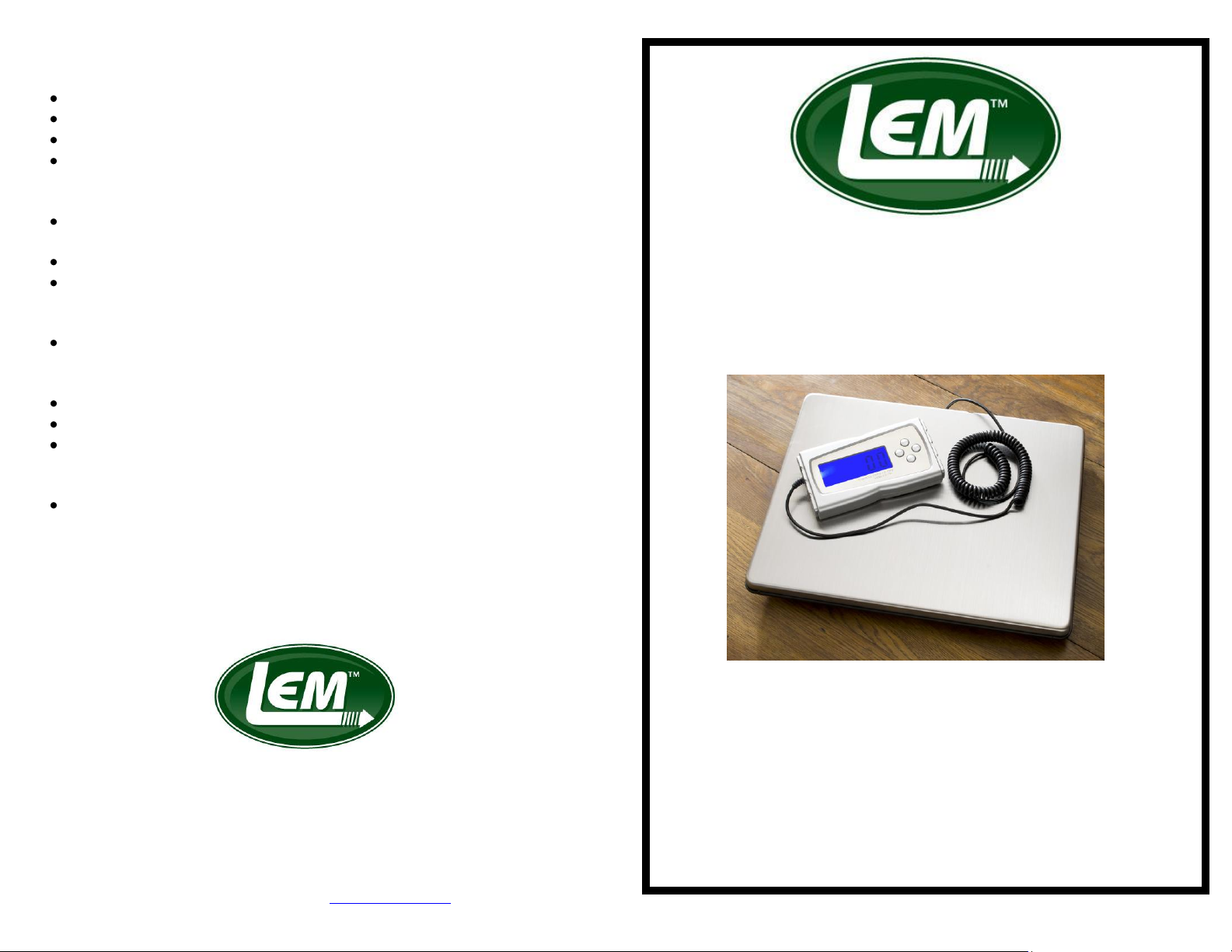
DIGITAL SCALE
Model # 1095
LEM Products
109 May Drive Harrison, OH 45030
1-877-536-7763. www.lemproducts.com
Page 2
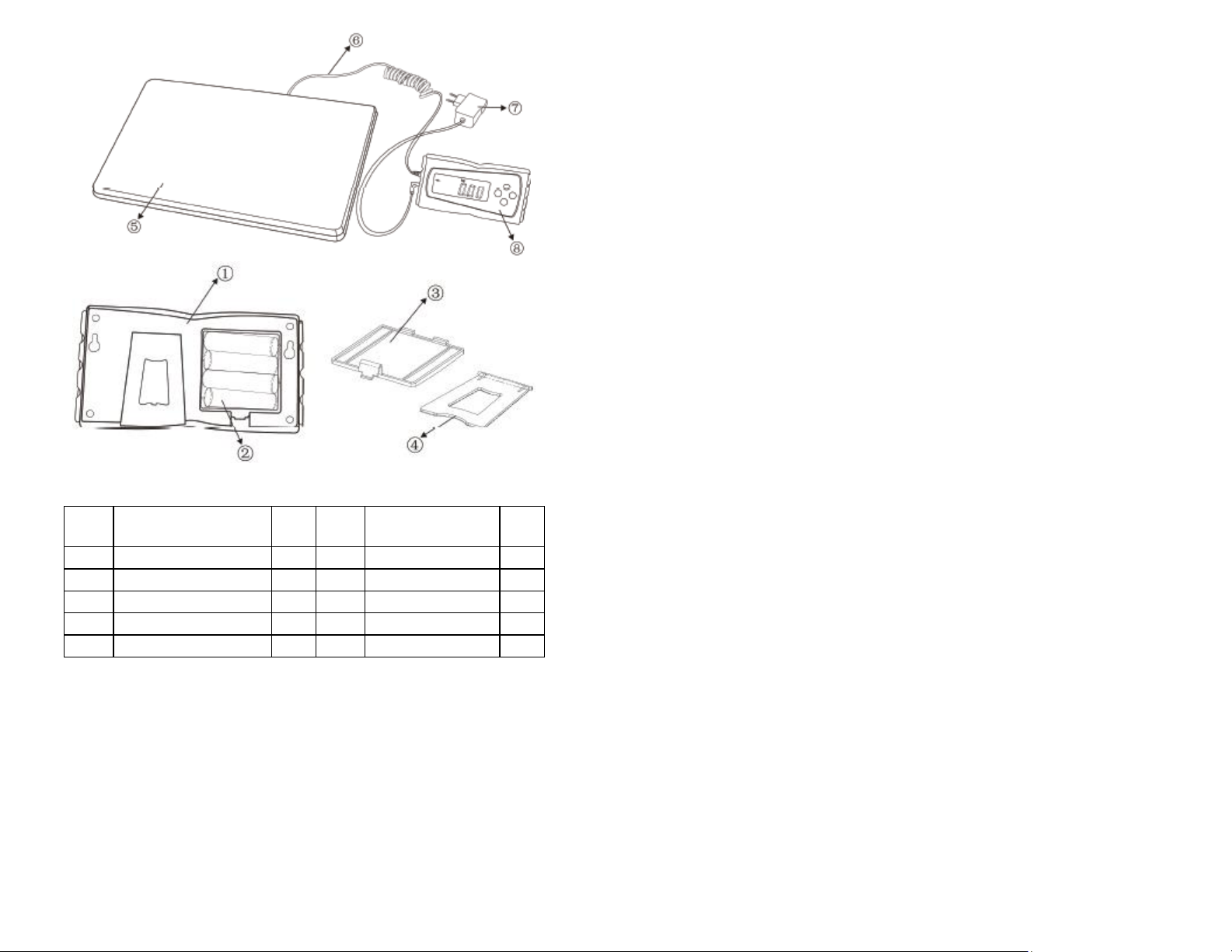
Part
#
Description
Qty
Part
#
Description
Qty
1
Display Back
1 6 Cable
1 2 Battery
4 7 Adaptor
1
3
Battery Cover
1 8 Display Front
1
4
Display Bracket
1 9 Feet (not shown)
4 5 Stainless Steel Top
1
SCALE FEATURES
Capacity: 330 lbs/150 kgs.
Graduation: 0.1 lbs. / 0.05 kgs.
Battery operated: 4 AA batteries (included)
Power cord: 10’ (included)
Cable: 10’ fully extended
Luminescent backlight display (or turned off for battery saving)
Battery saving auto shut off (2 minutes)
KEY PAD FUNCTIONS
ON/OFF: Power switch
MODE : Change the weight unit between pounds and kilograms
LIGHT: Will turn off/on the backlight
TARE: This function is used to allow you to subtract the weight of a container.
1. Put container on scale.
2. When readout is stable press TARE.
3. Display will return to zero and allow you to add items to the
container and obtain the weight of the items only, not the
container.
a. Pressing TARE will reset the scale to zero. When the
weight on the scale is below 16.5 lbs./7.5kg. pressing
the tare button will reset the scale to zero. When the
weight is greater than 16.5 lbs./7.5 kgs. and the
TARE button is pressed, the TARE indicator will
appear and display will show zero.
OPERATING INSTRUCTIONS
1. Place scale on a flat, stable surface.
2. Press the ON/OFF BUTTON on the display (#8).
3. Wait for the display to show 0.0. This may take several seconds.
4. Use the MODE BUTTON on the display to change the reading from lbs.
or kgs.
5. Place the item to be weighed in the center of the stainless steel top (#5).
Items must have a weight of 1.1 lb. or more to register.
6. Weight of item will be displayed.
7. Remove item from scale.
CLEANING
Clean with a damp cloth and mild detergent.
Never immerse unit, display or cord in water or other liquids.
INACCURACY/ERROR
The primary reasons for inaccuracy or malfunctions are low batteries, incorrect
calibration, overload or operation on an unstable surface. This scale is a precise
instrument and must be handled with the utmost care.
 Loading...