

Page 1
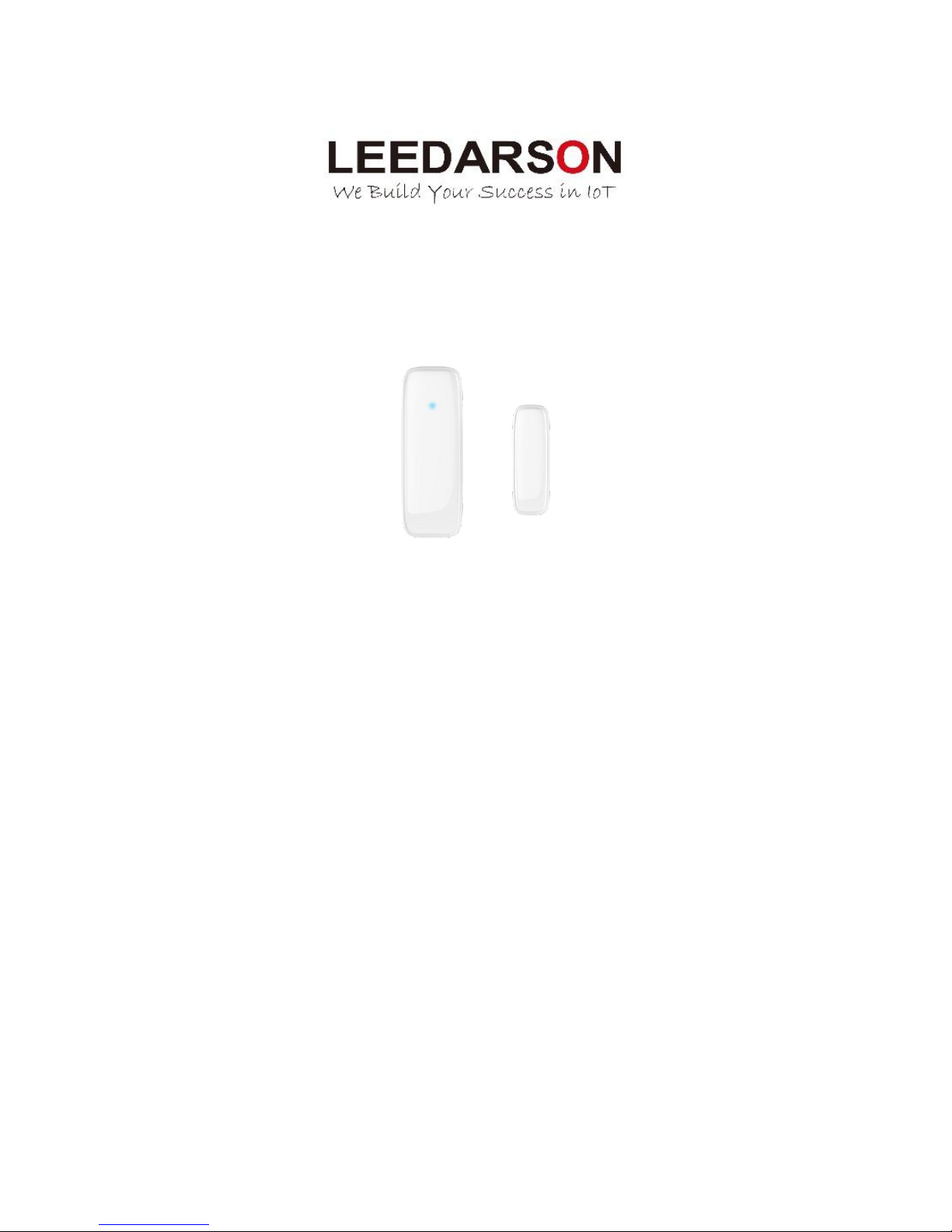
LEEDARSON Z-Wave Door/Window Sensor
Content:
Contact Sensor ................................................................................................................................................... 2
1. Product Introduction ............................................................................................................................ 2
2. Product Appearance ............................................................................................................................ 2
3. Specification ......................................................................................................................................... 3
4. Features/Capabilities ........................................................................................................................... 3
5. Installation Position and Notes ............................................................................................................ 4
6. Product Installation .............................................................................................................................. 4
7. Product Usage ...................................................................................................................................... 5
8. Attention .............................................................................................................................................. 6
9. Configuration Command ...................................................................................................................... 6
Page 2
2
Contact Sensor
Quick Start Guide
1. Product Introduction
The LEEDARSON Door/Window sensor is a wireless sensor that is powered by a CR2 battery. The
door/window sensor lets you know when a door or window is opened, or closed, and can trigger different
actions in response to that open action or close action. This sensor uses the Z-Wave communication
module to connect with Z-Wave gateway. This device can be adapted to use in the EU(868.42Mhz),
US(908.42MHz) or AU(921.42MHz). The door/window sensor supports the Over The Air (OTA) feature for
the product’s firmware upgrade. If you want your door/window sensor to be a security device that uses
secure/encrypted messages to communicate in a Z-Wave network, then a security enabled Z-Wave
controller/gateway is needed.
2. Product Appearance
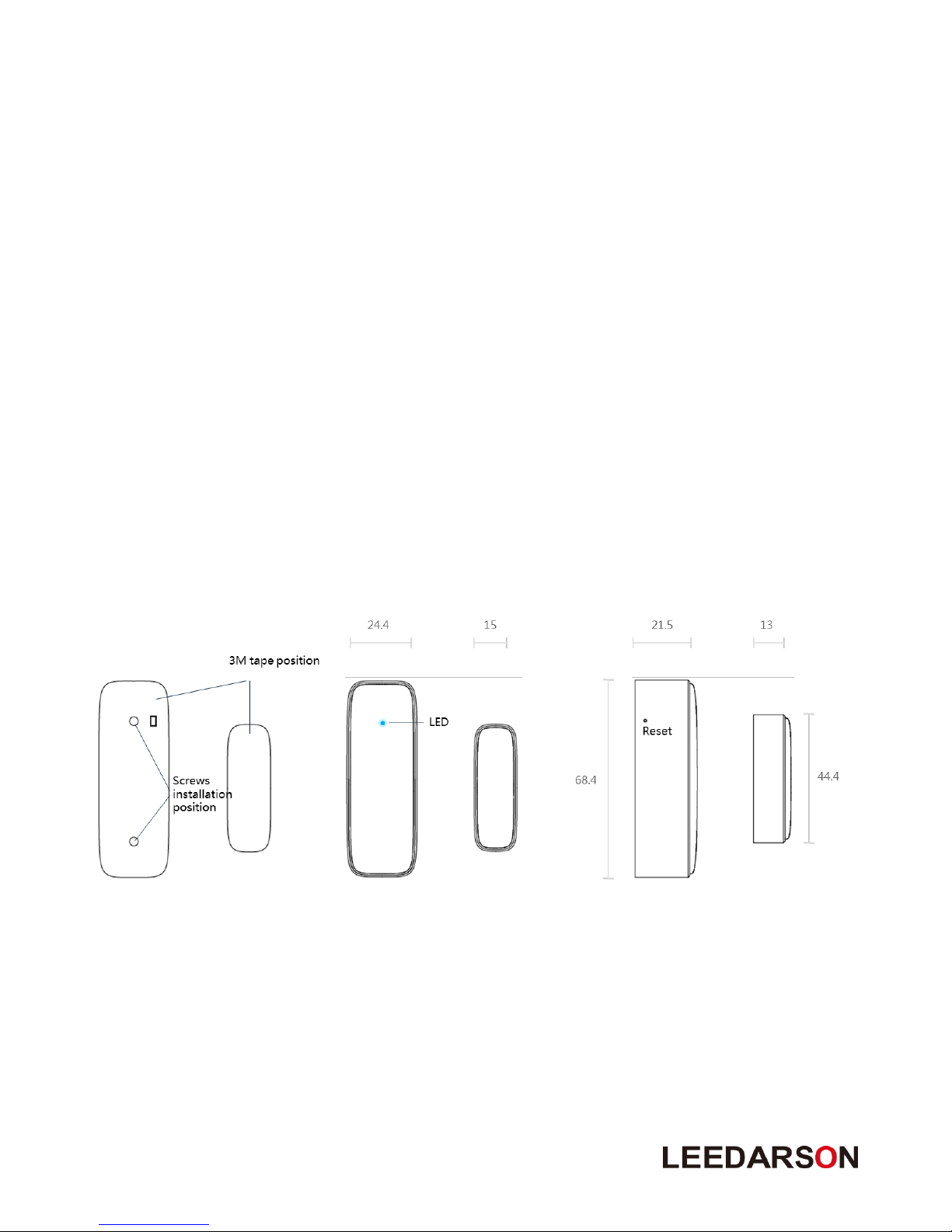
Product main components and function overview.
① Reset: Hold the key for 5s to reset the sensor. After resetting, door/window sensor will send
“Device_Reset_Locally” to the main controller and exclude it from the Z-Wave network when release
the button. This procedure will reset the sensor to factory default.
② LED indicator: If sensor has not been added to controller, the LED will blink for 5 seconds. Once the
device is joined to the network successfully, the LED will stay on for 3 seconds.
Page 3

3
3. Specification
Detection Technology
Magnetic switch
Detective Range
20mm
Communication Protocol
Z-Wave
Radio Frequency
908.42MHz (US)
868.42MHz (EU)
921.42MHz (AU)
Wireless Range
More than 100m outdoors
Approximately 30m indoors (depending
on building materials)
Power Source
3V, CR2 *1
Battery Life
2 years
Mounting
Screws or 3M Tape
Operating Temperature
-10°C to 45°C
Operating Humidity
Up to 85% non-condensing
Certifications
CE/FCC, Z-Wave Plus
OTA
Yes
Dimensions (mm):
68.4.(L)*24.4(W)*21.5(H) for Main Body
44.4(L)*15(W)*13(H) for Magnetic Part
4. Features/Capabilities
1. The LEEDARSON Door/Window Sensor contains a sensor body and a magnet.
2. The LEEDARSON Door/Window Sensor detects through the separation and combination of the main
body and the magnet.
3. Recommend installation distance between the sensor body and the magnet is 10MM.
4. The Sensor also anti-tamper functionality. Once the sensor is moved, it will notify the gateway.
5. The LEEDARSON Door/Window Sensor is powered by CR2 battery with 2 years battery life.
6. The LEEDARSON Door/Window Sensor is designed to be mounted on the door or windows.
7. The LEEDARSON Door/Window Sensor supports low battery alarm function.
8. The LEEDARSON Door/Window Sensor supports firmware OTA.
Page 4
4
5. Installation Position and Notes
1. The sensor should be used indoors and away from sources of moisture.
2. The magnet and the main sensor must be less than 2cm apart. Main sensor must be affixed to the
door or window and the magnet must be affixed to the frame. The magnet and the main sensor
must separate when the door or window is opened.
3. The sensor should not be mounted on a metal frame.
6. Product Installation
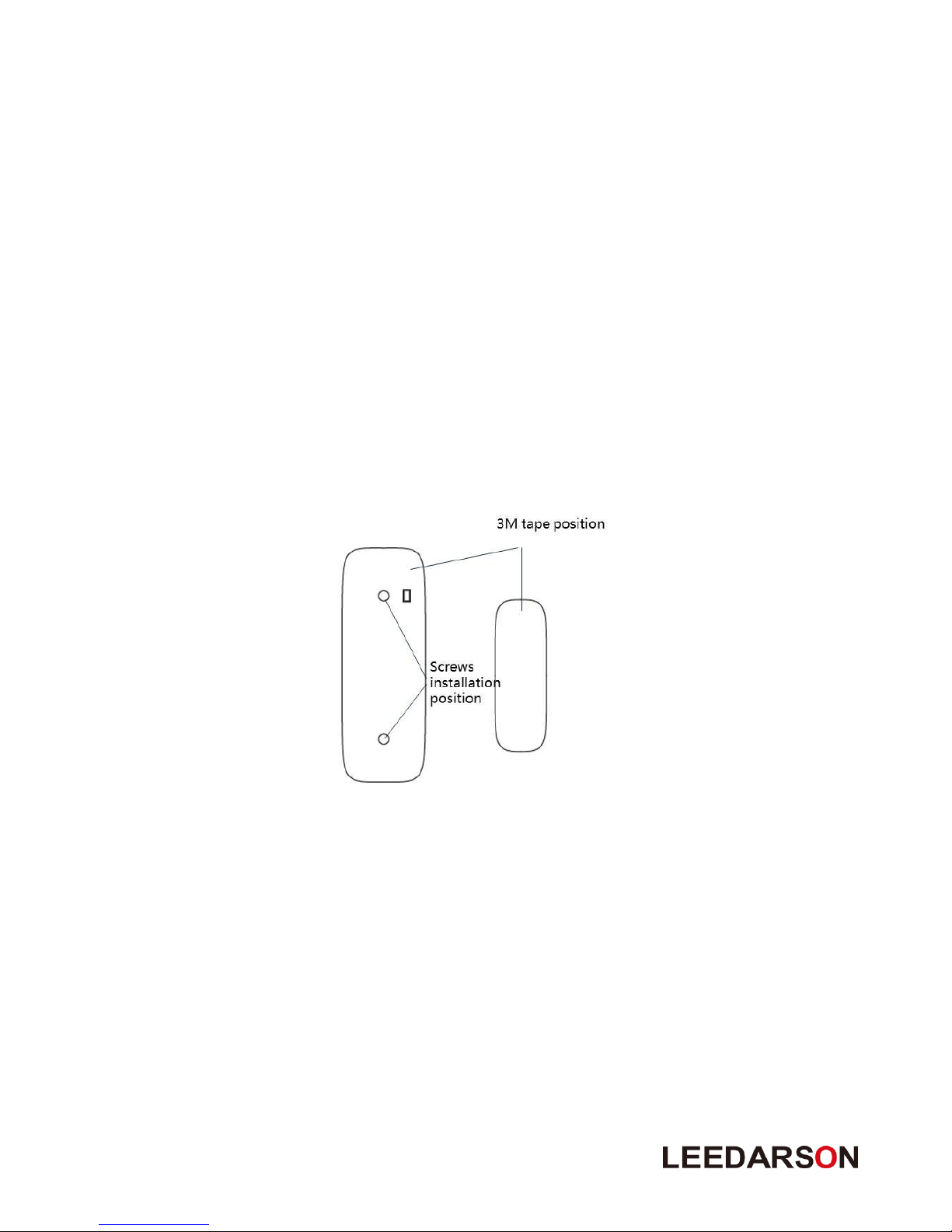
This product can be mounted by screws or 3M adhesive tape. Install it according to the diagram below:
① Push the bracket upwards to separate it from the body, then fix the bracket on the door/window by
screw or 3M tape.
② Take off the bracket on the back, install battery into the body. The LED will slowly flash 3 times.
③ Be careful when installing the bracket back onto the body. The best approach is from the side.
④ Stick the magnet onto the moving part of the door/window, no further than 20mm from the sensor.
Page 5

5
7. Product Usage
Function of Action Button:
Door/Window Sensor is not in the Z-Wave network:
Trigger
Description
Power On
LED will keep on 1 second.
Short press 1
time
(within 1 second)
1. LED will blink fast for 25 seconds, send Node Info frame.
2. Add for inclusion:
1. Insert the CR2 battery.
2. Set the Z-Wave network main controller into learning mode.
3. Triggering this action button.
4. If the addition for inclusion is successful, the LED will blink fast and then
keep on 3 seconds. Otherwise, the LED will blink 25 seconds and then
turn off, in which case you need to repeat the process from step 2.
Door/Window Sensor is in the Z-Wave network:
Trigger
Description
Power On
Send battery report to associated node
Short press one time
(within 1 second)
1. Led will keep on for 2 seconds
2. Remove for exclusion;
1. Insert the CR2 battery.
2. Set the Z-Wave network main controller into exclusion mode.
3. Triggering this action button.
If the remove for exclusion is successful, the LED will blink fast and turn
off. Otherwise, the LED will keep solid for 2 seconds and then turn off,
in which case you need to repeat the process from step 2.
Short press 3 time
(within 1 second)
1. LED will blink one time; sending wake up notification cc.
Press and hold for 5
seconds
Reset Door/Window Sensor to factory Default:
LED will blink fast for 5 seconds and then keep solid for 3 seconds, after that
Door/Window Sensor will send “Device_Reset_Locally” to the main
controller and exclude from the Z-Wave network.
Use this procedure only in the event that the network primary controller is missing
or otherwise inoperable.
Caution:
This device complies with Part 15 of the FCC rules. Operation is subject to the following two conditions:
(1) this device may not cause harmful interference, and (2) this device must accept any interference
received, including interference that may cause undesired operation.
Changes or modifications not expressly approved by the party responsible for compliance could void the
user's authority to operate the equipment.
Page 6
6
Low voltage alarm to remind changing battery.
This product has low voltage detection reminder, When the battery voltage is in low status, the
detector will give out low battery signal to controller.
8. Attention
1. If the sensor needs to be cleaned, remove power and use a soft cloth with a little alcohol and wipe
down the device.
2. This product is just for indoor use only.
3. Replace the battery immediately when the low battery warning is indicated.
4. Product can be included and operated in any Z-Wave network with other Z-Wave certified devices from other
manufacturers and/or other applications. All non-battery operated nodes within the network will act as
repeaters regardless of vendor to increase reliability of the network.
5. If you want your product to be a security device that use secure/encrypted message to communicate in a
Z-Wave network, then a security enabled Z-Wave controller is needed.
9. Configuration Command
9.1. SECURITY AND NON-SECURITY FEATURES OF DOOR/WINDOW SENSOR IN Z-WAVE
NETWORK
1. The function of the Door/Window Sensor as a security and non-security device is identical.
2. When a node includes into a S2 Z-Wave network, the node supports S2 authenticated, S2
unauthenticated class and so do the supported CCs.
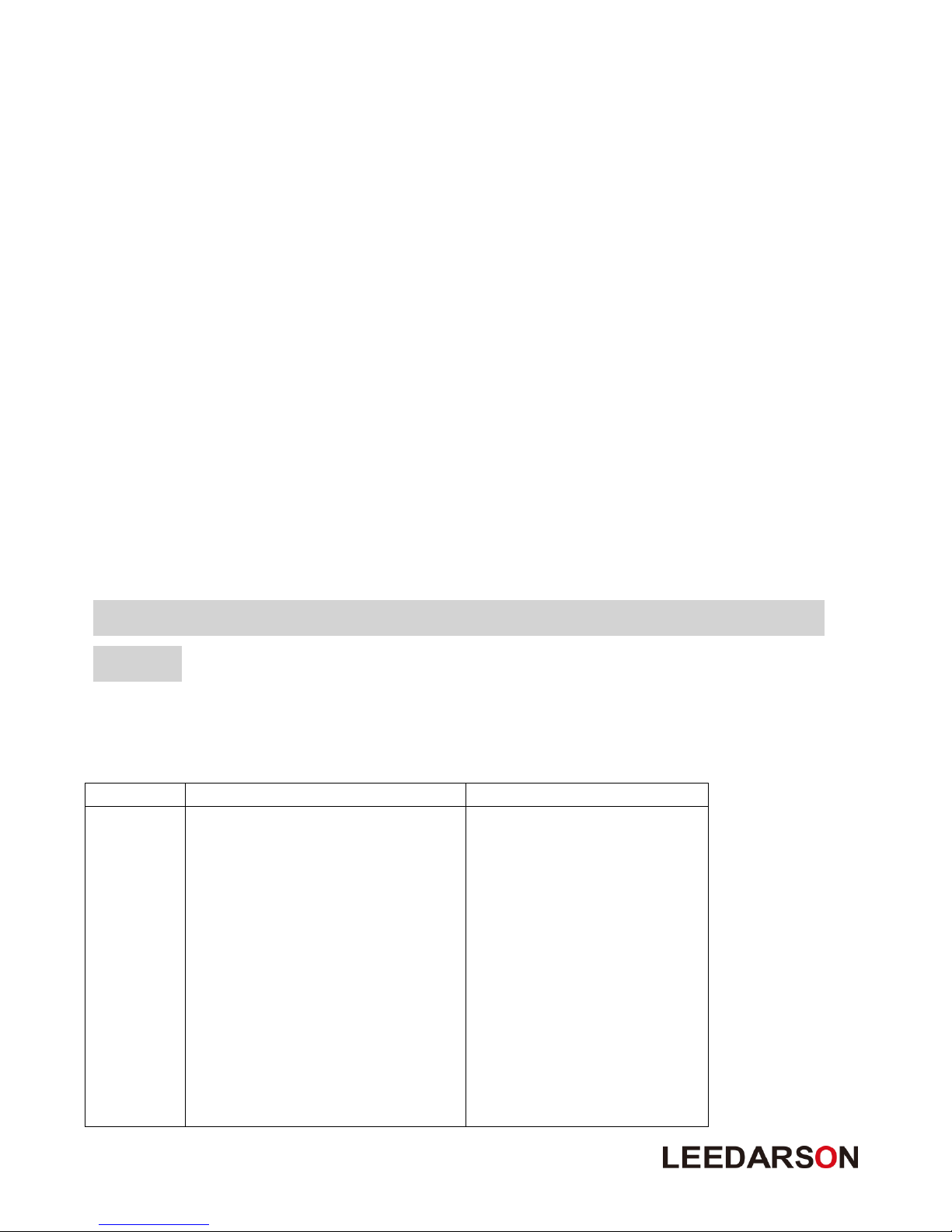
3. Commands List
Included Non-Secure Network
Included Secure Network
Non-secure
supported
Command
Classes
COMMAND_CLASS_ZWAVEPLUS_INFO_V2
COMMAND_CLASS_SECURITY0_V1
COMMAND_CLASS_SECURITY2_1
COMMAND_CLASS_TRANSPORT_SERVICE_V2
COMMAND_CLASS_ASSOCIATION_V2
COMMAND_CLASS_ASSOCIATION_GRP_INFO_V1
COMMAND_CLASS_VERSION_V2
COMMAND_CLASS_MANUFACTURER_SPECIFIC_V2
COMMAND_CLASS_DEVICE_RESET_LOCALLY_V1
COMMAND_CLASS_POWERLEVEL_V1
COMMAND_CLASS_CONFIGURATION_V1
COMMAND_CLASS_BATTERY_V1
COMMAND_CLASS_NOTIFICATION_V8
COMMAND_CLASS_WAKE_UP_V2
COMMAND_CLASS_ZWAVEPLUS_INFO_V2
COMMAND_CLASS_TRANSPORT_SERVICE_V2
COMMAND_CLASS_SECURITY0_V1
COMMAND_CLASS_SECURITY2_V1
Page 7
7
COMMAND_CLASS_SUPERVISION_V1
COMMAND_CLASS_FIRMWARE_UPDATE_MD_V4
Security
Supported
Report
Command
Classes
COMMAND_CLASS_ASSOCIATION_V2
COMMAND_CLASS_ASSOCIATION_GRP_INFO_V1
COMMAND_CLASS_VERSION_V2
COMMAND_CLASS_MANUFACTURER_SPECIFIC_V2
COMMAND_CLASS_DEVICE_RESET_LOCALLY_V1
COMMAND_CLASS_POWERLEVEL_V1
COMMAND_CLASS_CONFIGURATION_V1
COMMAND_CLASS_BATTERY_V1
COMMAND_CLASS_NOTIFICATION_V8
COMMAND_CLASS_WAKE_UP_V2
COMMAND_CLASS_SUPERVISION_V1
COMMAND_CLASS_FIRMWARE_UPDATE_MD_V4
9.2. NOTE FOR SPECIAL COMMANDS
9.2.1 Association Command
Door/Window Sensor supports two association groups.
Grouping
Identifier
Max
Nodes
Send Commands
Group 1
0x05
1. Notification Report.
Sensor will send Notification Report when the supported
event is triggered.
2. Battery Report.
Sensor will send Battery Report when the battery level is
low and the battery report’s value is 0xFF.
3. Device Reset Locally.
Group 2
0x05
1.Basic Set
Sensor will send Basic Set when the sensor body and
magnet removed or combined.
9.2.2 Basic Command
There is no relevant commands are available for mapping.
9.2.3 Notification Command
1. Notification Supported Report;
There are three types notifications are supported, Access Control (0x06), Home Security (0x07) and
Power Management (0x08).
2. Event Supported Report;
Access Control: Window/Door is open (0x16), Window/Door is closed (0x17).
Home Security: Tampering, Product covering removed (0x03), Previous Events cleared (0x00).
Power Management: Replace Battery Soon (0x0a), Replace Battery Now (0x0b), Previous Events
cleared (0x00).
3. How to trigger the different notifications;
Access Control:
Window/Door is open (0x16): the separation of the main body and the magnet.
Window/Door is closed (0x17): the combination of the main body and the magnet.
Home Security:
Page 8

8
Tampering, Product covering removed (0x03): the temper button is released.
Previous Events cleared (0x00): the temper button is pressed.
Power Management:
Replace Battery Soon (0x0a): When Door/Window sensor first detect the battery level is lower than
the level of low battery (see the configuration parameter NO.10 below).
Replace Battery Now (0x0b): When Door/Window sensor first detect the battery level is lower than
5%.
Previous Events cleared (0x00): When Door/Window sensor powered by a new battery (>2.8V).
9.2.4 Configuration Command
Door/Window Sensor offers a wide variety of advanced configuration settings. Below parameters can be
accessed from main controllers configuration interface.
NOTE: ALL NUMBERS BELOW ARE DECIMAL.
Parameter No.10 Level of low battery
This parameter defines a battery level as the “low battery”.
Available settings: 0-50 (0% - 50%)
Default setting: 10 (10%)
Parameter size: 1[byte]
Parameter No.14 Enable/Disable BASIC SET command
Door/Window Sensor can send BASIC SET command to nodes associated with group 2.
0 – Disable.
1 – Enable.
Default setting: 0
Parameter size: 1 [byte]
Parameter No.15 Value of the BASIC SET
Door/Window Sensor can reverse its value of BASIC SET when the magnet is triggered.
0 –Send BASIC SET VALUE = 255 to nodes associated with group 2 when door/window is opened.
Send BASIC SET VALUE = 0 to nodes associated with group 2 when door/window is closed.
1 –Send BASIC SET VALUE = 0 to nodes associated with group 2 when door/window is opened.
Send BASIC SET VALUE = 255 to nodes associated with group 2 when door/window is closed.
Default setting: 0
Parameter size: 1[byte]
Parameter No.254 Enable/disable the configuration command
Lock/unlock all configuration parameters.
0 – Unlock.
1 – Lock.
Default setting: 0
Parameter size: 1[byte]
 Loading...