

Page 1
Quick Start Guide LC-USB-232I
Isolated USB to RS-232 Converter
Introduction
This compact, isolated USB to RS-232 converter allows you to add an RS-232 port to your USB only PC. Built to rugged specications with two kilovolts of isolation, it will protect
your PC from hazardous ground loops. The compact size makes it perfec t for eld service use but it is also great for instrumentation and laboratory applications. Full speed (12
Mbps) USB 2.0 support allows connectivity with modern computer technology. The RS-232 port is a DB9 Male connector wired as a DTE with full hardware handshake support.
It can handle standard RS-232 data rates up to 460.8 Kbps. Each unit comes with 1 meter USB cable. Drivers support Windows platforms up to Windows 8 in 32 and 64 bit
implementations.
Features
• 2 kV Isolation
• ESD Protection - 4 kV Contact, 8 kV Air
• Compact In-Line Case
• USB 2.0 Full Speed Compatible (12 Mbps)
• RS-232 Data Rates up to 460.8 Kbps
• USB Bus Powered
Installation
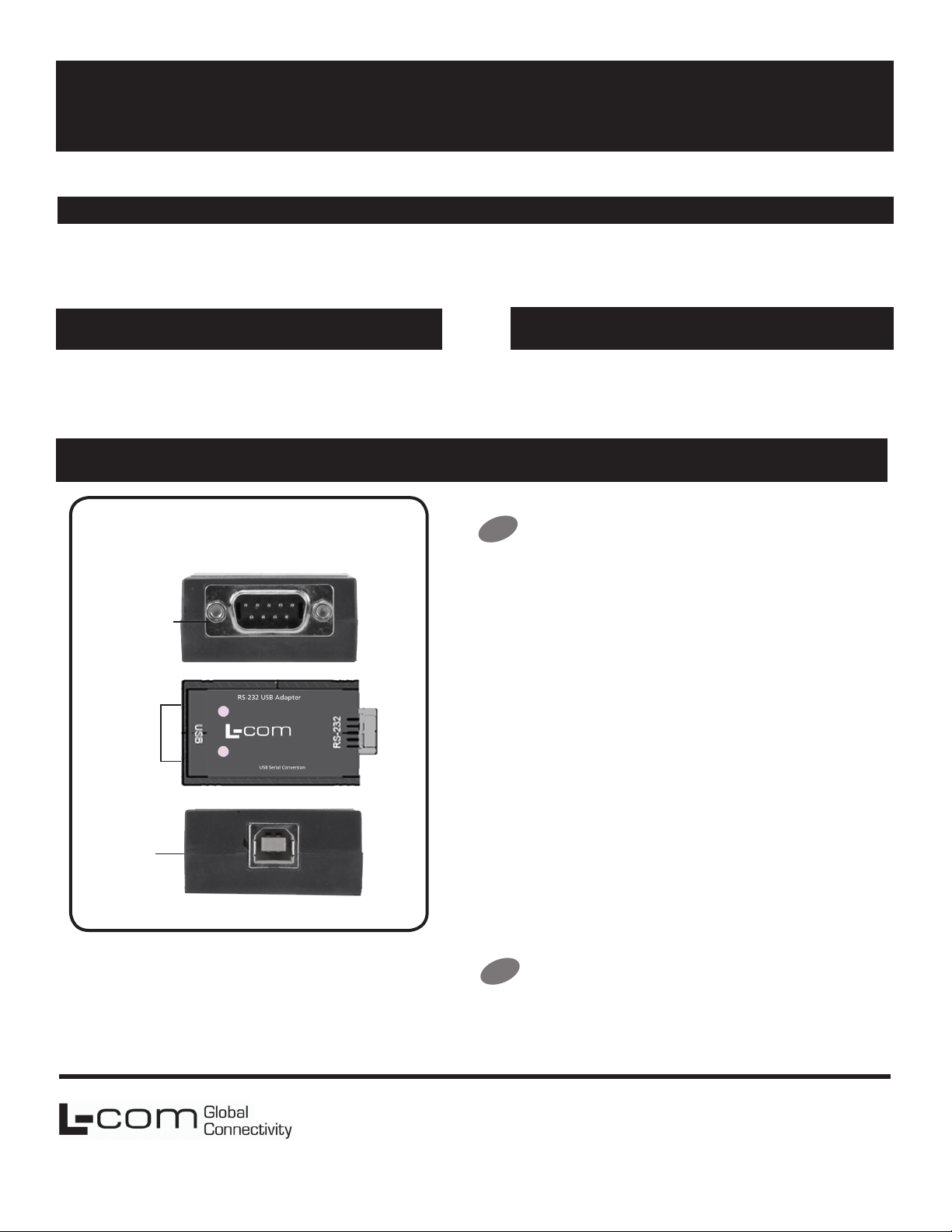
Product Overview
RS-232
Port
LEDs
Package Contents
• LC-USB-232I
• One meter USB cable
Connect the Converter
1
Connect the converter’s USB Port to a USB port on your computer or
USB hub.
When the installation is complete the converter will appear in
Windows Device Manager as an additional COM port.
Most of the time a DB9 male will be a DTE. A DB9 female will usually
be a DCE.
A DTE device is “Data Terminal Equipment.” This includes computers,
PLCs, and most devices that are not used to extend communications.
(Think COMPUTER for DTE.)A DCE device is “Data Communications
Equipment.” This includes modems and other devices that extend
communications like RS-422/485, ber optic converters or radio
modems. (Think “MODEM” for DCE.)
USB
Port
If both devices have a DB9 male connection you will need a crossover
cable. If both devices have a DB9 female connection you will need a
crossover cable.
When one device is male and one device is female, use a straightthrough cable.
Check LEDs
2
When everything is installed and connected the LED will blink to let
you know that data trafc is passing through the converter.
L-com Global Connectivity
50 High Street
West Mill 3rd oor, Suite #30
North Andover, MA 01845 USA
Toll Free: 800-341-5266
PH: 978-682-6936
Fax: 978-689-9484
 Loading...