

Page 1
Quick Start Guide LC-IND-4USBHUB
Industrial 4-Port USB Hub
Introduction
This compact, industrial grade, four port USB 2.0 hub has High Retention USB connectors that work with standard USB cables to ensure a tight connection in high vibration
applications – requiring up to 3.4 lbs-force to disconnect them. It provides true USB 2.0 data transmission through each port, even during heavy load applications. It is a plugand-play device, and needs no additional drivers. The hub is powered by your high power USB port, leaving your installation uncluttered by power cabling. It provides 100 mA
of power to downstream peripherals, adequate for most applications. The compact plastic enclosure comes equipped with mounting brackets that you can use to secure it to a
panel, counter top, or other at surface. Industrial EMC specications make this hub more robust than ofce grade products
Features
• High Retention USB connectors
• 15 kV ESD protec tion
• Rugged Panle Mount case
• Wide operating temperatures (-40 to 80° C)
• USB 2.0 - High Speed (480 Mbps)
Installation
Mounting
1
The LC-IND-4USBHUB can be used as a
freestanding device. But it also features
built-in brackets for easy DIN rail or panel
mounting.
Connect Your USB Cables
2
USB Power
The LC-IND-4USBHUB is powered by the
upstream 5 VDC USB bus. It provides
a maximum of 100 mA to each of the
downstream ports.
Automatic Installation
The operating system will automatically
install the necessary drivers when the device
is plugged in.
• 4-Port Industrial USB Hub
• Required but not included: USB cables
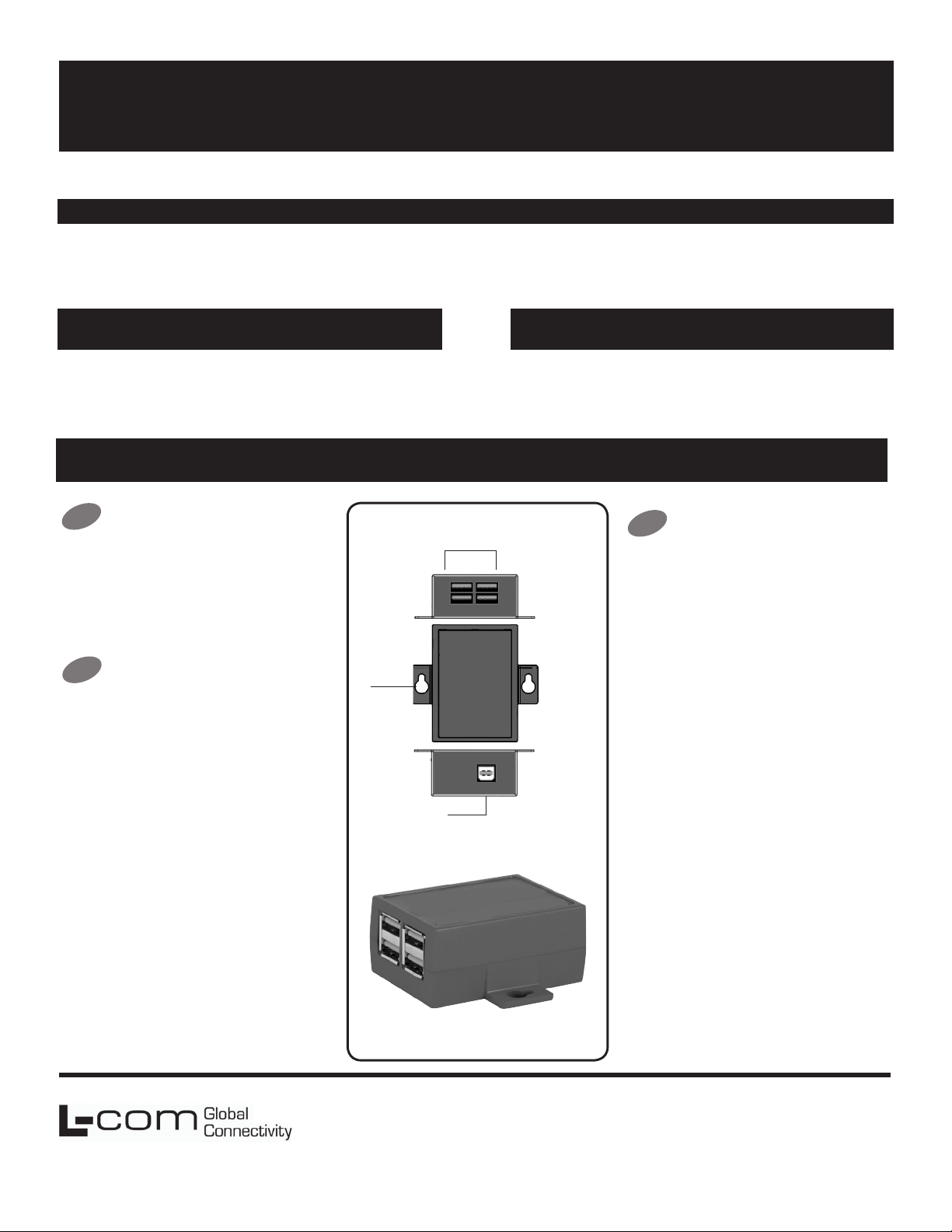
Product Overview
Downstream Ports
Panel
Mount
Bracket
Upstream Port
Package Contents
3
The LC-IND-4USBHUB is installed, but
a downstream device doesn’t seem to
be working.
Some USB devices get their power from the
USB cable. The LC-IND-4USBHUB will only
provide 100 mA to the downstream ports. If
your downstream devices need more than
100 mA, you should use a powered USB
hub. A powered USB hub will provide 500
mA to the downstream ports.
Do I need drivers for a USB hub?
No, the operating system will detect the
LC-IND-4USBHUB and install the drivers
automatically.
How can I be sure it has been
installed?
FAQ
L-com Global Connectivity
50 High Street
West Mill 3rd oor, Suite #30
North Andover, MA 01845 USA
The new hub will be listed in your Device
Manager.
Can I use USB 1.1 and USB 2.0 devices
together?
Yes. USB 2.0 is backwards-compatible with
USB 1.0 and USB 1.1.
Toll Free: 800-341-5266
PH: 978-682-6936
Fax: 978-689-9484
710-10670-00_LC-IND-4USBHUB
 Loading...