

Page 1
Download and install PanelPilotACE
Design Studio for Windows from
www.lascarelectronics.com/
software/panelpilotace
Watch the tutorial videos in the
'Home' page of the software to
familiarise yourself with the software
interface and the features available.
Connect your display to a Windows
PC using the mini-USB cable provided.
Use the software to design your first
project and test the emulator before
uploading to your display.
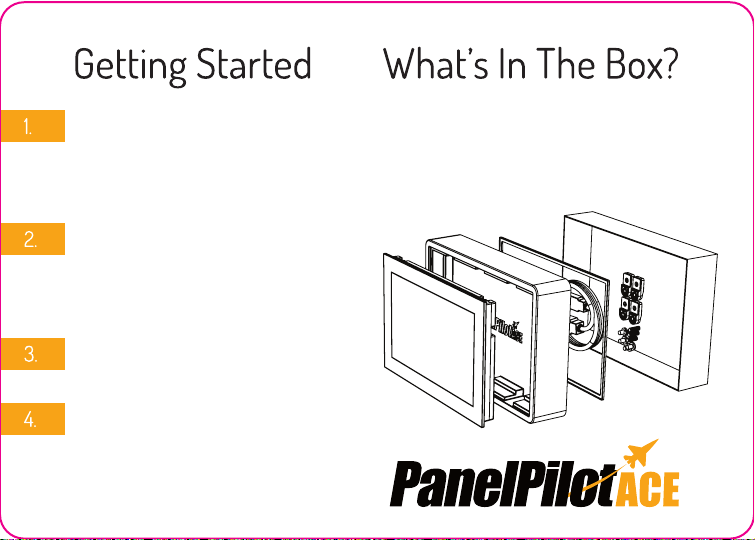
Your display includes a panel fixing
kit, seal and a mini-USB cable. You
can find these beneath the plastic
tray.
Issue 3 05/2018
Page 2

UNIVERSITY
PanelPilot University
Whether you’ve already chosen the PanelPilotACE platform for your next
display project or are still evaluating its development potential, the
PanelPilotACE University is your one-stop shop for all the tools needed to turn
your conceptual display design into a fully functioning App. From a library of
Graphics, Icons and Symbols to tried and tested Project Templates, a selection
of Basic and Advanced Video Tutorials and support literature,the University at
www.lascarelectronics.com/panelpilotace-university is everything you need
to get your PanelPilotACE project started today.
Any other questions? Contact our technical team today at [email protected]
T: +44 (0) 1794 884567 (UK/Europe) / +1 (814) 835 0621 (US/Americas) / +852 2389 6502 (HK/Asia)
Issue 3 05/2018
 Loading...