

Page 1
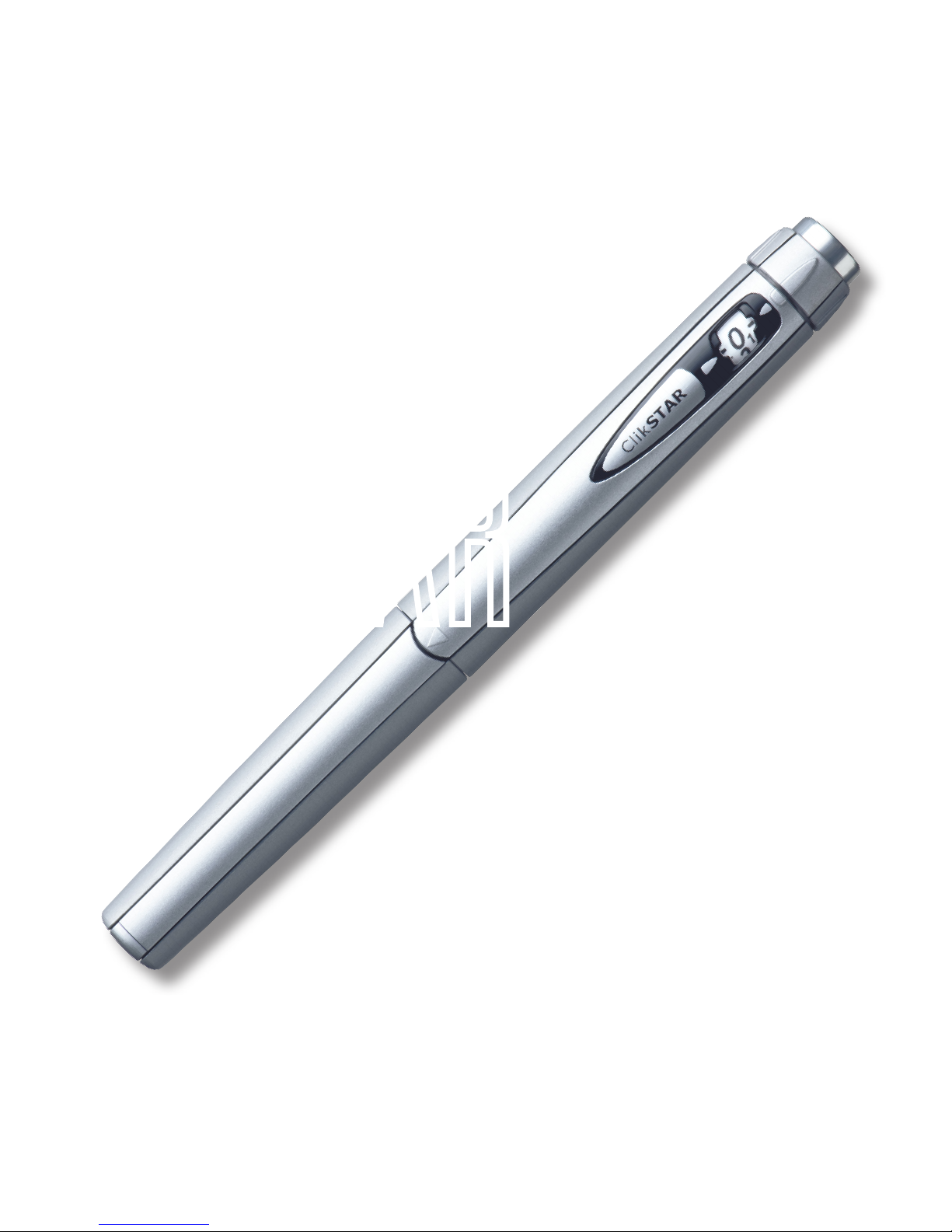
ClikSTAR
quick guide
®
Page 2

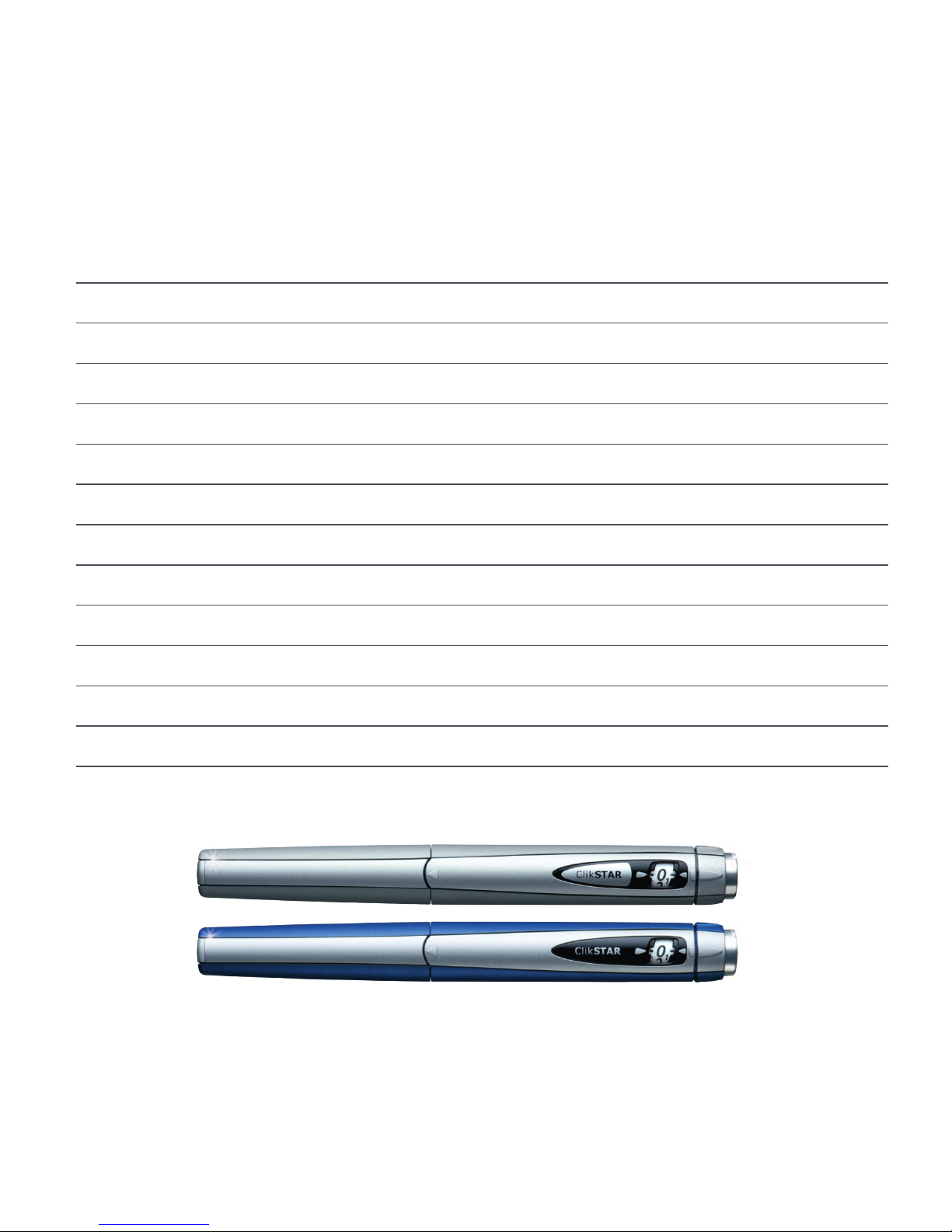
You have just been prescribed Lantus (insulin glargine) or Apidra (insulin glulisine) in a
ClikStar reusable insulin pen.
This quick guide contains information on
how to use your ClikStar. You can find more
detailed information in the instructions that
come in the ClikStar packaging.
You can also call +46 (0)20-52 68 87
at any time for answers to your questions
about sanofi-aventis insulin pens.
Page 3
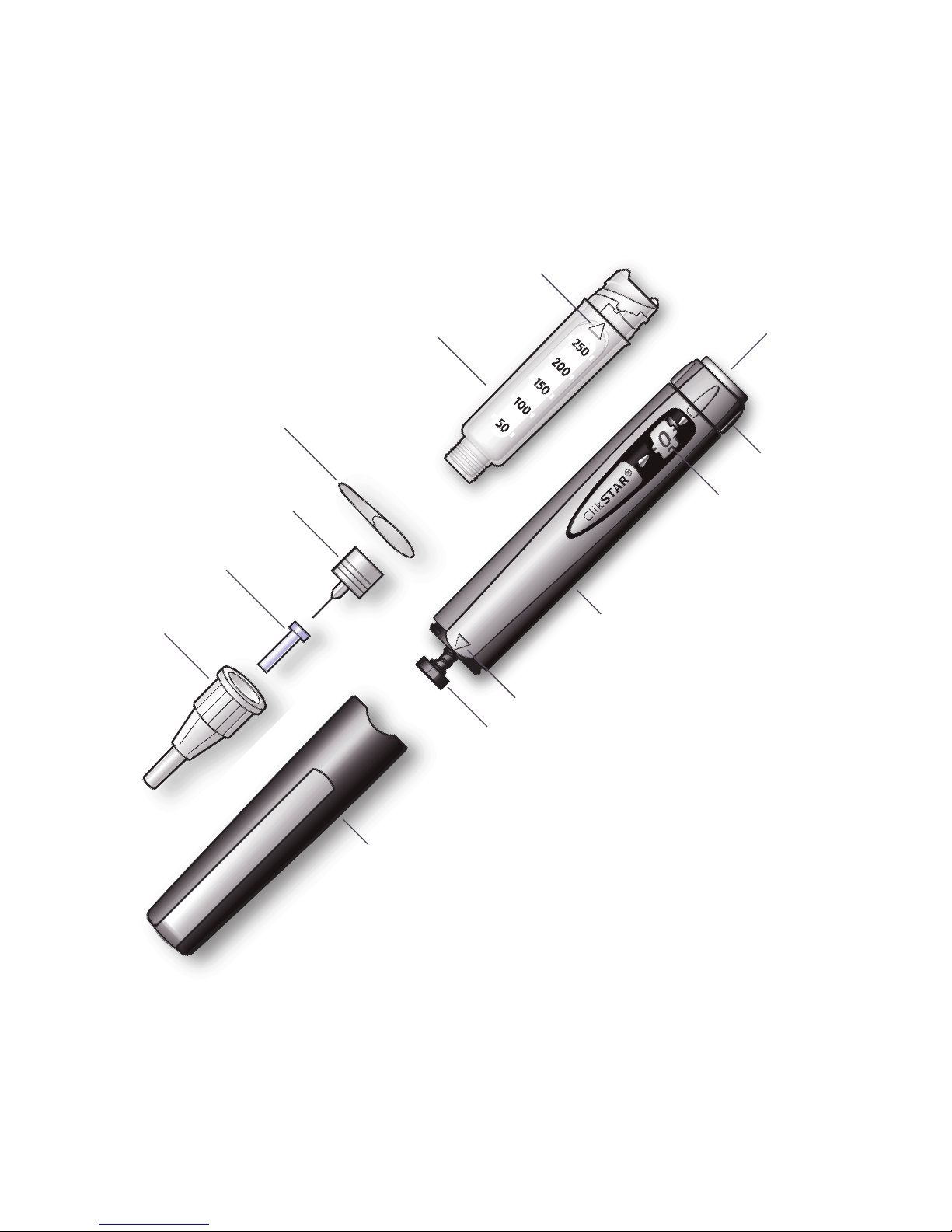
ClikSTAR and its components
Each cylinder ampoule contains
300 units of insulin.
The following needles are suitable
for use with ClikStar:
• BD Micro-Fine, Ypsomed Penne,
• Artsana Insupen and Owen
• Mumford Unine Pentips.
The latest update regarding approved needles and further information can be found on www.insulin.se
Protective sleeve
Ampoule sleeve
Dose window
Dosage knob
Plunger rod
Injection
button
Protective lm
Pen body
Outer needle cap
Inner needle cap
Needle (not included)
Check marking
Check marking
Page 4
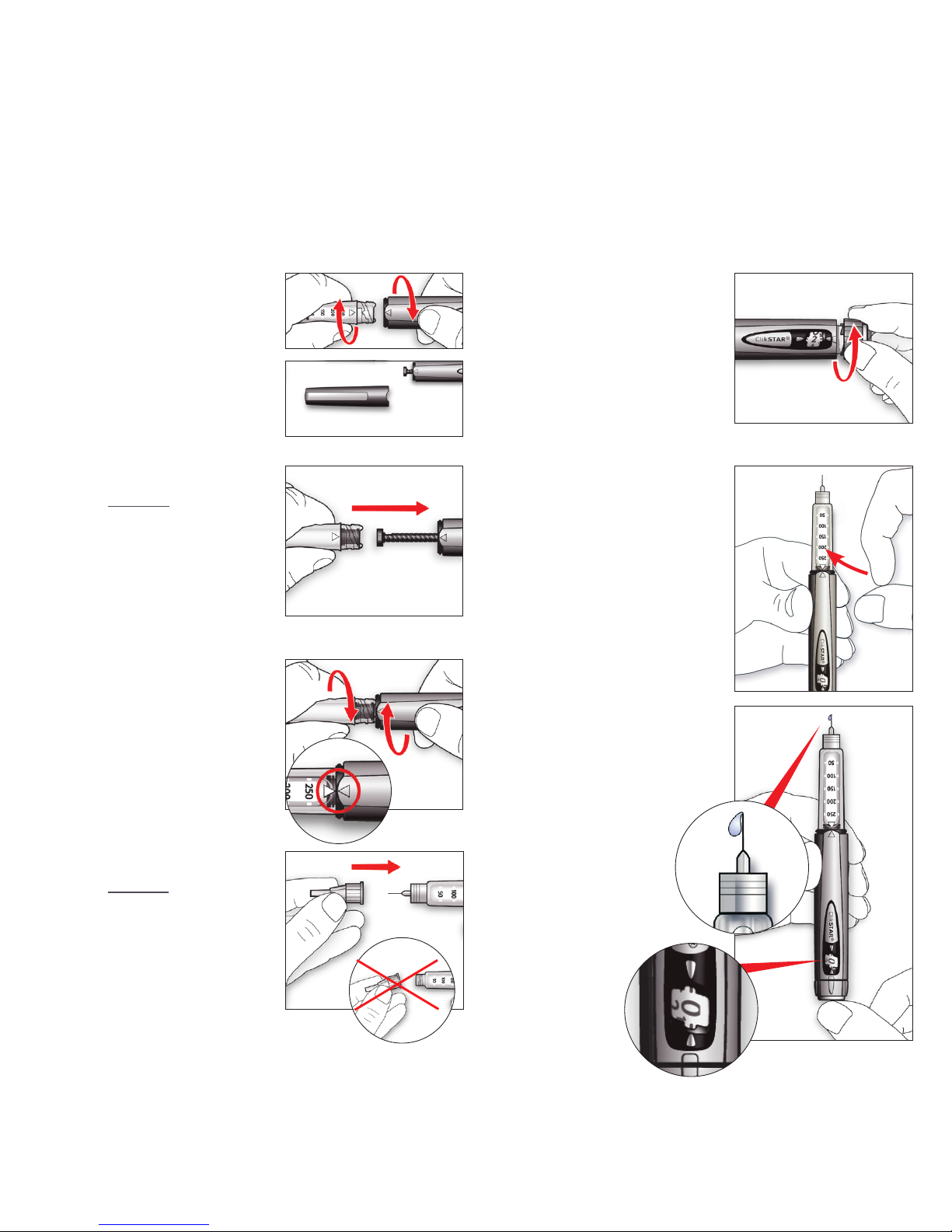
How to get started
1
Remove the protec-
tive sleeve. Unscrew
the ampoule sleeve
from the pen body.
Insert a new cylinder
ampoule into the
ampoule sleeve.
5
Hold the pen with the
needle pointing up.
Get rid of any air
bubbles by tapping on
the insulin reservoir.
6
7
Press the injection
button all the way in.
Check that there is
insulin coming out of
the tip of the
needle and
that the dose
window is
displaying “0”.
Choose a dose of 2
units by turning the
dosage knob. Remove
the outer and inner
needle caps.
2
Push the plunger rod
straight in with the
aid of the ampoule
sleeve. You can also
push the plunger rod
in using your finger.
3
Screw the ampoule
sleeve back onto the
pen body until it
”clicks” into place
and the markings line
up.
4
Attach a needle
directly to the pen.
Screw or push the
needle on depending
on which needle you
are using.
Carry out a safety test prior to each injection
Page 5
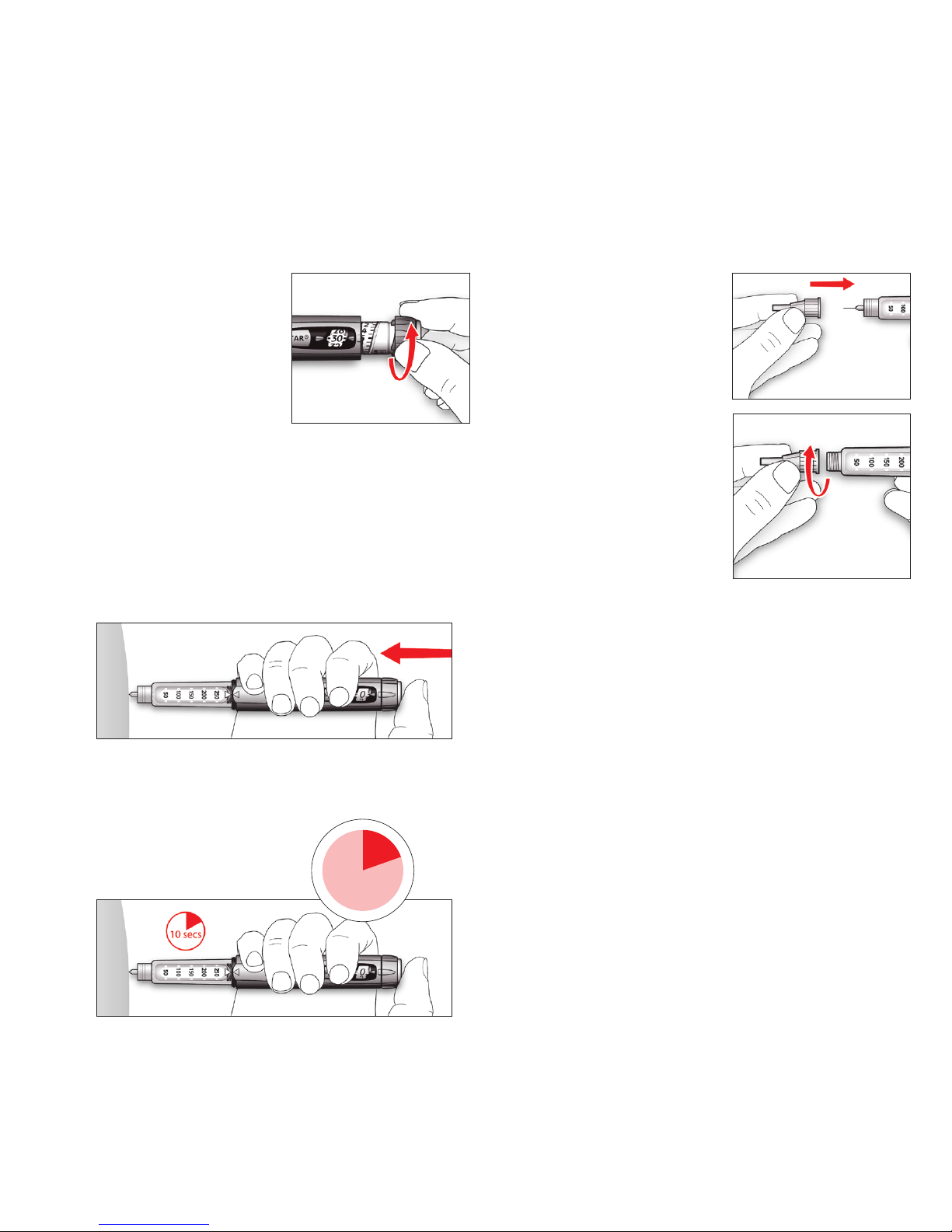
Set the dose and inject
1
Set the required dose.
If you turn past the unit
you want to inject,
simply turn back to the
correct unit.
Inject your dose in the way that your diabetes
nurse or doctor showed you. Stick the needle
into your skin and press the injection button all
the way in. As you inject, the dose window
counts down to “0”.
4
Once you have injected
NB!
Always remove the needle after an injection
and store the ClikStar without a needle. This
helps to prevent contamination, air bubbles
and insulin leakage.
2
3
Keep the injection button depressed for a
count of 10, then pull the
needle out.
10 sec.
Put on the outer
needle cap and
unscrew the needle.
Dispose of the needle
as instructed.
Replace the pen cap
on your ClikStar and
store in a safe place.
Page 6

Before use
• Always attach a new needle before each
injection.
• Always check the label on the insulin before
use to ensure that you have the correct type
of insulin.
Usage
• Never use a cylinder ampoule that is
damaged.
• Never use the ClikStar if it is damaged or not
functioning correctly.
• If you use different types of insulin, you
should have different-coloured pens for
each type of insulin.
If you are unable to set the required dose,
check that there is sufficient insulin in the
cylinder ampoule. If there is not enough
insulin left in the cylinder ampoule, you can
do one of the following:
• inject what is left in the cylinder ampoule
and make up your dose using a new cylinder
ampoule.
• or use a new cylinder ampoule to inject the
full dose.
Never force the dosage knob.
When the insulin is getting low, you can see
on the cylinder ampoule’s graded scale roughly how much insulin is left. This scale only
gives a rough idea of how much is left and
should not be used for precise dose reading.
Storage of your ClikSTAR
• Store out of reach and sight of children.
• If the cylinder ampoule is stored in a cold
place (e.g. in a fridge), take it out 1-2 hours
before injecting to allow it to warm up.
• Once a cylinder ampoule has been started, it
can be used for up to 28 days under normal
circumstances.
• After 4 years of use, you should discard your
ClikStar pen as instructed by medical staff
and as per local regulations.
• Protect your ClikStar from direct sunlight.
• See the insulin package leaet for further
information on storage.
If you need to clean the outside of your
ClikStar, you can wipe it with a damp cloth.
Do not soak or wash your ClikStar.
If you have any questions about your
ClikStar, call us on our service number
+46 (0)20-52 68 87 (open 24 hours).
Tips and advice
Page 7
Own notes
Page 8
SE.CLK.09.09.06
sanofi-aventis AB, Tel: +46 (0)8 - 634 50 00. www.sanofi-aventis.se
If you have any questions about our pharmaceuticals, please contact: infoavd@sanofi-aventis.com
Clikstar is CE-marked.
You can find more information about diabetes at www.insulin.se
You can also read about different insulins at www.fass.se
Frågor om våra insulinpennor:
 Loading...