

Lanner NCM-IGM401A, NCM-IGM403A, NCM-IGM201B, NCM-IGM401B, NCM-IGM403B Quick Installation Manual
...Page 1

Lanner Network NIC Module – Wide Type
Quick Installation Guide
Rev 1.0 September 10th, 2015
Page 2

Revision History
This document contains proprietary information of Lanner Electronics Inc. –and is not to be
disclosed or used except in accordance with applicable agreements.
Copyright © 2015. All Rights Reserved.
Copyright© 2015 Lanner Electronics Inc. All rights reserved. The information in this document
is proprietary and confidential to Lanner Electronics Inc. No part of this document may be
reproduced in any form or by any means or used to make any derivative work (such as
translation, transformation, or adaptation) without the express written consent of Lanner
Electronics Inc. Lanner Electronics Inc. reserves the right to revise this document and to make
changes in content from time to time without obligatio n on the part of La nner Electronics Inc. to
provide notification of such revision or chan ge.
The information in this document is furnished for informational use only, is subject to change
without notice, and should not be constr ued as a commitm ent by Lanner Electroni cs Inc. Lanner
Electronics Inc. assumes no responsibility or liability for any errors or inaccuracies that may
appear in this document or any software that may be provided in association with this document.
Rev Date Descriptions
1.0 September 10, 2015 Official release
Page 3

About This Manual
The purpose of this document is to provide installation instructions for Lanner
Ethernet NIC modules. The contents of this manual are intended for individuals with
some levels of engineering knowledge and background.
This manual covers instructions all current types of Lanner’s slide-rail kits and is
subject to change without notice.
Precautions:
z Shut down the system before conducting the installation.
z Be sure you have proper ESD protections such as ESD gloves or grounding straps
before handling the system.
z The installation procedures in this document shall be conducted by technically
trained or qualified individuals.
z Do NOT reach into a vacant module slot to avoid electrical shock.
Page 4
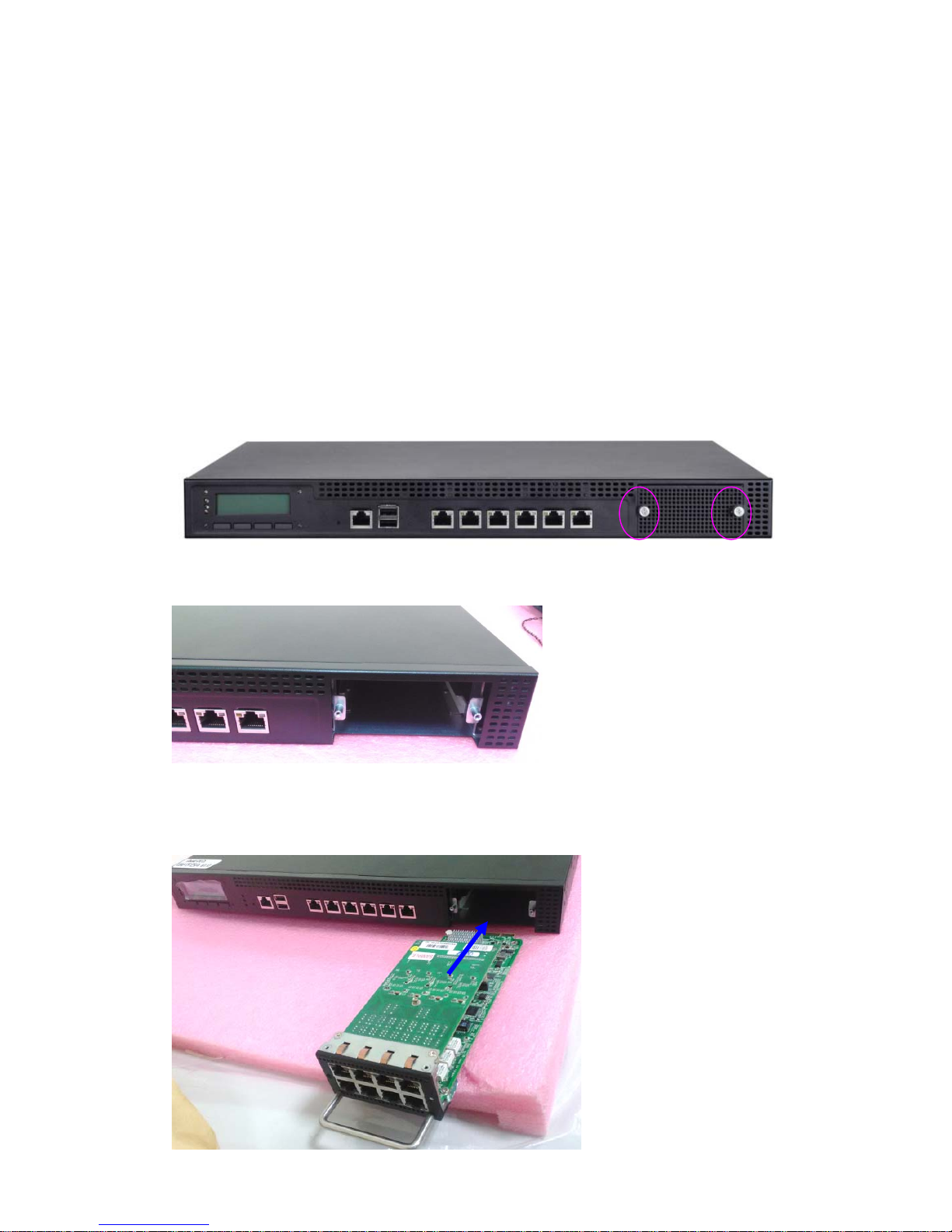
Installing Network NIC Modules
Lanner offers a wide variety of network NIC modules empowered by Intel®® Ethernet
controllers to enhance performance and bandwidth for network appliances. To meet various
demands of today’s networking environments, Lanner has over 20 different modules including
slim and wide, copper, fiber, bypass, and with network speeds ranging from GbE, 10GbE to
40GbE network connectivity.
The following will provide a general installation procedure of Lanner network modules in wide
type. Please be noted that the module and the network appliance are for reference only.
1. Hold and rotate to loosen the two thumb screws on the front bezel.
2. Remove the front bezel.
3. Orient the module in the correction direction. Make sure the LAN ports are facing you while
the gold fingers are facing the expansion space.
Page 5
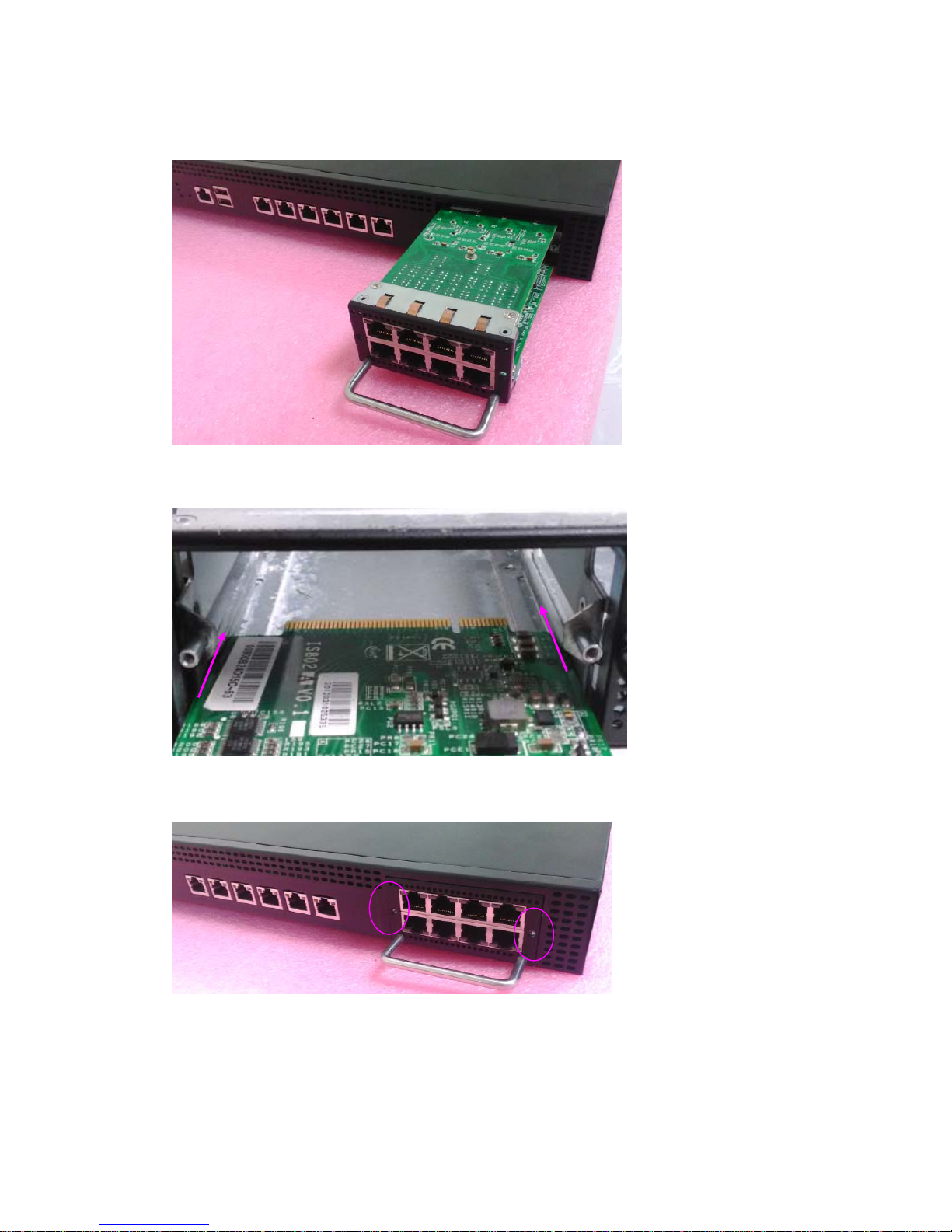
4. Insert the modules until it is firmly seated at the back of the expansion space. You should
hear a “click” sound.
5. When sliding the module into the slot, make sure the module properly stays in the guides of
the expansion space.
6. Apply and fasten two screws to secure the module.
Attention: Make sure NO Ethernet cables are connected to the module during installation.
Page 6

Lanner NIC Modules
Wide Module Types Number of LAN ports Chipset Bypass
GbE Copper Modules
NCM-IGM201A/B 2 Intel® 82574L 1 pair of Gen2 or N/A
NCM-IGM401A/B 4 Intel® 82574L 2 pairs of Gen2 or N/A
NCM-IGM403A/B 4 Intel® 82576EB 2 pairs of Gen2 or N/A
NCM-IGM801A/B 8 Intel® 82574L 2 pairs of Gen2 or N/A
NCM-IGM802A/B 8 Intel® 82576EB 2 pairs of Gen2 or N/A
NCM-IGM807A/B 8 2 x Intel® i350-AM4 4 pairs of Gen2 or N/A
GbE Fiber Modules
NCM-ISM202A 2 Intel® 82576EB Yes
NCM-ISM403A 4 Intel® 82580DB N/A
NCM-ISM406A 4 Intel® i350-AM4 N/A
NCM-ISM801A 8 Intel® 82576EB N/A
10GbE Copper Modules
NCM-ITM202A 2 Intel® X540 N/A
10GbE Fiber Modules
NCM-IXM202A 2 Intel® 82599ES Yes
NCM-IXM203A 2 Intel® 82599ES N/A
Notes: For more details about LAN bypass, please download the manual from our
official website.
 Loading...