

Page 1
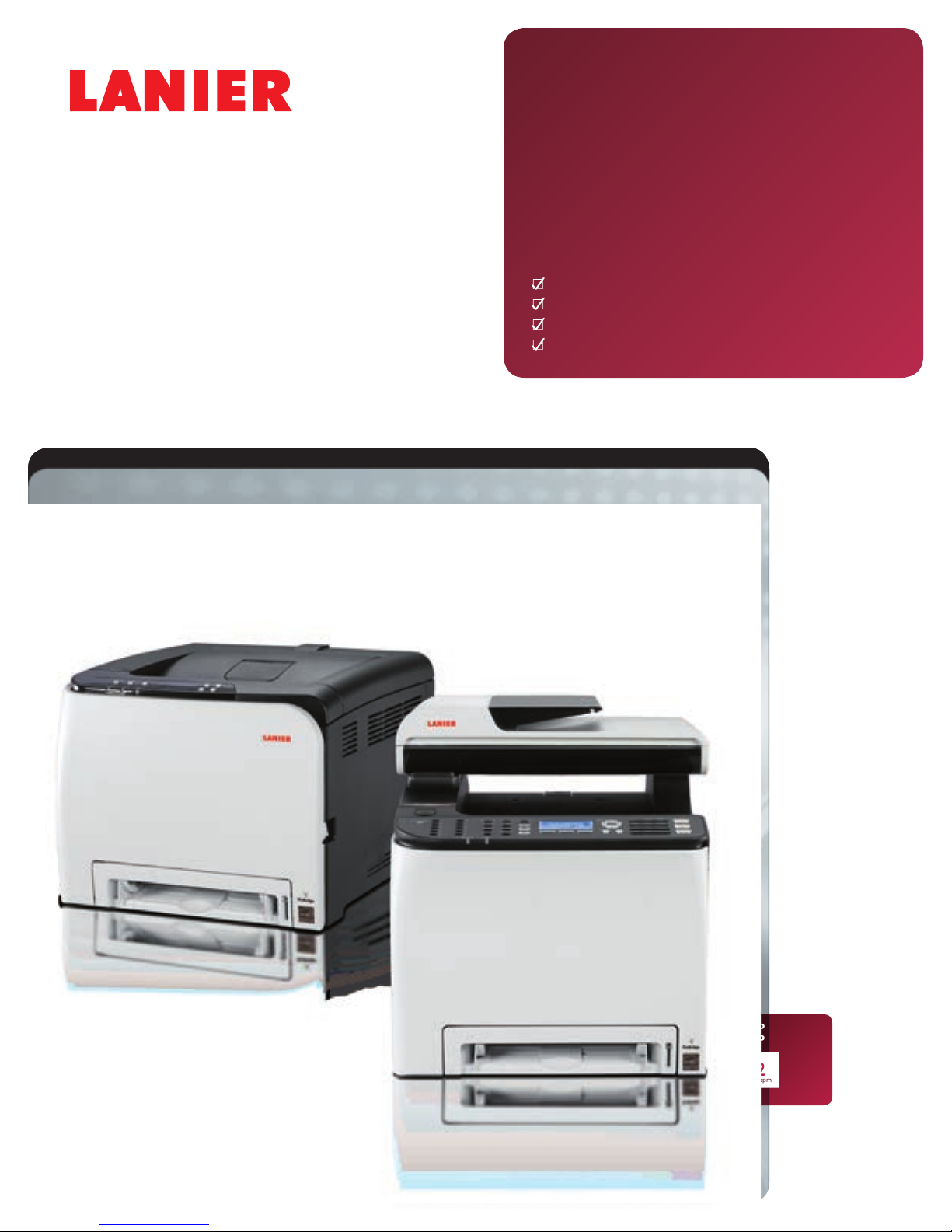
SP C252DN/
SP C252SF
Color Laser Printer/Color Laser MFP
Copier
Printer
Facsimile
Scanner
SP C252DN
SP C252SF
monochrome
21
and full-color
ppm
Page 2
Discover the freedom of productivity
LISTING
As business moves faster, we’re all using mobile devices to keep pace — changing how we work, and in
many cases, where we work. Lanier continues to do its part, with new innovations offering more freedom
and agility, so you can perform more everyday tasks in less time. Looking for color wireless printing?
Choose the LANIER
share documents quickly with coworkers and customers? Add copying, scanning, faxing and more with the
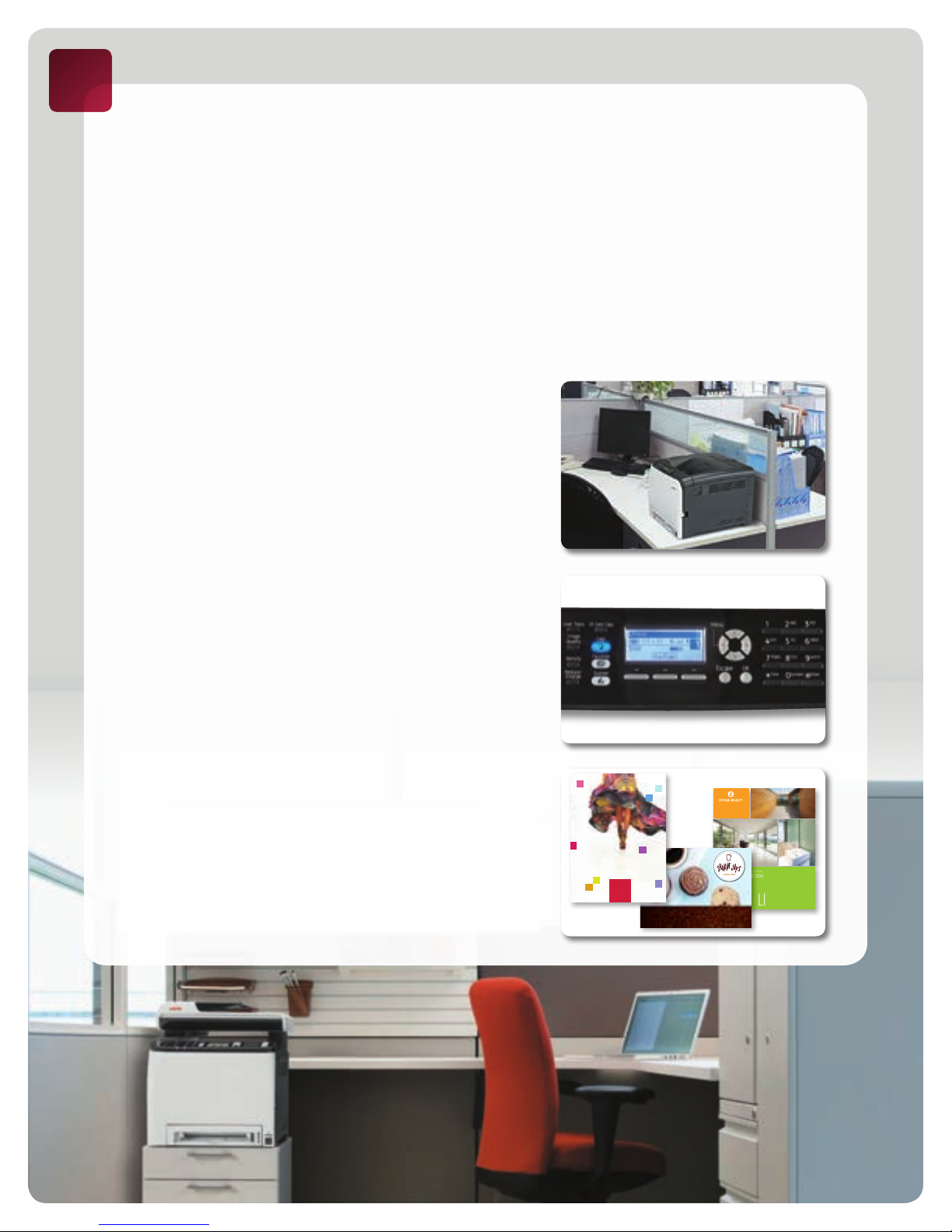
Lanier SP C252SF. Tight on space? These desktop devices are small enough to fit in cramped spaces, making
them convenient for smaller offices. You can even include them as part of a Lanier Managed Document
Services (MDS) strategy and measure how much time and money they can save for your organization.
Work quickly, from anywhere
Complete more office tasks in less time. Black-and-white and color pages print
at 21 pages per minute, and first prints are available in only 14 seconds, so you
can complete even large print jobs quickly. The Lanier SP C252DN/SP C252SF
comes standard with secure IEEE 802.11b/g/n Wireless LAN connectivity, so
you can put it on the desktop, in a cabinet or under the counter with ease,
and without an unsightly tangle of cords. Download the Ricoh Smart Device
Print&Scan app and print directly from your personal mobile device. Or, take
your work with you. Simply connect your digital camera or USB Flash Drive
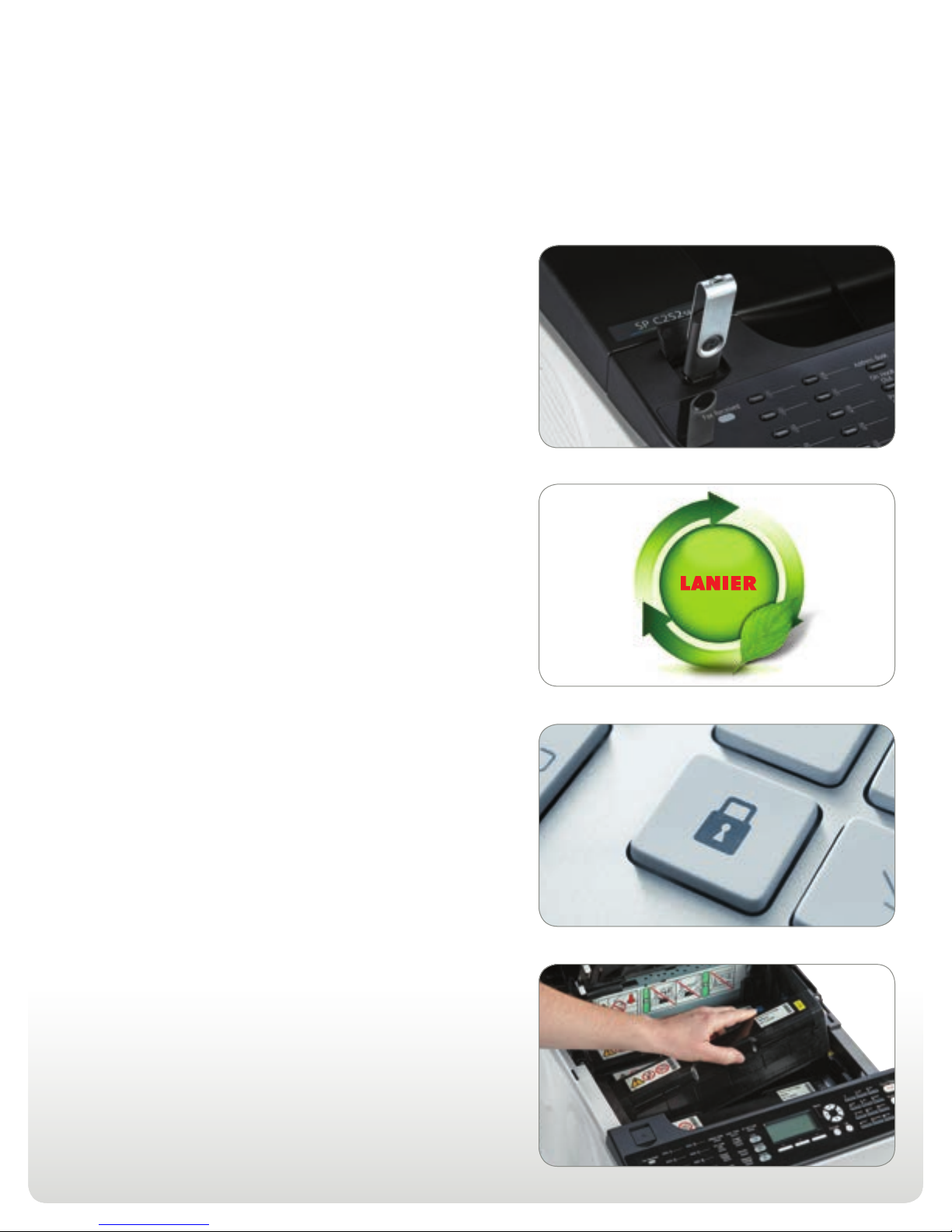
into the strategically placed USB port on the front of the device to print
documents and images without a computer.
™
SP C252DN and produce professional-quality documents from your desktop. Need to
Save space, save time
From the corner office to the corner store, the Lanier SP C252DN/SP C252SF
fits almost any workspace. Choose tasks, check settings and move to the
next job in moments using the intuitive LCD display on the control panel.
You can even choose frequently used tasks with one-touch control for
incredible speed and convenience. Changing cartridges is just as easy.
The all-in-one print cartridges can be replaced by anyone, without any
training or mess.
Produce quality color at an affordable price
Color can make everyday business documents more dynamic and compelling.
The Lanier SP C252DN/SP C252SF makes color more affordable, too. In
Economy Color Mode, you can print text at full density, but use less toner
for images to significantly reduce cost-per-page. When you need sharper
lines, more precise text and vibrant colors, the device offers true 600 x
600 dpi resolution. Need to print a professional-looking document without
outsourcing? Print at even higher resolutions up to 2,400 x 600 dpi for
business presentations that require eye-catching, higher quality graphics.
MODE
SPRING
COLLECTION
PREVIEW
exceptional multi-level family home
$ 695,000 - $ 780,000
5 Dedrick Place West Caldwell, NJ 07006 1.800.637.4264 www.ricoh-usa.com/ppbg
special offers
ON YOUR FAVORITE DRINKS & SNACKS
WEST COAST RESIDENTIAL
Page 3
Versatile, fully featured performance for
small offices
Perform every task with ease
Whether you’re printing documents, or sharing them with others, the
Lanier SP C252SF lets you have it all in a single, compact device. Share fullcolor documents using a wide range of scan-to options or a USB Flash Drive.
Use the 35-Sheet Automatic Document Feeder to manage multiple-page
documents quickly. Store up to 200 speed dial entries and send secure faxes
to frequent recipients quickly using one-touch control keys. You can even
copy two-sided documents, such as drivers’ licenses, insurance cards and
more, onto a single side of a sheet of paper using the ID Card Copy feature.
Add value in and out of the office
Looking for a powerful, versatile device that’s as friendly to the
environment as it is to your budget? Choose the Lanier SP C252DN/
SP C252SF for low hardware costs along with superior cost per page
savings. Print on both sides of paper with duplex printing and save on
paper costs. Use less energy while taking advantage of this ENERGY
™
STA R
certified device’s low typical electricity consumption (TEC) value.
Plus, take advantage of our consumables recycling programs to promote
a resource recirculating society.
Protect sensitive information
Information is the most important asset in your office. Protect it
with advanced user authentication controls. Store every document
securely until an authorized user enters the correct PIN from the
Lanier SP C252DN/SP C252SF control panel. No more sensitive
information is left unattended in the output tray for any passersby to
read. Worried about supply levels or need to check network settings?
Use Web Image Monitor to resolve maintenance issues — and even
prevent them.
Incredible ease of use and convenience
Simplify your workload with unmatched convenience that builds on
Lanier’s legacy of affordable, timesaving innovations for the workplace.
Complete a wide range of tasks with a single touch using the intuitive
control panel with LCD screen. Check supply status and make corrections
directly at the device. Use Web Image Monitor to perform many of the
same tasks remotely. You can also change the top-loading, all-in-one print
cartridges in moments without help — and without a mess.
Page 4
Lanier SP C252DN/SP C252SF
SYSTEM SPECIFICATIONS
General Specifications
Configuration Desktop
Imaging Process Laser beam scanning, color
Scanning Element
Print Resolution
1200 x 600 dpi equivalent (Standard Mode)
2400 x 600 dpi equivalent (Fine Mode)
Print Speed (Letter) SP C252DN: 21 ppm B&W and Full-Color;
Print/Copy Speed (Letter)
First Print Speed
Warm-Up Time 30 seconds or less (from Energy Saver Mode)
Operating Systems Windows XP/Vista/7/8/Server 2003/2003R2/
Software Utilities
Standard Paper Capacity
Optional Paper Capacity 500-sheet Paper Feed Unit
Maximum Input 751 sheets
Output Capacity 150 sheets (face down)
Automatic Duplex Standard
Paper Sizes Standard Tray and Bypass Tray: Letter (8.5"
Envelopes: Com10, Monarch, C5, C6, DL
Custom size: Min. 90 mm x 148 mm (3.54"
Optional Paper Feed Unit: Letter (8.5" x 11"),
Paper Weight
Duplex: 16 – 24 lb. Bond (60 – 90 g/m2)
Optional Paper Feed Unit: 16 – 28 lb. Bond
Acceptable Paper Types
Optional Paper Feed Unit: Plain Paper,
Dimensions (WxDxH)
SP C252SF: 16.5" x 19.4" x 18.1" (420 x
Weight
SP C252SF: 64 lb. (29 kg) (including
Power Requirements
Standard Tray and Bypass Tray: 16 – 42 lb.
SP C252DN: 52.5 lb. (23.8 kg) (including
electrophotographic printing with
monocomponent toner development
4-drum tandem method
Flatbed scanner with full color contact image
sensor (CIS)
600 x 600 dpi (Default) (Speed Mode)
12 ppm duplex
SP C252SF: 21 ppm/cpm B&W and Full-Color;
12 ppm/cpm duplex
14 seconds or less
2008/2008R2/2012 (32 bit/64 bit) and later;
Mac OS X 10.6 and later; Citrix MetaFrame
Web Image Monitor, Presto! PageManager
version 9.33 (SP C252SF only), @Remote
Office Appliance, @Remote Enterprise Pro
On-Site, @Remote Enterprise Pro Connector
Option, Device Manager NX Lite, Printer
Driver Packager NX, Web Based Driver
Installer (WBDI)
250-sheet Paper Tray + 1-sheet Bypass Tray
x 11"), Legal (8.5" x 14"), EXEC (10.5" x
7.25"), Half Letter (5.5" x 8.5"), A4 (8.3" x
11.7"), A5 (5.8" x 8.3"), A6 (4.1" x 5.8"),
B5 JIS (7.2" x 10.1"), B6 JIS (5.0" x 7.2"),
F (8" x 13"), Foolscap (8.5" x 13"), Folio
(8.25" x 13"), 16 Kai (7.6" x 10.5")
x 5.83"), Max. 216 mm x 356 mm (8.5" x
14.0")
A4 (8.3" x 11.7")
Bond/83 lb. Index (60 – 160 g/m2)
(60 – 105 g/m2)
Standard Tray and Bypass Tray: Plain Paper,
Middle Thick, Recycle Paper, Envelopes, Thick
Paper, Labels, Thin Paper, Color Paper, Prepunched Paper, Letterhead, Bond Paper, Card
Stock and Preprinted Paper (Std. Tray only)
Middle Thick, Recycle Paper, Thick Paper,
Thin Paper, Color Paper, Preprinted Paper,
Prepunched Paper and Letterhead
SP C252DN: 15.7" x 17.7" x 12.6" (400 x
450 x 320 mm)
493 x 460 mm)
consumables)
consumables)
120V, 60Hz
Max. Power Consumption 1,300W or less
Energy Saver Mode SP C252DN: 2.4W
SP C252SF: 2.4W
TEC SP C252DN: 1.37 kWh/week
SP C252SF: 1.48 kWh/week
Safety Regulations UL60950-1 2nd Edition; CAN/CSA C22.2
Environmental Standard
Printer Specifications
CPU SP C252DN: 350MHz
SP C252SF: 400MHz
Printer Languages/Drivers PCL 5c, PCL 6, PostScript 3 emulation
Fonts PCL/PS: 80 fonts
RAM Memory SP C252DN: 128 MB RAM standard/maximum
SP C252SF: 256 MB RAM standard/maximum
Interfaces USB 2.0, 10/100Base-TX Ethernet, USB Host
Network Protocols
Printer Features Locked Print, Collate, Layout (N-up), Duplex,
Copier Specifications (SP C252SF Only)
First Copy Speed 20 seconds or less for both B&W and
Multiple Document/
Single Copy Speed
Copy Resolution
600 x 600 dpi (printing)
Original Type Sheet/Book/3D Objects
Original Size Up to 8.5" x 11" (Platen)
Up to 8.5" x 14" (ADF)
Quantity Indicator 1 – 99
Zoom 25% – 400% in 1% increments
Reduction Ratios: 50%, 65%, 78%, 93%
Enlargement Ratios: 129%, 155%, 200%,
Copier Features
Copy Mode (Text/Photo/Mixed)
Color Balance Adjustment
Combine Copy (2-in-1, 4-in-1 via ADF only)
Duplex Copy
ID Card Copy (2 in 1)
Memory Copy
Photo Mode
Electronic Sorting (collation, ADF only)
Scanner Specifications (SP C252SF only)
Scan Modes Full-Color, B&W, Grayscale
Compression B&W: TIFF (MH/MR/MMR), JPEG, PDF
Color/Grayscale: JPEG, PDF
File Format Single/Multi-Page TIFF, Single/Multi-Page PDF,
Scan Resolution
Up to 19200 x 19200 dpi (interpolated)
Scan Speed B&W
Grayscale: Less than 5 seconds per page
Full-Color: Less than 10 seconds per page
Scan Interface USB 2.0, 10/100Base-TX Ethernet, IEEE
Utilities & Drivers
Scanning Features
No. 60950-1 (c-UL)
ENERGY STAR certified
Interface for PictBridge™, IEEE 802.11 b/g/n
(Hardwired and wireless Ethernet network
connections cannot be active simultaneously)
TCP/IP (IPv4, IPv6), IPP, Bonjour
Front Cover Sheet, Economy Color, Watermark,
User ID, User Code, Rotate Print, Ricoh Smart
Device Print&Scan app (device mu st be set to
[PCL 6 mode] > [Universal]), Dithering, Do
Not Print Blank Pages, Reduce/Enlarge Print,
Toner Saving
Full-Color
20 cpm B&W/12 cpm Full-Color
1200 x 1200 dpi (scanning)
400%
Image Density Adjustment (manual only:
5 levels)
Single Page JPEG
Up to 1200 x 1200 dpi (optical)
: Less than 5 seconds per page
802.11 b/g/n
TWAIN Driver, Presto! PageManager version
9.33
Image Density (adjustable with 5 steps),
TWAIN/WIA; Scan-to-Email/Folder/FTP/USB
Facsimile Specifications (SP C252SF only)
Circuit PSTN, PBX
Compatibility Super G3
Resolution Standard Mode: 200 x 100 dpi
Fine Mode: 200 x 200 dpi
Compression Method MH/MR/MMR/JBIG
Scanning Speed Less than 5 seconds per page (B&W)
Less than 10 seconds per page (Full-Color)
Modem Speed 33.6 Kbps with automatic fallback
Transmission Speed 3 seconds per page (base on ITU-T Test
Memory Backup
SAF Memory 2MB (Approx. 100 pages based on ITU-T Test
One-Touch/Speed Dials
Facsimile Features Auto Redial, Auto Answer (3 – 5 rings),
Auto/Manual/Substitute/Authorized
Hardware Accessories
Paper Feed Unit
Type TK1010
500 sheets
Capacity
Acceptable Paper Size Letter (8.5" x 11"), A4 (8.3" x 11.7")
Acceptable Paper Weight 16 – 28 lb. Bond (60 – 105 g/m2)
Dimensions (WxDxH)
Weight 13.2 lb. (6 kg)
Consumables
Print Cartridge Black 6,500 pages*
SP C252HA
Print Cartridge Cyan
SP C252HA
Print Cartridge Magenta
SP C252HA
Print Cartridge Yellow
SP C252HA
Waste Toner Bottle
Type 220
*Declared yield values in accordance with ISO/IEC 19798. Actual yields may vary
based on types of images printed and other factors.
The Lanier SP C252DN and SP C252SF ship with a set of four starter All-In-One
print cartridges yielding 1,000 pages each. All other consumables ship at full yield.
For maximum performance and yield, we recommend using genuine Lanier parts
and supplies.
Specifications subject to change without notice.
Warranty
The Lanier SP C252DN/SP C252SF is under warranty against defects for
a period of one year from the date of purchase. Consumables are under
warranty for a period of 90 days from the date of purchase or until
depleted, whichever comes first. Please refer to warranty documents
shipped with the product for more details.
Chart #1 in Standard mode)
No limit
Chart #1 in Standard mode)
20 locations/200 locations
Reception, Answering Machine Interface
(FAX/TAD), Error Correction Mode, User
Codes, Memory/Immediate Transmission,
Resolution Adjustment, Serial Broadcasting
(100 locations), Smoothing, Night Timer,
Internet Fax, LAN Fax, PC Fax (Windows
only), Paperless Fax (Reception File Setting,
Print Received File, Print Forward File, Notify
Forward Status)
16" x 18" x 5" (400 x 450 x 127mm)
6,000 pages*
6,000 pages*
6,000 pages*
25,000 pages
www.lanier.com
Ricoh Americas Corporation, 70 Valley Stream Parkway, Malvern, PA 19355, 1-855 -5-LANIER
Lanier™ and the Lanie r logo are trademarks of Ri coh Americas Corporatio n. Ricoh® and the Ricoh Lo go are registered tradema rks of Ricoh Company Ltd. All oth er trademarks are the prop erty
of their respe ctive owners. ©2014 Ricoh Amer icas Corporation. All rig hts reserved. Lanie r products and serv ices are offered by Ricoh Am ericas Corporation and it s affiliates. The conten t of
this document , and the appearance, feature s and specifications of L anier products and se rvices are subject to ch ange from time to time withou t notice. Products are sh own with optional
features. Whil e care has been taken to ensure th e accuracy of this informati on, Ricoh makes no represent ation or warranties abou t the accuracy, completenes s or adequacy of the inform ation
contained her ein, and shall not be liable for any e rrors or omissions in the se materials. Actual resu lts will vary dependi ng upon use of the product s and services, and the co nditions and factors
affecting p erformance. The only wa rranties for Lanier produ cts and services ar e as set forth in the expres s warranty statements a ccompanying them.
L3509
 Loading...