

Page 1
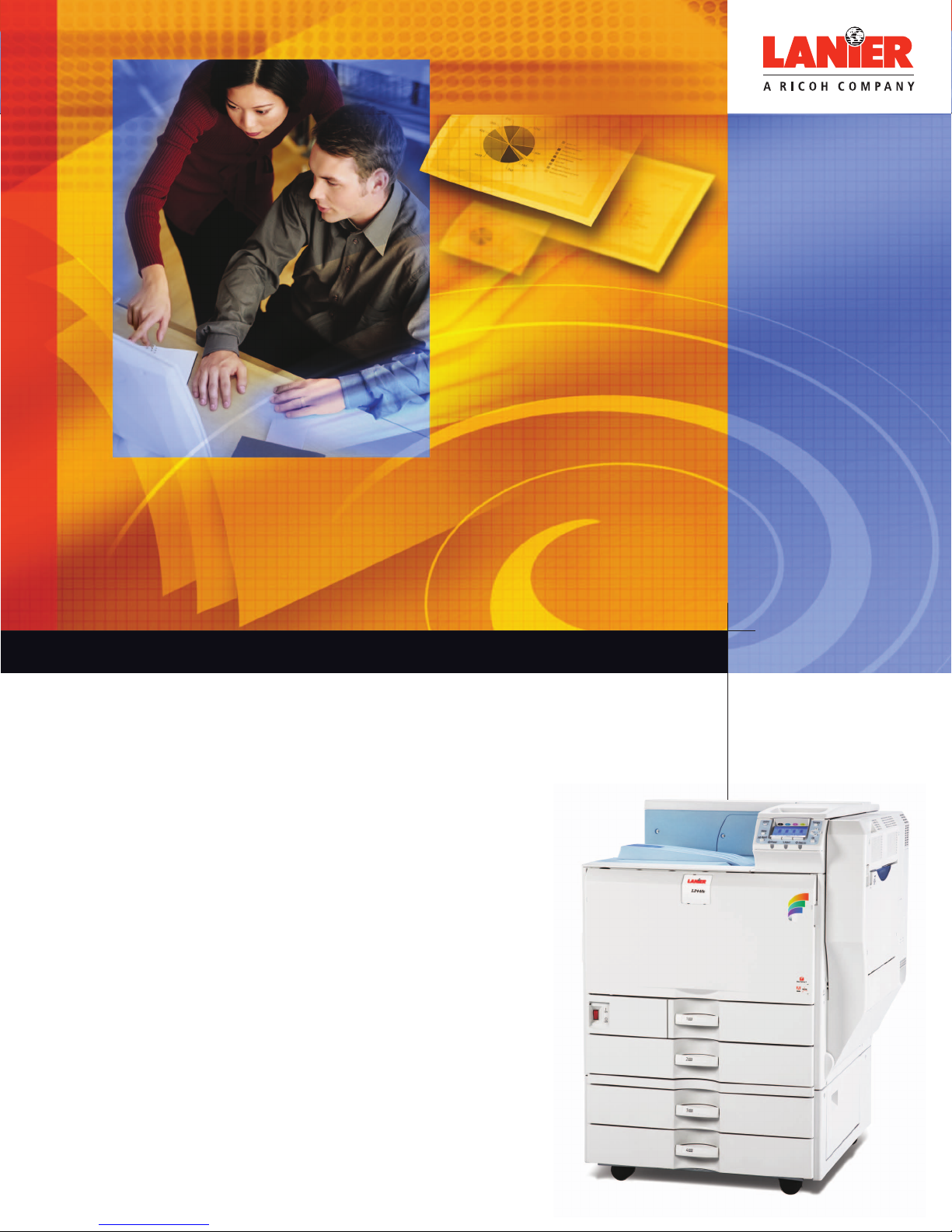
LP440c
COLOR LASER PRINTER
Your Universal Printing Solution
This universal system delivers sharp text, eye-catching color and
high-quality graphics—and accepts a wide range of media—
making it the ideal system for every person and every department
your document management partner
Page 2
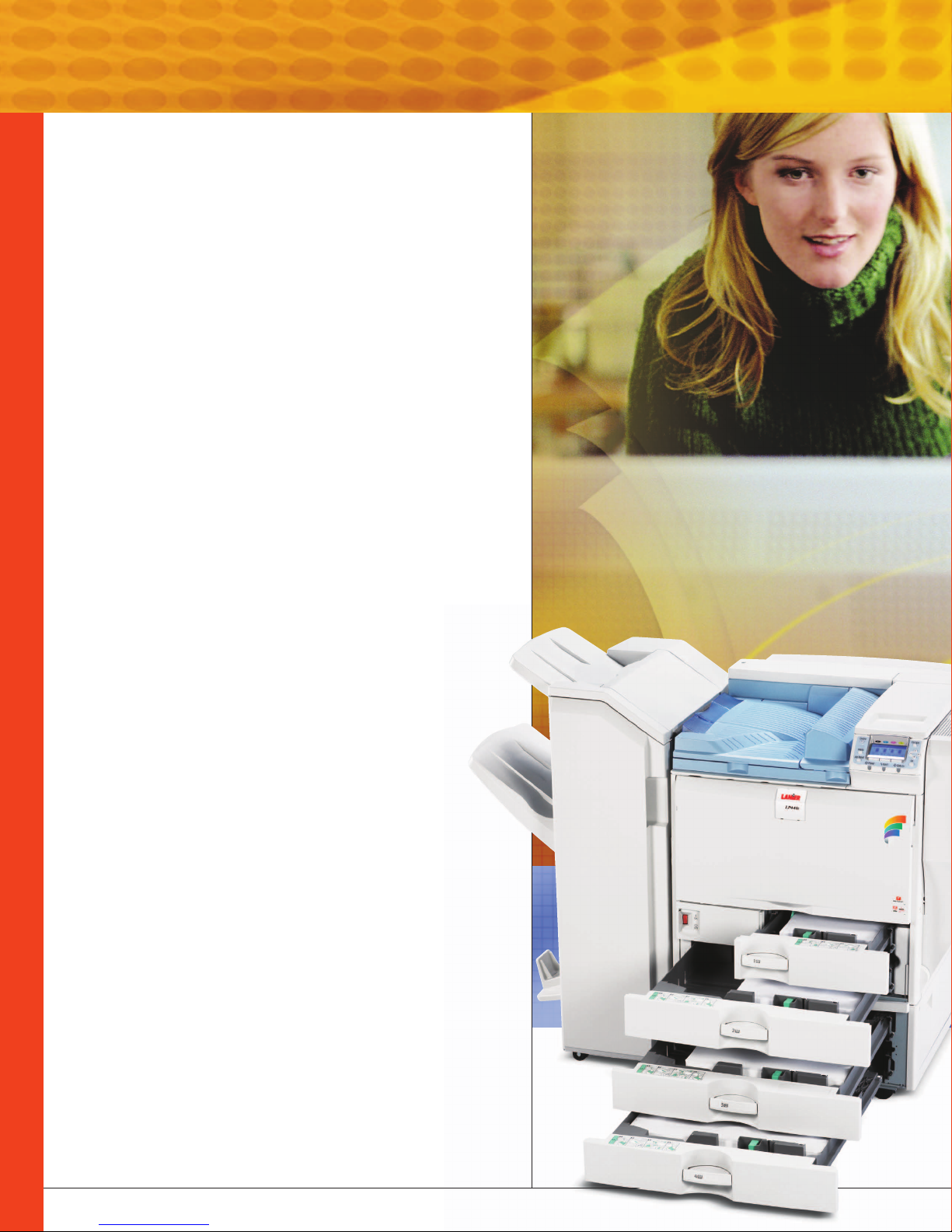
Comprehensive capabilities, universal appeal The Lanier LP440c Series
Now you can meet everybody’s print requirements
and keep more jobs in-house with one cost-effective
device. The Lanier LP440c Series quickly outputs black
& white and color documents … making it perfect for
general office use. Plus, it delivers professional-quality
brochures, direct mail pieces, and more … making it
ideal for graphics-intensive environments.
Whether it’s the primary printer in an office or the
back-up printer in a print-for-pay environment,
the Lanier LP440c Series will quickly become the
one device that everybody depends on.
A New Standard for Quality
If it contributes to high-quality results, you can be sure
it’s included in the Lanier LP440c Series—from precise
color calibration and image quality to broad paper
handling capabilities.
• Outstanding Image Quality—A 4-bit engine offers 9600 x 600 dpi
interpolated resolution and precise registration for sharp images,
smooth gradations and exceptional hue.
• Superior Color—Lanier’s patented PxP
results in crisp, clear text, improved definition and sharper images,
so your documents always set the standard for quality color.
• Exact Color Matching—Outstanding image quality and PANTONE
support mean you can print full-color, graphic-intensive files
in-house. Print brochures, flyers, direct mail pieces, and more
as confidently as you print general business documents.
• Media Flexibility—Confidently output paper sizes up to 11” x 17”
and stock up to 120 lb. Index through paper trays, 140 lb. Index
through the Bypass Tray, and 90 lb. Index when duplexing.
™
Toner technology
®
Streamlined Production
Speed plus time-saving innovations helps everyone
keep pace—even when printing extensive color
proposals and presentations.
• Speed through color and black & white jobs with rapid 40 pages-perminute delivery and first printouts in just eight seconds for black & white
and nine seconds for color.
• Spend less time waiting. A high-performance 866MHz CPU spools jobs
quickly and the system itself warms up in less than one minute.
• Load any size paper up to 11” x 17” in the paper trays.
• Print double-sided pages without sacrificing speed. The Lanier LP440c Series
offers two-sided printing at the same speed as single-sided printing.
Page 3

The Lanier LP440c Series is everyone’s choice
for accurate, graphics-quality color, versatile
throughput and fast, productive output.
Users will appreciate a new,
large, 4-line LCD display that
makes it easy to retrieve stored
jobs, check consumable levels
and check printer status.
• Produce more jobs in-house, including booklets, brochures,
presentations, and more—by adding an optional 1,000-Sheet Booklet
Finisher or a 3,000-Sheet Finisher to your Lanier LP440c Series.
• Work without interruption. An impressive 3,200-sheet paper capacity
lets you run job after job without refilling paper trays.
• Output PDFs fast with PDF Direct Print. It sends smaller files directly
to the printer, a timesaver that also prevents network bottlenecks.
• Print documents quickly while minimizing network traffic. A standard
40GB Hard Disk Drive lets you archive documents locally, and store
frequently printed documents and additional fonts right on the device.
Advanced Connectivity for
Today’s Networked Office
The Lanier LP440c Series lets users streamline
work with the ability to complete common tasks
from the convenience of any connected desktop.
• Connect any way you want. IT will appreciate connectivity options
that let them get the device up and running fast, including standard
10/100BaseTX Ethernet and USB 2.0 and optional Gigabit Ethernet
and Wireless.
• Eliminate time-consuming manual meter reading and reporting with
the optional @Remote intelligent remote management system.
• Give users and administrators convenient desktop access to the
system with the Web Image Monitor's Web-based, user-friendly
remote operations panel.
• Instantly connect with any Apple computer using built-in Bonjour
(Rendezvous) technology that enables the device to automatically
allocate IP addresses, as well as recognize and connect with other
IP-networked devices.
• Streamline IT tasks with Dynamic DNS, which ensures that the device
is always accessible even if its IP address changes.
• Expand functionality using custom software that can be easily
integrated with Lanier’s Embedded Software Architecture.
Page 4
Invaluable Protection for
Electronic and Printed Data
The Lanier LP440c Series offers advanced security
features you can depend on so everyone can work
with total confidence—even in networked offices.
• Protect sensitive data moving between computers and the
device with advanced Data Encryption.
• Control access to system functions with Administrator and
User Authentication.
• Enhance security with Lanier’s optional DataOverwriteSecurity
System (DOSS). It automatically overwrites hard drive information
after each job.
• Prevent unauthorized distribution of printed documents by embedding
masking patterns that appear if a document is scanned or printed on
enabled Lanier devices.
• Monitor device use and protect confidential documents using
optional Job Log and Access Log software.
Everyone Feels Like an Expert
When your printer is this easy to use and maintain,
it does more than keep user satisfaction high.
It keeps productivity high by eliminating workstopping frustrations.
• Forget about time-consuming and frustrating toner replacement.
With the Lanier LP440c Series, you can easily replace toner with
one hand.
• Be prepared for even the longest print runs with the ability to
view consumables at a glance.
• Everyone who fills the paper trays will enjoy easy-to-grip tray handles
and the ability to restock paper even while jobs are printing.
• Keep productivity high with e-mail alerts that notify users
and administrators when supplies are low or when the printer
needs attention.
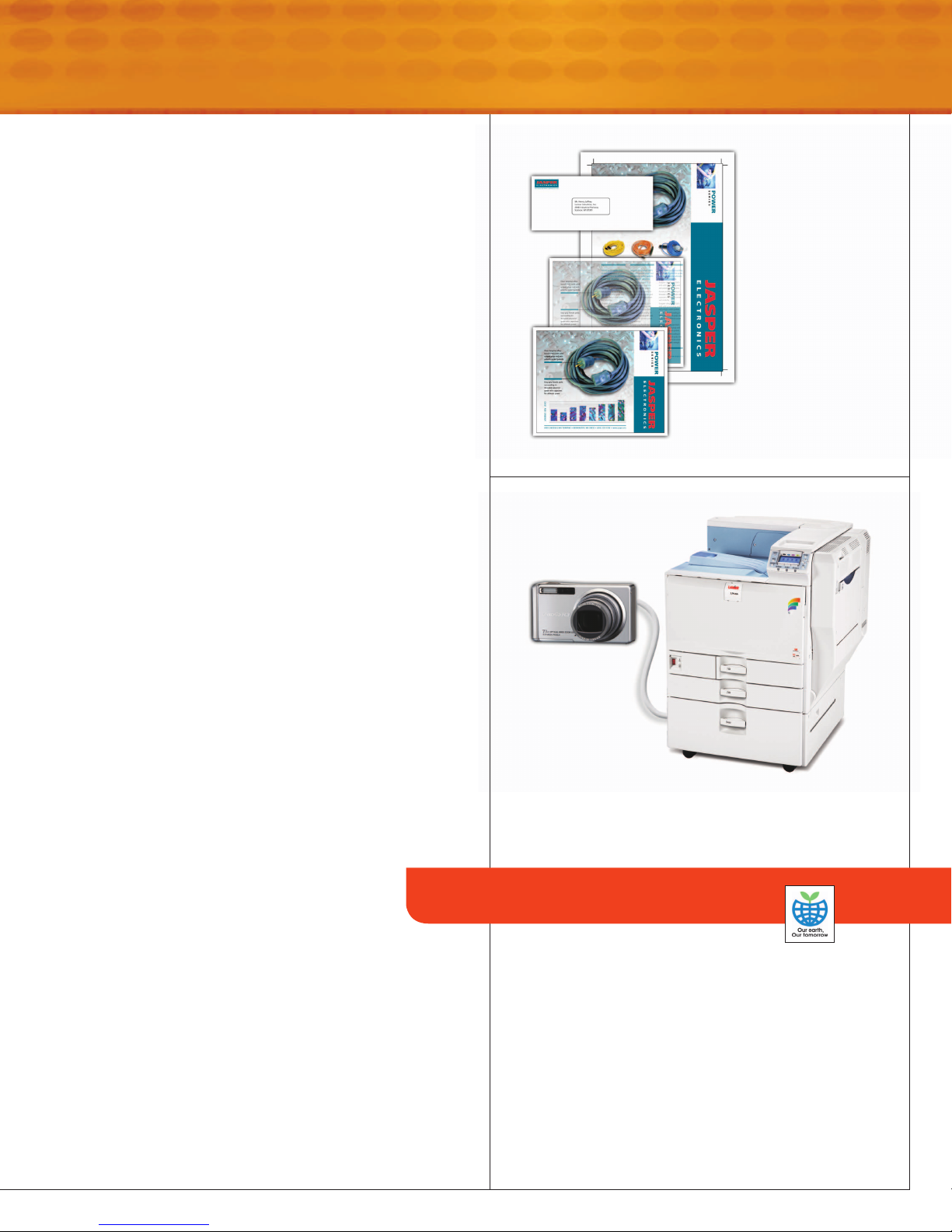
Create booklets,
presentations, even
full-bleed 11” x 17”
documents. Use the
Bypass Tray for paper
stocks up to 12” x 18”
and 140 lb. Index and
for banners up to 49.6”
long. Finish documents
with hole punching,
stapling, booklet
making, and more.
With the ability to print directly from PictBridge™enabled
digital cameras, you can print high-quality photos on the spot.
Reliable to Use and
Affordable to Own
An attractive total cost of ownership is only the
beginning. The Lanier LP440c Series offers such
quality and versatility that you can consolidate
your printer fleet and bring more jobs in-house.
• High-yield consumables and reliable hardware deliver impressive
performance for the life of the system.
• A straight paper path ensures smooth print runs so you can be
sure every job will run without interruption.
Your Environmental Partner
Lanier continues its long-standing
commitment to developing office solutions
with environmentally friendly and superior
energy- and supply-saving features, without
compromising productivity, including:
• Power-saving Sleep Mode
• Duplex and Combine Copy Modes
• Toner Recycling
• Minimal Ozone Emissions
• RoHS (Restriction of Hazardous Substances) Compliant
Page 5
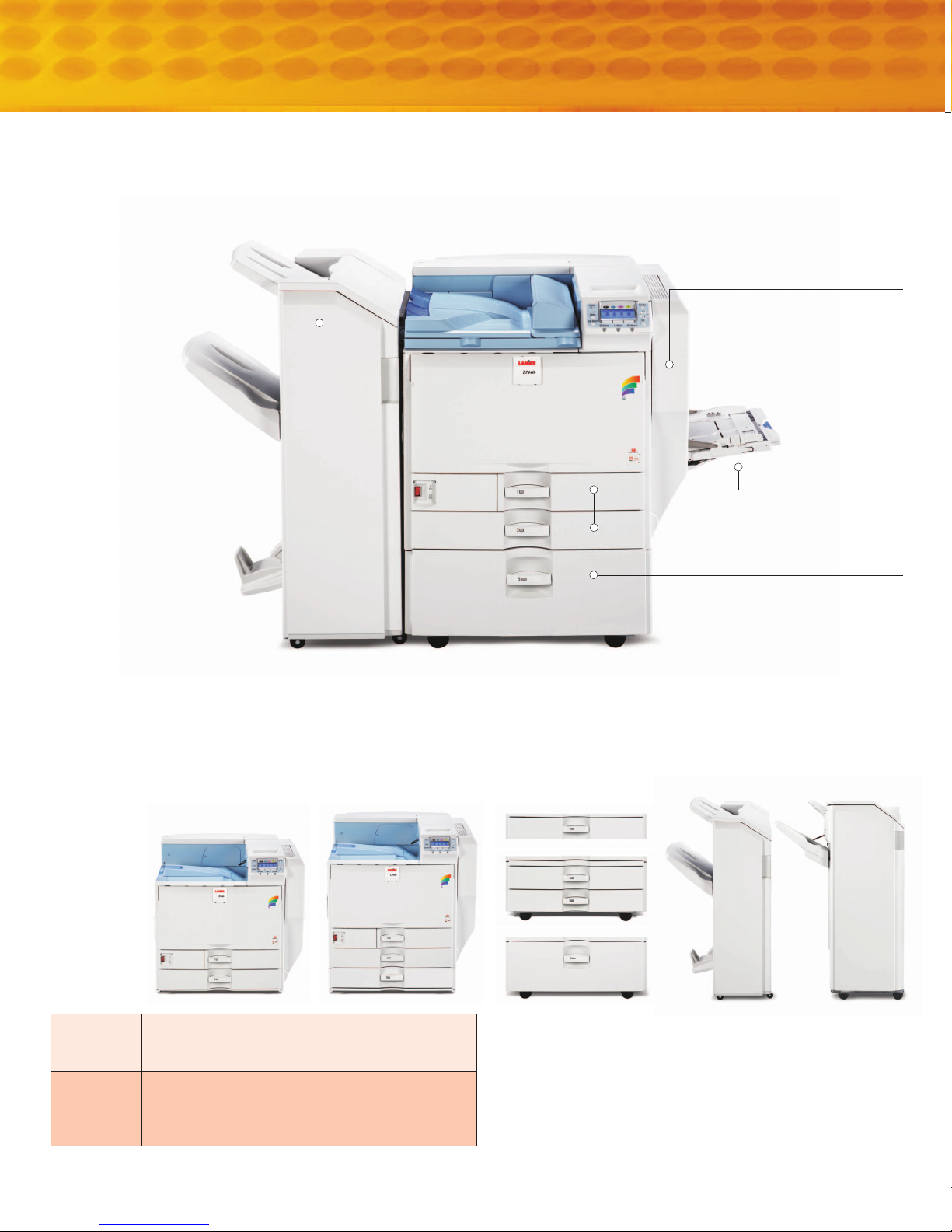
Reduce outsourcing
by creating
professionally
finished documents
with the optional
1,000-Sheet Booklet
Finisher
or
Sheet Finisher
3,000-
.
The Lanier LP440c Series
Professional-grade graphics and text plus a host of convenient features
will make the Lanier LP440c Series a favorite with everyone.
Save paper and filing space
with standard
Stackless Duplexing
producing two-sided
documents at the same
speed as single-sided printing.
Automatic
,
Optional
Two-Tray Paper Feed
Unit
onto six different sizes
and orientations of
paper (not shown).
One-Tray or
lets you output
Enjoy 3-way, 1,200-sheet
capacity with two
Paper Trays
Bypass Tray
Maximize productivity with an
optional
Capacity Tray
paper supply to 3,200 sheets.
Both configurations of the Lanier LP440c Series feature:
• 866MHz CPU • 40GB Hard Disk Drive • 10/100BaseTX Ethernet, USB 2.0 Connectivity • Duplex Capabilities
LP440c LP440c DT1
550-Sheet
and a
100-Sheet
.
2,000-Sheet Large
that boosts
STANDARD
MEMORY
STANDARD
PAPER
SUPPLY
256 MB/512 MB
(Std./Max.)
550 x 2 + 100-Sheet
Bypass = 1,200 sheets
(3 sources)
384 MB/512 MB
(Std./Max.)
550 x 3 + 100-Sheet
Bypass = 1,750 sheets
(4 sources)
Add optional paper
supplies:
• 1 x 550 Paper Feed Unit
• 2 x 550 Paper Feed Unit
• 2,000-Sheet Large
Capacity Tray
Add advanced optional
finishing capabilities:
• 1,000-Sheet Booklet Finisher
with hole punching
• 3,000-Sheet Finisher with
hole punching
Page 6

COLOR LASER PRINTER
LP440c Series
SPECIFICATIONS
MAINFRAME SPECIFICATIONS
LP440c
LP440c DT1
Configuration Desktop
Technology Laser-beam scanning & Electro-
Printing Speed 40-ppm black & white and full-color
Warm-up Time 60 seconds or less
First Print Speed Black & white: 8 seconds or less
Duplex Print Speed Near 100% productivity for all paper sizes
Print Resolution 600 x 600-dpi (1-bit)
Standard Input LP440c (Base): 2 x 550 sheets +
Capacity 100-Sheet Bypass Tray*
*Can be configured with 550 x 1 Paper Feed Unit; 550 x 2 Paper Feed Unit;
or Large Capacity Tray
Output Capacity Standard: 500 sheets face down
Paper Sizes First Paper Tray: 8.5” x 11”
Paper Weights Standard & Optional Paper Feed Units,
Paper Types Plain, Recycled, Preprinted, Special, Color,
Auto Duplex Standard
Dimensions (WxDxH) 26.4” x 26.4” x 25.2” (670 x 670 x
Weight Less than 214 lb. (97kg)
Power Requirements 120V, 60Hz
Average Power 1092W
Consumption
PRINTER CONTROLLER
SPECIFICATIONS (STANDARD)
CPU Intel Celeron @ 866MHz, Embedded
Memory LP440c: Standard 256MB RAM;
Hard Disk Drive 40GB HDD Standard on all models
Printer Languages PCL 5c, PCL 6, RPCS, Adobe
Fonts Standard: 45 PCL fonts, 13 International
Standard Interfaces 10/100BaseTX Ethernet (RJ-45), USB 2.0
Optional Interfaces* IEEE 1284 Interface Board Type A
*Only one additional interface can be installed.
photographic printing with dualcomponent toner development
4-drum Tandem Method
Full-color: 9 seconds or less
1800 x 600-dpi (2-bit) (Default)
9600 x 600-dpi (4-bit) interpolated
LP440c DT1: 3 x 550 sheets +
100-Sheet Bypass Tray
Optional: 3,000-Sheet Finisher or 1,000Sheet Booklet Finisher
Maximum: 3,750-sheet stack capacity
(with 3,000-Sheet Finisher)
Second Paper Tray: 7.25” x 10.5” –
11” x 17”
Bypass Tray: Width: 3.5” – 12”,
Length: 5.8” x 18” (12” x 18” max)
Up to 12” x 49.6” using RPCS Driver
for banner printing
Optional Large Capacity Tray: 8.5” x 11”
Optional Paper Feed Units: 7.25” x 10.5”
– 11” x 17”
Large Capacity Tray: 16 – 57 lb. Bond/
120 lb. Index (60 – 216 g/m
Bypass Tray: 16 – 68 lb. Bond/140 lb.
Index (60 – 256 g/m
OHP and Envelopes)
Duplex Unit: 16 – 45 lb. Bond/90 lb.
Index (60 – 169 g/m
Letterhead, Card Stock, Glossy, Coated,
Labels, OHPs and Envelopes
2
)
2
) (Source for Labels,
2
)
640mm) (Standard Configuration)
Maximum 512MB RAM
LP440c DT1: Standard 384MB RAM;
Maximum 512MB RAM
(Stores up to 100 documents)
3™, PDF Direct Print
®
Postscript
fonts, 136 PostScript 3 fonts
IEEE 802.11b Wireless LAN Type I
Bluetooth Wireless Interface Type 3245
Gigabit Ethernet Board Type A
USB Host I/F Type A
Network Protocols TCP/IP, IPX/SPX, AppleTalk
Operating Systems Windows 95/98SE/NT4.0/2000/Me/XP/
Utilities SmartDeviceMonitor for Admin and
Controller Options* Camera Direct Print Card Type C: Enables
Memory Options Memory Unit Type C 128MB RAM
Security Features DataOverwriteSecurity System Type G
Other Security SNMP v3 Authentication and
Features Data Encryption
Server 2003; Novell NetWare 3.12, 3.2,
4.1, 4.11, 5.0, 5.1, 6, 6.5; UNIX (using
Lanier UNIX filter Phase 11): Sun Solaris,
HP-UX, SCO OpenServer, RedHat Linux,
and IBM AIX; Mac OS 8.6 – 9.2x, OS X
10.1 or later; SAP R/3 3.x or later
Client; Web SmartDeviceMonitor; Web
Image Monitor; DeskTopBinder V2 Lite;
Print Utility for Mac; Agfa Font Manager
2000
direct printing from a PictBridge
digital camera, without a PC (requires
USB Host Interface).
VM Card Type D for ESA
User Account Enhance Unit Type E:
Monitors printer usage and restricts users’
access via Web Image Monitor and
SmartDeviceMonitor. 30 user codes ship
standard. This option provides for a total
of 500 user codes.
Memory Unit Type C 256MB RAM
144-pin DIMM SD-RAM (PC133
Compliant); Maximum 512MB
(Optional): Security feature that
overwrites latent data on the system's
hard drive after copy, scan and print jobs.
Copy Data Security (Unauthorized Copy
Prevention in RPCS) – Standard: Files
printed via RPCS can be embedded with
a special message that instructs the scanner
not to copy, scan or send the page.
DESS Module (Network Data Protection
Unit) – Standard: Enables data encryption
so that only the printer can properly
recreate the data stream, guarding
against information theft.
PDF Direct Print Password Protection
Locked (Secure) Print Mode
User Codes/User Authentication
Wi-Fi Protect Access (WPA) Support
PDF Encryption
HARDWARE ACCESSORIES
550 x 1 Paper Feed Unit (TK3000)
Paper Capacity
Paper Size 7.25” x 10.5” to 11” x 17”
Paper Weight 16 – 57 lb. Bond/120 lb. Index (60 – 216
550 x 2 Paper Feed Unit (PB3000)
Paper Capacity
Paper Size 7.25” x 10.5” to 11” x 17”
Paper Weight 16 – 57 lb. Bond/120 lb. Index (60 – 216
2,000-Sheet Large Capacity Tray (PB3010)
Paper Capacity
Paper Size 8.5” x 11”
Paper Weight 16 – 57 lb. Bond/120 lb. Index (60 – 216
FAC33 Cabinet Stand (Large)
Note: The Cabinet Stand or a paper supply option must be selected for the
®
Base Model installation when the printer is to be configured with a Finisher.
FAC35 Stand
Note: The Stand or a paper supply option must be selected for the LP440c
DT1 installation when the printer is to be configured with a Finisher.
1,000-Sheet Booklet Finisher* (SR3000)
Number of Trays
Paper Size 5.5” x 8.5” to 11” x 17”, 12” x 18”
Paper Weight Upper Proof Tray: 14 – 28 lb. Bond
550 sheets
2
g/m
)
1,100 sheets (550 sheets x 2 trays)
2
g/m
)
2,000 sheets (1,000 sheets x 2)
2
g/m
)
3: Proof Tray, Shift Tray, Booklet Tray
(52 – 105 g/m2)
Lower Shift Tray: 14 – 68 lb. Bond/
140 lb. Index (52 – 256 g/m
Stack Capacity Upper Proof Tray: 100 sheets (8.5” x 11”
or smaller), 50 sheets (8.5” x 14” or
larger)
Lower Shift Tray: 1,000 sheets (8.5” x
11” or smaller), 500 sheets (8.5” x 14” or
larger)
Staple Capacity 50 sheets (8.5” x 11”), 30 sheets (8.5” x
14” or larger)
Saddle-Stitch: 10 sheets (up to 40-page
booklets)
Staple Paper Size 8.5” x 11” to 11” x 17”
™
enabled
Staple Positions 1 staple / 2 positions
2 staples / 3 positions
2/3-hole Punch Optional Punch Kit Type 3000
™
Hole Punch Weight 14 – 43 lb. Bond/90 lb. Index (52 – 163
*Requires Bridge Unit
Note: LP440c DT1 + PB3000 configuration is not compatible with either
finisher.
g/m
2
)
3,000-Sheet Finisher* (SR3030)
Number of Trays
2: Proof Tray, Shift Tray
Paper Sizes 5.5” x 8.5” to 11” x 17”, 12” x 18”
Paper Weight Proof Tray: 14 – 43 lb. Bond/90 lb. Index
(52 – 163 g/m
Shift Tray: 14 – 68 lb. Bond/140 lb. Index
(52 – 256 g/m
2
)
2
)
Stack Capacity Proof Tray: 250 sheets (8.5” x 11” or
smaller), 50 sheets (8.5” x 14” or larger)
Shift Tray: 3,000 sheets (8.5” x 11”),
1,500 sheets (8.5” x 14” or larger)
Staple Capacity 50 sheets (8.5” x 11”), 30 sheets (8.5” x
14” or larger and mixed size documents)
Staple Paper Size 8.5” x 11” to 11” x 17”, 12” x 18”
Staple Weight 17 – 24 lb. Bond (64 – 90 g/m
2
) (all
modes)
Staple Positions 1 staple / 3 positions
2 staples / 1 position
2/3-hole Punch Optional Punch Kit Type 3260
Hole Punch Weight 14 – 43 lb. Bond/90 lb. Index (52 – 163
*Requires Bridge Unit
Note: LP440c DT1 + PB3000 configuration is not compatible with either
finisher.
g/m
2
)
MFP Upgrade Option
IS300e Image Scanner
Scanning Functionality: Scan-to-Email, Scan-to-Folder,
Scan-to-FTP, TWAIN Scanning, & Scan-to-Print
SUPPLIES
Consumables Yield
High Yield Black Toner 20,000 pages @ 5%
High Yield Yellow Toner 15,000 pages @ 5%
High Yield Magenta Toner 15,000 pages @ 5%
High Yield Cyan Toner 15,000 pages @ 5%
Photoconductor Unit: Black 40,000 pages
Photoconductor Unit: Color 40,000 pages
Waste Toner Bottle 40,000 pages
Intermediate Transfer Unit 160,000 pages
Fusing Unit 120,000 pages
Staple Type K (for SR3030) 5,000 shots/staple
Staple Type S (for SR3000) 5,000 shots/staple
Staple Refill Type K 15,000 shots/staple
(for SR3030/SR3000)
LP440c and LP440c DT1 ship with starter toner cartridges that yield 10,000
pages for Black and 8,000 pages for each Color @ 5% coverage.
For maximum performance and yield, we recommend using genuine Lanier
2
)
parts and supplies.
Specifications subject to change without notice.
Lanier, a world of difference
The Lanier philosophy is embodied in Customer Vision®: a commitment we make every day. It means
seeing the business through your eyes, responding to your needs, and exceeding your expectations.
www.lanier.com
Lanier Worldwide, Inc. 2300 Parklake Drive NE, Atlanta, GA 30345
©2006 Lanier Worldwide, Inc. All rights reserved. Windows®and Windows®95/98/Me/NT4.0/2000/XP are registered trademarks of Microsoft Corporation. Macintosh®, Mac®OS and AppleTalk®are registered trademarks of Apple Computer, Inc. Adobe®and PostScript®are registered trademarks of Adobe Systems, Inc. PCL®is a registered trademark of Hewlett-Packard Company. All other trademarks are the property of their
respective owners. Print speed may be affected by network, application or PC performance. Specifications and external appearances are subject to change without notice. Products are shown with optional features.
L2299
 Loading...