

Page 1
High-speed performance, innovative technology
FACSIMILE
Two powerful fax solutions that enhance productivity in traditional
high-volume environments and multipurpose workgroup applications
LF 510
/
LF515e
Page 2
Meet Your New Business Partners...The Lanier
LF510/LF515e raise the bar when it comes to
business fax performance. With hardcopy on the
rise—and showing no signs of slowing down—
it’s good business sense to incorporate a document
management strategy that takes all the daily
complexities of business communication in stride.
Intelligent
Blending sophisticated fax technology and advanced
connectivity functions—including network printing,
full color and black & white network scanning, Internet
Fax and LAN-Fax—the LF510/LF515e meet the
challenges of busy fax environments.
Large, Expandable Memory Capacity
Thanks to the LF510/LF515e’s versatile memory capabilities, uninterrupted operation—even during peak operating hours—is a given.
• 7 MB standard memory capacity (560 pages)—expandable up
to a maximum of 3,000 pages—offers smooth, uninterrupted
communication.
• Parallel (Quick) Memory Transmission provides instant confirmation
of a successful connection with the receiving fax—before you’ve
scanned that huge document into memory! The LF510/LF515e scan
the first page, make the connection and continue scanning the
remainder of the document while transmitting.
• Full Dual Access ensures uninterrupted operation by allowing users
to store outgoing documents into memory while receiving an
incoming fax or printing a document.
• Standard Memory stores documents for up to 12 hours during a
power loss. And documents are retained indefinitely with the
optional non-volatile 40 MB Memory.
Exceptional Paper Handling
With a variety of paper handling capabilities, the LF510/
LF515e never let you down no matter how large the job.
• Up to 2,600 sheets of paper ensure that long jobs
run uninterrupted.
• Send and receive 11" x 17" documents size-for-size—
perfect for engineering, manufacturing and graphic
arts professionals.
Automatic Two-Sided Fax Transmission
Stop wasting time—and money—creating single-sided
originals. The LF510/LF515e can scan, collate and transmit
two-sided black & white documents.
Advanced systems for fast, reliable, high-quality faxing
Page 3
Dual Line Communication
(LF510 Standard/LF515e Optional)
Enjoy the productivity of simultaneous transmission and reception—
without the expense of two separate fax systems! Ideal for peak
operating periods, the LF510/LF515e also save valuable office space
by eliminating the need for two systems.
Super G3 and JBIG Compression Technology
In as little as 2 seconds per page, the LF510/LF515e transmit high-quality
images to their destinations. JBIG Compression cuts transmission time and
costs, making it the ideal method for sending graphics and halftones.
ISDN Digital Fax Option
If 3 seconds per page stretches your patience, add the ISDN Digital Fax
Option. With transmission speeds as fast as 1.5 seconds per page, 99%
error free communications, consistent transmission speeds and digital
security, you’re assured of much lower phone bills and less time spent
waiting at the fax.
Fax On Demand Option
Provide easy access to key business documents for all employees,
regardless of their location. Simply store information such as specification
lists, price sheets, field bulletins, etc. in the LF510/LF515e, and field/
traveling employees can access and retrieve documents when it’s most
convenient for them.
Easy-Going
You can have the most sophisticated fax system in the
world, but if you can’t figure out how to use it, it’s not
going to do you any good! That’s why the most important
feature of the LF510/LF515e is how easy it is to operate.
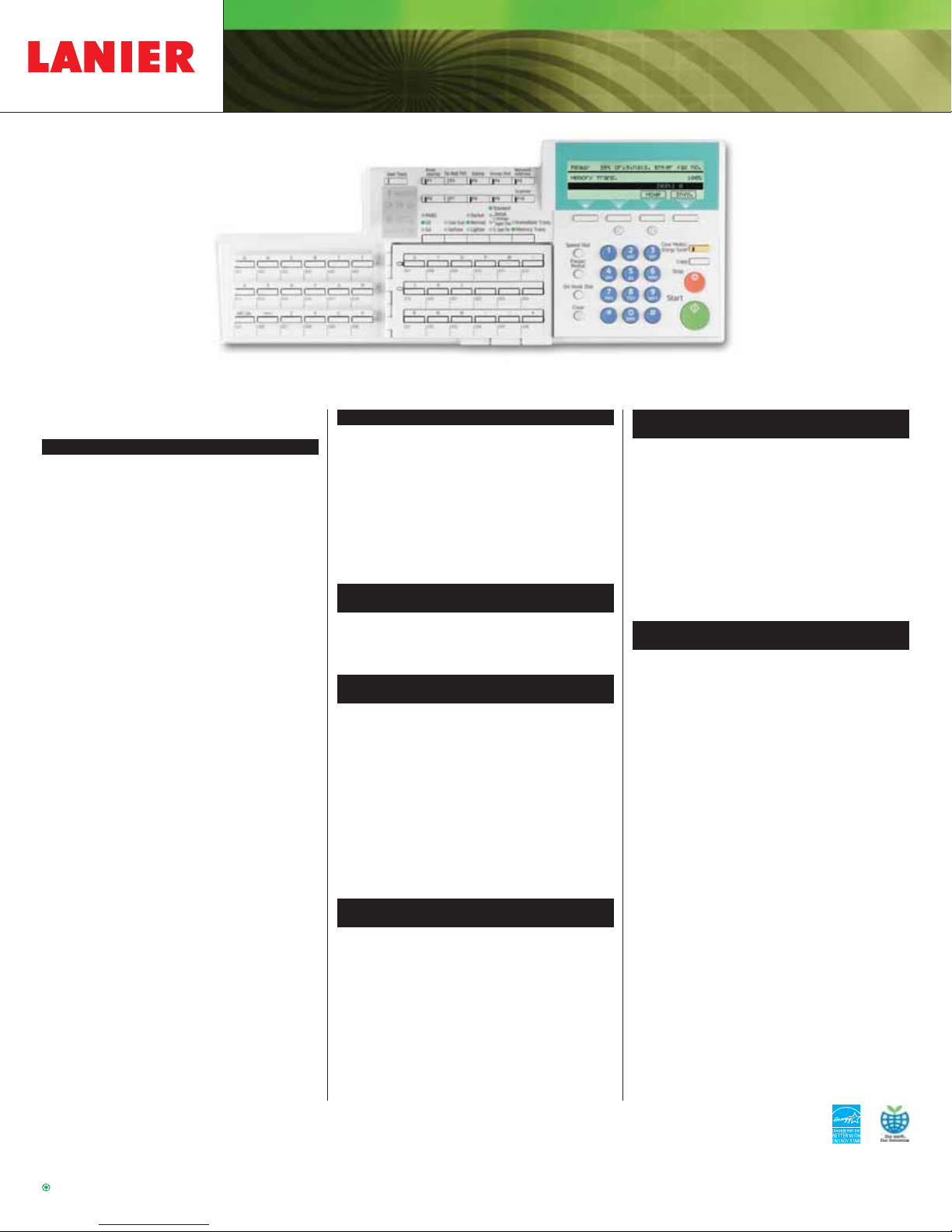
• An intuitive Control Panel enables quick access to all features.
• Programmable User Function Keys allow you to program—and recall
at the touch of a button—those features you use the most.
• Status Indicator Lights let you “see” what’s going on with your
LF510/LF515e from a distance—perfect for noisy work environments
such as warehouses, manufacturing facilities, etc.
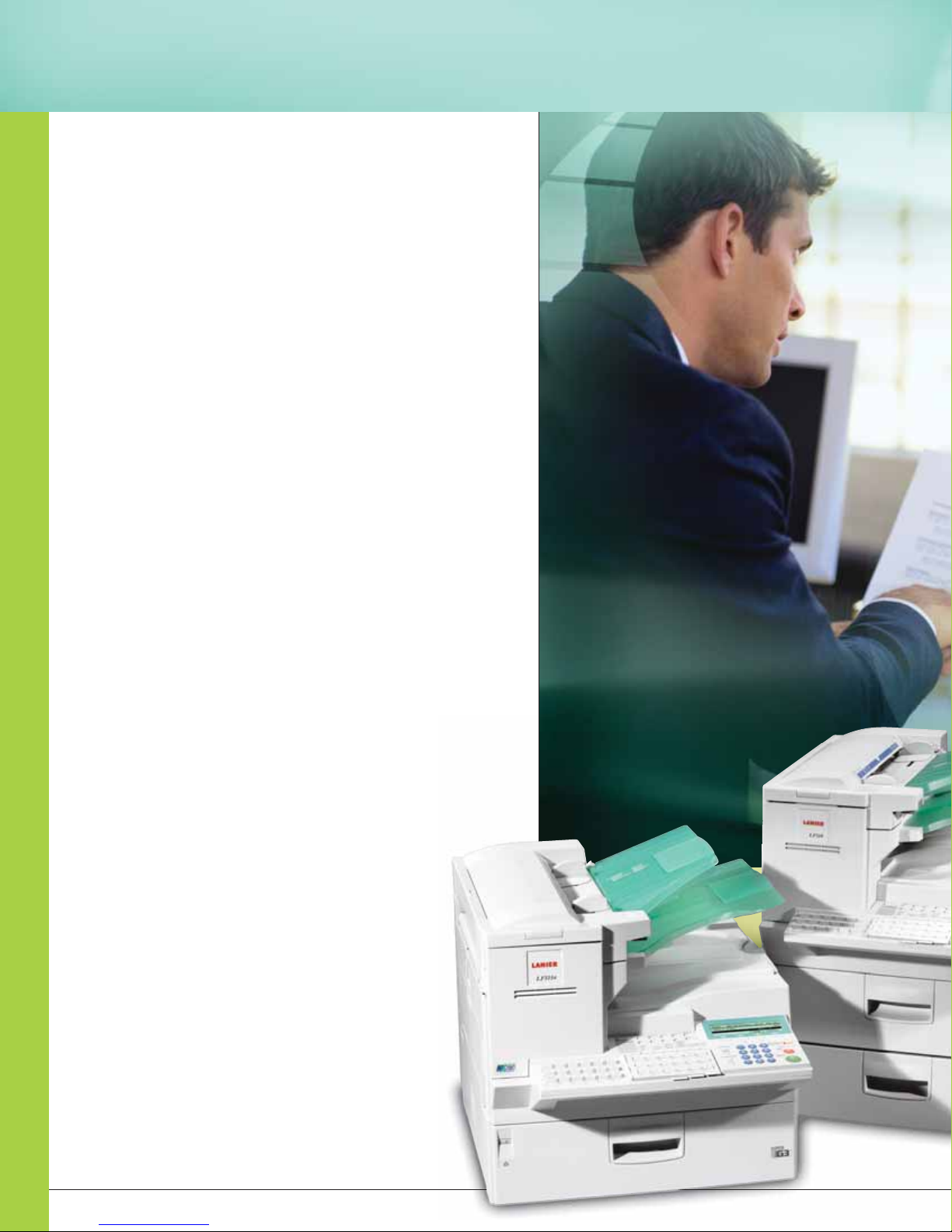
Lanier LF515e (left): A network fax system that
can send color documents over the Internet.
Lanier LF510 (right): A powerful, productive,
high-volume fax system.
Color Scan-To-Email
Using the Scan-To-Email feature you send even colo
Page 4
• Full front access combined with a wingless design ensures a perfect
fit in small areas and easy access to all paper sources.
• An intelligently designed All-in-One Cartridge simplifies routine
maintenance and eliminates the need to inventory and replace
separate consumables (10,000 page yield at 4% coverage).
Connected
Simply add the optional Network Interface Card
(standard on the LF515e) and enjoy the advantages
of being well-connected.
Full Color Network Scanning
Make managing hard copy an effortless task with the LF510/LF515e’s
comprehensive suite of network scanning and document management
capabilities.
Scan-to-Email
Scan important business documents (full color or black & white), input
the recipients e-mail address, and enjoy the competitive advantage of
real-time, e-document delivery! You can also send e-mail attachments
in a variety of popular file formats: TIFF for B&W documents, JPEG for
color documents or PDF, which ensures document integrity. If you need
to proof color documents, have clients/employees with limited access
to a fax system, or simply want to get that proposal in before your
competitors do, then this is the solution you’ve been looking for.
Scan-to-File
Since it’s the rare document that’s truly a “solo” effort,
smart businesses should look for solutions that facilitate
document sharing and collaboration. With the LF510/
LF515e, it’s easy to scan documents to file and—using
DeskTopBinder Document Management Software—
manage them from the convenience of your desktop.
Your Environmental Partner
LF510/LF515e
Lanier continues its long-standing
commitment to developing office solutions
with environmentally friendly and superior
energy- and supply-saving features, without
compromising productivity.
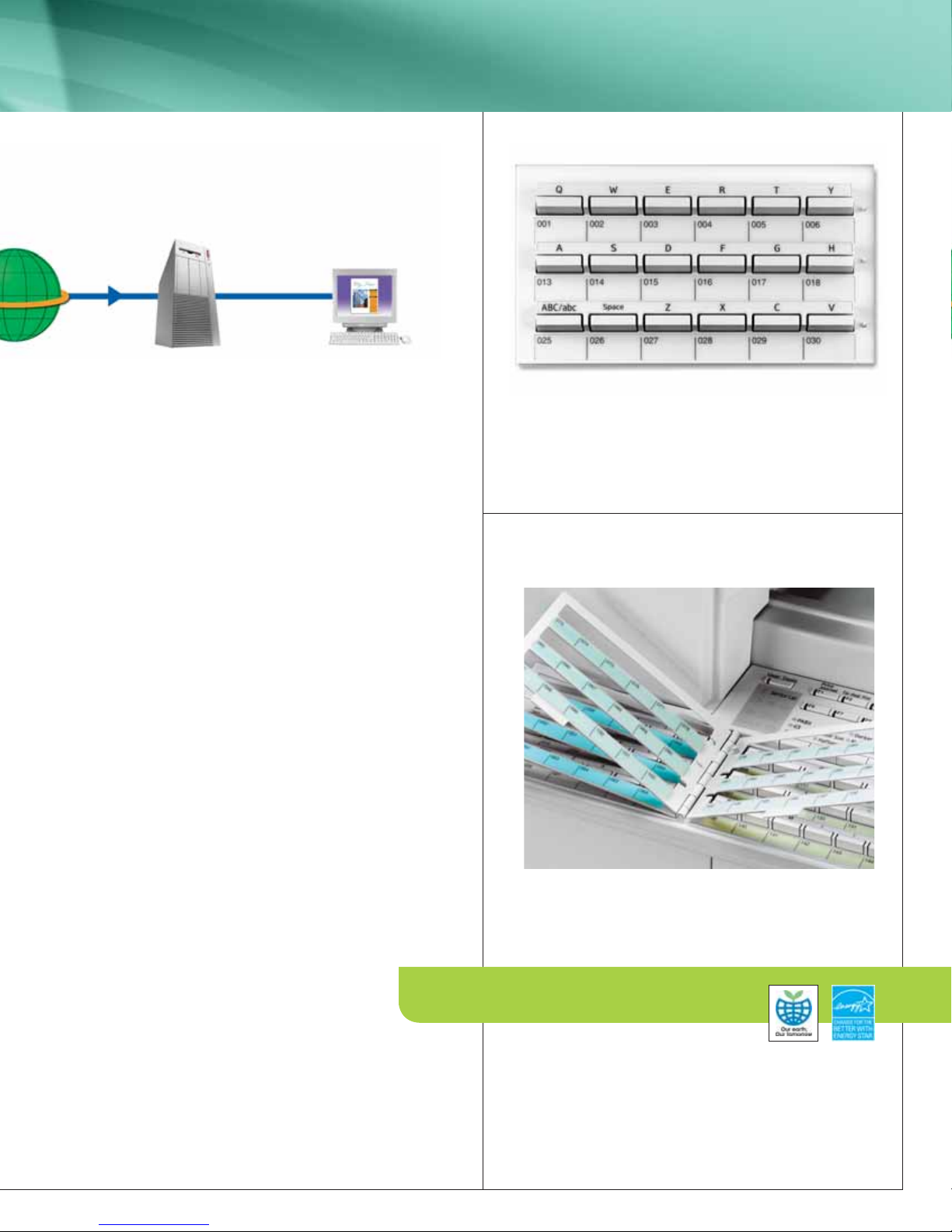
A QWERTY Style Keyboard makes it easy to enter all types of
information – including Speed Dials and e-mail addresses.
Up to 144 Speed Dials can be easily accessed from the Flip Pad.
Page 5
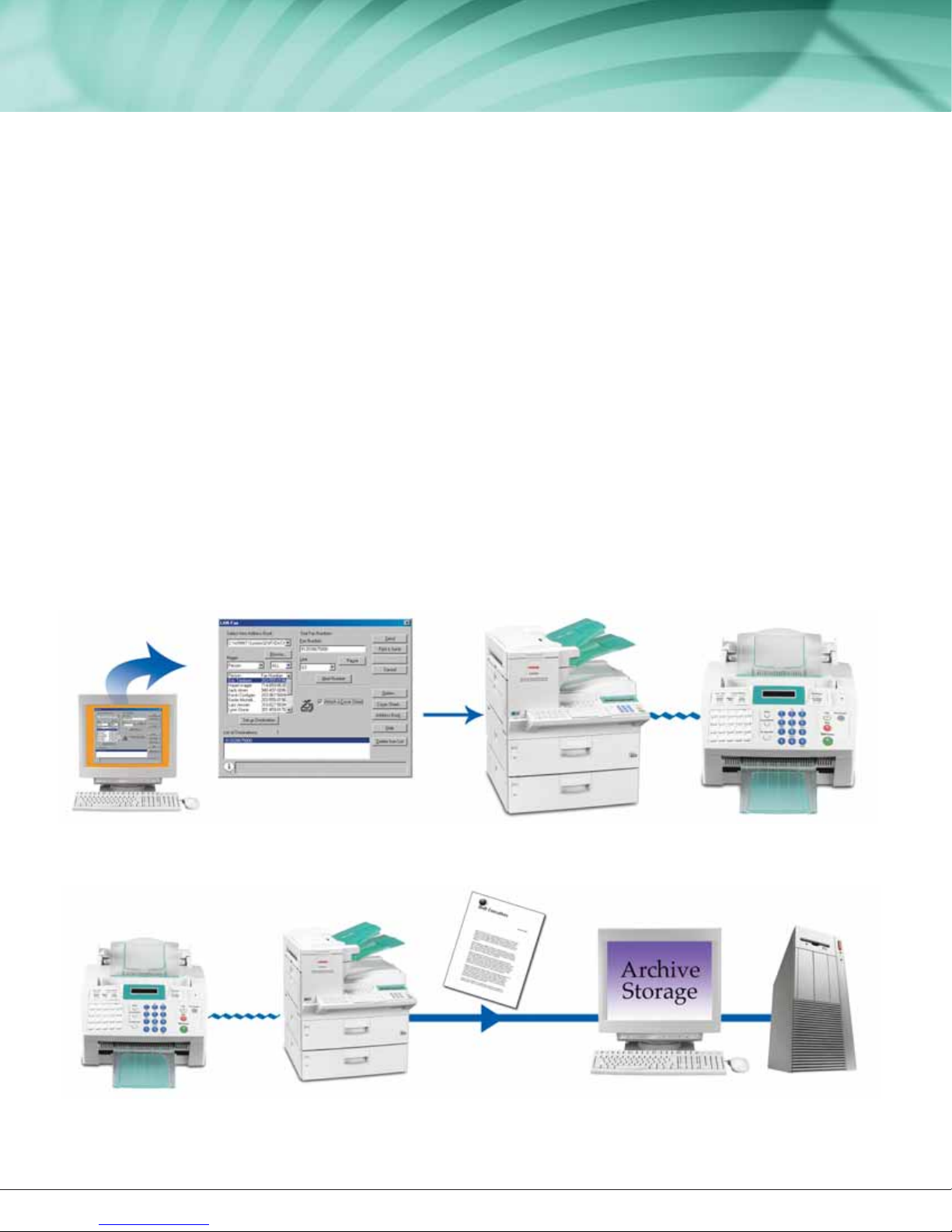
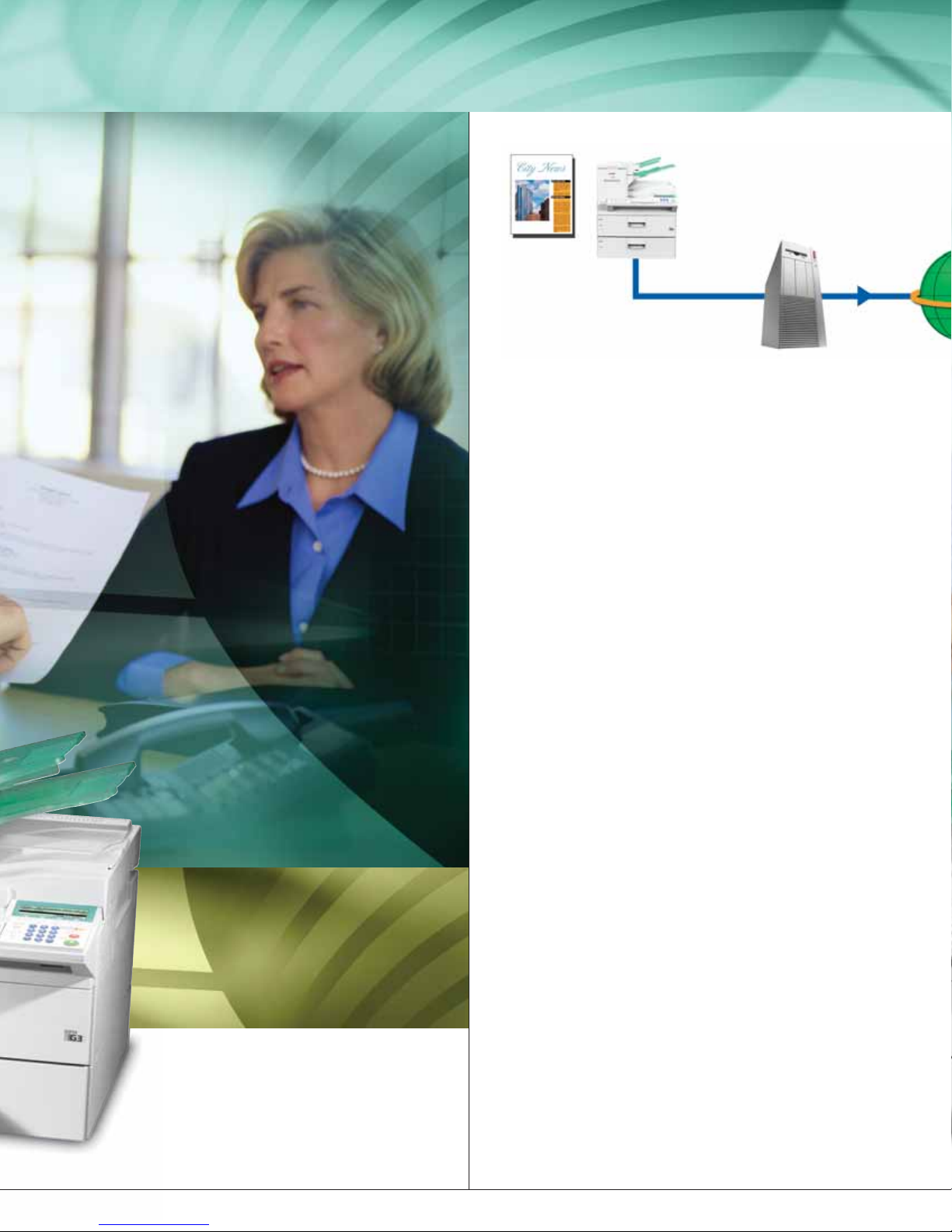
Incoming documents are printed and electronic back-up files can be automatically sent for archiving.
LF510/LF515e
LAN-Fax
There’s no need to actually go to the fax to
send—or pick-up—your documents. LANFaxing allows users to send faxes directly from
the desktop. To eliminate unproductive travel
time, just click “print” to send faxes. And
we’ve included all the software you need, so
there’s no excuse not to give it a test run!
Internet Faxing
With Internet Faxing, you can enjoy all the
advantages of fax communication without the
high phone bills. Send fax documents in e-mail
format to remote fax systems (with Internet
Fax capabilities), to any G3 fax systems via
gateways or gateway keepers (VoIP with T.38
Function) or to a specified e-mail address. You
can even receive fax documents as e-mails and
print them, or forward them to another e-mail
address—you decide.
Web Browser Management
Checking the status of your LF510/LF515e
couldn’t be simpler—just open your Web
Browser. Via the Web Status Monitor, you can
check conditions such as: Memory Levels, Toner
Levels, Memory Usage, File Conditions and more.
Administrators have access to—and can
customize—a variety of settings, including
Automatic Dialing Destinations, File Backup
Operations and General Settings.
23 PPM Network Printing
The LF510/LF515e provide exceptional network
printing performance—including support for
today’s most popular network platforms, up to
1200 dpi resolution, and your choice of LAN
connectivity options: Ethernet NIC, FireWire,
Wireless LAN or USB. And PCL 5e/6 and
Adobe
®
PostScript®3™ensure compatibility
with a wide range of business software.
Flexible
Hard time choosing? No problem!
Just decide if you want a standalone
fax system that you can upgrade later,
or a fax that you can network now…
Lanier LF510
The perfect choice for busy, walk-up fax environments,
the LF510 offers standard Dual Line capability and
high-end fax performance. And, if your needs change,
simply add the optional Network Interface Card and
experience all the capabilities of the LF515e.
Lanier LF515e
If connectivity is your main priority, you need the LF515e.
It comes standard with one 500-sheet paper tray and
one G3 phone line, plus a Network Interface Card
that gives you instant access to LAN-Faxing, Internet
Faxing, Network Scanning and Network Printing.
Automatically Archive Faxes
LAN Faxing maximizes workgroup efficiency and productivity.
Lanier LF515e Any G3 Fax
Any G3 Fax Lanier LF515e
Send Faxes Directly From Your PC
Page 6
FACSIMILE
L2372
SPECIFICATIONS
FACSIMILE SPECIFICATIONS
Product Configuration Desktop Laser Plain Paper
Modem Speed 33.6 Kbps with auto fallback
Transmission Speed 2 seconds (ITU-T No. 1 Chart)
Compression Method MH/MR/MMR/JBIG
Scanning Speed 1.5 seconds (B/W)
4.5 seconds (Color - 100 x 100 dpi)
Standard Memory 7 MB (560 pages)
Optional Memory Additional 40 MB (1,200 pages)
3,000 pages with Function Upgrade Card
Resolution Standard: 200 x 100 lines/inch
Detail: 200 x 200 lines/inch
Fine: 200 x 400 lines/inch
Extra Super Fine: 600 x 600 lines/inch
(requires 40 MB card)
Halftones: 64 Levels
Recording Paper Size Letter/Legal/Ledger (Universal Cassette)
Max. Document Width 11.7"/11.6"/47.2"
Scan Width/Length
Max. Recording 11" x 17"
Paper Size
Max. Print Speed 23 pages per minute
Paper Capacity Standard: 500 Sheets (LF515e)
500 x 2 Sheets (LF510)
Maximum: 2,600 Sheets (6 sources)
Automatic Document 75 Sheets
Feed
Standard Auto Dial 144 Quick, 100 Speed (expandable
to 1,000), 9 Groups (expandable to 30)
Dimensions (WxDxH) 19.9" x 24" x 18.9" (LF515e)
excluding Trays 19.9" x 24" x 24.2" (LF510)
& Projections
Weight 62.8 lbs. (LF515e)
85.2 lbs. (LF510)
Power 115VAC, 60Hz
Other Standard Dual Access, Energy Save Mode, Monitor
Features Speaker, Auto/Manual Redial, Auto Image
Density, Batch Transmission, Auto/Manual
Reception, Blank Sheet Detection, Page
Retransmission, Multiple Reception, Direct
Fax Number Entry, Specified Cassette
Selection, Closed Network, Checkered
Mark, Auto Document, Memory Lock,
Reception Time Printing, Send Later,
Forwarding, Polling, Restricted Access,
Telephone Directory, Verification Stamp,
12 Hour Memory Backup, 10 Function
Keys, Second G3 Line (LF510 only)
Other Options Paper Feed Unit – 500 Sheets, Bypass
Feeder – 100 Sheets, ISDN Interface,
Mechanical Counter, Handset, Fax On
Demand, Second G3 Line (LF515e only),
Function Upgrade Card, 40 MB Memory
Expansion Card
PRINTER OPTION
CPU QED RM5261A, 250 MHz
Speed 23 ppm
Resolution Up to 1200 dpi
Interface Standard IEEE 1284 Parallel,
NIC 10/100 BaseT Ethernet
Optional USB 2.0, IEEE 1394
Wireless IEEE 802.11b
Operating System Windows 95/98/Me/NT 4.0/2000/XP
Printer Language PCL6/5e, RPCS (standard), PS3 (option)
Memory 32 MB, Maximum 96 MB
Fonts 45 PCL Fonts (35 Intellifonts +
10 TrueType Fonts)
NIC FAX REQUIREMENTS
(STANDARD LF515e)
CPU 200 MHz or higher
Operating System Windows 95/98/Me/2000/NT4.0/XP
Display VGA 640/480, 256 Colors minimum
Network LAN Connection, TCP/IP Protocols
LAN FAX SPECIFICATIONS
(STANDARD LF515e)
Network/Connection LAN (Local Area Network)
10/100BaseT Ethernet
Transmit Speed 33.6 Kbps
Max.Compression JBIG
Method
Print Resolution 400 x 400 dpi (600 x 600 dpi with
optional 40 MB Memory Card)
Operating System Windows 95/98/Me/2000/NT4.0/XP
Support
Destinations 100 (Max.)
Other Features Address Book, Specify Destinations using
Quick Dials and Groups, Manual Fax
Number Entry, Cover Sheet, Broadcast,
Delayed Transmission, Transmission
Result Notification
NETWORK SCANNING SPECIFICATIONS
(STANDARD LF515e)
Network/Connection LAN (Local Area Network)
10/100BaseT Ethernet
Network Protocol TCP/IP
Capabilities Fax Document Delivery, Scan-to-Email,
Filter Forwarded Documents, File Storage,
Backup File Transmission
Scan Resolution Standard (200 x 100 dpi); Detail
(200 x 200 dpi); Super Fine
(400 x 400 dpi); Extra Super Fine
(600 x 600 dpi)
Document Size 8.5" x 11", 8.5" x 14 or 11" x 17"
(Original Size:
Scanning Width)
SCANROUTER V2 LITE REQUIREMENTS
(STANDARD LF515e)
Server PC Operating Windows 95/98/Me/2000/NT/XP
System
CPU Pentium 350 MHz or faster
RAM 64 MB minimum (128 MB recommended)
Hard Disk 10 GB HDD w/200 MB available for
Client PC installation
CPU Pentium II 266 MHz minimum
recommended
RAM 48 MB or more (64 MB or more
recommended)
Hard Disk At least 50 MB of disk space is required
for installation (Note: In addition, 200 MB
or more is required to save documents)
Network Protocol TCP/IP
DESKTOPBINDER V2 LITE REQUIREMENTS
(STANDARD LF515e)
Client PC Operating Windows 95/98/Me/2000/NT/XP
System
CPU Pentium 450 MHz or faster
RAM 128 MB minimum (256 MB
recommended)
Hard Disk 10 GB HDD w/200 MB available for
installation
Network Protocol TCP/IP
Client PC
Computer PC/AT compatible computer
CPU Pentium II 266 MHz or faster
recommended
Operating Systems Windows 95/98/Me/2000/NT4.0
RAM 48 MB or more (64 MB or more
recommended)
Hard Disk 50 MB or more (200 MB or more
recommended)
Display High Color (64,000 colors),
800 x 600 pixel or more
www.lanier.com
Lanier Five Dedrick Place, West Caldwell, NJ 07006
©2007 Lanier is a registered trademark of Ricoh Americas Corporation. All rights reserved. Windows®and Windows®95/98/ Me/NT4.0/2000/XP are registered trademarks of Microsoft Corporation. Adobe®and PostScript
®
are registered trademarks of Adobe Systems, Inc. RPCS™is a trademark of Ricoh Company, Ltd. All other trademarks are the property of their respective owners. Print speed may be affected by network, application or PC
performance. Specifications and external appearances are subject to change without notice. Products are shown with optional features.
LF 510/LF515e
Printed in U.S.A. on recycled paper.
An intuitive control panel enables quick access to all features.
 Loading...