

Page 1
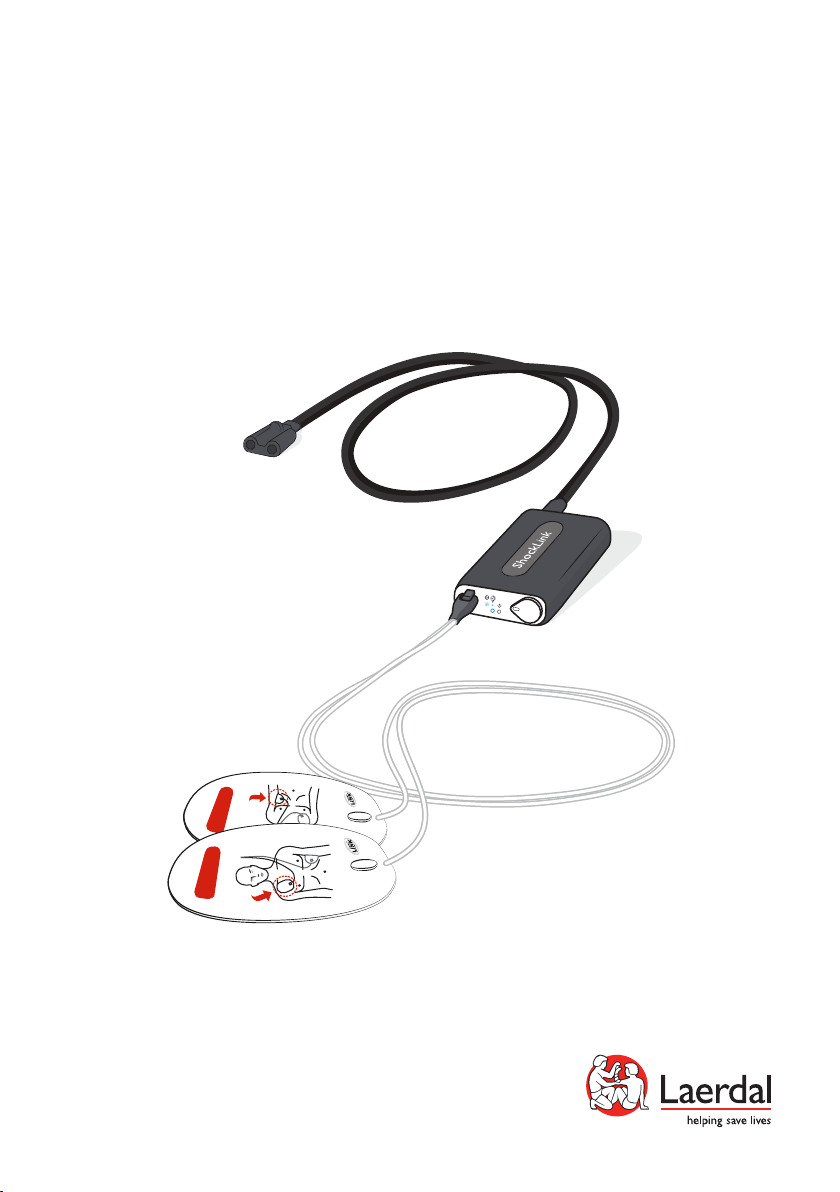
ShockLink
T R A I N I N G
User Guide
www.laerdal.com
T R A I N I N G
Page 2
Intended Use
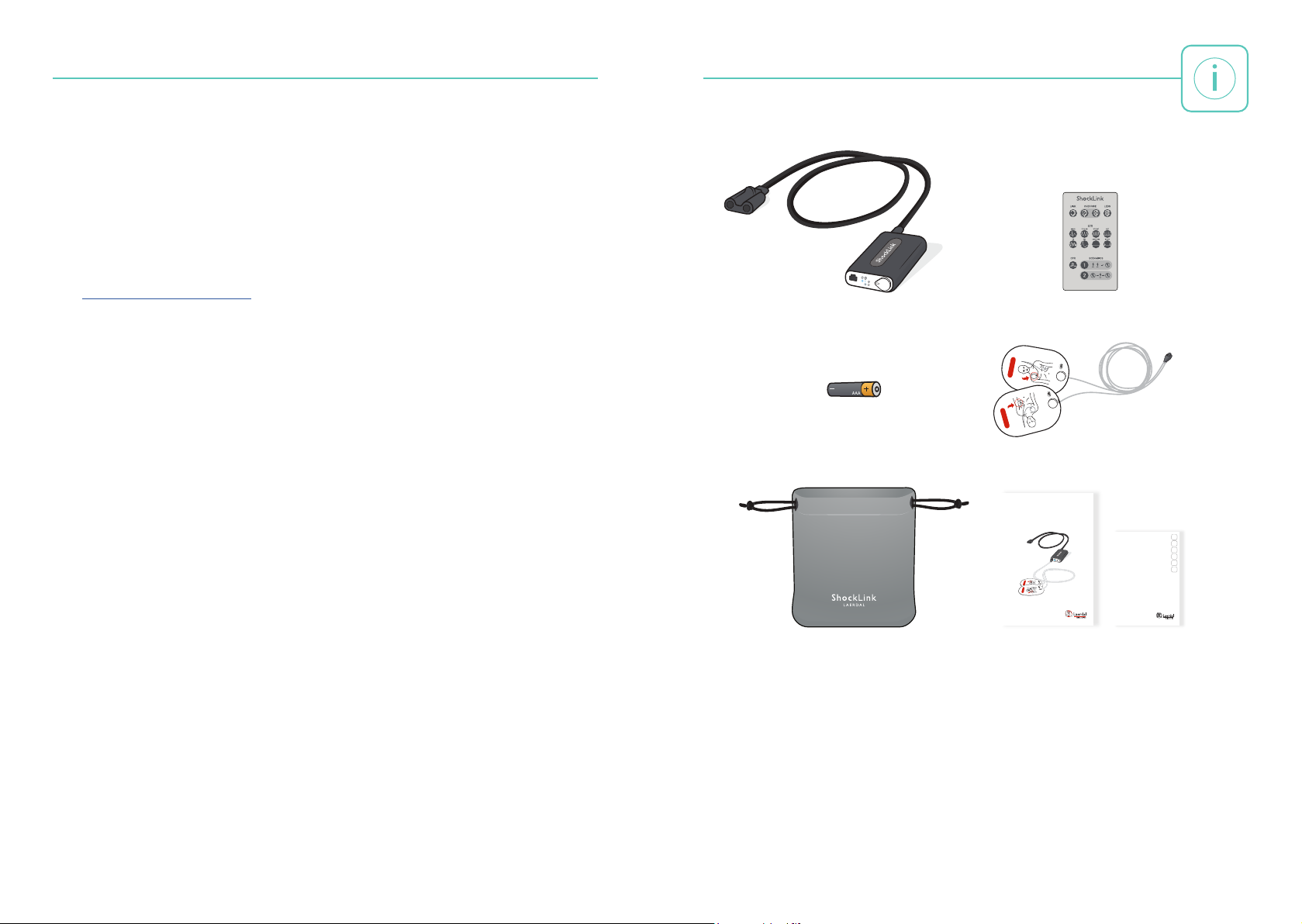
Items included example
Front page example
T R A I N I N G
ShockLink enables the connection of compatible live defibrillators to ShockLink prepared
training manikins and Patient Simulators, creating more realistic Basic Life Support (BLS)
and Advanced Cardiac Life Support (ACLS) defibrillation training.
Connect ShockLink to training pads and a compatible defibrillator to begin training.
The shock energy from a defibrillator is defused in the ShockLink cable.
ShockLink removes the need for specialised defibrillator training manikins and Patient
Simulators with chest-studs or a load box to absorb the shock.
Visit www.laerdal.com/ShockLink for more information about ShockLink,
ShockLink Technology and for Spare Parts and Accessories.
ShockLink
Items Included
Remote Control ShockLink
T R A I N I N G
1 x AAA battery
Pouch
T R A I N I N G
Training Pads
ShockLink
User Guide
EN
FR
DE
ShockLink
JA
Important Product Information
ZH
KO
www.laerdal.com
T R A I N I N G
www.laerdal.com
User Guide Important Product
Information
2
3
Page 3
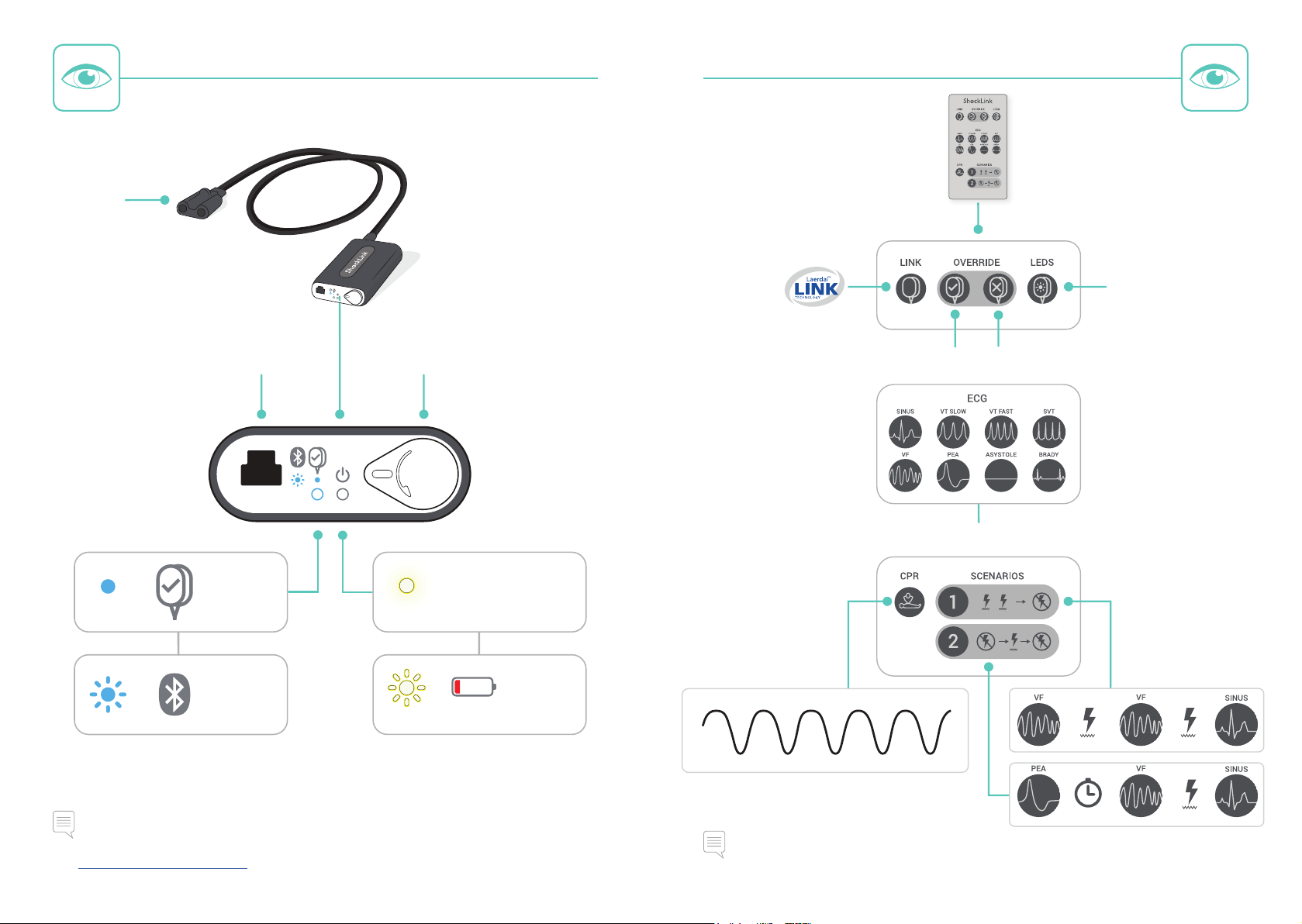
Overview - ShockLink Overview - Remote Control
Overview example
Defibrillator
Connector
Activate
Pads Placement
Indication
=
=
Pad Connector
Correct Pad
Placement
Bluetooth
Enabled
Battery Lid
Steady
Flashing
=
=
Override Pad Placement: Pads OFFOverride Pad Placement: Pads ON
Select ECG
ON
Low Battery
CPR Artefact
Note
For more information regarding compatibility with defibrillators other than a Philips defibrillator,
visit www.laerdal.com/ShockLink.
4
2 min
Note
Laerdal LINK Technology detects correct pad placement automatically.
5
Page 4
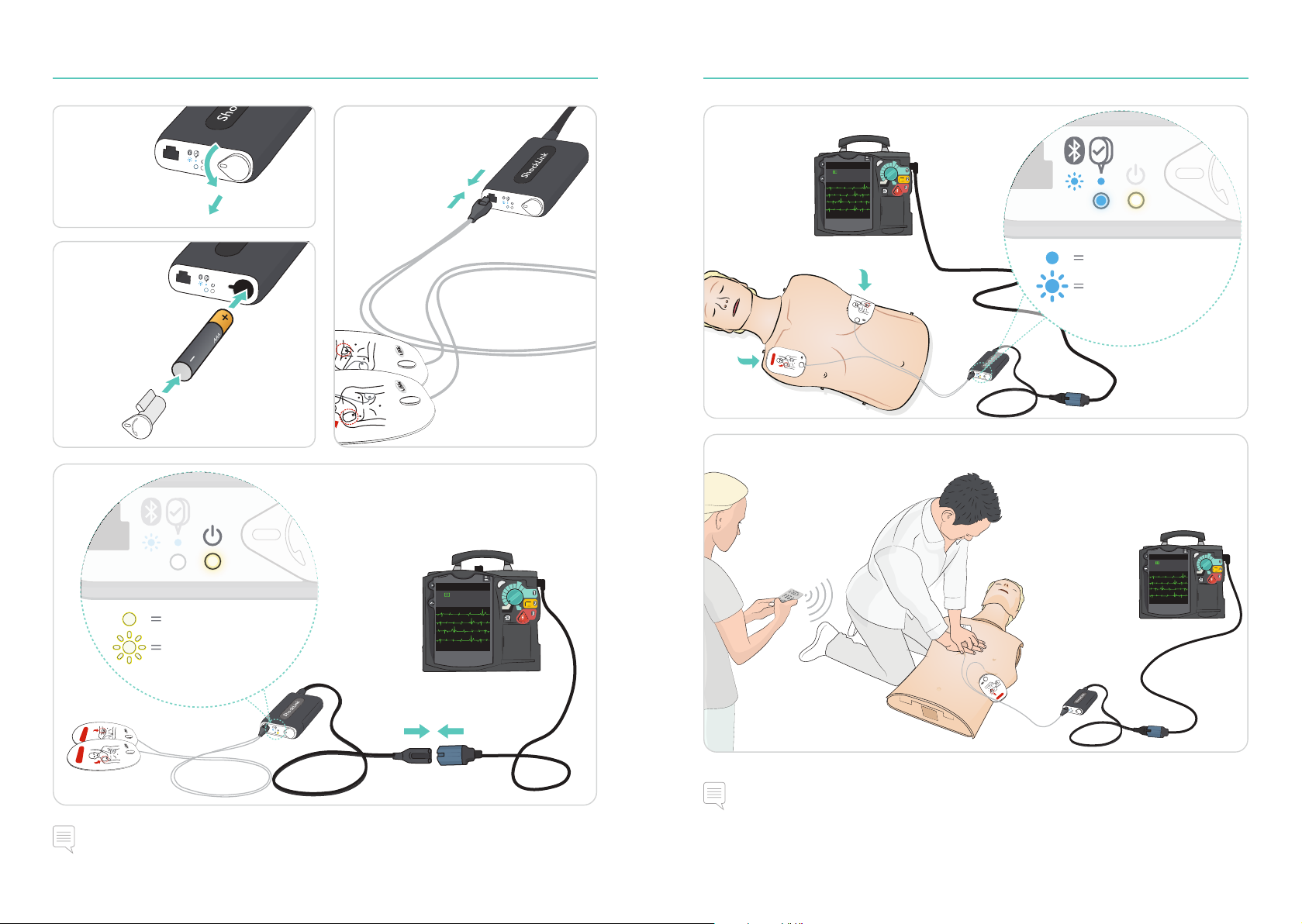
Setup Setup
Illustration sequence example
T R A I N I N G
1
2
4
3
5
Correct Pad Placement
Bluetooth Enabled
T R A I N I N G
6
ON
Low Battery
T R A I N I N G
T R A I N I N G
Note
ShockLink is automatically turned on when the defibrillator is turned on.
6
Notes
• To reset the ShockLink device, remove the battery and reinsert after 5 seconds.
• Remove training pads immediately after use to prevent adhesive residue on the manikin
chest skin.
7
Page 5
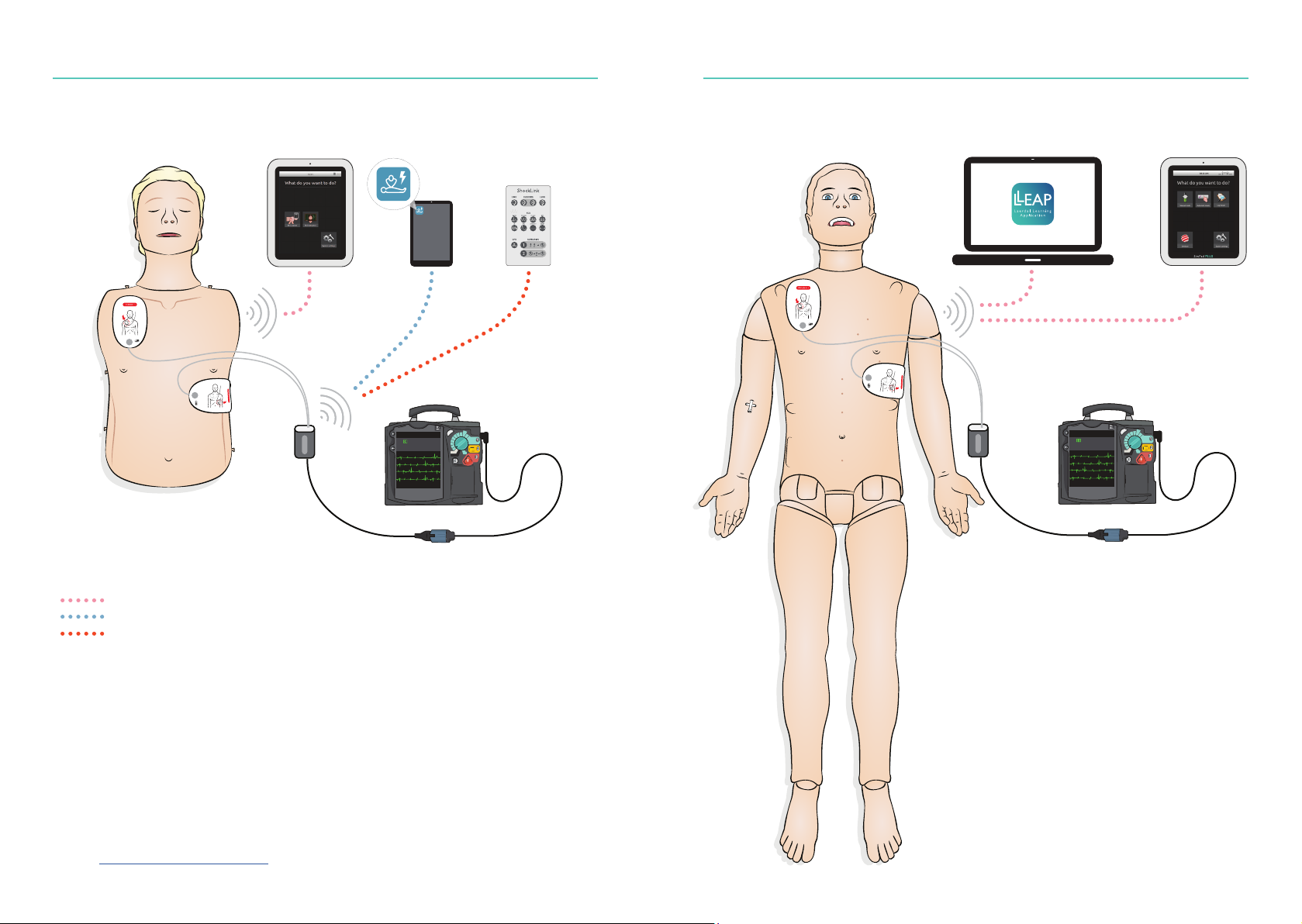
Setup - Compatibility
Illustration details
Select one of the following control options:
SkillReporter
(SimPad/SimPad PLUS)*
ShockLink
(Mobile App)
ShockLink
Remote Control
Setup - Compatibility
LLEAP
(Laerdal Learning Application for PC)
LLEAP
(SimPad PLUS)
** ShockLink Enabled Manikin
WiFi
Bluetooth
Infra Red
* SkillReporter communicates with ShockLink via the manikin after correct pad
placement has been detected.
** Visit www.laerdal.com/ShockLink for compatible Manikins and Simulators.
8
** ShockLink Enabled Simulator
9
Page 6

Page 7

© 2016 Laerdal Medical AS. All rights reserved.
Manufacturer: Laerdal Medical AS
P.O. Box 377
Tanke Svilandsgate 30, 4002 Stavanger, Norway
T: (+47) 51 51 17 00
Printed in China
www.laerdal.com
20-09355 Rev B
 Loading...