

Page 1
BACKUP
MEDIA
STREAMING
iTUNES
®
SERVER
TORRENT
DOWNLOAD
UP TO
65 MB/s
SPEED
Ç
ETHERNET
SPEED
ECO-FRIENDLY
REMOTE ACCESS
RAID
RAID
REMOTE ACCESS
RAID
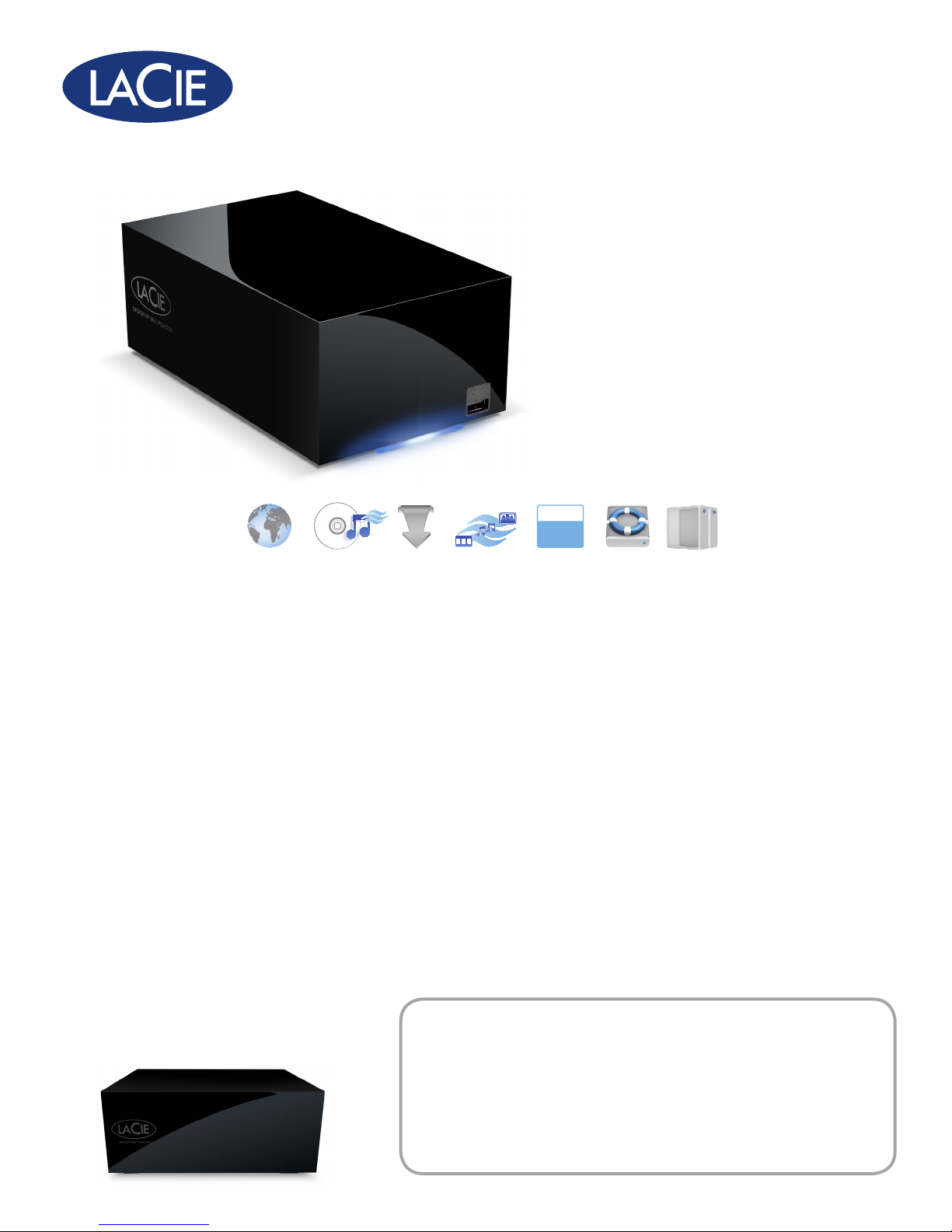
network space MAX
Gigabit Ethernet
DESIGN BY NEIL POULTON
USB 2.0
Easy and Secure
Home Network Storage
Home Storage
With the LaCie Network Space MAX, you’re not simply storing files
from your computer, you’re storing files from all over your home.
Imagine all of the data spread across your home computers now
stored safely in one place. Connect the Network Space MAX through
the Ethernet port to a computer or to a router, and share and store
all of your media files from anywhere in your house with the fastest
speeds. You can even back up multiple computers to ensure that
your files are safe. For Mac® users, it’s Time Machine® compatible.
Two Disks for High Security
Thanks to its two disks, this advanced product features RAID 1
for high security and RAID 0 for optimum speed and capacity. If
protecting your data is a priority, use RAID 1, which mirrors your
files onto each of the disks. In the case that one disk fails, your data
can still be recovered from the functional disk. Thanks to the RAID 1
feature, the Network Space MAX lets you double your security.
1400 movies or
1TB*=
300,000 songs or
300,000 photos
**
• Data mirroring through RAID 1 for ultimate security
• Centralize, share, and back up your les
Home Entertainment
It’s easy to access the LaCie Network Space MAX from any computer
connected on the local network or any networked equipment that’s
UPnP™/DLNA® certified (like your PlayStation®3 or Xbox®). At home,
networked computers can access the iTunes library or stored photos
and everyone can stream music or videos to a networked UPnP AVcertified player or adapter.
Easy To Use
The included LaCie Network Assistant allows you to quickly start
using your product after completing a few short steps. This helps
the Network Space MAX to be user-friendly and incredibly easy to
use—just like a classic LaCie hard disk. The Network Space MAX
even comes with a customizable dashboard for easy administration.
You can even access your torrent downloads, or automatically
import pictures when your computer is switched off!
• Access and download les, even with your computer
turned off
• Create accounts for everyone in your household
***
Page 2
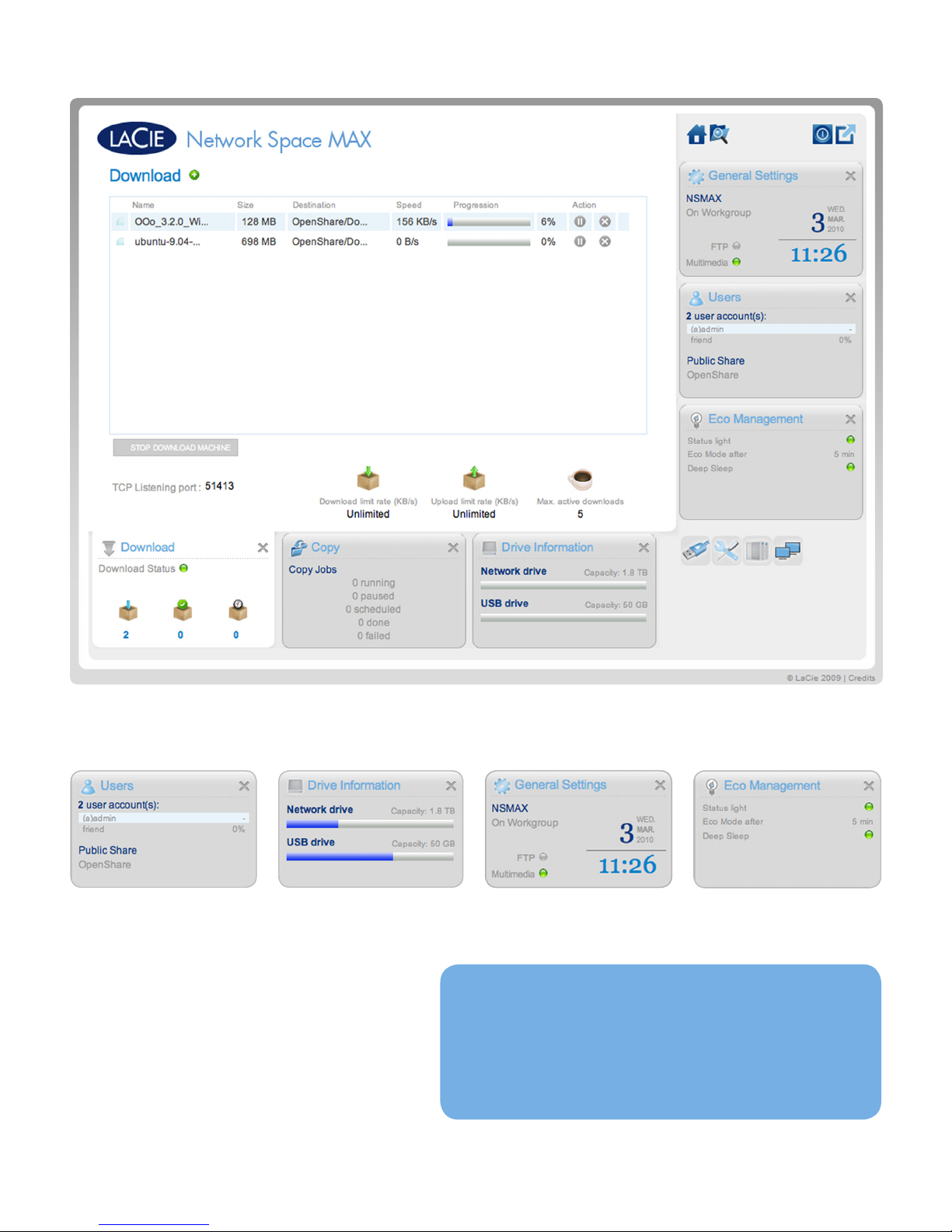
Control Your Network Space MAX with LaCie’s Dashboard
Customizable Widgets
With LaCie’s user-friendly dashboard, configuring and
administrating your Network Space MAX is easy. You
can access network and drive information, back up and
copy files, manage user accounts, download torrents, or
monitor your drive’s capacity.
The Network Space MAX has a built-in power
management widget, which lets you control both the
light on your drive, as well as your drive’s Eco Mode,
which saves you money and helps the environment.
For reference only. The screenshot above shows the download window.
• User-friendly
• Everything you need in one interface
• Personalize the widget-based interface
• Accessible from internet-connected computer
Page 3
network space MAX
UPnP
DLNA
RAID
DESIGN BY NEIL POULTON
Features
Can be used as a USB hard drive•
Data mirroring through RAID 1 for ultimate security•
Access your files from anywhere remotely•
LaCie Network Assistant for easy access and configuration•
LaCie widget-based Dashboard helps you manage your drive•
Superior performance: up to 65MB/s read speed in RAID 0•
iTunes server: store your music and stream it to local computers•
Download torrents even with your computer turned off •
UPnP/DLNA: stream your favorite media to your TV•
Automatic backup included with LaCie Backup Assistant •
Time Machine compatible•
Dedicated power management widget helps save energy•
Create up to six private accounts•
Box Content
LaCie Network Space MAX•
Ethernet cable•
USB cable•
External power supply•
Utilities CD-ROM (including LaCie Network Assistant and •
LaCie Backup Assistant software)
Quick Install Guide•
Minimum System Requirements
Computer with a USB port•
Computer with an Ethernet port•
Latest version of Windows•
Mac OS X 10.5, 10.6 / Linux 2.6
Minimum free disk space: 600MB recommended•
Ethernet switch or router 10/100/1Gb.•
Web browsers: Internet Explorer•
Safari® 3.0, Chrome 2.0 or higher
®
XP, Windows Vista®, Windows 7 /
®
7.0, Firefox® 3.0,
RAID 1 = SECURITY
RAID 0 = PERFORMANCE
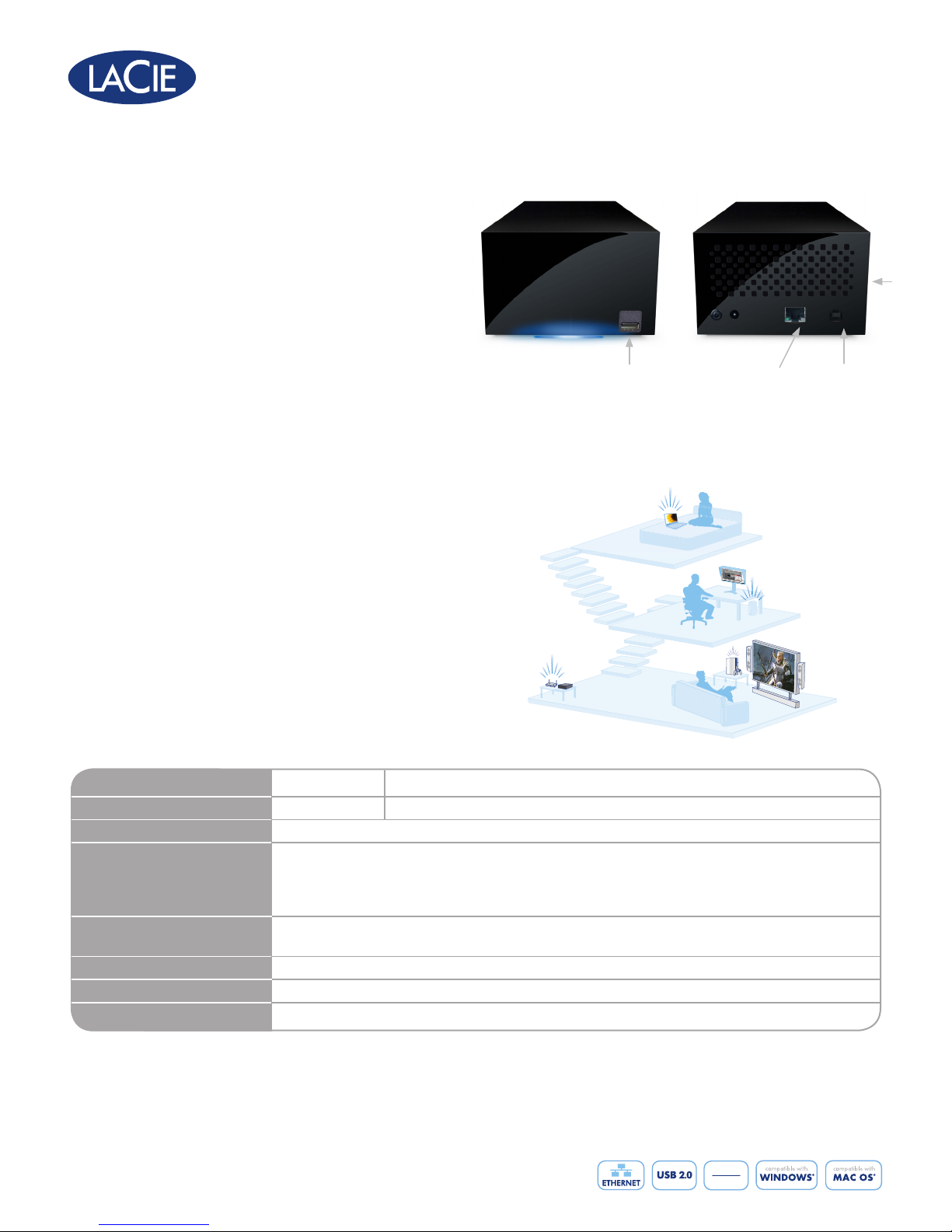
USB port to connect hard
disk, flash drive, printer,
or digital camera
Ethernet port
USB device port
to connect to
the computer
Enjoy All of Your Media, Wherever You Are
MacBook
PC
Gaming console
Router
LaCie Network
Space MAX
2 disks
Item Number
Capacity*
Interfaces
USB Port
301519 301524
2TB 4TB
Gigabit Ethernet (10/100/1000 Mbits)
Transfer and back up files to/from an external hard disk
Add capacity
Upload photos from a camera
Share a printer
Transfer Rate
NAS performance through Ethernet: up to 65MB/s in read; up to 35MB/s in write****
DAS performance through USB: up to 30-35MB/s
Dimensions (WxDxH)
Weight
Warranty
*1TB (Terabyte) = 1000GB. 1GB = 1,000,000,000 bytes. Total accessible capacity varies depending upon operating environment (typically 10-15% less).
**Calculations are based on 3MB/photo, 3MB/three-minute MP3 song, and 700MB/movie encoded in MPEG-4 or equivalent codec.
***Up to six private shares available.
****Transfer rates depend on file sizes and formats, LAN configuration and other factors. Typical transfer rate in wired Gigabit Ethernet network can be up to 65MB/s in RAID 0.
Speed depends on the file sizes and formats and LAN configuration. Typical transfer rate for USB and Ethernet interfaces.
1Gb is preferred to get full speed.
© 2010, LaCie. The LaCie logo is a trademark of LaCie. Other product and brand names
mentioned herein may be trademarks or registered trademarks of their respective owners.
Specifications and appearance are given as guidelines and are subject to change without notice.
www.lacie.com
100402 v 1.0
117 x 193 x 77 mm / 4.6 x 7.6 x 3 in.
1.8 kg / 4 lbs.
2-year limited
****,
USB 2.0
 Loading...