

Page 1
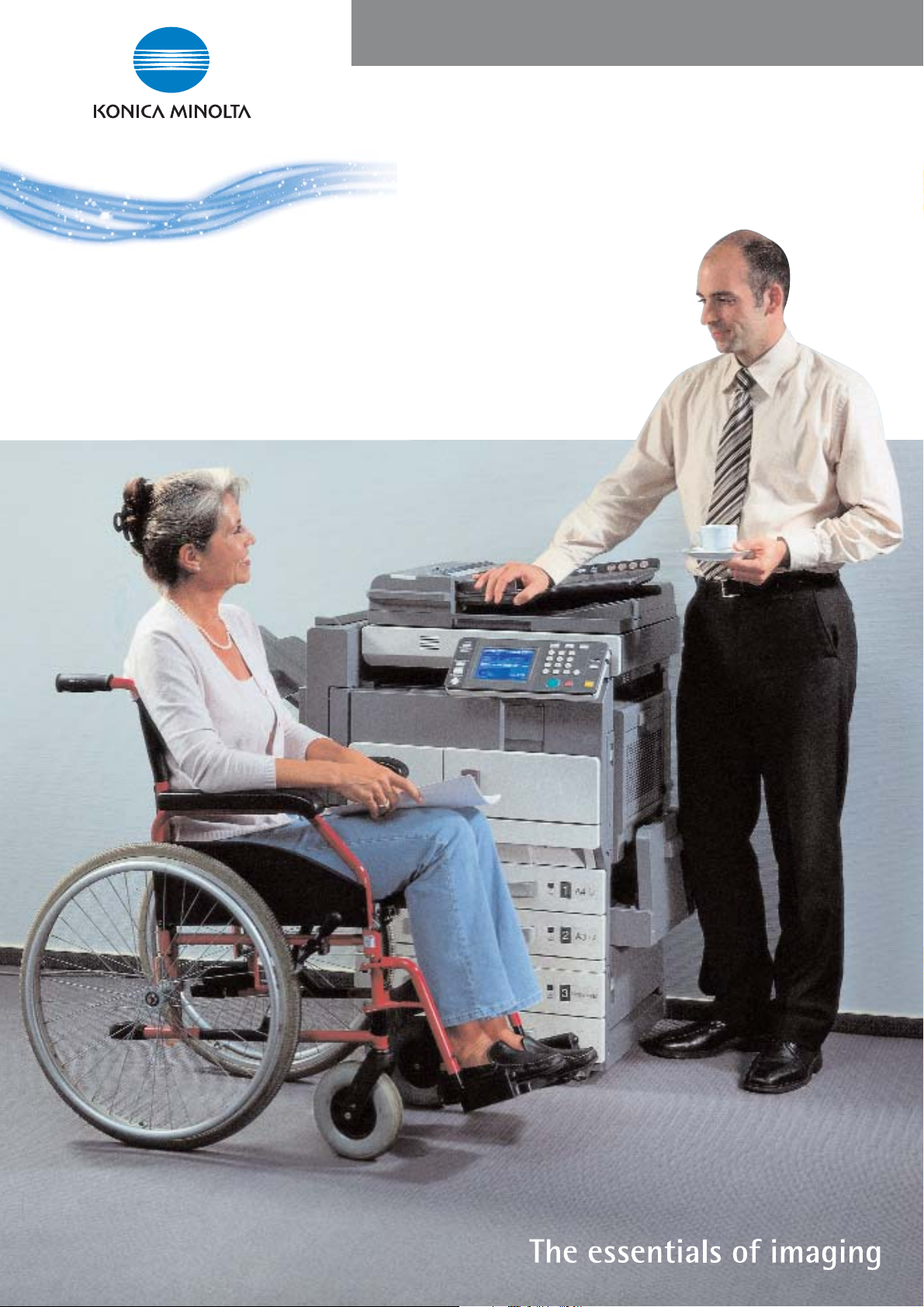
Universal Design Concept
Our machines are built
for everybody’s needs
www.konicaminolta.co.uk
Page 2

C
ertified suitability
TÜV Product Service GmbH invited six wheelchair users from North Germany
to test the suitability for disabled people of the Konica Minolta Di2510
monochrome copier-printer (Di3010/Di3510 & bizhub range similar in
construction).The extensive testing procedure involved a variety of tasks such
as copying (normal and duplex copying, sorting, magnifying and reduing),
creating a booklet, printing (normal, duplex and hole-punching), scanning
and refilling both paper and toner. The testers evaluated the ease with which
each of these 18 tasks could be carried out on a five-point scale between
“very good” and “poor”. Interviews were also conducted to discover their
subjective assessment of the machine’s suitability for disabled people.
The results were overwhelmingly good.
The six testers gave a “very good” or
“good” rating to 97.6% of the 84
machine features assessed in the tests
and 96.3% of the 27 features evaluated
in the interviews. The interviews revealed
a high degree of satisfaction with the
tested machine – “very easy to use” and
“the best machine ever seen” were just
two of the comments. The tiltable display
panel and magnification function met with
a very positive response and there was
praise for the fact that suggestions for
improvements made when the last Konica
Minolta machine was tested early in 2003
had been implemented in the Di2510. All
in all, a massive vote of confidence in the
machine’s ease of use by disabled
people.
Ease of use: TÜV Product Service GmbH
ratings for 84 machine features
90
80
70
60
50
40
30
20
10
0
Very good Good Satisfactory Adequate Poor
Features
“I found it particularly easy to feed in originals for scanning and the
display is really easy to operate, even if you’ve limited use of your fingers.”
Bernd Worf, plumber
Page 3
Ease of use - an essential quality
Office workers with disabilities, whether they’re wheelchair
users, visually impaired or have dexterity problems - know
full well how important user friendly business equipment is.
One of the aims of Konica Minolta Universal design concept is
to ensure that our machines do not discriminate against
users.
Even the most sophisticated business equipment is of little
value if it is too difficult to use. That’s why ease of use is one
of the key characteristics of all Konica Minolta’s business
equipment. Now Konica Minolta has taken this ease-of-use
principle one step further by launching its Universal Design
Concept. From now on, all of Konica Minolta’s new business
equipment will fulfil the minimum requirements of this
Universal Design Concept.
This user-friendly Concept also complies with the growing
statutory demands for everyone to have “an opportunity to
participate in the global information society” (eEurope 2002 &
2005). In the USA Federal agencies are now required to
“ensure that ... technology is accessible to employees ... to
the extent it does not pose an undue burden”. Konica
Minolta’s unique Universal Design Concept fulfils these
www.tuev-sued.de
requirements. Evidence of the suitability of Konica Minolta’s
machines for use by disabled people comes from the
certification issued by TÜV Product Service GmbH, a wellrespected German organisation of technical service providers
(see opposite).
Page 4

Designed to make life easier
A number of features have been built into the latest Konica Minolta models to
make them easier to operate for any user – not just those suffering from
some form of disability. The benefits start with the operating display – the
most important “human interface” in any piece of business equipment. A
user can specifically simplify the Konica Minolta operating display to make a
machine even easier to use. What’s more, the operating instructions are
comprehensive enough to ensure the user isn’t left wondering how to
activate some infrequently used function but still written simply so they are
easy to understand.
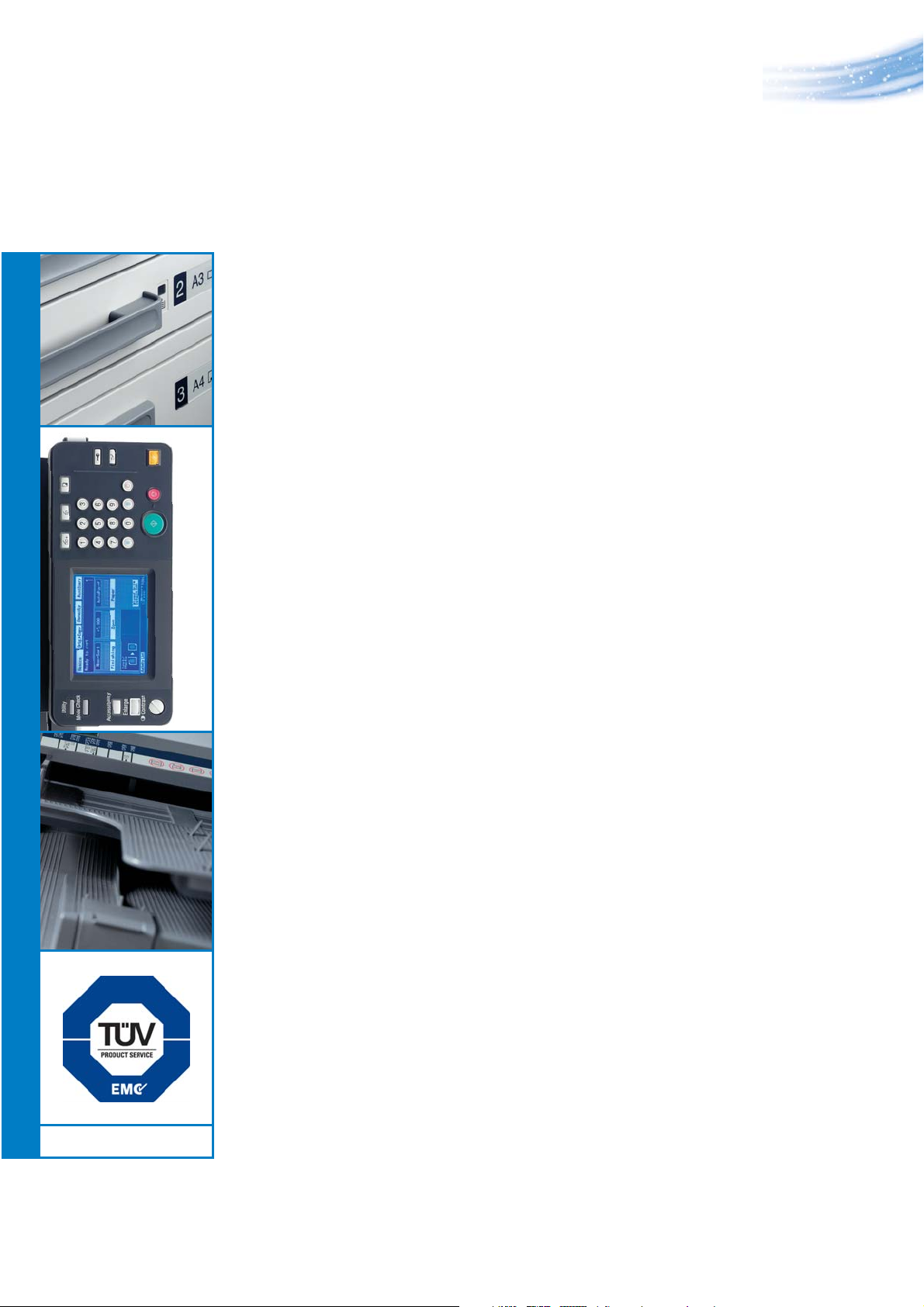
1 One particularly practical feature is
the system status lamp. This shows every
user, even at a distance, whether a Konica
Minolta machine is ready for use (lamp
off), running (green lamp) or
malfunctioning (red lamp). This can save a
lot of time and effort, especially in larger
offices.
1
“Older copiers are often difficult to use because the operating panel is too high.
But this Konica Minolta machine is particularly convenient for a wheelchair user. I
found the paper access, tiltable panel and booklet creation function particularly
good.”
Irmgard Wandt, personnel officer
Page 5

Better access for
wheelchair users
Most office machines are difficult to
operate for wheelchair users. Operating
panels, for example, are normally designed
for standing use only. Here, Konica
Minolta’s Universal Design Concept breaks
new ground by introducing an operating
panel that can be tilted by up to 42°
2
2 Wheelchair users can easily read the
display and access the buttons.
In addition, this feature is also useful
if the sun is shining on the display. Other
features of Konica Minolta’s Universal
Design Concept have also been introduced
with wheelchair users in mind.
Page 6

3 A transparent rail at the front edge
of the feeder unit allows paper to be
inserted more easily.
4 The feeder icons attached to the
vertical rail at the back of the feeder unit
are visible at wheelchair height.
5 In a busy office even the high-
capacity paper trays of many Konica
Minolta machines need frequent refilling.
But most conventional paper cassettes
have handles that can only be accessed
from the bottom upwards – a clear
disadvantage, not just for people in a
wheelchair. KonicaMinolta’s Universal Design
Concept introduces paper cassettes that
can be accessed from the top downwards.
Brighter prospects for the
3 4
6 7
5
visually impaired
Reading the display of a conventional
office machine can be a real problem for
the visually impaired. Konica Minolta’s
Universal Design Concept, in contrast,
has
introduced a number of features
designed to meet their specific needs.
6 The operating display, for example,
can be enlarged up to 16 times the
original size and visually impaired users
can scroll through the panel like a PC.
7 The contrast in the display can be
easily regulated to accommodate impaired
vision or difficult lighting conditions, e.g.
strong sunshine or dark corners.
“An ergonomically designed machine that everyone can use helps with the integration of
disabled people. This Konica Minolta machine has a number of useful features such as the
tiltable panel, large paper trays, robust feeder and fax function.”
Klaus Pöhler, engineer
Page 7

8
Up to now, most office equipment has come
in the ubiquitous pale-grey colour. Konica
Minolta’s Universal Design Concept has
broken with this “tradition” to introduce a
darker-coloured design. Use is made of highquality recycled plastics that take on a
darker colour when reprocessed. This not
only has clearenvironmental benefits but
also helps visually impaired users.
9
8 The darker-coloured panel and
output trays make it easier to identify
if a fax has arrived or a print job is
already in the output tray.
Benefits for finger-handicapped users
Most machines are not designed to meet
the specific needs of users with
impairments to their fingers, hands or
dexterity. The latest Konica Minolta machines
are an exception. The keys of the operating
panel have been specifically designed for
10
those with limited dexterity.
9 Their concave shape ensures that any
operating instrument such as a pen does not
slip off.
10 Another useful feature is the document
feeders large handle, which enables users to
lift the lid up easily, for example just with
their fist.
Page 8

Universal Design Concept
“A machine that is ergonomically designed with the needs of
disabled people in mind not only helps with their workplace
integration but is also easy to use for everybody – and that raises
productivity and makes the document workflow more efficient.”
All specifications relating to paper
capacity refer to A4-sized paper
of 80 g/m
All specifications relating to scanning,
copying or printing speeds refer to
A4-sized paper that is scanned,
copied or printed crosswise in
multipage, simplex mode.
The memory capacities listed refer
to A4-sized paper with the toner
coverage detailed in the respective
foot note.
2
quality.
Some of the product illustrations
contain optional accessories.
Konica Minolta does not warrant that
any prices or specifications
mentioned will be error-free.
Specifications are subject
to change without notice.
Microsoft,Windows, and the Windows
logo are trademarks, or registered
trademarks of Microsoft Corporation
in the United States and / or other
countries.
All other brand and product names
may be registered trademarks or
trademarks of their respective
holders and are hereby
acknowledged.
Konica Minolta Business Solutions (UK) Ltd ●Miles Gray Road, Basildon, Essex SS14 3AR●Tel: 0800 833864●Fax: 01268 282480●E-Mail: info@bs.konicaminolta.co.uk● Web: konicaminolta.co.uk
 Loading...