

Page 1
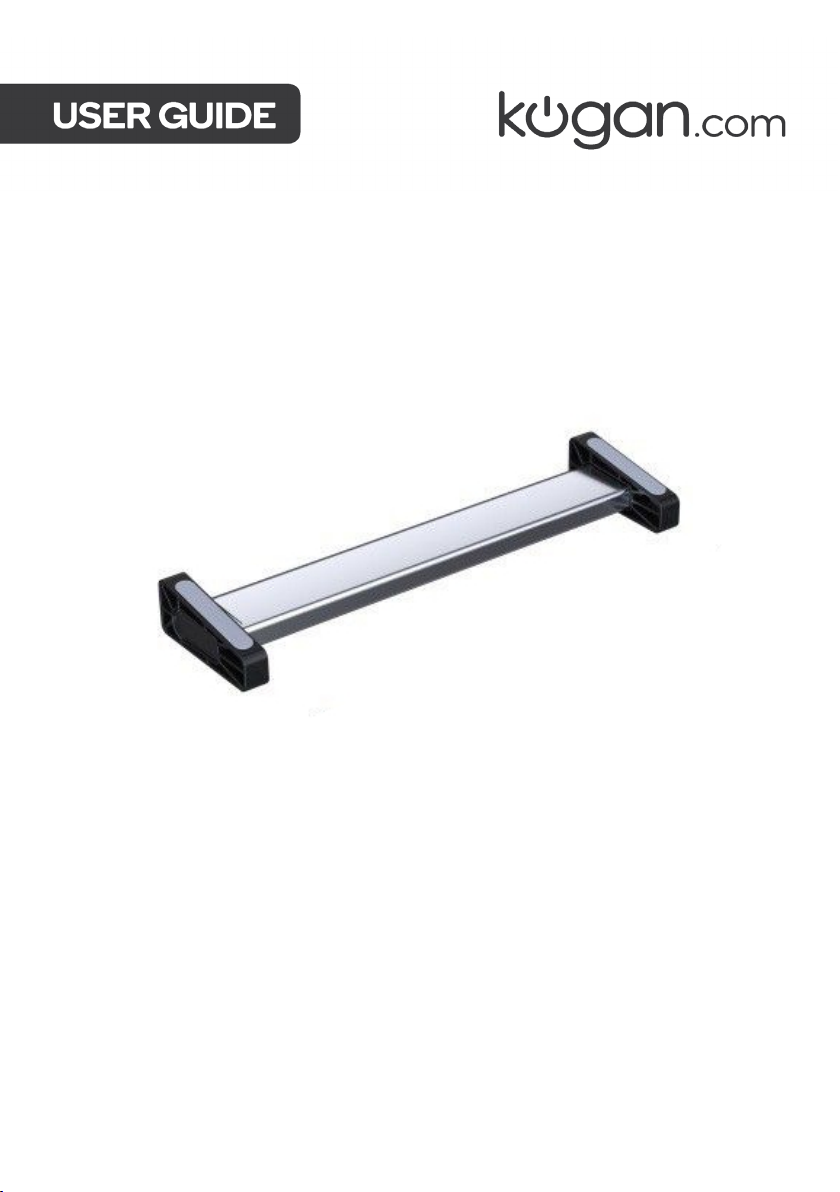
DUAL 4K 30HZ HDMI TYPE-C
HUB PRO
KATCHBDL4KA
Page 2

Page 3
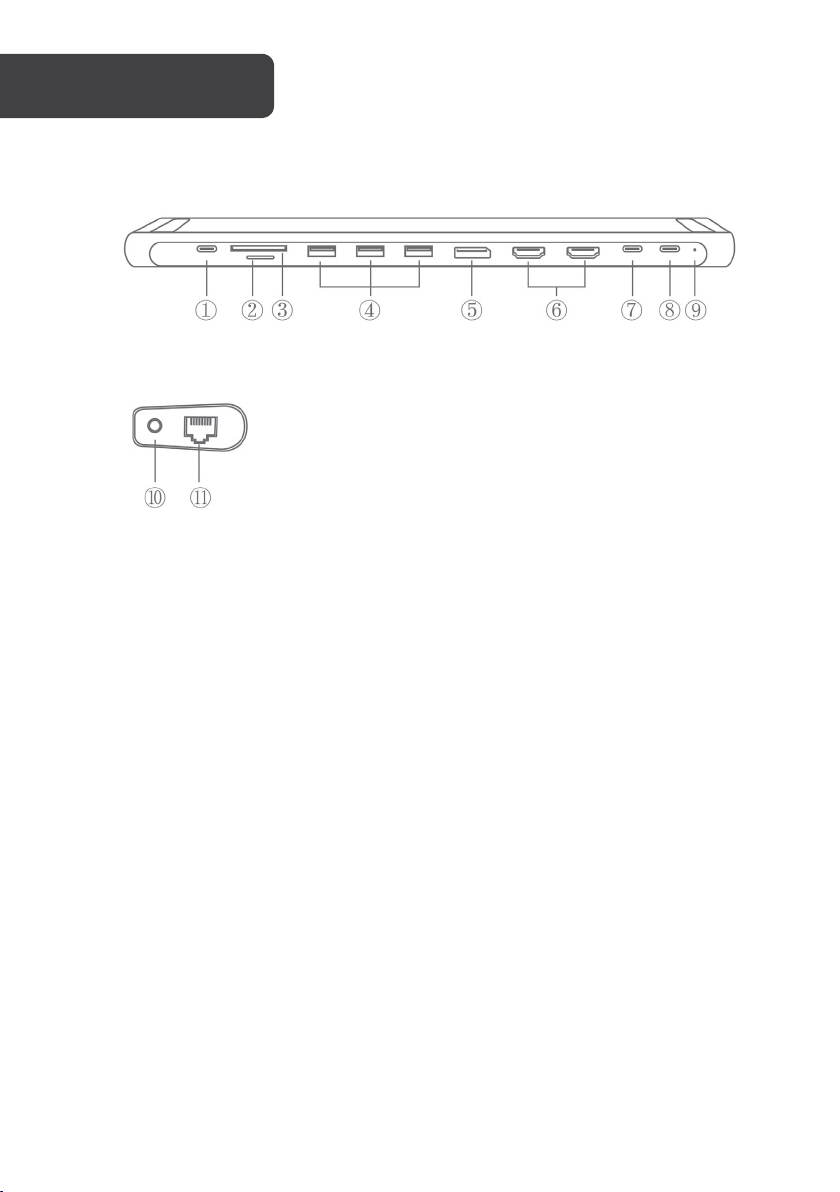
1
USB-C Power
5
DisplayPort
9
LED indicator
2
microSD card slot
6
HDMI output
10
Audio 3.5mm jack
3
SD card slot
7
USB-C port
11
Ethernet port
4
USB 3.0 (type A)
8
USB-C laptop
OVERVIEW
Delivery (PD)
ports (x3)
output port
ports (x2)
(Data only)
connection
(headphone and
microphone)
(RJ-45)
Page 4

HDMI output port
Up to 4K @ 30Hz, 2K @ 60Hz or 2K / 1080p
Ethernet (RJ-45 port)
Support 10/100/1000 MBps
USB 3.0 Type-A port
Data transfer up to 5GBps
SD/TF card slot
Supported memory card capacity up to 512GB.
USB Type-C PD charging port
100W of power delivery (Only for laptop
USB Type-C type C data transfer port
The data transfer speed up to 5Gbps.
DisplayPort
DP++1.4 version, up to 7680x4320 @ 60Hz
Audio 3.5mm port
Microphone in, audio out (headphones or line
System requirements
• Laptop with USB-C port
systems
Plug-and-play
Yes
/ 720p / 480p / 360p
Read/write speed up to 104MB/S
charging); Support power up to 100W
out to external speakers)
• Chrome, Linux, Windows 10 / 8.x / 7 / Vista
/ XP, macOS v10.6 or above operating
Page 5

Plug one end of the supplied USB-C-to-USB-C cable into the Laptop Connection port of the
hub (7), and the other end into the USB-C port of your laptop.
1. USB-C Power Delivery: Power USB-C laptops that support USB Power Delivery (PD)
while the hub is in use.
2. SD/microSD Card Reader: Insert your memory card into the SD/ microSD card slot
to directly access files stored in the SD/ microSD card on your USB-C laptop. SD/
microSD memory cards can be used on the hub simultaneously.
3. USB 3.0 Data Transfer: Connect your laptop to a smartphone, tablet, hard drive or
other USB peripheral via USB 3.0 Type-A ports and transfer data between your
laptop and connected devices.
4. DisplayPort output port: Connect your monitor with a DP cable via the DP output
port.
5. HDMI Output port: Connect your laptop to an HDTV or projector with an HDMI
cable via the HDMI output port and watch videos from your USB-C laptop on your
TV or other HDMI-enabled devices.
6. USB-C data transfer: Connect your device with type C port and then the
information can transfer directly.
7. 3.5mm audio port: Plug your wired earphone/headphone into the 3.5mm audio
port. Microphone (in) and audio (out) capabilities.
8. RJ-45 Ethernet port: Connect the hub to an Ethernet network cable via the RJ-45
Ethernet port for internet connectivity.
If you connect to computers with a Windows system, the GPU should support MST.
Type-C port supports DP 1.4
Notes:
1. One hub, one pair of hub stands, and one USB-C to USB-C cable included.
2. For best performance, devices connected to this hub should not exceed the total
current of 900mA maximum when no power source is connected to the hub.
Otherwise, output current may become unstable or disconnected. Connect a
power adapter to the hub (USB-C DP) when using high-power devices.
3. The USB-C female port of this product is only for charging USB-C laptops whose
USB-C port supports USB Power Delivery (PD). The USB-C female port of this
product does not support data transfer.
4. A 4K-capable display and a 4K-capable HDMI cable are required to achieve 4K
resolution.
Page 6

Tips
4 ways to help reduce possible USB 3.0 radio frequency interference to the wireless
connection of some laptops:
• Connect the laptop to a 5GHz Wi-Fi network.
• Connect devices (e.g. mouse and keyboard) to USB 2.0 ports on the laptop.
• Connect the USB 3.0 hub to the laptop with a high-quality 1-foot or longer USB 3.0
extension cable; keep USB 3.0 devices away from the host computer.
• Use high-quality shielded USB 3.0 devices / cables / connectors.
Page 7

Material
Aluminium alloy, ABS
HDMI output port x 2
Audio 3.5mm port x 1
Connector
USB Type-C (laptop port)
SPECIFICATIONS
Interface
Ethernet port (RJ-45 port) x 1
USB 3.0 Type-A port x 3
SD card slot x 1
microSD card slot x 1
USB Type-C laptop port x 1
USB Type-C data port x 1
USB Type-C Power Delivery x 1
DisplayPort output port x 1
• USB Type-C Hub
• USB-C to USB-C Cable
• Hub stands (one pair)
• User Guide
Page 8

Need more information?
We hope that this user guide has given you
the assistance needed for a simple set-up.
For the most up-to-date guide for your product,
as well as any additional assistance you may require,
head online to help.kogan.com
 Loading...