

Page 1
SMARTERHOME SMART WIFI
PET FOUNTAIN
KASMTPWFNTA
Page 2

SAFETY & WARNINGS
Use this product in an indoor environment and only for its intended use as
described in this user guide.
Disconnect the power supply when cleaning and use a clean, dry cloth.
Children must be supervised when using the unit.
Install on a flat, stable surface.
Cover or route the power cord well to prevent pets from biting it.
When using electrical appliances, basic safety precautions should always be followed,
including the following:
Do not touch hot surfaces. Always use the handles.
To protect against electric shock, do not immerse cord, plug into water or other
liquid.
Unplug from outlet when not in use and before cleaning. Allow to cool before
putting on or taking off parts and before cleaning the appliance.
The use of the other accessories not recommended by the Kogan.com may
damage the appliance or cause injuries to users.
Do not let the cord hang over edge of table or counter or touch hot surfaces.
Do not place on or near a hot gas or electric burner or in a heated oven.
Never leave the appliance unattended while it is in use.
Keep the power cord away from heating tip and metal enclosure while using.
If this product experiences any fault or damage, stop using it and contact
Kogan.com.
If the power cord is damaged, it must be replaced by the manufacturer, its service
agent or similarly qualified persons in order to avoid a hazard.
This appliance is not intended for use by persons (including children) with reduced
physical, sensory or mental capabilities or lack of experience and knowledge,
unless they have been given supervision or instructions concerning use of the
appliance by a person responsible for their safety.
Page 3
OVERVIEW
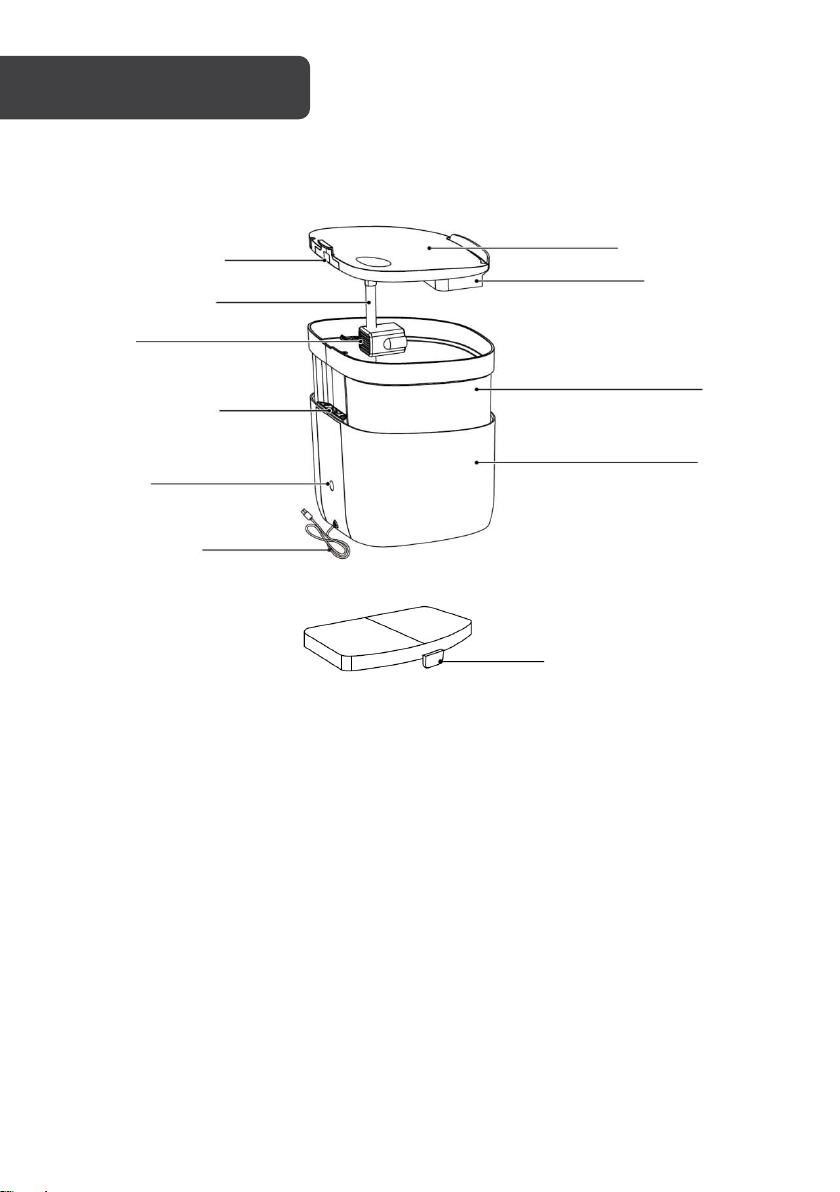
Metal Contact
Silicone Tube
Pump
LED Indicator
Wi-Fi
Indicator/Button
Power Cable
Filter
Reservoir Lid
Filter Tray
The side with a tab
faces down
Tank
Body
Page 4
KOGAN SMARTERHOME ™
Download the “Kogan SmarterHome” app from the Play Store (Android) or App Store (iOS).
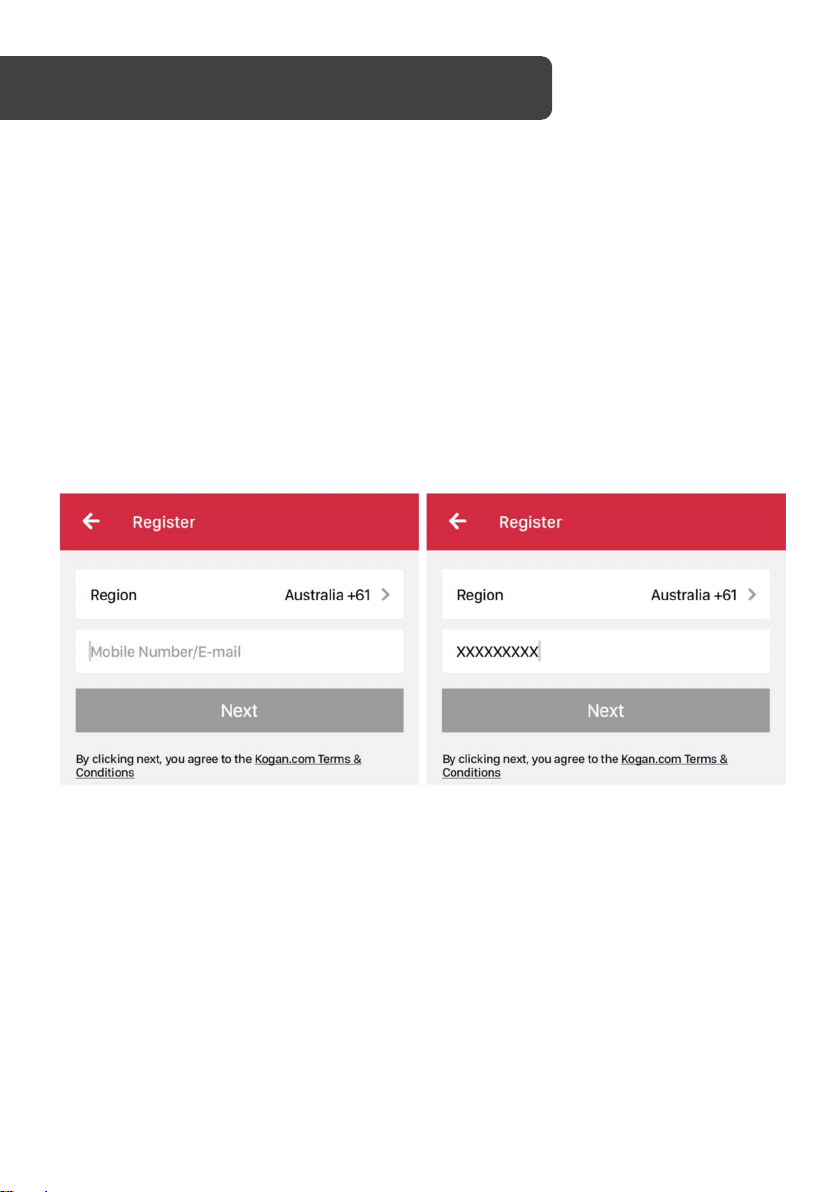
Register
If you do not have a Kogan SmarterHome account, register or sign in with a verification code
sent by SMS.
1. Tap to enter registration page.
2. The system automatically recognises your country/area. You can also select your
country code manually. Enter your mobile phone number/email address and tap
“Next”.
3. If you choose the mobile phone number option, then enter the verification code in
the message sent to you by SMS. Set a password as prompted and press
“Confirm” to finish your registration.
Add Device Through Network
1. Power the SmarterHome device on and follow the product-specific instructions
to enter the Wi-Fi-connect mode.
2. Open Kogan SmarterHome app and tap “+” in the upper right to add a new
device through the network.
3. Ensure the device’s indicator light rapidly flashes and tap “Confirm light is
rapidly flashing”.
4. Select Wi-Fi network (Note: Network must be 2.4GHz band) and enter the
password.
Page 5
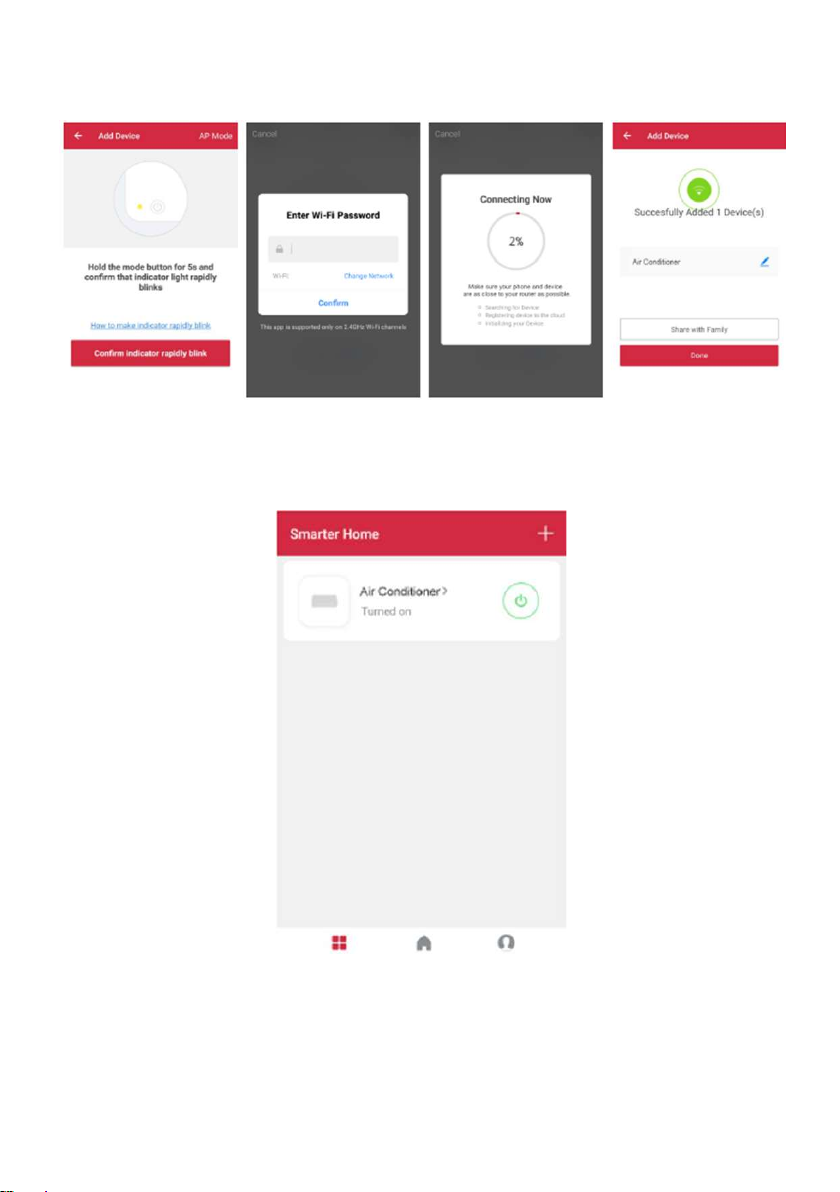
The device will commence the pairing process and connect to the app.
5. After successfully configuring the devices, the device will be shown on the
home page. Tap to enter its control page.
Note:
When device is online, it can be controlled.
When device is offline, it displays “Offline” and cannot be remotely powered on.
Page 6
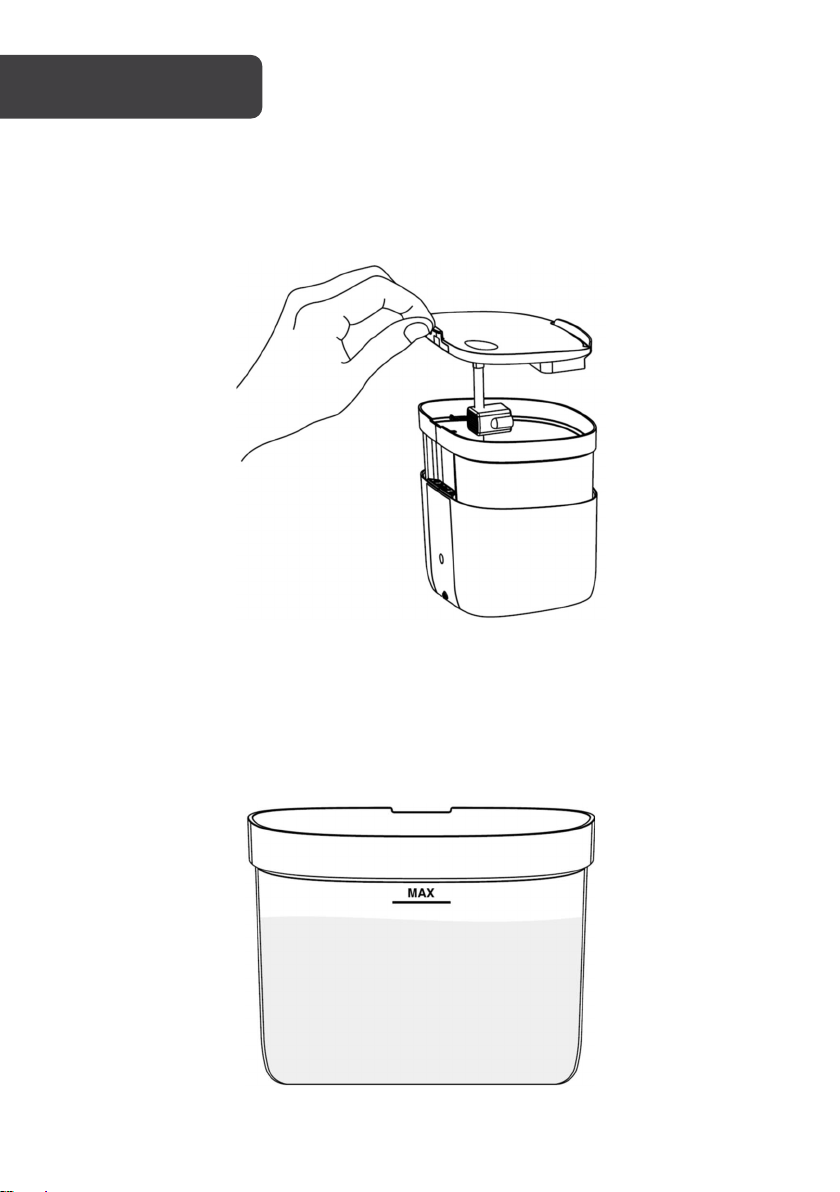
OPERATION
Clean
Clean the tank and reservoir lid. Soak the filter in water for 1-3 minutes. Clean the body using
a dry cloth.
Fill
Pour water into the tank. Do not exceed the maximum water level.
The first time after filling, the pump will automatically extract air before it pumps
water. In this process, the water flow will gradually stabilise.
Page 7
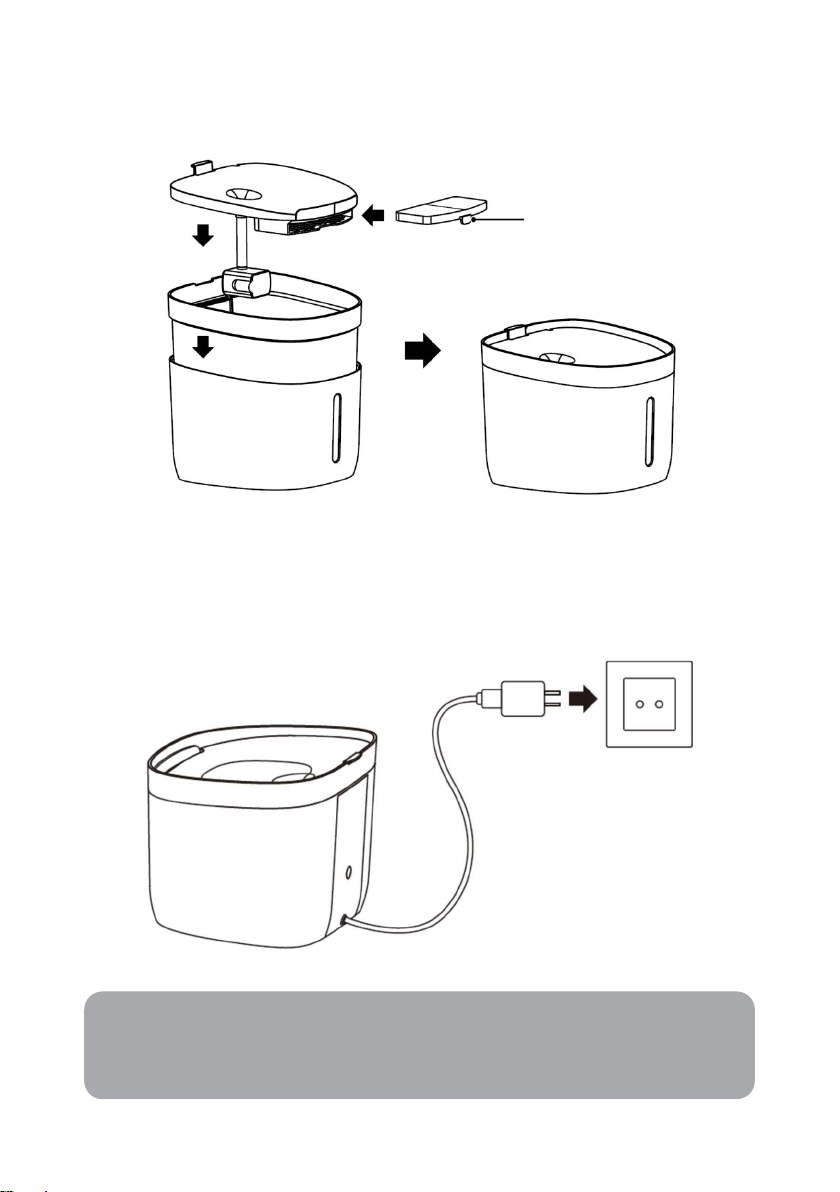
Assemble
Assemble the tank, reservoir lid and filter according to the illustration below.
The side with a tab
faces down
Power on
Connect the USB cable to a 5V/1A power supply, then connect an A/C adapter to a wall
outlet. The fountain will flash and then start working.
Note:
USB Power adapter is not included.
Page 8
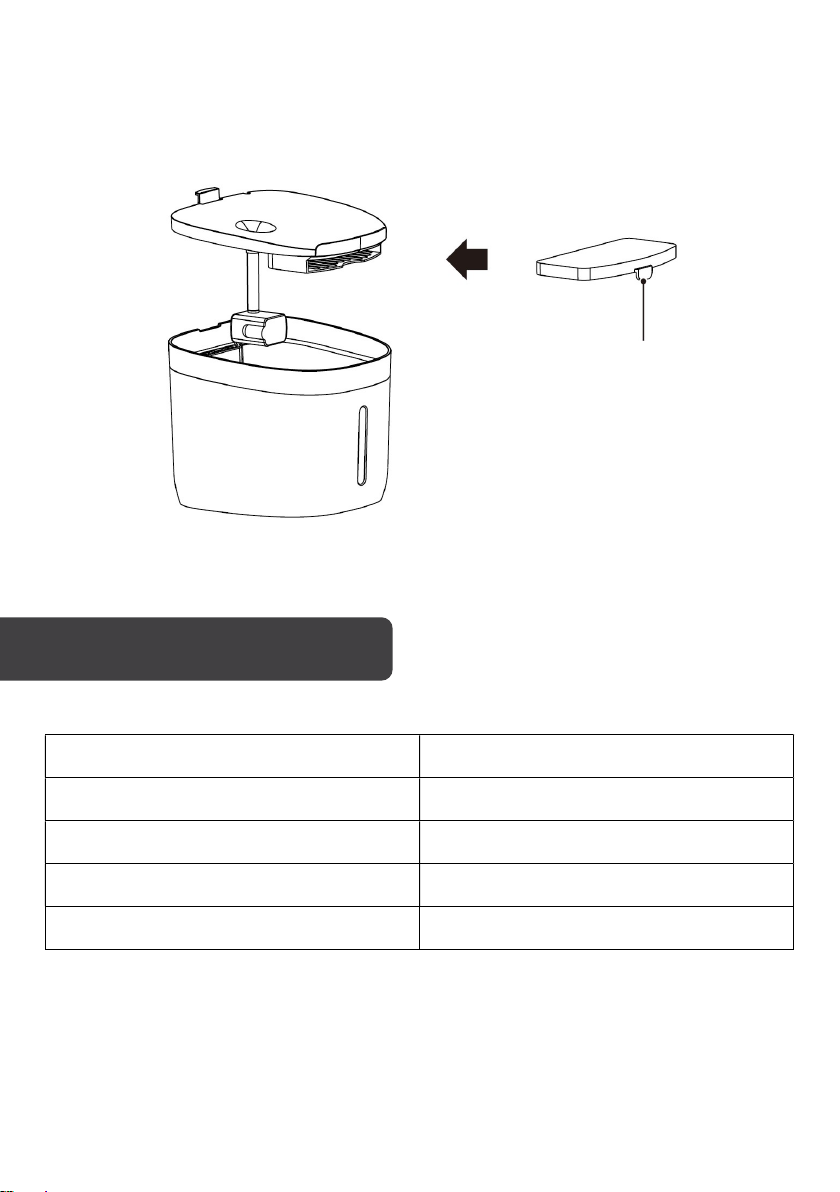
Filter replacement
It is recommended to replace the filter every 30 days.
Soak the filter in the water for 1-3 minutes before use.
SPECIFICATIONS
The side with a tab
faces down.
Power input DC 5V, 1A
Capacity 1.9L
Connectivity Wi-Fi (2.4GHz)
Range ~30m with no obstacles or obstructions
Operating temperature -10°C to 55°C
Page 9
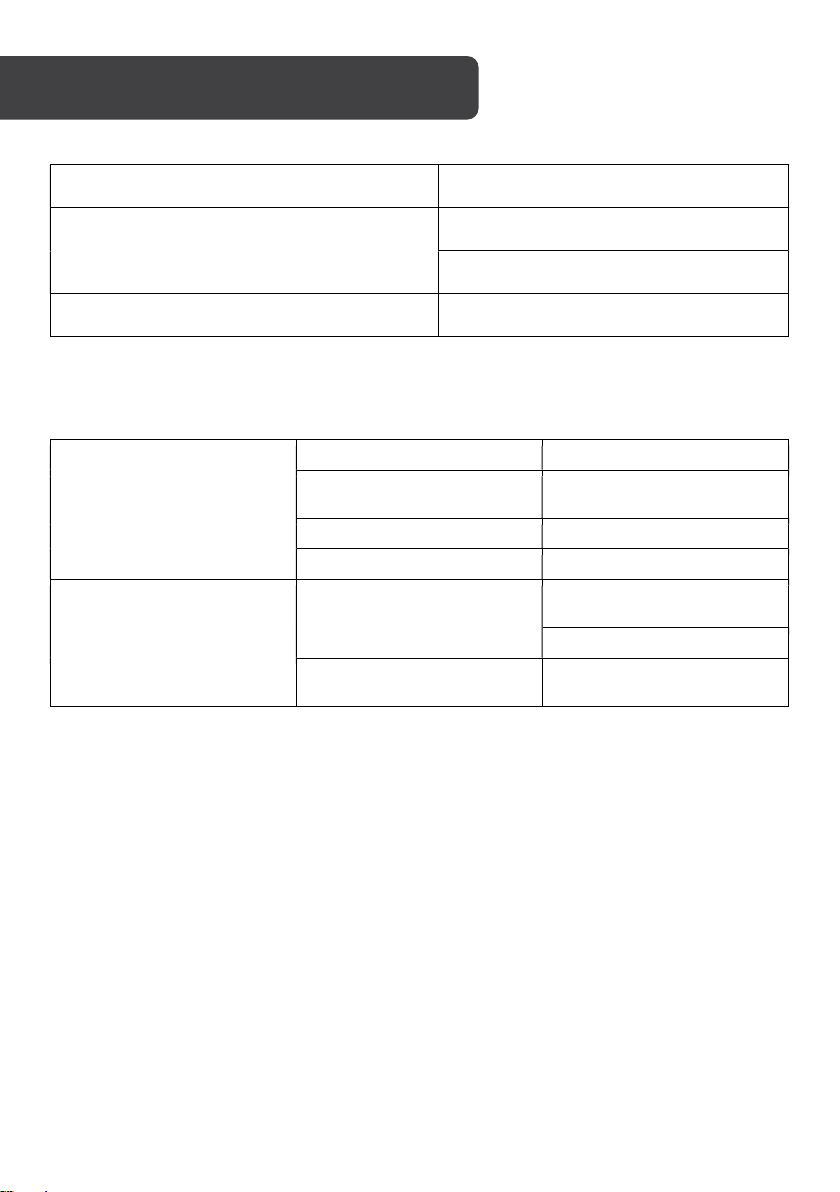
TROUBLESHOOTING
Issue Possible cause
LED blinking red, no water coming out Reservoir lid or metal contacts not in place
Fountain is out of water: refill
LED flashing red + blue light, water flow weak Fountain low on water: refill
Indicator Status
Steady blue Working
The filter has been used for
30 days! Time to change!
Ready for set-up in SmartLink
mode
Ready for set-up in AP mode
Device has properly been
setup
LED Indicator
Wi-Fi Indicator
Blinking blue
Blinking red Low water
Single red/blue flash Self-test on power-up
Fast blinking
Steady illumination
To reset filter:
Short press button while it is blinking blue.
To switch between SmartLink and AP mode:
Long press button (5 seconds).
To reset Wi-Fi:
Long press button (5 seconds) while the Wi-Fi indicator is blinking quickly.
Page 10
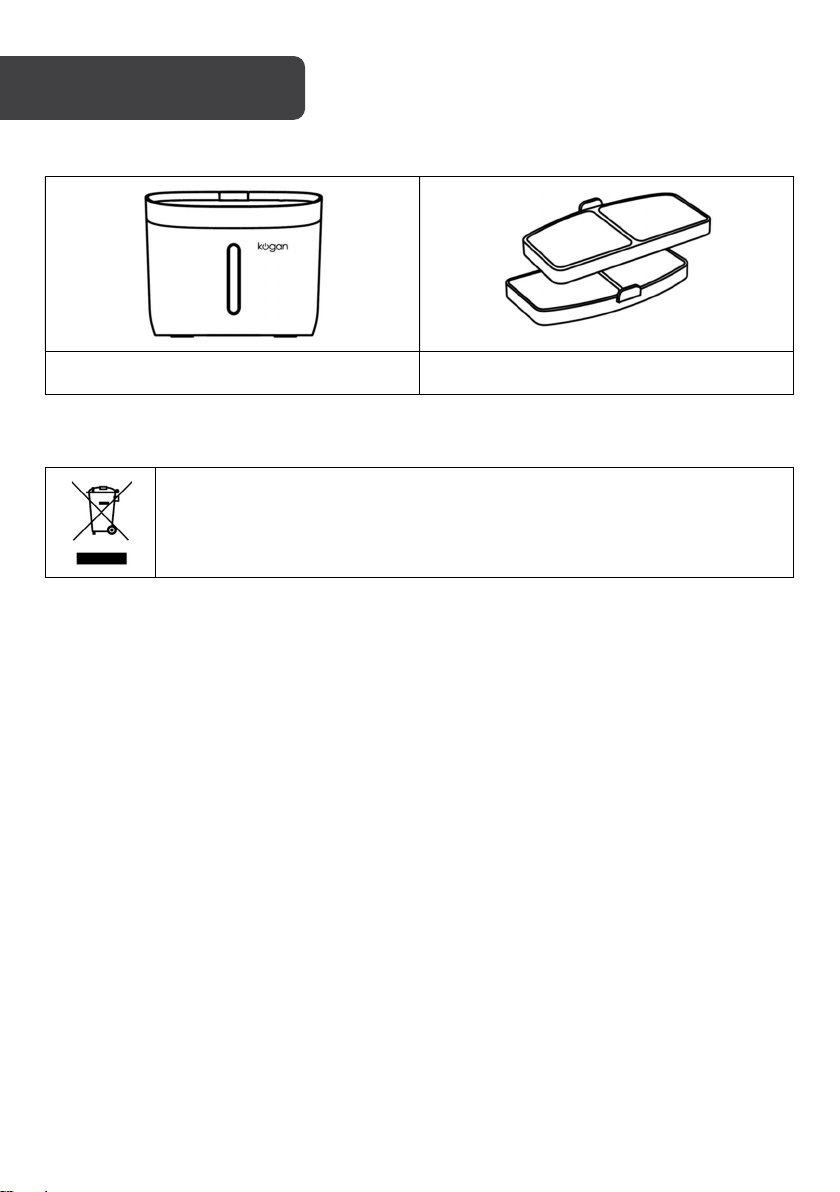
IN THE BOX
Disposal
Smart Pet Fountain Replacement Filter x2
This marking indicates that this appliance should not be disposed with other
house-hold wastes. To prevent possible harm to the environment or human
health from uncontrolled waste disposal, recycle it responsibly to promote the
sustainable reuse of material resources.
Page 11

This is a Quick Start Guide, and we hope that this
has given you the assistance needed for a simple set-up.
For the most up-to-date guide for your product,
as well as any additional assistance you may require,
head online to help.kogan.com
 Loading...